

Page 1
1 2
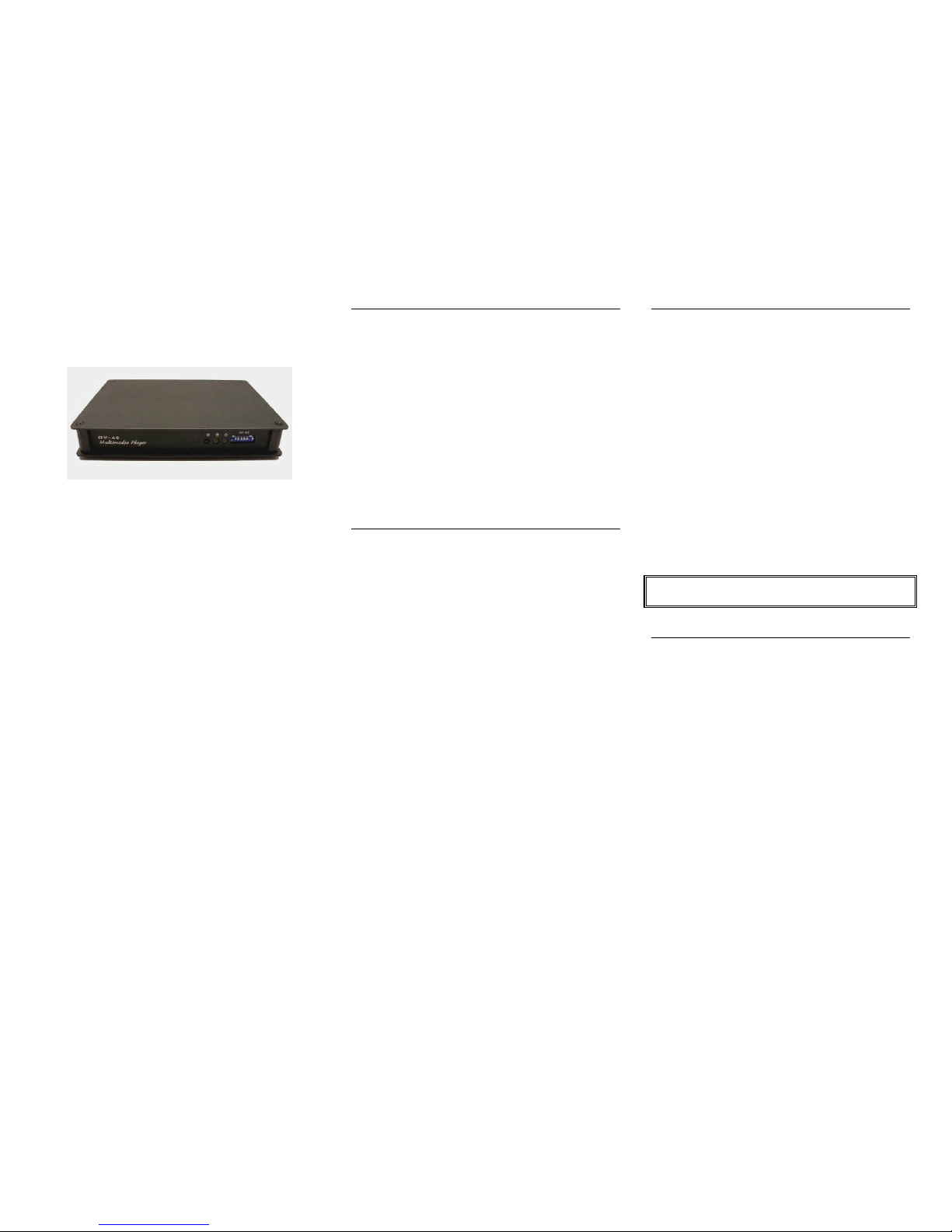
DV-68
Quick Reference Guide
H/W 1.7
Firmware V2.0B2
Revision 12/2011
DV-68 plays:
MPEG-1 (.mpg VCD)
MPEG-2 (.mpg DVD)
MPEG-4 (.divx DIVX)
Windows JPEG (.jpg)
MP3 audio (.mp3)
WAV audio (.wav)
Technovision Inc.
1845 Sandstone Manor, #2
Pickering, Ontario
L1W 3X9
P:(905) 420-5153
F:(905) 420-0753
www.technovision.com
Operation
The DV-68 MPEG-2 DVD Video Player is small and
compact, with no moving parts. It will store and
playback full-motion audio/video clips from standard,
high-speed (40X or greater) Compact FLASH
memory cards (FAT or FAT16 format). Transfer
MPEG-1, MPEG-2, MPEG-4. MP3 or JPEG files to
the DV-68 easily by simply using your PC (or Virtual
PC on a Mac) and a standard FLASH memory card
reader. In MENU mode, the DV-68 can be set up to
repeat the first file on the system with button access to
the other files using the optional TV-66K. The DV-68
can also be set up in REPEAT mode to cycle through
all the files on the FLASH card.
Standard Features
• Digital MPEG-2 and MPEG-4 Media Player.
• TV66K controllable using RS232-TTL.
• Supports multiple formats, including MPEG-1,
MP3 (192K max bit rate), and JPEGs.
• Supports up to 5Mbps CBR MPEG2 and up
to 6Mbps (max) with a 4.5Mbps (average) in
VBR MPEG2.
• Multiple file selection (up to 99).
• Audio/Video capability.
• Instant file selection response.
Content Integration
To set up your content (MPEG-1 VCD, MPEG-2
DVD, MP3, or JPEGs) to work with the DV-68, you
must have a high-speed Compact FLASH media
card capable of data transfer rates fast enough for
playing back your content. You will also need to use
a Compact FLASH reader/writer with your
computer to copy the appropriate files to the
memory card. The only files on the card should be
the media files - if there are any other files or
directories on the card (i.e. Mac. dsstore files),
the DV-68 will still try and play them.
TextWrangler (shareware program) is available
for the Mac – this will remove the unwanted files.
Connect your card reader to your PC (note: be sure
that the card reader driver is installed) and insert the
Compact FLASH card (we recommend 1GB
minimum) into the reader.
DO NOT POWER UP THE DV-68 WITHOUT THE
FLASH CARD BEING INSTALLED.
Filenames
The DV-68 uses numeric filenames for playback. In
MENU mode, the “menu file” is named “000.mpg”
and the button activated files are named “001.mpg”,
”002.mp3”, “003.jpg” etc.
In REPEAT mode, the files are named in numeric
order starting at 001. For example, “001.mpg”,
”002.mp3”, “003.jpg” etc.
Page 2
¯
3 4 5
Menu Mode (factory default)
Menu mode: DV-68 will loop file 000 as the “menu”
and will then play “file (button press)”. For example,
button 3 will play file 003 on the card. At the end of
playing the file, the menu file (000) will begin
looping again. Button access requires a TV-66K.
Repeat Mode
Repeat mode: DV-68 will play all the files in
sequence, one file at a time in numeric order. After
the last file has played, the DV-68 will start with the
first file (001) again. On a button press, the DV-68
will play “file (button press)”. For example, button 4
will play file 004 on the card.
Changing Playback Modes
DIP Switch Selections (DEFAULT)
Down Up
1. Menu Mode | Repeat Mode
2. Composite Output | VGA Output
3. OSD OFF | OSD ON
4. JPG top load *1 | JPG Full screen
5. PIR Track 1 | PIR Track 2
6. Letterbox 16:9 video file | 16:9 Full Screen
7. Auto TV type | NTSC (TV Type)
8. Is the opposite setting of DIP# 7
*1 DV68 MUST be running when changing DIP#4.
Using JPEG and MP3 files
JPEG files will be shown for a 3-second duration both
in MENU mode and REPEAT mode (unless it is the
“menu”). When a MP3 file is selected, a frequency bar
chart will show up when playing.
Connecting to your display
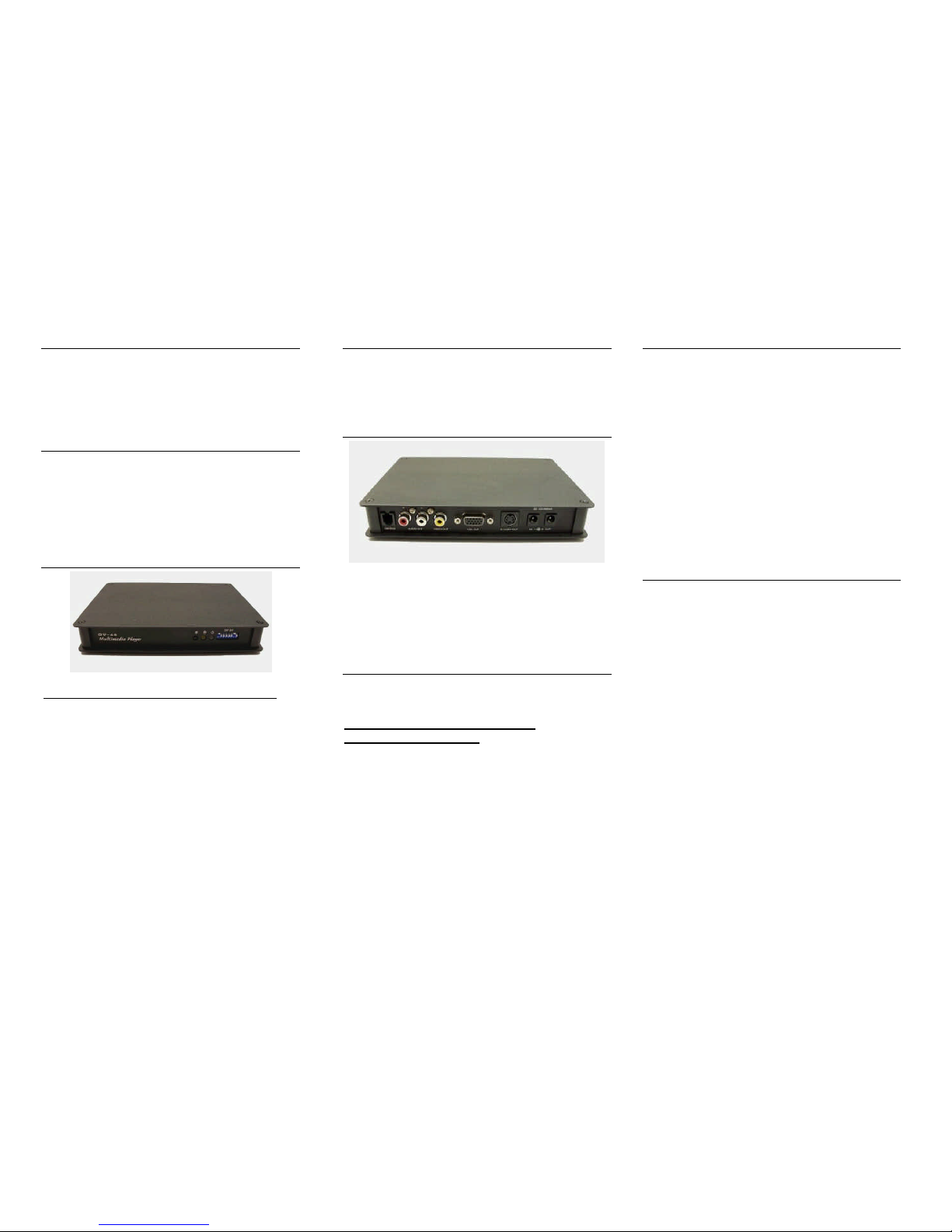
Plug in the RCA end of A/V cable to the jacks located
at the read of the DV-68 and then plug in the
corresponding Yellow (Video), White (Audio L) and
Red (Audio R) into the inputs on your monitor. Turn
on power to the display and change the channel to the
corresponding A/V input channel if necessary
Operating Guide
The full operating guide (and FAQ page), as well as
sample files for the DV-68, are available for
downloading from the Technovision website:
www.technovision.com/manuals.html
www.technovision.com/ftp
Options
TV-66K, Keypad & button controller
The required interface for connecting and controlling the
DV-68 player with an external input device, such as push
buttons or motion sensors.
DV68 remote (part# 1530-0020)
This service remote allows you to manually change SETUP
parameters such as the amount of time .jpgs will stay on the
screen etc..
DV66MS, PIR Motion Sensor Module
Extremely compact (25mm x 35mm) with 3 leads for easy
connection (default cable length is 20”).
DV66RS232, RS232 Interface Cable
Allows users to easily control the DV-68 series devices
via RS232 from a computer.
CF1G (1GB) to CF4G-FAT (4Gig) High Speed
Compact Flash Cards are available from
Technovision.
 Loading...