

Page 1
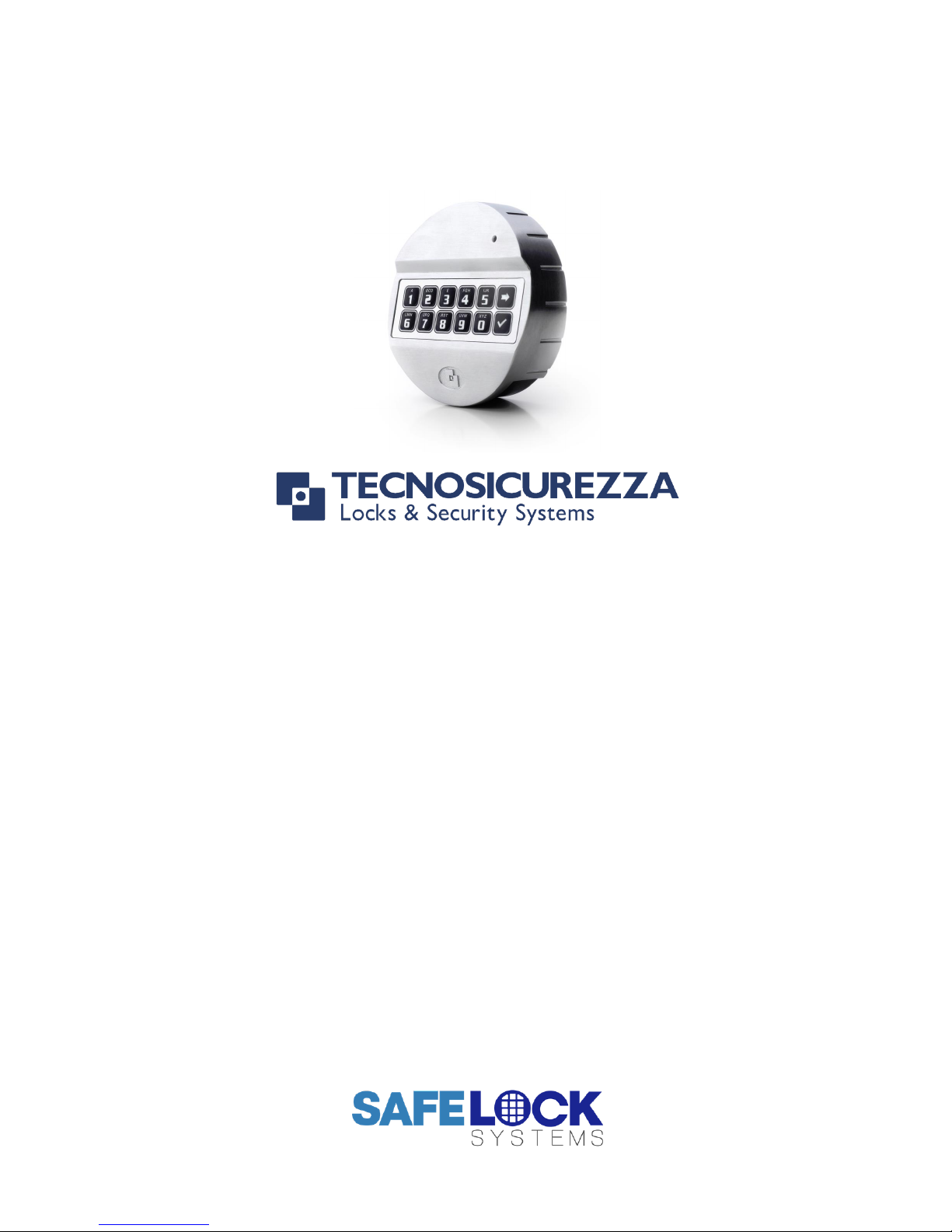
Pulse Evo
High Security Lock for Safes & Vaults
User Operating Instructions
Standard Specification
With additional instruction for Dual Mode, Alarm Signals & Dallas Keys
Page 2
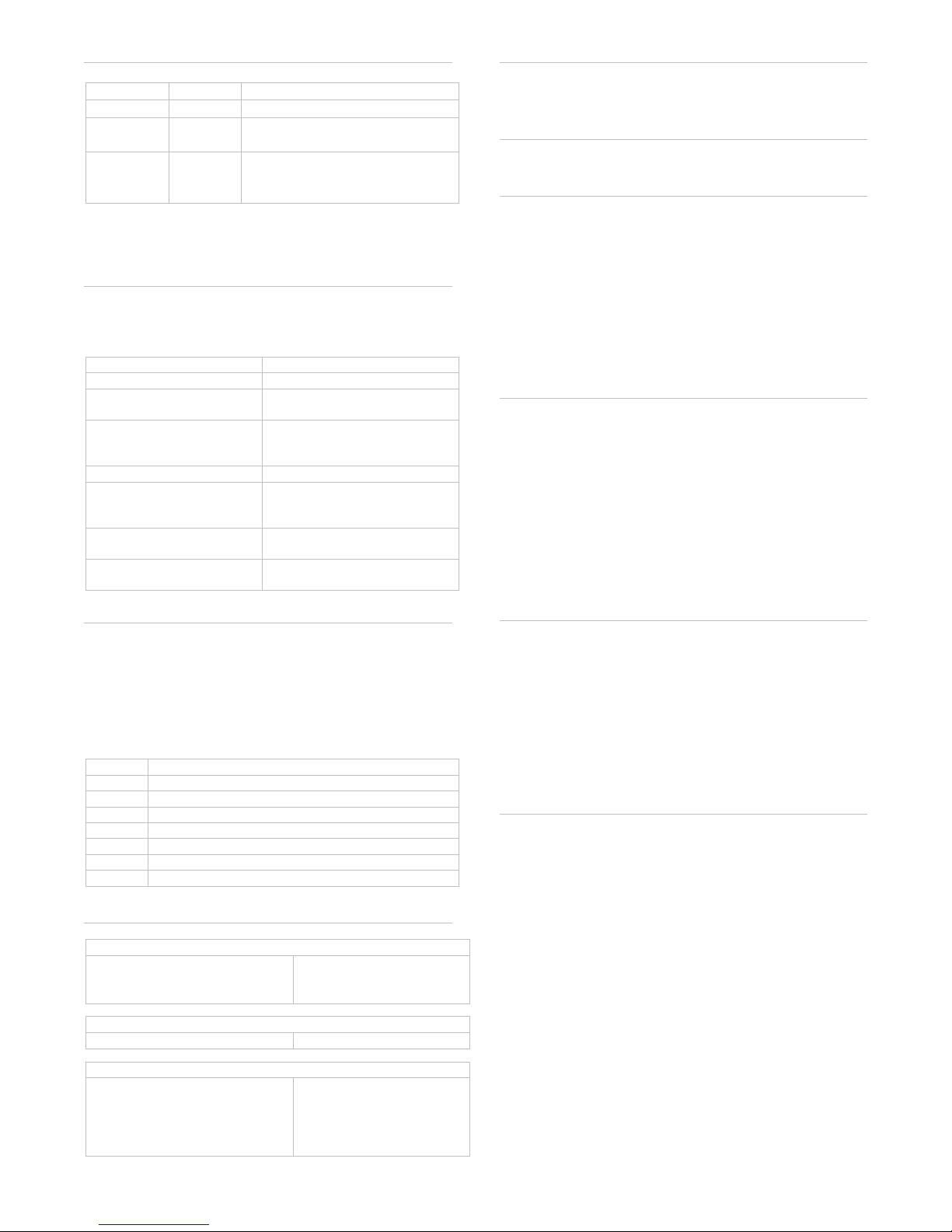
Available users and default codes
User
User ID
Default Code
Manager
N/A
1-2-3-4-5-6
Users 1-8
1-8
Deleted – Must be added by
the Manager
User 9
9
Deleted – Must be added by
the Manager. User 9 is the
time delay override user.
Default codes must be changed immediately. All codes
contain 6 digits.
Acoustic and visual signals
The lock system will indicate status with beeps and LED
flashes on the keypad.
Signal
Indication
Short beep & LED flash
Button pressed correctly
Double beep & LED flash
Code or function entered
correctly
Long beep
Code or function entered
incorrectly
Remote blocking is active
LED flash every 2 seconds
The lock is in time delay
LED flash every second
and beep every other
second
The lock is in the open window
LED flash every 10
seconds
The lock is in penalty
3 short beeps every 3
seconds at opening
Low battery warning
Command Keys
All of the functions available to the manager and users
are accessible using command keys. To use a
command key, press and hold the relevant command
key until a double beep has sounded and the LED stays
on, enter a valid code then follow the remaining
instruction.
Key
Function
0
Change Code
1
Add a user
2
Disable all users / enable all users
3
Delete a user
5
Test the keypad buttons
7
Audit user status / download audit
9
Enter time delay values
Codes & Users
The manager code holder can:
Open the lock
Add, enable/disable and
delete users
Change code
Audit the lock
Set time delay values
There are 8 user codes numbered 1-8. Users can:
Open the lock
Change code
There is 1 user code numbered 9. User 9 can:
Open the lock if time delay
has been started by another
user
Open the lock if time delay is
not active
Change code
To open the lock
Enter a valid 6 digit code. Within 4 seconds, turn the
safe handle and/or turn the keypad.
To close the lock
Turn the safe handle and/or turn the keypad.
To open the lock when time delay is active
Enter a valid 6 digit code. Wait for the time delay
period to elapse.
The open window will be indicated with an LED flash
every second, and beep every other second.
Enter a valid 6 digit code. Within 4 seconds, turn the
safe handle and/or turn the keypad.
If user 9 is installed, the user is able to override time
delay started by another user.
To change code
Codes should always be changed and tested with the
safe or vault door open, with the bolt in the locked
position.
Press and hold 0 until a double beep sounds
Enter the old code, a double beep will sound
Enter the new code, a double beep will sound
Enter the new code again to confirm, a double beep
will sound
Test that the new code works whilst the door is open.
To test the keypad
If a key does not sound or if correct codes appear to be
invalid, a keypad test can be undertaken.
Press and hold 5 until a double beep sounds
Press each number key in turn.
A double beep will sound if a key is operating correctly,
a long beep will sound if a key is faulty. Contact a safe
engineer if a key is faulty.
To add a user (Manager only)
If a user is deleted, the user can be activated with a
new code.
Press and hold 1 until a double beep sounds
Enter the manager code, a double beep will sound
Enter a user ID number from 1-9. A double beep will
sound (If a double beep sounds and the LED turns
off, that user is already activated and can be
deleted)
The user should enter their 6 digit code, a double
beep will sound.
The user should enter their 6 digit code again to
confirm, a double beep will sound.
The user should check the code to ensure correct entry
whilst to door is open.
User 9 can only be activated if time delay is not in
operation or during the open window if time delay is in
operation.
Page 3

To delete a user (Manager only)
If a user’s code is no longer required it can be deleted
Press and hold 3 until a double beep sounds
Enter the manager code
Enter the user ID number from 1-9. A double beep
will sound to confirm deletion of the user.
To disable all users (Manager only)
All users can be temporarily be disabled without
deleting their codes
Press and hold 2 until a double beep sounds
Enter the manager code
A double beep will sound to confirm that all users have
been disabled.
To enable all users (Manager only)
If all users have been disabled, their codes can be reenabled
Press and hold 2 until a double beep sounds
Enter the manager code
A double beep will sound to confirm that all users have
been enabled.
To check user status (Manager only)
The status of users, whether activated or deleted can
be checked
Press and hold 7 until a double beep sounds
Enter the manager code, a double beep will sound
Press each user ID in turn
A double beep indicates the user is active
A single beep indicates the user is deleted
Press 0 to leave the menu
Checking user status operates if all users are disabled
or enabled.
To audit the lock (Manager only)
Full technical instructions for taking an audit are
available with the audit software. The command
required on the lock is:
Press and hold 7 until a double beep sounds
Enter the manager code
Firmly hold a DS1996 Dallas iButton to the Dallas
reader until a double beep sounds.
To add time delay values (Manager only)
Press and hold 9 until a double beep sounds
Enter the manager code, a double beep will sound
Enter 2 digits to indicate the time delay period 01-99
minutes. Enter 2 digits to indicate the open window
period 01-19 minutes. A double beep will sound
Re-enter the 4 digits to confirm
A double beep will sound to confirm that the values
have been set.
To change time delay values (Manager only)
To increase time delay values follow the steps in “To
enter time delay values”.
To decrease or remove time delay values, the operation
must be performed during the open window before the
user or manager code is entered. To decrease, follow
the steps in “To enter time delay values”
To remove:
Press and hold 9 until a double beep sounds
Enter the manager code, a double beep will sound
Enter 00 to indicate the time delay period should be
0 minutes. Enter 01 to indicate the open window
should not be operational. A double beep will sound.
Re-enter 0001 to confirm.
A double beep will sound to confirm that values have
been set. The open window will continue.
Optional Feature – Dual Mode
If the lock has been supplied in dual mode, user 1 is
installed with the default code 1-1-1-1-1-1.
To open the lock
Two valid codes must be entered to open the lock, one
of which can be a manager code.
To open the lock when time delay is active
One code is required to start time delay, and two codes
are required to open the lock during the open window.
User 9 may override time delay with a single code.
To perform a manager function
A valid user code must be entered before following the
standard manager function procedure.
Optional Feature – Alarm signals
To enter a duress code
If the feature has been enabled, a duress code can be
entered which will open the lock and also send a silent
signal to the alarm system to notify others that the lock
is being opened under duress.
The duress code is the user’s normal code, but the last
digit should be increased by 1, for example:
Normal code: 1-2-3-4-5-6
Duress code: 1-2-3-4-5-7
If the last digit is a 9, it should be changed to 0
If time delay is active, either the first code to initiate time
delay, or the code entered during the open window can
be duress codes.
If the lock is supplied in dual mode, either or both codes
can be duress codes.
Signals if remote block is active
If the lock system is connected to an alarm and an input
signal is received, the lock will sound a long beep after
entry of a valid code to indicate that it is disabled from
opening.
Page 4

Optional Feature – Dallas keys
If Dallas keys are in use, the associated Dallas key
must be touched to the reader after entry of a valid code
for opening or performing any function. A double beep
will sound to confirm acceptance.
To associate a Dallas key to a user, follow the add user
procedure and after each entry of the new code, touch
the Dallas key to the reader until a double beep sounds.
Once a user is associated to a Dallas key, that user
must always use a Dallas key. If a key has been lost,
the user can be deleted and then added with a new key.
To associate the manager to a Dallas key, follow the
change code procedure and after each entry of the new
code, touch the Dallas key to the reader until a double
beep sounds. If a manager Dallas key is lost, the lock
must be reset.
To use a new Dallas key, follow the change code
procedure using the old key with the old code, and use
a new key with the new code.
Troubleshooting
Any key press results in a long beep
The lock is in penalty caused by 4 consecutive incorrect
code entries. The LED will flash every 10 seconds. Wait
for the 5-minutes penalty period to elapse to enter a
valid code. After the penalty has elapsed, 2 further
wrong codes will again initiate a penalty. The trigger will
reset to 4 wrong codes after a correct code has been
entered.
A long beep sounds
The code or function has not been entered correctly,
attempt to re-enter. If the problem persists, undertake a
keypad test.
If a mistake is made during code or function entry
Wait 30 seconds and repeat the function
3 short beeps during opening
The battery is running low. Consult the safe or vault
supplier for information on changing batteries.
Keys do not beep when pressed
The battery may be depleted, consult the safe or vault
supplier for information on changing batteries.
Alternatively, keys may be faulty, undertake a keypad
test.
The safe or vault door does not open
If the lock system is otherwise operating normally, there
may be a mechanical fault with the safe. Contact a safe
engineer.
User Record
Manager
1
2
3 4
5
6
7
8
9
 Loading...