

Page 1
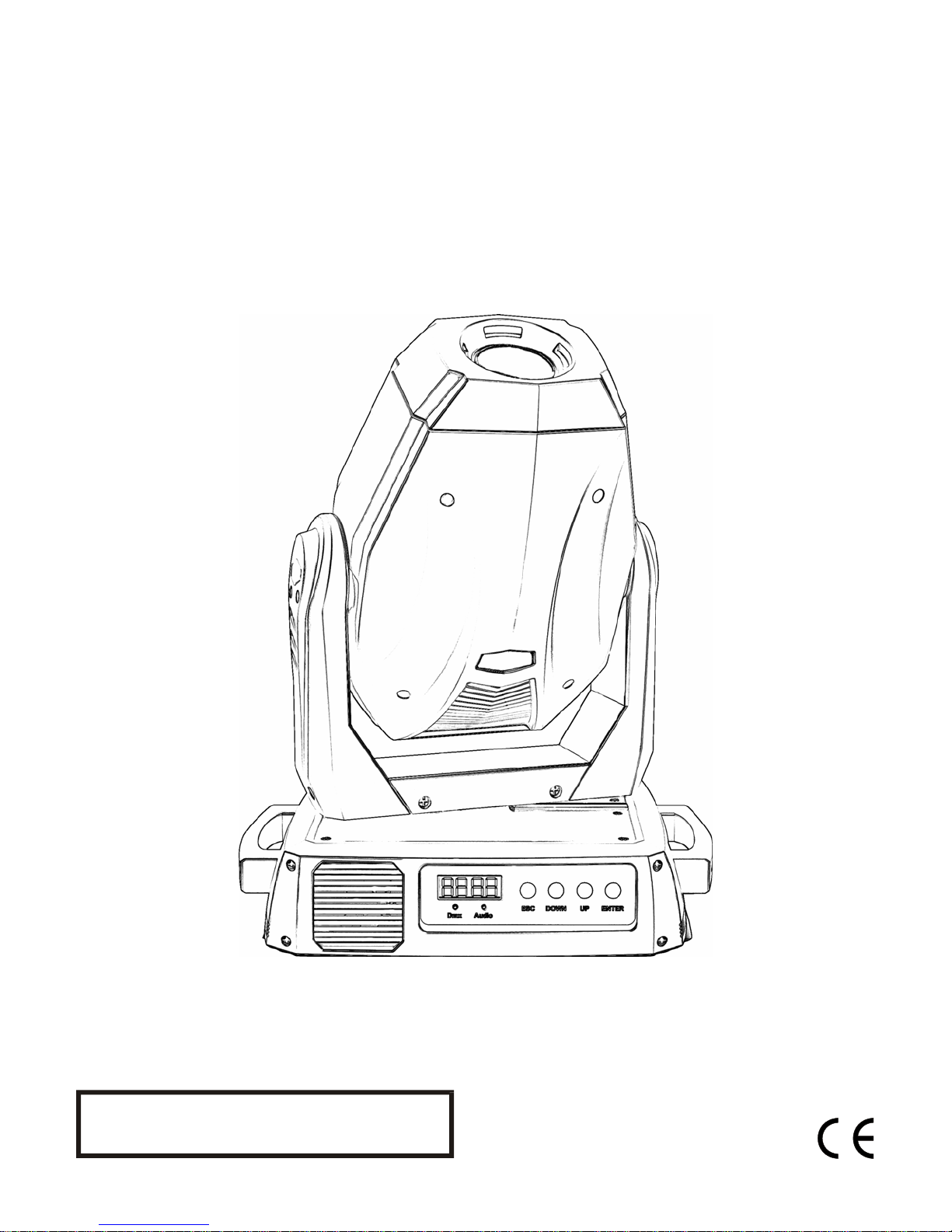
V
V
e
e
c
c
t
t
o
o
r
r
L
L
E
E
D 11
D
6
6
0
0
S
S
p
p
o
o
t
t
Information specifically for:
DM-VectorLED160S
This manual contains important information.
Please read before operating fixture.
V1.0
Page 2

© 2010 Techni-Lux Inc.
2
Page 3

IMPORTANT INFORMATION
Save original packing and documentation for warranty, service and return issues.
Limited Warranty: This warranty covers defects or malfunctions in this equipment. This warranty lasts for
a period of one year from date of purchase. It is the owner’s responsibility to provide invoices for proof of
purchase, purchase date and dealer or distributor. If purchase date can not be provided, warranty period
will start at manufacture date. It is the sole discretion of Techni-Lux to repair or replace parts or
equipment. All shipping will be paid by purchaser. This warranty does not cover lamps, fuses, belts,
power semiconductors, relays, cleaning, standard maintenance adjustments or normal wear items or any
problem resulting from the following: improper wiring, incorrect voltage (including low or over voltage
conditions and lightning), abuse, misuse, improper maintenance or an act of God or damage resulting
from shipping. Warranty will be null and void if the product is altered, modified, misused, damaged, or
subjected to unauthorized repairs. Lamps are covered by relevant manufacturer warranty. This warranty
gives you specific legal rights, and you may also have other rights which vary from state to state. Any
liability for consequential and incidental damages is expressly disclaimed. No other warranty, expressed
or implied is made. Techni-Lux liability in all events is limited to, and shall not exceed, the purchase
price paid.
Returning equipment and Repairs: All returns must be accompanied by a Return Merchandise
Authorization (RMA) number and sent pre-paid. Contact the dealer or Techni-Lux directly to obtain an
RMA. The RMA number must be clearly listed on the shipping label. Due care must be exercised in
packing all merchandise to be returned. All repairs must be accompanied by a written explanation of the
claimed problem or error encountered. Techni-Lux is solely responsible for determining a product’s
eligibility for coverage under warranty. If returning for consideration of credit, all accessories and
documentation, original protective material and cartons must be included and the equipment, packing
and carton must be in new resalable condition. Credit for returned merchandise will be issued at the
lowest current price and is subject to a restocking fee. No returns accepted on discontinued items.
Techni-Lux is not responsible for merchandise damaged in transit and reserves the right to refuse any
return that is damaged by the carrier, not accompanied by a Return Authorization Number (RMA#) or
sent by freight collect.
Claims: All claims must be made within seven (7) days of receipt of merchandise. Any physical damage
must be reported to carrier upon receipt of merchandise.
Please record the following information for future reference:
Model Number: DM-VectorLED160S
Serial Number: ________________________________________
Dealer: ______________________________________________
Date of Purchase: ______________________________________
www.Techni-Lux.com
10900 Palmbay Drive
Orlando, FL 32824
U.S.A.
3
Page 4

Table of Contents
Specifications .............................................................................................................................5
Fixture Overview.......................................................................................................................5
Physical.....................................................................................................................................5
Lamp Source.............................................................................................................................5
Environmental...........................................................................................................................6
Electrical ...................................................................................................................................6
Control ......................................................................................................................................6
Optics........................................................................................................................................6
Gobo Size.................................................................................................................................6
Rigging......................................................................................................................................6
Unit Parts.....................................................................................................................................7
Unpacking ...................................................................................................................................8
Power...........................................................................................................................................9
Voltage Selection........................................................................................................................9
LED Engine .................................................................................................................................9
Mounting ...................................................................................................................................10
Control Panel Menu..................................................................................................................11
DMX-512 Start Address............................................................................................................12
DMX-512 Channel Assignment................................................................................................12
CH 1 : Shutter / Strobe / Reset ............................................................................................... 13
CH 2 : Dimmer ........................................................................................................................13
CH 3 : Color Wheel.................................................................................................................13
CH 4 : Rotating Gobo Wheel................................................................................................... 14
CH 5 : Gobo Rotation and Index.............................................................................................14
CH 6 : Focus...........................................................................................................................15
CH 7 : Prism / Prism Rotation .................................................................................................15
CH 8-11 : Pan / Tilt Position....................................................................................................15
CH 12 : Pan / Tilt Speed, Auto, Sound....................................................................................15
DMX-512 Background...............................................................................................................16
Data Link DMX-512.................................................................................................................17
Adapter 5-to-3 pin ...................................................................................................................17
Data Terminator......................................................................................................................17
Maintenance..............................................................................................................................18
Troubleshooting .......................................................................................................................19
Accessory Items.......................................................................................................................20
4
Page 5

Specifications
Fixture Overview
• Long Life 60W LED Engine
• Pan range of movement: 540°
• Tilt range of movement: 270°
• High resolution 16 Bit Pan/Tilt movement for accurate positioning
• Pan/Tilt motor speed
• Consistent & auto correcting Pan/Tilt positioning
• Color wheel with 6+open dichroic colors
• Bi-directional Color wheel continuous rotation for rainbow effect
• Gobo wheel with 7+open rotating
• Continuous Gobo wheel rotation
• 3-facet rotating prism, variable speed in both directions
• Beam angle 11°
• Motorized focus
• Digital shutter for 0 – 20 FPS strobing effects and quick blackouts
• Digital dimming 0-100% for smooth fades and even fields
• DMX512 Control thru 12 Channels and 3 pin In/Out XLRs
• Remote reset
• Digital display for DMX addressing and fixture settings
• Forced Air Ventilation
• Precision Anti-Reflective Coated Optics
• Luminous output: 720 lumen
• Light weight 18.7 pounds
Physical
Color Black
Width 12.8 in (32.5cm)
Depth 9.8 in (25.0 cm)
Height 15.8 in (40.1 cm)
Weight 18.7 lbs (8.5 kg)
Gross Weight 24 lbs (10.9 kg)
Lamp Source
Lamp Type Long Life 60W LED Engine
Lamp Specs 720 lumens
5
Page 6

Environmental
Environmental Protection Rating IP20
Maximum ambient temperature 105°F (40°C)
Maximum exterior surface temperature 176°F (80°C)
Minimum distance to flammable surface 3.3ft (1m)
Minimum distance to illuminated surface 3.3ft (1m)
Electrical
Selectable Voltages Auto Switching 90-240v @ 50 or 60Hz
Connection IEC (C13) Power Inlet with Fuse
Rated Power 170W, 1.5A @ 115v
Fuses 5A Fast Blow Size: 5x20mm
Control
Protocol USITT DMX512 (1990)
Channels 12
Pan/Tilt Resolution 16 bit
Data I/O 3 Pin XLR (Cannon)
Modes Master / Slave / DMX
Optics
Lenses Precision Anti-Reflective Coated Optics
Beam Angle 11°
Gobo Size
Gobo Rotating Outside Diameter 0.984” (25mm)
Image Diameter 0.787” (20mm)
Rigging
Position Floor or Truss mount
Orientation Any
Mounting Omega clamp adapter with 0.5” hole
6
Page 7

Unit Parts
1 Head
2 Yoke
3 Base
4 Control Panel
5 Base Bottom
6 Omega Clamp Adapter
7
Page 8

Unpacking
Immediately upon receipt, carefully unpack and inspect the fixture to verify that all parts are
present and have been received in good condition. If any parts appear damaged from shipping
or the shipping carton shows signs of mishandling, retain all packing material for inspection and
notify the shipper immediately. Save original carton and packing. In the event that the
merchandise is to be returned, the original carton and packing must be used. The customer will
be billed for a new carton and packing if merchandise is received without the original carton and
packing. The plastic bag shipped with the fixture can be used to keep the fixture clean if stored
or installed in a temporarily dusty environment. Do not operate fixture with plastic bag in place.
Save Shipping Materials
The packing and carton are designed to provide the fixture with protection during
shipping. Save original packing and documentation for warranty, service and return
issues. Additional charges will be applied to return items not received in original or
incomplete packing.
Claims
Physical damage must be reported to the Freight Carrier or Shipping Company upon
receipt of merchandise. Damage incurred in shipping is the responsibility of the Freight
Carrier or Shipping Company. It is the customer's obligation in the event that
merchandise is received damaged caused by shipping to notify the Freight Carrier or
Shipping Company immediately. All other claims not related to damage incurred during
shipping must be made to the Dealer or Distributor within 7 (seven) days of receiving
merchandise.
Returns
Returned merchandise must be sent prepaid, in the original packing with a Return
Merchandise Authorization number (RMA) clearly listed on the shipping label. Items
sent by Freight Collect or without a RMA number will be refused. Call your sales person
and request a RMA prior to shipping. Be prepared to provide the model number, serial
number and a brief description of the nature of the return. Shipping damage resulting
from inadequate packaging is the customer’s responsibility. Customer will be charged
additional shipping charges to return products received in non original packing and or
cartons.
8
Page 9

Power
Power is connected to the fixture with an IEC power inlet and cord.
Before applying power to fixture, set the power switch to “OFF” and
verify input voltage matches the power source voltage. Check all power
cords to verify they are of proper type and sufficient rating for the
equipment attached. For protection against electric shock, fixture must be
connected to suitable earth ground. The listed current rating is its average draw
under normal conditions. All fixtures must be powered directly from a switched
circuit. This fixture cannot be run on rheostat or dimmer circuits - even if used
solely for a 0% to 100% switching. Consult a qualified electrician if there are any
concerns about proper connection to power.
Voltage Selection
This Fixture is equipped with an Auto Switching Power Supply. It will automatically adjust to any
line voltage within the specified range.
LED Engine
This unit is equipped with a Long Life LED Engine that is aligned at the factory. There is no
need for the user to change lamps or perform any alignment.
Do not stare directly into the light source.
9
Page 10

Mounting
Always consult a qualified professional when rigging. This fixture may be placed on any flat
surface or truss that is capable of safely supporting the weight. When selecting a mounting
position, take into consideration access for routine maintenance. This fixture may be mounted in
any position provided there is adequate room for movement and ventilation. Mount the fixture
securely using an appropriate clamp and a safety cable. Safety cables must always be attached
to the fixture. Do not use handles as secondary mounting points. Do not mount in a place
where the fixture will be exposed to rain, high humidity, extreme temperature changes or
restricted ventilation. Do not obstruct the vents or fans. Keep fixture a minimum of 3.3ft (1m)
from flammable materials.
10
Page 11

Control Panel Menu
Use the fixture’s Control Panel to access the Control Menu.
The MODE Key moves between options, UP/DOWN selects
the Action of the option and ENTER confirms the selection.
Settings are stored and recalled on subsequent power
cycles. ESC moves back in the menu.
Menu Function / Option Description
Addr 001 - 512
Pset 16bt
suAP
On
OFF
PAtI
P.Inu
On
OFF
T.InU
ON
OFF
NorM
Ptsp
FAST
Slow
ON
dISP
TURN
1OS
Pers
DRES
ON
OFF
ScUT
ON
OFF
DFSE FACT LOAD
THRS
TOTL
RSET
INFO
TLHR
TLST
TOTL
RESET
TOTL
RSET
UER.
MAN
x.xx Firmware Version
RST
CH.NO
TSEQ RUN
DMX Start Address
16 Bit
Swap Pan/Tilt Assignment
Normal Pan/Tilt Assignment
Inverted Pan (100% to 0%)
Normal Pan (0% to 100%)
Inverted Tilt (100% to 0%)
Normal Tilt (0% to 100%)
Default Pan/Tilt Speed
Maximum Pan/Tilt Speed
Slow Pan/Tilt Speed
Display Remains On
Display Inverted
Display Turns Off
Enable Reset by DMX
Disable Reset by DMX
Effect Takes Shortest Path
Effect Does Not Pass Thru Open
Load Factory Default Settings
Fixture Hour Counter
Reset Fixture Hours
LED Engine Hour Counter
Reset LED Engine Hours
LED Engine Strike Counter
Reset LED Engine Strikes
Reset
Channel Adjust 0-255
Run Test Sequence
11
Page 12

DMX-512 Start Address
The Start Address of a fixture is set using the “Addr” mode in the Control Panel Menu. Consult
the manual of the system’s DMX512 controller to select a desirable addressing scheme before
addressing fixtures. Each fixture connected to the DMX-512 data link requires a Start Address
to indicate the first DMX channel containing data designated for that fixture, see DMX-512
Background. Valid Start Addresses range from 1 to 512. Fixtures requiring more than one
channel for control will read subsequent channels up to the total number of channels required.
A fixture requiring five (5) channels of DMX, set to a Start Address of eleven (11), would read
data from channels: 11 and 12, 13, 14, 15. The next logical Start Address would be channel
16. Because all fixtures see the same data, fixtures may be set to any address without concern
to order in the DMX-512 chain or physical location. Choose a Start Address so the channels
used do not overlap with other fixtures. In some cases, it may be desirable to set two or more
same type fixtures to the same Start Address. In this case, the fixtures will be slaved together
and respond to the same data.
Example
Since these are the first fixtures added to the system, the first unit will be set to Start
Address=1. This fixture occupies DMX channels 1 thru 12. The next DMX channel
available for a Start Address is found by adding the previous fixture’s Start Address to its
channel requirement: 1+12=13. DMX channel 13 is the next available Start Address. In
this example, to maximize channel usage no empty channels are left between fixtures so
the second Start Address is set to DMX channel 13. The second fixture occupies DMX
channels 13 thru 24. Repeat the process for the remaining two fixtures: 13+12=25 and
25+12=37. Therefore, the four 12 channel fixtures have Start Addresses of 1, 13, 25 and
37. Repeat the technique once more for the next free channel in the system, 37+12=49.
Channels 49 thru 512 are available for expansion of the system.
Select Start Addresses for 4 fixtures each requiring 12 channels of DMX.
DMX-512 Channel Assignment
The Vector LED Spot requires 12 channels of DMX.
Channel Function
1 Shutter /Strobe / Reset
2 Dimmer
3 Color Wheel
4 Rotating Gobo Wheel
5 Gobo Rotation
6 Focus
7 Prism / Prism Rotation
8 Pan Coarse Position
9 Pan Fine Position
10 Tilt Coarse Position
11 Tilt Fine Position
12 Pan / Tilt Speed, Auto, Sound
12
Page 13

CH 1 : Shutter / Strobe / Reset
The Shutter channel works directly on the LED Light Engine. It is an electronic shutter
that enables instantaneous shutter Open and Closed “movements.” Because no
mechanical elements are involved it is completely silent with no wipe effect allowing for
incredibly fast strobing effects. In addition to the Shutter and Strobe control this channel
also controls the Reset Function when the value is held between 246-250 for 8sec.
CH 1 – Shutter / Strobe / Reset
DMX Value Function
0-10 Closed (Black Out)
11-39 Open
40-240 Strobe Effect – Long to Short Interval
241-245 Open
246-250 Reset (Hold for 8 Seconds)
251-255 Open
CH 2 : Dimmer
The Dimmer channel is used to vary the intensity of the beam from full open to dark. This
channel also works directly on the LED Light Engine. Electronic control makes for smooth
dimming while maintaining an absolutely flat field. Even at very low levels, there is no
distortion of the beam.
CH 2 – Dimmer
DMX Value Function
0-255 Intensity - Dark to Full Open
CH 3 : Color Wheel
The Color Wheel holds 6 colors plus open. These color filters can be used in conjunction
with the dichroic color Rotating Gobos to create exciting color combinations. A Rainbow
Color Scroll effect can also be created.
CH 3 – Color Wheel
DMX Value Function
0 Color 0 (Open/White)
1-153 Continuous Indexed Positions
154-163 Color 6
164-169 Color 5
170-175 Color 4
176-181 Color 3
182-187 Color 2
188-193 Color 1
194-199 Color 0 (Open/White)
198-227 Rainbow Color Scroll – Fast to Slow - CCW
228-255 Rainbow Color Scroll – Slow to Fast - CW
13
Page 14

CH 4 : Rotating Gobo Wheel
The Rotating Gobo Wheel contains 7 gobos, 2 are dichroic glass. Adding colors and
varying the Focus can create many interesting effects.
CH 4 – Rotating Gobo Wheel
DMX Value Function
0-15 Open
16-31 Rotating Gobo 1 (Glass)
32-47 Rotating Gobo 2 (Metal)
48-63 Rotating Gobo 3 (Metal)
64-79 Rotating Gobo 4 (Metal)
80-95 Rotating Gobo 5 (Metal)
96-111 Rotating Gobo 6 (Glass)
112-127 Rotating Gobo 7 (Metal)
128-191 Rotating Gobo Scroll – Fast to Slow - CCW
192-255 Rotating Gobo Scroll – Slow to Fast - CW
CH 5 : Gobo Rotation and Index
Rotating gobos can be rotated in either direction or set to fixed positions. The fixed
position is not absolute and will change during use.
CH 5 – Gobo Rotation and Index
DMX Value Function
0-127 Fixed Positions – 0 to 450° – Non-absolute
128-191 Rotation – Fast to Slow CCW
192-255 Rotation – Slow to Fast CW
14
Page 15

CH 6 : Focus
The Focus is used to vary the focal point of the projection.
CH 6 – Focus
DMX Value Function
0-255 Focus – Far to Near
CH 7 : Prism / Prism Rotation
The Prism effect uses a 3 facet prism to split the beam. The effect can be rotated in
either direction at variable speeds or set to fixed positions. The fixed position is not
absolute and will change during use.
CH 7 – Prism / Prism Rotation
DMX Value Function
0-4 Open
5-139 Fixed Positions – 0 to 450° – Non-absolute
140-197 Rotation – Fast to Slow – CCW
198-255 Rotation – Slow to Fast – CW
CH 8-11 : Pan / Tilt Position
Pan range is 540°. Tilt range is 270°. A position feedback system is used to enable
auto correction of Pan and Tilt. Speed and Movement options are controlled by the
Pan/Tilt Speed, Auto, Sound Channel 12.
CH 8 – Pan Coarse Position (540°)
CH 9 – Pan Fine Position (3.6°)
CH 10 – Tilt Coarse Position (270°)
CH 11 – Tilt Fine Position (3.6°)
DMX Value Function
0 – 255 Position - Minimum to Maximum
CH 12 : Pan / Tilt Speed, Auto, Sound
When set to zero (0), movement speed is determined by the controller. Other values
under Tracking Speed allow user selectable movement speeds. Theatrical Mode
engages the shutter during movement or effect change. The internal programs can be
remotely activated. They can be run in Auto Trigger mode or in Sound Trigger mode
using the internal microphone.
CH 12 – Pan / Tilt Speed, Auto, Sound
DMX Value Function
0-120 Tracking Speed Fast to Slow
121-140 Theatrical Mode (shutter on change)
141-240 Internal Programs – Auto Trigger
241-255 Internal Programs – Sound Trigger
15
Page 16

DMX-512 Background
DMX-512 is a digital data transmission standard developed by the United States Institute for
Theater Technology (USITT). It is designed to enable control of lighting equipment, originally
dimmers. DMX deals solely with the formatting of data for transmission and does not dictate
how the data is created or used.
Under DMX, signals are transmitted in much the same way a computer modem transmits data.
The Data, divided in to channels, is "Framed" using a start bit, high (1), eight data bits and
finally, two stop bits, both high (1). DMX uses no parity to check the integrity of the signal.
Instead, DMX relies on the ultra low probability of an error occurring in the same place when the
data is resent. The rate at which data is sent is fixed at 250k bps, almost four and a half times
faster that a 56k modem. This speed allows all data on a DMX chain to be updated more than
44 times every second.
The transmitted data follows a specific format. DMX allows for 512 channels each with eight
data bits, giving each channel the possibility of 256 values. When a data "Packet" is sent, all
channels are transmitted one after another. Even if the data on a specific channel has not been
changed, it must be sent. In a packet, a "start code" of all zeros is sent before the data to
identify the signal as a Standard DMX transmission. This start code is transparent to the user
and is handled by the controller.
The physical signals are transmitted using a twisted pair of wires and a common shield, a
configuration called Balanced. The controller and all receiving equipment are connected using a
“Daisy Chain" connection. The signal is jumped from the controller to a piece of DMX
equipment. From there, the signal is jumped to the next piece of equipment and so on until the
last piece of equipment is connected. No branches are allowed and the signal does not come
back to the controller. The final piece of equipment will have only one cable connection. As a
result, all equipment connected to the chain will see exactly the same signal whether it is first or
last. When connecting equipment, no particular attention needs to be paid to the order in which
the equipment is connected. Depending on the conditions and equipment, a line terminator may
be required. If there is any question, in most circumstances the addition of a terminator will not
degrade the signal. To make a terminator, add a 120-ohm resistor between the Signal Data
Negative and Signal Data Positive pins of a connector in the last piece of equipment in the
chain.
The DMX Standard calls for connections between DMX compatible equipment to be made using
5 pin XLR connectors. However, it is common to see fixtures with 3 pin XLR connectors as
these types of balanced or “Lo-Z” cables are common in the audio industry. In either case, pin
numbers are the same and carry the same signals.
Pin 1 - Signal Common (Shield)
Pin 2 - Signal Data Negative
Pin 3 - Signal Data Positive
Pin 4 - (not used)
Pin 5 - (not used)
16
Page 17

Data Link DMX-512
Ω
:
X
For data, this fixture uses XLR (Cannon) type connectors and shielded twisted pair cable
approved for EIA-422/EIA485 use. Fixtures are connected in Daisy Chain topography
with only one data source and no branching. Systems using 3 or 5 pin DMX interfaces
can be accommodated by purchasing 3-to-5 pin adapters or building adapter cables.
DMX512
120
DMX-OUT
XLR Connector - Socket
1
- Ground
2
- Signal (-)
3
- Signal (+)
DMX-IN
LR Connector - Plug:
1
- Ground
2
- Signal (-)
3
- Signal (+)
Adapter 5-to-3 pin
Numbers designating each pin can be found on connectors. Converting between the two
XLR types is done in a pin-to-pin fashion. Connect the shields to pin 1, then connect pin
2 to pin 2 and pin 3 to pin 3. This is true for converting either 5 to 3 pin or 3 to 5 pin
regardless of either connector’s gender. Pins 4 and 5 are not used on the 5 pin XLR
connectors.
5 Pin XLR (Socket)
Pin 1: GND(Sheild)
Pin 2: Signal(-)
Pin 3: Signal(+)
Pin 4: N/C
Pin 5: N/C
3 XLR (S )
Pin ocket
Pin 1: GND(Sheild)
Pin 2: Signal(-)
Pin 3: Signal(+)
3 XLR (Plug)
Pin
Pin 1: GND(Sheild)
Pin 2: Signal(-)
Pin 3: Signal(+)
5 Pin XLR (Plug)
Pin 1: GND(Sheild)
Pin 2: Signal(-)
Pin 3: Signal(+)
Pin 4: N/C
Pin 5: N/C
Data Terminator
A Data Terminator can be connected to the DATA OUT connection
of the last fixture to reduce the effects of noise in the signal; it is not
required for all installations. To make a Data Terminator, connect a
120-ohm ¼ watt resistor across pin 2, Data Negative (S-) and pin 3,
Data positive (S+). A qualified technician can determine if a Data
Terminator is needed.
17
Page 18

Maintenance
Make sure fixture is cool and disconnected from power mains before any service.
Weekly operating hours and environmental conditions will establish how often the fixtures need
cleaning. Fixtures should be cleaned and inspected at least once a month to maintain optimum
performance. Accumulation of dust and fog residue increases heat build up, can lead to
malfunctions, overheating and reduction in maximum light output. This condition may cause
undue stress on electronics, mechanical elements, reduce LED Engine life, fixture life and over
all performance. Before conducting any maintenance, disconnect fixture from power mains.
1) Disconnect fixture from power mains.
2) Use a vacuum with a soft brush to remove dust collected on external vents and internal
components. If using an air compressor, use low pressures and extreme care to prevent
damaging any internal parts or effects.
3) Vacuum dust buildup from fan intakes and check that all fans function correctly.
4) Clean all optical elements when the fixture is cold. Use a soft lint free cotton cloth or tissue
and either Isopropyl or Denatured Alcohol. Any cleaner approved for coated eyeglass lenses
will also work.
5) Inspect clamps and safety cables to ensure fixture is secure and safe.
18
Page 19

Troubleshooting
Symptom Possible Cause / Solution
No Power
No response to DMX
Incorrectly responds to DMX
(Diagnostic technique for DMX issues: Set
suspect fixture’s Start Address the same as a
correctly functioning fixture. If both units then
function correctly, issue is programming)
No Light Output / Low Output
Erratic operation
Check power switch
Check for power on mains
Check main fuse and fuse holder
Check data cables
Check Start Address
Check that fixture isn’t in the Demo mode
Check Start Address
Check for overlapping addresses
Check fixture set up (Pan/Tilt Invert…)
Check Data cables (faults and proper wiring)
Check that both Shutter and Dimmer values
are set properly
Inspect fixture light path and verify no effects
are blocking beam
Remove from DMX, Control Panel to test in
demo/manual mode
Over temperature – Turn fixture off and allow
to cool then attempt again. If condition
improves, check all fans.
Check Pan/Tilt are not blocked or coming in
contact with anything during movement
See “Incorrectly responds to DMX”
An effect wheel doesn’t go to correct position
Check for properly wired DMX cables
Check for broken wires inside unit
Check for damaged Data transceiver IC
Mains Voltage too low or noisy
Check sensor and magnet
Check belts (if applicable)
Check motor with no power, should be able
to move easily.
19
Page 20

Accessory Items
Order Code Description
CLAMP-MEGA/B Clamp-Mega Black - Heavy Duty
CLAMP-CBHALF Coupler Half Cheeseborough
SAFETYCABLE30S Safety Cable Silver 30”
SAFETYCABLE30B Safety Cable Black 30”
SAFETYCABLE18B Safety Cable Black 18”
SAFETYCABLE18S Safety Cable Silver 18”
CA-XLR3/1 Pre-made 1’ 3-pin XLR Cable
CA-XLR3/5 Pre-made 5’ 3-pin XLR Cable
CA-XLR3/10 Pre-made 10’ 3-pin XLR Cable
CA-XLR3/25 Pre-made 25’ 3-pin XLR Cable
CA-XLR3/50 Pre-made 50’ 3-pin XLR Cable
CA-XLR3/100 Pre-made 100’ 3-pin XLR Cable
CA-XLR5/1 Pre-made 1’ 5-pin XLR Cable
CA-XLR5/5 Pre-made 5’ 5-pin XLR Cable
CA-XLR5/10 Pre-made 10’ 5-pin XLR Cable
CA-XLR5/25 Pre-made 25’ 5-pin XLR Cable
CA-XLR5/50 Pre-made 50’ 5-pin XLR Cable
CA-XLR5/100 Pre-made 100’ 5-pin XLR Cable
CO-XLR3M XLR Connector 3-pin Male
CO-XLR3F XLR Connector 3-pin Female
CO-XLR5M XLR Connector 5-pin Male
CO-XLR5F XLR Connector 5-pin Female
CO-XLRTERM3 XLR 3 Pin Data Terminator
CO-XLR3MTO5F XLR 3 Pin Male to 5 Pin Female Adapter
CO-XLR5MTO3F XLR 5 Pin Male to 3 Pin Female Adapter
20
 Loading...