

Page 1
USER MANUAL
100BASE-T1
MEDIACONVERTR
BCM
Manual-Version: 2.0
Hardware-Version: all
November 2018
1000BASE-T1
MEDIACONVERTER
Page 2

1000 BASE-T1 MediaConverter User Manual
2
CONTENT
1 GENERAL INFORMATION ........................................................................................... 3
1.1 Functionality and Features of the 1000BASE-T1 Media Converter .................. 3
1.2 Warranty and Safety Information ........................................................................ 4
1.3 Declaration of conformity .................................................................................... 5
2 HARDWARE INTERFACES .......................................................................................... 6
2.1 Connectors ............................................................................................................ 6
2.1.1 nano-MQS Connector .................................................................................... 6
2.1.2 RJ45 Ethernet connectors ............................................................................ 8
2.2 Other Interfaces .................................................................................................... 8
2.2.1 DIP-Switches .................................................................................................. 8
2.2.2 Status LEDs .................................................................................................... 8
3 CONFIGURATION OF THE DEVICE ............................................................................. 9
4 ADDITIONAL INFORMATION .................................................................................... 11
5 LIST OF FIGURES ....................................................................................................... 12
6 CONTACT ................................................................................................................... 13
Page 3
1000 BASE-T1 MediaConverter User Manual
3
1 GENERAL INFORMATION
1.1 Functionality and Features of the 1000BASE-T1 Media
Converter
The Technica Engineering 1000Base-T1 MediaConverter converts the new Standard
1000Base-T1 to the widely known 1000Base-T and vice versa. Data Transfer is full
duplex in both directions.
Additional to this it has option to convert 100Base-TX to 100Base-T1 and vice versa.
The mode configuration can be done very easy by DIP Switch.
Features:
• 1 Port Gigabit Ethernet 1000 BaseT/ Fast Ethernet 100BASE-TX
• 1 Port 100/1000Base-T1 full duplex on a single unshielded twisted pair.
• Automotive Tyco Nano MQS Connectors for 100/1000Base-T1 and Power
Supply
• Robust steel case
• DIP Switches for easy configuration
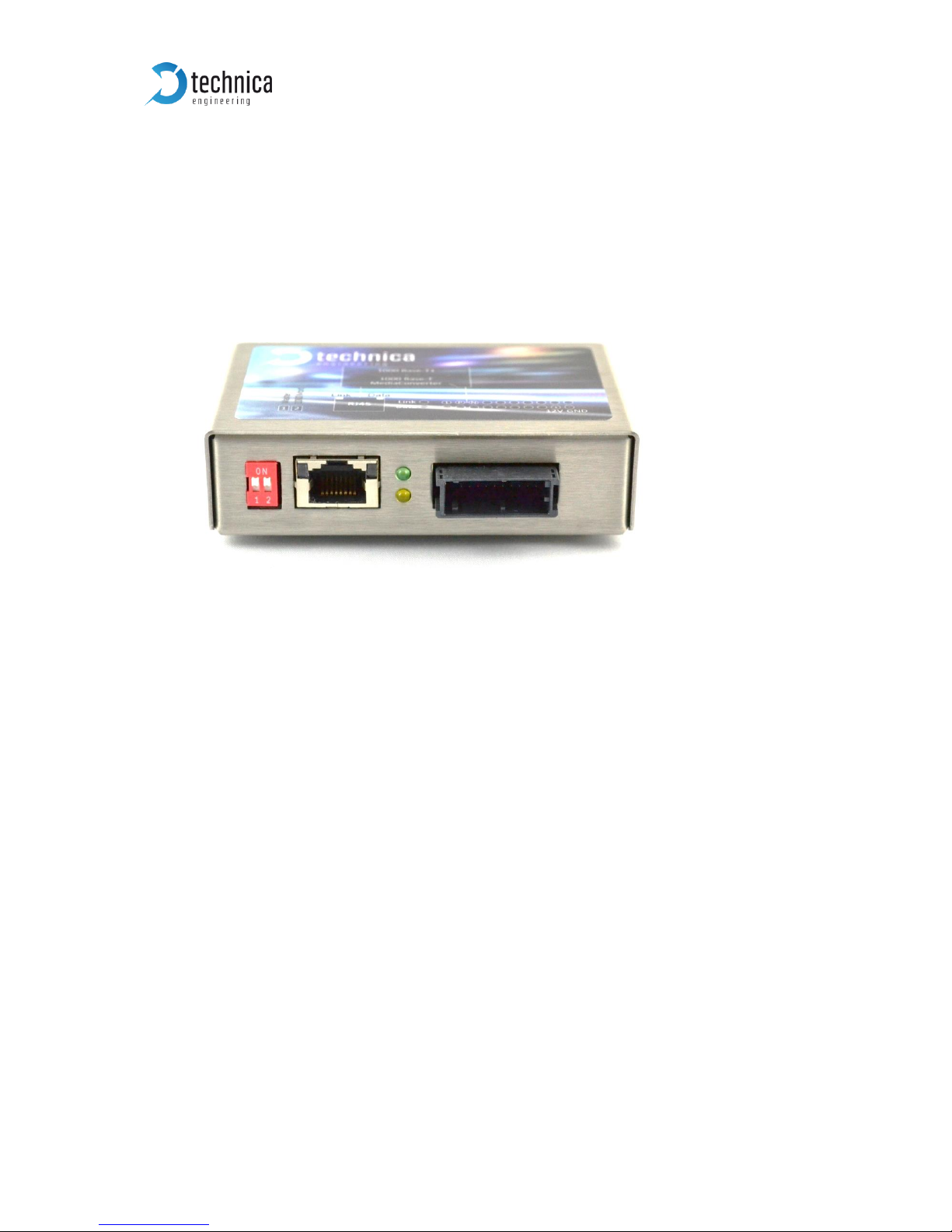
Figure 1—2: 1000BASE-T1 MediaConverter
Figure 1—1: 1000BASE-T1 MediaConverter
Page 4
1000 BASE-T1 MediaConverter User Manual
4
General Information:
Power requirement:
6,5 to 16 Volt DC (nominal 12 Volt DC)
Power consumption:
2 Watt
Weight:
0,25 kg
Size:
92 x 63 x 25 mm
International Protection:
IP 2 0
Operating Temperature:
-40 to +80 °Celsius
LINKS:
The User can download the latest firmware and documentation for the 1000BASE-T1
MediaConvert here:
https://technica-engineering.de/produkt/100base-t1-mediaconverter_bcm/
1.2 Warranty and Safety Information
Before operating the device, read this manual thoroughly and retain
it for your reference.
The latest documentation for the 1000BASE-T1 MediaConverter
can be downloaded here:
https://technica-engineering.de/produkt/1000base-t1-mediaconverter/
Use the device only as described in this manual.
Use only in dry conditions.
Do not apply power to a damaged device.
Do not open the device. Otherwise warranty will be lost.
This device is designed for engineering purpose only. Special care
has to be taken for operation.
Do not use this device in a series production car.
As this device is likely to be used under rough conditions, warranty
is limited to 1 year.
Manufacturer liability for damage caused by using the device is
excluded.
Page 5
1000 BASE-T1 MediaConverter User Manual
5
1.3 Declaration of conformity
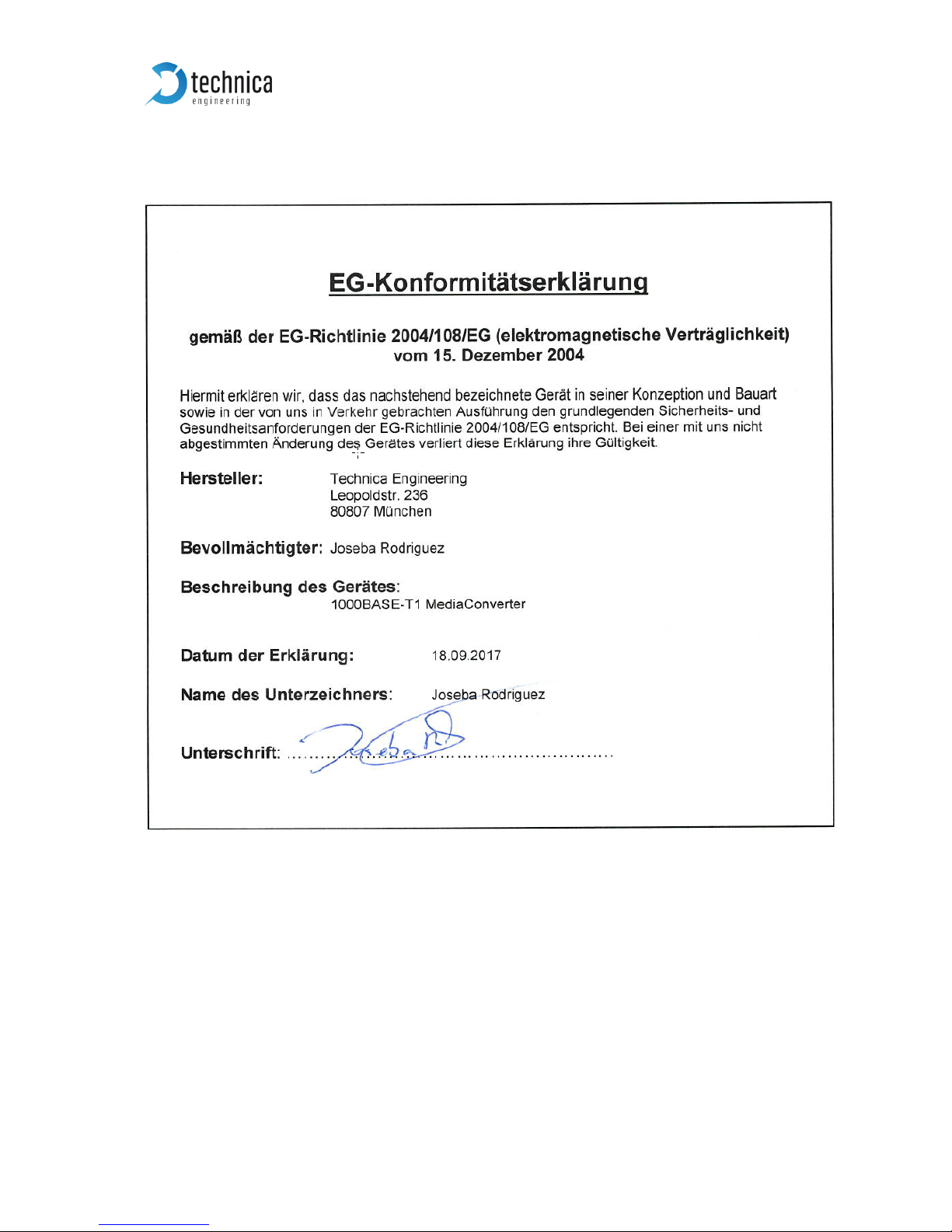
Figure 1—3: Declaration of conformity
Page 6

1000 BASE-T1 MediaConverter User Manual
6
2 HARDWARE INTERFACES
2.1 Connectors
On the label on top of the device you can see an overview about all HW-Interfaces of
the 1000BASE-T1 MediaConverter.
2.1.1 nano-MQS Connector
The pinning of the ECU connectors is listed on the label on top of the device as well.
(See Figure 2—1).
The Connector color is black.
The power supply for the device is supplied by pin 20 (Ground) and Pin 18 (12Volt).
100/1000Base T1 is connected to pin 3(positive) and pin 5 (negative)
Warning: If you apply a voltage higher than 18 Volt, the device will be damaged!
Figure 2—1: Label of 1000BASE-T1 MediaConverter with pinning information
Page 7
1000 BASE-T1 MediaConverter User Manual
7
Pin
Function
Pin
Function
1
n.c.
11
n.c.
2
n.c.
12
n.c.
3
100/1000 BaseT1 Positive
13
n.c.
4
n.c.
14
n.c.
5
100/1000 BaseT1 Negative
15
n.c.
6
n.c.
16
n.c.
7
n.c.
17
n.c.
8
n.c.
18
Battery +12 Volt Input
9
n.c.
19
n.c.
10
n.c
20
Battery Ground Input
Table 2—1: Pinning of black MQS connector
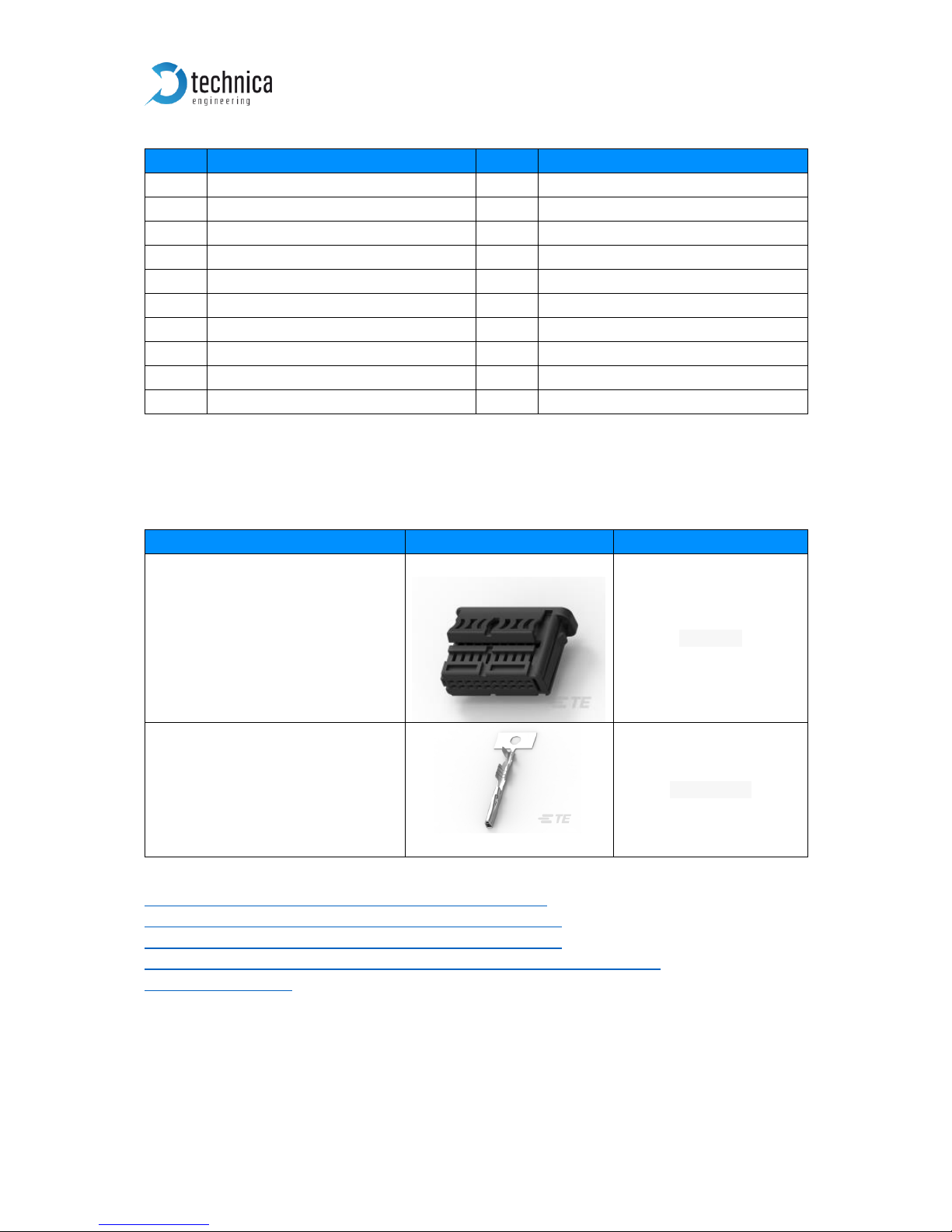
The Tyco Electronics (TE) nano Micro Quad Lock System (nano-MQS) is used.
Name
Picture
Part Number
20POS NANOMQS REC HSG
CODE A
2141404-1
NANOMQS RECEPTACLE
TERMINAL
2-1703930-1
Table 2—2: Parts of nano-MQS connector
http://www.te.com/usa-en/product-2141404-1.html
http://www.te.com/usa-en/product-2-1703930-1.html
http://www.te.com/usa-en/product-4-1579014-0.html
http://de.farnell.com/te-connectivity/2-1703930-1/contact-socketcrimp/dp/2528666
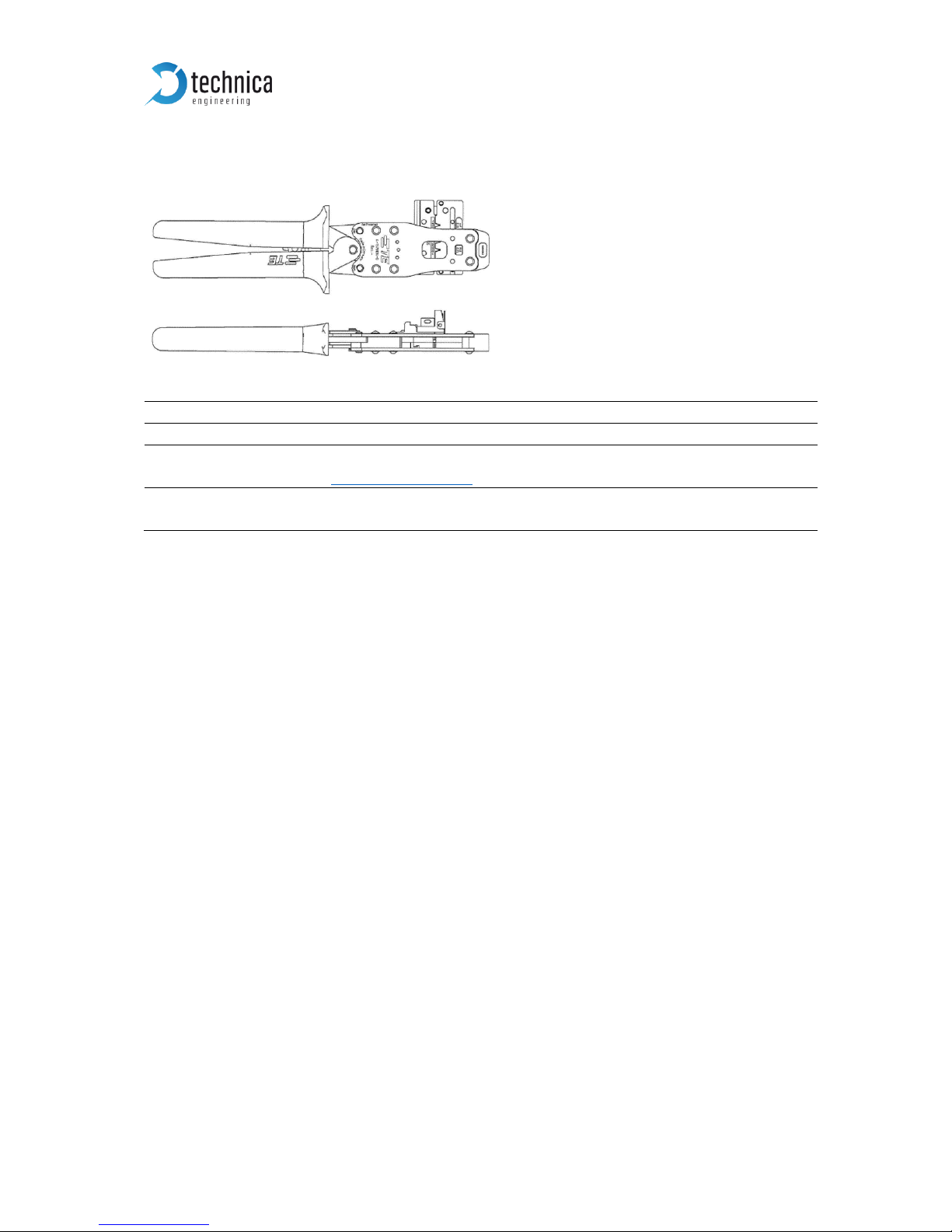
Note: You can use the official Tyco tool for these crimp contacts:
TE CONNECTIVITY CS11K NANO-MQS, 0.13-0.35 SQ.M
TE Internal Number: 4-1579014-0
Page 8
1000 BASE-T1 MediaConverter User Manual
8
Official Crimp Tool:
Name
TE CONNECTIVITY CS11K NANO-MQS, 0.13-0.35 SQ.M
TE Internal Number
4 -1579014 – 0
Distributor
Börsig GmbH
www.boersig.com
Address
Siegmund-Loewe-Str. 5
74172 Neckarsulm
2.1.2 RJ45 Ethernet connectors
There is one RJ45 Standard Ethernet connector for Fast Ethernet (100BASE-TX).
2.2 Other Interfaces
2.2.1 DIP-Switches
The 1000BASE-T1 MediaConverter has two DIP-Switches for configuration (see
Chapter 3).
2.2.2 Status LEDs
The 1000BASE-T1 MediaConverter has two status LEDs at the frontside of the case
for the 1000BASE-T1 Port.
Upper LED:
Green Color. It is lit if there is a linkup on the 1000BASE-T1 port.
Lower LED:
Yellow Color. It is toggling if there is communication on the 1000BASE-T1 port
Page 9

1000 BASE-T1 MediaConverter User Manual
9
3 CONFIGURATION OF THE DEVICE
The 1000BaseT1 Media converter is configured by 2 DIP Switches on the front of the
device.
DIP-Switch
Status
Description
1
ON (up)
OFF (down)
100/1000 BASE-T1 Port is set to Master
100/1000 BASE-T1 Port is set to Slave
2
ON (up)
OFF (down)
The device is set to 1 Gbit Mode.
The device is set to 100 Mbit Mode.
Table 3—1: Configuration of DIP-Switches
Note: In a 100/1000 BaseT1 System, one device must be set to Master, the other link
partner must be set to Slave Mode.
Page 10
1000 BASE-T1 MediaConverter User Manual
10
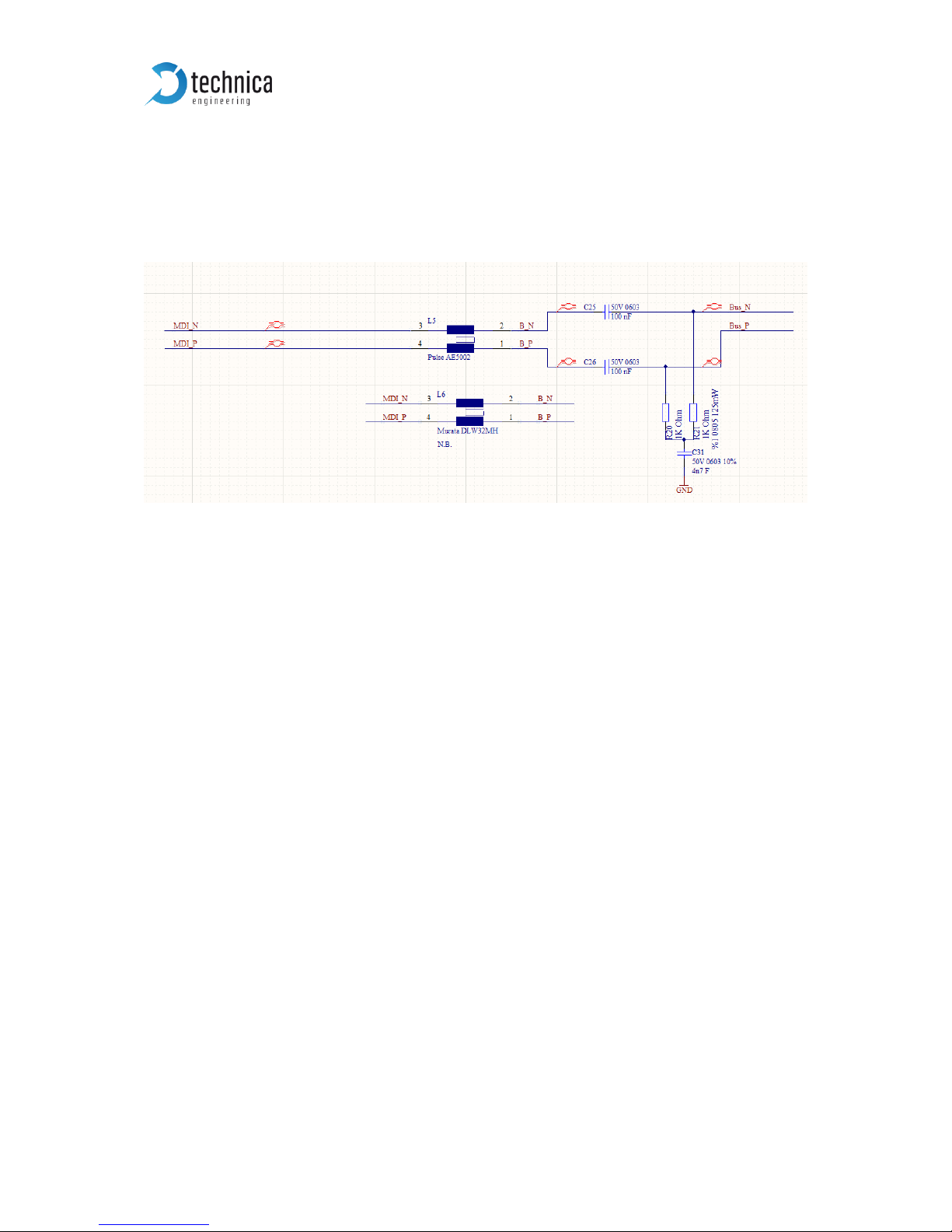
4 1000BASE-T1 Filter
The following 1000BASE-T1 Filter is used in the 1000BASE-T1 MediaConverter:
The Pulse AE5002 is used.
Figure 4—1: Used Filter in 1000BASE-T1 MediaConverter
Page 11

1000 BASE-T1 MediaConverter User Manual
11
5 ADDITIONAL INFORMATION
• The delay time is constant 2.0.us. The delay is independent of the Ethernet
packet frame size.
• The 1000BASE-T1 MediaConverter_ is optimized for automotive use. The
maximum cable length for 100/1000BASE-T1 segments is limited to 15 meters.
Page 12

1000 BASE-T1 MediaConverter User Manual
12
6 LIST OF FIGURES
Figure 1—1: 1000BASE-T1 MediaConverter ..................................................................... 3
Figure 1—2: Declaration of conformity ............................................................................. 5
Figure 2—1: Label of 1000 BASE-T1 MediaConverter with pinning information ........... 6
Page 13

1000 BASE-T1 MediaConverter User Manual
13
7 CONTACT
If you have any questions regarding this product, please feel free to contact us:
Technica Engineering GmbH
Leopoldstr. 236
80807 München
Germany
Technical support:
General information:
Most current user manuals and product information:
https://technica-engineering.de/
 Loading...