

Page 1
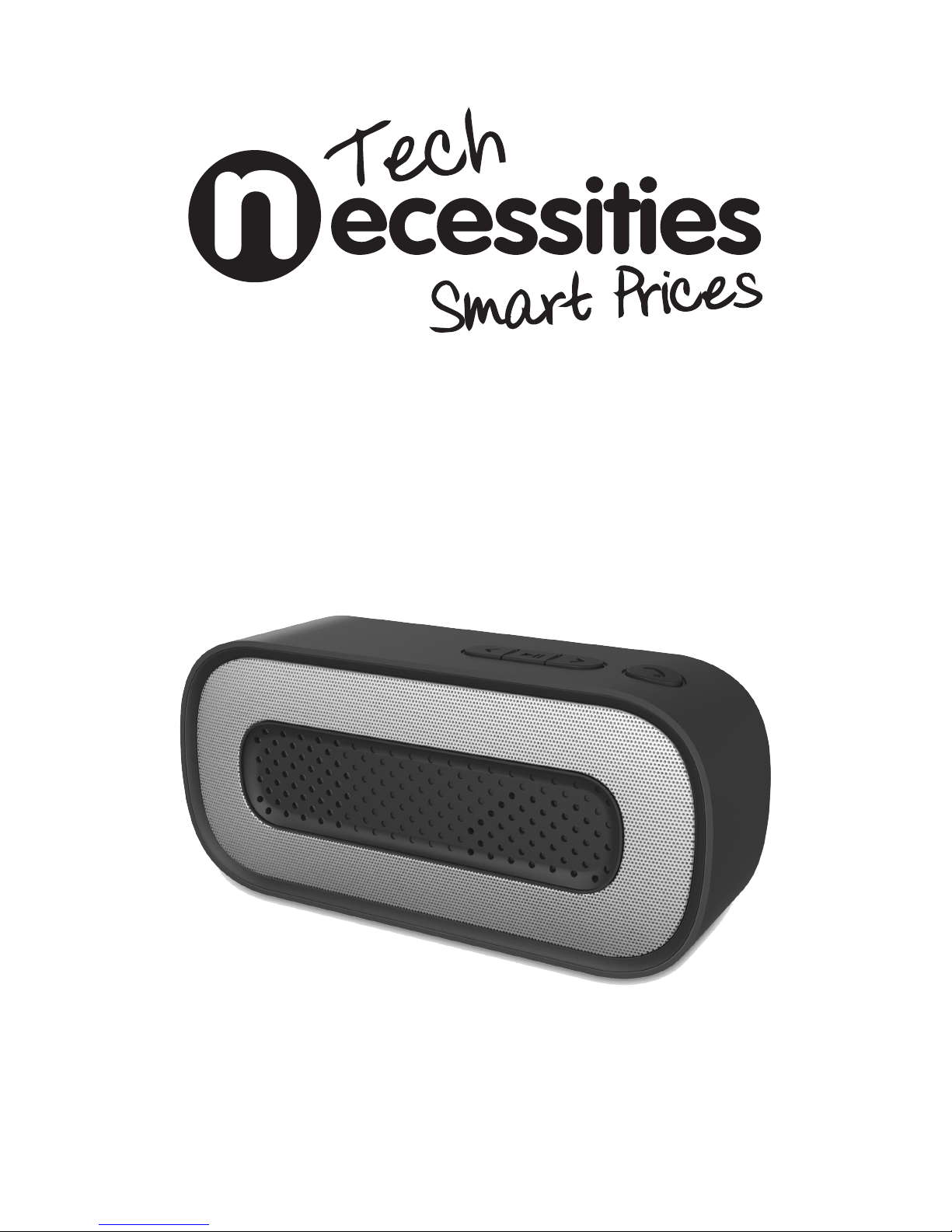
pocket bluetooth speaker
Please retain this User Manual for future use and reference.
Image above only as a reference - colours may vary.
Model: TN-1
Page 2

Important Safety Instructions
1. Read, Keep and Follow these safety
instructions.
2. Keep out of reach of young children.
This apparatus is not suitable for
use by young children without
supervision. Young children must be
supervised to ensure that they do not
play with the apparatus.
3. This apparatus is not intended for use
by persons (including young children)
with reduced physical, sensory or
mental capabilities, or lack of
experience and knowledge, unless
they are supervised or given specic
instruction about the use of this
appliance by a person responsible for
their safety.
4. WARNING. Do not insert any objects
into any openings of an electrical
apparatus.
5. WARNING. Do not use this apparatus
near water. To avoid the risk of re
or electric shock, do not expose this
apparatus to rain or moisture. Do
not expose the apparatus to dripping
water or splashes.
6. Do not immerse in any liquid while in
use or while cleaning. Clean only with
a damp cloth and dry with a dry towel.
Do not use harsh abrasives as these
may damage plastic parts.
7. DO NOT block any ventilation
openings. Keep away from curtains,
newspapers and restricted areas.
Always allow a sufcient gap around
the apparatus to avoid overheating.
8. DO NOT use near any heat sources
such as radiators, gas heaters, stoves
or other apparatus (including
ampliers) that produce heat. Do not
leave in direct sunlight.
9. WARNING. Do not place any naked
ame source, such as lighted candles
on any electrical apparatus.
10. WARNING! Connect to a suitable USB
Source (5V / 500Ma) only.
11. Refer all servicing to qualied
personnel. Servicing is required when
the apparatus has been damaged in
any way eg. when the power supply
cord or plug is damaged, liquid has
been spilled or objects have fallen
onto the apparatus, the apparatus
has been exposed to rain or moisture,
does not operate normally, or has
been dropped.
12. WARNING. Do not use any electrical
apparatus outdoors. If any electrical
apparatus is to be used outdoors, use
a suitable Isolating transformer or
Electrical Safety Switch (RCD).
When using any electrical apparatus, always observe safety regulations and use basic
safety precautions to reduce the risk of re, electric shock and personal injury, including
the following;
Page 3

13. For household use only. This
apparatus is not intended for
commercial use.
14. This apparatus is manufactured with
non-replaceable Lithium
battery. DO NOT attempt to
replace this battery.
15. DO NOT leave this product on charge
for extended periods of time.
16. If this apparatus is to be used by
a third party, please supply these
instructions with it.
17. No liability will be accepted for any
personal injury or damage caused by
failure to follow these instructions.
Important Safety Instructions continued
Page 4

Thank you for purchasing the TN-1 Tech Necessities Bluetooth Speaker.
The TN-1 Bluetooth speaker was designed and created by Tech Necessities to provide
the user with a high quality product experience. This speaker can be used for various
occasions that require a convenient and on the go music solution.
Please read the following manual in full before proceeding to using this
product.
User Manual Contents
1. What’s in the Box
2. Guide to your Bluetooth Speaker
3. Button Functions
4. Getting Started
5. Making a Bluetooth Connection
6. Making an AUX connection
7. Hands-free Functions
8. Charging your Bluetooth speaker
9. Care and Maintenance
10. Trouble Shooting
What’s in the Box?
TN1 Bluetooth Speaker
Micro USB Charging Cable
AUX Cable (3.5mm cable)
User Manual
Page 5
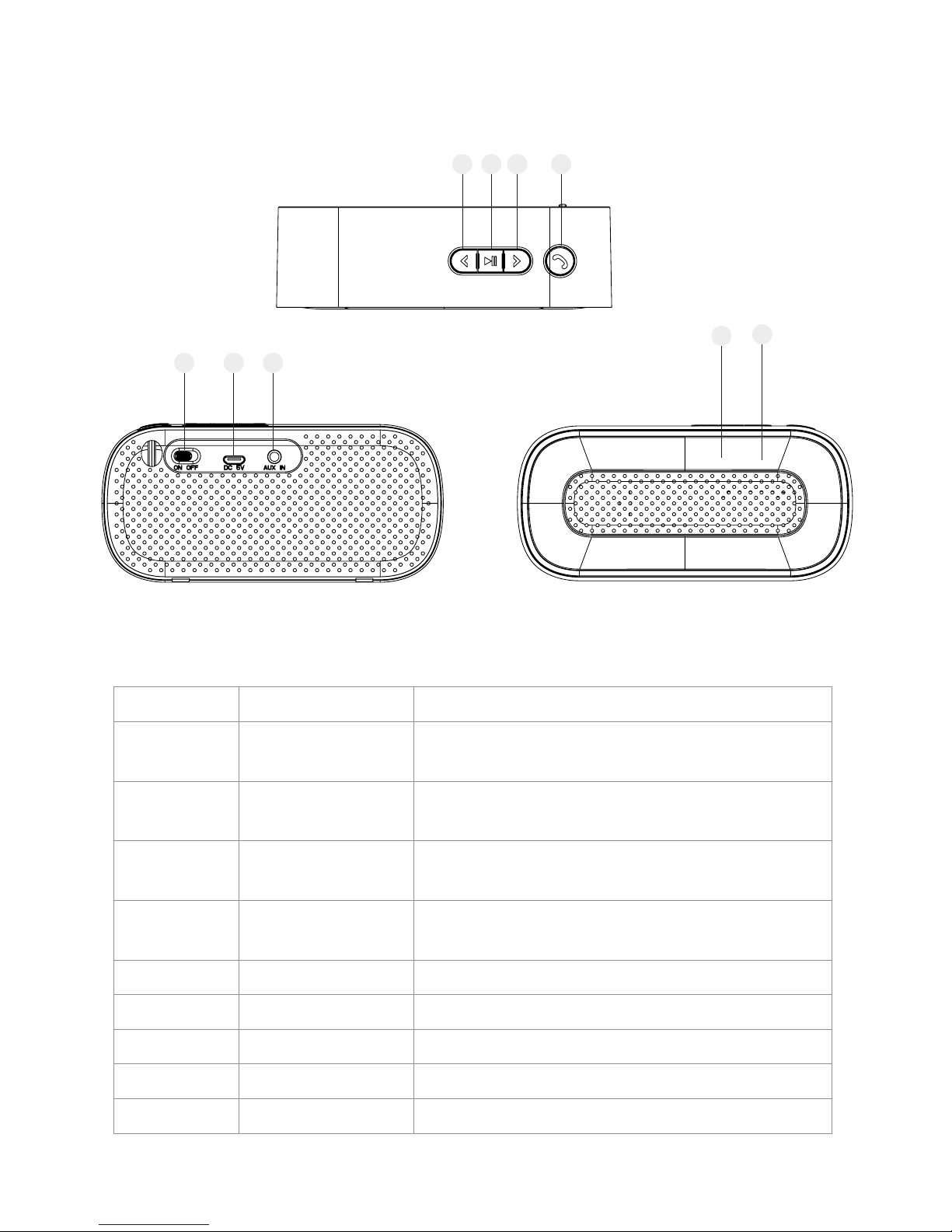
Guide to your Bluetooth Speaker
Location Description Function
1 Volume Decrease /
Previous Track
Long press to turn speaker volume down.
Short press to skip to the previous track.
2
Play / Pause
Short press to Pause and Play music. Hold to
cancel current Bluetooth connection.
3 Volume Increase /
Next Track
Long press to turn speaker volume up.
Short press to skip to the next track.
4
Hands-free
Short press to answer / hang up the telephone
call of the connected mobile.
5 ON / OFF Slide to turn speaker ON and OFF.
6 DC 5V Micro USB port for charging.
7 AUX AUX input for 3.5mm cable connection.
8 LED light Light indication for pairing and charging.
9 Microphone Microphone location for hands-free calls.
5 6
7
8
9
1 2 3 4
Page 6

Getting Started
Before proceeding to operate the product as you read through these instructions please
take some time to read and understand the steps and instructions beforehand.
Making a Bluetooth Connection
This pocket Bluetooth speaker is equipped with Bluetooth technology allowing you to
connect to a Bluetooth enabled device and streaming music from this device wirelessly
up to 10 metres away.
Step One
Turn on your Bluetooth speaker by sliding the ON / OFF button on the rear of the
speaker.
Step Two
Once ON, the LED on the front grill of the speaker will ash the colour BLUE. The ashing BLUE LED indicates the speaker is searching for a Bluetooth connection.
Step Three
Using a Bluetooth enabled device such as laptop or smartphone; enter the Bluetooth
settings to search and select the name ‘TN-1’ in the device list. If a password is required
please use ‘0000’
Step Four
Once the connection is successful and stable your speaker will emit 3 short beeps. You
are now ready to enjoy music wirelessly from your connected device.
Important features to know whilst connected
Disconnect the Bluetooth connection and connect to a new device
If you wish to switch to another external Bluetooth device, hold down the PLAY
/ PAUSE button pairing key for 4-5 seconds to cancel current connection. To
connect another device, follow the steps as above.
Your speaker will remain connected to your connected device
Although you may turn OFF your Bluetooth speaker, when turned back on, the
speaker will automatically connect to the last successfully paired device when
turned ON again.
Page 7

Volume Controls whilst connected
When paired, both volume controls are functional. Ensure volume is adjusted
on both external device and speaker to reach an ideal speaker volume.
Making an AUX Connection
Once the speaker is powered ON, you can proceed with establishing an AUX connection between your speaker and an external device. To make an AUX connection, insert
the supplied AUX cable into the rear AUX input on the speaker and the external device.
Volume control on speaker and device is synchronized in AUX mode.
Hands-Free Function
When the Bluetooth speaker is paired with your mobile by Bluetooth, you can press the
Hands-Free Button to answer or hang up the telephone call.
If you have answered the telephone call by short pressing the Hands-Free button, your
voice will be transferred by the built-in microphone and you will hear the caller’s voice
from the Bluetooth speaker.
Charging your Bluetooth Speaker
To charge the TN-1 Speaker, please use the USB cable provided. Any other power supply
used with this device may damage the speaker. When your speaker is charging, the LED
will stay a constant RED. When the charging is completed, the LED light will turn off.
Ensure any USB socket used for charging is 5V DC and rated in excess of 1 AMP.
IMPORTANT!
AVOID leaving your speaker on charge for long periods of time.
AVOID leaving speaker in a low battery / zero battery state as it will affect the life of your
battery.
Page 8

Care and Maintenance
For any maintenance or repairs of your speaker, please contact customer support.
Please DO NOT attempt to repair this speaker yourself as this may void any product
warranty given.
When cleaning the speaker, the speaker must be turned OFF before you begin.
Do not use volatile solvents (such as ethanol) chemicals may damage the speaker.
Only use mild detergent and slightly damp cotton or microbre cleaning cloth.
If the cotton or cloth is too wet, it may drop water into the product panels and speakers
which may cause the product to malfunction.
Troubleshooting
In the event that you encounter any problems using this product, please refer to the
below before contacting customer support
The speaker has no sound
Adjust the volume on the speaker and any connected devices.
Please ensure the AUX cable is connected correctly.
No power or not charging
Please make sure that the USB cable is plugged in properly.
Please check the cable is not faulty.
Bluetooth signal is weak and music is dropping out
Please ensure your battery is fully charged.
Please ensure you are not further than 10 metres away from the Bluetooth
speaker.
Product Specification
Speaker Driver: 40mm
Power Supply: USB (5V, 500 mA)
Battery Charging Time: 2-3 Hours
Product Size: 131 x 38 x 61 mm
While every effort has been made in the preparation of this User Manual, the
publishers cannot be held responsible for the accuracy of the information contained
herein or any consequences arising from it.
Page 9

Guarantee Card
This product is guaranteed against faulty materials and workmanship for a period
of one year from the date of purchase. The obligation to the purchaser under this
warranty is limited to servicing the unit and replacing defective parts when the
product is returned freight prepaid to the retailer. This warranty becomes void if
the product has been tampered with, damaged by accident, damaged in any other
way by improper use or has been purchased second hand. All production orders
have quality inspections. In the unlikely event of a deciency, please contact the
retailer from which this product was purchased.
WARRANTY FOR PRODUCTS USED COMMERCIALLY LIMITED TO 90 DAYS
TYPE OF PRODUCT: _____________________________________________________
MODEL NO.: ____________________ PURCHASE DATE: ______________________
PRODUCT PURCHASED FROM: ___________________________________________
________________________________________________________________________
YOUR NAME: ___________________________________________________________
ADDRESS: ______________________________________________________________
________________________________________________________________________
PHONE NUMBER: ________________________________________________________
IMPORTANT!
Please retain this warranty card along with your purchase receipt. Please do not
post to the retailer or importer. If service is required, both of these documents are
to be returned with the product to your retailer, otherwise a fee may be charged.
NEW ZEALAND CALL TOLL FREE 0800-898 580
 Loading...