

Page 1
!!!!!!!!!!!!!!!!!!!!!!!!!!!!!!!!!!!!
1
TL-RK02 User Manual!
Installation Guide for TL-RK02 Mounting Bracket
This guide provides brief introduction and usage method for TL-RK02 Mounting Bracket.
HDBaseT Transceiver is consist of one HDBaseT Transmitter and one HDBaseT Receiver, this Mounting
Bracket with 4 slots is designed for fixing four Transmitters or Receivers.
1. Preparation
ü Unpacking
Take out all spare parts form the packaging box, and check them carefully. If you find any defective or missing parts, please contact
your local dealer.
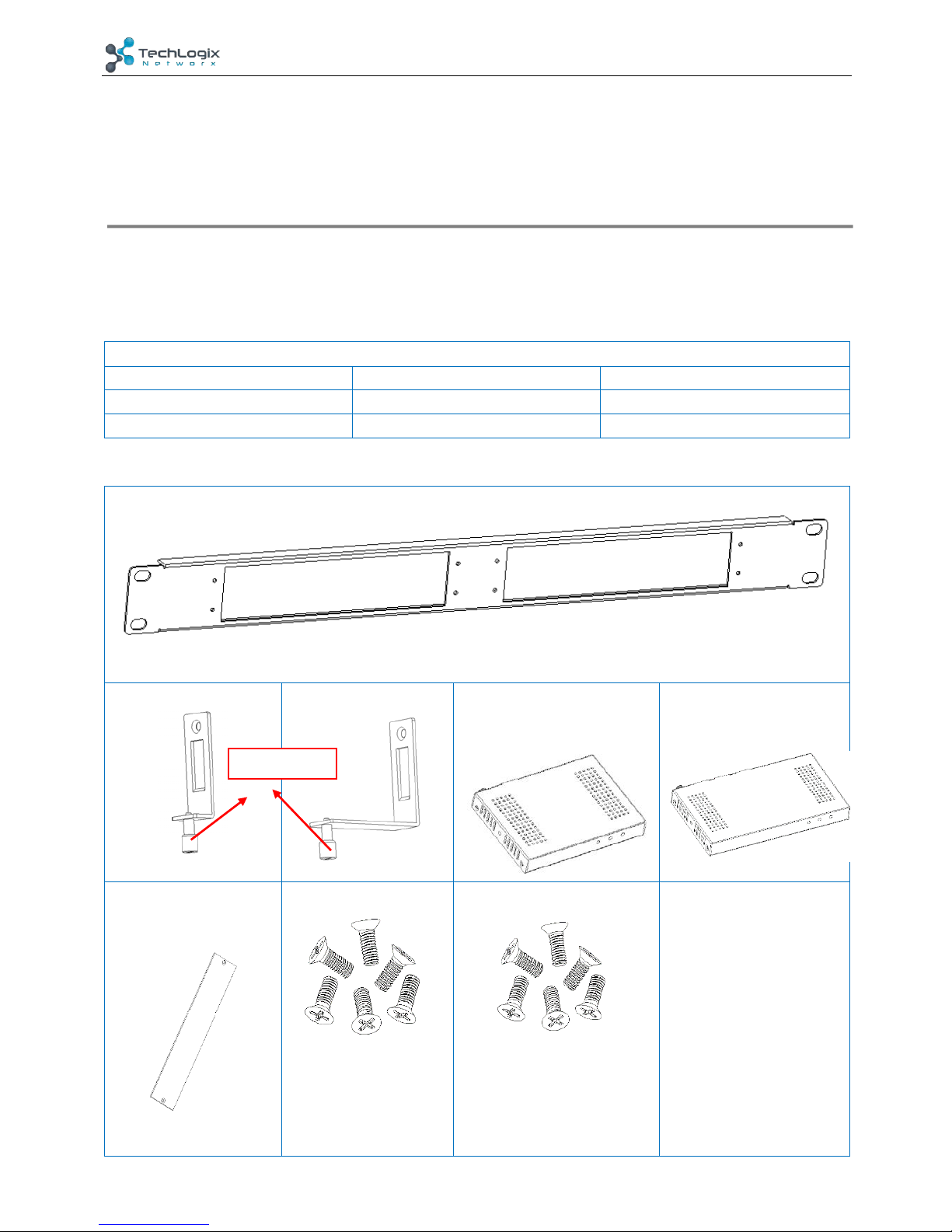
Packing List:
8 x Support(1)
4 x Support(2)
1 x Main Frame
3 x Baffle plates
12 x Screws(3*6mm)
6 x Screws(2.5*5mm)
1 x Installation Guide
ü Prepare Spare Parts
Main Frame
Support (1)
Support (2)
HDBaseT Transceiver (1)
(115mm*84mm*16mm)
HDBaseT Transceiver (2)
(152mm*84mm*16mm)
Baffle plates
Screws(3*6mm)
Screws(2.5*5mm)
&
Captive Screw
Page 2
!!!!!!!!!!!!!!!!!!!!!!!!!!!!!!!!!!!!
2
TL-RK02 User Manual!
² Pictures for reference only, subject to our existing products.
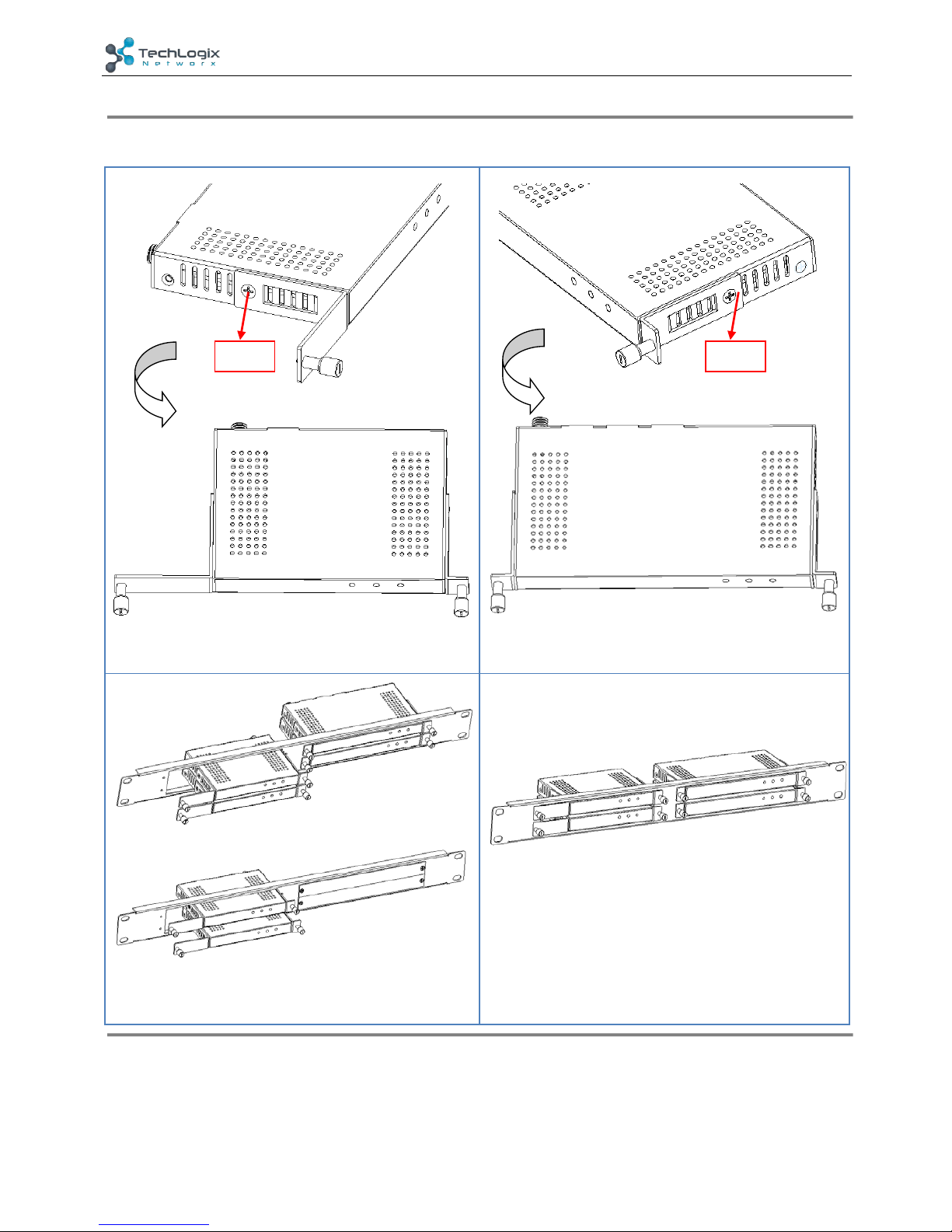
2. Installation procedure
Step 1. Connect one Support (1) and one Support (2) to
HDBaseT Transceiver (1), and fix them with screws (3*6mm).
Step 2. Connect two Supports (1) to HDBaseT Transceiver (2)
, and fix them with screws (3*6mm).
Step 3. Put transmitters or receivers insert the slots, and then
tighten the captive screws. For the empty slots, install baffle
plates with screws (2.5*5mm) to cover them.
Step 4. After installation is completed, install it on your
machine frame.
Screw
Screw
Page 3
!!!!!!!!!!!!!!!!!!!!!!!!!!!!!!!!!!!!
3
TL-RK02 User Manual!
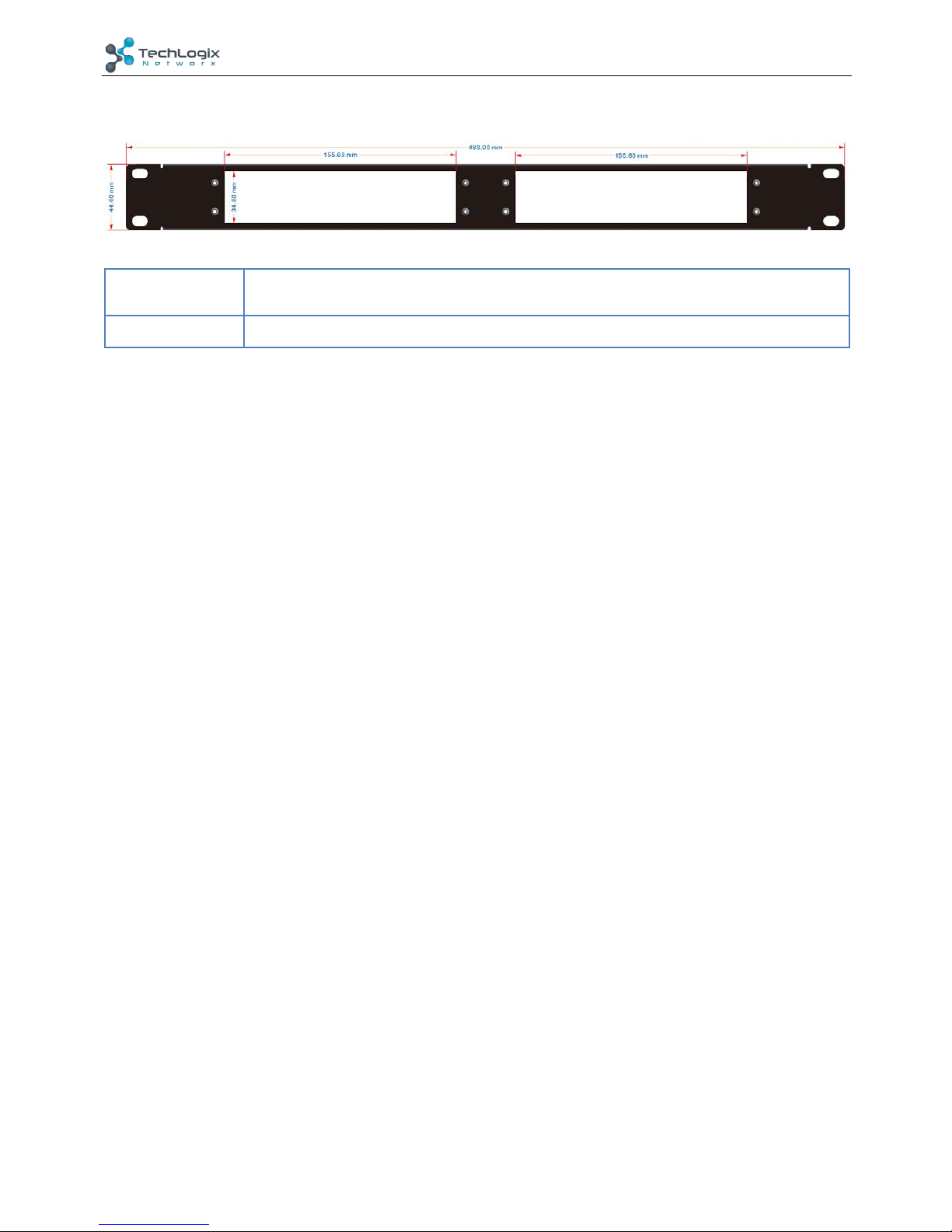
3. Dimensional Drawing
Dimension (W*H*D)
483.00mm × 44.00mm ×11.50 (External Frame)
155.60mm × 34.80mm (Internal Square Frame)
Net Weight (g)
211g
 Loading...