

Page 1
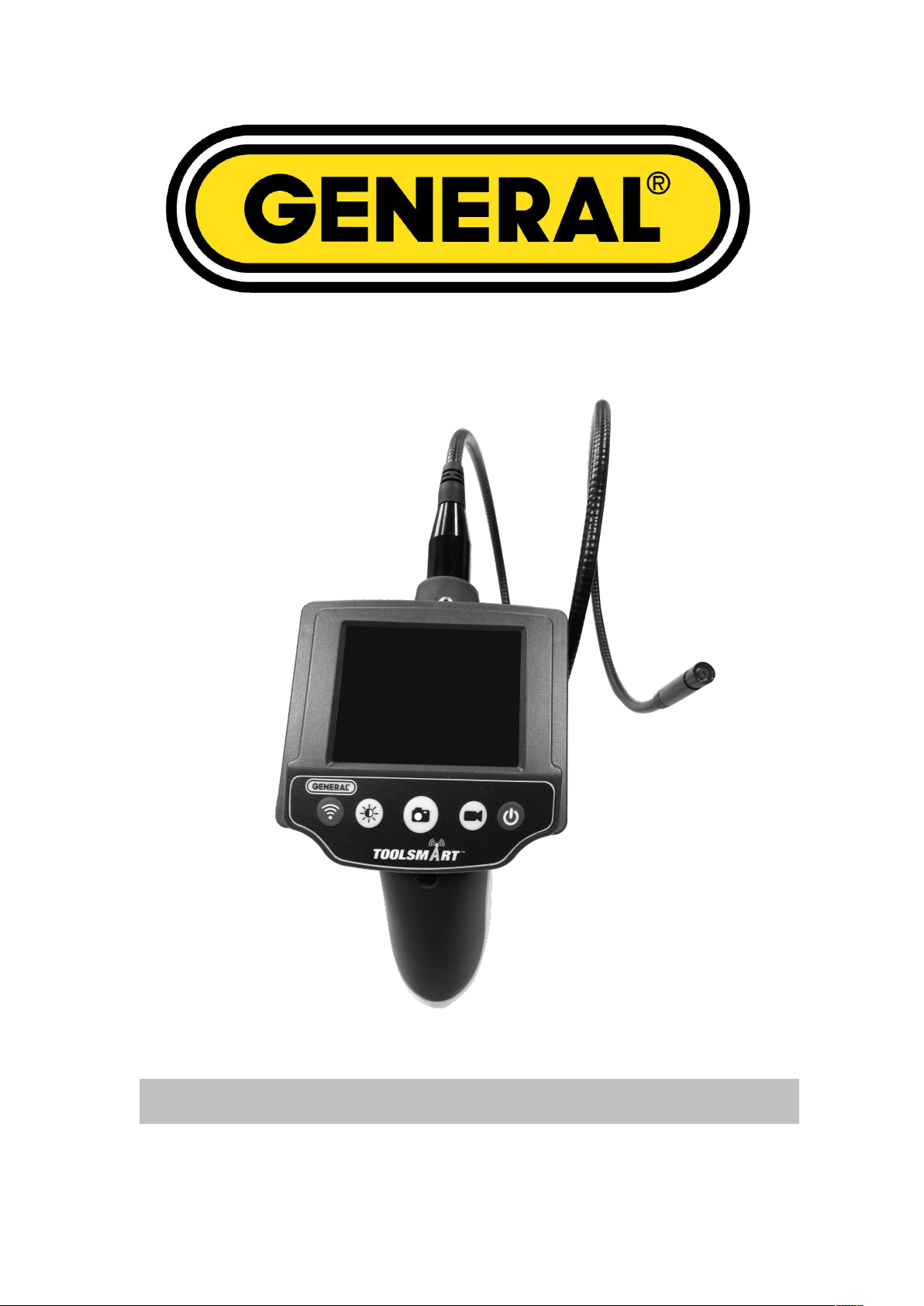
TS03 / TF3002LW / TF3002LWX / TF3003LW / TF3003LWX
Instruction Manual
Toolsmart iBorescope
Page 2

Safety Instructions
Please read the safety instructions most carefully!
These instructions will make it easier for you to handle the device appropriately and help prevent
misunderstandings and possible damages.
Please note the following safety notes to avoid malfunctions, damage or physical injury:
Prevent object and liquid entry. Never spill liquid of any kind on the video display and the main body of the unit.
The unit is not shock-resistant. Do not use it as a hammer or drop it.
Do not immerse the camera and monitor in water. Store in a dry place. Such measures reduce the risk of electric
Do not use the camera if condensation forms inside the lens. Let the water evaporate before using again.
The apparatus shall not be exposed to dripping or splashing and that no objects filled with liquids, such as vases,
Turn off the unit if not in use.
Attention should be drawn to the environment aspects of the battery disposal.
Remove the batteries when cleaning the unit.
Remove the batteries before storing the unit for a long time.
When necessary, REPLACE ALL FOUR BATTERIES in the unit with new ones.
Use only the size and type of battery specified.
Be sure to install the battery with the correct polarity as indicated in the battery compartment.
Properly dispose of the battery. Exposure to high temperatures can cause the battery to explode, so do not dispose
Before first use please familiarize yourself with the proper usage of the device. Keep these operating instructions for
future reference. This operating instruction contains important details for handling the device. Please pass it on along
with the unit if it is handed over to a third party!
shock and damage. The imager head and the cable are water resistant when the unit is fully assembled, but the
monitor and camera is not.
Cautions
shall be placed on the apparatus.
of in a fire. Please tape over the terminals to prevent direct contact with other objects. Some countries have
regulations concerning battery disposal. Please follow all applicable regulations.
FCC NOTE:
This device complies with Part 15 of the FCC Rules.
Operation is subject to the following two conditions: (1) this device may not cause harmful interference, and (2) this
device must accept any interference received, including interference that may cause undesired operation.
THE MANUFACTURER IS NOT RESPONSIBLE FOR ANY RADIO OR TV INTERFERENCE CAUSED BY
UNAUTHORIZED MODIFICATIONS OR CHANGE TO THIS EQUIPMENT. SUCH MODIFICATIONS OR CHANGE
COULD VOID THE USER’S AUTHORITY TO OPERATE THE EQUIPMENT.
This equipment has been tested and found to comply with the limits for a Class B digital device, pursuant to part 15 of
the FCC Rules. These limits are designed to provide reasonable protection against harmful interference in a
residential installation. This equipment generates, uses and can radiate radio frequency energy and, if not installed
and used in accordance with the instructions, may cause harmful interference to radio communications. However,
there is no guarantee that interference will not occur in a particular installation. If this equipment does cause harmful
interference to radio or television reception, which can be determined by turning the equipment off and on, the user is
Page 3
encouraged to try to correct the interference by one or more of the following measures:
0700
You can help protect the environment!
Please remember to respect the local regulations: hand in
the non-working electrical equipments to an appropriate
waste disposal centre.
-- Reorient or relocate the receiving antenna.
-- Increase the separation between the equipment and receiver.
-- Connect the equipment into an outlet on a circuit different from that to which the receiver is connected.
-- Consult the dealer or an experienced radio/TV technician for help.
Hereby, Teamforce Company Limited, declares that this TOOLSMART VIDEO INSPECTION CAMERA / TF3002LW,
TF3002LWX, TF3003LW, TF3003LWX, TS03 is in compliance with the essential requirements and other relevant
provisions of Directive 1999/5/EC.
Environment friendly disposal
Page 4
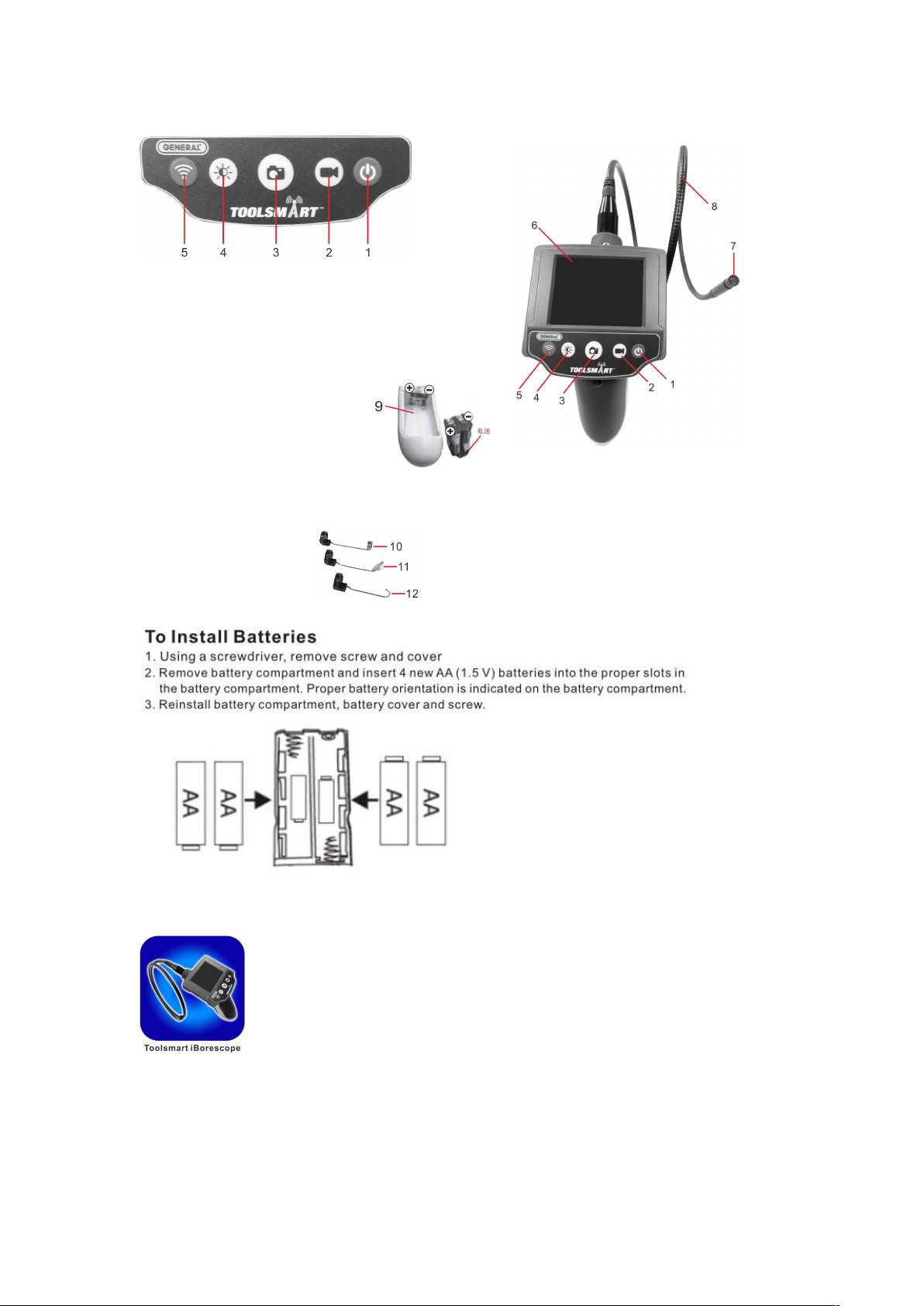
MAIN PART LIST
1)Power ON/OFF Button
2)Photo Button
3)Record Button
4)LEDs Brightness control Button
5)WIFI ON/OFF Button
6)2.7” TFT-LCD Monitor
7)Camera & LEDs
8)Flexible tube
9)Battery Compartment (4X1.5V AA)
10) Mirror
11) Hook
12) Magnet
ACCESSORIES PART LIST:
Download APP
Download “ToolSmart iBorescope” fm App Store on iPhont/iPad/Adnroid Smart phone
Page 5
OPERATION
Switching Power ON/OFF
Press the ON/OFF Button (1) to switch the device on.
The camera image will appear on the screen.
WiFi On/Off Key: WIFI ON/OFF
Connect Hot spot
The First time you try to connert to the hot spot, you will be prompted to enter the app’s password
(the default password is 12345), Thereafter ,you will not be asked for a password ;
the ToolSmart iBorescope line will already have a check mark.
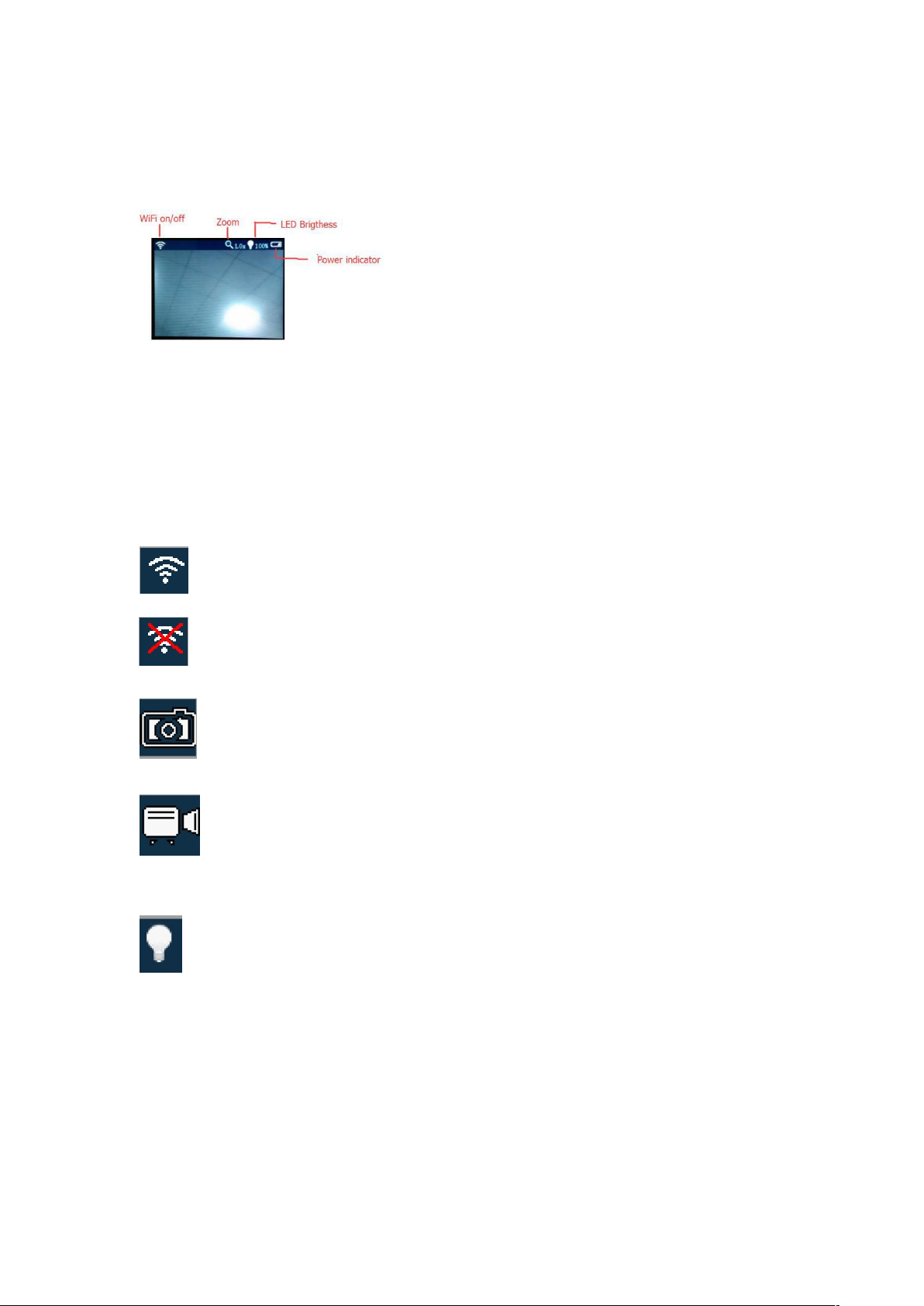
Tool’s screen shows:
Means WiFi is activated successfully.
Means WiFi is activated fail.
Press Photo on APP, tool screen shows:
Press Record on APP, tool screen shows:
Remark: All photos & videos save under DOC folder.
While press Lightness on APP, tool screen shows:
0%、25% 、50%、100%
Video/Image Zooming (Zoom)
While press Zoom, the video/image zooms twice. Whereas tool screen shows no changing.
WiFi account pass word setting (Set Up)
While pressing Set Up on APP, it enters to the account password filling page. After new password set up, the tool
screen turns blue, & off automatically after few seconds. You may turn on the tool again, then new pass word works.
Page 6
Technical Data
2.7” TFT resolution
960(H) X 2340(V) pixels
Lens sensor resolution
640 X 480 pixels
Sensitivity
1.8V(Lux.sec)
Color Mosaic
RGB Bayer pattern
Camera Φ
8.0 mm
Camera lighting
4 white LEDs
LED Lux
Max 600 +/-150 Lux by 20 mm
white balance
automatic
Exposure
automatic
Fidle of field
54°
Focus
3 - 6 cm
Operating temperature
0 to +45℃
Operating Humidity
15 - 85% RH
Storage temperature
.-10 to +50
℃
Storage Humidity
15 - 85% RH
Gooseneck length
57 cm +/- 2 cm
Total Length of Device
85 cm +/- 2 cm
Min.bending radius
45 mm
weight
Approx 320 g
Operating voltage
4 X 1.5V AA battery (not included)
Current consumption
Max. 350 mA
At the end of its serviceable life, this product should not be treated as household or
general waste. It should be handed over to the applicable collection point for the
recycling of electrical and electronic equipment, or returned to the supplier for
disposal.
 Loading...