

Page 1
Getting Started
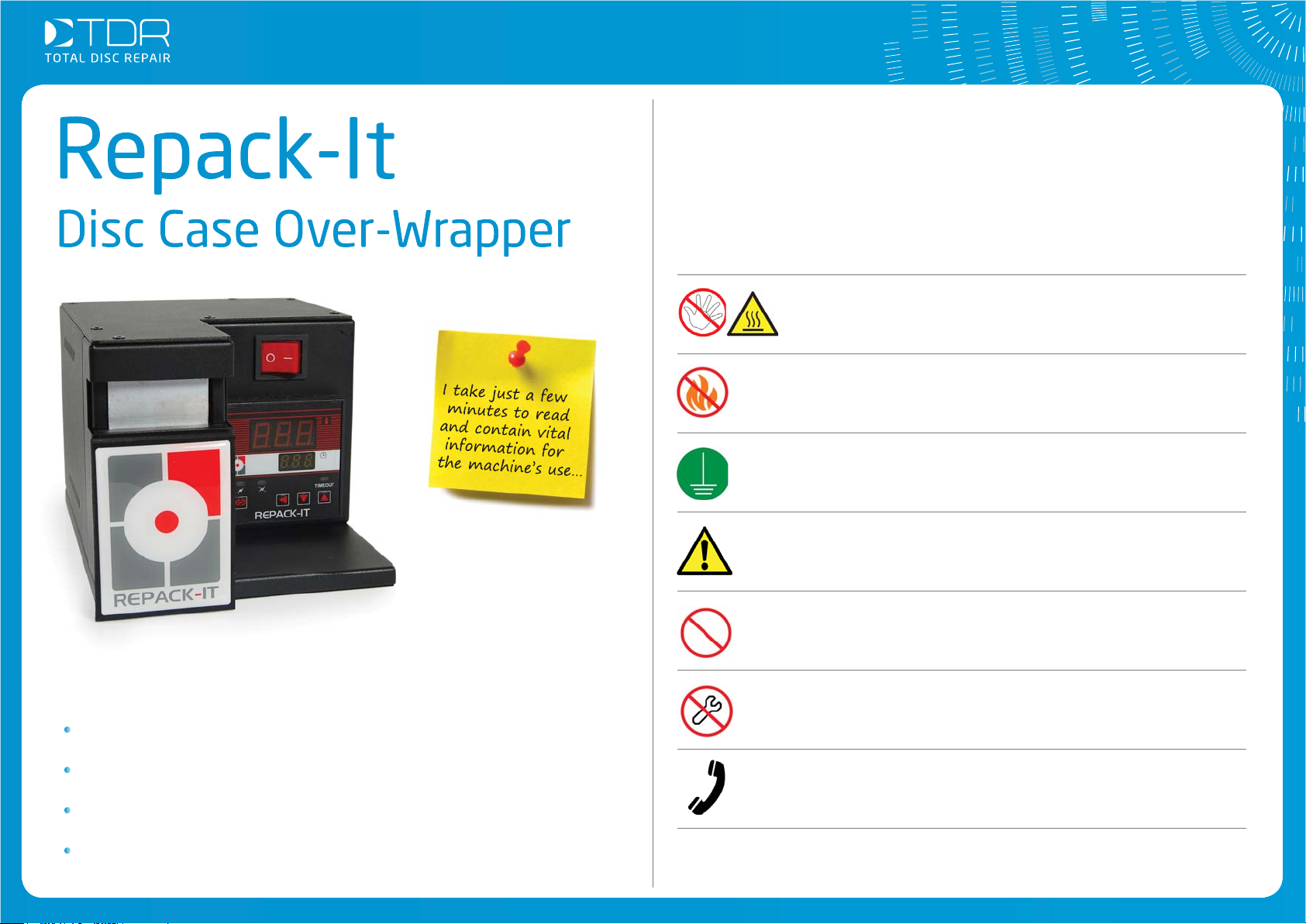
Safety advice
Thank you for choosing the Repack-it overwrapper machine,
please read the safety advice before fi rst use and be sure to
inform any other users of this safety information.
Do not touch the heater element, or surrounding area
before, during, or after using the machine.
Do not use the Repack-It near fl ammable objects or substances.
Always plug the power cable into a grounded power socket.
If you see or smell smoke coming from the Repack-it, unplug
it immediately from the socket and contact Technical Support.
Do not attempt to repair the machine without the help of the
Technical Service.
What’s In This User Guide?
Safety Advice - All users should read this
Repacking Cases - How to use the machine
Best Practises - Simple steps to get the best result
Troubleshooting - What to do should you need help
©Total Disc Repair Ltd | www.totaldiscrepair.co.uk | Technical Support: 0800 412 5424 - [email protected] | Sales: 01202 489 500 - [email protected]
Never bend the power cable.
Do not open or modify the machine – this can cause damage
and will void your warranty.
Always call Technical Support straight away if you need advice
or the machine isn’t operating correctly.
Technical Support Line: 0800 412 5424 - Monday-Friday, 9am-5pm.
Page 2
Getting Started
You will fi nd the following ite
Starter pack of 50
Box contents
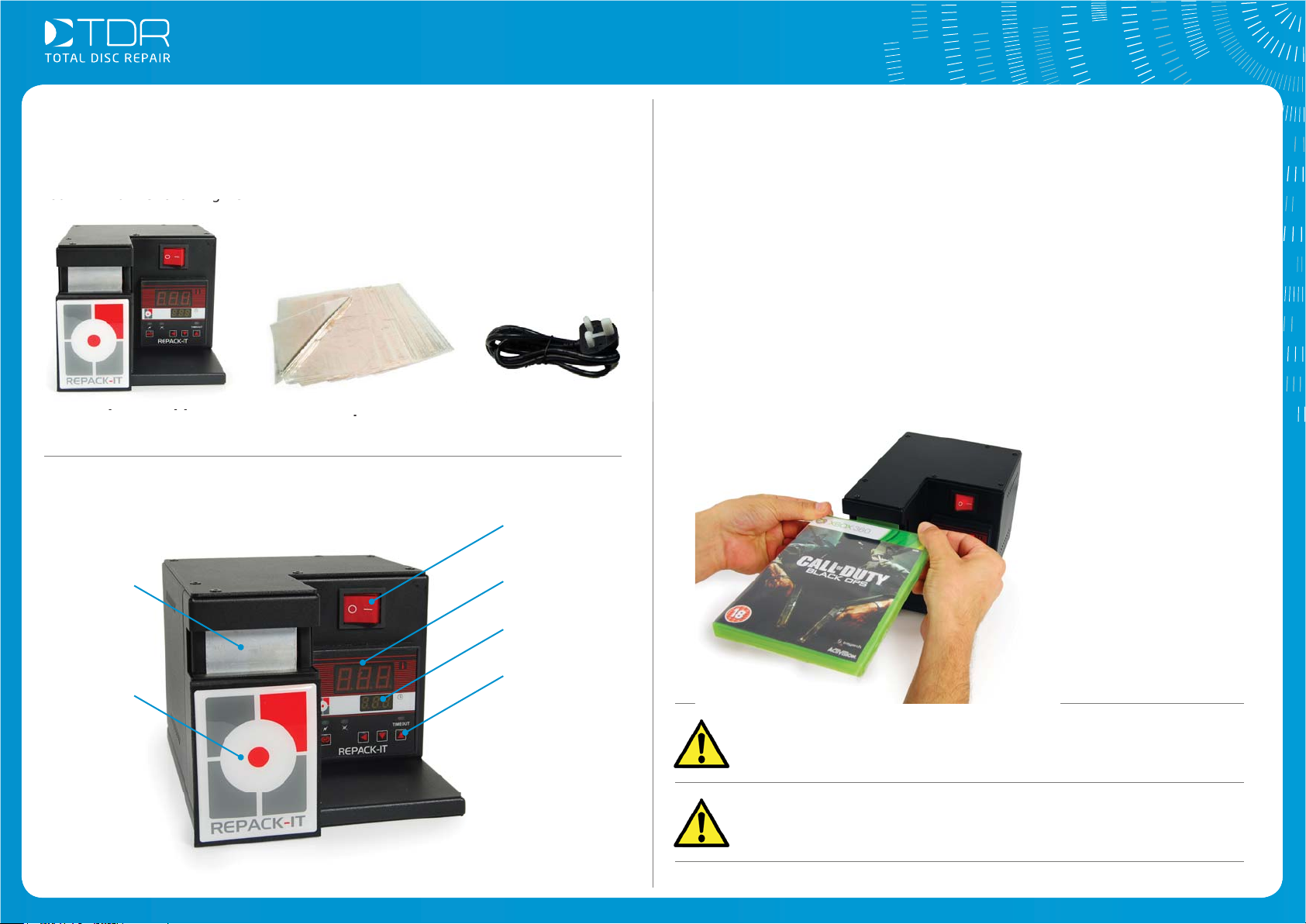
You will fi nd the following items present:
Repack-It Machine
Starter pack of 50
Standard/DVD sheets
Parts of the machine
Heat
Plate
Installation
1. Choose a suitable fl at working surface for the machine, with enough room
around the machine to work and store the items you are re-packing.
Please do not install the machine:
• On a wet or dirty surface
• Near fl ammable, explosive or corrosive substances
• Somewhere that is directly exposed to sunlight for long periods
2. Do not modify the machine or use it for other purposes than the one it’s
designed for. Doing so is dangerous and will void the warranty.
Power cable
Power
Switch
Temperature
Display Screen
3. Leave room around the sides of the machine for ventilation.
Removeable
heat plate
foam cover
©Total Disc Repair Ltd | www.totaldiscrepair.co.uk | Technical Support: 0800 412 5424 - [email protected] | Sales: 01202 489 500 - [email protected]
Countdown
Display Screen
Control
Buttons
These buttons relate
to diagnostic settings,
which won’t need
changing during
standard day-to-day
use; please contact
Support if you have
any questions.
If the box has been damaged during transportation, please
contact technical support immediately before using the
machine.
Please retain all packaging in case you need to return the
machine for any reason.
Page 3
Getting Started
Operation
Consumables
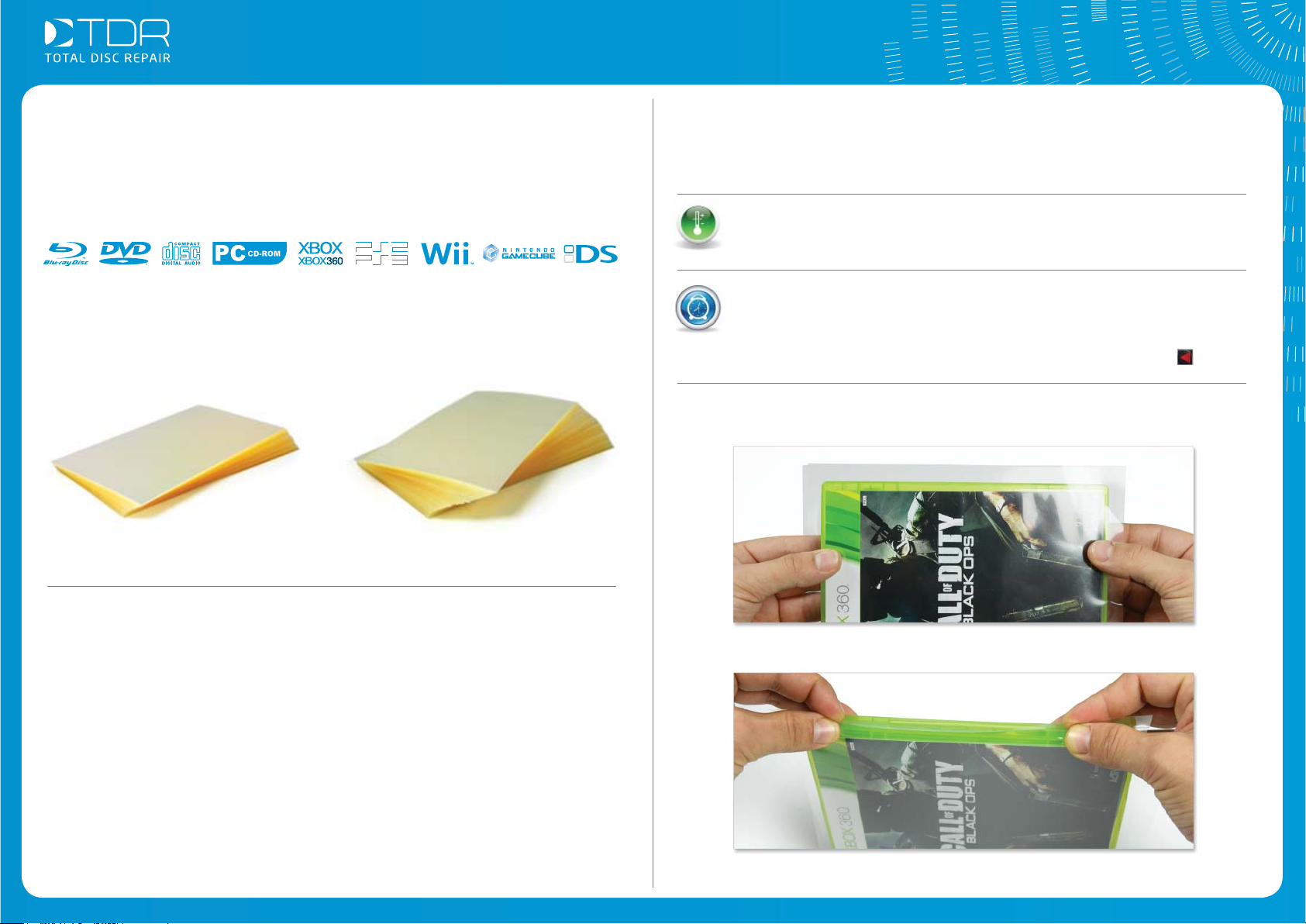
This machine uses a range of different sized cellophane sheets, designed to fi t the
common disc format cases:
They come in packs of 500, or 1,000.
Consumables can be ordered from our website
telephone. Though web orders receive free shipping.
500 Standard Case Sheets 1,000 Standard Case Sheets
Consumable prices:
totaldiscrepair.co.uk or over the
How to Repack-It
Switch on the Repack-it and wait a few seconds until it reaches the
operative temperature of around 160-165° C. If the temperature display
reads higher than 176° C, wait until it falls below 175° C before using.
As a safety measure, there is a 30 minute countdown timer, below the
main display, that starts when you turn on the machine. When it reaches
zero, the heat plate turns off, though the machine remains on.
To reset the counter to 30 and start packing, simply press the button.
1. Wrap the case with a compatible cellophane sheet, so that the
sealed edge will be along the closing edge of the case.
Standard/DVD Sheets: (500) ............................................. £32.90
(1000) ........................................... £49.90
CD Sheets: (500) ............................................. £22.90
(1000) ........................................... £39.90
PS3/Blu-ray Sheets: (500) ............................................. £31.40
(1000) ........................................... £47.90
Nintendo DS Sheets: (500) ............................................. £29.90
(1000) ........................................... £45.90
PSP Sheets: (500) ............................................. £29.90
(1000) ........................................... £45.90
Game Variety Pack: (1000) ........................................... £59.90
(Xbox/Xbox360/Wii/PS2/PS3/PSP/DS)
* all prices plus VAT
©Total Disc Repair Ltd | www.totaldiscrepair.co.uk | Technical Support: 0800 412 5424 - [email protected] | Sales: 01202 489 500 - [email protected]
2. Overlap the borders of the sheet.
Page 4
Operation - cont..
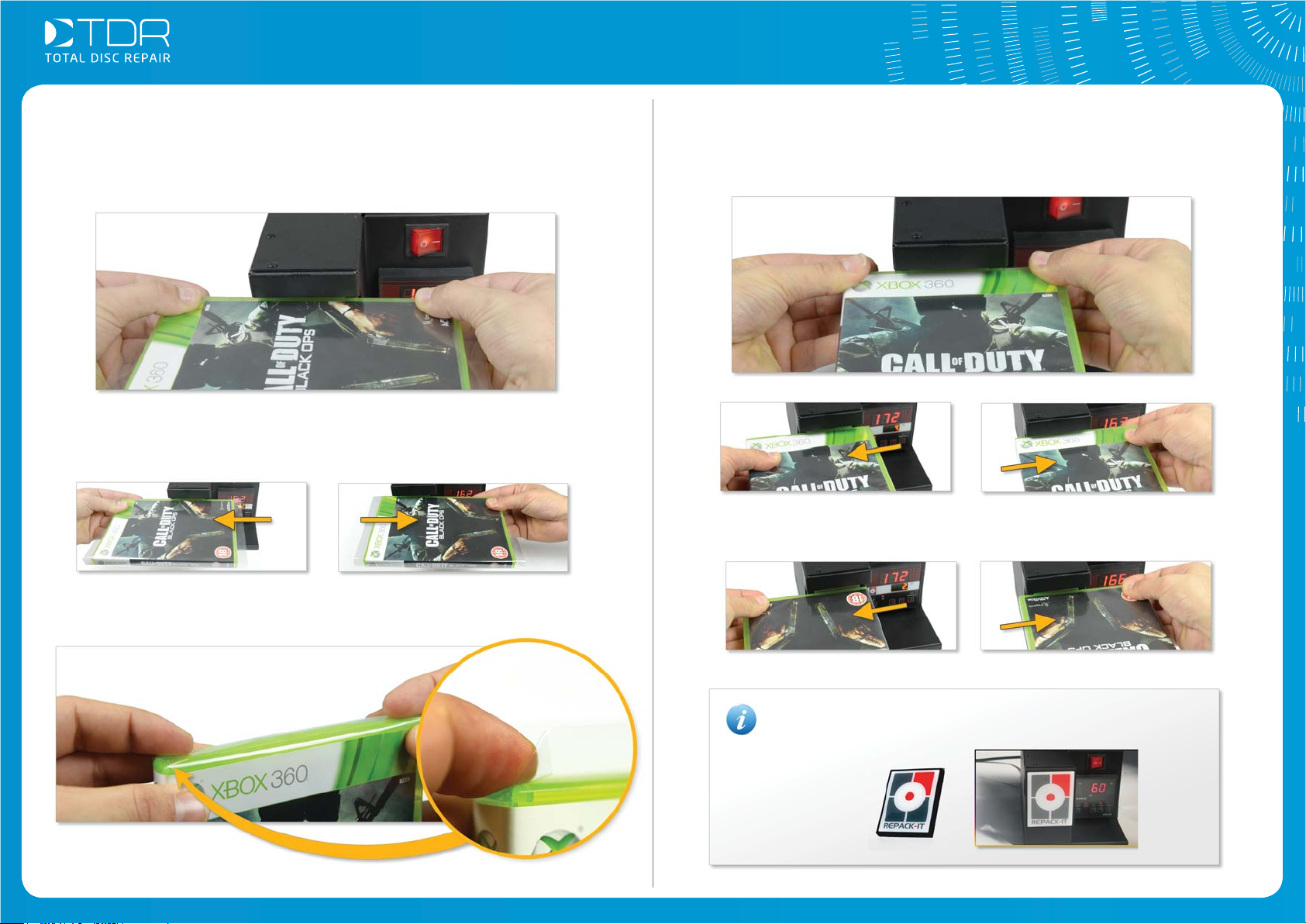
3. Seal the cellophane by touching it against the heat plate for just a second.
Be careful not to touch the heater or the surrounding area.
4. In a smooth continuous action, swipe the box left and right to seal the sheet
along the whole length of the case.
6. Seal this side of the case, too, again moving it left and right.
7. Repeat operations 5 and 6 for the remaining open side.
5. Fold in the corners and overlap the borders of the cellophane sheet.
©Total Disc Repair Ltd | www.totaldiscrepair.co.uk | Technical Support: 0800 412 5424 - [email protected] | Sales: 01202 489 500 - [email protected]
After usage, our advice is to cover the heater with the
supplied magnetic shield to protect yourself from touching it
accidentally.
Page 5
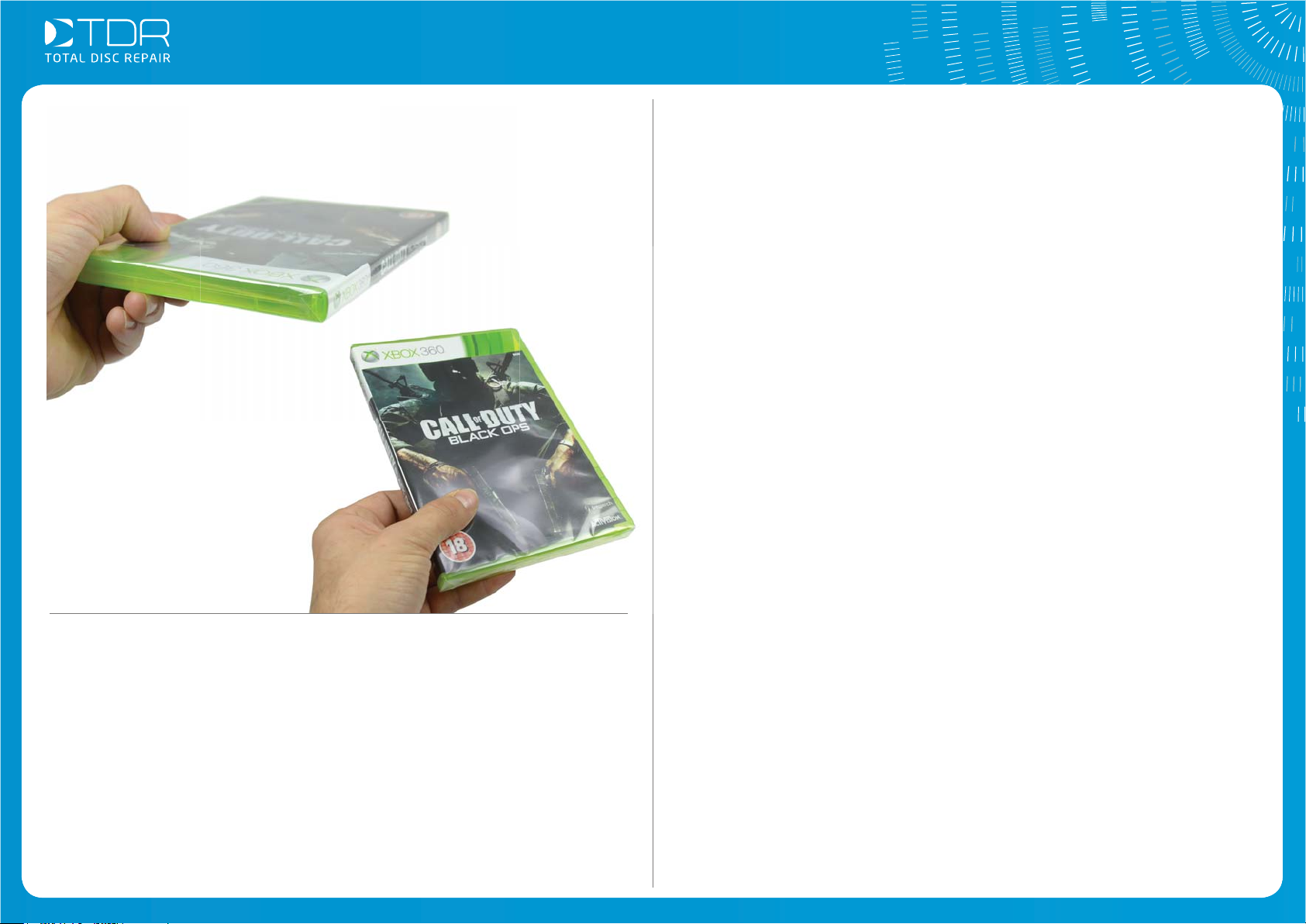
Operation - The result
e:
8. The case is ready, perfectly wrapped!
Your notes...
If you want to see a Repack-it in action,
you can view a video on our website:
totaldiscrepair.com/RepackDemo
epack-it in action,
n our websit
RepackDemo
Troubleshooting
When switching on the machine, if the large display reads “HHHH”, “LLLL” or
“ERRO”, switch off the machine and wait 5 minutes before turning it on again.
If the problem persists, please contact Technical Support.
Important
Do not use the Repack-it if the temperature is higher than 176° C. Just wait a
few seconds until the temperature drops.
Of course, any problem at all you should call Technical Support straight away
on 0800 412 5424.
©Total Disc Repair Ltd | www.totaldiscrepair.co.uk | Technical Support: 0800 412 5424 - [email protected] | Sales: 01202 489 500 - [email protected]
 Loading...