

Page 1
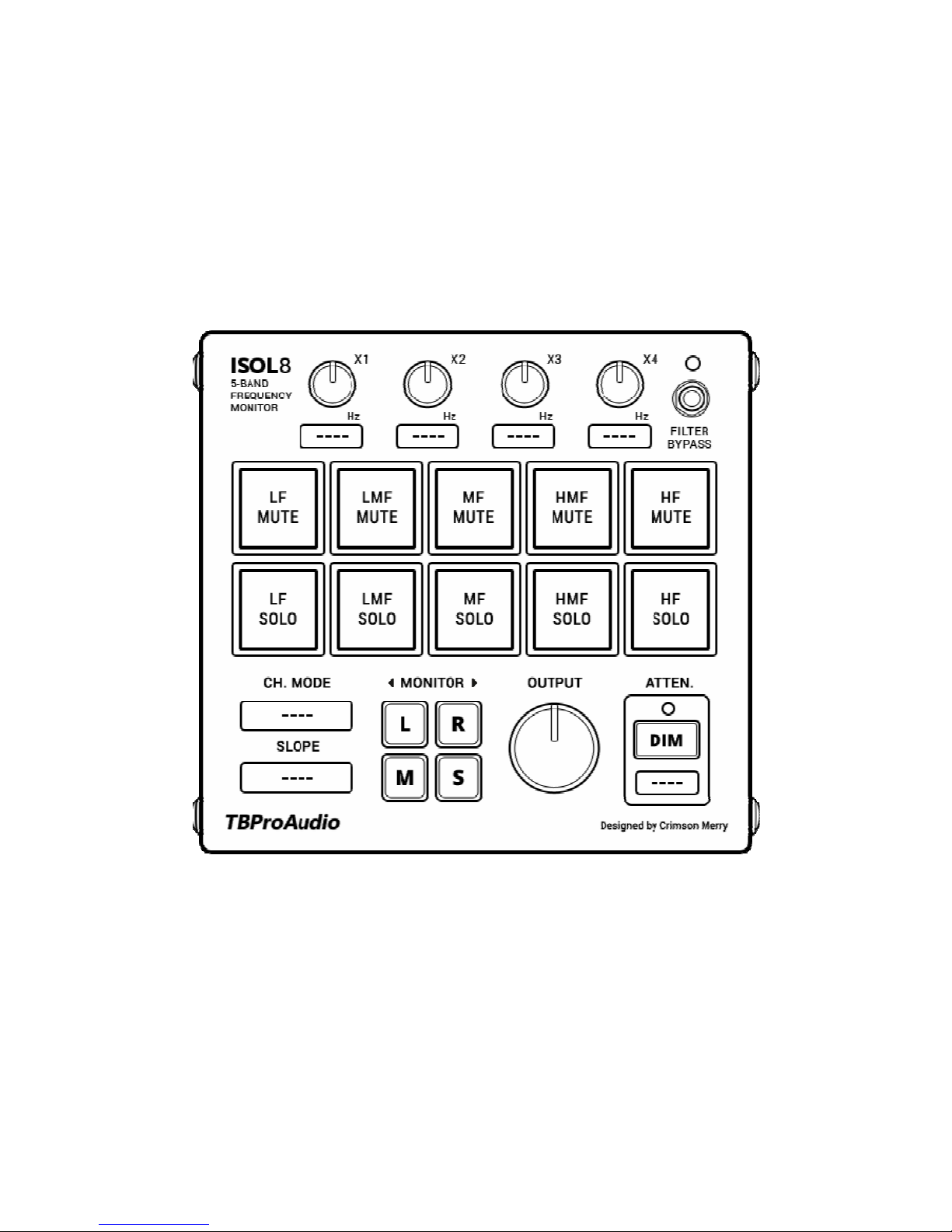
Isol8 5-Band Frequency Monitor
1
Isol8
5-BAND FREQUENCY MONITOR
MANUAL
TBProAudio 2018
Page 2

Isol8 5-Band Frequency Monitor
2
1. Introduction
Welcome to Isol8, an advanced mix monitoring tool. Isol8 helps you to understand and
improve your mix in the frequency domain.
Isol8 divides the frequency band into 5 regions. Each band can be soloed / muted
individually, so you can focus on certain frequency ranges during your mix and master
session.
2. Features
Isol8 offers following features:
5 adjustable frequency bands
Solo/mute function for each band individually
Linkwitz-Riley crossover filter design
24/48dB/Oct filter slope
Multiple filter channel modes (Stereo/Left/Right/Mid/Side)
Multiple monitor modes (Stereo/Left/Right/Mid/Side)
In-place or centered monitoring
Adjustable output level
Loudness dim function
Large and easy to use GUI
64-bit internal processing
Page 3
Isol8 5-Band Frequency Monitor
3
3. Overview
Isol8 is an advanced mix monitoring tool. It divides the frequency range into 5 bands.
These 5 bands can be soloed or muted individually. This will help you to concentrate on
certain frequency ranges during the mixing and mastering process.
Isol8 is originally designed to be used on the master track, but it can also be used on
individual audio track busses, if preferred.
4. Controls
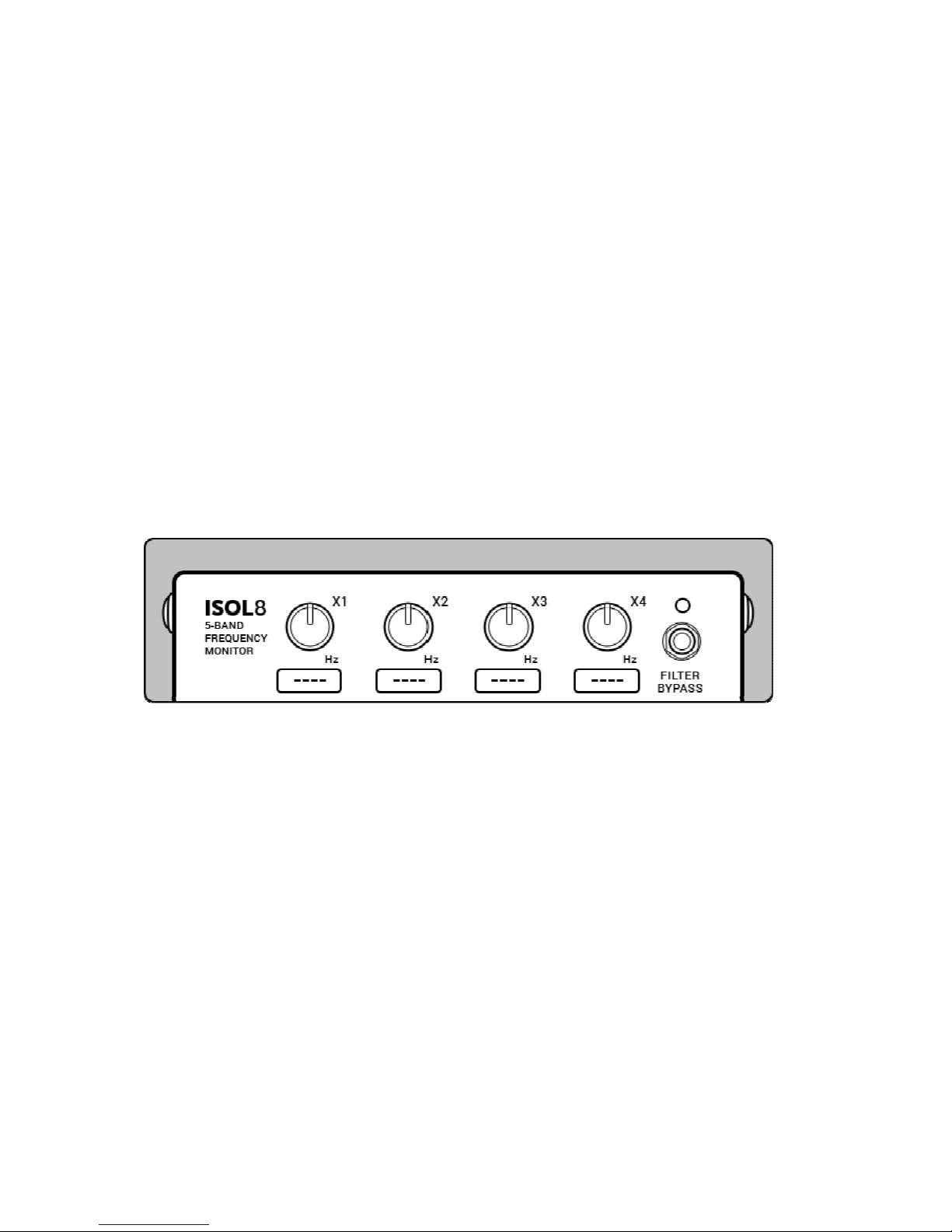
Frequency Crossover
4 knobs to control the crossover frequencies.
X1: LF><LMF, X2: LMF><MF, X3: MF><HMF, X4: HMF><HF
Click to type the value using your keyboard.
“Filter Bypass” button will bypass only the filter section.
Page 4
Isol8 5-Band Frequency Monitor
4
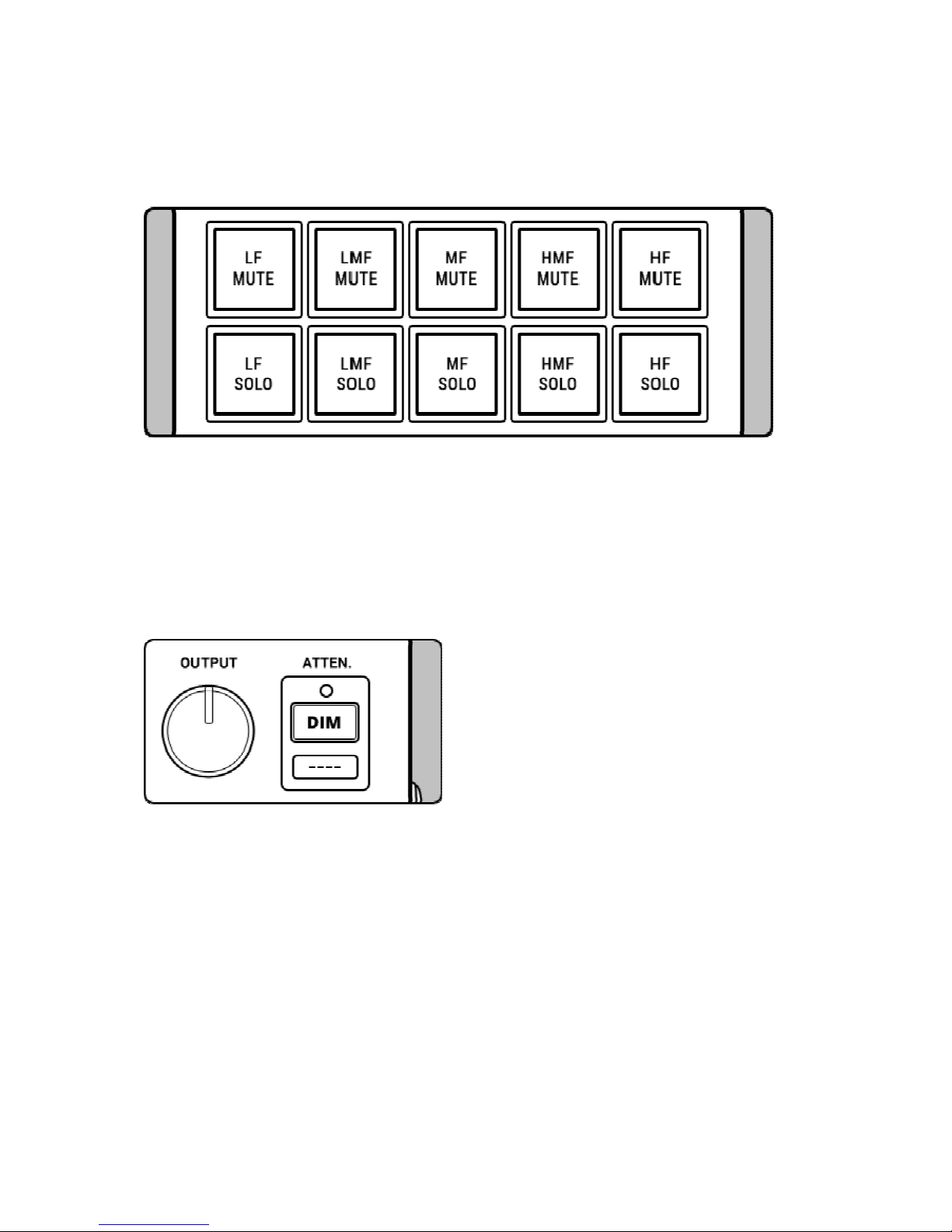
Band Controls
10 buttons to solo or mute the 5 frequency bands. Solo buttons override mute buttons.
Click with shift left mouse button or right mouse button on any button deactivates all
other buttons. This helps to quickly click through individual bands.
Output Stage
Output knob controls the master output volume.
Attenuation will dim the output value by a pre-defined (dB) value.
Click below the knob or on the value box to enter the value using your keyboard.
Page 5
Isol8 5-Band Frequency Monitor
5
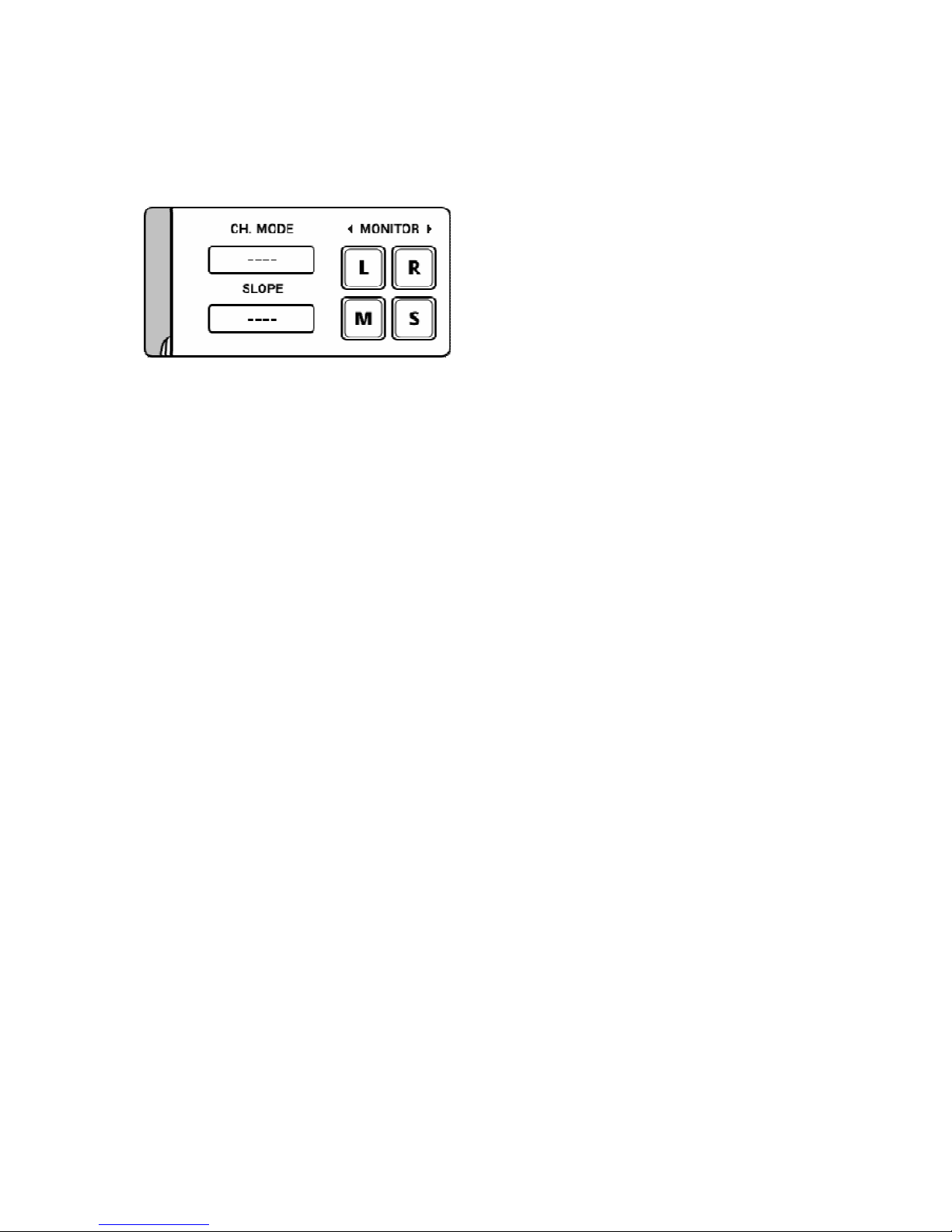
Channel/Monitor
Channel mode will apply the filter only to the selected channel: Stereo, Left, Right,
Mid/Sum or Side/Diff signal.
Monitor determines which signal is sent to the output stage: Stereo (no button pressed)
L (left), R (right), M (mid/sum) or S (side/diff).
Click on the Monitor text to change from in-place monitoring to centered monitoring.
5. Minimum System Requirements
Windows XP or newer
Mac OS X 10.5 or newer
Win: 32/64 Bit VST, 32/64 Bit VST3, 32 Bit RTAS, 32/64 Bit AAX
OS X: 32/64 Bit VST, 32/64 Bit VST3, 32/64 Bit AU, 32 Bit RTAS, 32/64 Bit AAX
Tested with: Cockos Reaper, Steinberg Cubase/Nuendo/Wavelab 6/7/8/9, FL
Studio 12.x, ProTools 10/12
All sample rates
Page 6

Isol8 5-Band Frequency Monitor
6
6. GUI Design
All credits for the GUI design goes to Crimson Merry. He did an incredible job by
designing this clearly structured and easy to read user interface. Thank you!
Check out his work on Instagram or Twitter
7. Conclusion
So finally if you have any questions or suggestions just let us know. And have fun with
our tools!
Your team from TBProAudio :-)
 Loading...