

Page 1
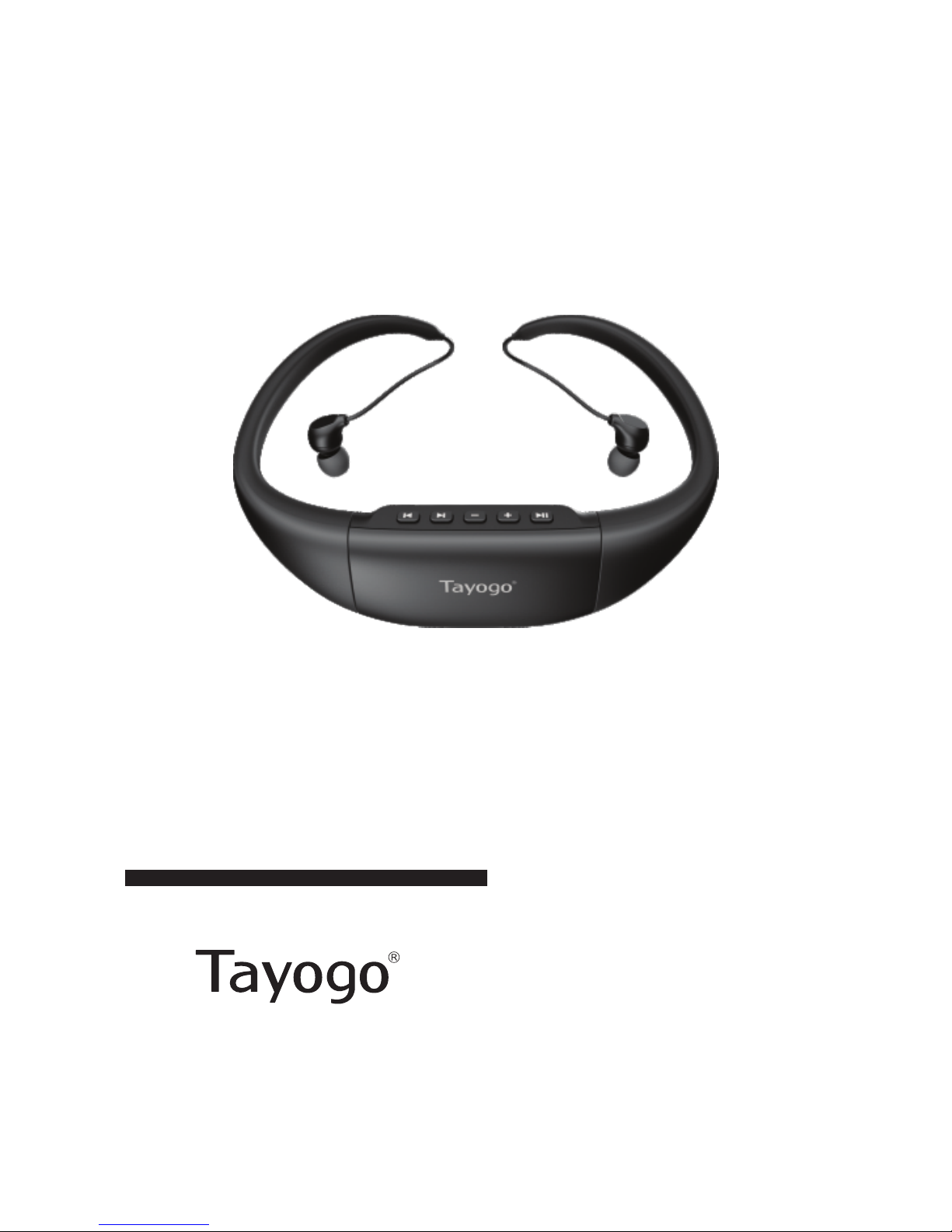
WATERPROOF MP3 PLAYER
USER MANUAL
No. WPM10
Page 2

To connect the mp3 player to your computer,
pull out the right headphone frame out.
See picture 1.
Pull out the left headphone frame out, see
picture 2.
Don't bend the frame during pulling out as
picture 3.The wrong operation will cause the
permanent damage to the main host of MP3
player.
English
1
important
Picture 1
Picture 2
Picture 3
Page 3

Right:hold the ends of headphone bone to wear or
take off.See picture 1-2
Wear and take off the MP3 player rightly
Picture 1
Picture 2
Picture 3
Wrong:hold the headphone
cables and pull strongly to wear
or take off.See picture 3
Note:The headphone cable is made by slim copper wires and it will be
broken if you pull the cables strongly.This will cause the headphone no
sound and this problem is out of warranty.
English
2
Page 4

Congratulations on purchasing your new waterproof MP3 player.We are convinced
you will be satisfied with it.To always guarantee the great performance of this
item,we would like to ask the following:Before using our product for the first
time,carefully read the safety guide,warranty and operating instructions and
adhere to the safety precautions.All activities done with this item may only be
carried out as described in these operating instructions.Improper use of this device
may cause the user to make mistakes or decisions that could lead to serious injury
or death.
Read this manual carefully before using the MP3 player
Safety guide
1. Don't use the MP3 player for purposes other than described in this manual.
I t can be potentially dangerous to use your MP3 player while engaging in other
activities that require your full attention.You should exercise extreme caution or
discontinue use in potentially hazardous situations.
2. Don't disassemble or modify the MP3 player in any way.Disassembly of
modification will void the warranty.
3. Don't drop the MP3 player or apply excessive shock to the unit.Fire or electric
shock may result due to using a damaged unit.
4. Don't place the MP3 player close to any heating device.
5. Don't use or store the MP3 player in places with high temperatures,fast
temperature changes or strong magnetic fields.
6. To avoid accidents,Don't use the player while driving or operating other
vehicles,this includes cars,motorcycles and bicycles.This is the law in some
places.To avoid accidents,please don't listen to music at a high volume while
walking,especially when crossing the street as well as in other potentially
dangerous situations. Don't use the MP3 player in traffic areas duing activities such
as driving, jogging, riding a bicycle or any area where an accident could occur.If the
user utilizes this unit at or near the water surface,the user must maintain safety
awareness of moving water crafts.Always follow the law of the country where you
reside.Many countries have laws prohibiting such actions.Obey local laws,be alert
3
English
Page 5

4
and listen carefully.
7. The manufacturer is not responsible for any data loss caused by the product
defects,misure or any other reason.
8. Don't listen to music to loud as it will damage your hearing and can cause
permanent hearing loss, don't turn up the volume to block out noisy sounds around
you. If you cant hear the sound of another person speaking when sitting opposite
you 1 meter away then you are listening to the music too loud.Continuous use of
earphone for many hours at high volumes may cause permanent hearing loss.In
general the user must not listen to music too loud as this will also cause hearing
loss.Listen to earphones at a comfortable level for reasonable periods of
time.Hearing expert's advice againest listening continuously loud and extended
play.Always make sure that the MP3 player volume is turned down low before
putting the earphones in your ears.If you put the earphones in your ears and then
turn on the device,it may cause hearing loss due to a sudden burst of volume.
Always set the volume level to a comfortable level for listening.
Caution: The ear buds insert directly into the ear are not to be used during scuba
diving.Prolonged exposure to pressures at depths below 1 meter may result in
permanent hearing loss.Discontinue use at first sign of pain or hearing loss.
9. Please plug or unplug the MP3 player and earphone frame carefully as instructed.
Failure to do so will result in damage to MP3 player.
10. When you plug the USB jack into a computer,make sure you are plugging in
the correct end.If the USB jack is plugged in the wrong way,the computer or the
device might be damaged.
11. Don't connect the MP3 player to the computer if the MP3 player is wet.
Doing so could result in permanent damage to the computer and the MP3 player,
this could also result in the user receiving electric shocks or even dying.
Don't leave the USB jack plugged into the computer while unattended.
English
Page 6

12. Maintain and keep the USB connection of the MP3 player free of dirt.
13. When the MP3 player becomes dusty or dirty,wipe off with a soft cloth or clean
towel.
14. Keep out of reach of children,the parts included with this product can represent
a choking hazard.This product is not for children under 6 years of age.
15. Don't use chemicals or solvents to clean the device.
Model No.: WPM10
IPX8 waterproof up to 3 meters(10feet)under water
Supported formats:MP3、WMA、DRM、WMA、OGG、APE、FLAC、WAV、
AAC-LC、ACELP
Internal memory 8GB
System OS Windows ME/2000/XP/Vista,Windows7,Mac OS9.X or higher
PC interface USB2.0
Power built in 3.7V Li-Polymer rechargeable battery
Playback time Up to 13hours
Demensions(W×D×H) 132×119×28MM
Weight:41g including rechargeable battery and headphones
Operating Temperature Range 0℃-80℃
Storage Temperature Range 0℃-80℃
Accessories:
Extra ear buds,Instruction Manual,USB extension cable
:
:
:
:
:
:
:
:
Specifications
The earphones usb exceptionally high quality japanese driver components in order to
deliver such excellent sound.The earphones are delivered with five sets of ear huds
for perfectly fitting all ear sizes.There are three sizes for land sports and two sizes for
water sports.Make sure you use the correct type for water sport activities and fit
them correctly to ensure that water does enter the earphone channel.'t
Use the correct ear buds
5
English
Page 7
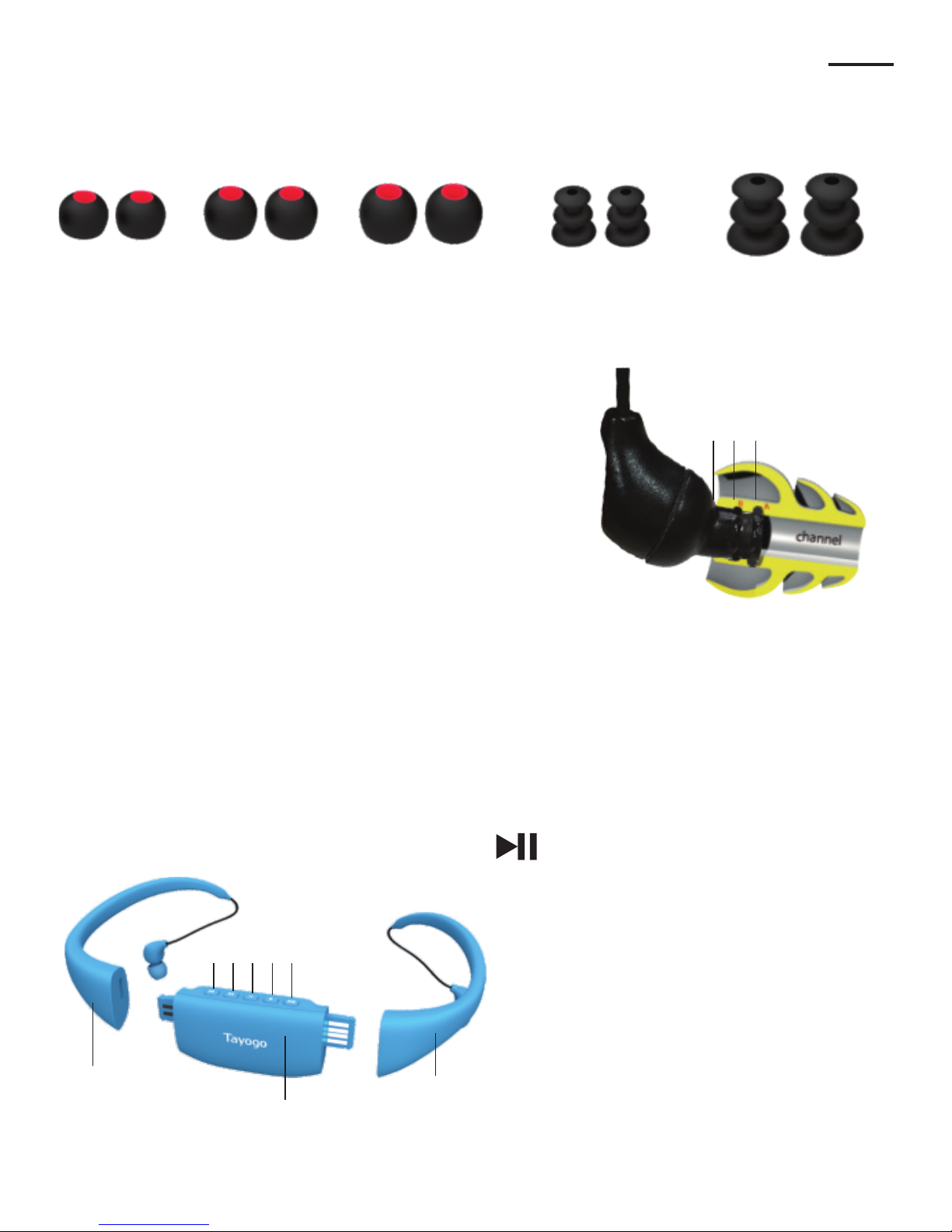
Ear buds for normal usage
Small
Medium
Large
Medium
Large
Ear buds for water sport activities
Important read this
To ensure a watertight fit,make sure the water
sport ear buds are fitted correctly onto the
earphones.Be sure to push the bud all the way back
over the Two redges(A)and(B)until reaching
position (C).If water does enter the channel and
covers the waterproof membranes the sound quality
can be temporarily affected.Don′t worry,allow the
earphones to air dry and the sound quality will reture to normal.For best results always
insert the earphones snugly in your ears before entering the water and use the correct
size ear bud.To ensure to get a snug fit in your ear,gently pull your ear backwards
with one hand,while inserting the earphone with the other.
6
English
ABC
Operation
Power/Play/Pause
Power Press and hold 3 seconds,
blue LED on and power on.After 3
seconds,MP3 player will play
automatically with LED blue flashes.
Power off: Press and hold 3
seconds to power off.
Play/Pause: Press again to play.
:
1
1
2345
6
7
8
Page 8

Press to increase Volume.
Volume+
Press to decrease Volume.In MP3
playing mode,
Press and hold to switch from
shuffle playing(default) to
order playing.
Volume-
Press to go next song,
press and hold to go fast.
Forward
Press to go last song,
press and hold to back fast.
Backward
Power on,LED is blue,playing
music,LED flashes blue.In low
battery,LED flashes red.During
charging,LED flashed red.LED
is full blue after charging
finished.
LED indicator
7
2
3
4
5
6
English
Connect the main player to computer USB port or 5V 1A USB adapter to
charge.It takes around 1.5 hour to be fully charged. The led is fully blue.
The Tayogo WPM10 has also FM playing function. During mp3 playing
mode,press and hold volume + to go FM playing. Press and hold volume to search working channels automatically. Press Next or Back button to find
channels by hand.
Noted: This FM works not so well as it is not professional FM player. The
FM channels and the channel quality is quite limitedl. We propose you can
buy Tayogo professional FM player if you prefer good FM experience.
FM Playing
Charging
Left headphone frame
7
Right headphone frame
8
Page 9
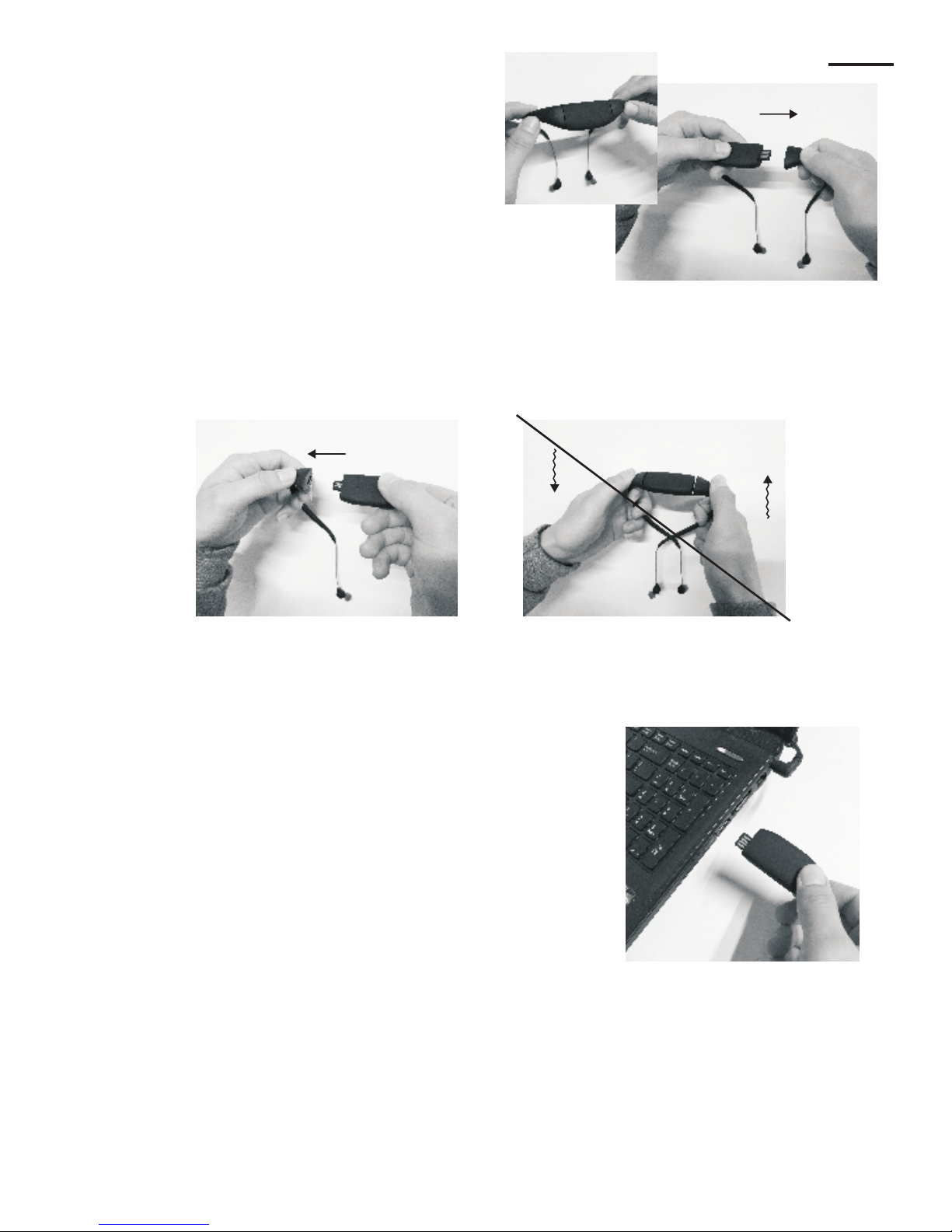
The MP3 player is closed as picture 1
when you get the MP3 player,please
take out the main player as the picture
shows.
Please take out the headphone bone as picture 2,Don
remove as picture 3 which will break the USB pins.
't
Please plug into the MP3 player into the computer usb
port.Please make sure it is the correct position as the
picture 4 shows.If the wrong position,the MP3 player
can be found in your computer.
1.Connect the USB plug at the correct direction to you
computer USB port.
2.Or you can use extending cable to connect with
computer.
3.The MP3 player will be displayed as“Tayogo WPM10”on “My computer”in your PC.
't
Step 3
Step 2
Step 1
Picture 1
Picture 2
Picture 3
Picture 4
English
8
Page 10
Download music fliles from your PC to you MP3 player
1.Connect the MP3 player to a USB port on your PC.
2.Click on “My Computer”and locate the MP3 tracks you want to download.
3.Select the desired tracks.Click once to select a single track.Shift-click or Ctrl-click
to select multiple tracks and copy the files.
4.Paste the copied files to the MP3 player drive.The files will appear in the drive after
you finish.
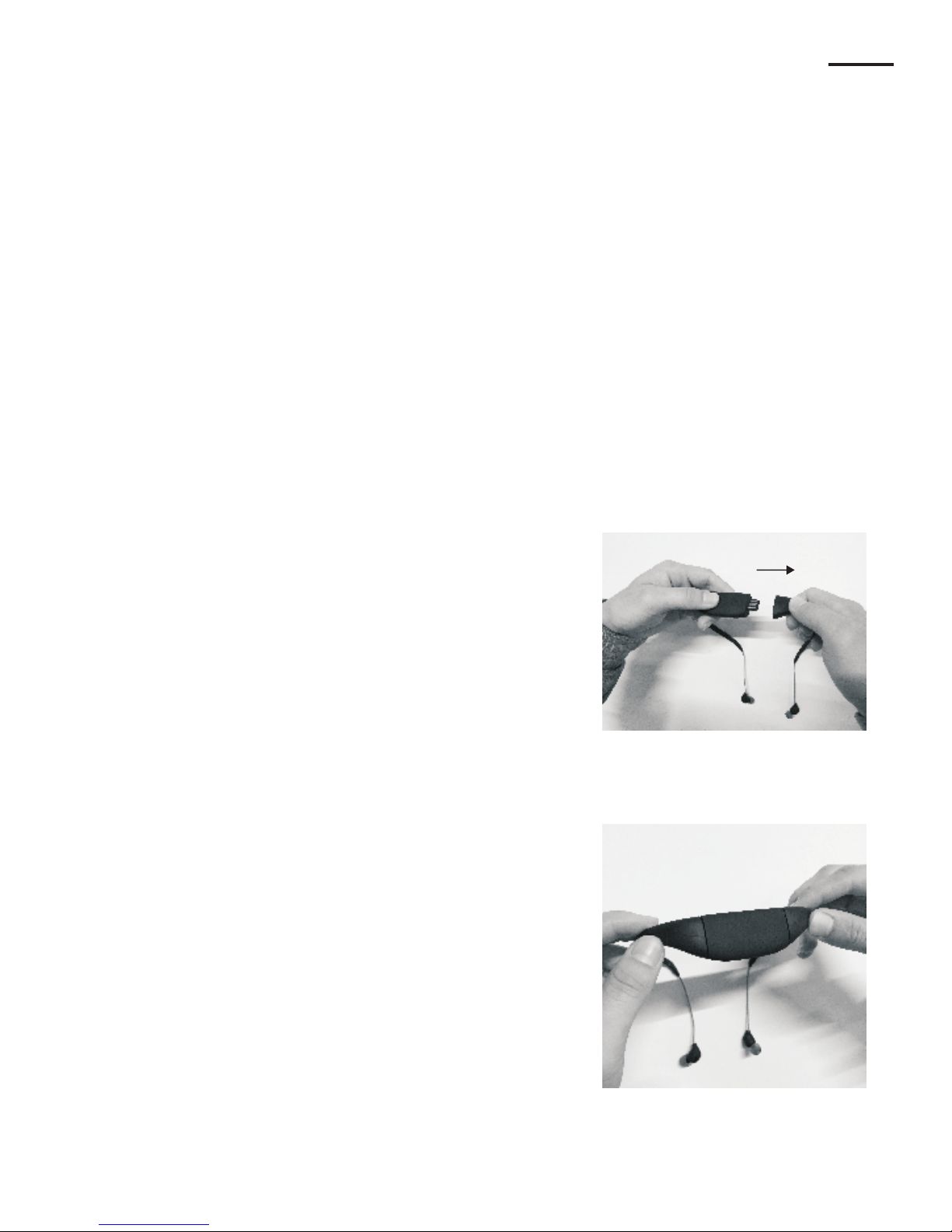
After downloading tracks and recharging the
MP3 player install the main player with the
headphone frames.
,
Make sure the mp3 player is well installed with
frames(warning:be sure the contact points
between the MP3 player and the USB socket
are free of dirt,sand or any other debris
otherwise it won't work properly)
The MP3 files are being download.You can also use
the MP3 player as a USB storage device,however
you should always back up your music and data files.
9
Caution:Don't disconnect the USB cable while the MP3 files are being download.
Step 6
Step 5
Step 4
Step 6
Step 5
English
Page 11
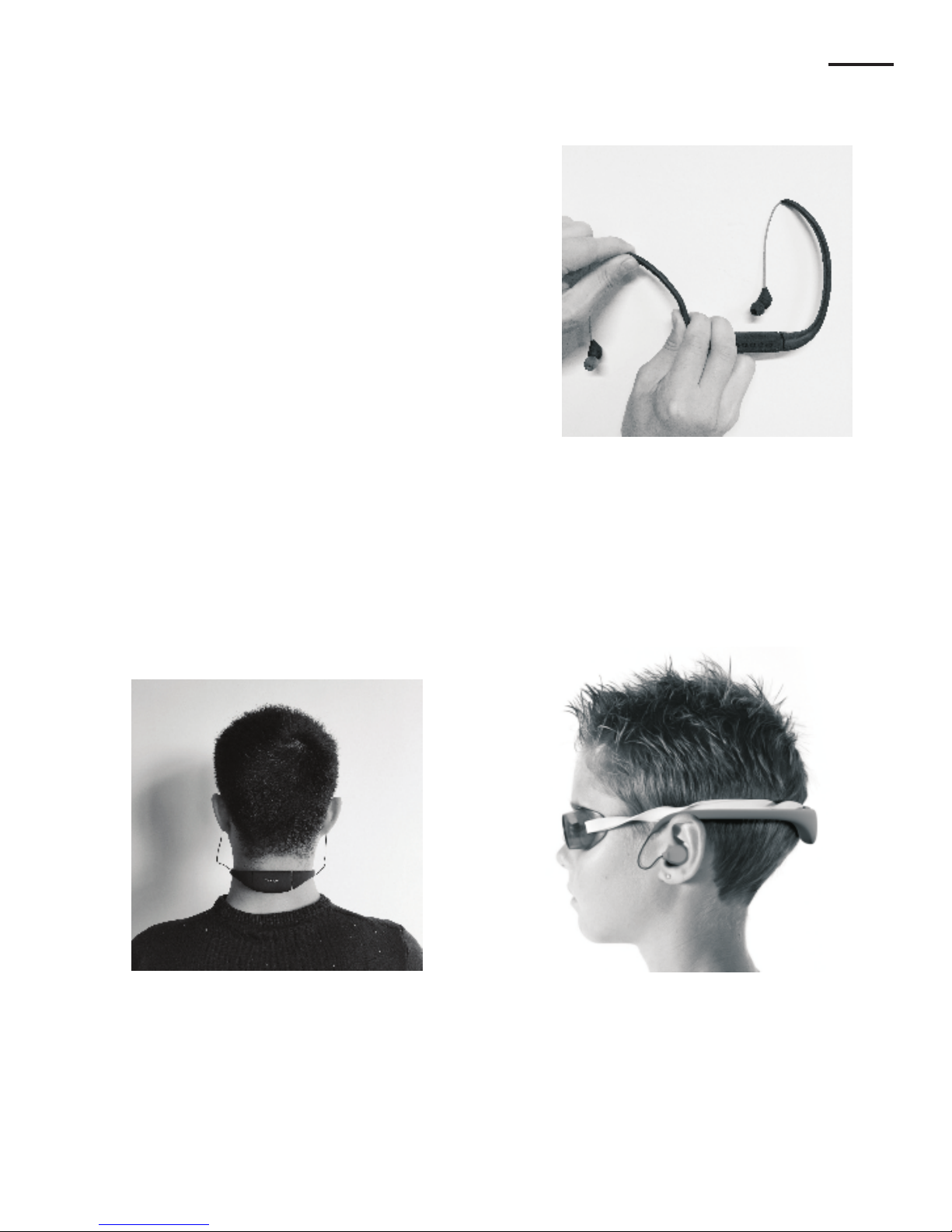
The earphone frame is made of special PP
material and has been designed to be fully
adjustable to fit all heads comfortably.
The frame will fit close to your head and the
Earphones fit snugly in the ears and lie flat
against the ear. You can also wear on your
neck as the picture.
10
Step 7
Step 8
English
Page 12

1.Why I can see the flash after plugging the computer port?
a:If plug to the computer port,please use the extending cable to plug the back
usb port.
b:When you see“Tayogo WP 10 ”disk in my computer,you can copy your
songs into it.
2.How to switch from shuffle to order playing?
The default playing is shuffle. In the MP3 playing mode,press and hold Volume-,
it can go to order playing. The rules for order playing is:play first the song name
as Number from small to big,then for the songs name with letters from A-Z.
3.Why the songs playing sometimes stops suddenly?
Please make sure the music files are fine. When the songs have virus or damaged,
it will stop suddenly.
4.Will the MP3 player sink down to water?
No.We use the super light and specialized material,it will float on the water.
5.Why the headset works well only in one side?
This is caused by the bad connection of the usb plug and the headphone frame.
Please take out and plug again. If still not work, you need to change with the new
headphone frame.
6.Can use it as the USB flash?
Sure,you can use it as the USB flash to store the files.
't
M
Note:
Please don't plug out the player during files copying.
For more question,please go to check our website:www.tayogo.com
or Email us:[email protected]
Welcome to register at our website and get more benefits.
Questions and Answers
English
11
 Loading...