

Page 1
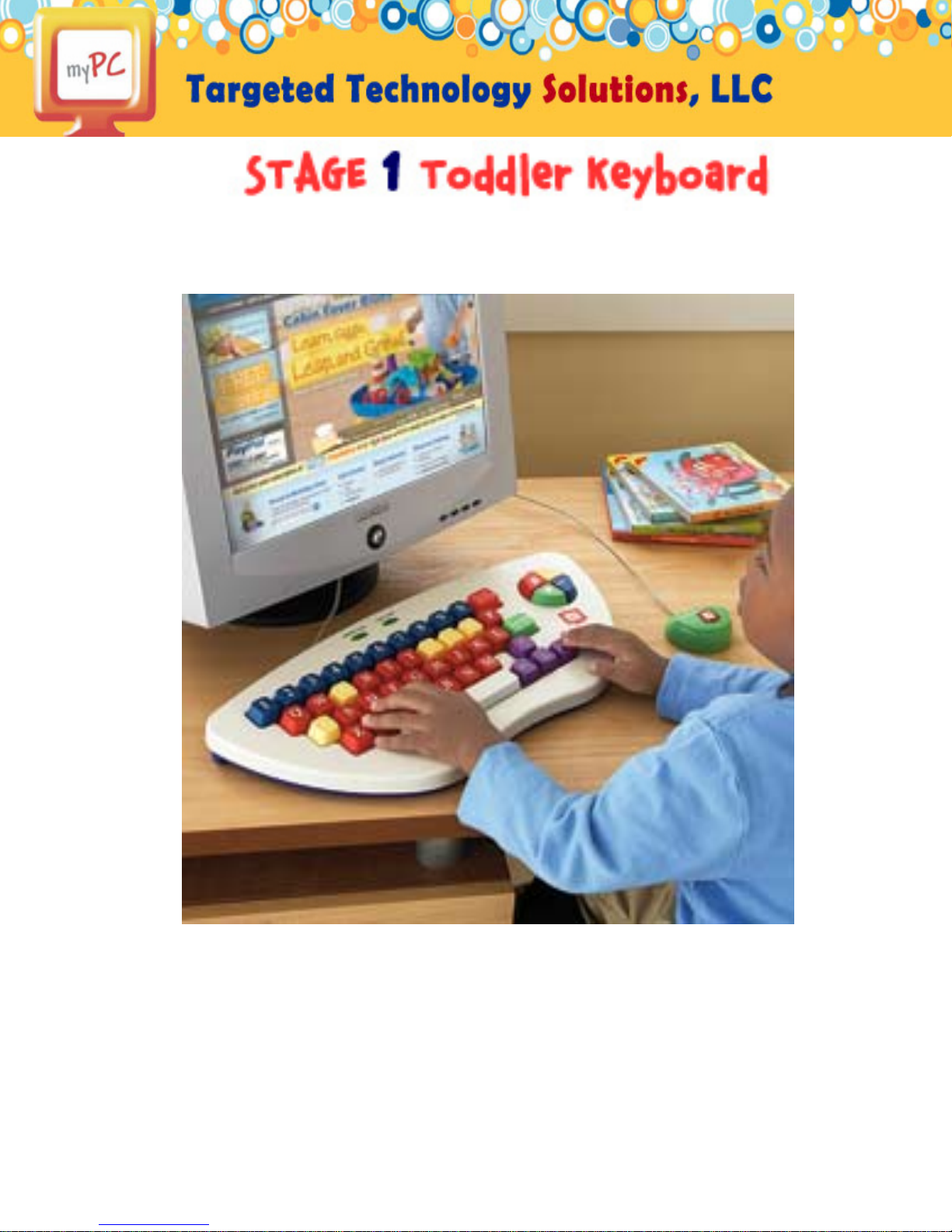
USER MANUAL
TOMORROW’S TECHNOLOGY FOR TODAY’S CHILD™
Page 2

Table of Contents
Getting Started 4
Package Contents
Minimum System Requirements
Connecting the myPC™ Stage I Keyboard
Instructions for Disassembly 5
Putting in Dishwasher
Product Registration 6
System Maintenance and Safety 6
Safety
Customer Support/Troubleshooting
Warranty Information 6
VISIT WWW.MYTECHSTAR T.COM!
TOMORROW’S TECHNOLOGY FOR TODAY’S CHILD™
Page 3
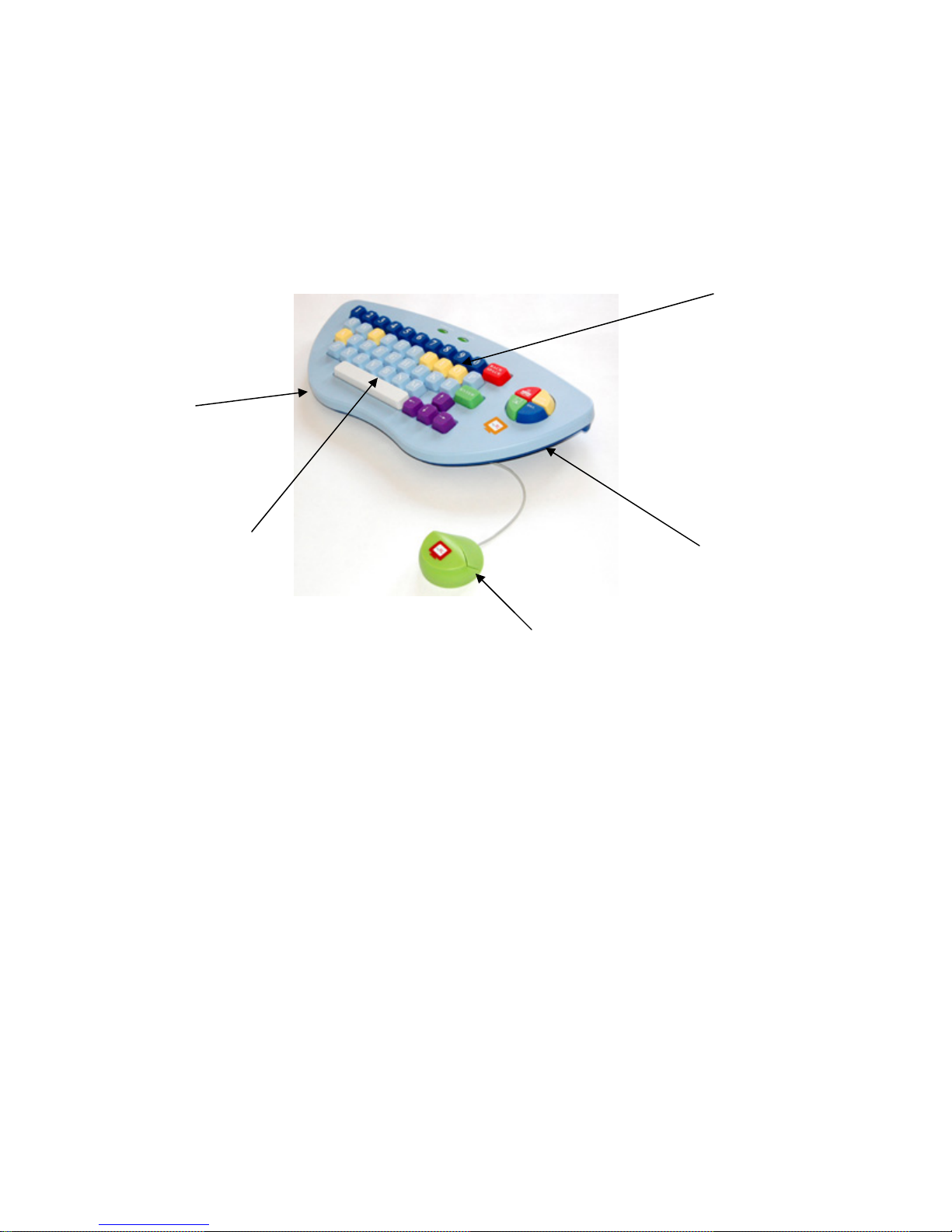
The myPC Stage One Keyboard is a personalized computer keyboard
designed especially for toddlers' learning styles and lifestyles!
Spill Proof Design
Oversized Keys for Kid
Friendly Computing
Make Technology Fun!
Vowel, Consonant and
Number Color Key
Distinction
Washable/Removable
Cover
Mac & PC Compatible
Plug and Play (No Unique Software Required)
Manufacturer’s Age: 2+
The award winning myPC keyboard distinguishes itself as the only SPILL PROOF,
WASHABLE COVERED KEYBOARD with staged-based learning attributes. The
keyboard was specifically customized for toddlers and children who want to enjoy and
grow into a personal computing experience without having the computer or peripherals
restrict them.
Ergonomic Mouse
Compliments Toddler
Usability
VISIT WWW.MYTECHSTAR T.COM!
TOMORROW’S TECHNOLOGY FOR TODAY’S CHILD™
Page 4

Getting Started
Package Contents
• Keyboard with USB Cord
• Mouse with USB Cord
• User’s Manual
Minimum System Requirements
PC:
Intel® Pentium® processor (or compatible)
Windows XP or Vista
256MB RAM
20MB free hard disk space
USB Port
MAC:
PowerPC® or Intel® Processor
Mac OSX 10.2
256MB RAM
20MB free hard disk space
USB Port
Connecting the myPC Stage I Keyboard
Simply plug the Keyboard and Mouse into an empty USB port on your computer or laptop and
your toddler is ready to go! There is no software to install– just connect and use the myPC
Stage I Keyboard and Mouse while visiting your favorite toddler friendly websites or software!
VISIT WWW.MYTECHSTAR T.COM!
TOMORROW’S TECHNOLOGY FOR TODAY’S CHILD™
Page 5

Instructions for Disassembly
Putting in Dishwasher
Steps to Disassemble the keyboard for cleaning and assemble it again:
VISIT WWW.MYTECHSTAR T.COM!
TOMORROW’S TECHNOLOGY FOR TODAY’S CHILD™
Page 6

Product Registration
Visit www.mytechstart.com/registration to register your product,
sign up for new product email updates and more!
Safety
Adult Supervision Recommended for Children Ages Three and Under
Customer Support/Troubleshooting
For 24/7 Troubleshooting, FAQs or Support visit www.mytechstart.com/support or email
[email protected]. If you do not have Internet access, please
call (773) 536-5260 during normal business hours.
IMPORTANT: If you have a problem with this product, return it to the retailer where the product was purchased for exchange. If the retailer is unable to assist you for any reason, contact
Targeted Technology Solutions Customer Support.
Warranty Information
The myPC™ Stage I Keyboard is warranted only to the original purchaser for a period of
twelve months from the original purchase date, under normal use and service, against defective
workmanship and material. This warranty is void if the product has been damaged by accident
or unreasonable use, immersion in water, neglect, abuse, improper installation, improper service, or other causes not arising out of defects in workmanship or materials of the product. All
warranty claims are subject to: (1) Notification of the warranty claim within the warranty period, (2) Verification of the existence of a defect in the product and (3) receipt of valid proof of
your purchase date.
VISIT WWW.MYTECHSTAR T.COM!
TOMORROW’S TECHNOLOGY FOR TODAY’S CHILD™
 Loading...