

Page 1

Contents
Setting up your
Max Snap Stand ..................2
Installing a Brake on your
Max Snap Stand ...............2-3
Removing Brake from
Max Snap Stand ..................3
Counter Balance Step
Assembly Instructions ........ 4
Page 2

To open each Leg Set, push in on the snap button and
working side
Attach the Cross Braces to the Leg Sets. With the
the leg as shown in Figure 2C above.
Figure 1A
when legs are closed.
when legs are open.
The snap button will
that both ends of the
washers provided, fasten the
with the Back Rail of the
The snap button will be covered by the fi xed
the adaptor hooks. The snap buttons
for operation. See installation
Figure 1B
Figure 2A
Figure 2C
Figure 2B
Figure 2
Page 3
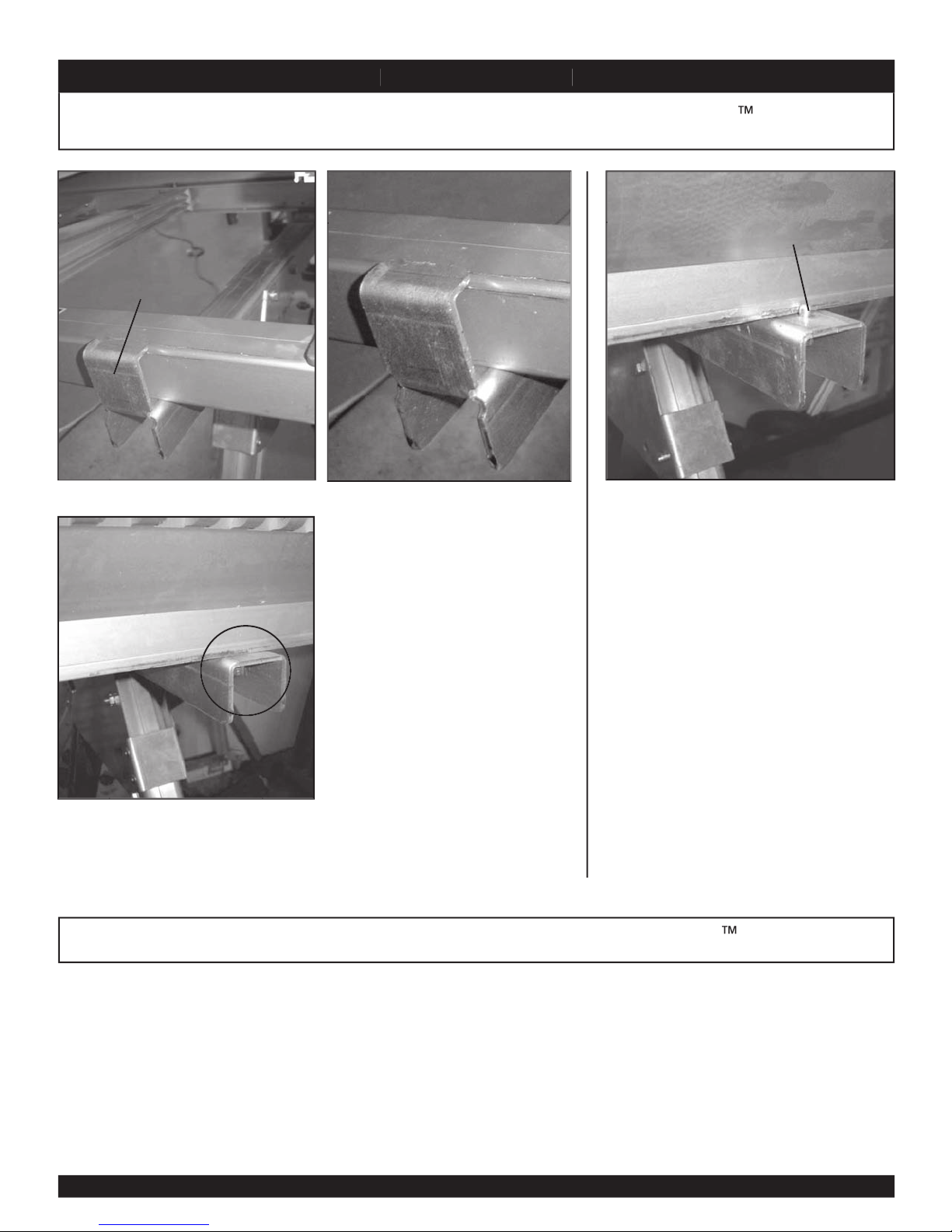
with the Back Rail of the
Back Rail clearing
The snap button will be covered by the fi xed
the adaptor hooks. The snap buttons
for operation. See installation
adaptor hook
S n a p S t a n dM a x S n a p S t a n d
M a x S n a p S t a n d
Button pops up when
brake is fully seated
Figure 3A Figure 3B
Figure 3C
Figure 4
32
Page 4
T4043 7/04
TAPCO PRODUCTS COMPANY
S n a p S t a n d
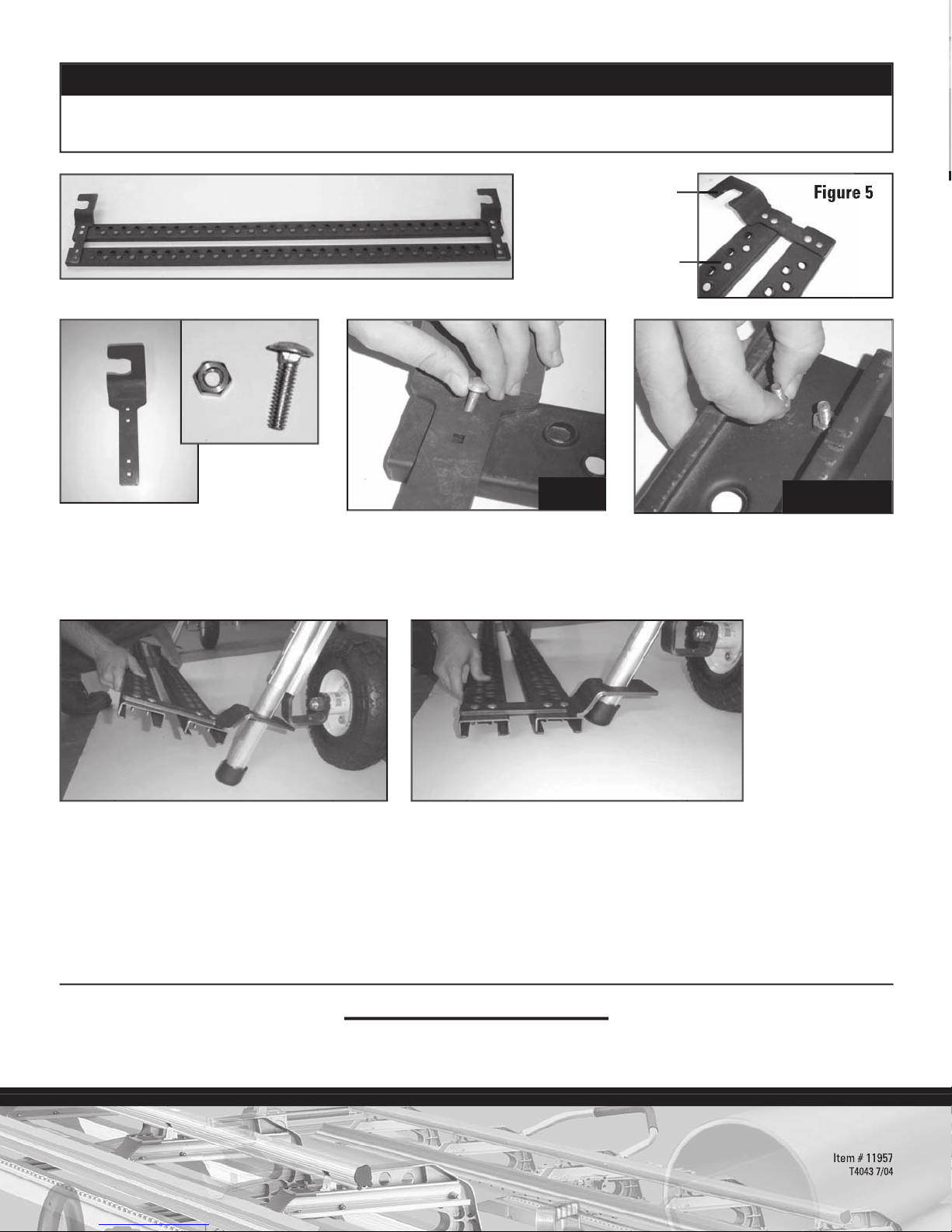
Attach the Connectors to the Steps using the carriage bolts and nuts provided. The square
Tighten securely using a 7/16" wrench. See fi gure 5 above for Connector orientation.
To attach the Step Assembly to the Snap Stand, hold the assembly at an angle as shown and slide both
M a x S n a p S t a n d
TOP
UNDERSIDE
29797 Beck Road • Wixom, MI 48393-2834
phone: (800) 521-7567
4
© Boral Building Products Inc.
 Loading...