

Page 1
From TalentCell
Quick Start Guide
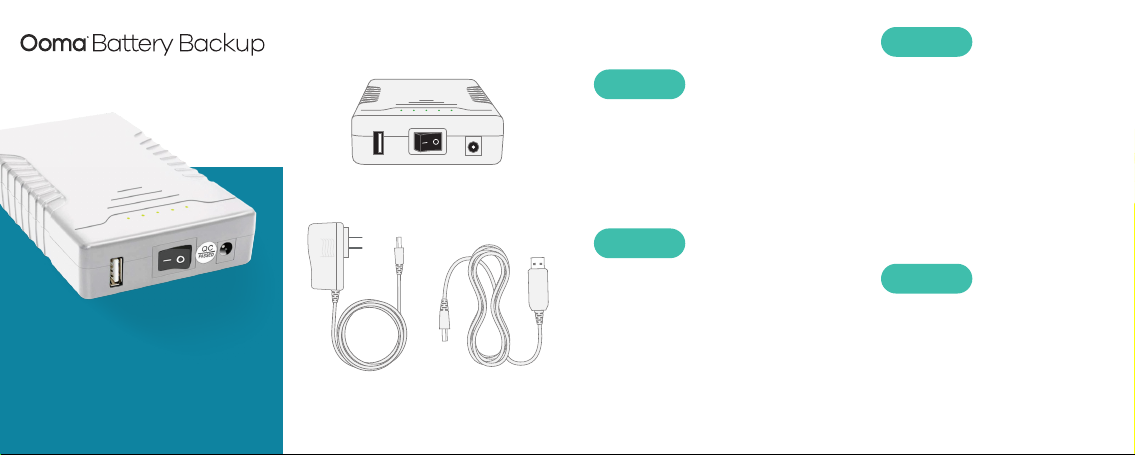
Package Contents
Power bank unit
AC power
adapter
USB power
cable
Getting Started
STEP 1
Unplug Base Station
Power Supply
Unplug the AC adapter that came
with the Ooma Base Station and
set it aside.
STEP 2
Plug Power Bank In
Plug the AC adapter included
with the power bank into a power
source. Connect the AC adapter
to the power bank.
STEP 3
Connect Battery to
Base Station
Connect one end of the included
USB power cable to the power
bank and the other to the Ooma
Base Station power adapter.
The battery backup’s AC adapter
should remain plugged into a
power source.
STEP 4
Turn Power Bank On
Turn the power bank’s power
button to the | (ON) position.
The power bank now acts as the
Base Station’s power supply as
well as its battery backup.
Page 2
Quick Reference
A
A
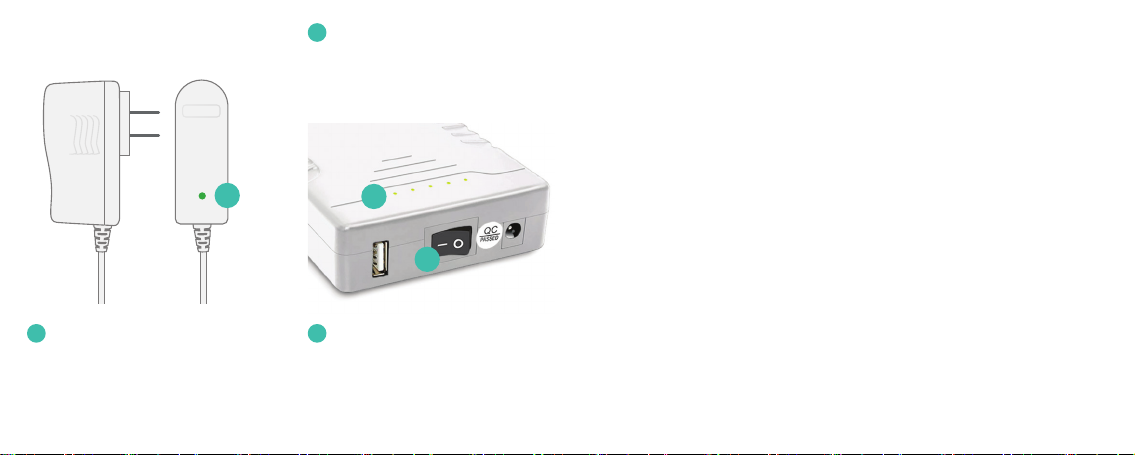
Charging LED (AC ad apter)
Lights up red when power bank
is charging, lights up green when
power bank is fully charged.
B
LED Power Gauge
Show the battery’s approximate
power level. More LEDs indicates
a higher power charge.
B
C
C
Power Switch
Turn to the | (ON) position to
use the power bank as a backup
battery and the O (OFF) position
to circumvent the power bank.
Warnings Contact Us
Take care to avoid exposure to
•
extreme temperatures, fire,
and water.
Do not jostle or the power bank or
•
subject it to undue force. Do not
throw the power bank.
Store the power bank in a cool,
•
dry, indoor area.
Do not modify or disassemble the
•
power bank.
Ensure that all cables are plugged
•
in correctly and that they are
inserted without force.
Use only the provided AC adapter
•
to charge the power bank.
If any liquid from the appliance
•
gets into your eyes, do not rub.
Instead, rinse your eyes with water
and consult a doctor immediately.
Please send any inquiries or
comments concerning the
TalentCell Battery Backup to
You can view other TalentCell
products at www.talentcell.com
700-0208-100
 Loading...