

Page 1
IBIS HD
manual
TAGARNO seeing solutio ns
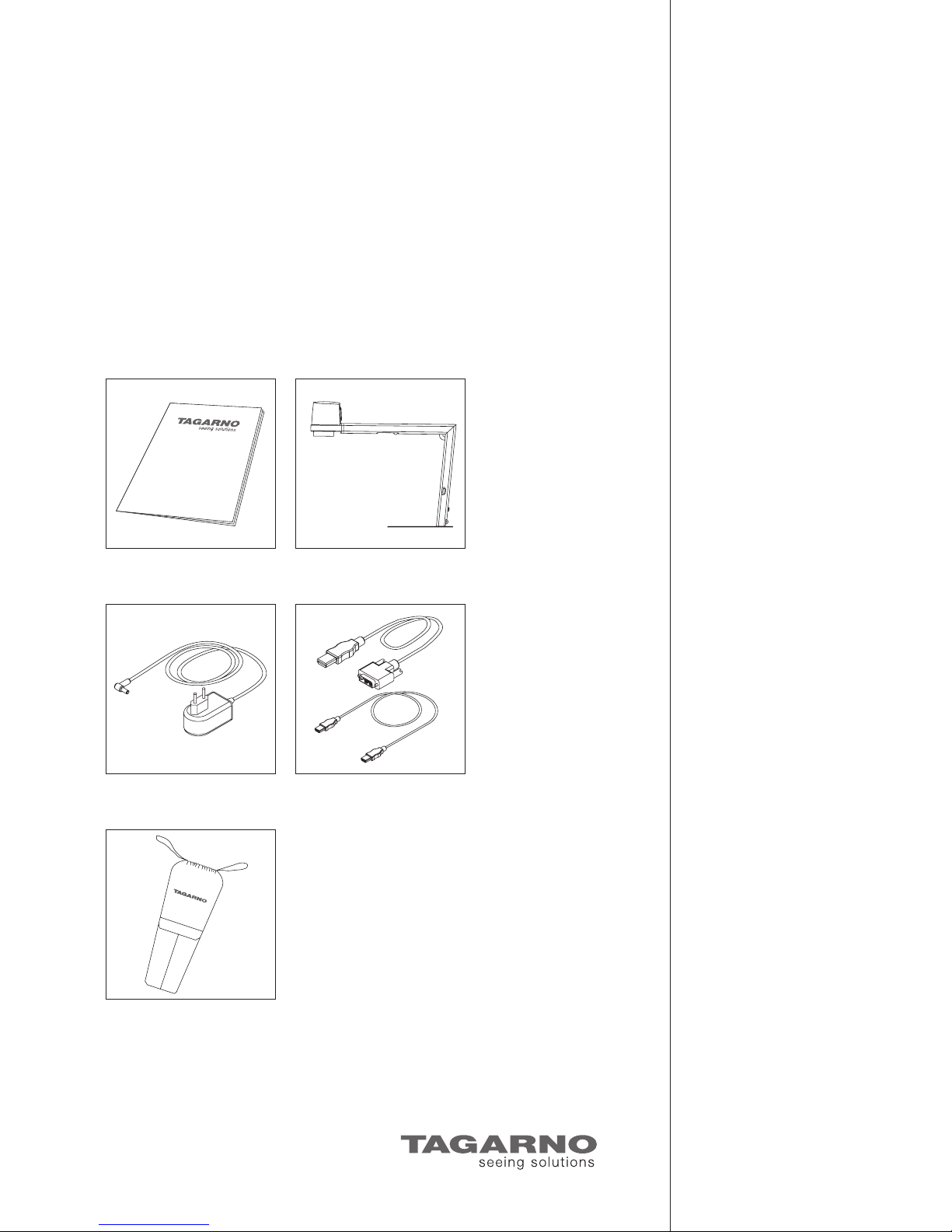
You have received this:
Manual
Power supply HDMI-DVI cable
HDMI-HDMI cable
Transport bag
IBIS
Page 2
1. Assembling and
connecting IBIS HD
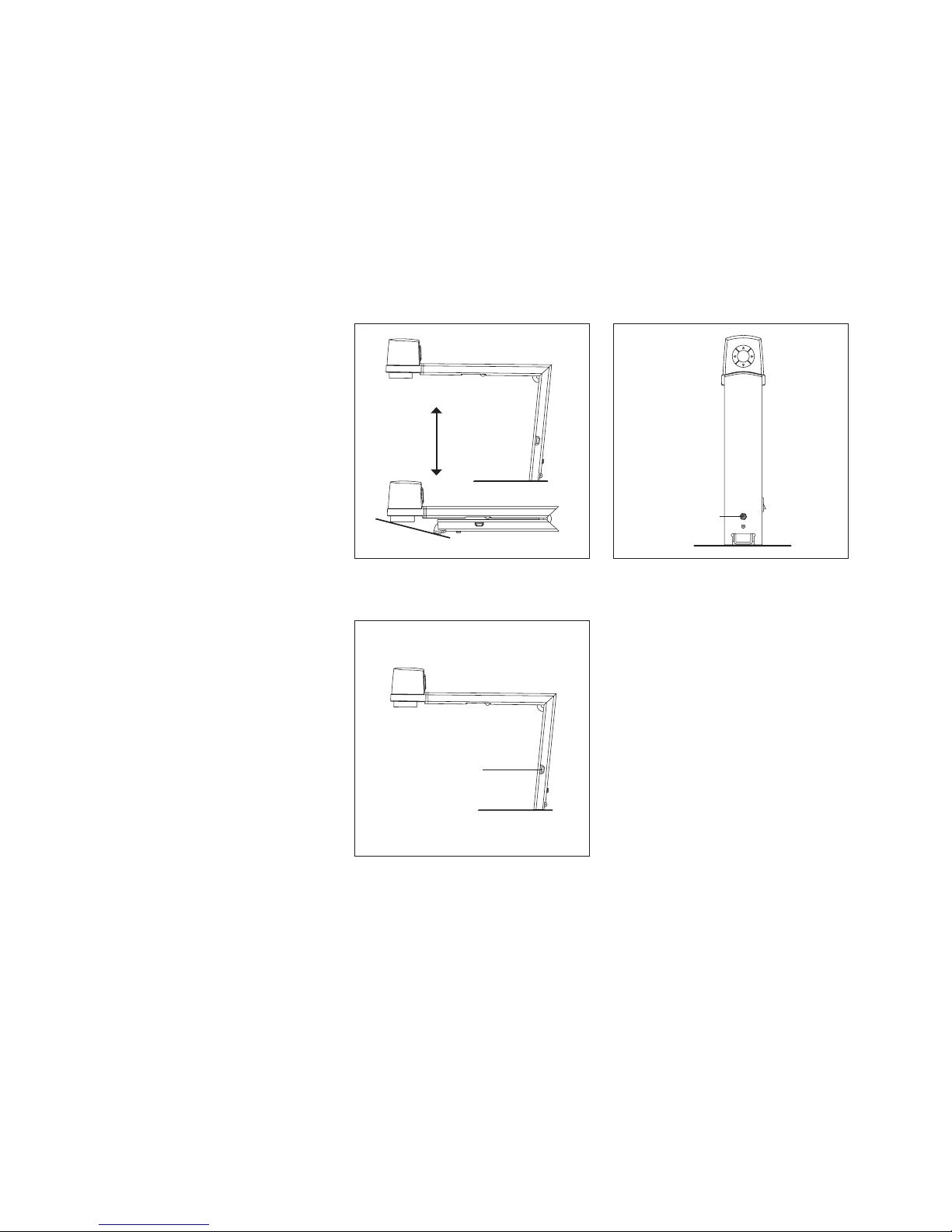
1.1. Unfold the apparatus
1.3. Connect monitor
1.2. Connect power supply
TAGARNO seeing solutio ns
Power supply
HDMI cable (monitor)
1
3
2
Page 3
2. Operation
TAGARNO seeing solutio ns
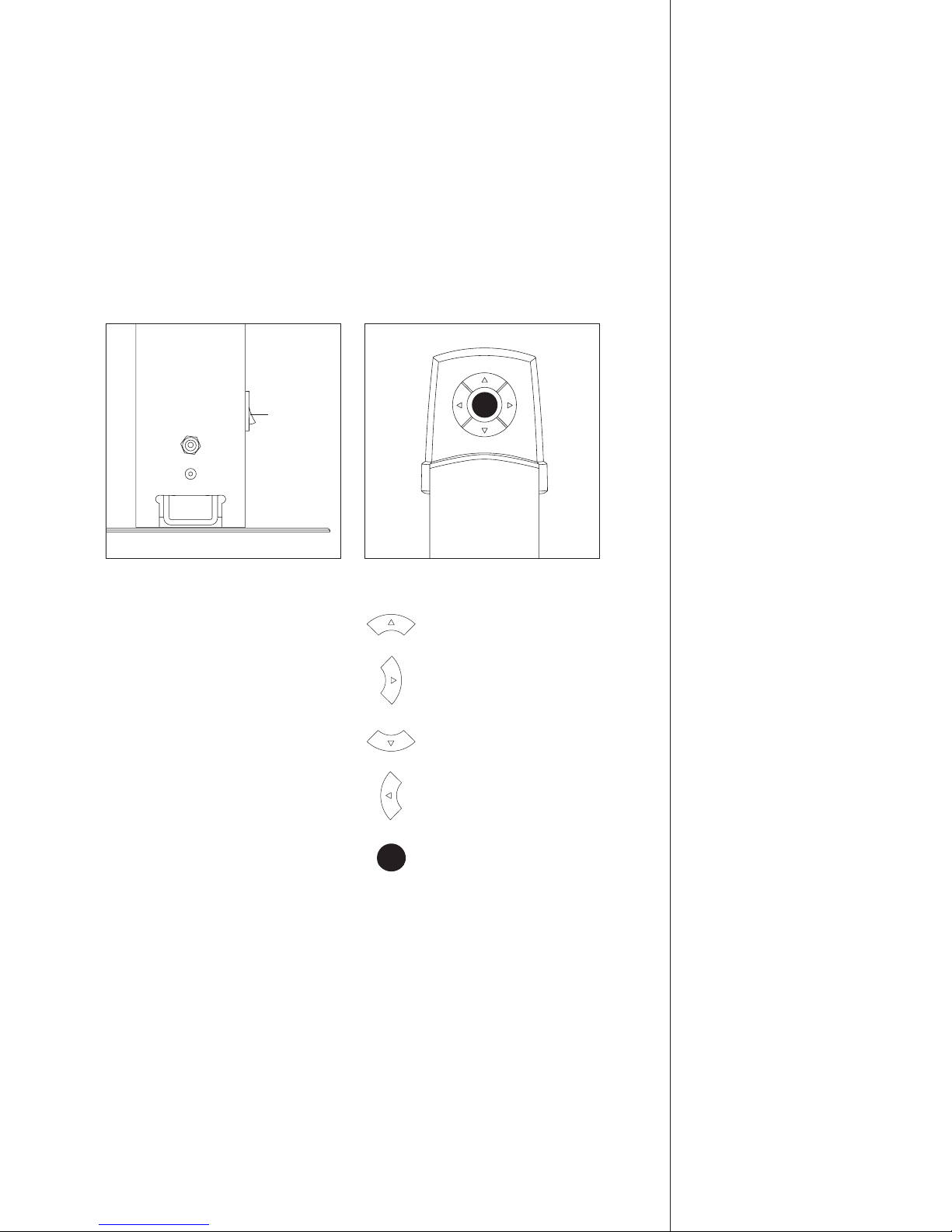
2.1. On/off
Negative colours:
Black/yellow => blue/yellow => black/white
Natural colours:
Short push: change white balance
Long push: change to natural colours
Positive/negative:
Short push: contrast adjustment
Long push: change to Photograph
Zoom in
Positive colours:
White/black => yellow/blue => yellow/black
Zoom out
2.2. Multi-function press buttons
On/off
Page 4

3. Technical
specifications
TAGARNO seeing solutio ns
IBIS HD
Magnification: 2-40x on 19”
Weight: 1.9 kg
Autofocus: Yes
Natural colours: Yes
Artificial colours: Yes
White balance adjustment: Yes
Positive/negative: Yes
XY table: Extra accessory
Camera resolution: HD720p-1280x720-60Hz
Recommended flat monitor format: Widescreen (HD-TV or HD-PC)
Monitor connection: DVI/HDMI
Monitor size: Optional
Consumption: 15W
Total power consumption: 55W with monitor
Standby consumption: 1.6W
Page 5

4. Maintenance
TAGARNO seeing solutio ns
Store and use IBIS HD in a dry, clean and ventilated room.
Do not place IBIS HD in direct sunlight, next to a heater/radiator or in a place where the
apparatus can be subjected to fluids.
All plugs are designed so they can be used in one way only. Therefore you should never use
force when you connect the apparatus.
Remember to disconnect all elements if you wish to move IBIS HD.
If you move IBIS HD from a cold to a warm room, then let the apparatus rest for at least an
hour before turning it on to avoid short circuits due to condensation.
Remove the HDMI cable by pulling the plug itself – never by pulling the cable.
If IBIS HD is out of order, never try to repair it yourself. Contact your distributor.
You can clean IBIS HD with a dry piece of cloth. Never use strong cleaning agents or chemicals
– these may damage the apparatus.
Page 6

Sandøvej 4, DK-8700 Horsens, T: +45 7625 1111, M: [email protected].
TAGARNO seeing solutio ns
 Loading...