

Page 1
Thoma • Tel./Fax: +48 95 741 11 62 • [email protected] • www.t4w.eu
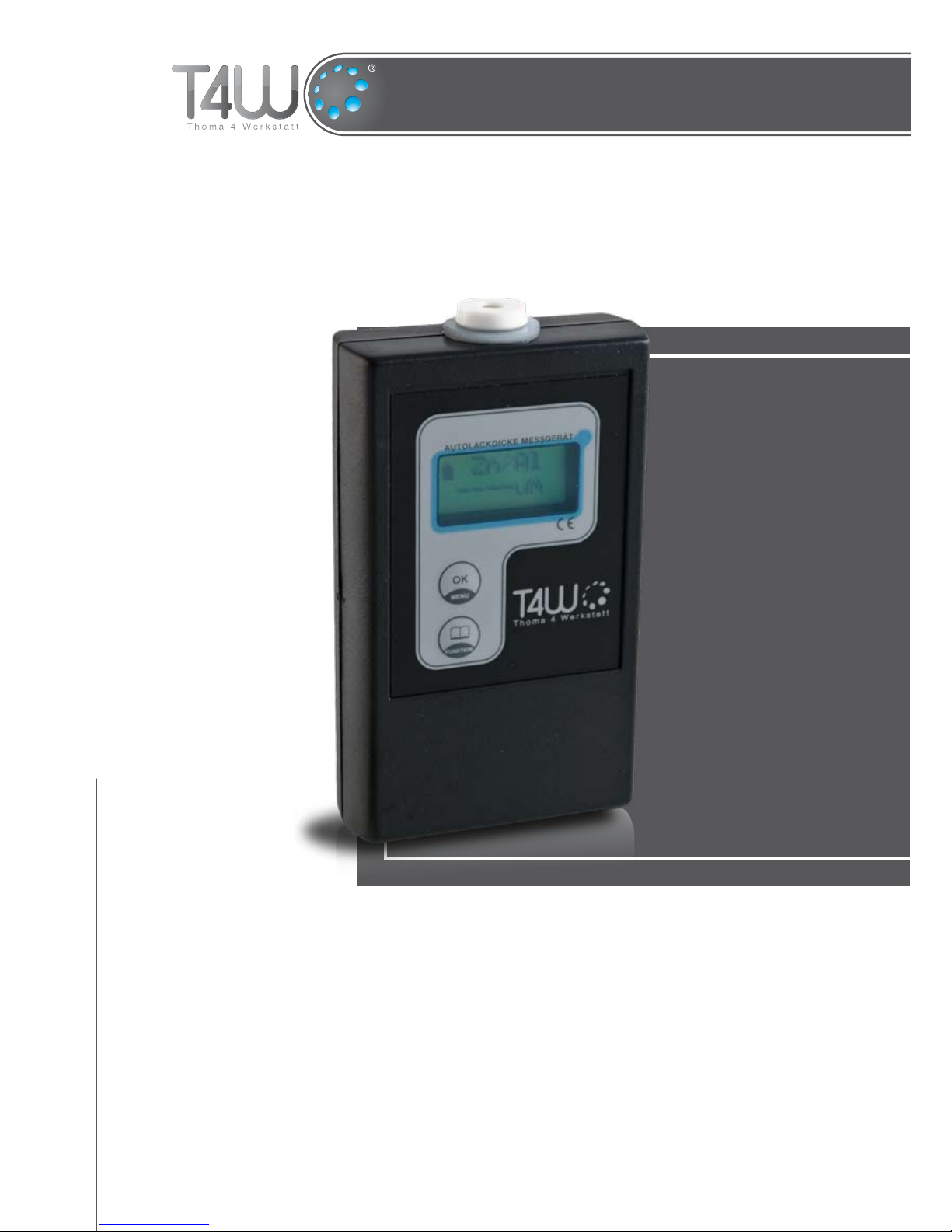
Coating Thickness Gauge TW-2B
Operation Manual
art. nr. 59247
Page 2
Thoma • Tel./Fax: +48 95 741 11 62 • [email protected] • www.t4w.eu
2
Operation Manual
TW-2B
Table of contents
1. Technical specications ................................................3
2. Getting started ..............................................................3
3. Gauge manual ..............................................................4
Guarantee TW-2B ..............................................................8
The price of this product includes the recycling fee of 0,10 PLN
Before You start to use the device, please read this operation manual.
Page 3

Thoma • Tel./Fax: +48 95 741 11 62 • [email protected] • www.t4w.eu
3
Operation Manual
TW-2B
Technical specications1.
Basic specications of the device:
measurement on steel, galvanized steel and aluminium;•
measurement resolution: 10µm;•
measurement range: from 0µm to 1100µm;•
measurement memory (also after turning the device off): 100 units;•
zeroing function;•
LCD backlight;•
intuitive operation with 6-positions menu;•
automatic shut-off after longer idleness;•
measuring sensor diameter: 15 mm;•
powered by 9V alkaline battery (e.g. 6LR61) or corresponding accu;•
power consumption: ~50 mA..•
Getting started2.
Coating thickness gauge TW-2B is designed to measure the thickness of a steel, galvanized
steel or aluminium sheet paint coating. The measurement resolution equals 10µm. The device
has a LCD backlight which makes measuring in places with insufcient light (e.g. garage) much
easier.
Before You start to use the device, please place a new alkaline battery or a fully charged accu
in the back side of the device’s housing. In order to do it please take off the battery ap and
place correctly the battery or accu by connecting it to the clips on the cable.Before You start to
take measurements, please place a new alkaline battery or a fully charged accu in the back side
of the device’s housing. In order to do it please take off the battery ap and place correctly the
battery or accu by connecting it to the clips on the cable.
WARNING!
Th e d e v I c e I s p R e s e T T o G A l v A N I z e d s T e e l A N d
A l u m I N I u m (zN/Al)! sh o u l d T h e m e A s u R e m e N T b e
T A k e N o N o l d e R c A R s W I T h N o N -G A l v A N I z e d s T e e l b o d y W o R k , T h e „sT e e l ” o p T I o N s h A l l
b e c h o s e N .
Zeroing (calibration)
Before You start to take measurements, please check whether the gauge is calibrated. To do it
properly, please select the Zero function from the main menu and put the sensor against the
green side of the calibration sheet. If the display shows a 0 +/-10µm value, it means that the
Page 4

Thoma • Tel./Fax: +48 95 741 11 62 • [email protected] • www.t4w.eu
4
Operation Manual
TW-2B
gauge is calibrated. Should the aberration be larger than 0 +/-10µm, please put the sensor once
more against the green side of the calibration sheet, wait until the result stabilizes and press the
OK [MENU] button while the sensor still touches the sheet. On the display will appear a O K ...
caption and the device will return automatically to the main menu.
If the device is calibrated, You can cancel the Zero function by pressing the OK [MENU]
button. Please note not to press the OK [MENU] button before the ------ caption appears in
the second line of the display – otherwise the gauge will decalibrate!
WARNING!
Wh I l e z e R o I N G , T h e c A l I b R A T I o N s h e e T s h o u l d b e
p l A c e d o N A f l A T , s T A b l e N o N -m e T A l I c s u R f A c e (e.G.
d o N o T p l A c e T h e s h e e T o N T h e b o d y W o R k ). Al s o , p l e A s e A v o I d h o l d I N G T h e s h e e T I N
yo u R h A N d s A s T h I s m A y A f f e c T T h e o p e R A T I o N .
Please note that zeroing is worth to be made when the measurement conditions are changing
(e.g. the temperature or humidity rises or falls).
WARNING!
1. us e o N l y A l k A l I N e b A T T e R I e s A s N o R m A l b A T T e R I e s
p R o v I d e u N s u f f I c I e N T p o W e R . 2. IN s T e A d o f A A l k A l I N e
b A T T e R y yo u c A N u s e A c o m p A T I b l e , f u l l y c h A R G e d A c c u . 3. If T h e d e v I c e s e e m s T o W o R k
I m p R o p e R l y I T c A N b e c A u s e d b y A N e m p T y b A T T e R y o R A c c u .
To take a measurement please put the device’s sensor against the examined surface. The sensor
should adhere as at as possible. The examined surface should be clean and smooth, otherwise
the measurement may be incorrect. It is advised to hold the gauge with both hands and press
gently towards the examined surface to eliminate vibration. Usually it takes 1-2 seconds to
stabilize the measurement result.
Gauge manual3.
The device is operated with 2 buttons:
button • OK [MENU]: turns the device on, accepts the selected functions and returns
from them to the main menu, when pressed during the measurement it memorizes the
displayed value;
button • FUNCTION: switches between the functions in the main menu, switches between
the stored measurement values.
To turn the device on please press the OK[MENU] button for about 1 second. After displaying
the company’s logo and the device’s type, the device switches automatically to the main menu.
You will see on the display Measur in the rst line and Memory in the second line. The *
symbol indicates the currently selected function.
Page 5
Thoma • Tel./Fax: +48 95 741 11 62 • [email protected] • www.t4w.eu
5
Operation Manual
TW-2B
Please press the FUNKTION button to switch between the following functions:
Measur• – measure function: takes measurements;
Subst• - ubstance function: allows to choose the measured material
Memory• – memory function: recalls the stored measurement values;
Off• – off function: switches the device off;
Delete• – delete function: deletes the stores measurement values;
Zero• – zeroing function: calibrates the device;
To select a function please press the OK [MENU] button.
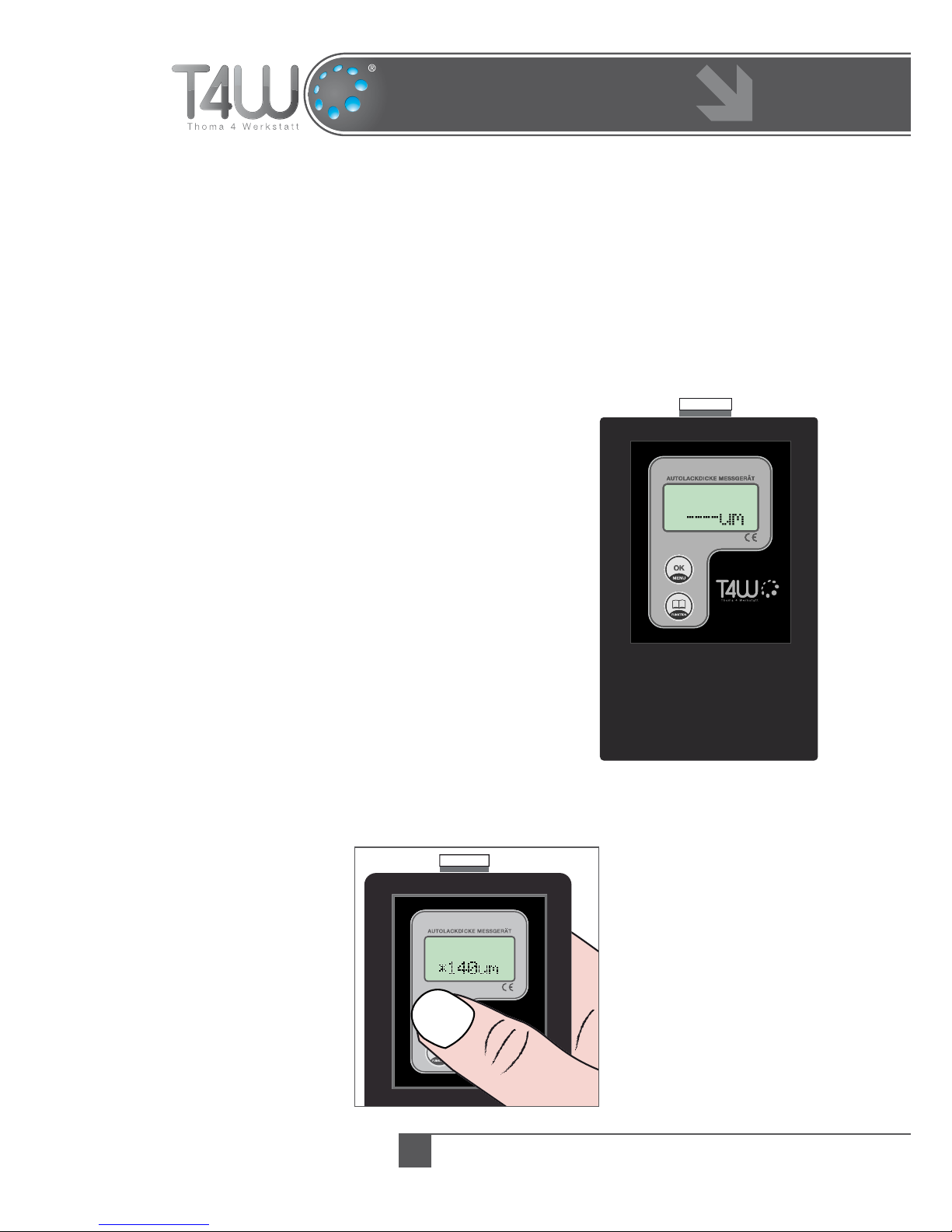
Measure function - Measur
After You select this function the display will show Measur
in the rst line and ----um in the second. The gauge is ready
to take measurement.
After You put the sensor against the body of the car the
result of the measurement will be shown in the second line.
To store the result please press the OK [MENU] button
when taking the measurement. A * symbol appears next to
the shown value.
WARNING!
Th e c A p A c I T y o f T h e
d e v I c e ’s m e m o R y I s
100 R e s u l T s . Ne x T s T o R A G e s W I l l d e l e T e T h e o l d e s T
o N e s .
After You nish taking the measurements please return to
the main menu with pressing the OK[MENU] button.
Measur
Measur
Page 6
Thoma • Tel./Fax: +48 95 741 11 62 • [email protected] • www.t4w.eu
6
Operation Manual
TW-2B
Memory function - Memory
This function allows You to recall the latest
measurement values. Please press the FUNKTION
button to switch between the stored results. The
rst displayed result is the oldest one. After You get
to the last result the device returns automatically
to the rst one. To return to the main menu please
press the OK [MENU] button.
Off function - Off
After You accept this function with the OK[MENU]
button the device turns off.
Substance function - Subst
The substance function allows You to choose the material which will be measured. You have the
following possible choices:
galvanized steel / aluminium (• Zn/Al);
steel (• Fe);
You can switch between the sheet materials with the FUNKTION button, to accept the selection
press the OK[MENU] button.
Delete function - Delete
Choose this function to delete all measurement values stored in the device’s EEPROM internal
memory. After deleting the stored results the device returns
to the main menu automatically.
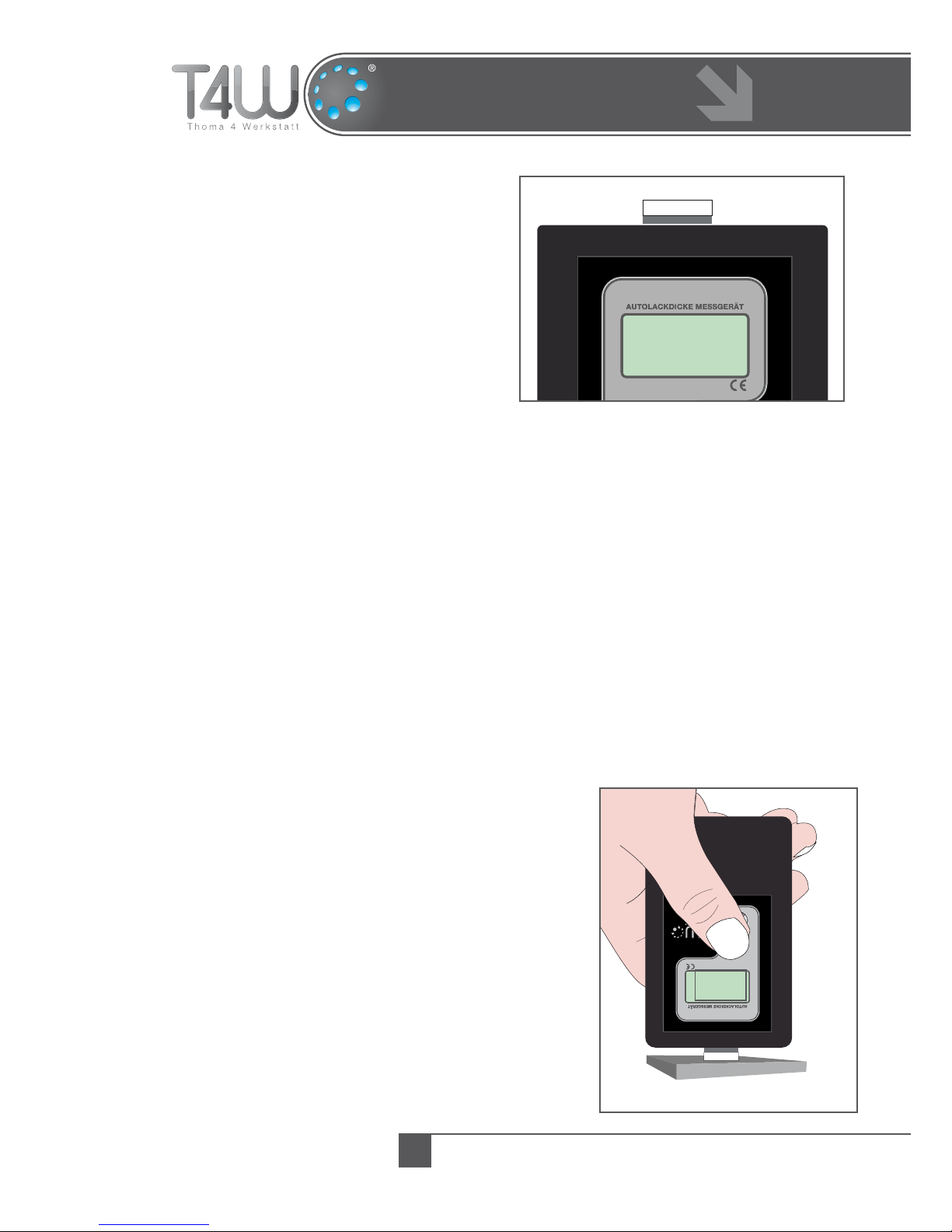
Zeroing function - Zero
Use this function before You start to take measurements.
After choosing this function put the sensor against of the
calibration sheet. If the display shows a 0 +/-10µm value,
it means that the gauge is well calibrated. Should the
aberration be larger than 0 +/-10µm, please put the sensor
once more against of the calibration sheet, wait until the
result stabilizes and press the OK[MENU] button while the
sensor still touches the sheet. On the display will appear a
O K ... caption and the device will return automatically to
the main menu.
ZERO
10
M e a s .1
14 0 u m
Page 7

Thoma • Tel./Fax: +48 95 741 11 62 • [email protected] • www.t4w.eu
7
Operation Manual
TW-2B
If the device is calibrated, You can cancel the Zero function by pressing the OK[MENU]
button. Please note not to press the OK[MENU] button before the ------ caption appears in
the second line of the display – otherwise the gauge will decalibrate!.
WARNING!
Wh I l e z e R o I N G , T h e c A l I b R A T I o N s h e e T s h o u l d b e
p l A c e d o N A f l A T , s T A b l e N o N -m e T A l I c s u R f A c e (e.G.
d o N o T p l A c e T h e s h e e T o N T h e b o d y W o R k ). Al s o , p l e A s e A v o I d h o l d I N G T h e s h e e T I N
yo u R h A N d s A s T h I s m A y A f f e c T T h e o p e R A T I o N ..
Please note that zeroing is worth to be made when the measurement conditions are changing
(e.g. the temperature or humidity rises or falls).
Page 8

Thoma • Tel./Fax: +48 95 741 11 62 • [email protected] • www.t4w.eu
Guarantee
TW-2B
The guarantee period of this device is 12 months from date of purchase.1.
Within this period the Producer guarantees a reliable function of the device, if operated correctly.2.
The Producer takes responsibility for all workmanship or material defects.3.
All defects will be repaired within 30 days since the device has been accepted by the Service.4.
The guarantee period will be prolonged by the time the device has been handled by the Service.5.
The device shall be delivered to the Service with all the standard equipment, clean and with readable 6.
button’s description.
The guarantee will be treated as valid only with the date of purchase and with the stamp, or signature of 7.
the Producer lled out.
In case the device has to be shipped to the Producer, it happens on the shipper’s responsibility and cost.8.
The device will be not accepted by the Service if pt. 6 is not kept, if the defect is of no workmanship or 9.
material nature, if the warranty card is not lled out, or the device is delivered with broken seal.
This guarantee shall not apply to damage caused through re, accident, misuse, incorrect adjustment or 10.
repair, installation, modications, or use in an improper way or inconsistent with the technical and safety
standards required for it’s operation.
All defects mentioned in pt. 10 can be repaired, if previously agreed with the Service. The cost depends 11.
on the nature of the defect.
After the guarantee period expires, defects can be repaired, if previously agreed with the Service. The cost 12.
depends on the nature of the defect.
The guarantee is only valid with lled out date of purchase, stamp or signature of the Producer and with 13.
an appropriate receipt.
Guarantee TW-2B
Date of purchase Stamp / Signature
 Loading...