

Page 1
Page 2
Welcome
Welcome to Sytech! Thank you for purchasing the new MP3 Player SY-7316. Please read this manual carefully before
operating your product and pay close attention to the precautions which are mentioned below. Store this user manual
in a safe place for future reference
Safety Instructions
The manual contains important safety instructions and information of the device’s proper usage. Make sure to read
carefully and understand all the instructions to avoid accident.
Do not expose the device to extreme temperature, especially in cars with shutting windows in summer.
Do not store in humid or dirty areas.
Avoid the device falling and bumping strongly. Do not make screen suffer from violent shake; otherwise, screen could
be damaged or displayed abnormally.
Choose the suitable volume. Do not turn up the volume of the earphones too high while using it. If you feel ringing in
your ears, stop using the device or turn the volume down.
Do not disassemble the device by yourself and do not wipe the surface of device with alcohol and benzene.
Do not use the device in areas where electronic devices is prohibited, such as in plane.
Do not use the device while driving an automobile or walking in the street.
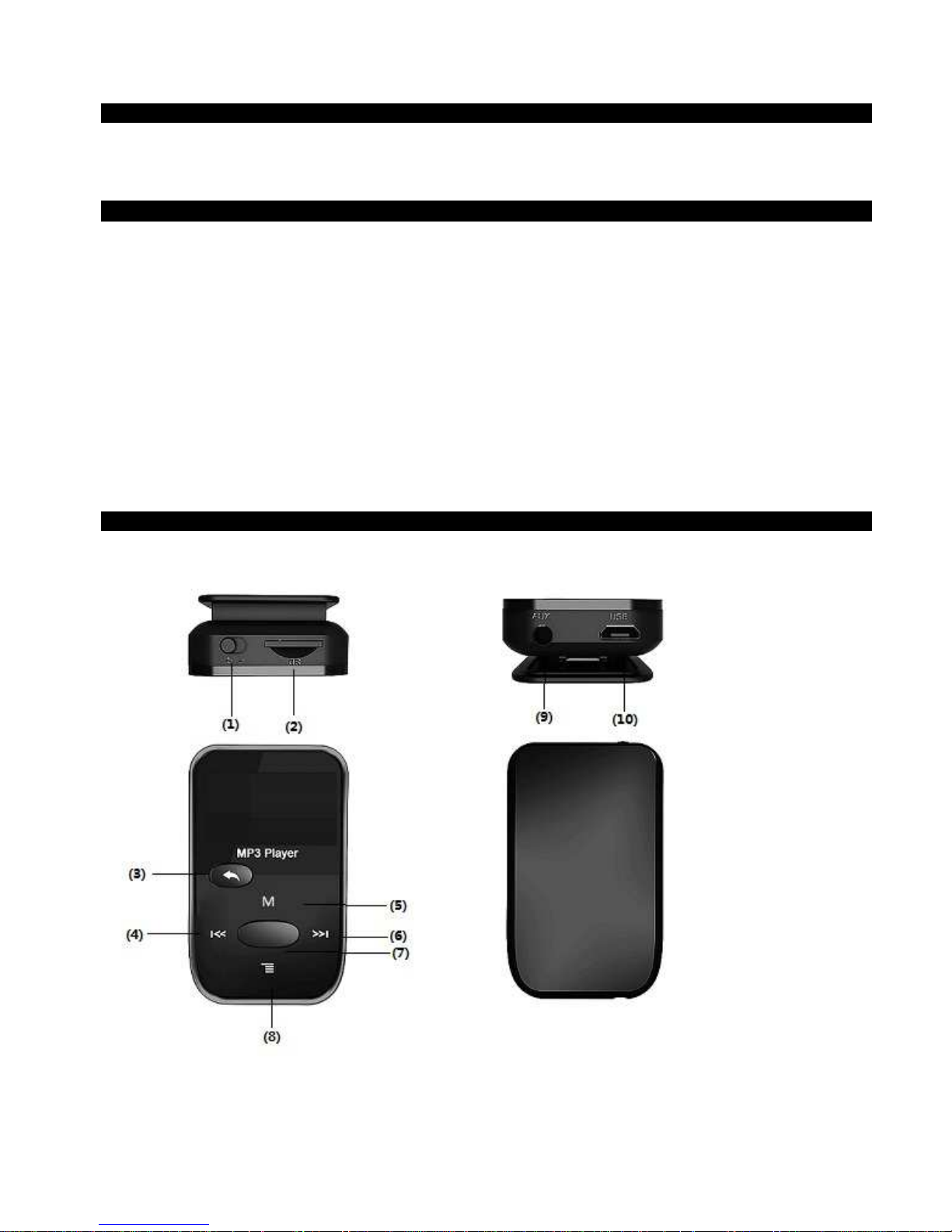
Parts of the SY-7316
Page 3
Charging the battery
The player has an internal battery which needs to be fully charged before you use it for the first time.
Connect the USB cable (provided with the player) to the MP3 player and the other end to a working and switched on
computer. The battery will now begin to charge.. It takes approximately 2 hours to charge the battery. It is
recommended to charge it fully before use as this will extend the battery life.
NOTE
In order for the player to load properly, connect the USB cable directly into the USB connector of your PC (not through
a hub).
Connecting to a computer
Connect the player to a computer with the USB cable provided in the box. The computer
will recognize the device automatically.
Once the computer has detected the player, it will act as an external disk. Therefore, the file transfer is performed in
the same manner as with any other storage device (by selecting the files to be copied and dragging them to the unit,
or by copying and pasting into the drive).
NOTE
Do not disconnect the player while copying or deleting data as this may cause malfunction of the unit and damage the
software. When disconnecting the device from the computer, please use the icon "Safely Remove Hardware" on the
bottom right of the taskbar. Once the safety message pops up, you may disconnect the device.
Music
1. Press ► to enter the music interface, and press ► to play the music.
2. Select the music: press I/I to choose previous or next song.
3. Sound volume adjustment: press the “Vol and use I/I to volume down/up directly.
When playing music, short press “M” to enter the submenu, long press “M” to exit the music interface.
4. Hold ► to power off.
5. When playing music, short press “M” to the submenu. Hold I/I to rewind or fast forward.
6. Delete file: When stop playing music, press “M” to delete file in the submenu, choose to delete or not, press ►
to confirm.
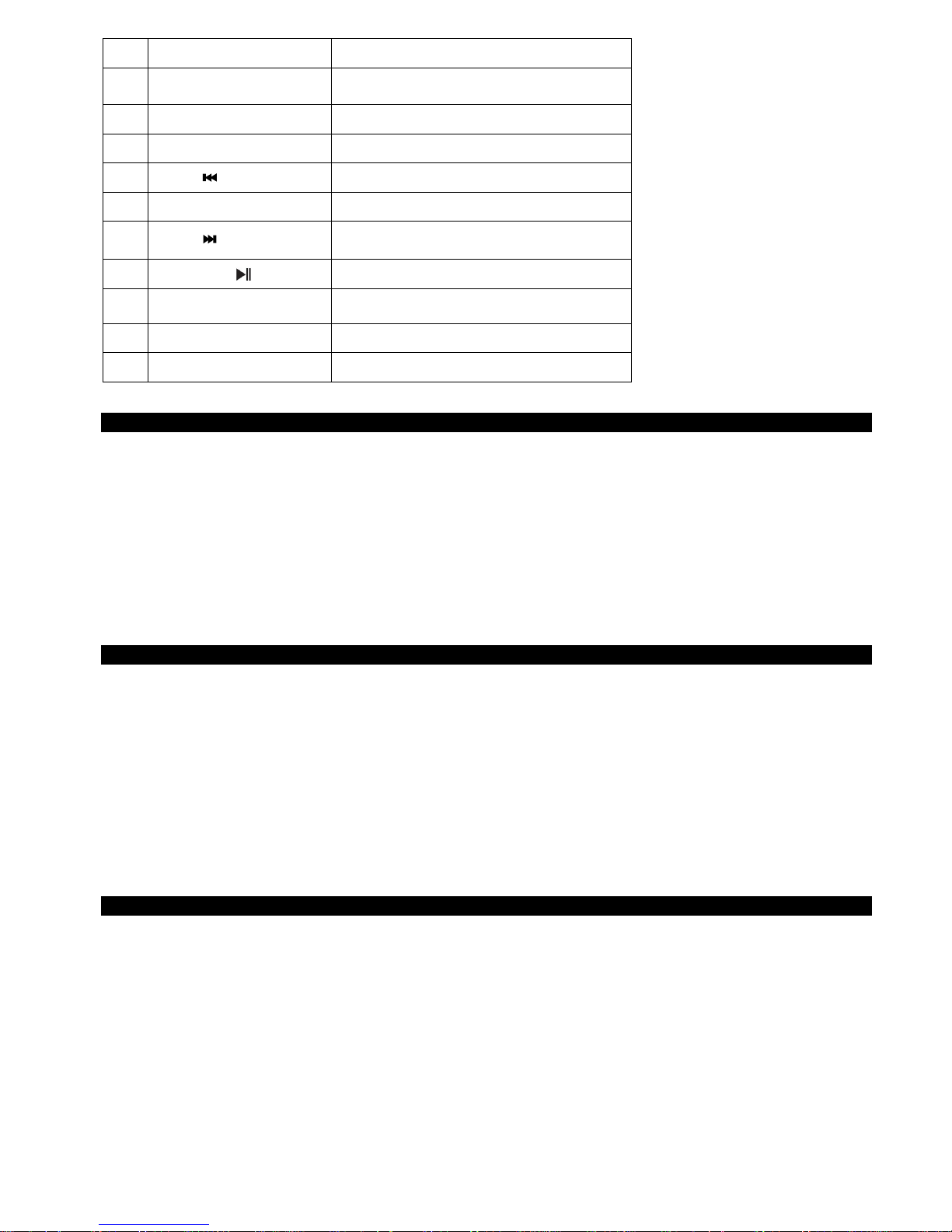
Nº Button Button function
①
Power on-off
②
Micro SD Card slot
③
Return/Quit
④
Previous
⑤
M Menu
⑥
Next
⑦
Play/Pause
⑧
VOL Volume
⑨
Earphone Jack
10
Micro USB Jack
Page 4

Record
1. Press ► to enter into the record interface.
2. Press ► start the recording operation.
3. Press ►again to pause the record, and press Return/Quit button to save the recording file.
4. Press “M” to enter submenu to set recording type.
5. Enter into the Music Mode to find the recorded files and play recorded files from there.
Text
1. Press ► and enter the Text interface.
2. Press I/] to browse through the .txt files.
3. Press the ►to start to read the file
4. Press I/] manually read Text page up or down
5. Press M to enter submenu to set Save Bookmark or Load Bookmark.
Radio FM
1. Press ► to enter interface of FM radio.
2. Press “M” to enter its submenus: Save, Record, Delete, Delete all, Auto-search, Normal band, Japan band, Exit.
3. TUNE State: Auto Search: Press I/I to decrease / increase the frequency step by step until you find a Channel.
Press ►to jump to the next saved Channel.
Notice: please connect the earphone when you use the
FM radio function, because it’s used as the antenna
Setting
1. Press ► to enter the Setting interface.
Press I/I to choose the following mode you want: - Adjusting the backlight time.
- Select the desired language.
- Selection of time saving and auto off mode.
- Selecting the display contrast.
- Information from the occupied memory.
- Formats the internal memory.
- Information on the firmware version.
- Return to the default values.
Page 5
Trouble shooting
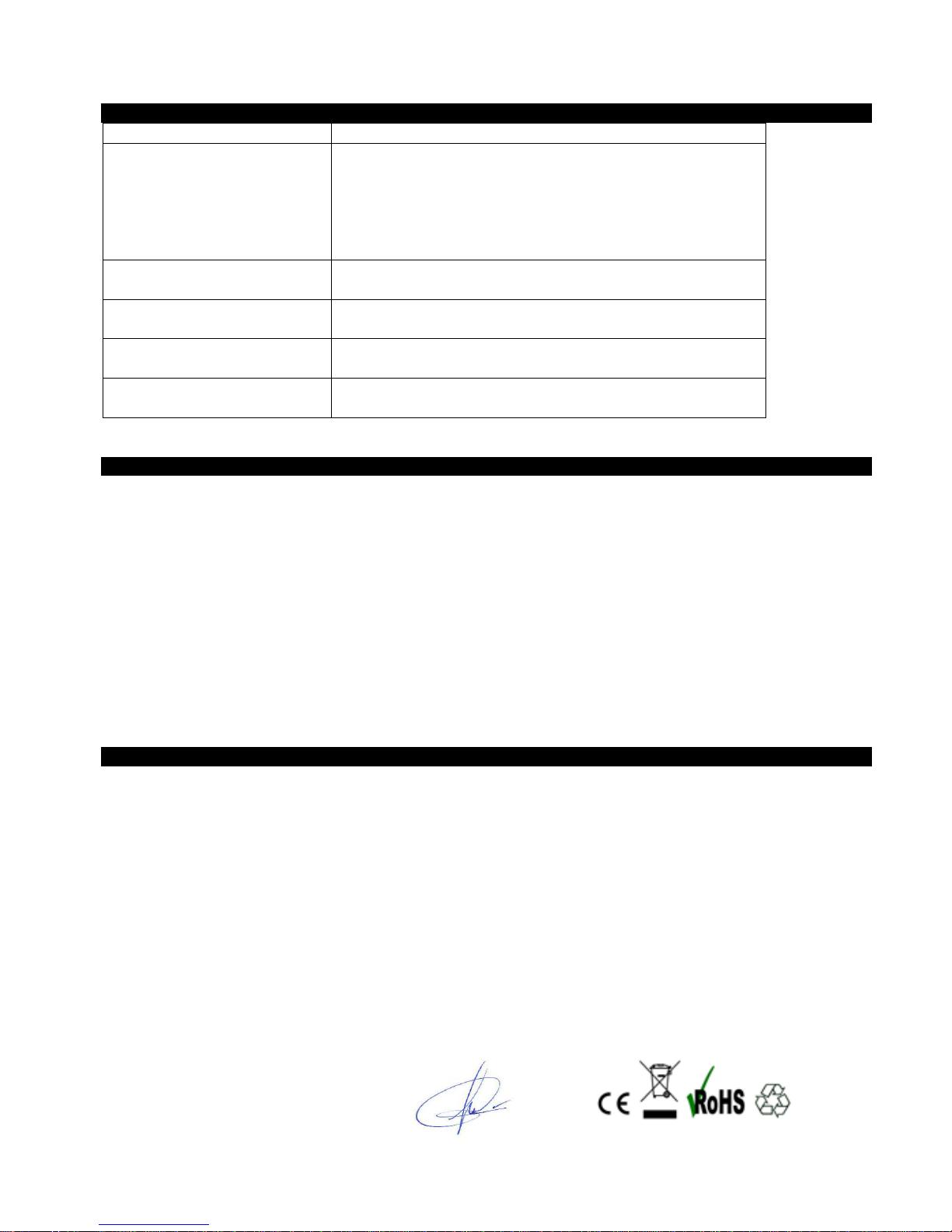
Symptom Solution
The player cannot work
1. Please check the voltage of battery
2. Make sure the power button is on
3. Please check if volume is set to “0” or not and make sure that
earphones are connected properly.
4. Damaged music data will make noise in some extent; make
sure there are no corrupt files in the player.
The player cannot upload
/download files
Please check USB cable is correctly connected.
The player cannot record
Please check if memory is sufficient or not. Please check the
battery voltage.
Strange characters are
displayed
Please check if the correct language is selected.
FM radio signal is not clear
Re-adjust the position between player and earphone; earphone
can be used as antenna to receive the signal
Specifications
Screen Size: 1.1” LCD display (128x64)
Internal memory: 4GB
Supported audio formats: MP3, WMA
Bitrate: MP3 / WMA: 8Kbps – 320 Kbps
FM radio with 30 pre-set memories
Voice recording format: WAV
Internal Battery capacity: 170 mAh Li-Polymer
Earphone output: 5+5mW.
Micro USB 2.0
Supports: Windows (8/7, Vista, XP), Mac OS x (10.6 or lower), Linux
Dimensions: 54x33x16mm (Height/Width/Depth)
Weight: 21.2g
Declaration of Conformity
Manufacturer Name: Satyatrade S. L.
Address: Pol.Ind.La Raya. C/ Guadalquivir, 2.
Camarma de Esteruelas, 28816 Madrid
Tel: 902 430 967
Fax: 91 8864285
NIF: B83254763
Manufacturing country: China
Description: MP3 Player
Sytech® SY-7316 complies with the following directives:
EMC Standard: Directive 2004/108/EC
RoHS Standard: 2011/65/EU Restriction of Hazardous Substances
Signed: Ajeet Nebhwani Utamchandani
Sole Administrator
 Loading...