

Page 1

LiveTrack Reader Version 2
User Manual
June, 2006
Syscan International Inc, Montreal
Page 2

This device complies with Part 15 of the FCC Rules. Operation is subject to the following two conditions: (1) This device may not cause
harmful interference, and (2) This device must accept any interference received, including interference that may cause undesired operation.
This equipment has been tested and found to comply with the limits for Class A Digital Device, pursuant to Part 15 of the FCC Rules. These
limits are designed to provide reasonable protection against harmful interference in a residential installation. This equipment generates and
can radiate radio frequency energy and, if not installed and used in accordance with the instructions, may cause harmful interference to radio
communications. However, there is no guarantee that interference will not occur in a particular installation. If this equipment does cause
harmful interference to radio or television reception, which can be determined by turning the equipment off and on, the user is encouraged to
try to correct the interference by one or more of the following measures.
• Reorient or relocate the receiving antenna
• Increase the separation between the equipment and receiver
• Connect the equipment into an outlet on a circuit different from that to which the receiver is connected
• Consult the dealer or an experienced radio/TV technician for help
Any changes or modifications not expressly approved by the party responsible for compliance could void the user’s authority to operate the
equipment.
INFORMATION TO USER
LiveTrack Reader – User Manual. Page: 2 / 16
Page 3

QUICK START GUIDE .........................................................................................................................................................4
NOMENCLATURE ................................................................................................................................................................5
READER .................................................................................................................................................. 5
CHARGE/SERIAL CONNECTOR ........................................................................................................................6
LED INDICATORS ...................................................................................................................................... 7
SCREEN MENU........................................................................................................................................... 8
INFO MENU .............................................................................................................................................. 9
ADVANCED MENU ..................................................................................................................................... 10
OUTPUT MENU ........................................................................................................................................ 12
OTHER SCREENS...................................................................................................................................... 13
COMMUNICATIONS ..........................................................................................................................................................14
BLUETOOTH CIRCUIT ................................................................................................................................14
SERIAL COMMUNICATION ........................................................................................................................... 14
PACKET DESCRIPTION ............................................................................................................................... 15
SPECIFICATIONS ...............................................................................................................................................................16
LiveTrack Reader – User Manual. Page: 3 / 16
Page 4
01923 6104
7.85 Volt
Batt:Full
Quick Start Guide
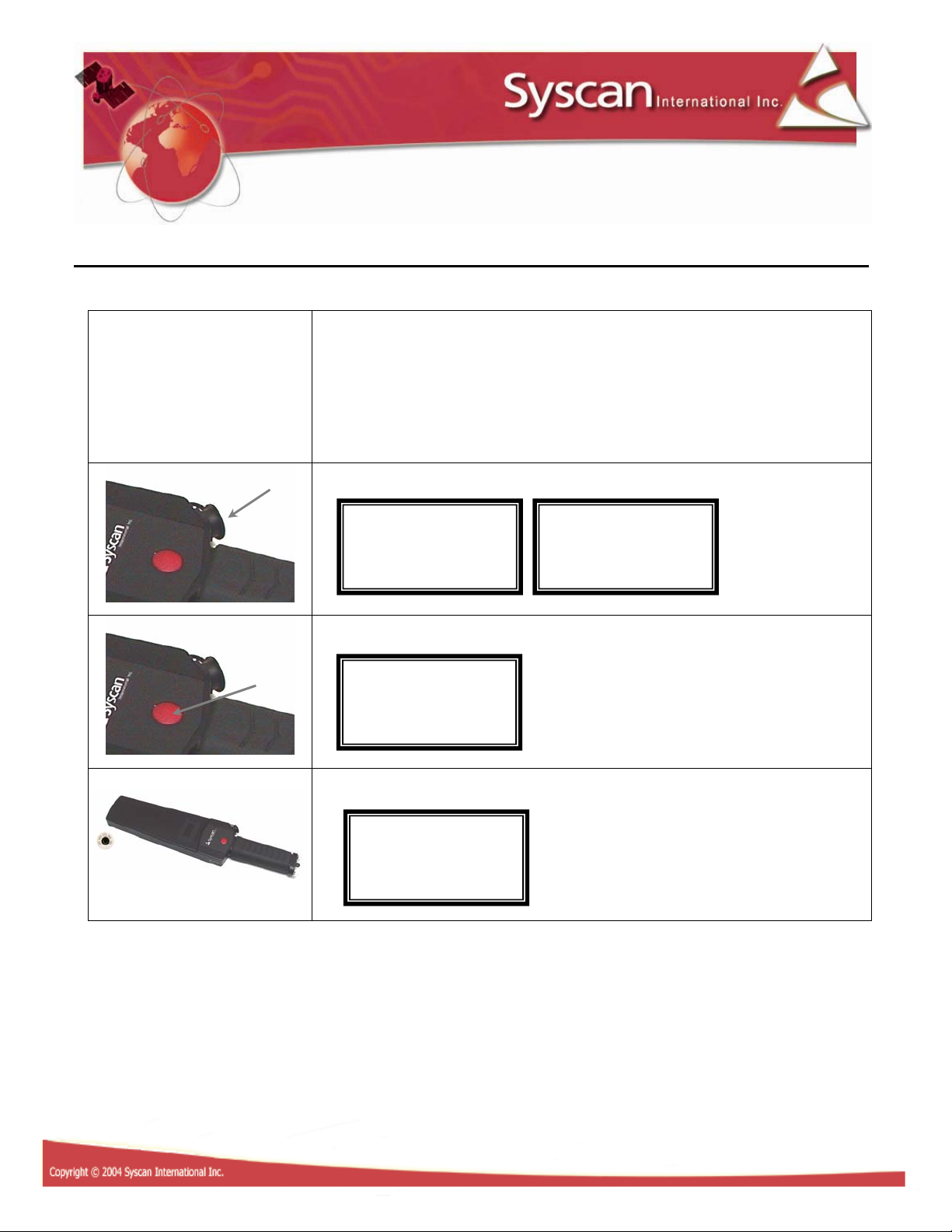
1- Included in box: Reader, power supply 12 VDC, serial cable
and CD.
3- Connect the power supply and charge until full. ***
Batt:Chrg
s
4- Turn on the reader by pressing the on/off button.
Syscan.com
Batt:
*
5- Read tag.
H 982 000
*** IMPORTANT
THE POWER SUPPLY IS TO BE USE TO RECHARGE THE BATTERY AND NOT TO
RUN THE READER.
LiveTrack Reader – User Manual. Page: 4 / 16
Page 5

r
Nomenclature
Reader
RFID reading zone
Display screen
LED’s
ON/OFF Button
Charge/Serial connector
Handle/Battery compartment
Battery doo
LiveTrack Reader – User Manual. Page: 5 / 16
Page 6

Charge/Serial connector
Pin 1: 12 VDC in
Pin 2: RS-232 TX data to pc
Pin 3: RS-232 Rx data from pc
Pin 4: GND
Pin 5: Cable in detect. Shut down the Bluetooth circuit when serial cable is inserted.
4
5
3
2
1
LiveTrack Reader – User Manual. Page: 6 / 16
Page 7

LED Indicators
Bluetooth LED: Blinks every 3 seconds: the Bluetooth circuit is on.
On steady: the Bluetooth connection is established.
Off: the Bluetooth circuit is off.
RFID LED: On: the RFID circuit is on and ready to read.
Off: the RFID circuit is off.
Power LED: On: the reader is on.
Off: the reader is off.
Bluetooth LED RFID LED Power LED
LiveTrack Reader – User Manual. Page: 7 / 16
Page 8

Screen menu
XXXXX XXXX
00000
01923 6104
R
t
Sep
I
d
M
M
Read
Butt
Syscan.com
*
X XXX XXX
Turn on the reader by pressing the on/off
button.
H 982 000
or
The “X” screen will appear or the tag number
if you already read a tag. (Example for ISO
HDX tag)
Counter
Insert
arator
Info
enu
Advanced
enu
Turn Off
er
Counter
ese
Separator
nserte
Release
on…
Press the on/off button one time to display
the counter screen.
Press and hold the on/off button for 2 sec. to
reset the counter.
Press the on/off button one time to display
the insert separator screen.
Press and hold the on/off button for 2 sec. to
record a separator. A separator is a fake tag
with 0 000000000000000 ID.
Press the on/off button one time to display
the info menu screen.
Press and hold the on/off button for 2 sec. to
enter the info menu screen. See info menu
page 9.
Press the on/off button one time to display
the advanced menu screen.
Press and hold the on/off button for 2 sec. to
enter the advanced menu screen. See
advanced menu page 10.
Press the on/off button one time to display
the turn off reader screen.
Press and hold the on/off button for 2 sec. to
turn off the reader.
LiveTrack Reader – User Manual. Page: 8 / 16
Page 9

Info menu
7.85 Volt
LTL00999
2006
31
1 % M
11:41:18
XX XX XX
M
47 06 4F
Batt:
F60-
VF04.06
-05-
100 Tags
em.
19/12/2005
Entering the info menu will display the
battery screen.
s
Press the on/off button one time to display
the serial number screen.
Press the on/off button one time to display
the firmware version screen.
Press the on/off button one time to display
the memory screen.
Press the on/off button one time to display
the date and time screen.
XX XX XX
Exit
enu
Press the on/off button one time to display
00 0C 76
the default Bluetooth device address screen.
The reader will connect to that device
address in master mode.
***VF4.08 and more
Press the on/off button one time to display
the exit menu screen. Press and hold the
on/off button for 2 sec. to exit the info menu.
* Info menu will exit after 10 sec. of
inactivity.
LiveTrack Reader – User Manual. Page: 9 / 16
Page 10

Advanced menu
Y
Conti
Y
D
d
M
y
9/9
Completed
E
d
Singl
N
N
9/9
5/9
5/9
Start a
ownloa
Erase
emor
Loading
Memory
rase
Entering the advanced menu will display the
start a download screen. Press and hold the
on/off button for 2 sec. to start the
download.
Press the on/off button one time to display
the erase memory screen. Press and hold the
on/off button for 2 sec. to erase the memory.
Read Mode
nuous
Vibration
es
Sound
es
LCD:Bright
LCD:Bright
*
Read Mode
e
Vibration
o
Sound
o
LCD:Bright
*
LCD:Bright
Press the on/off button one time to display
the read mode screen. Press and hold the
on/off button for 2 sec. to toggle from
continuous and single.
Press the on/off button one time to display
the vibration screen. Press and hold the
on/off button for 2 sec. to toggle from yes
and no.
Press the on/off button one time to display
the sound screen. Press and hold the on/off
button for 2 sec. to toggle from yes and no.
Press the on/off button one time to display
the LCD brightness screen. Press and hold
the on/off button for 2 sec. for the star to
appear.
Press the on/off button to change the LCD
brightness. Press and hold the on/off button
for 2 sec. to confirm.
LiveTrack Reader – User Manual. Page: 10 / 16
Page 11

English
English
F
F
Default
Loaded
M
M
Sl
Mast
Language
Language
rench *
Language
*
Langage
rancais
Press the on/off button one time to display
the language screen. Press and hold the
on/off button for 2 sec. for the star to
appear.
Press the on/off button to change the
language. Press and hold the on/off button
for 2 sec. to confirm.
Load
Default
BT Mode
ave
Output
enu
Press the on/off button one time to display
Exit
enu
BT Mode
er
Press the on/off button one time to display
the load default screen. Press and hold the
on/off button for 4 sec. to load the default
settings.
Press the on/off button one time to display
the Bluetooth mode screen. Press and hold
the on/off button for 2 sec. to toggle from
Slave and Master. ***VF4.08 and more
Press the on/off button one time to display
the output menu screen. Press and hold the
on/off button for 2 sec. to enter the output
menu screen. See output menu page 12.
the exit menu screen. Press and hold the
on/off button for 2 sec. to exit the advanced
menu. * Advanced menu will exit after 10
sec. of inactivity.
LiveTrack Reader – User Manual. Page: 11 / 16
Page 12

Output menu
M
Y
Y
Y
Y
N
N
N
N
Tag Type
es
Tag ID
es
Time-Date
es
Site ID
es
Tag Type
o
Tag ID
o
Time-Date
o
Site ID
o
Entering the output menu will display the tag
type screen. Press and hold the on/off button
for 2 sec. to toggle from yes and no.
Press the on/off button one time to display
the tag ID screen. Press and hold the on/off
button for 2 sec. to toggle from yes and no.
Press the on/off button one time to display
the time-date screen. Press and hold the
on/off button for 2 sec. to toggle from yes
and no.
Press the on/off button one time to display
the site ID screen. Press and hold the on/off
button for 2 sec. to toggle from yes and no.
Exit
enu
Press the on/off button one time to display
the exit menu screen. Press and hold the
on/off button for 2 sec. to exit the output
menu. * Output menu will exit after 10 sec.
of inactivity.
LiveTrack Reader – User Manual. Page: 12 / 16
Page 13

Other screens
Batt:L
Batt:Hot
Batt:Cold
7.85 Volt
Batt:Full
M
ll
Batt:Chrg
Batt:
s
The power supply is connected and the
battery is charging.
The power supply is connected and the
battery is fully charged.
The battery has stopped charging because
the temperature exceeds 60 degree Celsius.
The battery has stopped charging because
the temperature is lower than 3 degree
Celsius.
Mem:Full
em:Fu
ow
The battery has reached 7.00 volts and need
to be charge.
The internal memory is full. Use the “Erase
memory” function. (See Advanced menu
page 10)
* When memory is full, the last tag read will
replace the first tag. (Circular)
LiveTrack Reader – User Manual. Page: 13 / 16
Page 14

Blth:Off
Blth:O
Communications
Bluetooth circuit
The Bluetooth reader operates as a slave device. Please refer to your master device manual to
establish the pairing. The reader does not need a PIN authentication. If your master device needs a
PIN authentication, use “default”. Your master device should provide a COM port after pairing the
two devices. Use that virtual COM port to communicate with the reader.
Serial communication
Use the serial cable provided in the kit to connect the reader to a DB-9 serial port. When the cable is
inserted in the reader’s serial connector, the Bluetooth circuit is shutdown.
Serial cable inserted Serial cable removed
Serial:On
Configure the serial port at 9600, n, 8, 1 and no handshaking.
Serial:Off
n
LiveTrack Reader – User Manual. Page: 14 / 16
Page 15

Packet description
When an RFID Tag is read, the tag, date, time and site # will be saved in the reader’s memory and
will be transmitted via Bluetooth or serial communication.
When a read occurs, the format of the packet being sent by the reader is as follows:
FCCCDDDDDDDDDDDDAASSMMHHWWDDMMYYTTTTTTT‘CR’
*The packet can be modify using the Ouput Menu on the reader. (See page 12)
Field Description
F Tag Type
‘F’ for ISO FDX-B tags
‘H’ for ISO HDX tags
‘I’ for Industrial HDX tags
‘U’ for EM4002 tags
CCC The tag’s country code
D…D The tag’s unique Identification number
AA…YY The time and date of the reading
Field description
AA 2 numbers for the milliseconds
SS 2 numbers for the seconds
MM 2 numbers for the minutes
HH 2 numbers for the hours
WW 2 numbers for the day of the week ex: Monday = 01 and Sunday = 07
DD 2 numbers for the day
MM 2 numbers for the month
YY 2 numbers for the year
TTTTTTT The site number
CR Carriage return - ASCII code 13 (0x0D)
LiveTrack Reader – User Manual. Page: 15 / 16
Page 16

Specifications
Operating Frequency: 134.2 KHz
RFID Compatibility: ISO HDX, ISO FDX-B and Industrial HDX
Reading Distance: 25-30 cm (with ISO HDX tags)
Memory: 10 000 tags
Communication Ports: Bluetooth © Class 1 and Serial (RS-232 9600,n,8,1)
Bluetooth: Class 1 (100 m)
Battery Power: 7.4 V Li-ion Rechargeable
More than 6 hours of continual use
Power Input: 12 VDC for charging the battery
Packaging Protection Class: IP 66
Dimensions: Short: 45 X 10 X 3 cm
Long: 65 X 10 X 3 cm
Weight: Short: 1.65lbs
Long: 2.05 lbs
Display type: PLED
Display Languages: English, French, German, Polish, Spanish
Included at Purchase: Reader, Serial Cable, 12 VDC adapter, CD with demo programs
LiveTrack Reader – User Manual. Page: 16 / 16
 Loading...