

Page 1
Guangzhou Zhiying Technology Co., Ltd
Block 15th, No.200 Fangcun Avenue East, Liwan District, Guangzhou, China, 510000
www.syncoaudio.com
https://www.facebook.com/syncomicrophones
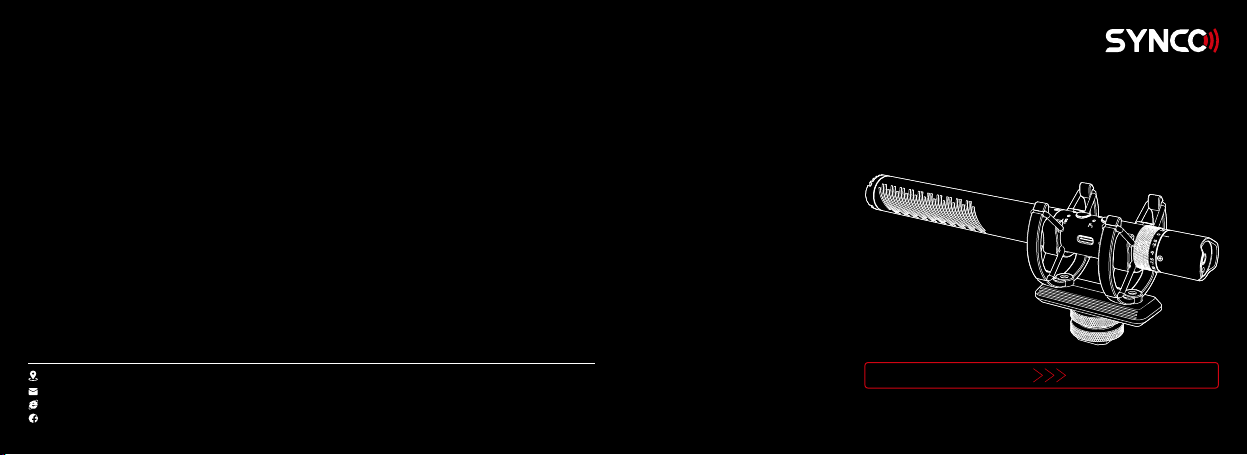
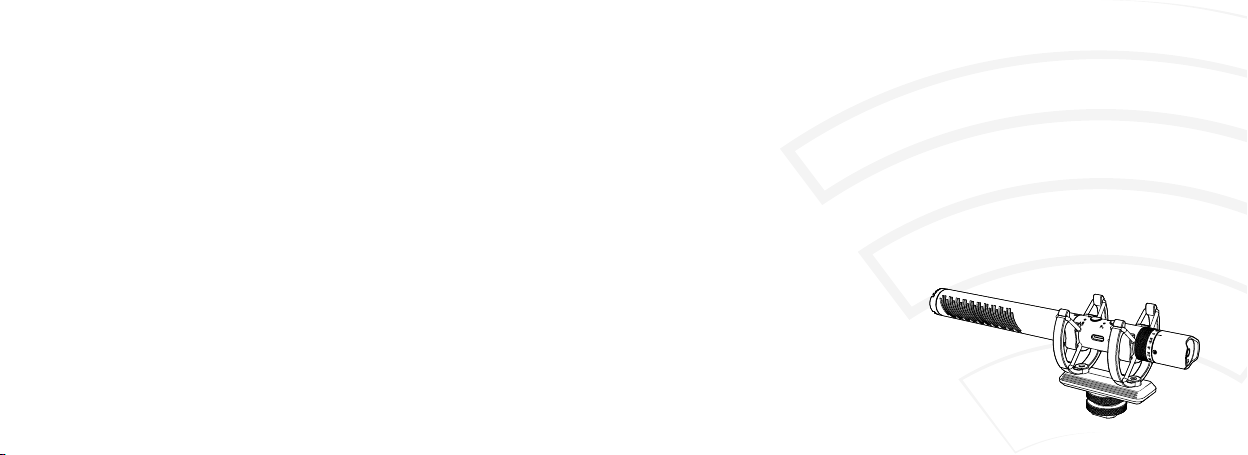
Mic-D30 Microphone
Please read this manual carefully before use and follow all instructions mentioned herein.
Thank you for choosing SYNCO Mic-D30,
User Manual
Page 2

Contents
Package List.....................................................................................................................................1
Feature Introduction.......................................................................................................................2
Caring For Your SYNCO Mic-D30 Microphone..............................................................................2
Components Introduction.............................................................................................................3
Operations........................................................................................................................................4
① The Use of Furry Windscreen
② Charging the Mic-D30 Microphone
③ Using with Your Device
④ Real-time Audio Monitoring
⑤ Low Cut Button
⑥ Overdrive Protection
Specications..................................................................................................................................6
Warranty...........................................................................................................................................8
Page 3
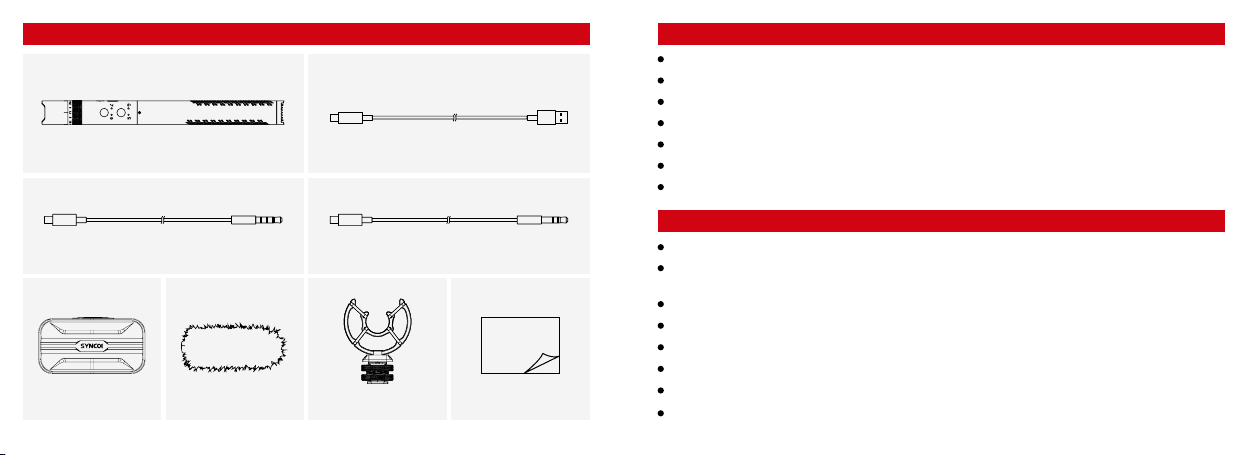
Package List
SYNCO Mic-D30 Microphone x1
(Package includes the following items)
Type-C to USB Charging Cable x1
Feature Introduction
Super cardioid capsule for excellent o-axis sound rejection
75Hz/ 150Hz low cut lter
Overdrive Protection
Stepless gain adjustment dial
Support real-time audio monitoring
Type-C to 3.5mm TRS/ TRRS output
Dual shock mount to rmly hold the mic
Caring For Your SYNCO Mic-D30 Microphone
Type-C to 3.5mm TRRS Phone Cable x1
Packing Box x1
1www.syncoaudio.comwww.syncoaudio.com2
Type-C to 3.5mm TRS Camera Cable x1
User Manual
Shock Mount x1Furry Windscreen x1
User Manual x1
Please keep the product in a dry, clean, dust-free environment.
Keep corrosive chemicals, liquids and heat source away from the product to prevent mechanics
damage.
Use only a soft and dry cloth for cleaning the product.
Malfunction may be caused by dropping, impact of external force.
Do not attempt to disassemble the product. Doing so voids warranty.
Please have the product checked or repaired by authorized technicians if any malfunctions happened.
Failure to follow all the instructions may result in mechanics damage.
Warranty does not apply to human errors.
Page 4
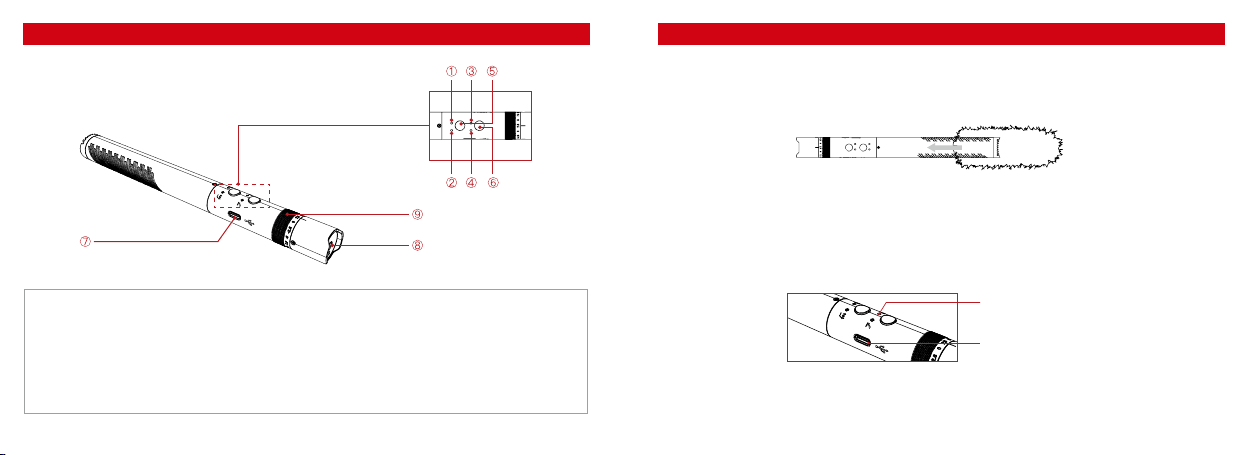
Components IntroductionOperations
1. The Use of Furry Windscreen
Mic-D30 comes with a furry windscreen to eliminate the noise caused by wind while recording. Please
install the windscreen to the microphone as shown below.
2. Charging the Mic-D30 Microphone
The Mic-D30 has a built-in battery. Please fully charge the microphone with the Type-C Charging Port and
Type-C to USB Charging Cable before use.
(Note: The ON-OFF & Battery Indicator will fast ash when the mic is running out of power. When the mic
is charging, the indicator will ash slowly then stay green when it is fully charged.)
① 75Hz Low Cut Indicator
② 150Hz Low Cut Indicator
③ ON-OFF & Battery Indicator
④ Overdrive Protection Indicator
⑥ ON-OFF/ Overdrive Protection
⑦ Type-C Charging & Output Port
⑧ Headphone Output
⑨ Gain Adjustment Dial
ON-OFF
& Battery Indicator
Type-C Charging Port
⑤ Low Cut Button
3www.syncoaudio.comwww.syncoaudio.com4
Page 5
3. Using with Your Device
The package includes a shock mount, which has a cold shoe on the bottom. It helps to mount the
microphone on recording devices like DSLR, camera, camcorder.
① Securely place the microphone into the shock mount.
② Install the shock mount to your recording devices via the cold shoe and tighten the screw.
③ Connect the microphone with your device via the Type-C to 3.5mm Cable. (Note: Some smart phone
devices may require a adapter like Lightning to connect with the microphone. Adapter is not included in
the package.)
④ Long press the ON-OFF button to turn on the microphone. (Note: Short press for Overdrive Protection
function.)
(Note: When overdrive protection is on, the sound heard in the left will be signicantly lower than that in
the right during headphone monitoring, which is normal.)
Specications
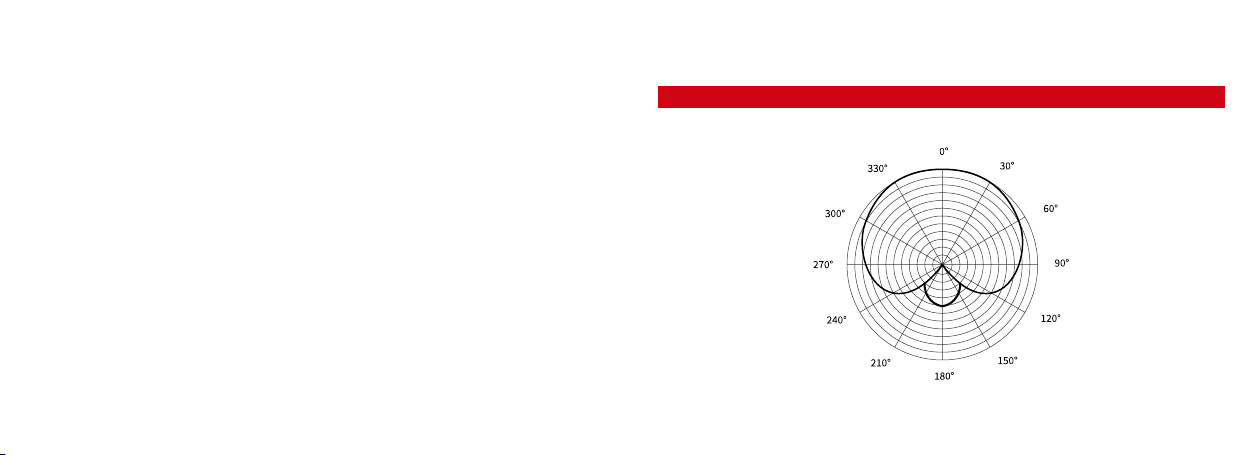
1. Polar Pattern: Super Cardioid
4. Real-time Audio Monitoring
It is suggested to use the headphone whose impedance under 55 Ohm to monitor the audio. Plug your
headphone into the Headphone Output, then you can real-time monitor your recording.
5. Low Cut Button
First press for 75Hz low cut, second press for 150Hz low cut and the third press to turn o the low cut
function.
6. Overdrive Protection
Short press the ON-OFF button for overdrive protection function, which activates the safety channel.
Then the mic starts dual channel recording. The safety channel, also known as left output channel would
attenuate the level by 10dB. In case of overloading, overdrive protection ensures you have a backup
channel.
5www.syncoaudio.comwww.syncoaudio.com6
Page 6

2. Performance Parameter
Transducer
Polar Pattern
Frequency Response
Dynamic Range (Typical)
Signal/Noise
Sensitivity
Maximum SPL
Output Impedance
Low Frequency Roll-o
Output Interface
Dimensions
Weight
7www.syncoaudio.comwww.syncoaudio.com8
Back Electret Condenser
Super Cardioid
20Hz to 20KHz
119dB SPL (A-weight per IEC651)
82dB(1KHz at 1Pa)(A-weight per IEC651)
-24dB±2dB (1dB=1V/Pa at 1kHz)
124 dB SPL
16Ω (Headphone)
300Ω±20% (at 1KHz) (Line out)
75Hz/150Hz
Type-C to 3.5mm
Φ21.5×214.5mm
85g
WARRANTY
Warranty Period
Thank you for purchasing SYNCO products.
1. Customers are entitled to free replacement or repair service in case of quality defect(s) found in the
product under normal use within 30 days upon receipt of the product.
2. Original SYNCO products are entitled to 24-month limited warranty service. The warranty period begins
on the date of purchase of brand new, unused products by the rst end-user.
Within the warranty period, if product defect or failure is attributable to material defection or
technological problem, the defective product or defective part will be repaired or replaced without charge
(service and materials fee).
Warranty Exclusions and Limitations
Faults resulted from inappropriate use of a product without following its operation specication
Articial damage, e.g. crash, squeeze, scratch, or soaking
Modications to a product by its user or a third party without prior written consent of SYNCO, e.g.
replacement of element or circuit, label alteration
The code on product is inconsistent with that of warranty certicate, or the code on the product or
warranty certicate is altered or torn o
All consumable accessory attached to a product, like cable, wind mu, battery
Faults as a result of force majeure, such as re, ood, lightning, etc.
Page 7

Warranty Claim Procedure
If failure or any problem occurs to your product after purchase, please contact a local agent for
assistance, or you can always contact SYNCO’s customer service through email at
Please retain your sales receipt and warranty certicate as proof of purchase. If any of these documents
is missing, only sales return or chargeable service will be provided.
If the SYNCO product is out of the warranty coverage, the service and the parts cost will be charged.
WARRANTY CERTIFICATE
Please register your warranty. Meanwhile, you are welcomed to contact us via Email:
Customer Name:
USER
INFORMATION
SALES
INFORMATION
REPAIR
RECORD
Phone Number:
Email:
Address:
Sales Date:
Model:
Product Code:
Dealer:
Service Date:
Technician:
Issue:
RESULT
Solved Unsolved Returned(Replaced)
Page 8
 Loading...