

Page 1

User Guide
SNAP Sck 200
©2008-2015 Synapse, All Rights Reserved. All Synapse products are patent pending. Synapse, the
Synapse logo, SNAP, and Portal are all registered trademarks of Synapse Wireless, Inc.
Doc# 600-0015B
6723 Odyssey Drive // Huntsville, AL 35806 // (877) 982-7888 // Synapse-Wireless.com
Page 2

Disclaimers
Informaon contained in this Manual is provided in connecon with Synapse products and services and is intended solely to assist its customers. Synapse
reserves the right to make changes at any me and without noce. Synapse assumes no liability whatsoever for the contents of this Manual or the
redistribuon as permied by the foregoing Limited License. The terms and condions governing the sale or use of Synapse products is expressly
contained in the Synapse’s Terms and Condion for the sale of those respecve products.
Synapse retains the right to make changes to any product specificaon at any me without noce or liability to prior users, contributors, or recipients of
redistributed versions of this Manual. Errata should be checked on any product referenced.
Synapse and the Synapse logo are registered trademarks of Synapse. All other trademarks are the property of their owners. For further informaon on any
Synapse product or service, contact us at:
Synapse Wireless, Inc.
6723 Odyssey Drive
Huntsville, Alabama 35806
256-852-7888
877-982-7888
256-924-7398 (fax)
www.synapse-wireless.com
License governing any code samples presented in this Manual
Redistribuon of code and use in source and binary forms, with or without modificaon, are permied provided that it retains the copyright noce,
operates only on SNAP® networks, and the paragraphs below in the documentaon and/or other materials are provided with the distribuon:
Copyright 2008-2015, Synapse Wireless Inc., All rights Reserved.
Neither the name of Synapse nor the names of contributors may be used to endorse or promote products derived from this soware without specific prior
wrien permission.
This soware is provided "AS IS," without a warranty of any kind. ALL EXPRESS OR IMPLIED CONDITIONS, REPRESENTATIONS AND WARRANTIES,
INCLUDING ANY IMPLIED WARRANTY OF MERCHANTABILITY, FITNESS FOR A PARTICULAR PURPOSE OR NON-INFRINGEMENT, ARE HEREBY EXCLUDED.
SYNAPSE AND ITS LICENSORS SHALL NOT BE LIABLE FOR ANY DAMAGES SUFFERED BY LICENSEE AS A RESULT OF USING, MODIFYING OR DISTRIBUTING
THIS SOFTWARE OR ITS DERIVATIVES. IN NO EVENT WILL SYNAPSE OR ITS LICENSORS BE LIABLE FOR ANY LOST REVENUE, PROFIT OR DATA, OR FOR
DIRECT, INDIRECT, SPECIAL, CONSEQUENTIAL, INCIDENTAL OR PUNITIVE DAMAGES, HOWEVER CAUSED AND REGARDLESS OF THE THEORY OF LIABILITY,
ARISING OUT OF THE USE OF OR INABILITY TO USE THIS SOFTWARE, EVEN IF SYNAPSE HAS BEEN ADVISED OF THE POSSIBILITY OF SUCH DAMAGES.
Page 3

Table of Contents
1. About Your SNAP Stick USB Wireless Adapter ............................................................. 1
2. Troubleshooting ......................................................................................................... 2
Signal Strength Problems ................................................................................................................. 2
Poor Performance ............................................................................................................................ 2
3. Regulatory Information and Certifications .................................................................. 3
Page 4

Page 5
1. About Your SNAP Sck USB Wireless Adapter
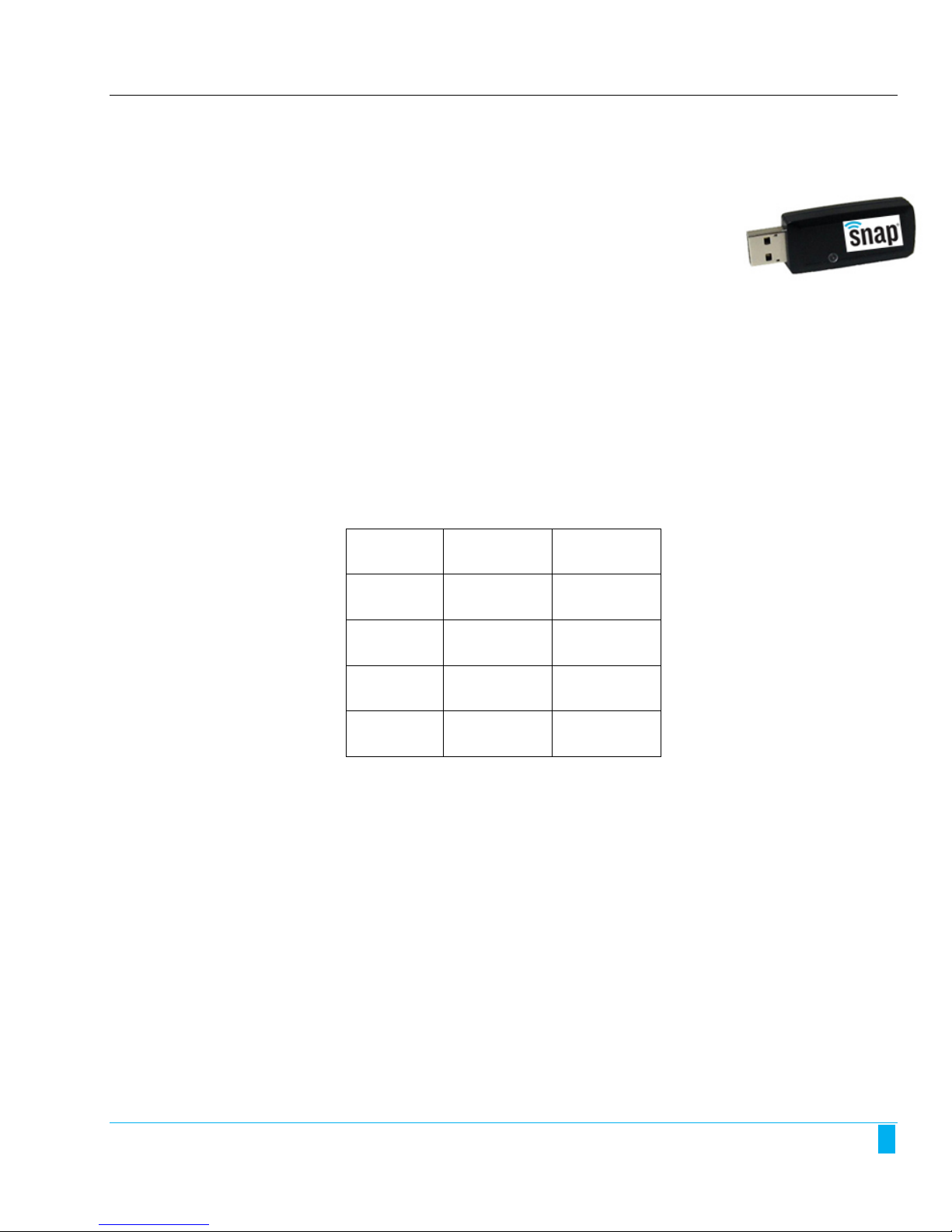
The SNAP Sck 200 USB device is used to enable a PC to communicate with local SNAP nodes.
This device, based on the ATMEL ATmega128RFA1 hardware, is a USB dongle, about the size of a thumb drive. It
is designed to act as a bridge between Synapse’s management tool, called Portal, or Synapse’s Internet
connecon capability, called SNAP Connect, and your other SNAP nodes.
Because it is based on the ATmega128RFA1, the SNAP Sck 200 has the same
capabilies as the underlying hardware, relang to sleep opons and radio rates as
discussed in-depth in the SNAP Reference Manual.
The USB dongle form factor means that only one UART is available on the SNAP Sck 200. UART1 connects
through the USB port. If you change the default UART (NV Parameter 12) to 0, you will not be able to
communicate directly with the device, and will have to either need to use Portal to reset the device to Factory
Default Parameters (NV Params) or use a different SNAP Device as a bridge and reset the default UART over the
air.
Also because of the form factor, you do not have normal access to the GPIO pins on the SNAP Sck 200. The
device was designed to primarily act as a bridge device. The only feedback available from the device comes in
the form of a tri-color LED, controlled by pins 5 and 6, as shown in the following diagram:
LED State Pin 5 Pin 6
Off High (True) High (True)
Red Low (False) High (True)
Green High (True) Low (False)
Amber Low (False) Low (False)
The SNAP Sck 200 includes an internal power amplifier. It also has a 32 kHz crystal, so for most efficient sleep
state, you should use sleep mode 1. Note that there is no way to trigger an external wakeup signal to the device,
so you should be careful to only use med sleep.
SNAP Sck 200 1
Page 6

2. Troubleshoong
In the realm of wireless communicaons, many factors can affect reliable data communicaons. This secon lists
a number of known factors and possible remedies.
If your queson is not adequately answered here, visit the SNAP support forum on the Synapse Wireless website
where you can post a queson and interact with other SNAP users. The SNAP Support forum can be accessed at:
forums.synapse-wireless.com/forumdisplay.php?f=11
Signal Strength Problems
SNAP Scks should communicate well when placed in near proximity of other SNAP nodes. However, they may
not communicate well when moved farther apart which may introduce interference with other devices or
obstacles such as metal walls. You can make several adjustments to remedy this situaon:
• Try orienng the antenna of the other SNAP nodes into different posions. Since antennas work
best when they are in the same spaal plane, essenally parallel to one another without being
directly above or below each other, try to posion the antennas of all your SNAP devices in the
same orientaon.
• There could be other interference problems in your vicinity such as large metal objects, dense
foliage, and other objects that prevent signal transmission or aenuaon (signal loss). Microwave
ovens can cause interference problems. Try moving the units physically to another usable locaon
to see if signal strength improves.
• Try changing the channel of each device. There are 16 separate channels (0 – 15) spread within the
2.4GHz frequency. Various other 2.4GHz devices, such as cordless phones and WiFi routers, may be
flooding one channel, but not another one.
• Refer to the Advanced Management secon for reference to the Synapse Portal® soware. This
soware contains a Channel Analyzer tool that can help you determine which channel has the least
traffic interference.
Poor Performance
If you believe your SNAP sck is not performing adequately, this could be caused by a number of factors, such
as:
• Poor signal strength – try adjusng the antennas as described above.
• Premature sending of packets, holding on to packets for too long, or just dropped packets – try
opmizing the UART parameters for your parcular applicaon. Review the UART parameters
discussed in the SNAP Reference manual.
2 SNAP Sck 200
Page 7

3. Regulatory Informaon and Cerficaons
RF exposure statement
This equipment complies with FCC radiation exposure limits set forth for an uncontrolled environment. This
equipment should be installed and operated with minimum distance of 20cm between the radiator and your
body. This transmitter must not be co-located or operating in conjunction with any other antenna or
transmitter.
FCC certifications and regulatory information (USA only)
FCC Part 15 Class B
These devices comply with part 15 of the FCC rules. Operation is subject to the following two conditions: (1)
These devices may not cause harmful interference, and (2) These devices must accept any interference
received, including interference that may cause harmful operation.
Radio Frequency Interference (RFI) (FCC 15.105)
This equipment has been tested and found to comply with the limits for a Class B digital device, pursuant to
Part 15 of the FCC Rules. These limits are designed to provide reasonable protection against harmful
interference in a residential installation. This equipment generates, uses, and can radiate radio frequency
energy and, if not installed and used in accordance with the instructions, may cause harmful interference to
radio communications. However, there is no guarantee that interference will not occur in a particular
installation.
If this equipment does cause harmful interference to radio or television reception, which can be determined
by turning the equipment off and on, the user is encouraged to try to correct the interference by one or more
of the following measures:
• Reorient or relocate the receiving antenna.
• Increase the separation between the equipment and receiver.
• Connect the equipment into an outlet on a circuit different from that to which the receiver is
connected.
• Consult the dealer or an experienced radio/TV technician for help.
Labeling Requirements (FCC 15.19)
This device complies with Part 15 of FCC rules. Operation is subject to the following two conditions: (1) this
device may not cause harmful interference, and (2) this device must accept any interference received,
including interference that may cause undesired operation.
If the FCC ID for the module inside this product enclosure is not visible when installed inside another device,
then the outside of the device into which this product is installed must also display a label referring to the
enclosed module FCC ID.
Modifications (FCC 15.21)
Changes or modifications to this equipment not expressly approved by Synapse Wireless, Inc. may void the
user’s authority to operate this equipment.
Declaration of Conformity
(In accordance with FCC 96-208 and 95-19)
SNAP Sck 200 3
 Loading...