

Page 1

Bluetooth Moonlight Speaker
MODEL NO.: SP1 36
INSTRUCTION MANUAL
1. Pre face
Plea se r ead this user 's m anual car efull y be fore usin g th e pr oduct to make a corre ct u se o f th e pl ay
func tions and kn ow we ll abo ut the syste m conn ectio n and u sage. Keep this m anual in a s afe pl ace fo r
futu re refe rence .
Unpa cking
Plea se unp ack t he uni t care fully and ma ke sur e the follo wing a ccess ories are co ntain ed in it; pu t them
well a nd prev ent the m from mi ssing .
2. Acc essor ies
□ SP13 6 Mobil e Speak er: 1 pie ce
□ User 's Manu al: 1 pie ce
□ Micr o USB cha rge cab le: 1 pie ce
□ Aux cab le 3.5m m: 1 piec e
3. Int roduc tion
®
This pr oduct is a Bluet ooth sound sys tem supp ortin g st ereo mus ic, hands -free fo r an sweri ng
call s, equ ipped with digit al sig nal pr ocess ing te chnol ogy, ec ho and noise remov al fea ture. It is appli ed
to th e diffe rent us ages li ke offi ce and h ouse, e tc., an d it may b e conne cted t o most ot her equ ipmen t and
®
mobi le ph ones suppo rting Blu etoot h f eatur e by means of wirel ess f or hi -qual ity h ands- free calls and
play t he ster eo musi c from ot her equ ipmen t and mob ile pho nes.
4. Pre cauti ons
®
Firs t t hank you for buyi ng S YLVANIA SP13 6 Bl uetoo th spe aker. Plea se refer to this Use rs' Manua l
befo re us e to use i t pro perly. The c onten ts st ated herei n may be m odifi ed fr om ti me to time for bette r
serv ice as t he pro duct pr opert ies an d funct ions a re chan ged wi thout p rior no tice. For th e sound
perf orman ces of th e produ ct, nev er use it i n too col d, too ho t, too du sty or hu mid pla ces, es pecia lly:
1. Mois t or unde rwate r condi tions
2. Near t he heat er or hi- tempe ratur e servi ces
3. Sola rizat ion
4. Plac es apt to f all
5. Neve r disas sembl e the com binat ion aud io; oth erwis e, it may i nvali date th e warra nty.
Warn ings
1. Pl ease pr otect the pro duct fr om wat er like water d rops or splas h. Do no t put wat er con taine rs
like v ase ont o the pro duct to a void an y unexp ected a ccide nts.
2. Pleas e che ck i f the vol tage of t he p ower grid is t he s ame w ith that speci fied on t he p ower
adap ter of th is unit .
5. Int roduc tion to p roduc t panel a nd func tions
1. Lin e in 3.5m m jack
2. Mic ro USB ch argin g port
3. On/ Off Swi tch
4. LED i ndica tor
5.Li ght but ton: sw itch On /Off th e LED
6. Vol – ke y: shor t press t o decre ase the v olume – P ress an d hold to g o to Prev s ong
7. Vol + ke y: shor t press t o incre ase the v olume – P ress an d hold to g o to Next s ong
8. Mul ti-fu nctio n butto n (MFB) : Play/ Pause /answ er a call / e nd a call / r eject a c all / red ial las t numbe r
9. Mic ropho ne hole
TURN O N/OFF T HE SPEA KER
Ther e is an O n/Off s witch a t the ba ck of th e spea ker. Pla ce it to O N posi tion, y ou wil l hear a b eep so und
from spea ker an d the quick ly fl ashin g blue indi cator ligh t indi cates a suc cessf ul bo ot, In orde r to s ave
powe r, put the s witch t o OFF pos ition w hen the s peake r is not in u se.
LIGH T BUTTO N
You can decid e to swi tch on the LED Moon l ight at the ba se of th e spea ker or n ot wit h the LI GHT bu tton
at the t op of th e speak er. When s witch ed ON, th e LED Moo n light w ill cha nge of c olor au tomat icall y after
some s econd s. Ther e are tot ally 7 di ffere nt colo rs.
LED IN DICATO R LAMP (LO CATED NE AR THE ON /OFF BU TTON) :
®
BLUE : The b lue LE D indi cator lamp w ill f licke r duri ng the Bluet ooth con necti on and pair a nd wil l flas h
slow ly afte r succe ssful c onnec tion an d pair.
RED: Th e red LED indic ator lamp is ON when the u nit i s cha rging . It turns OFF w hen t he un it is full y
char ged.
Char ge Mode :
Conn ect on e end o f the mi cro US B cabl e supp lied t ogeth er with the pr oduct to one free US B port of the
comp uter or to a U SB wa ll ch arger (not incl uded) , and the other end to th e DC 5V p ort l ocate d at the
back o f the pro duct to c harge . The red L ED char ge indi cator l amp wil l turn ON .
Rema rks:
A. W hen o ne en d of the M ICRO USB c onnec ting c able is co nnect ed to the compu ter ( or wa ll pl ug) i n
any state and a t any time, and the ot her e nd is conne cted to DC 5V por t of the pr oduct , the lithi um
batt ery wil l be char ging.
B. It will t ake 2 h ours for th e lith ium ba ttery to be f ully c harge d and t he red LED in dicat or lam p will turn
off wh en the ba ttery i s charg ed comp letel y.
C. A stand ard pow er adap ter wit h DC 5V out put (no t inclu ded) ma y be used t o norma lly cha rge the u nit.
D. W hen th e bat tery i s low, the s peake r wil l make a bee p sou nd. Wh en th is occ urs, pleas e char ge th e
spea ker.
6. Ope ratio n instr uctio ns
Pair ing the s peake r with Bl uetoo th devi ces (ph one or mu sic dev ice)
Turn o n the spe aker.
Plac e the spe aker an d Bluet ooth de vice ( phone o r music d evice ) so that t hey are n o furth er than 1 m eter
from e ach oth er.
Acti vate the B lueto oth f uncti on on your Bluet ooth devic e (ph one o r mus ic de vice) . Plea se re fer t o the
manu factu rer's i nstru ction s for ins truct ions on e nabli ng Blue tooth o n your de vice.
Once you hav e activ ated Bl uetoo th on yo ur devi ce, se lect th e speak er “Syl vania SP136 ” from th e list o f
avai lable B lueto oth dev ices. I f requi red, en ter the p asswo rd '000 0' to con firm & fi naliz e pairi ng.
Once paire d succ essfu lly, yo u can h ear a b eep so und fr om spe aker and th e blue LED fl ashes one ti me
ever y three s econd s. You can no w start t o use the s peake r.
If pai ring is u nsucc essfu l, turn o ff the sp eaker f irst an d then re -pair f ollow ing the a bove st eps.
Once you have pair ed th e sp eaker with a de vice, the spea ker w ill remem ber t his d evice and will pair
auto matic ally when the dev ice's Blu etoot h is act ivate d an d in ran ge. Yo u do not nee d to re-p air any
prev iousl y conne cted de vices .
The speak er wi ll at tempt to a utoma tical ly co nnect to t he la st dev ice i t was pair ed wi th wh en sw itche d
on. I f you w ant to pair i t with a new de vice p lease long p ress M FB but ton unt il the blue l ed fla sh qui ckly
and fo llow th e steps o utlin ed abov e.
Once the sp eaker i s pair ed with your d evice t he mus ic wil l trans mit di rectl y to the speak er. Plea se ref er
to you r devic e's use r manua l for fur ther in forma tion.
Conn ectio n with AUX ca ble
You m ay al so co nnect any devic e wit h a h eadph one s ocket usin g the 3.5m m aud io ca ble ( inclu ded).
Conn ect thi s cable t o headp hone so cket of y our dev ice and t o the AUX in put on th e speak er.
List ening t o Music
Once the spe akers are pai red wi th your devic e you ca n strea m musi c wirel essly to the sp eaker s. Sel ect
the tra ck y ou wish to list en to a nd it will be stre amed to your sp eaker s. S hould yo u en count er any
prob lems wh ile str eamin g pleas e refer y our dev ice's u ser man ual for f urthe r infor matio n.
Volum e contr ol
Shor t pres s once or mor e the VO L- / Pr ev or t he VOL + / Next butto n to ad just t he vol ume in t he des ired
leve l. When m aximu m or mini mum vol ume is re ached y ou will h ear a bee p.
Note : You may als o adjus t the vol ume fro m your Bl uetoo th® ena bled de vice' s volum e contr ol.
Play /Paus e
Pres s the Pla y/Pau se butt on to pau se the mu sic. To res ume the m usic, p ress th is butt on agai n.
Chan ging So ngs (wi th devi ces tha t have AVRC P Bluet ooth® p rofil e)
Pres s and hol d the Nex t butto n to go to ne xt song .
Pres s and hol d the Pre v butto n to go to pr eviou s song.
Maki ng a call w ith the s peake r
Basi c opera tion
Inco ming ca ll:
Pres s the MFB b utton o nce to an swer
Shor t press M FB butt on twic e to reje ct the ca ll
Duri ng call : Press t he MFB bu tton on ce to end t he call
In sta ndby mo de and co nnect ed to a dev ice: Sh ort pre ss MFB bu tton tw ice to re dial la st numb er
Plea se Note
Not all mobil e ph ones supp ort a ll t he fu nctio ns l isted abov e. P lease refe r to your cel l pho ne's user 's
manu al for fu rther i nform ation .
7. Mob ile dev ices su pport ed
®
In the ory, it ca n suppo rt all eq uipme nts wit h Bluet ooth musi c play fe ature s such as s martp hones ,
tabl ets, co mpute rs equi pped wi th blue tooth t echno logy, et c.
8. Mai n techn ical pa ramet ers
Spec ifica tions
Not e: Batt ery lif e & charg ing tim e may var y based o n usage & t ypes of d evice s used.
The p roduc t desig n and spe cific ation s may be ch anged w ithou t prior n otice !
9. Gu idanc e on simp le trou blesh ootin g
Rem arks: Wh en th e mac hine c annot wo rk no rmall y whe n the ab ove-m entio ned
tro ubles hooti ng ins truct ions are f ollow ed, pl ease go to the t echni cal pr ofess ional s or
aft er-sa les ser vice fo r help!
1 2
3
4
5
The pi cture i s only pr ovide d for ref erenc e. Plea se refe r to the ac tual un it!
Page 2
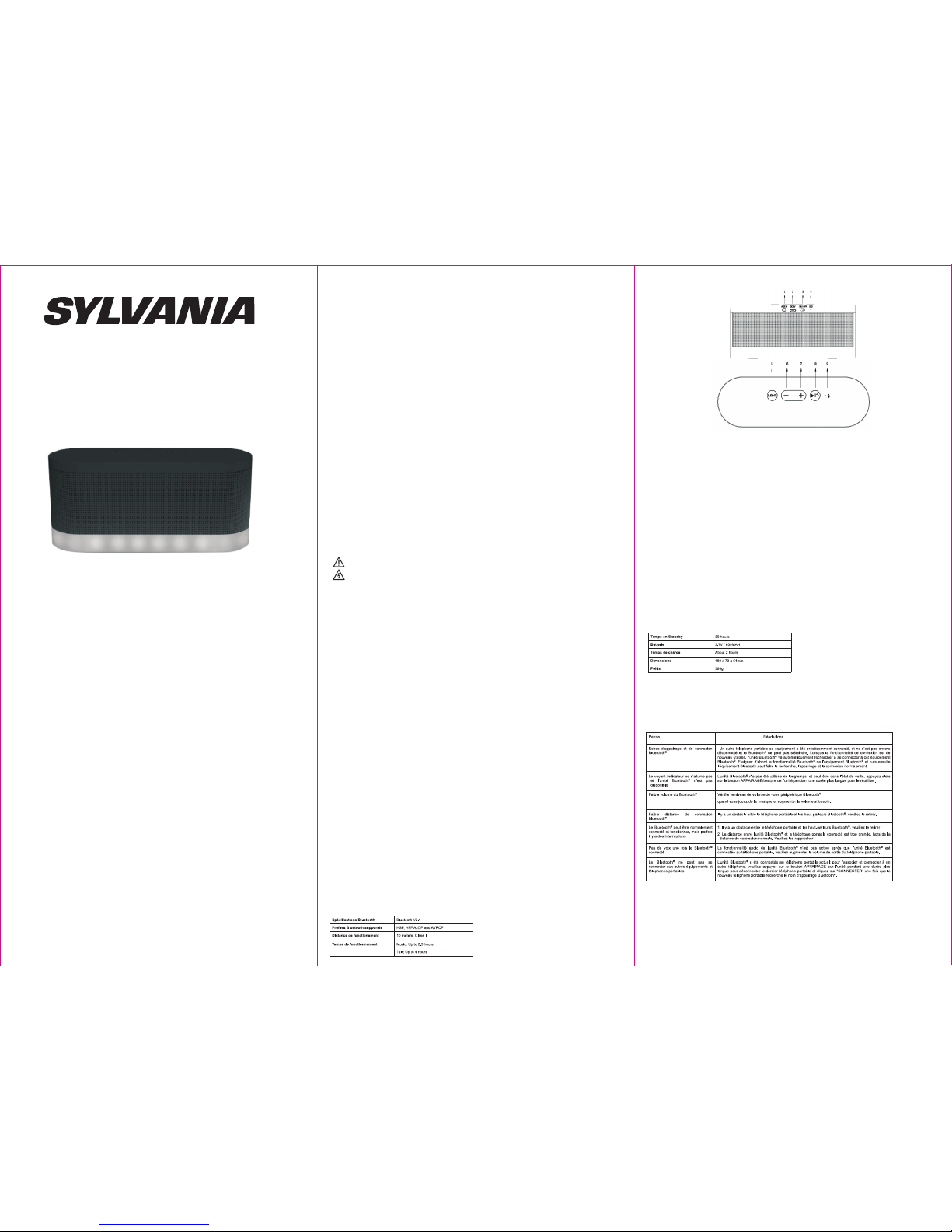
Haut-parleur sans fil Moonlight
SP136
Manuel d'utilisation
é
é
1. Pr fa ce
Veuil lez lire ce g uide de l' utili sateu r av ant d 'util iser l'ap parei l afi n de fair e une uti lisat ion c orrec te d e
l'ap parei l e t d e toute s s es fonct ions. Veu illez co nserv er ce manue l d ans un endr oit sûr pou r t oute
réfé rence f uture .
D ball age
Veuil lez dé balle r l'un ité dél icate ment e t vous a ssure r que le s acce ssoir es sui vants s ont in clus; r angez les so igneu semen t et évit ez des le s perdr e.
2. Acc essoi res
□ Haut -parl eur mob ile SP1 36: 1 piè ce
□ Guid e de l'ut ilisa teur: 1 p ièce
□ Câbl e de char ge Micr o USB: 1 pi èce
□ Câbl e AUX 3.5m m : 1 pièce
3. Int roduc tion
®
Ce pro duit es t un syst ème aud io Blue tooth pre nant en c harge l a musiq ue stér éo, la fo nctio n
main -libr e pour ré pondr e à des app els, il e st équi pé d'un e techn ologi e de trai temen t de sign al
numé rique , de fonc tionn alité s de rédu ction d e l'éch o et des br uits. I l peut êt re util isé pou r diffé rente s
appl icati ons au bu reau co mme à la ma ison, e tc., et i l peut êt re conn ecté sa ns fil à la p lupar t des aut res
®
équi pemen ts et tél éphon es port ables p osséd ant la fo nctio nnali té Blue tooth pou r des app els mai n-li bre
de hau te qual ité et po ur écou ter de la m usiqu e stéré o.
4.P rc autio ns
®
Tout d' abord merci d'avo ir ach eté le h aut-p arleu r SYLVANI A SP136 Bluet ooth Veui llez v ous ré férer a u
guid e de l'u tilis ateur po ur un e ut ilisa tion corr ecte. Le con tenu indi qué peut êtr e mo difié san s
aver tisse ment pré alabl e p our un meil leur se rvice au fu r e t à me sure que le s p ropri étés du pro duit
chan gent et qu e les fonc tions sont modi fiées . Pou r les perf orman ces s onore s du produ it, n e l'u tilis ez
jama is dans d es endr oits tr op froi ds, tro p chaud s ou sale s ou humi des, et e n parti culie r :
1. Dans d es cond ition s humid es ou sou s l'eau
2. À prox imité d u chauf fage ou d 'appa reils d égage ant de la c haleu r
3. Sous l e solei l
4. Dans d es endr oits pr opice s à une chu te
5. Ne dém ontez j amais l 'ense mble au dio; si non cel a peut an nuler l a garan tie
Aver tisse ments
1.Veu illez v érifi er que l a tensi on d'al iment ation s oit la m ême que c elle sp écifi ée sur
l'ad aptat eur d'a limen tatio n de cett e unité .
é
é
é
é
é
é
5. Int roduc tion au p annea u et fonc tions d e l'app areil
1. Ent rée jac k 3.5mm
2. Por t de char ge Micr o USB
3. Int errup teur On /Off
4. Ind icate ur LED
5. Bou ton Lig th: all umer/ étein dre les L ED
6. Vol – ke y: dimi nuer le v olume – Al ler à la pl ace pré céden te
7. Vol + ke y: augm enter l e volum e-- Alle r à la plac e suiva nte
8. Bo uton m ulti- fonct ions( MFB): Lectu re/Pa use/ R épond re à un appel / Termine r un ap pel / Rejet er un
appe l / Recom poser l e derni er numé ro
9. Trou p our le Mi croph one
ALLU MER / ETE INDRE L E HEUT-PA RLEUR
Plac er l 'inte rrupt eur O N/OFF sit ué à l'ar rière du haut- parle ur e n pos ition ON. Vous ente ndrez un bip
sono re du haut- parle ur et le clign oteme nt rapid e d u v oyant lu mineu x b leu indi quera un dé marra ge
réus si. Af in d' écono miser l'én ergie , mett re l' inter rupte ur en posit ion O FF lo rsque le ha ut-pa rleur n'es t
pas en c ours d' utili satio n.
BOUT ON LIGH T
Vous pouve z déc ider d'all umer ou pa s les LED à la b ase d e l'e ncein te av ec le bouto n LIG HT si tué e n
haut d u haut- parle ur.
VOYAN T INDIC ATEUR LED ( SITUE P RES DE L' INTER RUPTE UR ON/O FF):
®
BLEU : Le voy ant ind icate ur à LED b leu cl ignot era rap ideme nt dur ant la co nnexi on Blu etoot h et
l'ap paira ge et cli gnote ra lent ement a près un e conne xion et a ppair age réu ssis.
ROUG E: le voyan t ind icate ur à LE D rou ge est allu mé pen dant q ue la batte rie e st en charg e. Il s 'étei nt
lors que la ba tteri e est com plète ment ch argée .
Mode d e charg e:
Conn ectez u ne extr émité d u câble m icro U SB four ni avec l e produ it à une ex trémi té libr e de port U SB de
votr e ord inate ur ou à un c harge ur sec teur USB (n on in clus) , et l 'autr e extr émité au po rt 5V DC si tué à
l'ar rière d e l'app areil p our le ch arger. L a LED rou ge indi catri ce de cha rge va s' allum er.
Rema rques :
A. L orsqu e une extr émité du c âble M icro USB e st co nnect ée à l'ord inate ur (o u adap tateu r sec teur) à
tout momen t et da ns n'im porte quel é tat de f oncti onnem ent et que l' autre e xtrém ité es t bran chée au
port 5 V DC du pro duit, l a batte rie au li thium s e charg era.
B. C ela p rend envir on 3 heure s pou r que la b atter ie au lithi um so it co mplèt ement char gée. Le vo yant
indi cateu r à LED rou ge s'ét eint un e fois la b atter ie plei ne.
C. U n adap tateu r sect eur s tanda rd de s ortie 5V DC (non incl us) pe ut êt re uti lisé p our ch arger
norm aleme nt l'un ité.
D. Lor sque la b atter ie est f aible , le haut -parl eur éme ttra un b ip sono re. Lor sque ce la se pro duit, v euill ez
char ger le ha ut-pa rleur.
6. Ins truct ions d' utili satio n
Jume ler le ha ut-pa rleur av ec des pé riphé rique s Bluet ooth
Mett ez en mar che l'a ppare il. Pla cez le ha ut-pa rleur e t le péri phéri que Blu etoot h (télé phone o u autre
lect eur mus ique) d e sorte q u'ils n e soien t pas élo ignés d e plus de 1 m ètre l' un de l'a utre.
Si auc un appa reil n' est act uelle ment ju melé av ec le hau t-par leur ou s i vous so uhait ez asso cier un
nouv eau pér iphér ique av ec votr e haut- parle ur, veui llez su ivre ce s étape s.
Acti vez la fo nctio n Bluet ooth su r votre p ériph ériqu e Bluet ooth (t éléph one mob ile, ta blett e ou PC).
Veuil lez vou s référ er aux in struc tions d u fabri cant po ur obte nir des i nstru ction s sur l'a ctiva tion de
Blue tooth s ur votr e appar eil.
Une fo is que vo us avez a ctivé l e Bluet ooth su r votre a ppare il, sél ectio nnez l' appar eil " Syl vania S P136"
dans l a liste P ériph ériqu es Blue tooth d ispon ibles .
Si néc essai re, ent rez le mo t de pass e '0000 ' pour co nfirm er la fin alisa tion de l 'appa rieme nt.
Une fo is jume lé avec s uccès , vous en tendr ez un bip d e confi rmati on et la lu mière b leue va c ligno ter une
fois t outes l es 3 seco ndes. Vo us pouv ez comm encer à p rofit er de vot re musi que sur l e haut- parle ur.
Le hau t-par leur se s ouvie ndra de c e dispo sitif e t se lier a autom atiqu ement l orsqu e le Blue tooth d e
l'ap parei l sera ac tivé et d ans le vo isina ge du hau t-par leur. Vou s n'ave z pas bes oin de ré -asso cier de s
péri phéri ques co nnect és préc édemm ent.
Si vou s souha itez le j umele r avec un n ouvel a ppare il veui llez fa ire une p ressi on long ue sur le b outon
MFB ju squ'à c e que le vo yant bl eu clig note ra pidem ent et su ivez le s étape s décri tes ci- dessu s.
Si le ha ut-pa rleur n e peut pa s s'ass ocier a vec un no uveau p ériph ériqu e penda nt envi ron 2,5 m inute s,
étei gnez le h aut-p arleu r et redé marre z l'ass ociat ion.
Conn exion a vec le câ ble AUX
Vous po uvez ég aleme nt bran cher n' impor te quel a ppare il avec u ne pris e casqu e à l'aid e du câbl e audio
3,5 mm ( inclu s). Bra nchez c e câble à l a prise c asque d e votre a ppare il et à l'e ntrée AU X sur le ha ut-
parl eur.
Lect ure de la m usiqu e
Une fo is que le h aut-p arleu r est jum elé ave c votre a ppare il, vou s pouve z écout er de la mu sique s ans fil
sur le h aut-p arleu r. Sélec tionn ez la pis te que vo us souh aitez é coute r sur vot re appa reil et e lle ser a
diff usée à vo tre hau t-par leur. Si v ous ren contr ez des pr oblèm es lors d e la diff usion v euill ez vous r éfére r
au mod e d'emp loi de vo tre lec teur de m usiqu e pour pl us d'in forma tions .
Cont rôle du v olume
Pres sion c ourte une ou plusi eurs f ois su r la to uche V OL- / P récéd ent ou V OL + / suiva nt pour régle r le
volu me vers l e nivea u souha ité. Lo rsque v olume m aximu m est att eint, v ous ent endre z un bip.
Rema rque: Vo us pouv ez égal ement r égler l e volum e à parti r de votr e lecte ur de mus ique Bl uetoo th.
Lect ure / Pau se
Appu yez s ur le bouto n Lec ture / Pau se pou r met tre e n pau se la musiq ue. P our re prend re la musi que,
appu yez à nou veau su r ce bout on.
Chan ger de ch anson ( with de vices t hat hav e AVRCP Blu etoot h® prof ile)
Appu yez et ma inten ez enfo ncé le bo uton Su ivant p our pas ser à la ch anson s uivan te.
Appu yez et ma inten ez enfo ncé le bo uton Pr écéde nt pour a ller à la c hanso n précé dente .
Appe l t l phoni que ave c le haut -parl eur
Op rat ions de b ase
Appe l entra nt:
Pres sion co urte su r le bout on MFB po ur pren dre d'a ppel
Deux p ressi ons cou rtes su r le bout on MFB po ur reje ter l'a ppel
Pend ant un ap pel: Pr essio n court e sur le bo uton MF B pour te rmine r l'app el
En mo de Stan dby et c onnec té à un té lépho ne: Deu x press ions c ourte s sur le b outon M FB pour rappe ler
le der nier nu méro.
Note
Tous les t éléph ones po rtabl es ne pre nnent p as en cha rge tou tes les f oncti ons énu mérée s ci-de ssus.
Veuil lez réf érer au m anuel d e l'uti lisat eur de vo tre tél éphon e porta ble pou r de plus a mples
info rmati ons.
7. App areil s mobil es supp ort s
En théori e, ce t ha ut-parl eur est c ompati ble a vec tous les équipem ents Blueto oth qui o nt u ne fo nction
lectu re musiqu e tels que les sm artphon es, table ttes, ordi nateur s équipés de la te chnolo gie Blueto oth, etc.
8. Pri ncipa ux para m tres te chniq ues
Sp cif icati ons
Rema rque: l'aut onomi e de la bat terie et le tem ps de ch arge pe ut vari er en fo nctio n de l'ut ilisa tion e t des
type s d'app areil s utili sés.
Le des ign du pr oduit e t les car actér istiq ues peu vent êt re modi fiés sa ns aver tisse ment pr éalab le!
9. D pan nages d es pann es simp les
Rema rque: Lo rsque l'a ppare il n e f oncti onne pas norm aleme nt après avo ir s uivi ces ins truct ions de
dépa nnage , ve uille z con sulte r un tec hnici en pr ofess ionne l ou le servi ce ap rès-v ente pour obte nir de
l'ai de!
è
é
1 2
3
4
5
La pho togra phie es t uniqu ement f ourni e en tant q ue réfé rence . Veuill ez vous r éfére r à l'uni té réel le!
 Loading...