

Page 1
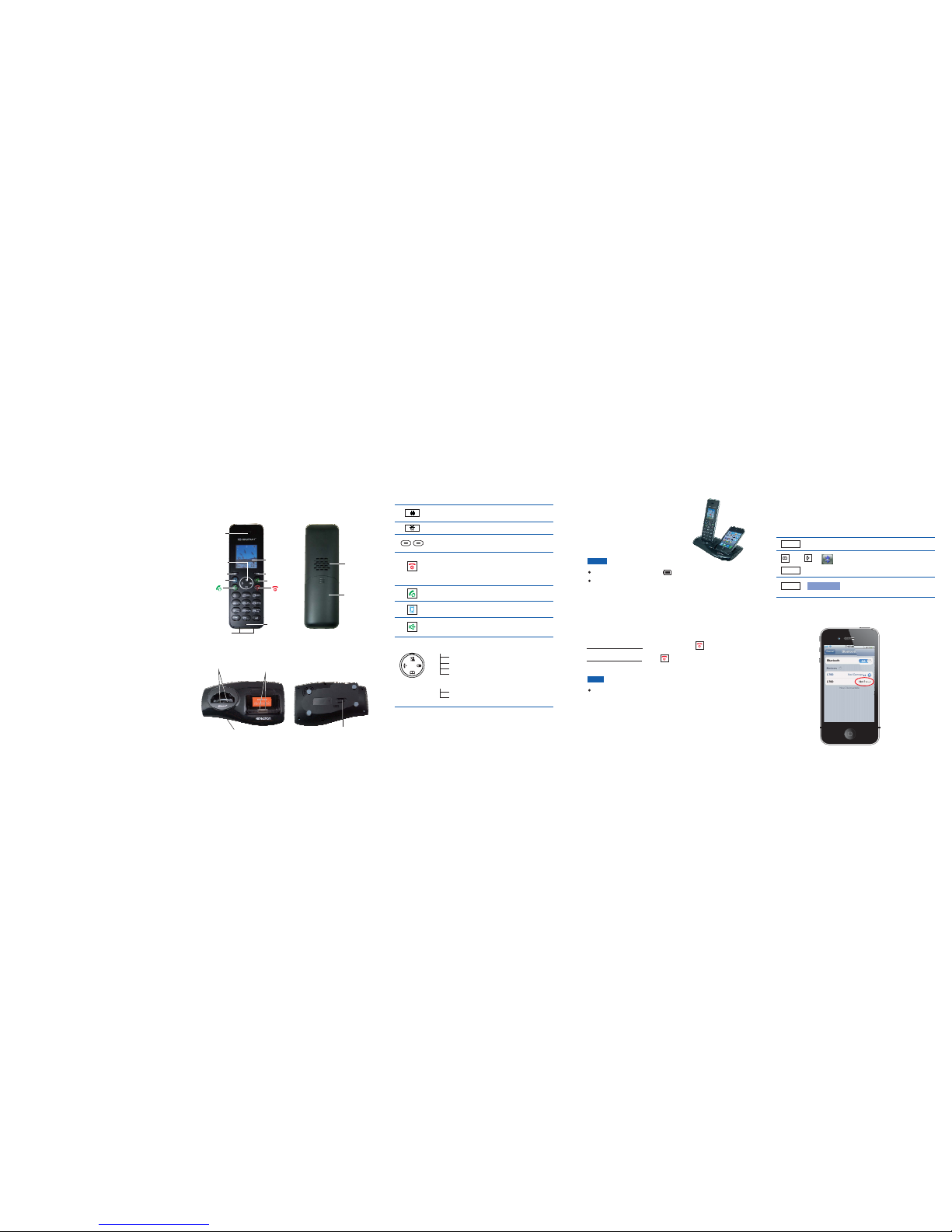
The Phone Layout
Handset
Base
i-700
Quick Guide
Key Functions
Press to enter # or to switch between upper case and
lower case letters in the English mode.
Press to scroll up or down when browsing menus.
In standby mode:
Left: Press to place an internal call.
Right: Press to review outgoing calls list.
Up: Press to view incoming calls list.
Down: Press to review contacts.
During use:
Up: Increases earpiece volume.
Down: Decreases earpiece volume.
Select keys: Press to perform the function listed above
the key.
Press to turn on the phone. If you press and hold, the
phone turns off. While navigating through menus,
briefly press it to cancel your input and return to the
main screen. During a call, briefly press it to end the
call.
Press to place and answer landline calls.
Press to place and answer iPhone calls.
Press to activate the speakerphone for handsfree
operation during a call.
Press and hold to turn on or off the keypad lock function.
Bluetooth LED
Charging cradle
(for DECT)
Charging
(for iPhone)
cradle
Paging key
(Find Handset)
Loudspeaker
Battery
compartment
cover
Earpiece
Microphone
Charging pins
LCD Screen
(1.8 inches)
Navigation
keys
Select key
Back key
iPhone key
Speaker key
Charging
Before initial operation, fully charge the
DECT phone for 15 hours or more.
To charge the DECT phone or iPhone,
simply place it on the base.
When charging, the bars in scroll.
You can adjust the visual angle of the iPhone according to
your needs (from 30 degrees to 75 degrees).
Nothing appears on the screen when the battery power is
very low. Fully charge the handset before use.
Note:
DECT Phone & iPhone
Turning On or Off the Phone
Notes:
When you place the handset (DECT phone) on the base, it
automatically turns on.
(when it's off), press .
, press until " " appears.
To turn on the handset
To turn off the handset Goodbye!
Bluetooth
Pairing with an iPhone
Turn on the Bluetooth feature of your iPhone. For example, for
an iPhone4, click , , and , then
the iPhone searches for available devices.
Settings General Bluetooth OFF
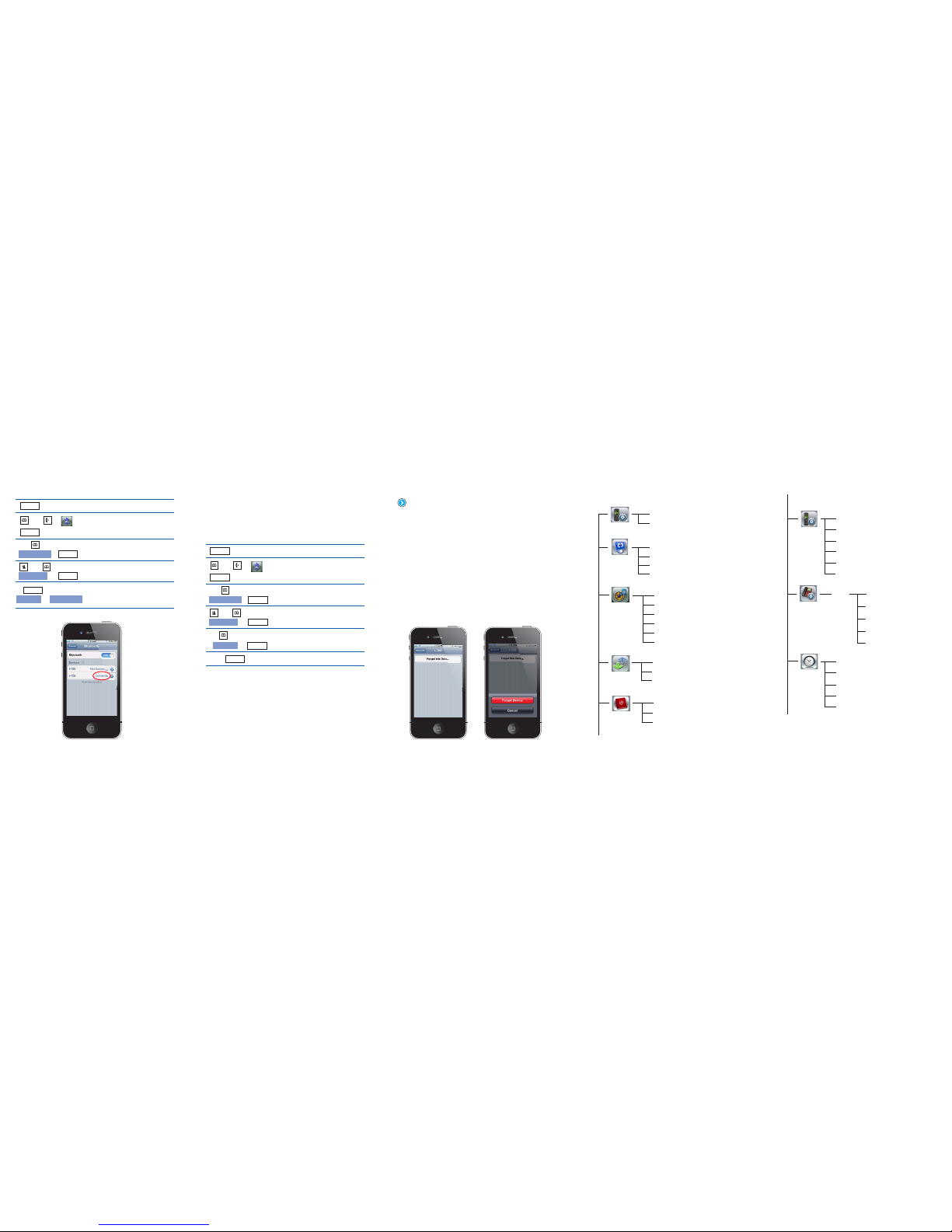
When the iPhone finds i-700, click to connect it
with the base. When the iPhone is successfully connected,
displays.
Not Paired
Connected
Bluetooth
Menu
Open the menu.
Select the menu.
The LCD shows , and
the Bluetooth LED flashes.
Bluetooth
Please wait...
And ,
Select
Select
Add device
,
Page 2
View
New number
Speed dial
Contacts
Connecting to or Disconnecting from an iPhone
Bluetooth
Menu
Open the menu.
Select the menu.Bluetooth
Click , , ,
then the iPhone searches for
available devices.
Settings General Bluetooth
The display shows all devices that
have been paired before.
Choose the desired device.
And ,
Select
Select
Select
Select
Device list
,
,
Or
And ,
iPhone
Connect Disconnect
Once the iPhone finds , click /
to connect/disconnect it with the base. When the iPhone is
successfully connected /disconnected, /
appears.
i-700 Not Connected Connected
Connected Not
Connected
Removing a Paired iPhone
Bluetooth
Menu
Open the menu.
Select the menu.Bluetooth
The display shows.Remove ?
iPhone
Choose the device that you want to
remove.
The display shows all devices that
have been paired before.
A confirm tone occurs.
And ,
Select
Select
Select
Select
Select
Device list
,
,
,
And ,
iPhone
Remove
To delete the DECT Bluetooth information in your iPhone, click
on the right side of , then click .
appears. Click it to delete.
i-700 Forget this Device
Forget Device
Menu Structure
Contrast
Add device
Wallpaper
Device list
Background
Handset name
Cell ringtone
INT ringtone
PSTN ringtone
Key tone
Power off tone
Display
Bluetooth
Sound
Charging tone
Call logs
Missed calls
Answered calls
Dialed calls
Handset
Flash time
Dial mode
Release handset
Change PIN
Base reset
PIN:
(1590)
PIN code
Set Clock
Register
Date format
Select base
Time format
Reset handset
Alarm
Sleep mode
Auto answer
Language
Base
Date and time
 Loading...