

Page 1
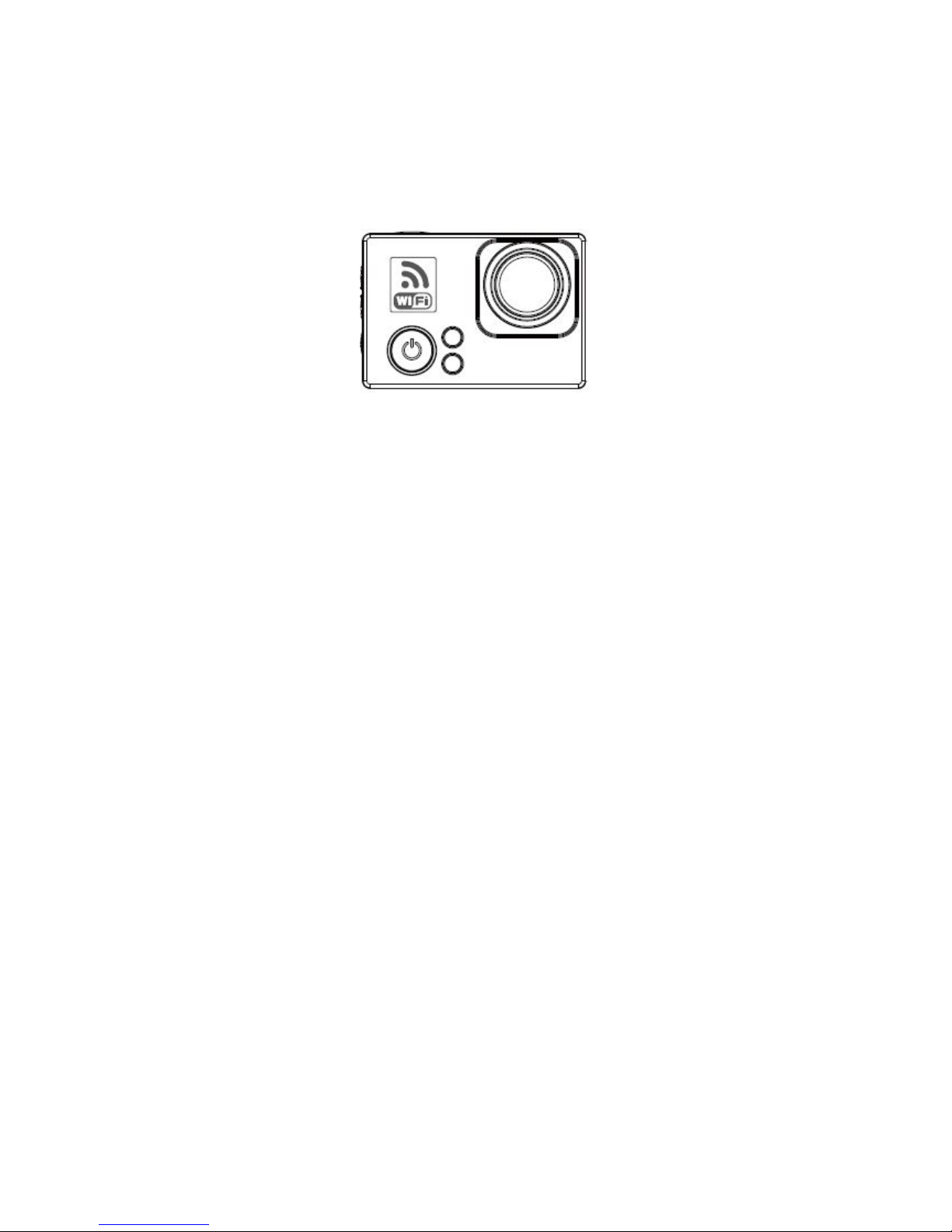
ZERO CAMERA USER MANUAL
1. Main Features
960x 240, 2 inch TFT LCD Screen
16MP Panasonic Full HD CMOS Sensor
166〫 7G Full Glass wide angle lens
Full HD 1080p H.264 Video Codec, MOV video format
Continuously recording without “Leakage seconds”
Loop record automatically, Footage Time Length settable
Support taking picture
Video/Audio playback
Support 1GB~64GB Class 10 SDHC or higher speed
High speed USB2.0 data transfer and power charge
USB and RCA video output optional
Support HDMI1.4 HD output
Support CVBS AV output
Support WIFI 802.11 b/g/n wireless control
Optional Resolution & Frame Rates: Optional Image Resolution:
16:9 1920x1080 60fps 4608 x 3456 16MP/Piece
4:3 1600x1200 60fps 4608 x 3072 14MP/Piece
16:9 1280 x 960p 60fps 4608 x 2592 12MP/Piece
16:9 1280 x 720p 120fps
4:3 848 x 480 240fps
Page 2
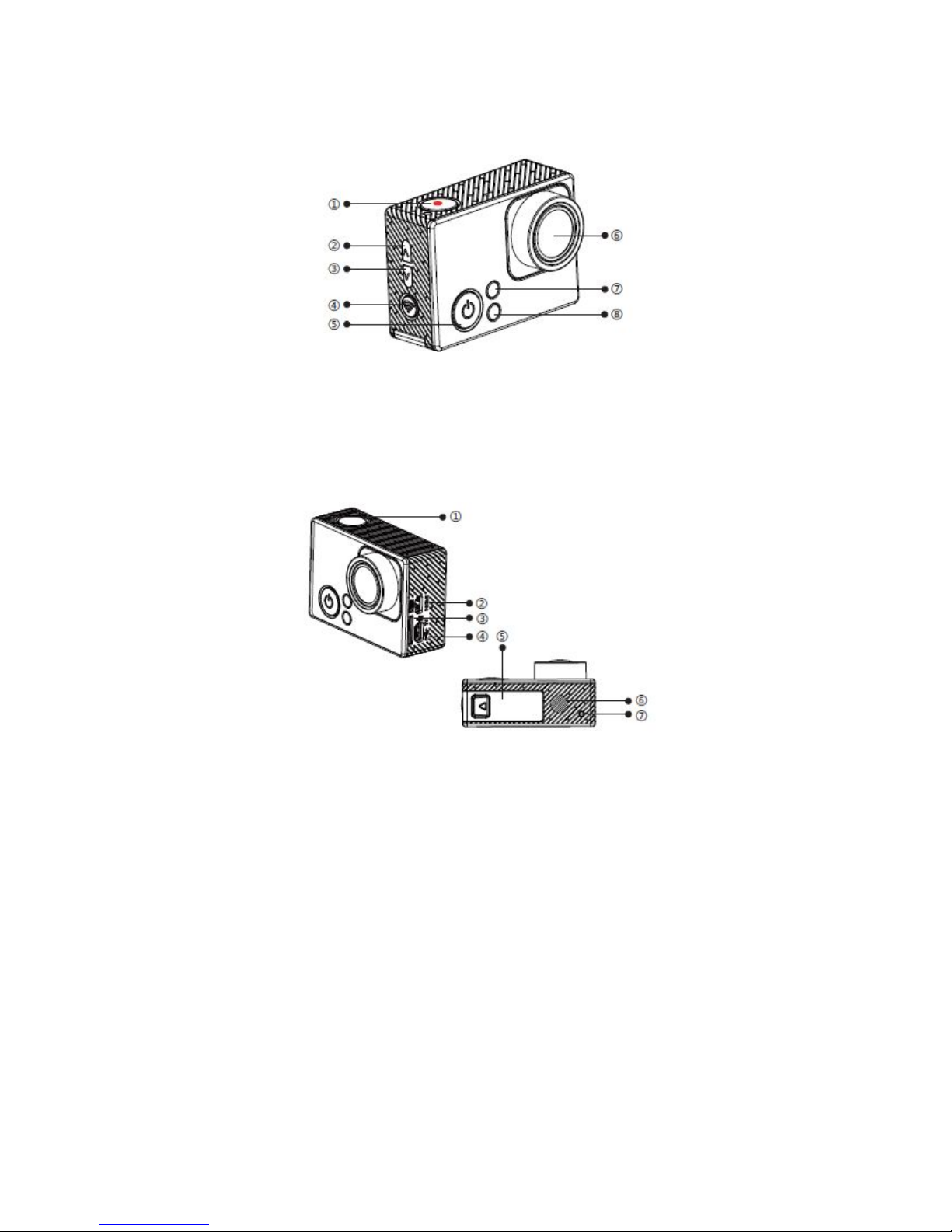
2. Buttons
REC / Confirm
Mode / Power
UP ⑥Lens
DOWN ⑦WIFI / REC indicator
WIFI / Function ⑧Power indicator
① REC indicator ⑤ Battery house
② HDMI output ⑥ Speaker
③ TF slot ⑦ REC indicator
④ USB slot
Note:The video recording might be interrupted or not functional if the using SD card is
not original.
3. Power Charge
Capable to charge the camera via power adapter or PC.
Recommend to use 5V/1.2A power source.
Page 3
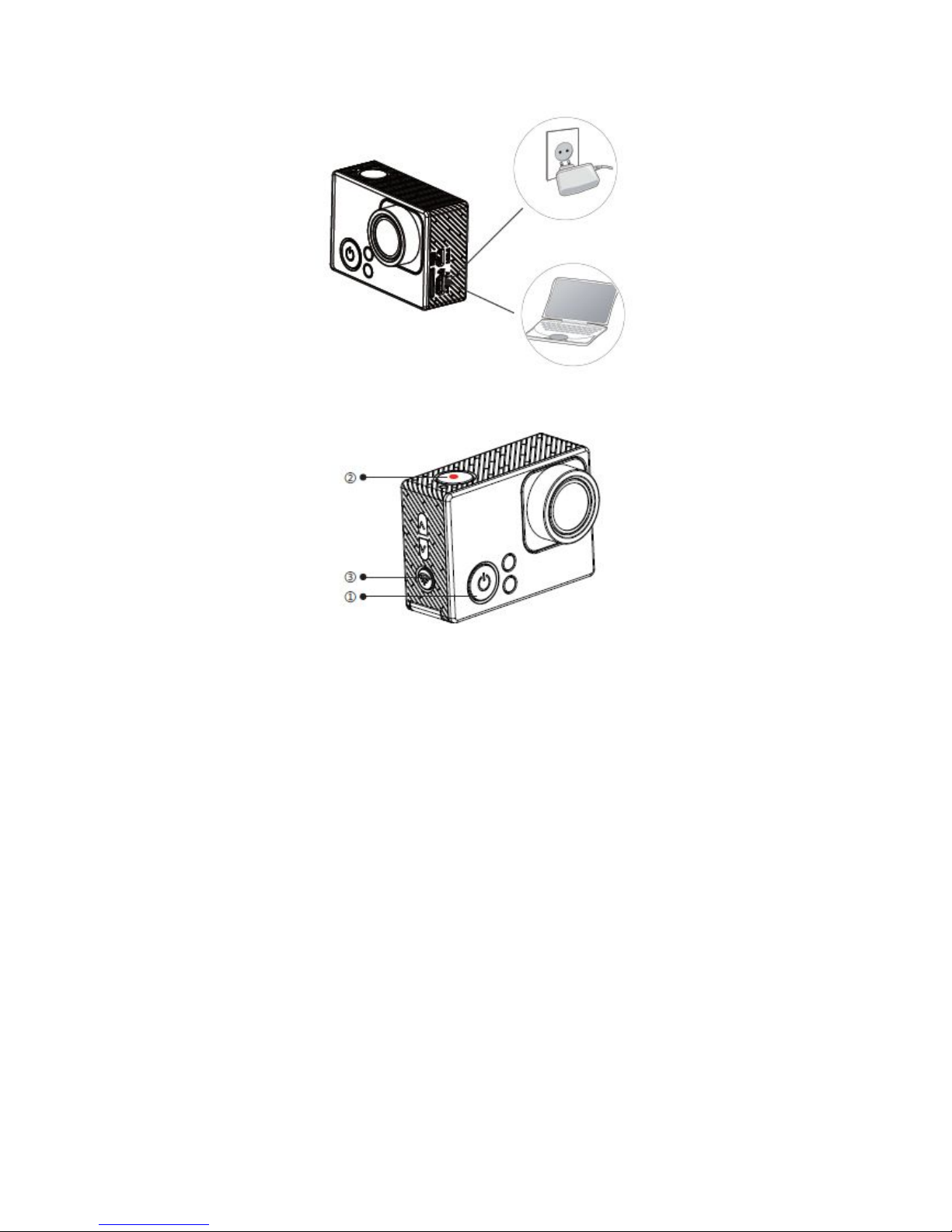
4. Basic Instruction
1) . Power ON/OFF, Mode Switch 2) . REC/Taking Picture, Confirm
Power ON: Press & Hold REC: Single press under REC Mode
Power OFF: Press & Hold Taking Picture: Single press under Picture Mode
Single Press: Switching Mode Confirm: Single press to save settings
3) . ON/OFF WiFi
Turn ON WiFi:Single Press the Wi-Fi switch button, Blue indicator will turn on if operate
successfully.
Turn OFF WiFi:Single Press the Wi-Fi switch button, Blue indicator will turn off if operate
successfully.
4) . REC/WiFi Indicator
REC:Red indicator flash during video recording
WiFi:Blue indicator keep light if WiFi turned ON
5) . Power Indicator
Power ON:Red indicator keep light after power on
Power Charge:Red indicator keep light while charging, it will turn off after fully charged.
Page 4
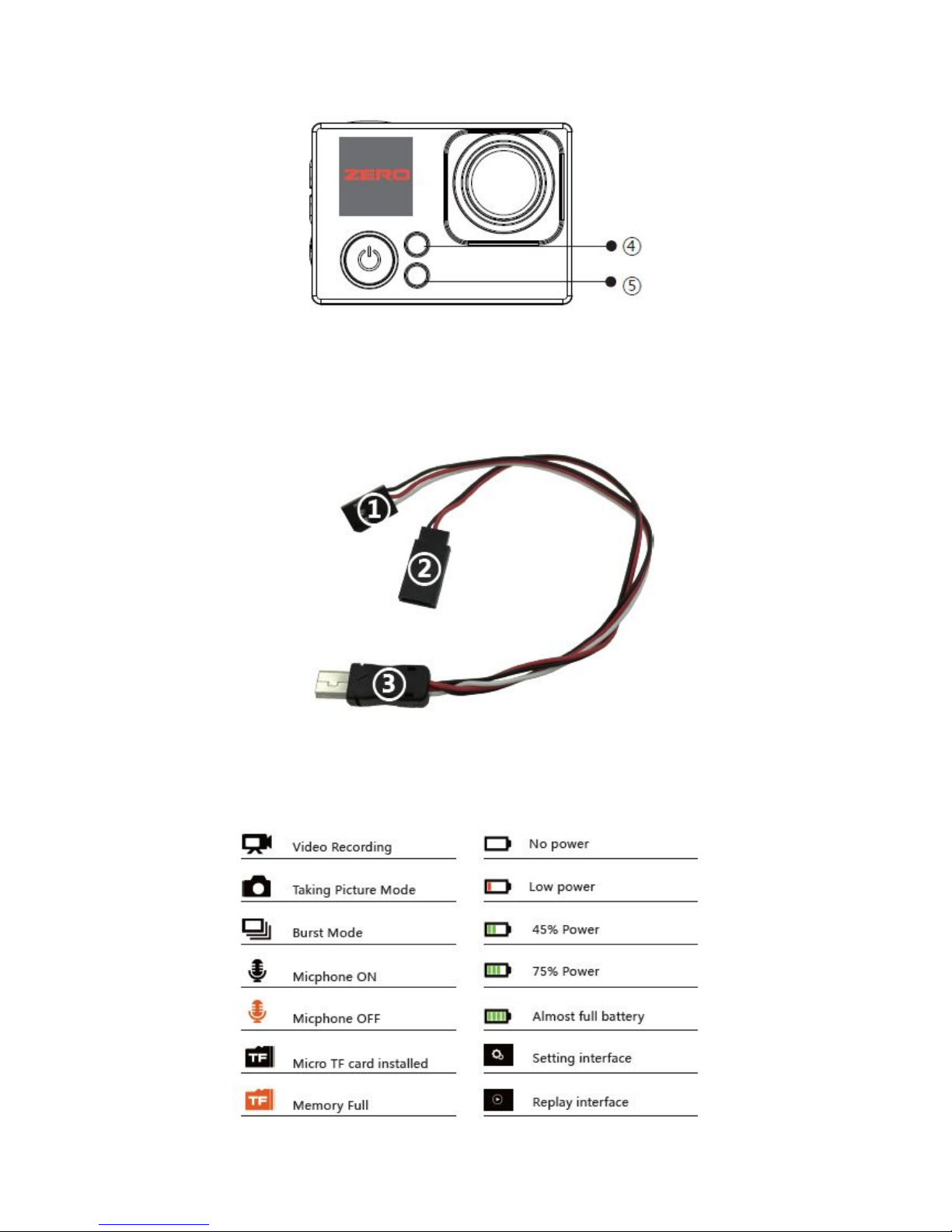
5. Definition of Photography functional cable①
③
Black: GND
①Red: Signal ② Black: GND ③ Connection port to ZERO Camera
White: AV Out Red: DC 5V Input
Note:The Input voltage is DC 5V for ZERO Camera.
6. Screen Icons
Page 5
7. Standard Accessories
FPV Edition Camera Unit 1 Piece USB cable 1 Piece
User Manual 1 Piece FPV cable 1 Piece
Sport Edition Camera Unit 1 Piece USB cable 1 Piece
User Manual 1 Piece FPV cable 1 Piece
Gopro Dive Case 1 set Accessory Kit 1 set
Attention: Camera will lost warranty if waterlogged or disassembled.
Please read the user manual carefully before operation, this user manual might not be the
newest, please contact us if any questions.
SwellPro Team
MOOGU (SHENZHEN) TECHNOLOGY CO. LTD.
Tel: +86-755-86622175
Email: [email protected]
Website: www.swellpro.com | www.fpvfactory.com
 Loading...