

Page 1
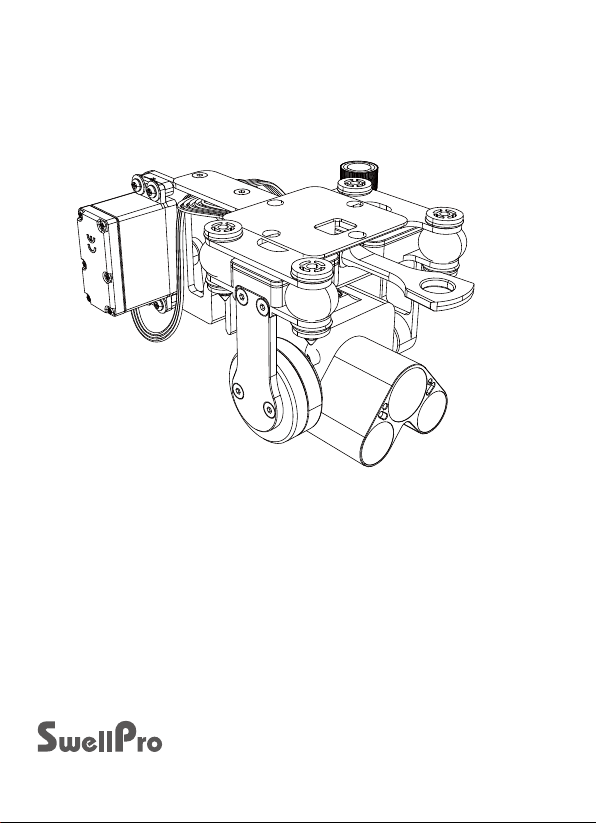
PL4-HS User Manual V1.1
PL4-HS – Low light payload release for SplashDrone 3+. For low-light and night-time payload
release, the PL4 utilizes a high-sensitivity sensor and dual LED spotlights to return colour HD
images in near darkness. Get live as well as recorded video footage from the drone and
accurately locate your target zone at night before remotely dropping your baits. Add the
optional burley dry chum release system takes your night fishing to the next level.
www.swellpro.com
Page 2

Contents
Installation
Operation
Gimbal Camera Control
Payload Release Control
Camera
Install Micro SD Card
Button Indication
Camera Display
03
04
04
04
04
04
05
05
Page 3
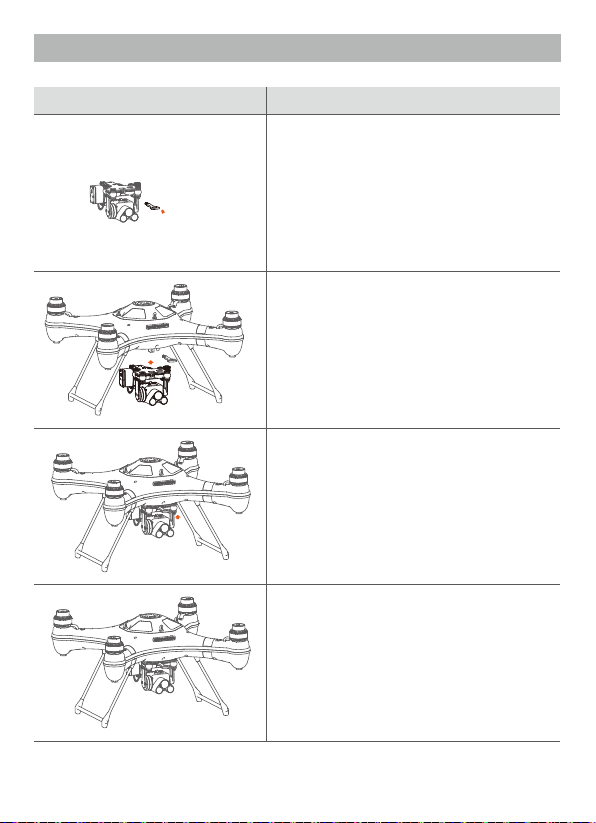
1. Installation
Illustration
Description
1. Remove the quick-release screw from the
mounting plate.
2. Mount the gimbal, with the camera facing
the front of the drone onto the quick release
plate and secure it with the quick-release
screw.
3. Insert the data cable connector into the
socket in the correct direction, and tighten the
waterproof ring.
4. Installation complete.
-3-
Page 4
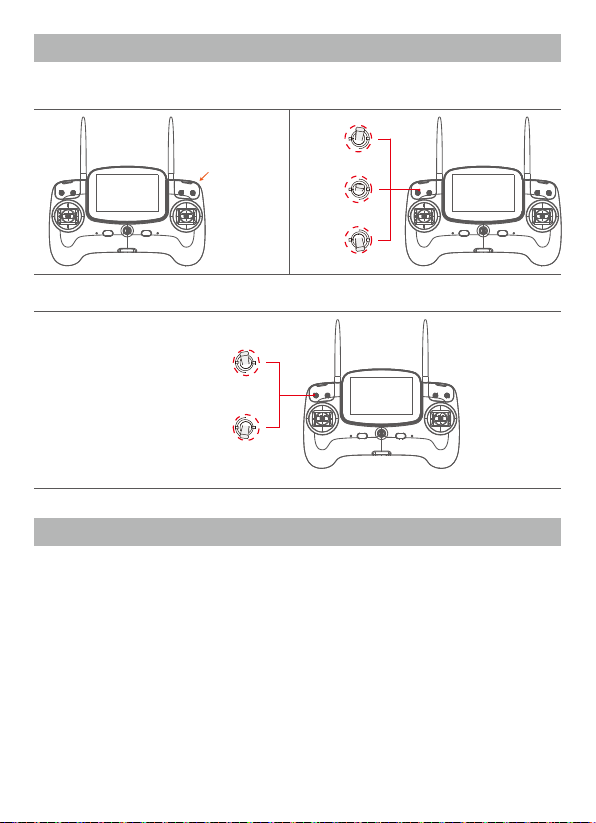
2. Remote Control
Gimbal and camera control
Tilt Control
Payload Release Control
OFF
Airdrop
Video
Preview
Photo
3. Camera
PL4 camera comes with a high sensitive sensor and a LED fill light, allows capturing color HD
images even in the dark.
Install Micro SD card
1. Open the soft rubber sealing plug at the top of the camera, install the Micro SD card in
correct direction.
2. Refasten the rubber plug firmly to ensure a good seal.
-4-
Page 5
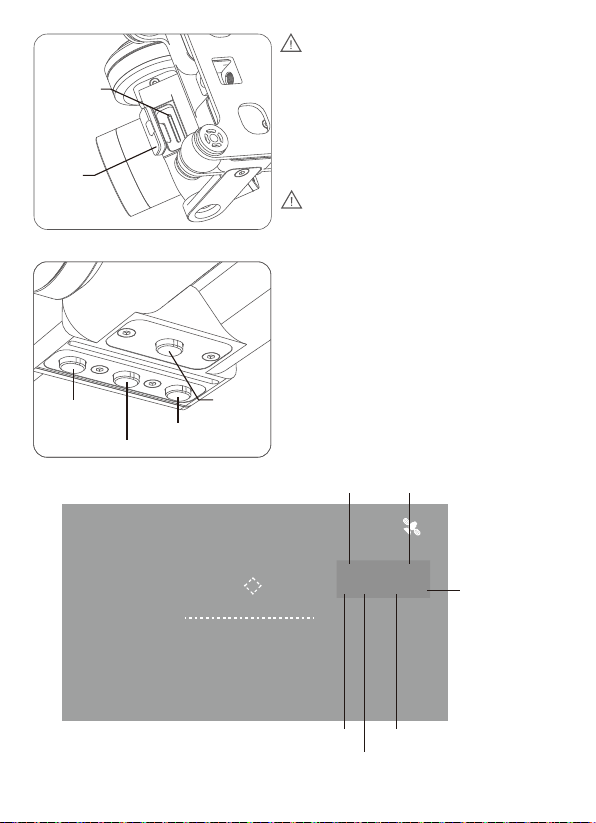
Micro SD
card slot
Rubber
plug
Button operation
N/P format
switching
Photo/photo ratio switching
Fill light
Video/frame rate switching
switch
1. The SwellPro PL4 camera supports Micro
SD cards with a maximum capacity of 64GB.
When selecting a Micro SD card for use
with your camera, for best results always
ensure that the card is rated for 4K video
throughput Class 10 or UHS-1 or better.
2. After installing the SD card, please fasten
the rubber plug firmly to avoid water
damage.
Fill light switch: Short press to turn it ON/OFF
N/P format switching: Long press to switch
NTSC/PAL video format
Photo/photo ratio switching: Short press to take
a photo, long press to switch the photo ratio
16:9/4:3
Video/frame rate switching: Short press to start
recording, long press to switch video frame rate
Camera display
B16.2V
D 0M
H 0M
FS
ATT
P -0.1°
R 3.3°
Recording time
V 0.0M/S
Y 26.8°
2M 064219P
N 16:9 1080P/60
Video format
aspect ratio
-5-
Photos
15
Format rate
0.0
00:07:00
Video resolution
Page 6

3. Version Information
SwellPro products are constantly being improved. Therefore, although the latest version of
this manual may contain information relating to a release of the equipment different from
your own, new information is added constantly which is relevant to ALL customers.
Version Comments
1.0 Pre-release Manual for PL4
1.1 New Manual for PL4
PL4-HS User Manual
2019.03
 Loading...