

Page 1

English version
4
English version
WC050 Sweex Webcam 1.3 Megapixel USB 2.0
Introduction
First of all, many thanks for purchasing this Sweex Webcam 1.3 Megapixel USB 2.0. This webcam enables you to easily video-chat with all your
friends across the world.
To ensure this product operates correctly, we advise you to carefully read this manual first. If despite this manual you still experience problems during
installation or operation of this product, go to www.sweex.com and look under the heading service & support.
In order to fully enjoy the Sweex Webcam 1.3 Megapixel USB 2.0, it is important to observe a number of things:
• Do not expose the Sweex Webcam 1.3 Megapixel USB 2.0 to extreme temperatures. Do not place the device in direct sunlight or in the direct
vicinity of heating elements.
• Do not use the Sweex Webcam 1.3 Megapixel USB 2.0 in extremely dusty or moist surroundings.
• Protect the device against powerful shocks or jolts – they may damage the internal electronics.
• Never attempt to open the device yourself – it will cause the warranty to lapse.
Contents of the box
Prior to using the Sweex Webcam 1.3 Megapixel USB 2.0, check if all required parts are present. The following parts must be present in the box:
• Webcam 1.3 megapixel USB 2.0
• CD-ROM with manual and driver
If one of the above parts is missing, please contact the retail outlet.
Important!
Install the driver prior to connecting the Sweex Webcam 1.3 Megapixel USB 2.0!
Page 2
English version
5
English version
Specifications
• Interface: USB 2.0
• Sensor: 300K CMOS
• Frame frequency: 30 frames per second
• Focus: 30 mm to infinite
• Lens format: 1/5”
• Colour filter: I420
• Video resolutions: 160 x 120, 176 x 144, 320 x 240, 352 x 288 and 640 x 480
• Picture resolutions: 640 x 480, 800 x 600, 1024 x 768 and 1280 x 960 (interpolated from 800 x 600)
• Supports: Windows 2000 and XP
Software installation under Windows 2000 and XP
We advise you to ensure the operating system is up-to-date before starting the installation. This is easy to check by starting up Internet Explorer and
selecting the option “Windows Update” in the “Extra” menu.
Insert the Sweex CD-ROM in the CD-ROM player. The autorun menu will start automatically.
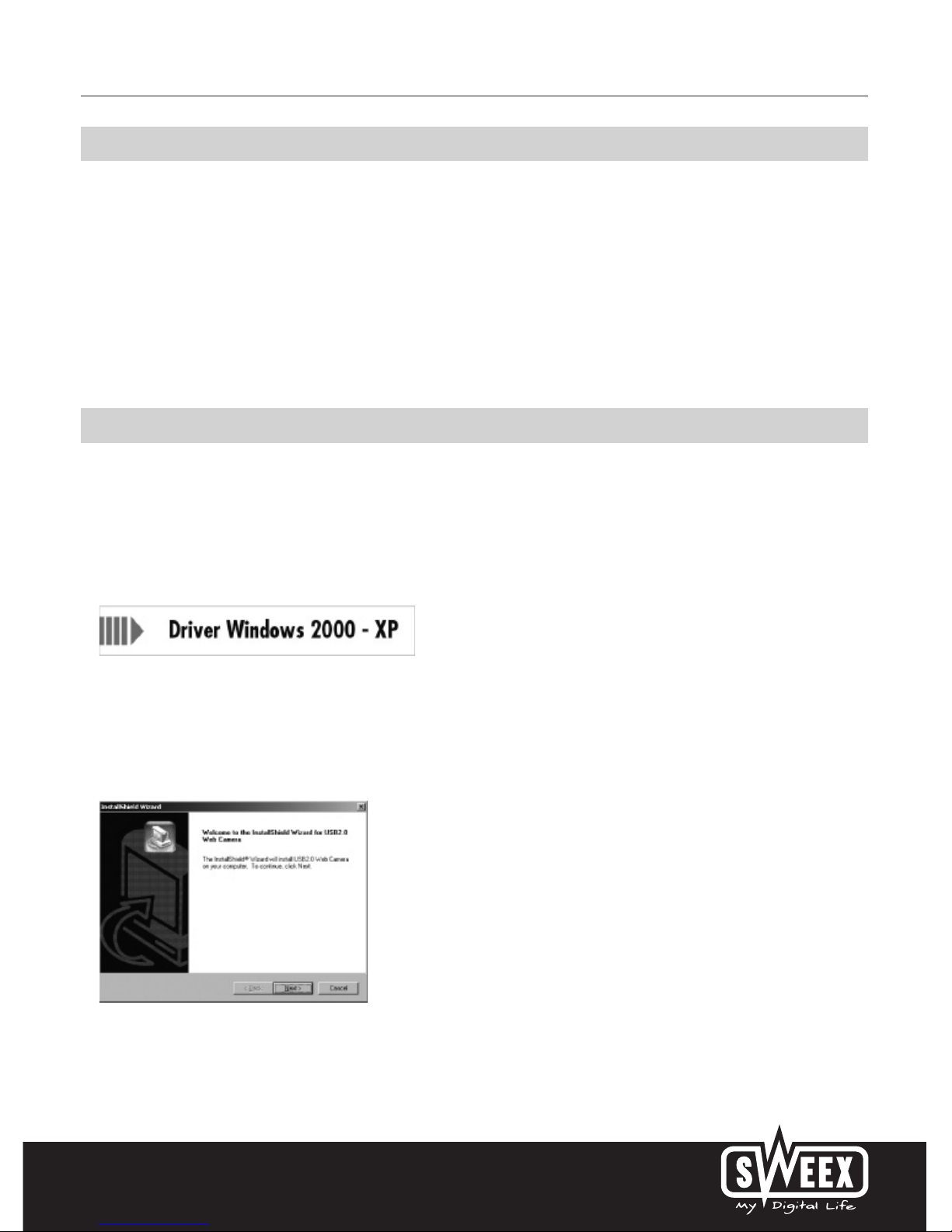
In this menu, select “Drivers Windows 2000 and XP”.
In the event that the autorun menu does not appear, the driver installation process can also be started manually. In order to do this, open “My
computer” and go to X:\driver\ (X being the letter of your CD-ROM drive). Here the ‘Setup.exe’ file will be located, double-click this file and follow
the instructions.
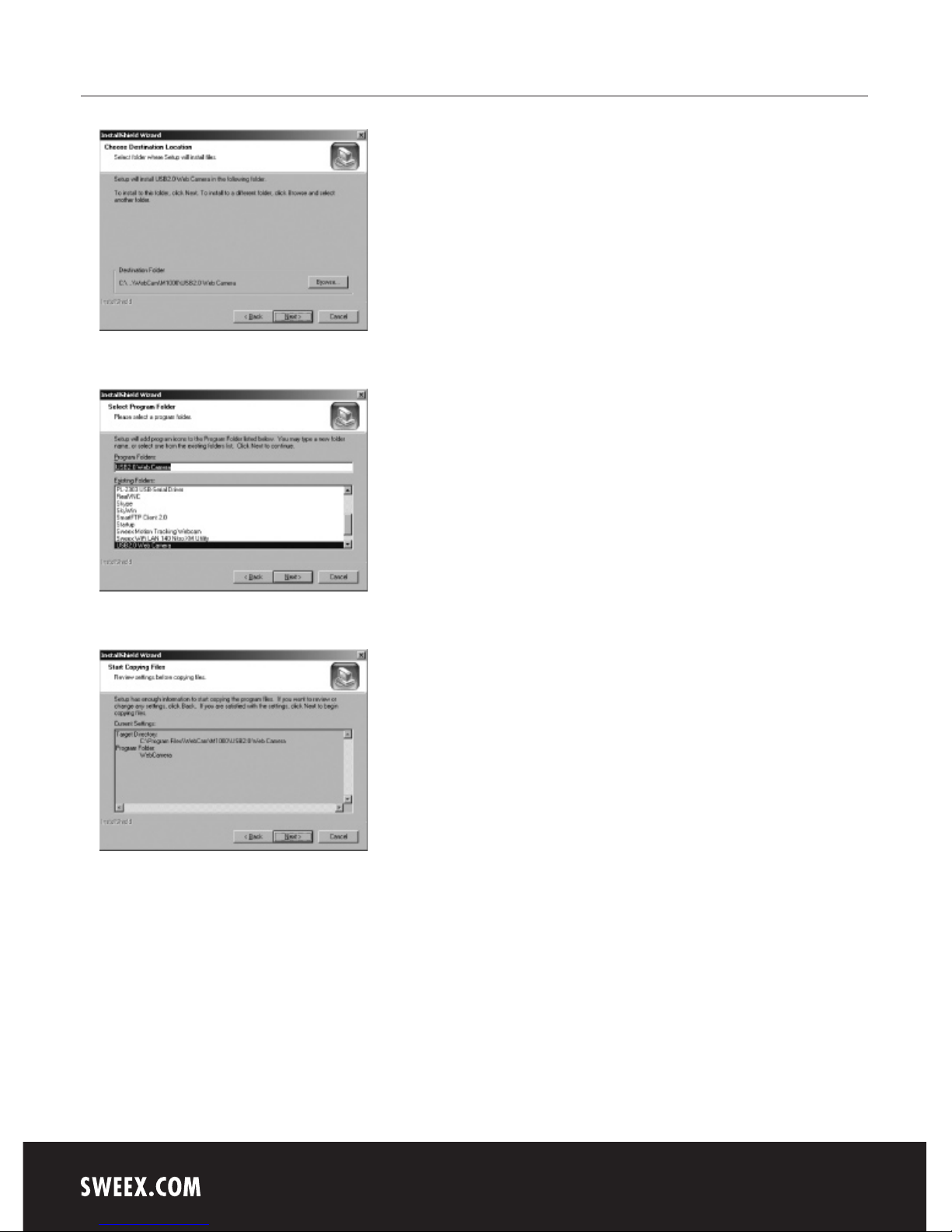
The following screen appears:
Click “Next”.
Page 3
English version
6
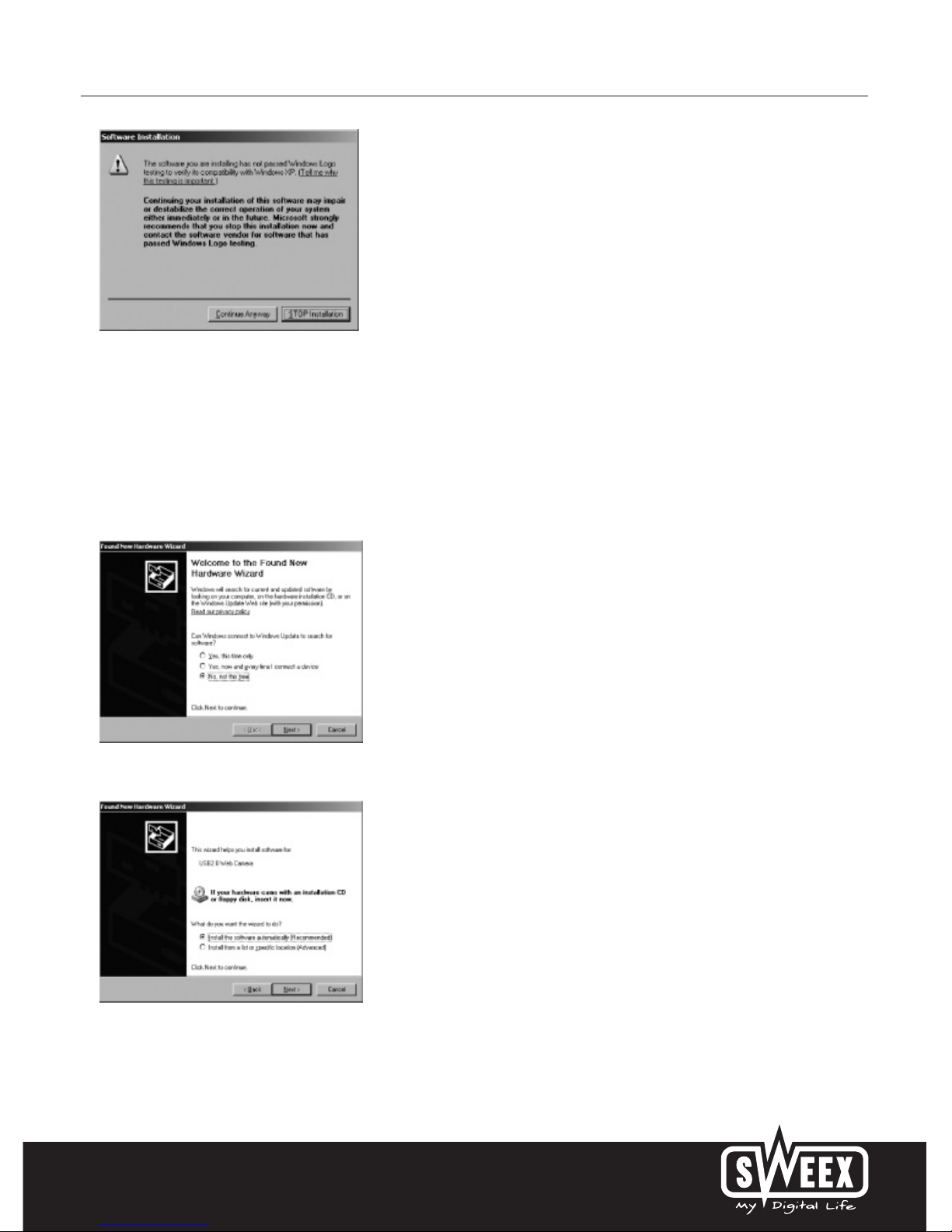
Click “Next”.
Click “Next”.
Click “Next”.
Page 4
English version
7
Windows will note that the driver is not certified. This will not affect the correct functioning of the Sweex Webcam 1.3 Megapixel USB 2.0. All
Sweex products and corresponding drivers are tested extensively. Here select the option “Continue Anyway”.
Click “Finish”.
Now connect the Sweex Webcam 1.3 Megapixel USB 2.0 to the PC or laptop.
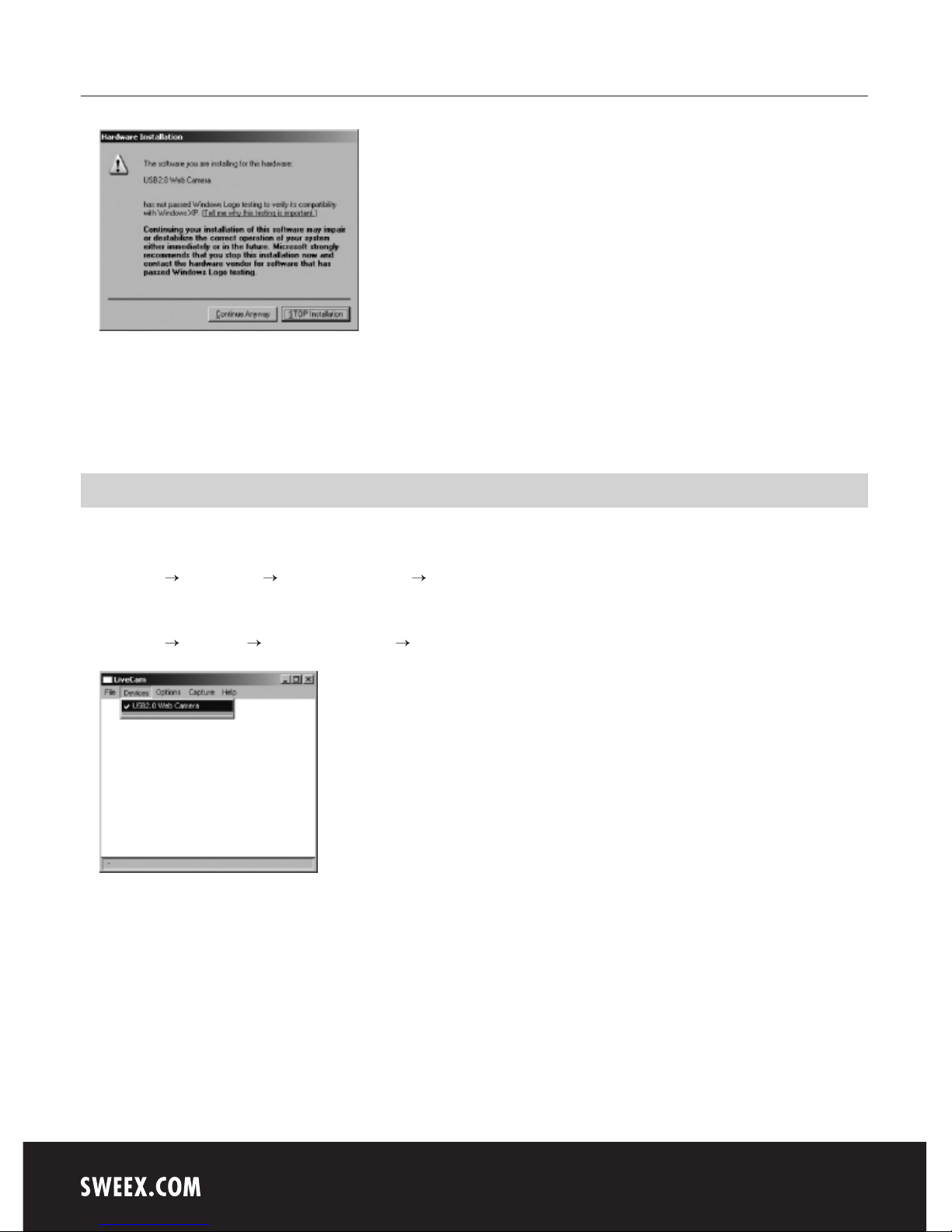
Having restarted the PC, the following screen will appear.
Here select the option “No, not this time” and click “Next”.
In the following screen select the option “Install the software automatically” and click “Next”.
Page 5
English version
8
Windows will note that the driver is not certified. This will not affect the correct functioning of the Sweex Webcam 1.3 Megapixel USB 2.0. All
Sweex products and corresponding drivers are tested extensively. Here select the option “Continue Anyway”.
Finally, click “Finish” (+) to finalise the installation.
Testing the functioning of the webcam
The functioning of the Sweex Webcam 1.3 Megapixel USB 2.0 can be viewed and tested as follows:
Go to START “All Programs” “USB 2.0 Web Camera” “USB 2.0 Web Camera”.
Or, if the Windows classic style is used:
Go to START “Programs” “USB 2.0 Web Camera” “USB 2.0 Web Camera”.
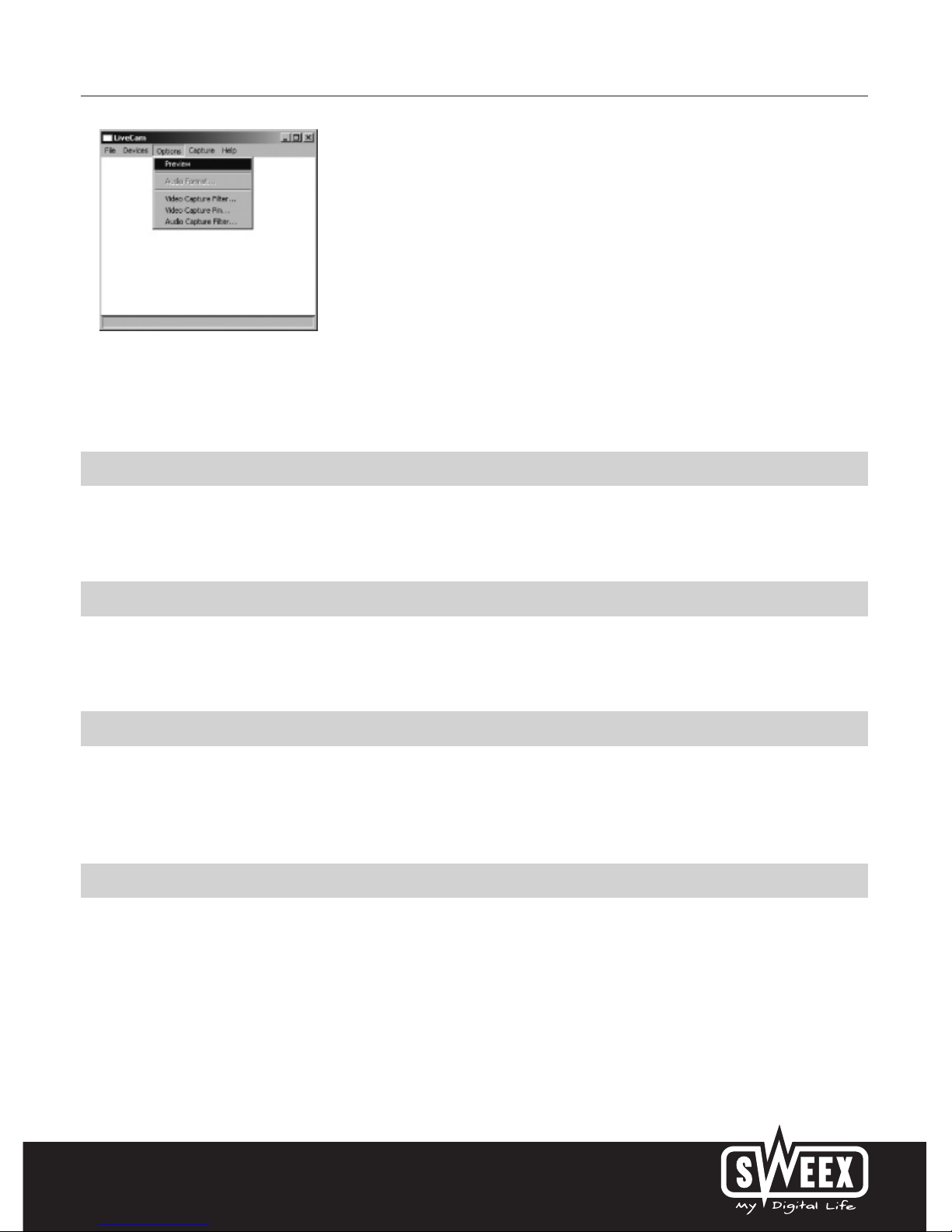
In LiveCam, open the “Devices” menu. Make sure to select the correct webcam: ‘USB 2.0 Web Camera’.
Page 6
English version
9
In LiveCam, open the “Options” menu. Select the “Preview” option. This option enables you to view the picture.
In the same menu, the “Video Capture Filter...” and “Video Capture Pin...” options enable you to change the settings of the webcam.
LED indicator
The Sweex Webcam 1.3 Megapixel USB 2.0 has 1 green LED. This is continuously lit, which means that the webcam has been connected and is
functioning properly.
Focus ring
The picture of the Sweex Webcam 1.3 Megapixel USB 2.0 can be brought into focus manually by means of the focus ring. This can be found at the
front of the camera and can be identified by a black protruding tab. By turning it either to the left or right, the picture can be brought into focus.
SmartCam 2.1
The SmartCam software is an additional application for video mailing and video monitoring and is included with the webcam. You do not need to
install this software if you want to use the webcam with the standard video-chat programmes. Only install SmartCam if you are sure you need the
additional functions. Note! This programme is freeware which means that Sweex will not offer any support for this programme.
Warranty
All products under the Sweex brand are warranted for a period of three years. We do not grant support or warranties for any software and/or
(rechargeable) batteries included. Settlement of guarantee only takes place via the dealer where you have purchased the product in question.
The rightful owner has and retains title to all brand names and related rights mentioned in this manual.
 Loading...