

Page 1

Basic Call Handling
ake an internal call
Make an external call
Receive a call
Hold a call
Retrieve a held call
Transfer a call
Retrieve a call
Further telephone features
Park a call
Retrieve a parked call
3 way conference call
Exit conference
M
Dial '9' and telephone number
Alcatel 4200
Advanced Handset User Guide
Dial extension number
phone and retrieve from another)
Lift receiver or press handsfree key
Press 'Hold' key in display (Call or line key will have
musical note next to it)
Press the key next to the musical note
Dial extension number, announce caller, press
transfer key in display
(If busy or no reply) Press the release key,
followed by the key next to the musical note
(Place a call on hold on 1 Dial 12 (Caller will be on hold)
Lift receiver, dial 12 and extn no. where the call was
parked
Receive / make a call , dial 3rd party,when they
answer, introduce the call and press 'Conf' key or
dial 50 to join all 3 together (Max 3)
Press 'Conf' key or dial 50 and press transfer key
Page 2

Redial last number
Set a call back on a busy extension
Tannoy through the telephones
Call pick up
Group call pick up
Activate touch tone dialling
Clear a text message / missed call
Diverting your calls
Divert calls immediately
Divert on Busy
Cancel any divert
to receive calls
Lift receiver and dial 13 and ringing extn no
Press 'Redial' key in display
Dial extension, display will show
press c/back key in display and replace receiver
[Your phone will ring when they are free]
Lift receiver, dial broadcast group 41 - 48
If you are programmed into a pick up group, you can
dial 14 to answer any phone in your group. The
system will give you the longest ringing call first.
When answered by an automated menu press your
'DTMF' key in display to activate tone dial facility
Press the 'Mail' key then text in display, this will display
senders details e.g. Internal extn no. or external number if
missed call.
Press msg key to display message i.e. call not answered.
To call back the sender, press Call in display
To delete message, press Clear in display
Press 'Divert' key or dial 61, then enter no.
Dial 62 , then enter no. to receive calls
Press 'Divert' key or dial 60
Wait
,
Page 3
Speed dials
Use system speed dial
Programme personal speed dial
Dial a personal speed dial
(Max of 30) Press 'Spd dial' key
Press the [ i ] key
Select speed dial location (Display keys)
Enter name of speed dial using keypad
Press 'OK' key
Enter tel number inc '9' for an outside line
Press 'OK' key to store
Lift receiver and dial speed dial code 7000 +
Receiver down
Press 'Spd dial' key and location (Display keys)
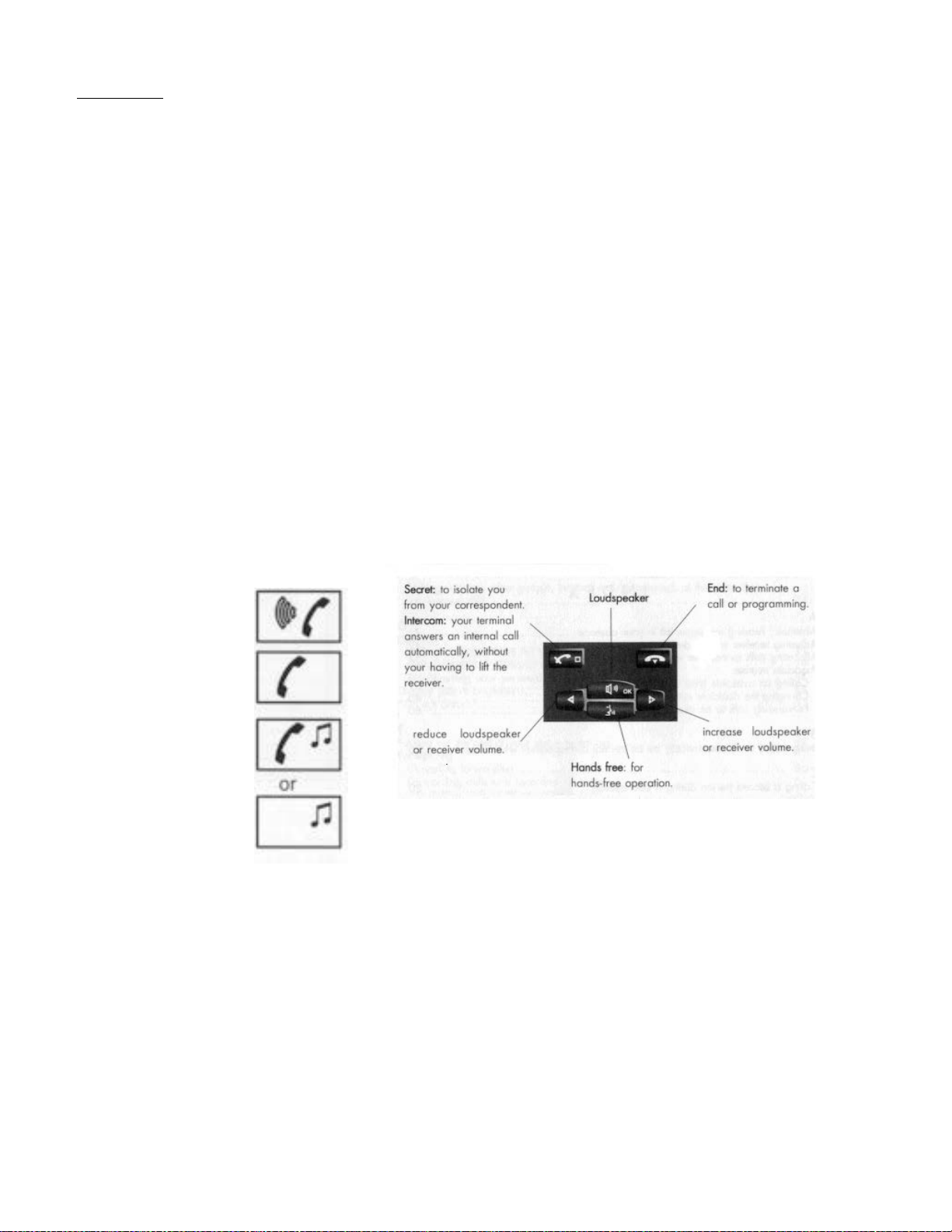
Incoming Call
Answered Call
Transferring a call
Call On Hold
Issue 5 6.11.14
 Loading...