

Page 1
www.sven.fi
USER’S MANUAL
Portable Speaker System
with FM-radio
PS-65
Page 2
ENG
2
Portable Speaker System
with FM-radio
BUYER RECOMMENDATIONS
• Unpack the device carefully. Make sure there are no accessories left in the box.
Check up the device for damage; if the product was damaged during transportation,
address the firm which carried out the delivery; if the product functions incorrectly,
address the dealer at once.
• Shipping and transportation equipment is permitted only in the original container.
• Does not require special conditions for realization.
• Dispose of in accordance with regulations for the disposal of household and com-
puter equipment.
APPLICATION
SVEN PS-65 portable multimedia speaker system with FM-radio is designed for
operation with PC and notebooks. They can be also used in Internet telephony, during
video conferences, in multimedia applications, in interactive games, for speech
recognition and foreign language teaching. FM-tuner and the player with micro SD-
cards and и USB-flash are included.
PACKAGE CONTENTS
• Speaker system – 1 pc
• USB to mini USB power cable – 1 pc
• User’s Manual – 1 pc
• Warranty card – 1 pc
SPECIAL FEATURES
• LCD display
• Built-in audio files player from USB flash and micro SD card storage devices
• Build-in FM radio
• Headphone jack
Congratulations on your purchase of the SVEN speaker system!
COPYRIGHT
© 2017. SVEN PTE. LTD. Version 1.0 (V 1.0).
This Manual and information contained in it are copyrighted. All rights reserved.
Page 3
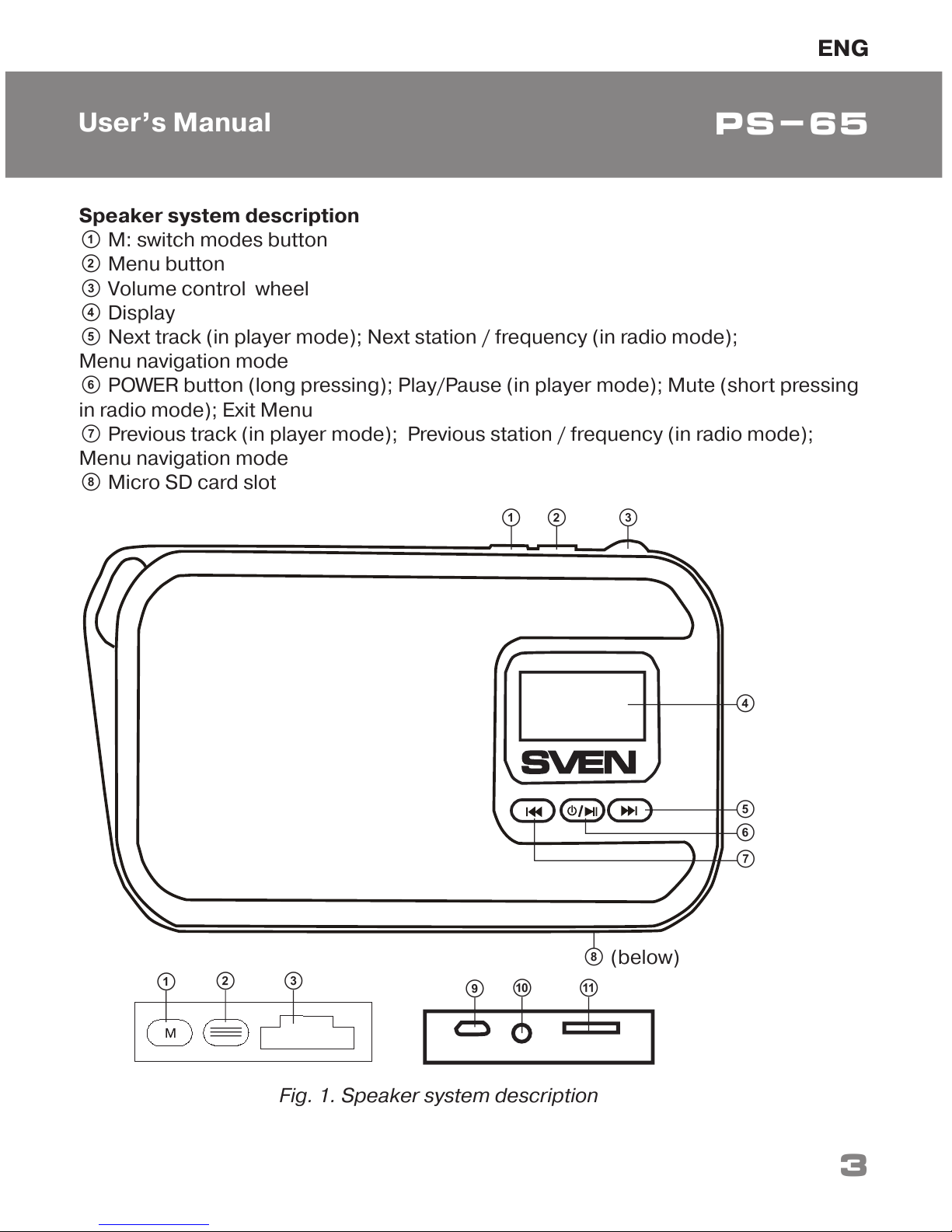
Speaker system description
a M: switch modes button
b Menu button
c Volume control wheel
d Display
e Next track (in player mode); Next station / frequency (in radio mode);
Menu navigation mode
f
POWER button (long pressing); Play/Pause (in player mode); Mute (short pressing
in radio mode)
; Exit Menu
g
Previous track (in player mode); Previous station / frequency (in radio mode);
Menu navigation mode
h Micro SD card slot
b
a
c
b
a c
d
e
f
g
j
i
k
h (below)
ENG
3
User’s Manual
PS-65
Fig. 1. Speaker system description
Page 4
ENG
4
Portable Speaker System
with FM-radio
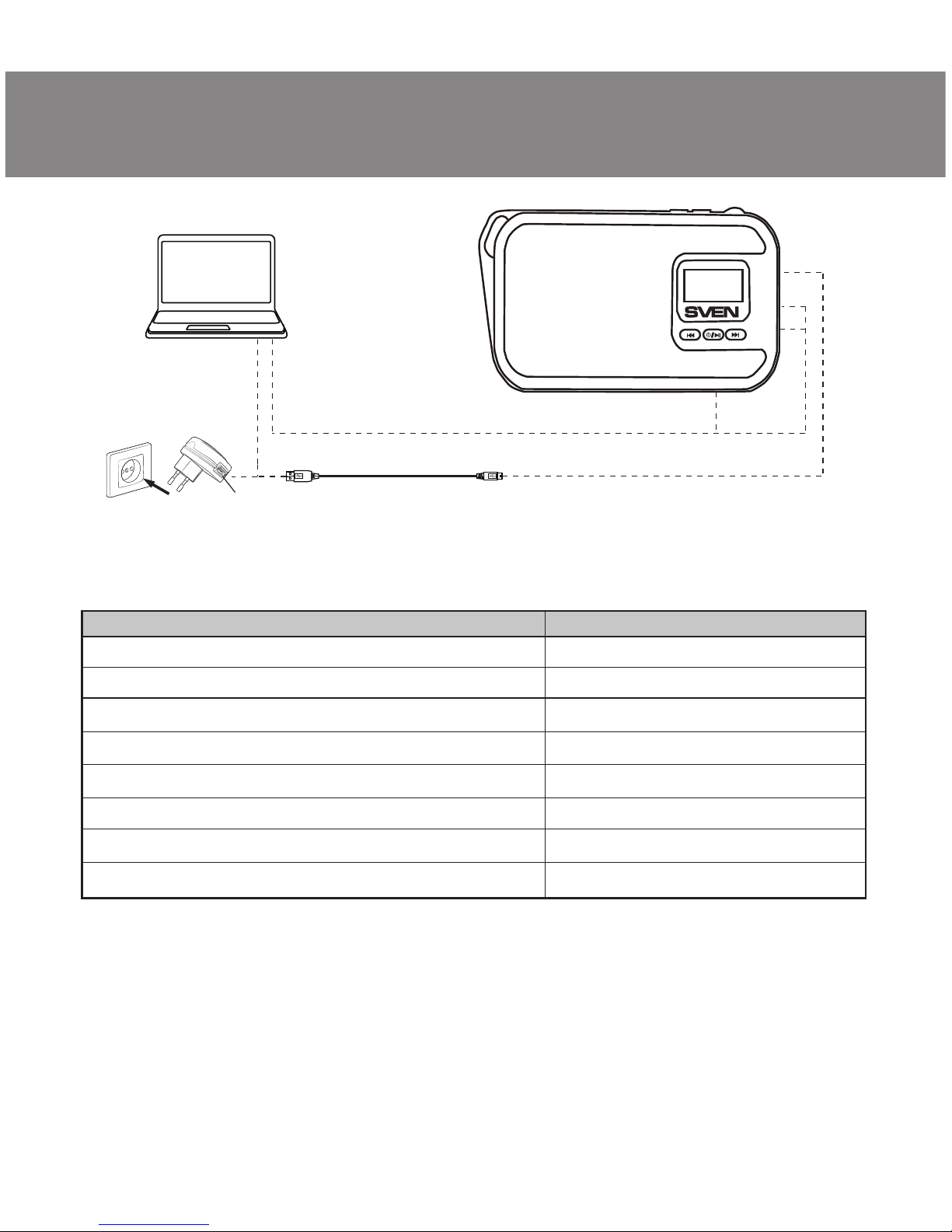
i mini USB connector to the AC charger, USB port of the laptop / PC
j Headphone jack
k USB connector to connect USB-flash media or a USB cable (AM-AM)
CONNECTION AND OPERATION
Attention! The built-in battery must be charged completely prior to the
application.
Speaker system battery charging
• Insert the battery (included) into the speaker. Connect speaker system to a USB
port of PC or USB charger using
mini USB to USB cable (included).
OPERATION MODES
Radio mode
• Turn on the speaker system – press button a several times until Speaker system
does not go to radio mode. Short press of a button
b activates auto search mode.
After scanning completion, the first scanned radio station will start to operate
automatically. With buttons e and g select a desired radio station. In the menu you
can change the function of the buttons e and g: switching radio frequency (step
0.1MHz) or save the number of stations. The menu has the ability to save / delete
a station from the memory.
МР3 player mode
Attention! The file system of a micro SD carrier is FAT32. Maximum volume is
32 GB. It is not recommended to use the micro SD Ultra Speed.
• Turn on the speaker system in the player mode – press the button a a few times
until the speaker system will go into player mode.
• Insert the micro SD carrier into appropriate slot. If the speaker system is in turned
on position, the playback will start automatically. Playback/Pause modes are switched
over with the help of the button f. Tracks can be controlled by buttons g (previous
track) and e (next track).
USB Line In mode
•
Speaker system can be used as external speaker for the PC. To do this, connect the
speaker system to your PC via a cable USB AM-AM (not included). Open the menu
with button b and select USB Line In mode.
To exit the radio / players / USB Line In – press and hold button b.
Page 5
TECHNICAL SPECIFICATIONS
Notes:
• Technical specifications given in this table are supplemental information and cannot
give occasion to claims.
• Technical specifications and package contents are subject to change without notice
due to the improvement of SVEN production.
Parameter, measurement unit
Frequency range, Hz
Output power (RMS), W:
Membrane, mm
Frequency range FM-tuner, MHz
Battery capacity, mA · h
Power supply, V
Weight, g
Dimensions, mm
Value
150 – 20 000
3
Ø 38
87.5 – 108
1000
USB/DC5
150
127 × 63 × 27
Technical support is on www.sven.fi.
Fig. 2. Connection diagram
USB jack
Socket
USB to mini USB Power cable
PC
5
PS-65
ENG
User’s Manual
Page 6
Portable Speaker System
with FM-radio
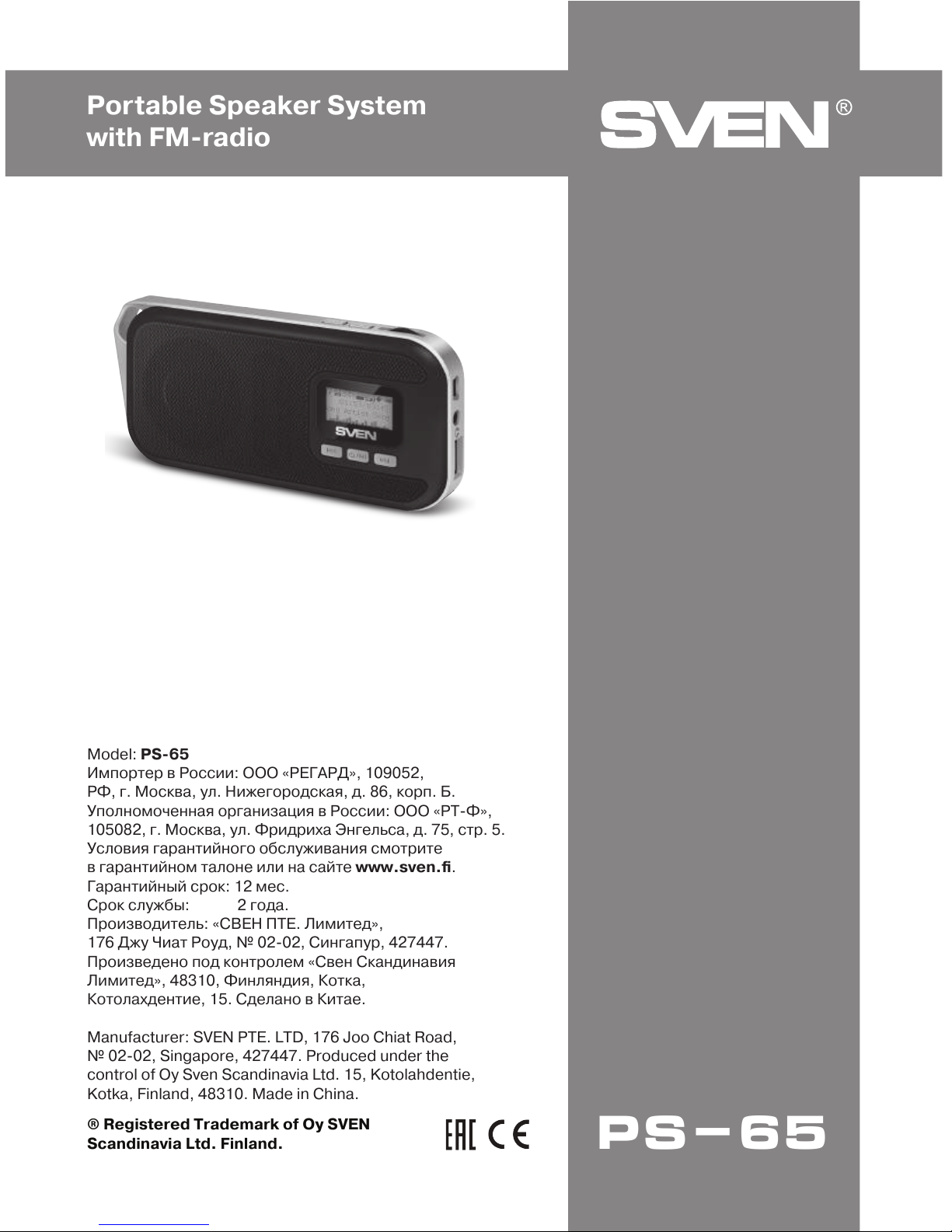
Model: PS-65
Импортер в России: ООО «РЕГАРД», 109052,
РФ, г. Москва, ул. Нижегородская, д. 86, корп. Б.
Уполномоченная организация в России: ООО «РТ-Ф»,
105082, г. Москва, ул. Фридриха Энгельса, д. 75, стр. 5.
Условия гарантийного обслуживания смотрите
в гарантийном талоне или на сайте www.sven.fi.
Гарантийный срок: 12 мес.
Срок службы: 2 года.
Производитель: «СВЕН ПТЕ. Лимитед»,
176 Джу Чиат Роуд, № 02-02, Сингапур, 427447.
Произведено под контролем «Свен Скандинавия
Лимитед», 48310, Финляндия, Котка,
Котолахдентие, 15. Сделано в Китае.
Manufacturer: SVEN PTE. LTD, 176 Joo Chiat Road,
№ 02-02, Singapore, 427447. Produced under the
control of Oy Sven Scandinavia Ltd. 15, Kotolahdentie,
Kotka, Finland, 48310. Made in China.
® Registered Trademark of Oy SVEN
Scandinavia Ltd. Finland.
PS-65
 Loading...