

Page 1
NetworkSolutions
User'sManual
FD815
16-port10/100MNway
FastEthernetSwitch
BuildinganAffordableNetworkSystem
withSVEC
Page 2

UnpackingInformation
1.FD815x1
2.ExternalPowerAdapterx1
3.RubberPadx4
4.User'sManualx1
5.MarkerTiex16
Description
Specifications
1
Thankyouforpurchasingthis16-PortNWaySwitch.Beforeyoustart,
pleaseinspectthecontentsofthispackage.Thepackageshouldincludeall
ofthefollowing:
TheFD815isapowerful,high-performance,andcosteffectiveNWay
switch,withall16portscapableof10or100Mbpsauto-negotiation
operation(NWay),andsupportsIEEE802.3xfullduplexflowcontroland
halfduplexbackpressurecongestioncontrol.TheSwitchsupportsaport
basedHOMEVLANfunctionfornetworktopologysecurityconfiguration,
fourTrunkgroups,andthreetypesofQoSfunctionstoimprovemultimediumorreal-timenetworkingapplications.Itisidealformicrosegmentinglargenetworksintosmaller,connectedsubnetsforimproving
theperformanceofthebandwidthdemandingmultimediaandimaging
applications.Moreover,its10/100MbpsAuto-Sensingabilityprovidesan
easywaytomigrate10Mbpsto100Mbpsnetworkseffortlessly.
Comparedtoshared10Mbpsor100MbpsNetworks,thisNWaySwitch
deliversadedicated10/100Mbpsconnectiontoeveryattachedclientwith
nobandwidthcongestion.Whileoperatingunderfull-duplexmode,
transmissionandreceptionoftheframescanoccursimultaneously
withoutcausingcollisions,aswellasdoublingthenetworkbandwidth.
Thisswitchisplug-n-play,withoutanysoftwaretoconfigureandis
fullycompliantwithalltypesofnetworkprotocols.
IEEE802.3andIEEE802.3uStandards
Sixteen10/100MbpsRJ-45NWayPorts
(AutoMDI/MDI-X)
NetworkSpeed:10Mbpsand100Mbps
DuplexMode:FullandHalf
4Mbitsfortheentiresystem
8Kentries
10Mbps:14,880pps/14,880pps
100Mbps:148,800pps/148,800pps
Half-duplex:BackPressure
Full-duplex:IEEE802.3x
Standard
Interface
NWayProtocolSupport
BufferMemory
MACAddressTable
Filtering/ForwardingRate
FlowControl
Page 3
Emission
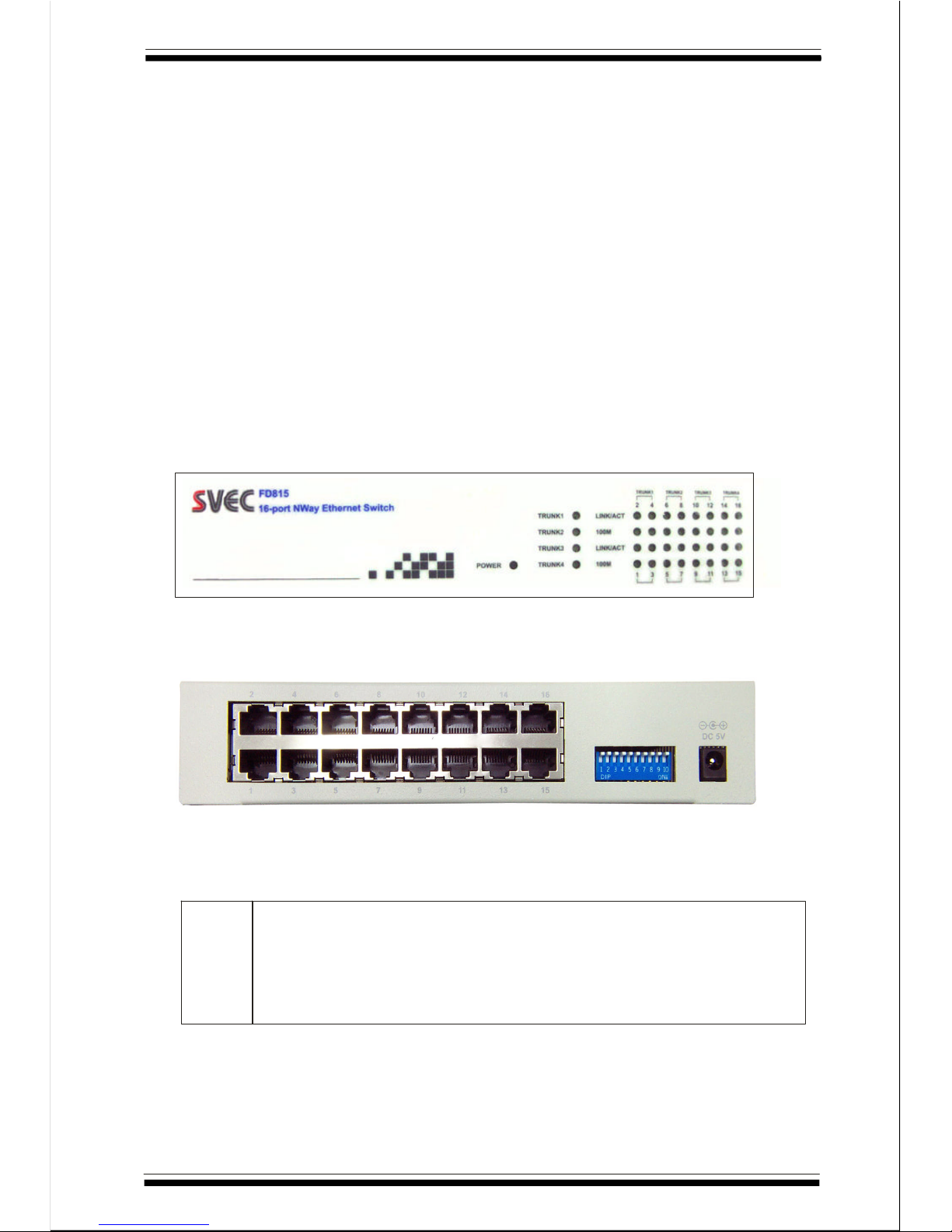
RichLEDIndicator
ControlDIPswitch
OperatingTemperature
OperatingHumidity
Dimension
Weight
PowerSupply
FCCClassA,CE
System:Power,Trunk
Port:Link/ActivityandSpeed
Latchedduringhardwarereset.
ControlportTrunking,Portbased
HOMEVLANand2-levelQoSfunctions.
0-50C(32-122F)
10~90(non-condensing)
200x138x40mm
700g
3.3VDC,3A(externalpoweradaptor)
Thefrontpaneloftheswitchisshownasbelow
Therearpaneloftheswitchisshownasbelow
Latchedduringhardwarereset.
ControltheHOMEVLANtopologytype:
OFF:Select14VLANs(port#1~14)with2overlapping
ports(port#15,16)topology(default)
ON:Select15VLANs(port#1~15)with1overlapping
port(port#16)topology
°°
%%
TheFrontPanel
TheRearPanel
ControlDIPswitch
PIN1
2
Page 4
PIN2
PIN3
PIN4
PIN5
PIN6
PIN7
PIN8
PIN10,PIN9]
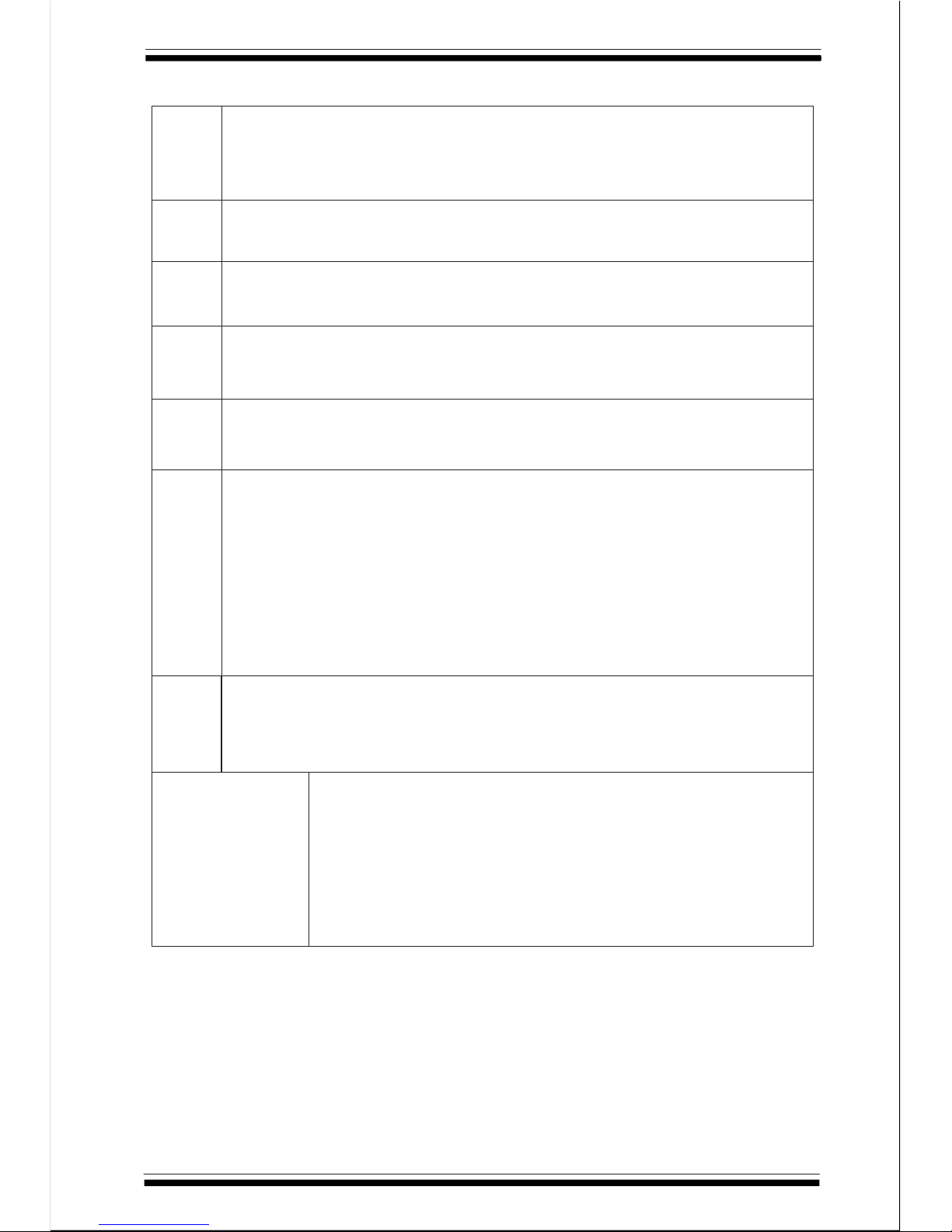
TheVLANtopologyiscontrolbyPIN2:
OFF:DisabletheVLANfunctiononeach16port(default)
ON:EnabletheVLANfunctiononeachports
OFF:Itisdark(default)
ON:enableporttrunk1whichconsistsofports1,2,3,4
OFF:Itisdark(default)
ON:enableporttrunk2whichconsistsofports5,6,7,8
OFF:Itisdark(default)
ON:enableporttrunk3whichconsistsofports9,10,11,12
OFF:Itisdark(default)
ON:enableporttrunk4whichconsistsofports13,14,15,16
EnableTCP/IPTOS/DS(DifferentiatedService)basedQoS
function
OFF:Disable(default)
ON:Enabled
HighPriority:ifTOS/DS[O,5]=(EF)"101110",(AF)"001010",
"010010","011010","100010",
(NetworkControl)"11X000"
LowPriority:ifTOS/DS=othercodepointvalues.
Enable802.1pVLANTagprioritybasedQoSfunction
OFF:Disabled(default)
ON:Enabled,Port1~4=lowpriority,Port5~8=highpriority
[EnablePortbasedpriorityQoSfunctionSettingas
follows:
0:OFF,1:ON
00:Disableportbasedpriority(default)
01:Setport#1~2ashighpriority(2ports)
10:Setport#1~4ashighpriority(4ports)
11:Setport#1~8ashighpriority(8ports)
3
Page 5

4
LEDsDefinition
LEDOperation
PowerConnection
Cabling
StationConnectionswithTwisted-PairCable
POWERPowerON(Green),PowerOFF(Off)
TRUNKEnable(Green),Disable(Off)
100M100Mbps(Green),10Mbps(Off)
LINK/ACTLinkispresent(Green),Activity(BlinkingGreen)
Plugthecircleendofthepoweradapterfirmlyintotherearpanel
oftheswitch,thenplugtheotherendintoanelectricalservice
outletthesystemisnowready.
Theseswitchescanusethefollowingtypesofcabling:
10Base-TCategory3,4or5UTP/STP
100Base-TXCategory5UTP/STP
Connecteachstationtotheswitchbyatwisted-pairstraight
cable(10Base-Tor100Base-TXcables).PlugoneRJ-45connector
intoarear-panelportoftheswitchandplugtheotherRJ-45
connectorintothestation'sadaptor.
ò
ò
Page 6

NetworkSolutions
P/N.901-10127-000
June,2002
 Loading...