

Page 1
SURFWHEEL SU
RIDER GUIDE
Page 2
www.surf-wheel.com
1
MEET SURFWHEEL
Dear Surfwheel rider,
Most creators of electric skateboards and self-balanced vehicles claim to create a “the
last mile” vehicle to carry commuters from public transportation to their final
destinations. This has never been Surfwheel team’s intention. Surfwheel is designed
for fun and recreation. We believe daily walking, jogging or running is necessities for
personal fitness. Getting on Surfwheel provides a fun alternative to traditional
exercise. The riding experience of Surfwheel simulates surfing and snowboarding
movement. Enjoy exercise! Enjoy Surfwheel!
Bob, Inventor of Surfwheel
VISIT WWW.SURF-WHEEL.COM FOR MORE INFORMATION AND
VIDEO TUTORIALS
GETTING STARTED
• Riding Surfwheel is similar to any other board sport; you will require practice to
learn how to ride.
• Completely read the user manual before attempting to ride Surfwheel.
• Fully charge Surfwheel before first use.
• Wear full safety equipment including wrist guards, knee/elbow pads and helmet at
all times when riding Surfwheel.
WARNINGS
• Surfwheel is designed for riders ages 16+. Do not allow under-aged people to use
Surfwheel.
• As with any vehicle, when using Surfwheel, riders risk death or serious injury from
loss of control, collisions, and falls.
• Do not ride in indoor environments, busy streets, or traffic.
Page 3

www.surf-wheel.com
2
• Only ride Surfwheel where permitted. Consult local traffic authorities if you are
uncertain.
• Only wear flat, closed-toed shoes when riding Surfwheel.
• Do not touch the wheel with hands, feet, or other objects; never insert anything into
the gaps between the wheel and frame body of Surfwheel.
• Rider weight must not exceed 80kg (~176 lbs).
• Do not ride Surfwheel into slopes greater than 10 degrees
• Do not ride across the face of hills.
• Make turns gradually to prevent tipping or loss of control.
• Exercise extreme caution when changing direction on slopes.
• Only allow people who understand and agree to follow the instructions and
guidelines described in this user manual to ride Surfwheel.
• Surfwheel is only used by one person at a time. Please do not carry passengers.
• Performing stunts and turning abruptly may cause you to lose control and cause
serious injury.
• Do not use mobile phone when riding Surfwheel. Severe injuries could occur in
collision.
• Do not use Surfwheel App during ride. Surfwheel App is for firmware upgrade,
setting and diagnosis only.
Page 4

www.surf-wheel.com
3
CONTENTS
MEET SURFWHEEL ................................................................................................................... 1
GETTING STARTED .................................................................................................................. 1
WARNINGS ................................................................................................................................. 1
SURFWHEEL FEATURES .......................................................................................................... 4
WHAT IS in THE BOX? ......................................................................................................... 4
SURFWHEEL .......................................................................................................................... 4
BEFORE YOU RIDE SURFWHEEL ........................................................................................... 5
BATTERY STATUS & CHARGING & DISCHARGING ...................................................... 5
HOW TO RIDE SURFWHEEL .................................................................................................... 6
UPDATING FIRMWARE ....................................................................................................... 6
GETTING STARTED IN TRAINER MODE .......................................................................... 6
MOVING FORWARD/BACKWARD ..................................................................................... 7
STOPPING & DISABLING SELF-BALANCING MODE ..................................................... 7
TURNING ................................................................................................................................ 7
OVERLOADED or ERROR MODE ........................................................................................ 7
Change from learn mode to regular mode ................................................................................ 8
APP SETTINGS ........................................................................................................................... 8
SPECIFICATION ................................ ................................ ....................................................... 10
CARE AND MAINTeNANCE ................................................................................................... 11
Cleaning ................................................................................................................................. 11
Battery disposal ...................................................................................................................... 11
FAQ ............................................................................................................................................ 11
WARRANTY ............................................................................................................................. 12
Surfwheel TWO year limited warranty................................................................................... 12
Exclusion ................................................................................................................................ 12
To fulfill a warranty ............................................................................................................... 13
One year limited battery warranty .......................................................................................... 13
Company information ................................................................................................................. 15
MANUFACTURER ................................................................ ................................ ............... 15
NOTES ....................................................................................................................................... 16
Page 5
www.surf-wheel.com
4
SURFWHEEL FEATURES
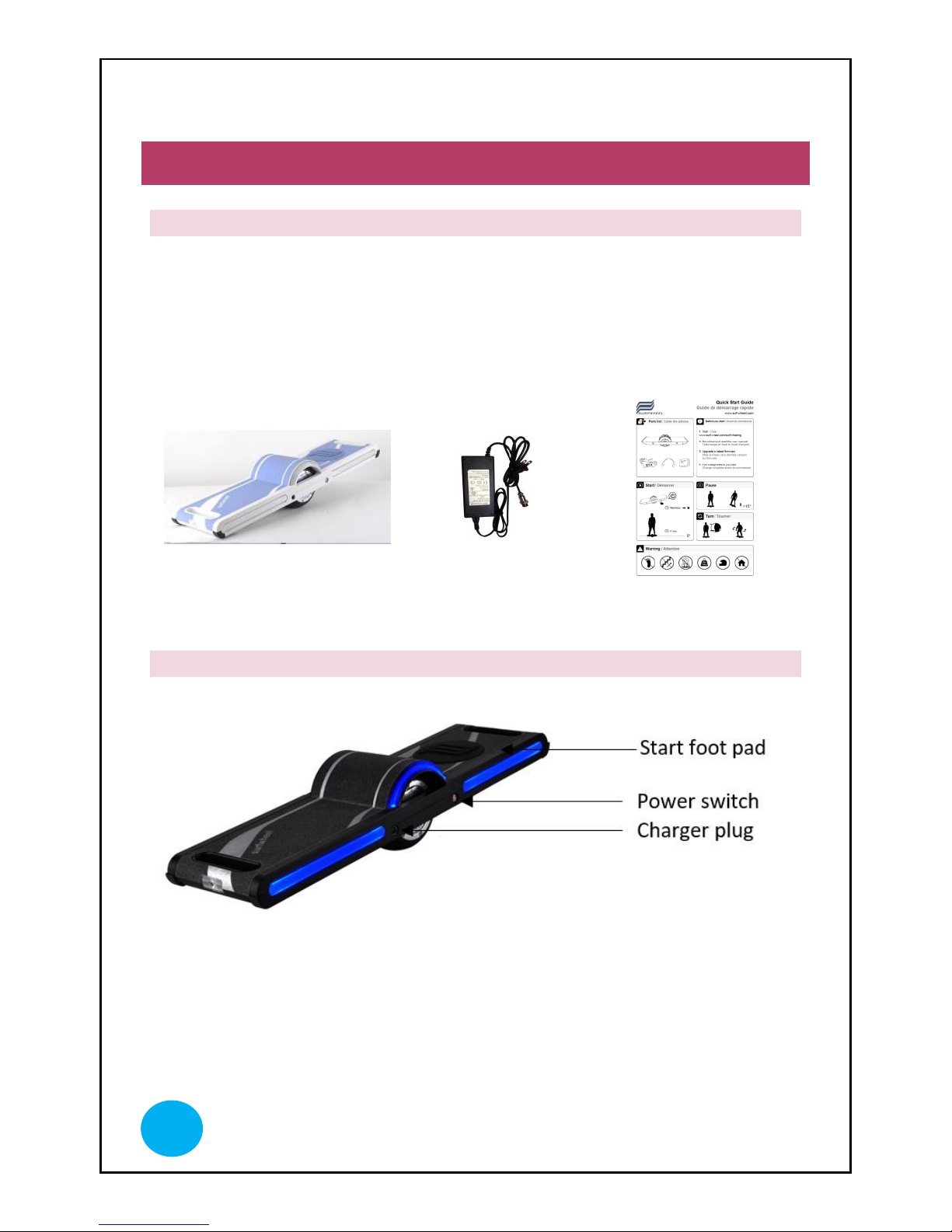
WHAT IS IN THE BOX?
• Surfwheel
• Charging adapter
• Quick start guide
• Carrying handle
Surfwheel
Charging adapter
Quick start guide
SURFWHEEL
Page 6
www.surf-wheel.com
5
BEFORE YOU RIDE SURFWHEEL
Surfwheel is not designed to withstand running over sharp bumps, stairs or drop-offs.
Do not ride Surfwheel:
• On wet surfaces or in the rain.
• While wearing clothing that could restrict rider movement or interfere with
Surfwheel’s function. Closed-toed, athletic shoes must be worn at all times.
• Without an approved safety helmet and full safety equipment including
wrist guards, knee/elbow pads.
Be sure your local road authority allows riding Surfwheel in public areas.
BATTERY STATUS & CHARGING & DISCHARGING
1. Plug the charging cable into the wall outlet and Surfwheel charging port.
2. The charging adapter light will turn RED.
3. When Surfwheel is fully charged, the charging adapter light will turn
GREEN.
4. Unplug the charging adapter from the wall outlet and Surfwheel charging
port. Surfwheel is at full power.
Battery Status
REFER TO APP SETTINGS | TO SEE FURTHER DETAILS ON BATTERY
STATUS
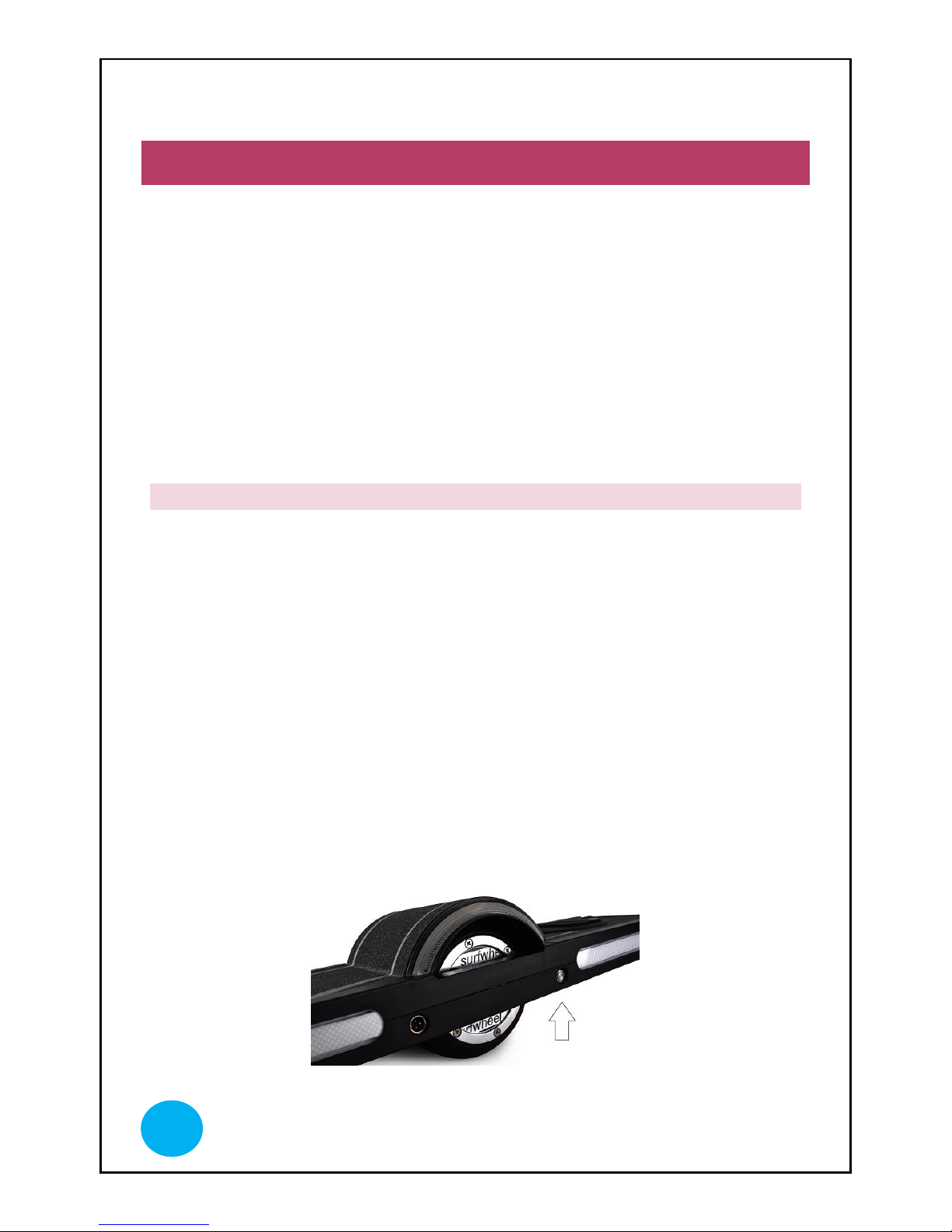
When the battery needs charging, the LED light around the power button will flash
slowly. The LED light will turn into RED color. Please immediately charge the unit.
Page 7

www.surf-wheel.com
6
HOW TO RIDE SURFWHEEL
UPDATING FIRMWARE
1. Visit Google Play or Apple store
2. Search Surfwheel and download the App
3. Follow the instruction on the App to connect to Surfwheel and update to
latest firmware
GETTING STARTED IN TRAINER MODE
1. For first time use, Surfwheel is in “Learner Mode” usage.
Learn Mode is designed for new Surfwheeler; the speed
is limited to 8kmh and it is less powerful to allow easy
to learn the basic balanced move. Once you advanced
your skills, you can switch off the learner mode and
adjust the performance setting via App for the regular
usage mode.
2. As before any physical activity, stretching and warming up are
recommended before riding Surfwheel.
3. Place Surfwheel on a level surface with one end touching the ground. This
is called “rest position”.
4. Push the power button. The LED light will flash for a few seconds, then
remain RED.
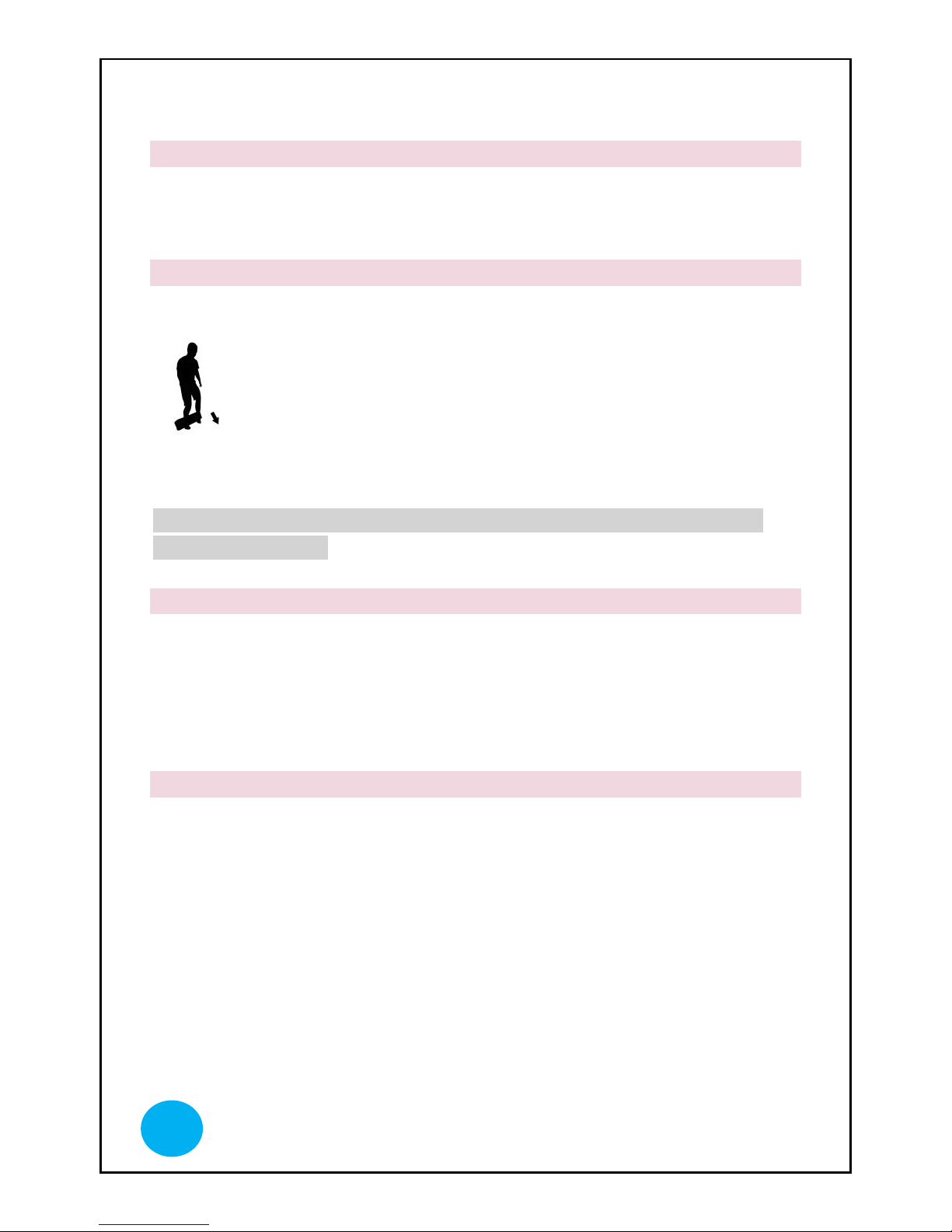
5. You have two ways to trigger the start of Surfwheel
i. Place your foot on the foot pad side first and put both feet on
Surfwheel; slowly lean to the center to trigger start.
ii. Place your foot on the side without foot pad and step on the foot
pad; Surfwheel will lift you up to balanced level.
The foot pad is used to trigger the start of Surfwheel SU
Page 8
www.surf-wheel.com
7
MOVING FORWARD/BACKWARD
When standing on Surfwheel in balanced mode, lean forward to move forward. Lean
backward to move backward.
STOPPING & DISABLING SELF-BALANCING MODE
1. To deviate Surfwheel during riding, lean to the side 30 degree.
2. Surfwheel’s motor will stop carrying the rider forward and
balanced mode will be deactivated when your foot leaves the foot pad for
more than 2 seconds.
WARNING: NEVER USE BUMPS OR ANYTHING ELSE TO BRAKE
THE SURFWHEEL.
TURNING
1. Similar to surfing and snowboarding, shifting rider weight from left to right
will cause Surfwheel to curve. Point your leading shoulder in the direction
you want to turn.
2. Twisting your hips will cause Surfwheel to make sharper, more sudden
turns.
OVERLOADED OR ERROR MODE
Surfwheel can carry riders weighing up to 80 kg (172 lbs). If the rider is too heavy, Surfwheel
will shift into Overloaded or Error mode.
The LED light will flash in 1/2 second intervals when it is in Overloaded or Error mode. If
Surfwheel shifts into error mode, power off and power on to reset.
Page 9
www.surf-wheel.com
8
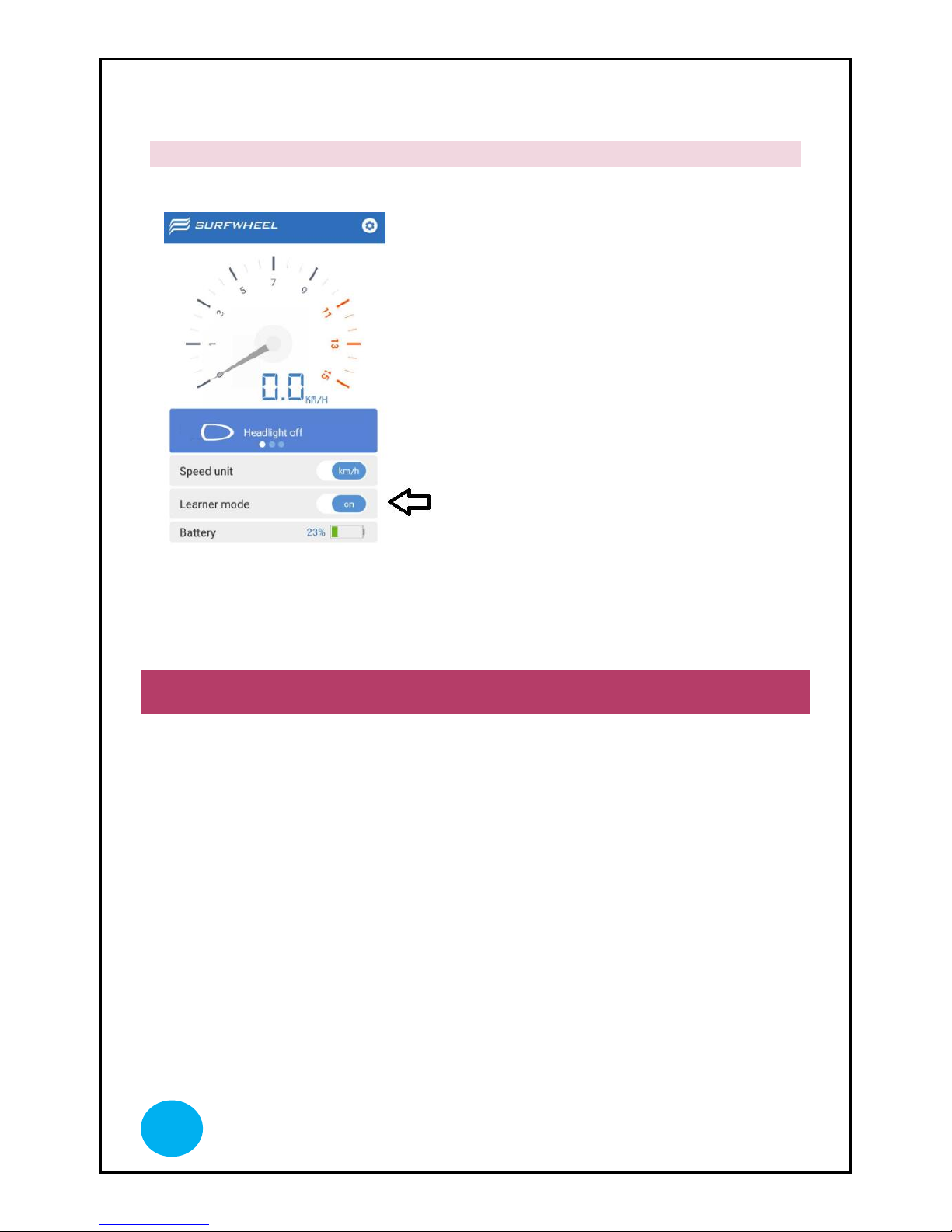
CHANGE FROM LEARN MODE TO REGULAR MODE
Turn Off the learner mode to
enter regular usage mode. The
regular usage mode allows you
reach up to 18kmh.
APP SETTINGS
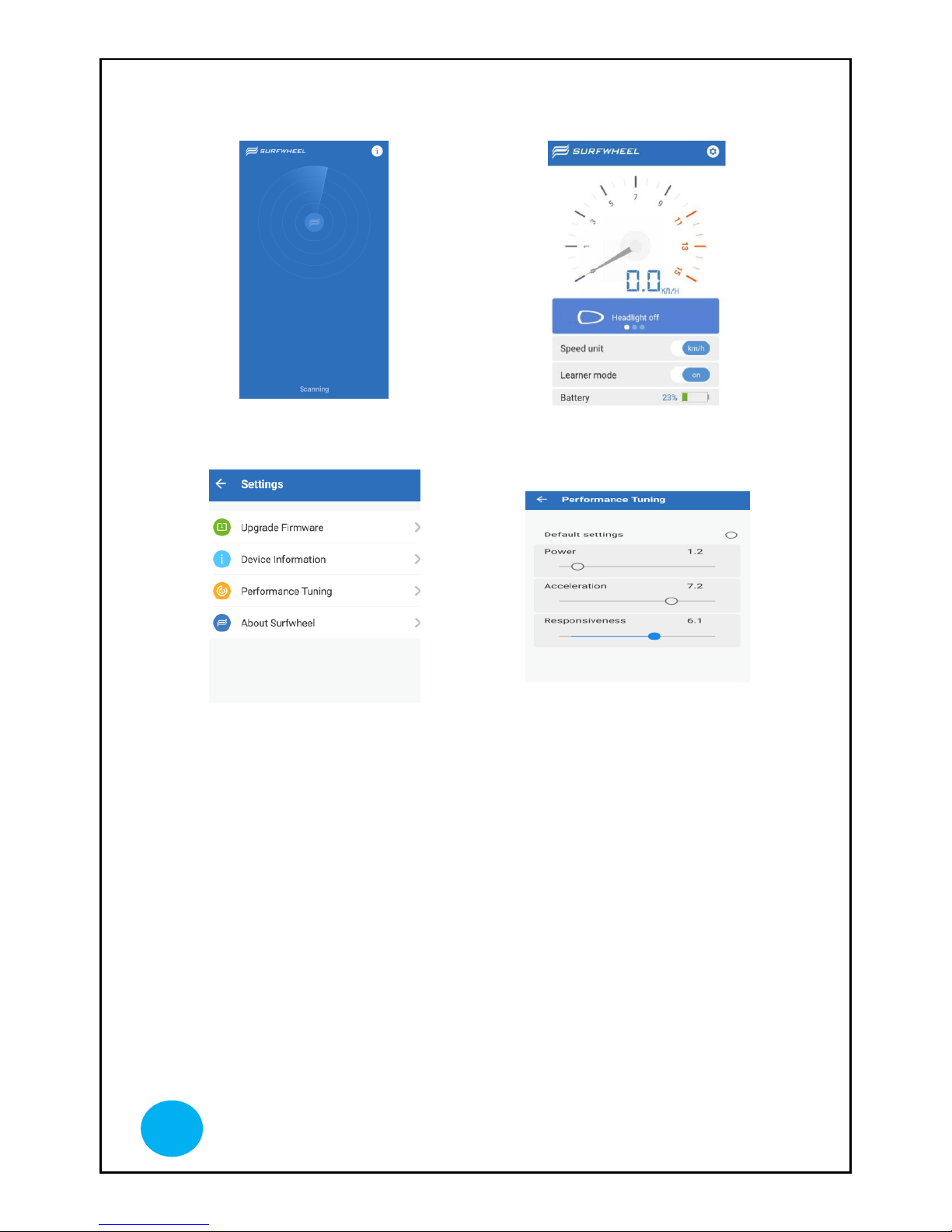
Download and install the Surfwheel APP from Google Play or Apple Store. Search
“Surfwheel”.
Please note that do not use Surfwheel App during riding. Surfwheel App is used for
settings and diagnosis mainly.
Page 10
www.surf-wheel.com
9
Connect to the APP via Bluetooth
You can check speed, battery status,
change mode and update software
It is recommended that you
frequently check for the latest
firmware available for upgrade.
Power: adjust the power output as
per angle changes
Acceleration: adjust the acceleration
speed as you speed up
Responsive: adjust the
responsiveness in terms of power
output at the rate of angle changes
TIPS:
If you experience swing or
wobbling during slow down, the
unit is over powered. Reduce Power
and Responsiveness
If you experience nose dive, the unit
is lack of power.
Page 11
www.surf-wheel.com
10
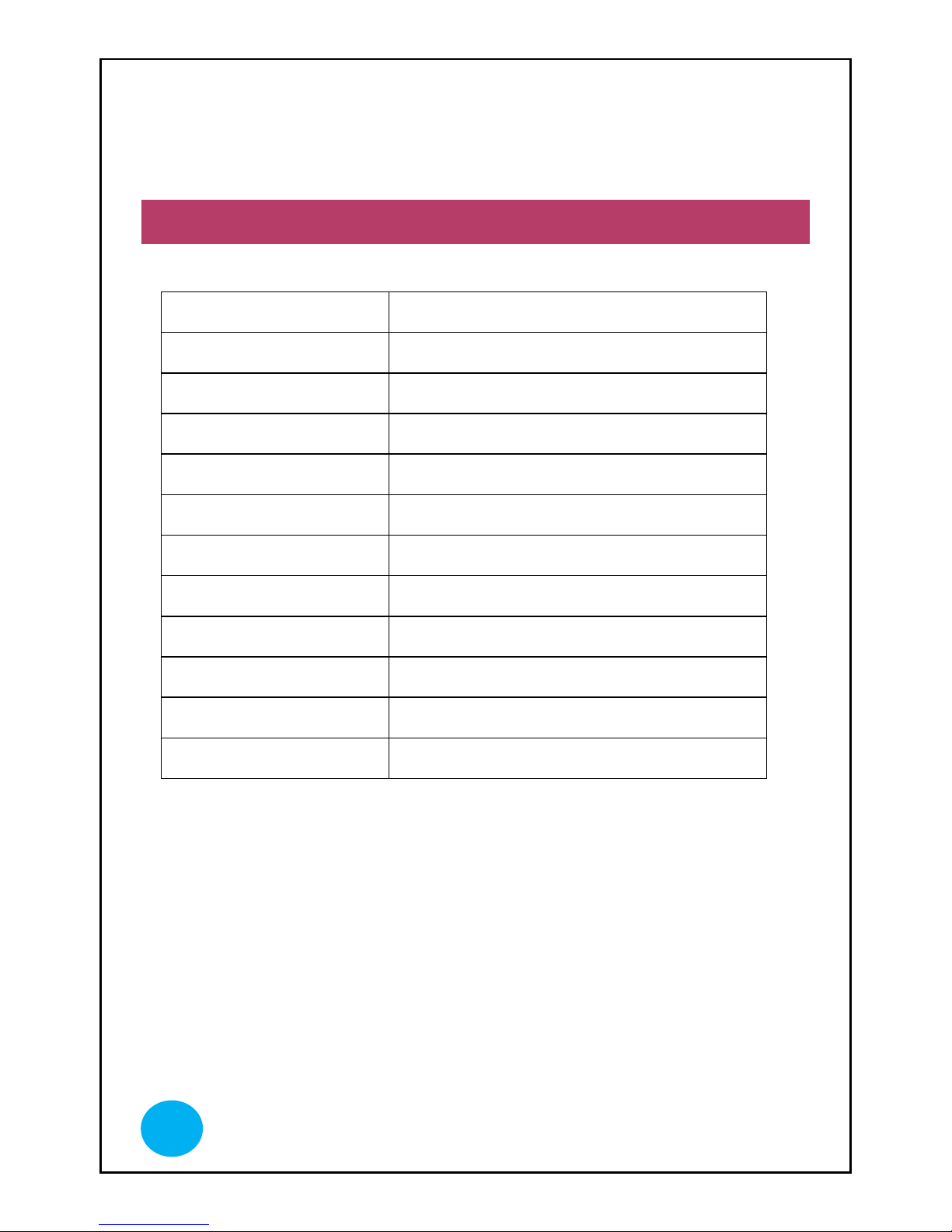
SPECIFICATION
Motor
Rated power 250W
Battery
Lithium Battery 43.2V, 2000amh
Tire
5 inches
Max tilting angle
12 degrees
Top speed
18 km/h
Typical range
12 km
Max load capacity
80kg
Recharge time
90 mins
Dimensions
66*18*13.5cm
Net weight
8.8 kg
Packaging
75x28x25cm (1 unit/ carton)
Gross weight
10kg
Page 12
www.surf-wheel.com
11
CARE AND MAINTENANCE
CLEANING
Keep your Surfwheel looking good by wiping it with a clean towel. Never spray it
with a hose or pressure washer. High pressure water could breach sealed electronics
and damage Surfwheel.
BATTERY DISPOSAL
Because Surfwheel’s Lithium-ion batteries are considered a hazardous material, it is
important to dispose of them properly. Please find a battery recycling company near
you and properly recycle your batteries.
FAQ
Question: Where can I ride a Surfwheel skateboard?
Surfwheel comes under the same laws as Segway, so if a Segway is allowed then
Surfwheel is probably allowed. Check with your local authorities.
Question: Are there rider weight limits for the Surfwheel?
Yes, Surfwheel sets weight limits to reduce the risk of damage to the machine. The
maximum payload (which includes rider and the skateboard) for the Surfwheel is
80kg (176 lbs).
Question: How fast can a Surfwheel skateboard travel?
Surfwheel’s maximum speed is 18 km/h (11mph) .This speed may vary depending on
rider weight and terrain.
Q: How far can the Surfwheel skateboard go on a single charge?
Depending on rider weight and terrain, a single charge can support up to 15km.
Page 13
www.surf-wheel.com
12
Q: How do you charge it?
A standard wall outlet can charge your Surfwheel batteries in about 90 mins with the
Surfwheel charger.
Q: What colors are available?
Currently Surfwheel comes in 2 colors: black, blue.
WARRANTY
SURFWHEEL TWO YEAR LIMITED WARRANTY
Surfwheel Limited warrants that all new Surfwheels and components therein are
warranted to the original retail purchaser (“Purchaser”) against manufacturing defects
in materials and/or workmanship for a period of one (1) year from the date of original
retail purchase.
EXCLUSION
Warranty does not cover:
• Normal wear and tear from use of the Surfwheel
• Damage or failure from accident, misuse or unauthorized modification to
Surfwheel
• Damage from stunt riding, or other activities outside the normal intended
use of the Surfwheel
• Damages resulting from failure to follow the Instructions for Use and
Warnings as provided in the Surfwheel Rider Guide
• Damages resulting from improper charging of the batteries or use of any
charger not supplied by Surfwheel or not charging batteries legally when
not in use
• Installation of any parts, accessories, or electrical components not originally
intended for or compatible with the Surfwheel or any modification to the
frame or any originally supplied parts; tire, motors, software, hardware,
lights, batteries, displays, or brakes made by entities other than Surfwheel or
its authorized dealers.
Page 14
www.surf-wheel.com
13
TO FULFILL A WARRANTY
All warranty work must be performed by Surfwheel or an authorized Surfwheel
Dealer. Proof of purchase must be provided. To begin the warranty process, please
bring your Surfwheel into an authorized dealer to assess the Surfwheel and begin the
process to take care of the problem. The original purchaser is responsible for the
return of the Surfwheel to the authorized local dealer. The purchaser is responsible for
any cost when shipping Surfwheel to and from the dealer and/or Surfwheel
headquarters if required. If the Surfwheel dealer is unable to fix a problem and needs
to send it to Surfwheel HEADQUARTERS, Surfwheel will reimburse the original
purchaser for reasonable shipping costs incurred from dealer to Surfwheel
HEADQUARTERS ONLY. If warranty is not valid, Surfwheel will contact the owner
and offer to repair or replace parts at a reasonable price. Owner will then be
responsible for all shipping costs.
ONE YEAR LIMITED BATTERY WARRANTY
Surfwheel warrants to the original purchaser that the batteries are free of defects in
material and workmanship for 1 year from the original date of purchase. The original
receipt of purchase is required to establish proof of purchase and warranty date, and
must be provided.
NOTE: Battery must be charging legally when not in use (1 time per month
minimum).
The warranty for replacement batteries will be based on the original battery purchase
date, as identified on the original battery purchase sale receipt. Under no circumstance
will a replacement battery have a warranty date different than the original battery
purchase date. If a replacement is necessary due to a defect in materials and/or
workmanship, then upon return to Surfwheel, it will be evaluated: [not sure what the
purpose of the evaluation is if the battery will automatically be replaced] The battery
will then be replaced free of charge, within the free replacement period from date of
original purchase for 6 months. After 6 months, we will contact you with the pro-rated
cost and ask for your credit card before making shipment of a replacement battery.
Please supply a daytime phone number. The pro-rated cost will be based on the retail
price at the time of replacement. Shipping costs are not included in the warranty.
Page 15

www.surf-wheel.com
14
The original battery sale receipt must be maintained for any further claims. Asll
replacement batteries will be warranted for the balance of the original warranty
period.
Page 16

www.surf-wheel.com
15
COMPANY INFORMATION
MANUFACTURER
Surfwheel Limited
www.surf-wheel.com
Koofy Development Limited
Unit 220, 2/F, Enterprise Place No. 5 Science Park West Avenue HK
Contact: [email protected]
Skype: SURFWHEEL
Page 17
www.surf-wheel.com
16
NOTES
 Loading...