

Page 1

EP-804CG
4 port 10/100/1000M Gigabit
Ethernet Desktop Switch
7IAHI/KE@A
www.surecom-net.com
"%&"&+/
Introduction
This users guide is applied to the 4 port 10/100/1000M Gigabit Ethernet Desktop Switch.
The 4 port 10/100/1000M Gigabit Ethernet Desktop Switch is designed for easy installation
and high performance in an environment where traffic on the network and the number of
users increase continuously. Small businesses and corporate branch offices can now take
full advantage of 1000Mbps Gigabit Ethernet performance and preserve existing desktop
investment with no changes required to PCs, NICs, cabling, drivers, or PC configurations.
1.4 x 10/100/1000Mbps Auto-negotiation Ethernet ports
2.Auto MDI/MDI-X for each port
3.Support Full/Half duplex transfer mode for 10/100Mbps
4.Support Full duplex transfer mode for 1000Mbps
5.Wire speed reception and transmission
6.Store-and-Forward switching method
7.IEEE 802.3x flow control for full-duplex
8.2Mbits shared data memory buffering
9.Integrated address Look-Up Engine, supports 8K absolute
MAC addresses
10.Back pressure flow control for half-duplex
Features Overview
One 4 port 10/100/1000M Gigabit Ethernet
Desktop Switch
One Pack of screws
One Power Cord
One Users Guide
Note:If any item is damaged or missing, please contact your supplier.
Package Contents
Page 2
Technical Specification
4 port 10/100/1000M Gigabit Ethernet Desktop Switch
hctiwSpotkseDtenrehtEtibagiGM0001/001/01trop4
:sdradnatStenrehtET-ESAB013.208EEEI
tenrehtEtsaFXT-ESAB001u3.208EEEI
riap-detsiwtrevotenrehtEtibagiGT-ESAB0001ba3.208EEEI
:locotorPDC/AMSC
:ygolopoTratS
noissimsnarT
:dohteMdrawrof-dna-derotS
:etaRrefsnarT
:tenrehtE
:tenrehtEtsaF
:tenrehtEtibagiG
)xelpuD-lluF(spbM02;)xelpuD-flaH(spbM01
)xelpuD-lluF(spbM002;)xelpuD-flaH(spbM001
)xelpuD-lluF(spbM0002
:aideM
:T-ESAB01
:XT-ESAB001
:T-ESAB0001
M001otpu5,4,3.taCPTUriap-2:tenrehtE
M001otpu5.taCPTUriap-2:tenrehtEtsaF
M001otpu,sulp5.taCPTUriap-4:tenrehtEtibagiG
:stroPfo.oNstrop54-JRspbM0001/001/01ruoF
:reffuBMARgnireffubyromematadderahsstibM2
sserddAgniretliF
:elbaTK8
gniretliFtekcaP
:etaRgnidrawroF/ )spbM01&spbM001&spbM0001rof(troprepdeeps-eriW
:rewoPzH36-74CA&V462-09CA
:noitpmusnoCsttaw01
:erutarepmeT
:gnitarepO
:egarotS
0
0
54~C0C
0
0
06~C0C
:ytidimuH
:gnitarepO
:egarotS
%09~%01
%59~%5
lairetaMnorI
:ecnamrofnoCAssalCkraMEC,AssalCCCF
Network Connection
The following figures illustrate the connections of 4 port 10/100/1000M Gigabit Ethernet
Desktop Switch.
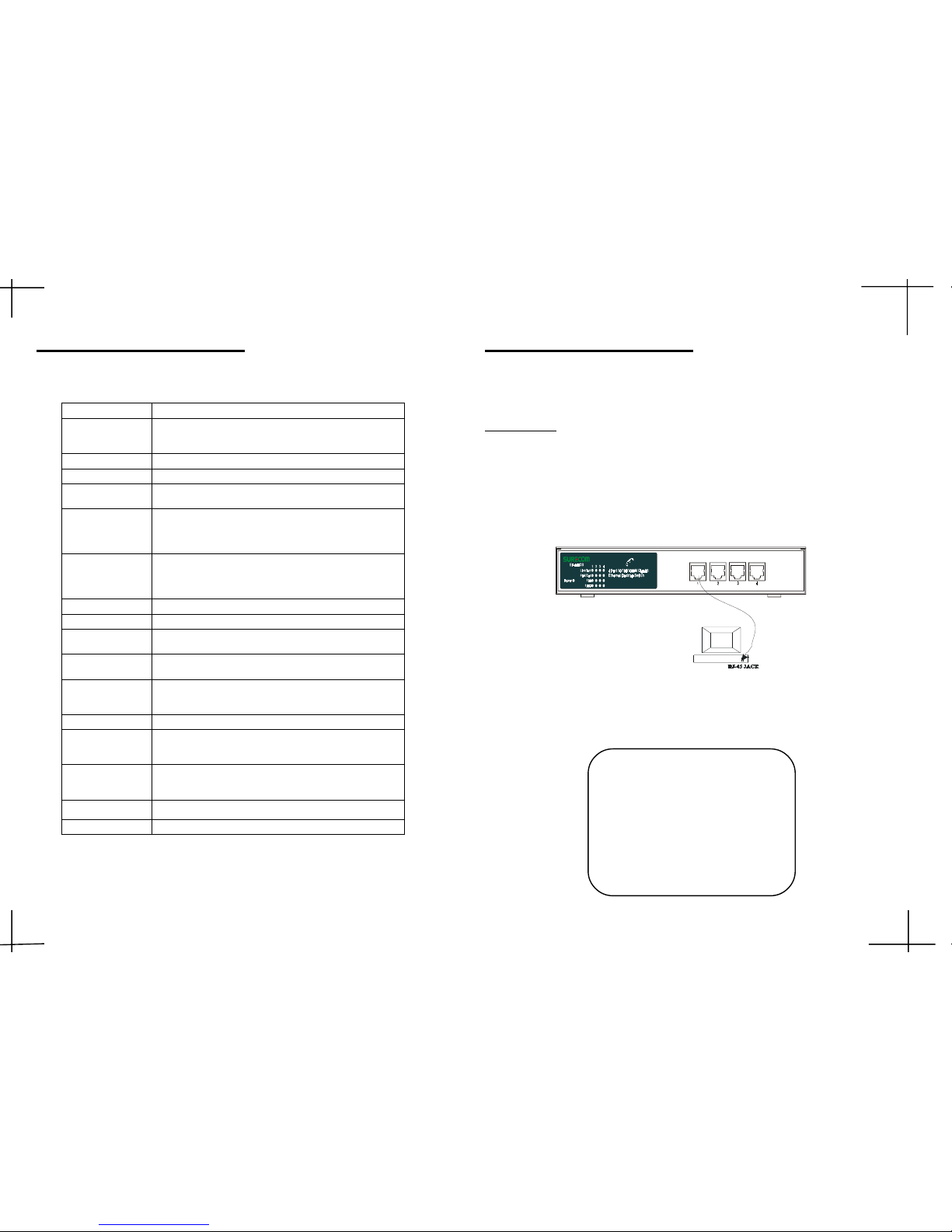
PC to Switch
A PC can be connected to the 4 port 10/100/1000M Gigabit Ethernet Desktop Switch via
a 2-pair Category 3/4/5 UTP or 4-pair Category 5 UTP straight cable. The PC (equipped
with a RJ-45 1000/100/10Mbps jack) should be connected to any of four ports.
4 port 10/100/1000M Gigabit Ethernet Desktop Switch
Note: The LED indicators for PC
connection are dependant on the
LAN card capabilities. If LED
indicators are not illuminated after
making a proper connection, check
the PC LAN card, the cable, the 4
port 10/100/1000M Gigabit Ethernet Desktop Switch conditions and
the connections.
$ "
Page 3
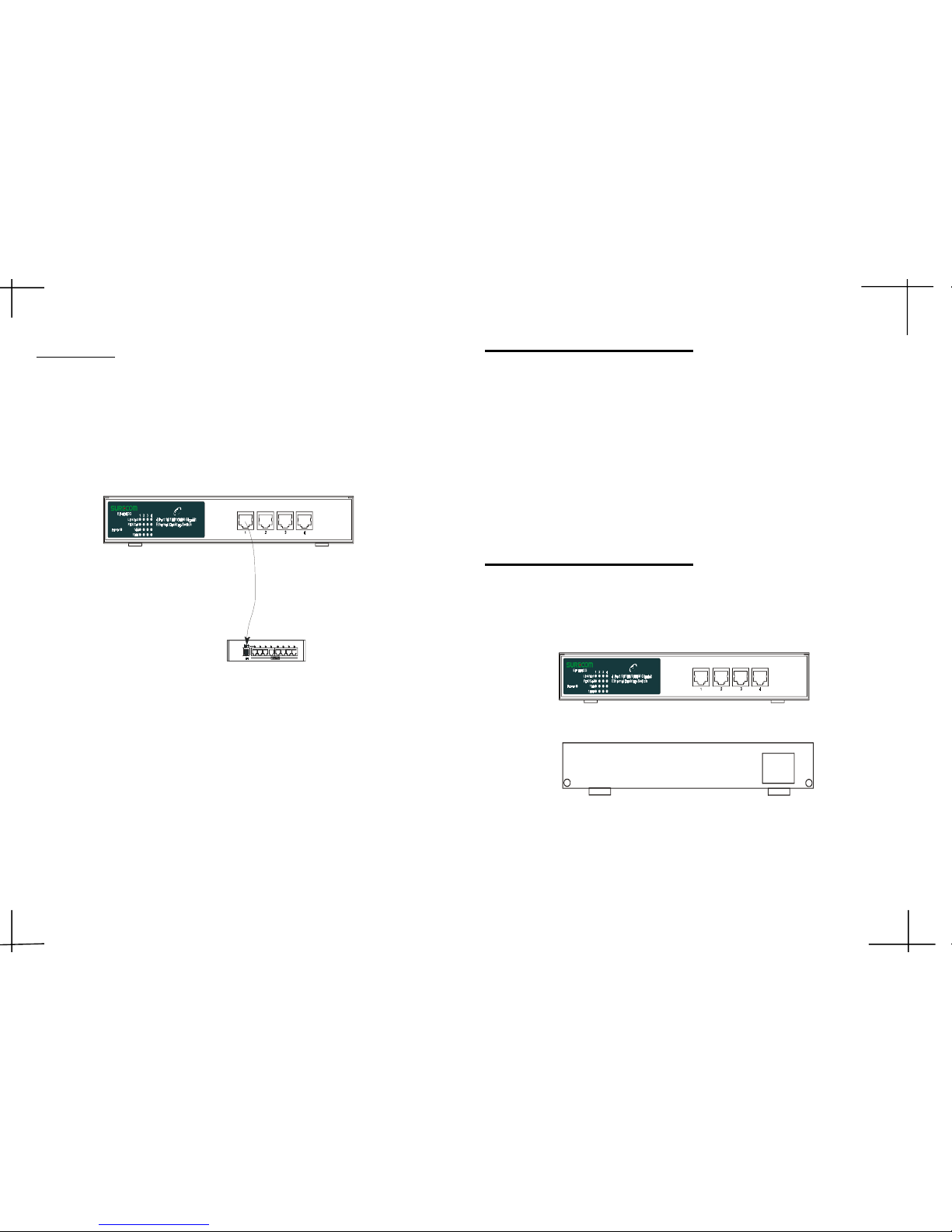
Switch to Hub
A hub (10BASE-T or 100BASE-TX) can be connected to the N-Way Switch via a 2-pair
Category 3/4/5 or 4-pair Category 5 UTP/STP straight cable. The connection is accomplished from any normal port of the 4 port 10/100/1000M Gigabit Ethernet Desktop Switch
to the uplink port of the connected hub.
4 port 10/100/1000M Gigabit Ethernet Desktop Switch
HUB
Store-and-forward switching scheme capability to support rate adaptation and ensures
data integrity
Auto-negotiation on each port.
Auto-polarity detection for correction of incorrect polarity on the received 4-pair on
each port
Data forwarding rate 1488000 pps per port at 100% of wire-speed
Data filtering rate eliminates all error packets, runts, etc. at 1488000 pps per port at 100%
of wire-speed
The shortest forwarding latency time
Performance Highlights
Hardware
The following describes the front panel, rear panel and LED indicators of the 4 port 10/
100/1000M Gigabit Ethernet Desktop Switch .
4 port 10/100/1000M Gigabit Ethernet Desktop Switch
90~264VAC
47~63Hz
#
Page 4

LED Indicators
DELroloCsutatSnoitpircseD
forebmuN
DEL
rewoPneerGnOnorewoP1
tcA/kniLneerG
nO
fosutatskniL
tropdetcennoc
)trop4(4
gnihsalF
noissimsnarTataD
detcennocfosutats
trop
loC/XDFneerG
nO
sutatsxelpuD-lluF
tropdetcennocfo
)trop4(4
ffO
sutatsxelpuD-flaH
tropdetcennocfo
gnihsalF
fosutatsnoisilloC
tropdetcennoc
001neerGnO
fospbM001
tropdetcennoc
)trop4(4
0001neerGnO
fospbM0001
tropdetcennoc
)trop4(4
Note: In the case of Link, the lights of 100 and 1000 don't light up, it belongs to 10Mbps.
FCC Statement
This equipment can generate, use and radiate radio frequency energy and, if not
installed and used in accordance with the instructions in this manual, may cause
interference to radio communications. This equipment has been tested and found
to comply with the limits for a Class A computing device pursuant to Part 15 of the
FCC rules, which are designed to provide reasonable protection against radio interference when operated in a commercial environment. Operation of this equipment
in a residential area is likely to cause interference, in which case the user, at his
own expense, will be required to take whatever measures are necessary to correct
the interference.
CE Declaration of Conformity
This is a Class A product. In a domestic environment product may cause radio
interference in which case the user may be required to take adequate measures.
Trademarks
All other brands and product names may be registered trademarks or trademarks
of their respective holders.
!
Page 5
333333311
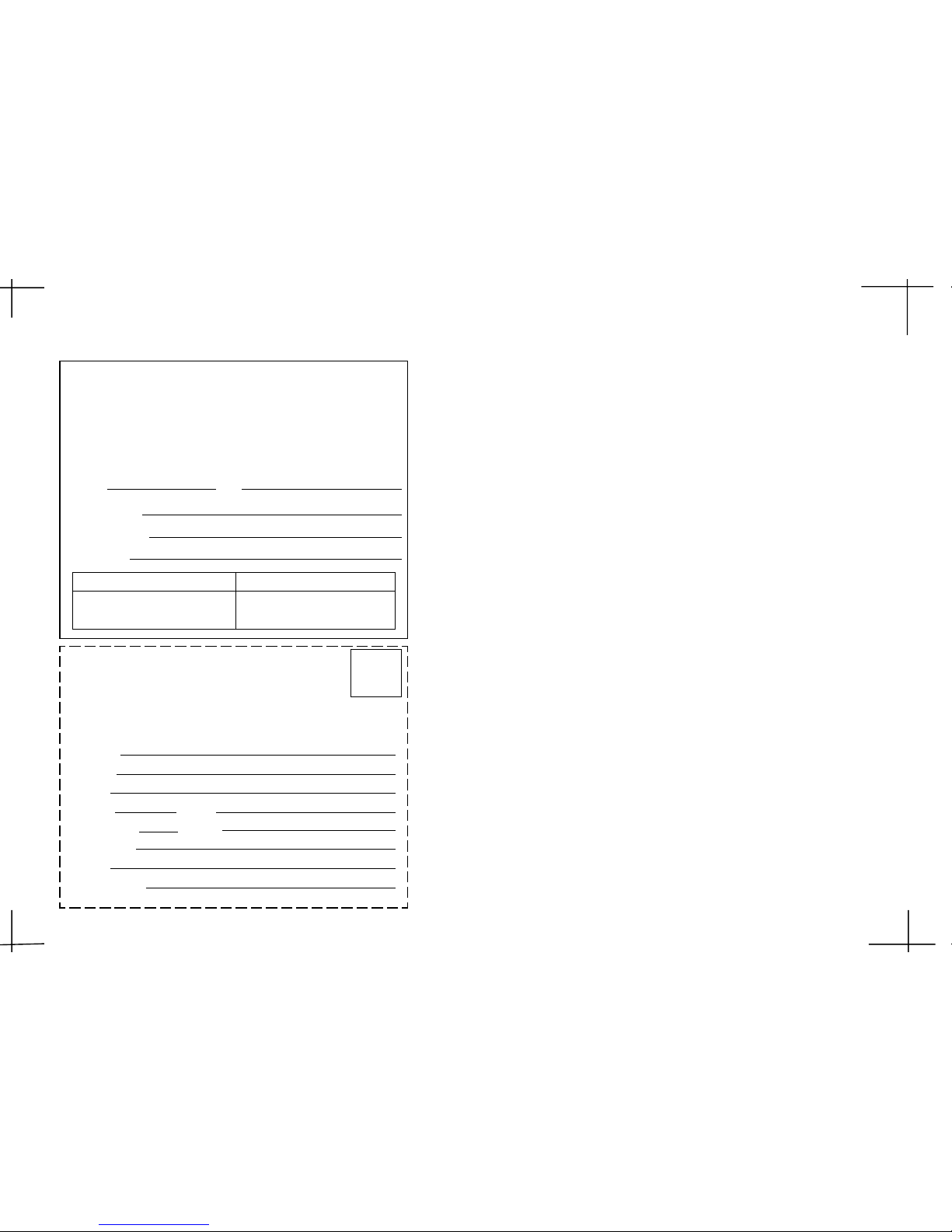
2-Year Warranty2-Year Warranty
2-Year Warranty2-Year Warranty
2-Year Warranty
The manufacturer warrants to the original consumer /purchaser free from defects
in materials or workmanship for limited time from the original factory shipment
date.
KEEP THIS STUB FOR YOUR RECORDS
Date Purchased:
Where Purchased:
From Whom:
Serial:
Model:
TO:
ATTN:
Place
Stamp
Here
WARRANTY REGISTRATION CARDWARRANTY REGISTRATION CARD
WARRANTY REGISTRATION CARDWARRANTY REGISTRATION CARD
WARRANTY REGISTRATION CARD
Please complete this form and return it within 10
days of purchase to validate the warranty
Name/Title:
Company:
Address:
Tel. No.: Signature:
Purchase Model: Serial No.:
Purchase from:
Address:
Date of Purchase:
MANUFACTURER DISTRIBUTOR
3-1
3-7894789789
 Loading...