

Page 1
User Guide
Flex2GO
Adjustable 2G/3G Vehicle Signal Booster Kit
™
Page 2
SureCall | 48346 Milmont Drive, Fremont CA 94538 | 1-888-365-6283 | sales@surecall.com
How It Works Pg. 3
Package Contents Pg. 4
Installation:
Step1: Connect outside antenna Pg.5
Step 2: Connect inside antenna Pg.6
Step 3: Install the signal booster Pg.6
Step 4: Congure Gain Setting Pg. 7
Troubleshooting Pg. 8
Specication Pg. 9
Kitting Information Pg. 9
Warranty Pg. 10-11
Safety Information Pg. 11
Table of Contents
2
Thank you for purchasing SureCall’s Flex2Go cell phone signal booster kit. Flex2Go
provides enhanced 2G and 3G voice and data reception and is congurable for any
size vehicle.
If you need any assistance during product installation please contact tech support
at 1-888-365-6283 or email us at support@surecall.com.
Page 3
SureCall | 48346 Milmont Drive, Fremont CA 94538 | 1-888-365-6283 | sales@surecall.com
3
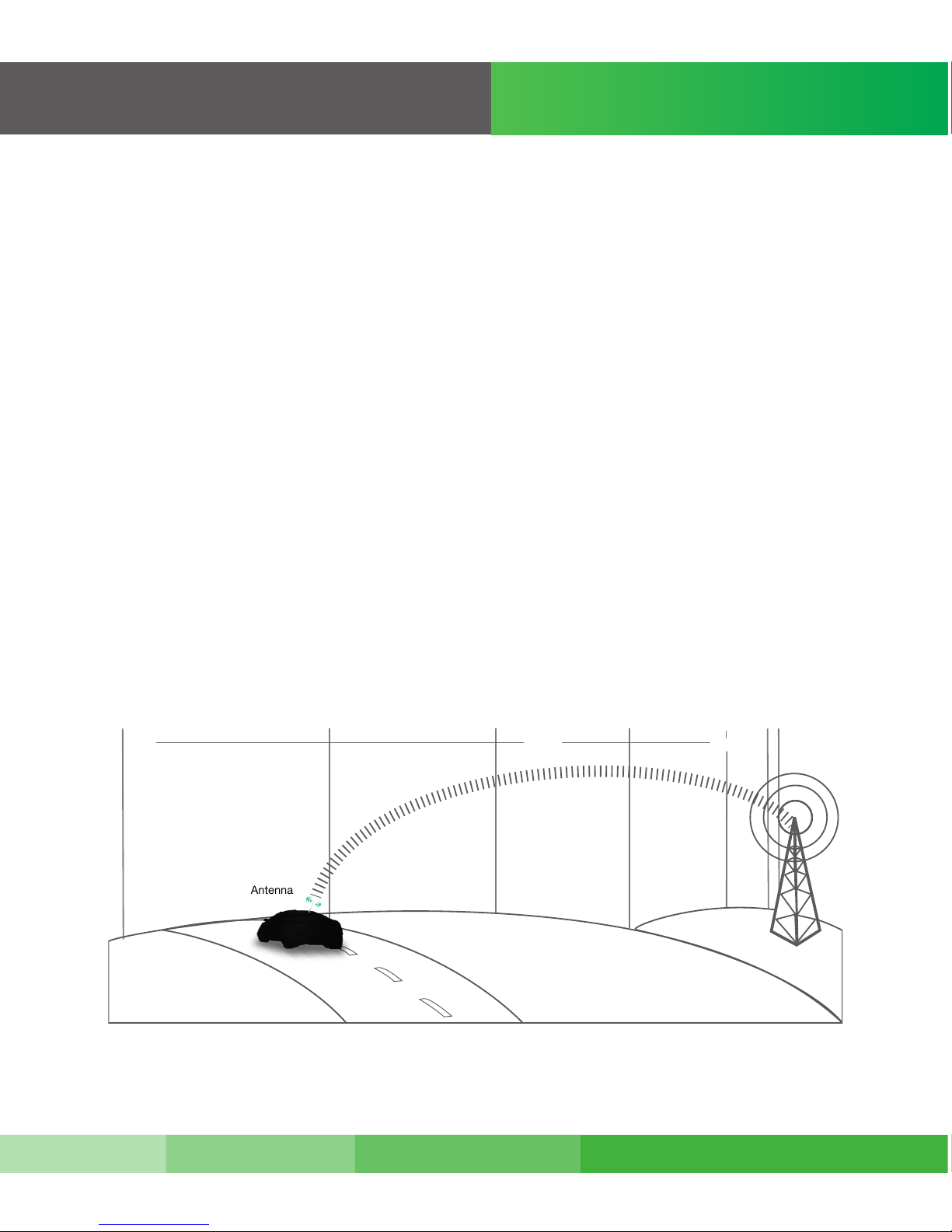
The SureCall Flex2Go is a high-quality bidirectional booster that enhances cellular
signals for cars, motor homes, and other vehicles.
The Flex2Go works with two antennas:
• An inside antenna that communicates with your cell phone.
• An outside antenna that communicates with the cell tower.
Signals sent from a cell tower are received by the outside antenna, amplied by the
booster and then sent to your cell phone via the inside antenna. When your phone
transmits, the signal is sent to the inside antenna, and then sent to the cell tower via
the outside antenna. A minimum amount of cellular reception is required for the
Flex2Go to work properly. Cellular signal strength is measured in dBm, an abbreviation
of the radio power per milliwatt. A minimum of -100 dBm is required. Signal readings
usually appear as a negative number (for example, -85). The stronger the signal, the
closer it gets to zero. See graph below.
How it works
Cell
Tower
Outside
Antenna
Signal Strength
-50dB
-60dB
-70dB
-80dB
-90dB
-100dB
-110dB
ExcellentGoodPoor
Page 4
SureCall | 48346 Milmont Drive, Fremont CA 94538 | 1-888-365-6283 | sales@surecall.com
4
Package Contents
1. Unpack all package contents. For missing or damaged items, contact your reseller.
2. Turn over the signal booster and record the model and serial number for reference:
Serial #:
Purchase Date:
3. Keep the carton and packing material to store the product in case you need to return it.
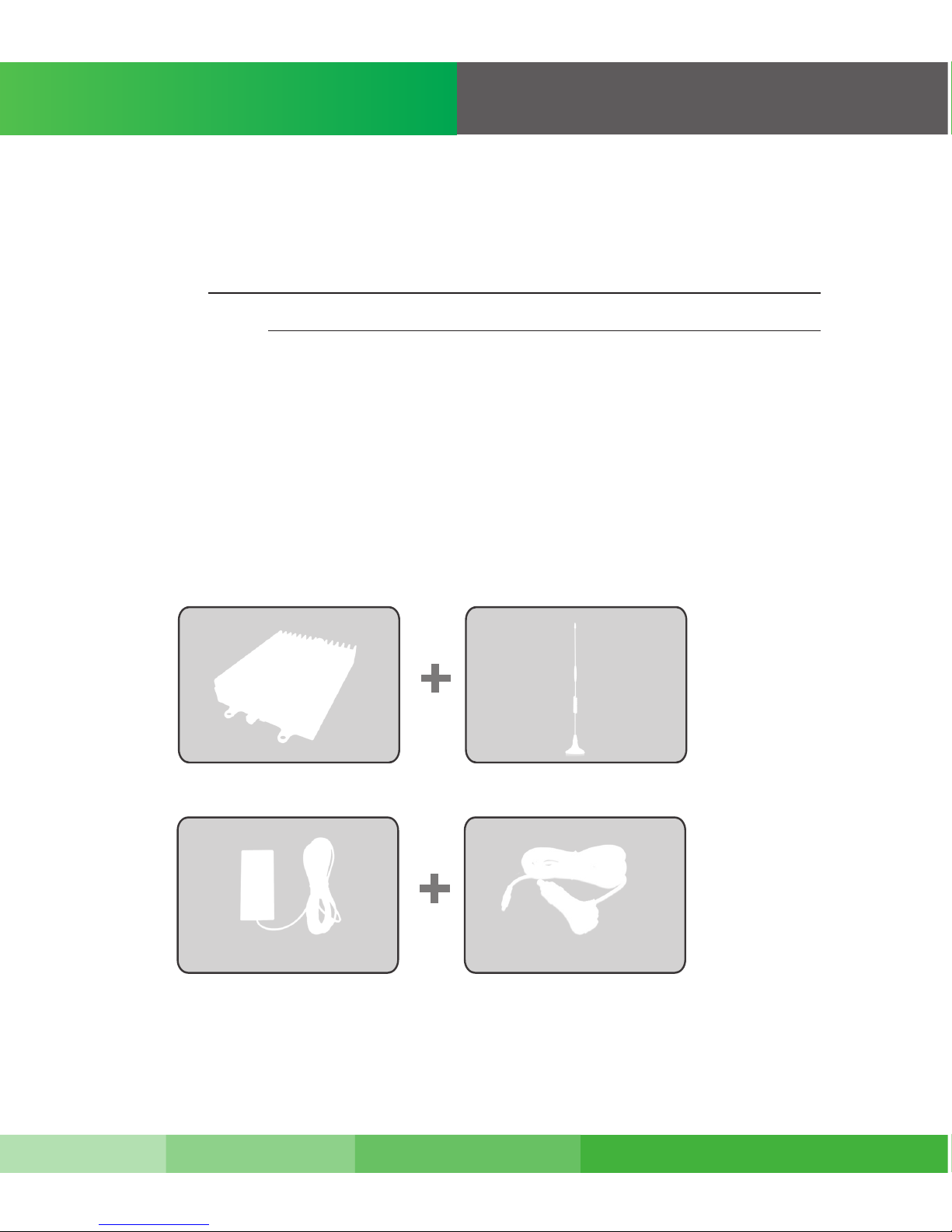
Your Flex2Go signal booster package includes the following items:
• One SureCall Flex2Go signal booster
• One outside antenna with attached cable
• One inside antenna with attached cable
• One DC car charger for vehicle
• Velcro® and screw-mounting kit
Flex2Go Outside Magnetic
Mount Antenna
Inside Patch Antenna
Power Adapter
Warning: Unauthorized antennas, cables, and/or coupling devices are prohibited by FCC new rules. Please contact FCC for details: 1-888-CALL-FCC.
Changes or modications not expressly approved by SureCall could void the user’s authority to operate the equipment.
Page 5

SureCall | 48346 Milmont Drive, Fremont CA 94538 | 1-888-365-6283 | sales@surecall.com
5
Installation
Installation Steps:
Step 1. Installing your Hardware
Connect the Outside Antenna
1. Connect the magnetic outside antenna to the roof of the car in a location that:
• Is on top of the vehicle
• Has at least a 12-inch radius clear of obstructions and other radiating elements,
such as a radio antenna.
• Is at least 4-6 feet from the inside antenna.
2. Using the supplied cable, connect the outside antenna to the booster connector
marked OUTSIDE.
3. Run the outside antenna cord across the car’s roof and under the front door insulation
lining to hide and protect the antenna cable. Wrap up any loose cable
4. Hand tighten the connection
Note: The outside antenna must not be collocated or operating with any other antenna or booster.
Flex2Go
Magnetic Antenna
Power Adapter
Inside Patch Antenna
Page 6

SureCall | 48346 Milmont Drive, Fremont CA 94538 | 1-888-365-6283 | sales@surecall.com
6
Note: Laboratory tests show that patch antennas can work from as close as 2 ft. from the outside antenna if the patch antenna is facing away from the
outside antenna. If the alert lights blink red, showing oscillation, turn the dial of the oscillating band down 3 dBs.
Installation
Step 2. Connect the Inside Antenna
1. Mount the inside antenna so it is:
• Within 2-3 feet of the cell phone, or directly to the back of the cell phone.
• Mounted on a surface that is at least 4” (10cm) away from metal.
2. Using the supplied cable, connect the antenna to the booster connector marked INSIDE
3. Hand tighten the connection
Step 3. Install the Signal Booster
1. Mount the booster under the seat of the vehicle, or on the front or middle console of the
vehicle. The location you select should:
• Be away from excessive heat, direct sunlight, or moisture.
• Provide proper ventilation.
Refer to the illustration on page 7 for the following steps:
2. Connect the outside antenna cable to the signal booster connector marked OUTSIDE.
Hand-tighten the connection.
3. Connect the inside antenna cable to the signal booster connector marked INSIDE.
Hand-tighten the connection.
4. Connect the DC power cord to the signal booster. Once you’ve connected the DC power
cord to the signal booster, connect the plug on the other end of the DC power outlet to
the cigarette lighter adapter.Turn the power switch on.
• The signal booster turns on automatically.
• The Power LED lights up to show that the signal booster is ready for use.
• The Alert LEDs ash up to 15 seconds on each band to show the band is activated.
If the Power LED does not turn ON be sure the DC outlet and adapter are working and
the power switch is on.
Page 7

SureCall | 48346 Milmont Drive, Fremont CA 94538 | 1-888-365-6283 | sales@surecall.com
7
Step 4. Congure Gain Settings
If the red LED goes ON, it is the result of one of two factors.
1. More antenna separation is needed. Most likely, the easiest way to achieve this is to
move the magnetic mount antenna farther to the back of vehicle away from the inside
patch antenna.
2. Your vehicle is too close to a cell tower.
If unable to provide more antenna separation and the Alert LEDs ash after the initial
activation period, lower the dial above the blinking LED by 5dB (for example, from
50 to 40) and monitor the bars on your cell phone to see whether reception has improved.
The booster case may become warm during operation. This is normal.
Press any key on your cell phone to refresh communication with the base station.
WARNING. The booster is rated for 5-15V input voltage. DO NOT use the booster with a higher voltage power supply. This can
damage the booster and/or cause personal injury.
50
47
44
40
36
33
30
50
47
44
40
50
33
35
LEDs
An Alert Light Emitting Diode (LED) appears above the Cellular and PCS dials.
Designation Description
Cellular 800 uplink
PCS 1900 uplink
LED o = normal operation
LED blinking yellow = Automatic Gain Control is adjusting
LED solid yellow = Booster is in sleep mode due to no activity.
LED blinking red = Booster will automatically shut down,
due to close proximity to cell tower to avoid interference.
LED o = normal operation
LED blinking yellow = Automatic Gain Control is adjusting
LED solid yellow = Booster is in sleep mode due to no activity.
LED blinking red = Booster will automatically shut down,
due to close proximity to cell tower to avoid interference.
Cellular - 800 Dial
PCS - 1900 Dial
Alert LED
Alert LED
Power Jack
FME connector to inside antenna
Programmer
Power Switch
FME connector to outside antenna
Congure Gain Setting
OFF OFF
Page 8

SureCall | 48346 Milmont Drive, Fremont CA 94538 | 1-888-365-6283 | sales@surecall.com
8
Troubleshooting
In the event you encounter a problem, follow the suggestions below to resolve the issue.
Problem
Resolution
Signal booster has no power
After installing your signal
booster system, you have
no signal or reception.
Verify that the booster switch is turned on.
Make sure the DC power outlet is plugged into the cigarette lighter
adapter. If the green POWER LED on the signal booster is OFF,
return the power supply to SureCall. Contact tech support at
1-888-365-6283 or support@surecall.com, or go to www.surecall.
com and log on to online support to receive a Return Merchandise
Authorization. (RMA)
Double-check all signal booster and antenna cable connections.
Be sure your signal booster’s dB gain is turned up to at least 40 dB
- 45 dB on each dial.
The Alert LEDs Continue to
ash
Each SureCall booster is equipped with Auto Shutdown if there’s
danger of cell tower interference. The location where your car is
parked may be too close to a cell tower. Drive to a location that
provides sucient distance from the cell tower to prevent the booster
from automatically shutting down. Once away from the original
location, use the power supply switch to restart the booster manually.
One of the red LEDs next to
the dials on your signal booster
is ashing red.
Your signal booster restarted
and shut down for 15 minutes,
and is now shut down
permanently.
Lower the dial above the blinking LED by 5dB (for example, from
50 to 45) and monitor the bars on your cell phone to see whether
reception has improved.
Be sure the inside panel antenna is facing away from the outside
antenna.
Use the recommended 4-6 feet of antenna separation:
Each SureCall signal booster is equipped with Auto Shutdown
to prevent cell tower interference. The location where your car
is parked may be too close to a cell tower. Once away from the
original location, use the power supply switch to restart the booster
manually.
Page 9

SureCall | 48346 Milmont Drive, Fremont CA 94538 | 1-888-365-6283 | sales@surecall.com
9
Specication
Specication FLEX2GO
Uplink Frequency Range (MHz): 824-849 / 1850-1910
869-894 / 1930-1990
50 Ω
50 dB
5 dB
≤2.0
CDMA, WCDMA, GSM, EDGE, HSPA+,EVDO and all cellular standards
5-15V
1W EIRP
RG174
FME Male (both ends )
<10W
8” x 1.25” x 5”
1 lbs 8 oz
RSNFLEX2GO
Downlink Frequency Range (MHz):
Supported Standards:
DC Car Charger:
VSWR:
Maximum Gain:
Noise Figure:
Input/Output Impedance:
Maximum Output Power:
Cable:
RF Connectors:
Power Consumption:
Dimensions:
Weight:
FCC (USA):
Kitting Information
Component
Outside Antennas
Note:
Due to the recent change of our company name from Cellphone-Mate (CM) to SureCall (SC) we have changed the prex on all
of our antennas, cables and accessories from CM to SC-.
SC-200W
3 dBi
5 dBi
-4.3 dB
1.1 dBi
-8.8 dB
3 dBi
RG-174
–4.3dB –8.8dB
SC-110W
RG-174
Outside Cable
Inside Antenna
Inside Cable
Gain / Loss
800 MHz 1900 MHz
Product Number
*All equivalent antennas and cables are suitable for use with the Flex2Go booster.
Page 10

SureCall | 48346 Milmont Drive, Fremont CA 94538 | 1-888-365-6283 | sales@surecall.com
Three-Year Product Warranty
SureCall warrants its products for three years from the date of purchase against defects in workmanship and/or materials.
Specications are subject to change. The three-year warranty only applies to products meeting the latest FCC Certication
Guidelines stated on 2/20/2013 and going into eect April 30, 2014. A two-year warranty applies to any products manufactured
before May 1, 2014.
Products returned by customers must be in their original, un-modied condition, shipped in the original or protective packaging
with proof-of-purchase documentation enclosed, and a Return Merchandise Authorization (RMA) number printed clearly on the
outside of the shipping container.
Buyers may obtain an RMA number for warranty returns by calling the SureCall Return Department toll-free at 1-888-365-
6283. Any returns received by SureCall without an RMA number clearly printed on the outside of the shipping container will
be returned to sender. In order to receive full credit for signal boosters, all accessories originally included in the signal booster
box must be returned with the signal booster. (The Buyer does not need to include accessories sold in addition to the signal
booster, such as antennas or cables.)
This warranty does not apply to any product determined by SureCall to have been subjected to misuse, abuse, neglect, or
mishandling that alters or damages the product’s physical or electronic properties.
SureCall warrants to the Buyer that each of its products, when shipped, will be free from defects in material and workmanship, and will perform in full accordance with applicable specications. The limit of liability under this warranty is, at SureCall’s
option, to repair or replace any product or part thereof which was purchased up to THREE YEARS after May 1, 2014 or TWO
YEARS for products purchased before May 1, 2014, as determined by examination by SureCall, prove defective in material
and/or workmanship. Warranty returns must rst be authorized in writing by SureCall. Disassembly of any SureCall product by
anyone other than an authorized representative of SureCall voids this warranty in its entirety. SureCall reserves the right to make
changes in any of its products without incurring any obligation to make the same changes on previously delivered products.
As a condition to the warranties provided for herein, the Buyer will prepay the shipping charges for all products returned to
SureCall for repair, and SureCall will pay the return shipping with the exception of products returned from outside the United
States, in which case the Buyer will pay the shipping charges.
The Buyer will pay the cost of inspecting and testing any goods returned under the warranty or otherwise, which are found to
meet the applicable specications or which are not defective or not covered by this warranty.
Products sold by SureCall shall not be considered defective or non-conforming to the Buyer’s order if they satisfactorily fulll the
performance requirements that were published in the product specication literature, or in accordance with samples provided
by SureCall. This warranty shall not apply to any products or parts thereof which have been subject to accident, negligence,
alteration, abuse, or misuse. SureCall makes no warranty whatsoever in respect to accessories or parts not supplied by it.
10
Warranty
Page 11

Limitations of Warranty, Damages and Liability:
EXCEPT AS EXPRESSLY SET FORTH HEREIN, THERE ARE NO WARRANTIES, CONDITIONS, GUARANTEES, OR REPRESENTATIONS AS TO MERCHANTABILITY, FITNESS FOR A PARTICULAR PURPOSE, OR OTHER WARRANTIES, CONDITIONS,
GUARANTEES, OR REPRESENTATIONS, WHETHER EXPRESSED OR IMPLIED, IN LAW OR IN FACT, ORAL OR IN WRITING.
SURECALL AGGREGATE LIABILITY IN DAMAGES OR OTHERWISE SHALL NOT EXCEED THE PAYMENT, IF ANY, RECEIVED
BY CELLPHONE-MATE, INC. FOR THE UNIT OF PRODUCT OR SERVICE FURNISHED OR TO BE FURNISHED, AS THE CASE
MAY BE, WHICH IS THE SUBJECT OF CLAIM OR DISPUTE. IN NO EVENT SHALL SURECALL BE LIABLE FOR INCIDENTAL,
CONSEQUENTIAL, OR SPECIAL DAMAGES, HOWSOEVER CAUSED.
All matters regarding this warranty shall be interpreted in accordance with the laws of the State of California, and any controversy that cannot
be settled directly shall be settled by arbitration in California in accordance with the rules then prevailing of the American Arbitration Association, and judgment upon the award rendered may be entered in any court having jurisdiction thereof. If one or more provisions provided
herein are held to be invalid or unenforceable under applicable law, then such provision shall be ineective and excluded to the extent of
such invalidity or unenforceability without aecting in any way the remaining provisions hereof.
SAFETY INFORMATION
This is a CONSUMER device.
BEFORE USE, you MUST REGISTER THIS DEVICE with your wireless provider and have your provider’s consent. Most wireless providers
consent to the use of signal boosters. Some providers may not consent to the use of this device on their network. If you are unsure,
contact your provider. You MUST operate this device with approved antennas and cables as specied by the manufacturer. Antennas
MUST be installed at least 20 cm (8 inches) from any person. You MUST cease operating this device immediately if requested by the
FCC or a licensed wireless service provider.
WARNING: E911 location information may not be provided or may be inaccurate for calls served BY USING THIS DEVICE.
48346 Milmont Drive
Fremont, California 94538
USA
888.365.6283
Fax: 510.996.7250
www.surecall.com
SureCall has made a good faith eort to ensure the accuracy of the information in this document and disclaims the implied warranties of
merchantability and tness for a particular purpose and makes no express warranties, except as may be stated in its written agreement with
and for its customers.SureCall shall not be held liable to anyone for any indirect, special or consequential damages due to omissions or
errors. The information and specications in this document are subject to change without notice. © 2014. All Rights Reserved. All
trademarks and registered trademarks are the property of their respective owners.
SureCall | 48346 Milmont Drive, Fremont CA 94538 | 1-888-365-6283 | sales@surecall.com
11
Warranty
Page 12

SureCall | 48346 Milmont Drive, Fremont CA 94538 | 1-888-365-6283 | sales@surecall.com
BEFORE USE, you MUST REGISTER THIS DEVICE with your wireless provider
and have your provider’s consent. Most wireless providers consent to the use of
signal boosters. Some providers may not consent to the use of this device on their
network. If you are unsure, contact your provider.
You MUST operate this device with approved antennas and cables as specied by
the manufacturer. Antennas MUST be installed at least 20 cm (8 inches) from any
person. You MUST cease operating this device immediately if requested by the
FCC or a licensed wireless service provider.
WARNING. E911 location information may not be provided or may be
inaccurate for calls served by using this device.
This is a CONSUMER device.
Note: This equipment has been tested and found to comply with the limits for a Class B digital device, pursuant to part 15 of the FCC Rules. These
limits are designed to provide reasonable protection against harmful interference in a residential installation. This equipment generates, uses and
can radiate radio frequency energy and, if not installed and used in accordance with the instructions, may cause harmful interference to radio
communications. However, there is no guarantee that interference will not occur in a particular installation. If this equipment does cause harmful
interference to radio or television reception, which can be determined by turning the equipment off and on, the user is encouraged to try to correct the
interference by one or more of the following measures:
• Reorient or relocate the receiving antenna.
• Increase the separation between the equipment and receiver.
• Co n nec t the e qui p men t int o an o u tle t on a ci r cui t di ffer e n t fr om t h at t o wh ic h th e re c eiv er is c onn e cte d.
• Consult the dealer or an experienced radio/TV technician for help.
 Loading...