

Page 1
®
SUPER
Supermicro Power
Distribution Unit
User's Guide
1.0
Page 2

The information in this User’s Manual has been carefully reviewed and is believed to be accurate.
The vendor assumes no responsibility for any inaccuracies that may be contained in this document,
makes no commitment to update or to keep current the information in this manual, or to notify any
person or organization of the updates. Please Note: For the most up-to-date version of this
manual, please see our web site at www.supermicro.com.
Super Micro Computer, Inc. ("Supermicro") reserves the right to make changes to the product
described in this manual at any time and without notice. This product, including software and
documentation, is the property of Supermicro and/or its licensors, and is supplied only under a
license. Any use or reproduction of this product is not allowed, except as expressly permitted by
the terms of said license.
IN NO EVENT WILL SUPERMICRO BE LIABLE FOR DIRECT, INDIRECT, SPECIAL, INCIDENTAL,
SPECULATIVE OR CONSEQUENTIAL DAMAGES ARISING FROM THE USE OR INABILITY TO
USE THIS PRODUCT OR DOCUMENTATION, EVEN IF ADVISED OF THE POSSIBILITY OF
SUCH DAMAGES. IN PARTICULAR, SUPERMICRO SHALL NOT HAVE LIABILITY FOR ANY
HARDWARE, SOFTW ARE, OR DA TA STORED OR USED WITH THE PRODUCT, INCLUDING THE
COSTS OF REPAIRING, REPLACING, INTEGRATING, INSTALLING OR RECOVERING SUCH
HARDWARE, SOFTWARE, OR DATA.
Any disputes arising between manufacturer and customer shall be governed by the laws of Santa
Clara County in the State of California, USA. The State of California, County of Santa Clara shall
be the exclusive venue for the resolution of any such disputes. Super Micro's total liability for all
claims will not exceed the price paid for the hardware product.
FCC Statement: This equipment has been tested and found to comply with the limits for a Class
A digital device pursuant to Part 15 of the FCC Rules. These limits are designed to provide
reasonable protection against harmful interference when the equipment is operated in a commercial
environment. This equipment generates, uses, and can radiate radio frequency energy and, if not
installed and used in accordance with the manufacturer’s instruction manual, may cause harmful
interference with radio communications. Operation of this equipment in a residential area is likely
to cause harmful interference, in which case you will be required to correct the interference at your
own expense.
California Best Management Practices Regulations for Perchlorate Materials: This Perchlorate
warning applies only to products containing CR (Manganese Dioxide) Lithium coin cells. “Perchlorate
Material-special handling may apply. See www.dtsc.ca.gov/hazardouswaste/perchlorate”
WARNING: Handling of lead solder materials used in this
product may expose you to lead, a chemical known to
the State of California to cause birth defects and other
reproductive harm.
Manual Revision 1.0
Release Date: July 20, 2011
Unless you request and receive written permission from Super Micro Computer, Inc., you may not
copy any part of this document.
Information in this document is subject to change without notice. Other products and companies
referred to herein are trademarks or registered trademarks of their respective companies or mark
holders.
Copyright © 2011 by Super Micro Computer, Inc.
All rights reserved.
Printed in the United States of America
Page 3

iii
Preface
Preface
About This Manual
This manual is written for professional system integrators and PC technicians. It
provides information for the use of the Supermicro Power Distribution Unit (PDU)
system. Setup, installation and maintainance should be performed by experienced
technicians only.
The SuperRack system is a high-end rack mounted PDU that can be mounted in
different rack systems to provide power managment to rack components.
Manual Organization
Chapter 1: Introduction
The fi rst chapter provides a overview of the Supermicro PDU system and its
specifi cations.
Chapter 2: Saftey
Y ou should thoroughly familiarize yourself with this chapter for a general overview of
safety precautions that should be followed when installing and using the Supermicro
PDU unit.
Page 4

Supermicro PDU User's Guide
iv
Notes
Page 5

v
Table of Contents
Chapter 1 Introduction
1-1 Overview .........................................................................................................1-1
1-2 Supermicro PDU Specifi cations ...................................................................... 1-1
1-4 Returning Merchandise for Service.................................................................1-3
1-5 Contacting Supermicro ....................................................................................1-4
Chapter 2 System Safety
2-1 Electrical Safety Precautions .......................................................................... 2-1
2-2 General Safety Precautions ............................................................................ 2-2
2-3 ESD Precautions ............................................................................................. 2-3
2-4 Rack Mount Precautions ................................................................................. 2-4
Supermicro PDU User's Guide
Page 6

vi
Table of Contents
Notes
Page 7

Chapter 1
Introduction
1-1 Overview
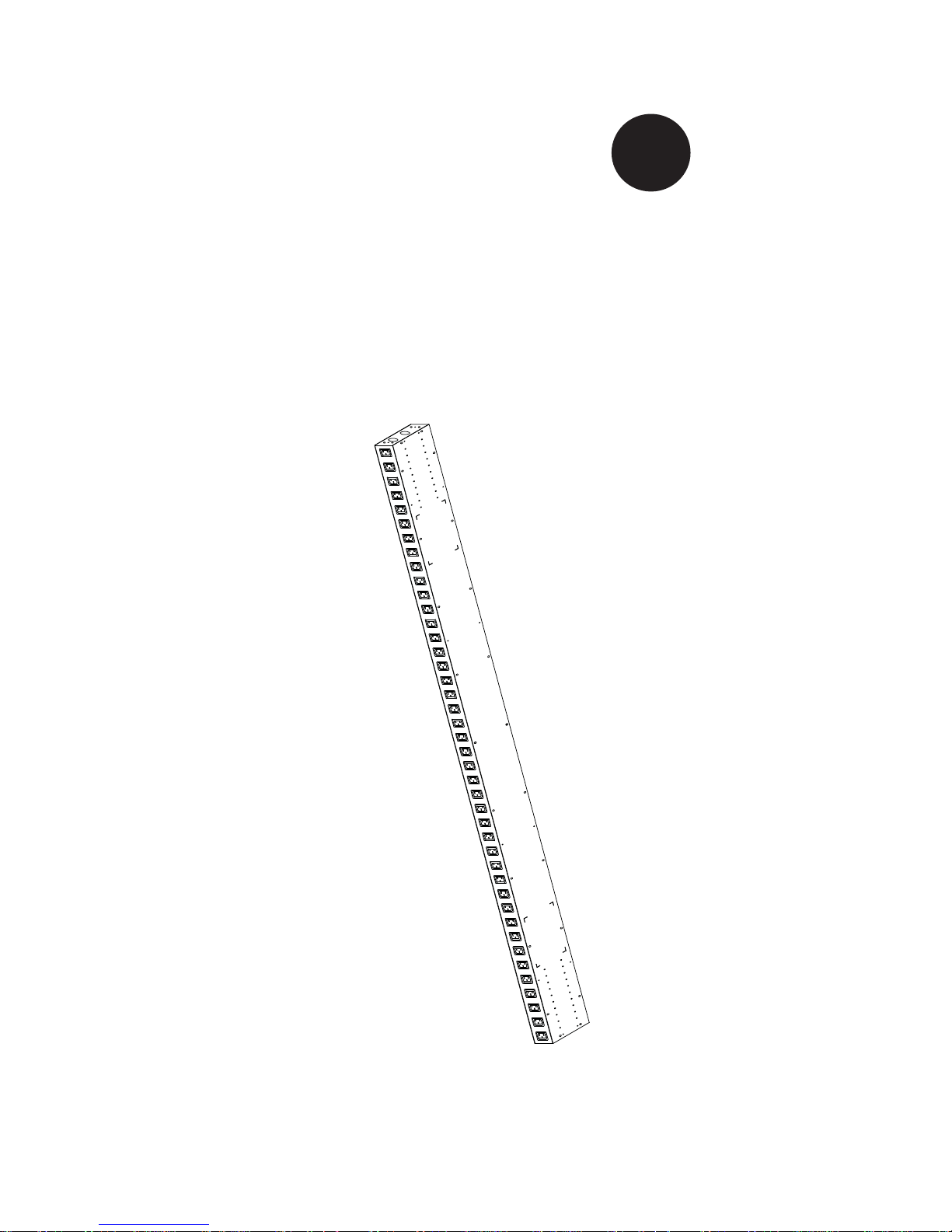
The Supermicro PDU system is a rack mounted power distibution unit that can be
fi tted to a server rack to provide power outlets to rack mounted components.
1-2 Supermicro PDU Specifi cations
The Supermicro PDU system has the following specifi cations:
Output
Specifi cation A Source B Source
Nominal output voltage for each AC output 200-240V 200-240V
Maximum total current draw per phase 24A 24A
Output connections (21) IEC 320 C13 (21) IEC 320 C13
Overload protection Yes Yes
Input
Nominal input voltage 200-240V 200-240V
Input frequency 50/60 Hz 50/60 Hz
Regulatory derated input current (North America) 24A 24A
Input connections NEMA L6-30P NEMA L6-30P
Cord length 3.05 meters 3.05 meters
Number of power cords 1 1
Maximum input current per phase 30A 30A
Load capacity 4992 VA ( Input = 208V) 4992 VA ( Input = 208V)
Environmental
Operating Environment -5 - 50o C
Operating Relative Humidity 5 to 95% RH, Non-condensing
Operating Elevation 0-3000 meters
Storage Temperature -25 - 80
o
C
Storage Relative Humidity 0 - 95%
Storage Elevation 0 - 15000 meters
Conformance
Regulatory Approvals
Standard Warranty 2 Years Repair or Replace
Environmental Compliance RoHS 7b Exemption
Chapter 1: Introduction
1-1
Page 8
1-2
Supermicro PDU User's Guide
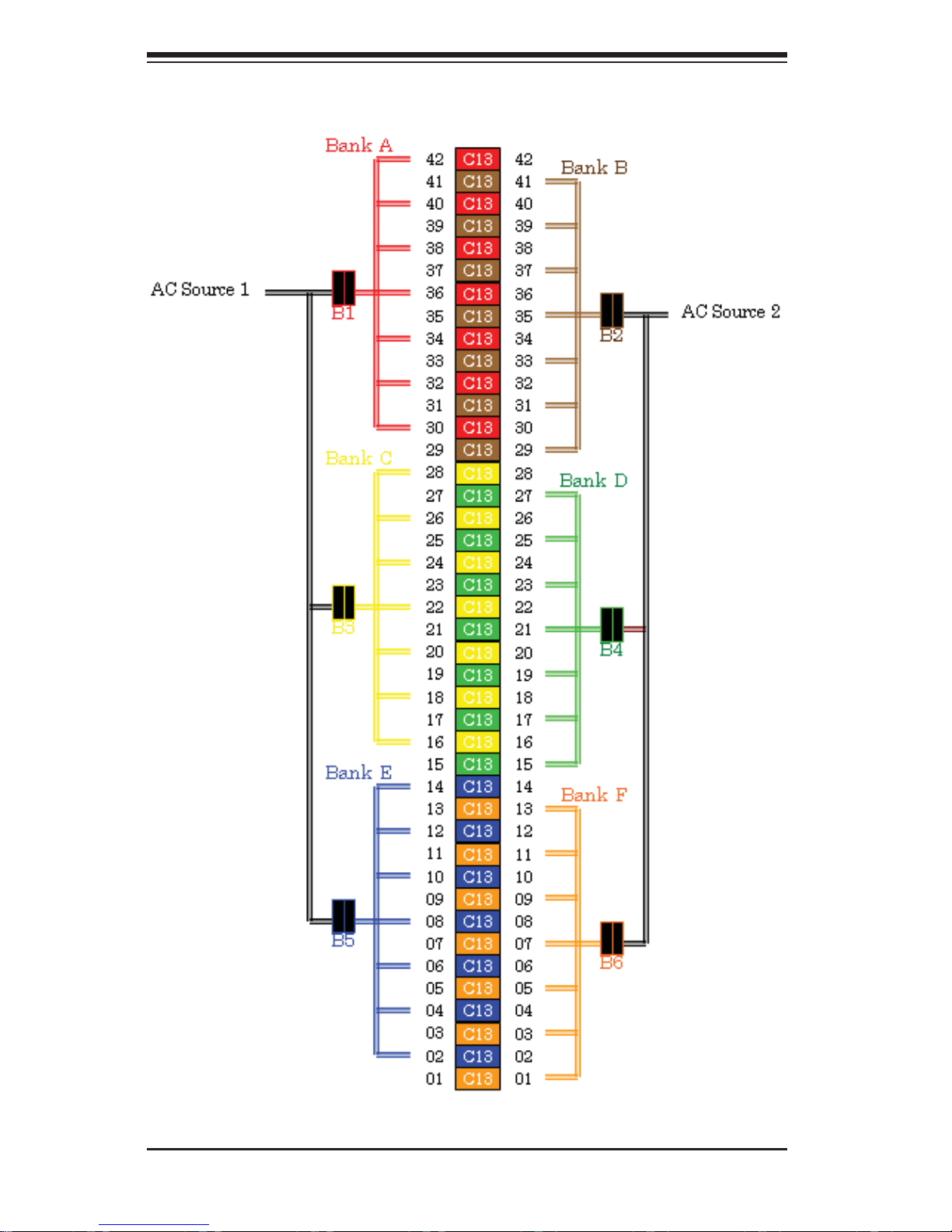
Figure 1-1: PDU Single Phase Diagram
Page 9

1-3
Chapter 1: Introduction
1-4 Returning Merchandise for Service
A receipt or copy of your invoice marked with the date of purchase is required
before any warranty service will be rendered. You can obtain service by calling your
vendor for a Returned Merchandise Authorization (RMA) number. When returning
to the manufacturer, the RMA number should be prominently displayed on the
outside of the shipping carton, and mailed prepaid or hand-carried. Shipping and
handling charges will be applied for all orders that must be mailed when service
is complete.
For faster service, RMA authorizations may be requested online at:
http://www. supermicro.com/support/rma/
Whenever possible, repack the chassis in the original Supermicro carton, using the
original packaging material. If these are no longer available, be sure to pack the
chassis securely, using packaging material to surround the chassis so that it does
not shift within the carton and become damaged during shipping.
This warranty only covers normal consumer use and does not cover damages
incurred in shipping or from failure due to the alteration, misuse, abuse or improper
maintenance of products. During the warranty period, contact your distributor fi rst for
any product problems. The Supermicro warranty can be found on our website at:
http://www.supermicro.com/support/Warranty/
Page 10

1-4
Supermicro PDU User's Guide
1-5 Contacting Supermicro
Headquarters
Address: Super Micro Computer, Inc.
980 Rock Ave.
San Jose, CA 95131 U.S.A.
Tel: +1 (408) 503-8000
Fax: +1 (408) 503-8008
Email: [email protected] (General Information)
[email protected] (Technical Support)
Web Site: www.supermicro.com
Europe
Address: Super Micro Computer B.V.
Het Sterrenbeeld 28, 5215 ML
's-Hertogenbosch, The Netherlands
Tel: +31 (0) 73-6400390
Fax: +31 (0) 73-6416525
Email: [email protected] (General Information)
[email protected] (Technical Support)
[email protected] (Customer Support)
Asia-Pacifi c
Address: Super Micro Computer, Inc.
4F, No. 232-1, Liancheng Rd.
Chung-Ho 235, Taipei County
Taiwan, R.O.C.
Tel: +886-(2) 8226-3990
Fax: +886-(2) 8226-3991
Web Site: www.supermicro.com.tw
Technical Support:
Email: [email protected]
Tel: 886-2-8228-1366, ext.132 or 139
Page 11
Chapter 2: Safety
2-1
2-1 Electrical Safety Precautions
!
Basic electrical safety precautions should be followed to protect yourself from harm
and the Supermicro PDU system from damage:
Be aware of the locations of the power on/off switch on the PDU as well as the •
room's emergency power-off switch, disconnection switch or electrical outlet.
If an electrical accident occurs, you can then quickly remove power from the
system.
Do not work alone when working with high voltage components.•
Power should always be disconnected from the system when removing •
or installing main system components, such as a server system. When
disconnecting power, you should fi rst power down the operating system fi rst
and then unplug the power cords.
When working around exposed electrical circuits, another person who is •
familiar with the power-off controls should be nearby to switch off the power if
necessary.
Use only one hand when working with powered-on electrical equipment. This •
is to avoid making a complete circuit, which will cause electrical shock. Use
extreme caution when using metal tools, which can easily damage any electrical
components or circuit boards they come into contact with.
Do not use mats designed to decrease static electrical discharge as protection •
from electrical shock. Instead, use rubber mats that have been specifi cally
designed as electrical insulators.
The power supply power cords must include a grounding plug and must be •
plugged into grounded electrical outlets.
!
!
Warnings and Precautions!
Chapter 2
System Safety
Page 12

Supermicro PDU User's Guide
2-2
This product may be connected to an power system. In all cases, make sure •
that the unit is also reliably connected to Earth (ground).
2-2 General Safety Precautions
!
Follow these rules to ensure general safety:
Keep the area around the SuperRack system clean and free of clutter.•
Place any system components and accessories that have been removed away •
from the system or on a table so that they won't accidentally be stepped on.
While working on the system, do not wear loose clothing such as neckties and •
unbuttoned shirt sleeves, which can come into contact with electrical circuits or
be pulled into a cooling fan.
Remove any jewelry or metal objects from your body, which are excellent metal •
conductors that can create short circuits and harm you if they come into contact
with printed circuit boards or areas where power is present.
After accessing the inside of the system, close the system back up and secure •
it after ensuring that all connections have been made.
Keep openings positioned vertically and not horizontally. The openings should •
not become bottom openings.
For pluggable equipment, the socket-outlet should be installed near the •
equipment and should be easily accessible.
Make sure of the power source voltage when connecting the equipment to the •
power outlet.
CAUTION:• To avoid possible SERIOUS INJURY to fi ngers from power plug
disconnection:
– Do not touch disconnected plugs while other power sources are connected.
– Be sure power is not connected BEFORE installing other power plugs.
– Disconnect all power supply cords before servicing.
Page 13

Chapter 2: Safety
2-3
2-3 ESD Precautions
!
Electrostatic discharge (ESD) is generated by two objects with different electrical
charges coming into contact with each other. An electrical discharge is created to
neutralize this difference, which can damage electronic com ponents and printed
circuit boards. The following measures are generally suffi cient to neutralize this
difference before contact is made to protect your equipment from ESD:
Use a grounded wrist strap designed to prevent static discharge.•
Keep all components and printed circuit boards (PCBs) in their antistatic bags •
until ready for use.
Touch a grounded metal object before removing the board from the antistatic •
bag.
Do not let components or PCBs come into contact with your clothing, which may •
retain a charge even if you are wearing a wrist strap.
Handle a board by its edges only; do not touch its components, peripheral chips, •
memory modules or contacts.
When handling chips or modules, avoid touching their pins.•
Put the serverboard and peripherals back into their antistatic bags when not •
in use.
For grounding purposes, make sure your computer chassis provides excellent •
conductivity between the power supply, the case, the mounting fasteners and
the serverboard.
Page 14

Supermicro PDU User's Guide
2-4
2-4 Rack Mount Precautions
!
The following rack mount precautions should be considered when installing the
Supermicro PDU system:
Elevated Operating Ambient – If installed in a closed or multi-rack assembly, •
the operating ambient temperature of the rack enviornment may be greater
than room ambient temperature. Therefore you should consider installing the
rack's equipment in an environment compatible with the maximum ambient
temperature (Tma) specifi ed by the equipment manufacturer.
Reduced Air Flow – Equipment in a rack should be installed so that the amount •
of air fl ow required for safe operation of it is not compromised.
Mechanical Loading – Mount the equipment in the rack so that a hazardous •
condition of uneven mechanical loading is not achieved.
Circuit Overloading – Consider the connection of the equipment to the supply •
circuit so that overcurrent protection and supply wiring is not overloaded. Read
and consider equipment nameplate ratings when addressing this concern.
Reliable Earthing – Reliable earthing of rack-mounted equipment should be •
maintained. Pay particular attention to supply connections other than direct
connections to the branch circuit (such as the use of power strips).
 Loading...