

Page 1
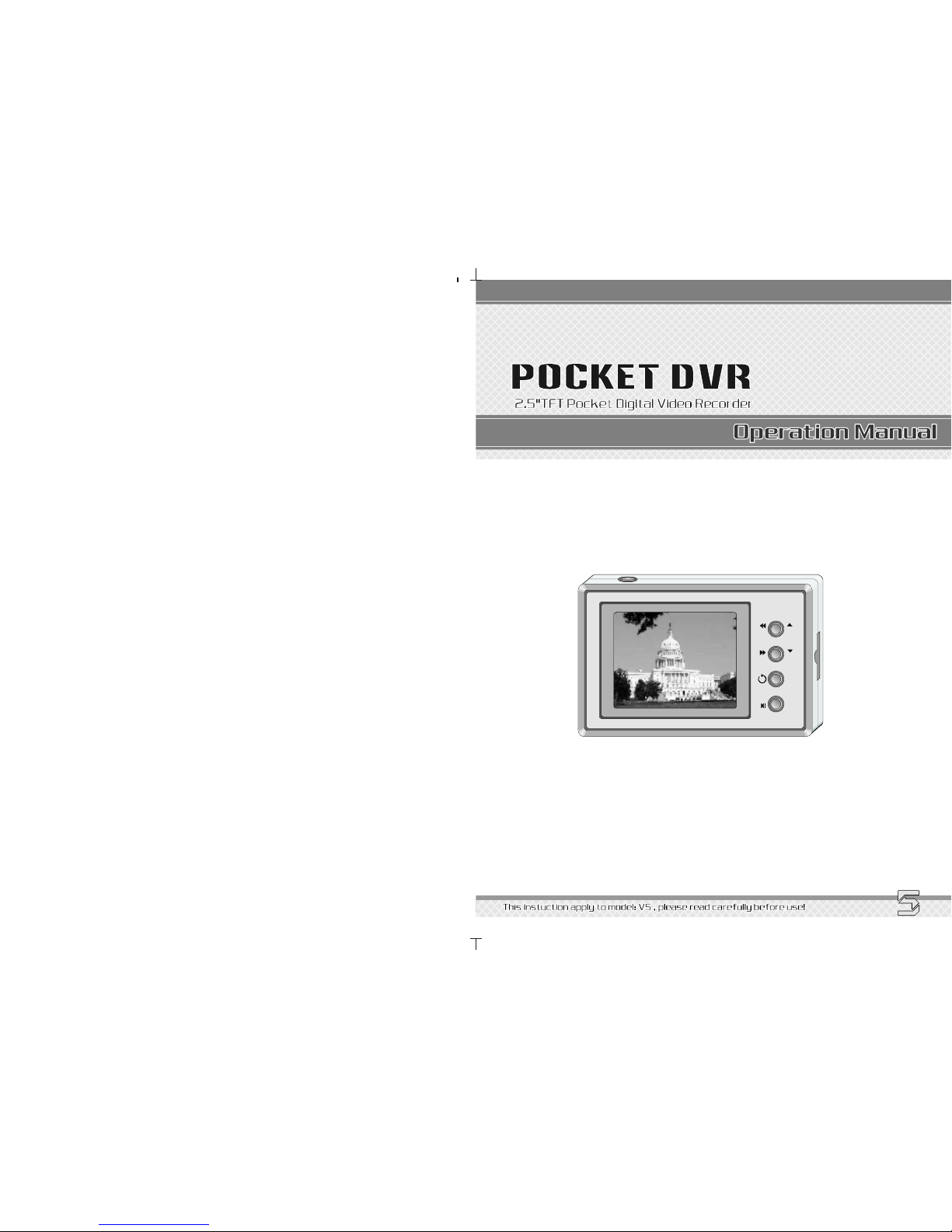
M
OK
MDVR29
Page 2

INDEX
1
INSTRUCTIONBEFOREUSE
Attentionissues
Applicablescope
Packinglist
Technicalparameter
Connectingdiagram
Batteryinstallation
SDCardoperationinstruction
.....................................................................................................................
.................................................................................................................
...................................................................................................................
..........................................................................................................................
..............................................................................................................
.............................................................................................................
...............................................................................................................
.................................................................................................
.................................................................................................................
Functionsummary
Interfaceexplanation
..
FAQ
TECHNIQUE
................................................................................................
................................................................
.......................................................................
.
UPGRADE
USERRECORDS
02
02
02
03
04
05
06
07
07
13
14
15~18
INSTRUCTIONBEFOREUSE
2
1、Connecttheaccessoriesbeforepoweron;
2、CutoffpowerwheninsertorpulloutSDcardinordernottoshattermachine;
3、Cutoffpowerwheninsertorpulloutacamerainordernottoshattermachine;
4、Donottouchitsmetalpart,becausephysicalelectrostaticcanmaketheSDcard
ruinedpermanently;
5、PleaseusespecialAC/DCadaptorandbattery;
6、Pleasekeepwaterandanyliquidawayfromthemachine,inordernottocauseshortcircuit;
7、Pleasedon'tpressbuttonssimultaneouslyandoperateillegally,oritwon'twork.
ThisDVRisanewgenerationofhigh-performanceMiniDVRwhichadoptsMP4/AVI
compresstechnique.Thevideoresolutionreaches640*480at30FPS.Thisisa
Real-time,High-definition,Low-consumptionandsimple-operation
professionalMiniDVR,itiscompatiblewithanyCCD/CMOScameras,besides,
itsbatteryisthesameasNOKIABL6Cbattery.Itsupportsmaximum32GBSDcard,
andstoresvideo/picturesintoSDcarddirectly,theusercanplaybackonTV,
MonitorandMobileorread/savethedataby/intocomputerbySDcardreader.
Functionintroduction
Applicablescope
ThisDVRisahighperformance,professionalpocketDVR.Itcanbepopularlyusedfor
policeman,bodyguard,journalist,urbanmanagementofficer,driver,conductoretc.
Itcanbewidelyusedinhouse,company,mall,warehouse,school,officebuildingand
government,etc.
Attentionissues
1.Immediatelygettinginto"preview(readytorecord)"workstateoncepoweron;
2.Canstart/stop/playbackimagesbyonerelatedkey;
3.Supportmaximum32GBSDcardcanrecord24hourswithoutanystops.
4.Memorytenetis"firstinfirstout",automaticallyoverwrite,neverstoprecording;
5.ThevideoclipsstoredinSDcardwillnotlosewhenpoweroff;
6.Thedate/timestampcanbeshowninvideoclips;
7.Canconnectwithvariouscameras(CCD/CMOS);
8.AdoptNOKIA6Clithium-battery;
9.CanpowerDC5Vtothecameradirectly;
10.CantransmitthevideoclipstocomputerdirectlybyUSBcable;
11.SupporttheTVsystemsignal:NTSC/PAL;
12.DisplaycanbeswitchedautomaticallybetweenTFTandexternalMonitor/TV;
13.Withhandymenu,nosoftwareinstallationrequired;
14.Parameterindicatorsofbattery,SDCardandalarmonTFTLCD.
15.Easy-carrywithitscutesize.
FUNCTIONSETTINGS
Menuinstruction
Playback
Date/Time
......
IDCode
Resolution
Language
LEDOff
Memory
Alarm
TVStandard......
Format..............
SavingMethod.............................................................................................................
..............................................................................................................
........................
.......................................................................................................................
...........................................................................................................................
.......................................................................................................................
.......................................................
......................................................
......................................................
..............................................................................................................................
OSD................................................................................................................................
...........................................
.........................................
......................................................
..................
.....................................................................
......................................................................
...............................................................................................................
...............................................................................................................
.
08
08
08
09
09
09
10
10
10
11
11
11
12
OPERATIONINSTRUCTION
................................................................................................................
.................
...................................................................................................
...................................................................................................
.................................................................................................
Poweron/off..........
Recording
Stoprecording.......
Playback
12
12
12
12
Page 3
PACKINGLIST
3
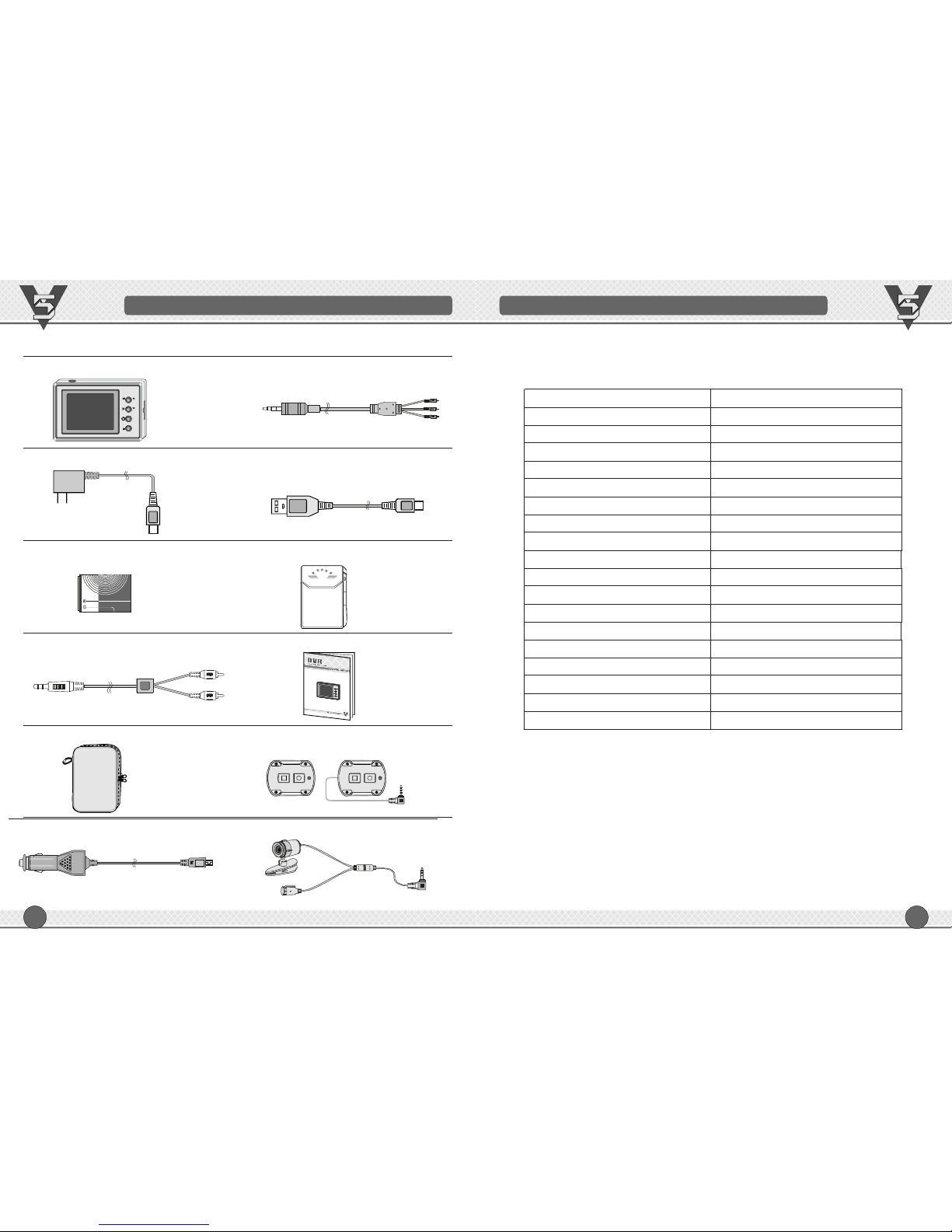
PACKINGLIST
1、Onemainframe;
2、OnespecialDC5Vadaptor;
3、Onespecial3.7VLithium-battery;
4、OneAVoutputwire;
*5、Onebigleatherbag
6、SpecialDC5Vcarpower
7、OneAVPcombinedwire(forcamera)
8、OneUSBcable;
9、Onesmallleatherbag;
10、Onemanual;
11、Wiredcontroller
12、Specialcamera
M
OK
Note:Theitemswithicon""areoptionalaccessories,prevailinkind.
* *
*
*
V5
POLICE
TECHNICALPARAMETER
4
TECHNICALPARAMETER
ModelMDVR29
WorkingvoltageDC5V
Maximumcurrent(includingcamera) ≤200mA
Temperature-5℃ ~+70℃
CameraworkvoltageDC12V
PowersupplyRechargeableLi-battery
Li-batteryworkingtimeAbout2.5hours
Maximummemory32Gb
FileformatAVI
Resolution640*480
Recordspeedrate30fps
ContinuousrecordtimeAbout48hours/320*240/15fps
Recordsignal1channelVideo+Audio
TFTresolution320*240
USBUSB2.0
CompatiblecameraCommonCMOS&CCD
Dimension98*64*21.50mm
Weight380g
Remotecontrol80mmwiredremote(selectable)
Page 4
INTERFACEEXPLANATION
5
INTERFACEEXPLANATION
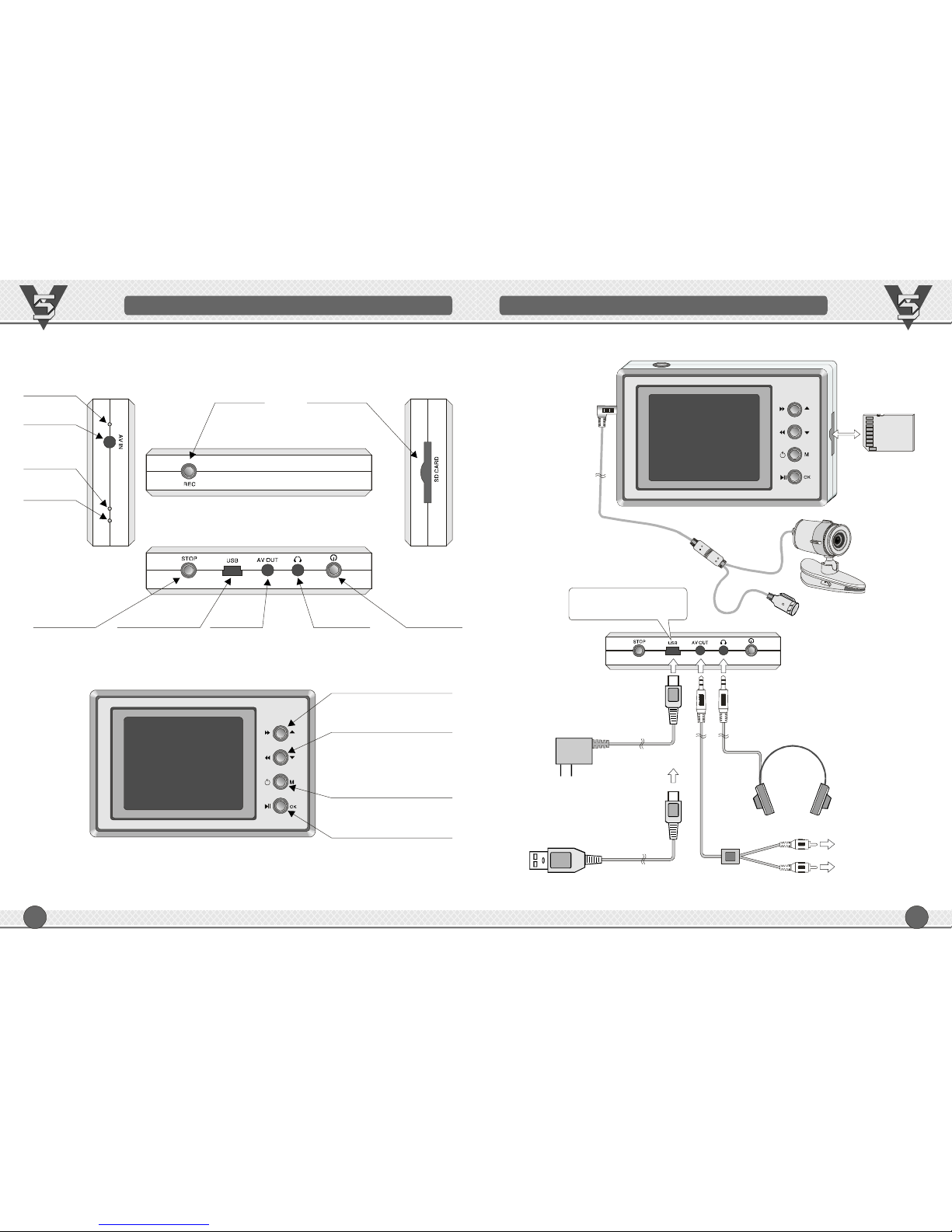
Stereo
Earphone
AVoutput
ChargingLED
Stop/Delete
Camera
Socket
RECkey
USB/
Powerinput
Power
WorkingLED
AlarmLED
SDcardjack
UP+PlaybackFF
Down+PlaybackREW
Menu+Back
Confirm+Play/Pause
CONNECTINGDIAGRAM
6
Special
DC5adapterV
Video
Audio
ConnecttoAV110/220Voutlet
USBport
ConnecttoTV/monitor
Earphone
USBport(charging&
videoclipstransferring)
SDcard
CONNECTINGDIAGRAM
Page 5
BATTERYINSTALLATION
7
SDcardoperationinstruction
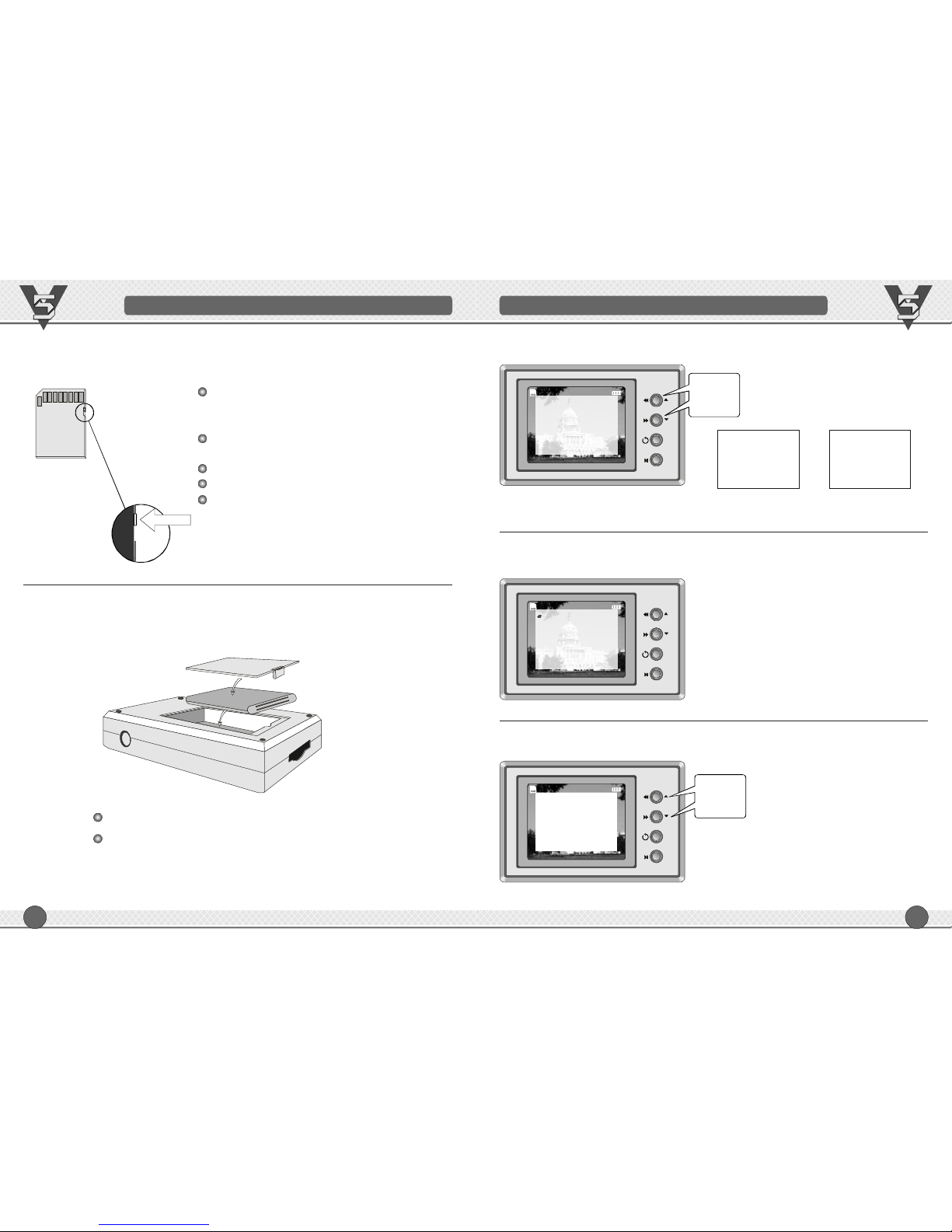
Keepthisdefenderunlocked
SDardc
Batteryinstallation
Openbackcover,andtheninsert/drawoutthebattery;
TheLi-ionbatterycanbereplacedbyNokiaBL6Cbattery.
Donottouchitsmetalpart,because
physicalelectrostaticcanmaketheSD
cardruinedpermanently;
Cutoffpowerwheninsertorpullout
SDcardinordernottoshattermachine;
Keepthedefenderunlocked
Maximallysupport32GbSDcard
SupportFATand32format.FAT
8
M
OK
18/01/200818:18:18
Select
All
Last
Press"▲,▼"tochangedate/time,
thenpress"OK"toconfirm.
M
OK
18/01/200818:18:18
Note:theselected"item"stylewillbecomered.
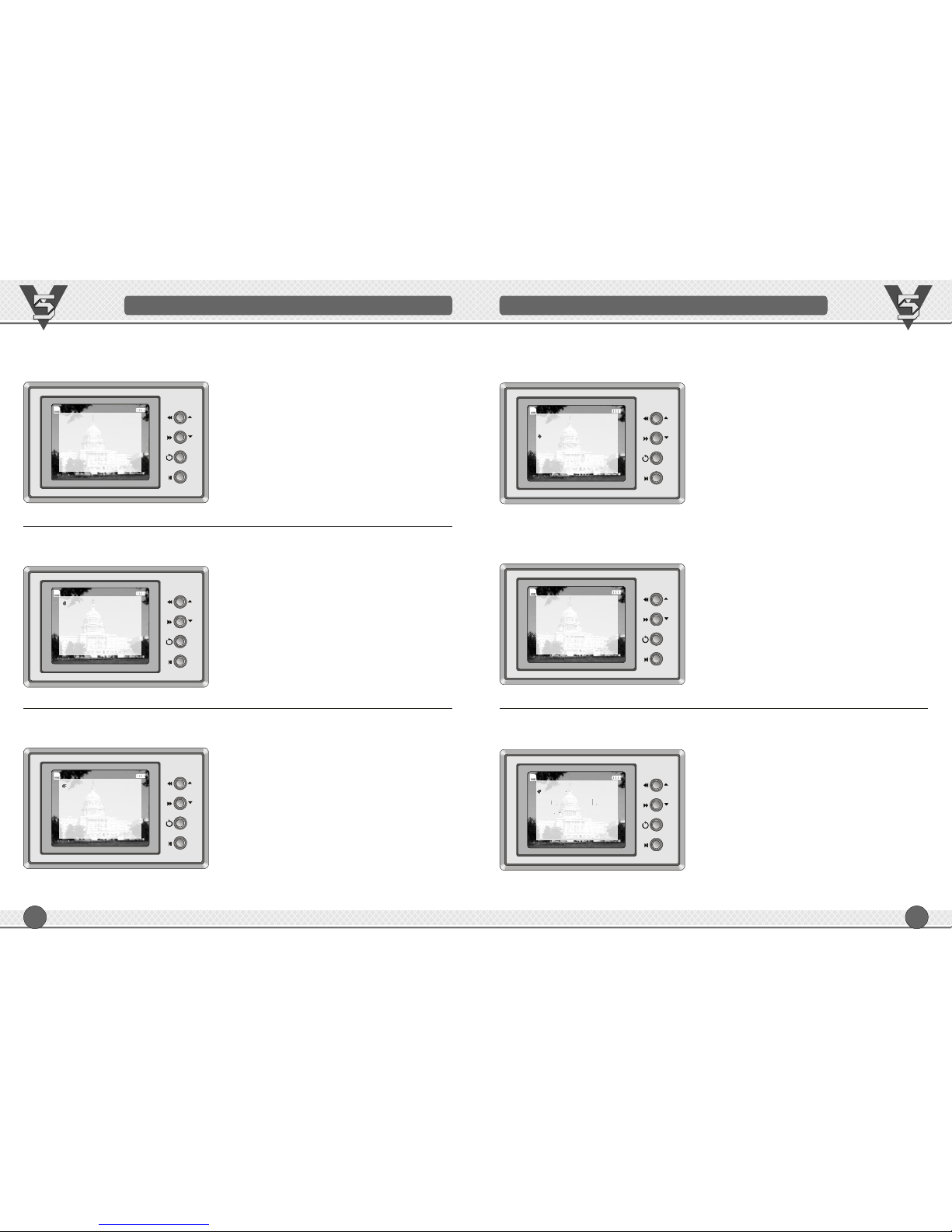
MenuInstruction
Press"M"afterpoweron,itentersintomainmenuastheabovediagram.
Select:
lookthroughorselectclipsinmemoryby
pressing"▲▼",thenpress"OK"toplayback.
All:
Machinewillautomaticallyplaybackallimage
inmemory.
Last:
Onlyplaybackthelatestimage.
,
FUNCTIONSETTINGS
Playback---Select"Playback",press"OK"toenterintosubmenuasbelow:
Date/Time---Select"Date/Time",press"OK"toenterintosubmenuasbelow:
Press""
toeditdigits
▲▼
,
YYYY/M/DD
2011//1802
HH:MM
17:26
OSD:Off
Thefirstpage Thesecondpage Thethirdpage
M
OK
Playback
Date/Time
IDCode
Resolution
Language
18/01/200818:18:18
LCDOff
Memory
Alarm
OSD
TVStandard
Press""
toselectmenu
orgettonext
page
▲▼,
Format
SavingMethod
Page 6
9
M
OK
M
OK
FUNCTIONSETTINGS
IDCode---Select"IDCode",press"OK"toenterintosubmenuasbelow:
IDconsistof8characters,selectthecharacter
thenpress"OK"toconfirm,afterall6character
selected,thecursorbacktofirstcharacterwhich
willbeinred.
Thereare36characters:0,1,2……9;A,B……Z
youcanselectfrom,use"5","6"toselectand
press"OK"toconfirm.
Press"▲,▼"toselect,press"OK"toconfirm.
Resolution ---Select"Resolution",press"OK"toenterintosubmenuasbelow:
ID:DT8888Y-
18/01/200818:18:18
OptionalImageResolution:
640*480(VGA,default)
320*240(QVGA).
Press"▲,▼"toselect,press"OK"toconfirm.
640X480
320X240
18/01/200818:18:18
Language---Select"Language",press"OK"toenterintosubmenuasbelow:
Optionallanguages:
English(default)
中文
Press"▲▼"toselect,press"OK"toconfirm.,
M
OK
English
中文
18/01/200818:18:18
M
OK
18/01/200818:18:18
Optionalalarmmethodsonlowpower:
a
DVR
Soundalarm:
DVR
LEDlarm:
:
LEDwillglintwheninlowpower.
Itissuitablyusedinquietplace.
.
willbuzzwheninlowpower.
willgiveoutbothLEDflicking&buzzer
toreminduser
Both
DVR
Alarm---Select"Alarm",press"OK"toenterintosubmenuasbelow:
LEDOnly
BuzzerOnly
Both
10
FUNCTIONSETTINGS
M
OK
18/01/200818:18:18
Off
30Second
60Second
10Second
LCDOff---Select"LCDOff",press"OK"toenterintosubmenuasbelow:
Tosavepower,theLCDwillshutdown
automatically.
Therearefouroptionstosavepower:
Off:cancelthefunctionofLCDAuto-Off
10Second:LCDAuto-Offin10seconds
30Second:LCDAuto-Offin30seconds
60Second:LCDAuto-Offin60seconds
PressanybuttontorestartLCD.
Press"▲,▼"toselect,press"OK"toconfirm.
M
OK
Memory---Select"Memory",press"OK"toenterintosubmenuasbelow:
Thememorymanagementincludes:
Free:998MB
Updatefirmware
Version
Version0.2.4B
Free:998MB
Version
Version0.2
UpdateFirmware
.4B
18/01/200818:18:18
Page 7
M
OK
18/01/200818:18:18
PAL
NTSC
TVStandard---Select"TVStandard",press"OK"toenterintosubmenuasbelow:
Press"▲▼"toselect"PAL"&"NTSC",
thenpress"OK"toconfirm.
,
M
OK
18/01/200818:18:18
Off
On
:HidetheSDcard/batteryparameteron
screen.
:DisplaytheSDcard/batteryparameter
onscreen.
Off
On
OSD---Select"OSD",press"OK"toenterintosubmenuasbelow:
11
FUNCTIONSETTINGS
12
Optionalmemorysavingmethods:
Stopwhenfull
DVRwillstoprecordingwhen
theSDcardisfull.
RoundRobin(Default)
DVRkeepsrecordingbycovering
theoldestimage.
Press"▲▼"toselect,press"OK"toconfirm.,
18/01/200818:18:18
StopWhenFull
RoundRobin
M
OK
PowerOn/Off
PressPOWERtooperateit.
StartRecording
Press"REC"underpreviewstate,then"REC"showsinscreen.
StopRecording
Press"STOP"underrecordingstate,then"REC"disappearsinscreen.
Playback
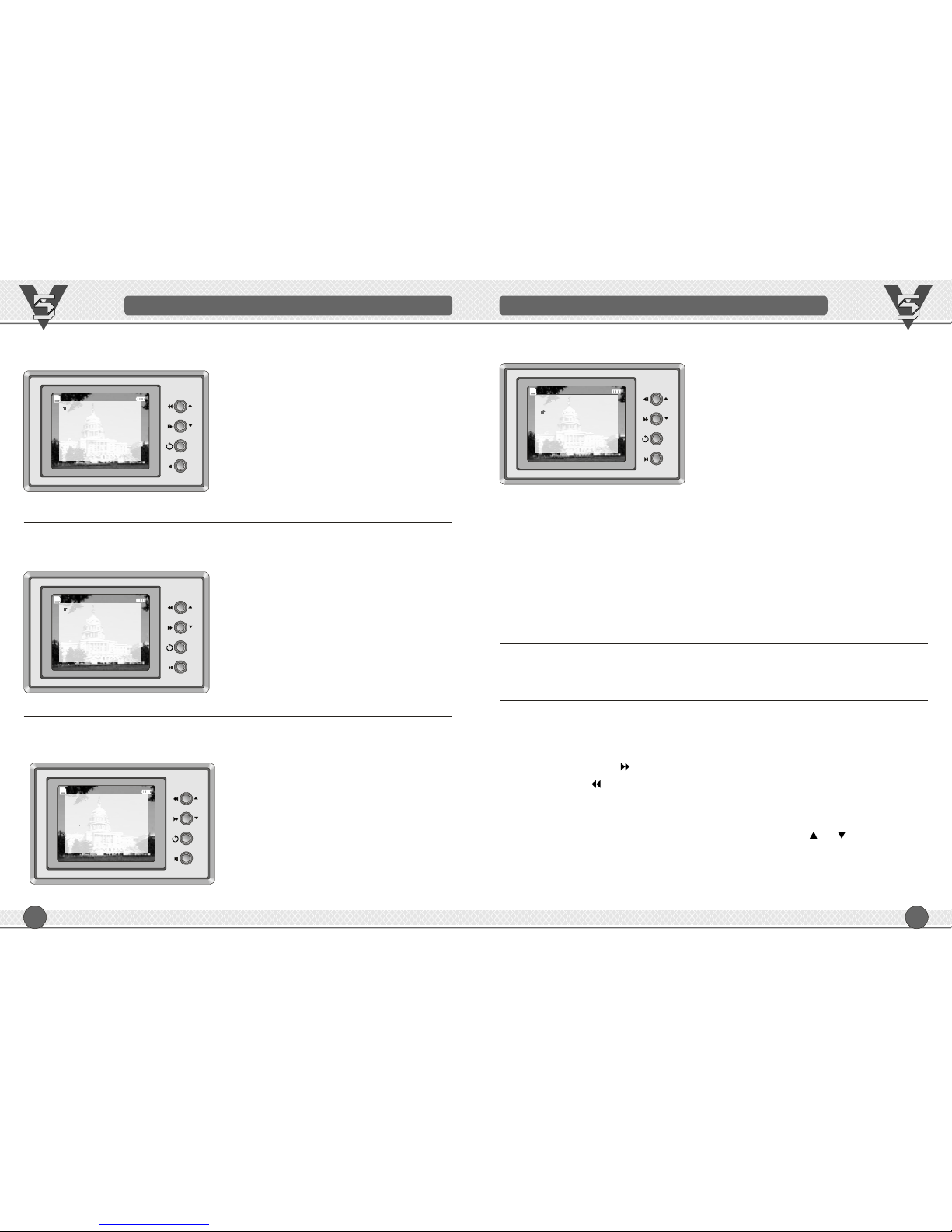
Press"OK"tostartplaybackunderpreviewstate,itwillworkassetupmode.
1.:Press""itwillworkfastforward.
2.:Press""itwillworkrewind.
3.:Press"OK"whenplayback,itwillstop;press"OK"again,itwillcontinue
playback.
4.:checktheLCDaftersetting"Select"playback,press""&""toselect
neededimages,thenpress"OK"tostartplayback.
5.:press"STOP"thenitstopsplayback.
6.:Press"STOP"whenstoppingplayback,thenimagedeleted.
.
Fastforward
Rewind
Pause
Select
Stop
Delete
Softwareupgrade:underrevising
OPERATIONINSTRUCTION
SavingMethod---Select"SavingMethod",press"OK"toenterintosubmenuasbelow:
FUNCTIONSETTINGS
M
OK
18/01/200818:18:18
Confirm?
Yes
No
Press"▲▼"toselect"Yes"&"No",
thenpress"OK"toconfirm.
,
Format---Select"Format",press"OK"toenterintosubmenuasbelow:
Yes:format
No:notformat
Page 8
14
TECHNIQUEUPGRADE
Preparation:one512MbSDcard,onefull-chargedLi-battery.
Downloadthelatestversionsoftware(V5DVR.ELF).
Screendisplays"UpdateFail",ifupgradefails.Ifyoucouldn'treturnmainmenu
bypressing"M",youneedtoswitchoff,thenturnon.
Warining:Don'tcutoffpowerduringupgrading,oritcausedatalost,upgrade
failandDVRshutdown,thenitneedstoberepaired.
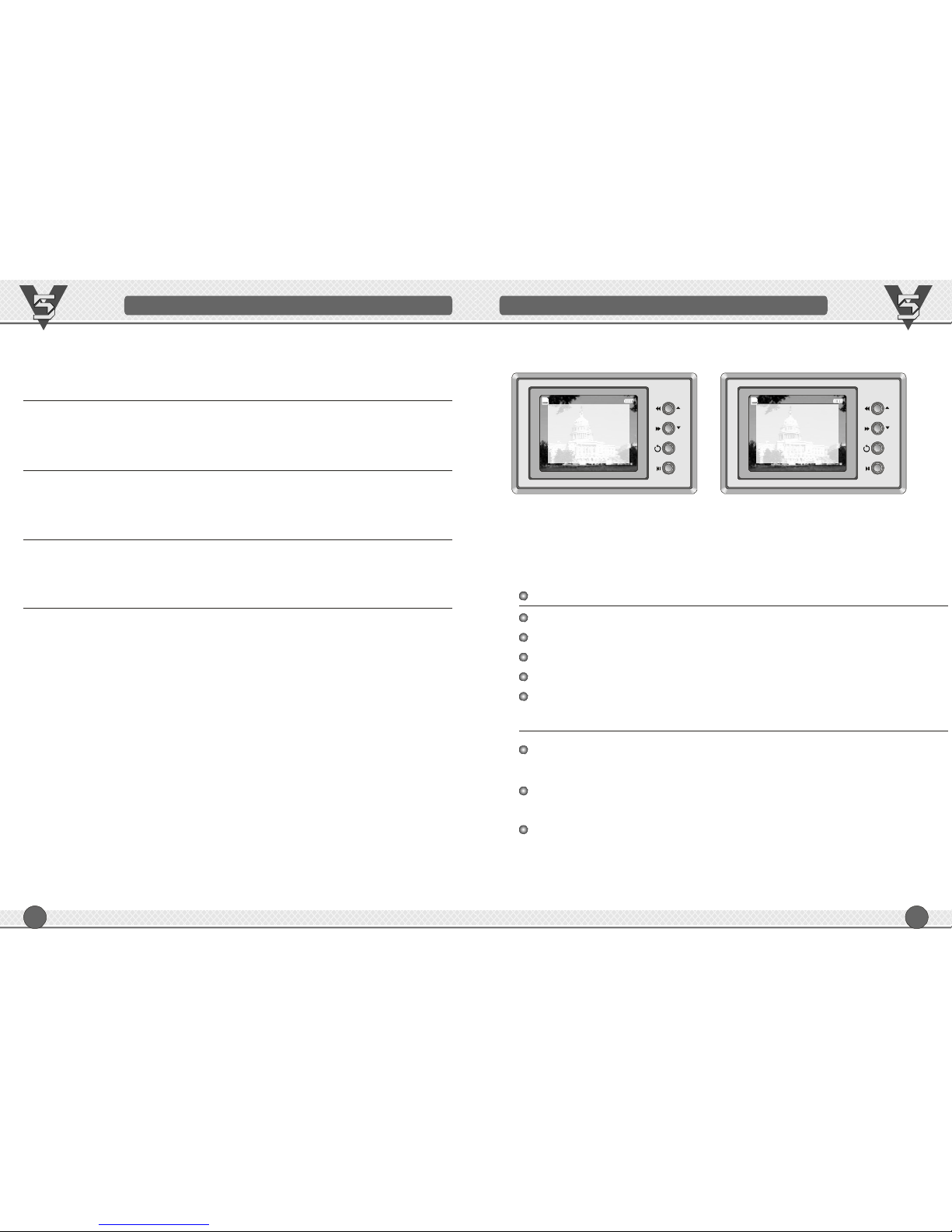
EnterintoMenu--Memory--UpdateFirmware--Yes,thenupdatingstarts.
Whenthesoftwareisupgrading,allfilesinmemorywillbedeleted,
pleasebackupbeforeupgrading.
Ittakesabout1mintocompleteupgrade,thentheDVRwillshutdown
automatically
InserttheSDcardintoDVRthenswitchon
CopythenewversionsoftwareintoSDcard
TechniqueUpgrade---Select"Memory",press"OK"toenterintosubmenuasbelow:
Press"▲▼"toselect"UpdateFirmware",
thenselect"Yes",updatingstartsautomatically.
,
UpgradeAttention:
M
OK
Free:998MB
Version
Version0.2
UpdateFirmware
.4B
18/01/200818:18:18
Warning:YourV5isourlatestversion,upgradeisnotallowed,orV5systemfile
bedemagedandV5willnotworkforever.
M
OK
18/01/200818:18:18
UpdateFirmware
Yes
No
FAQ
13
Q1:Crash
Solution:Dismantlebatteryandcutoffpower,thenrestart.
Q2:NoImage
Solution:Checkthecameraconnection.
Note:connect/pulloutthecameraafterpoweroff.
Q3:Couldn'tswitchon
Solution:Checkthepowerconnection&powercapacityofbattery.
Q4:Nosound
Solution:Checktheearphoneconnection.
Q5:Othermalfunction
Solution:Asklocalfranchiserforsolution.
Note:Don'tdismantle/installtheequipment,orgettingnoguarantee.
Page 9

15
USERRECORDS USERRECORDS
16
Page 10

USERRECORDS
1817
USERRECORDS
 Loading...