

Page 1
Little Strawber r y
Bluetooth Keyboard
Spec ia tion
Mode l No .:SWD-0 07
Add ress: No.2, Yihe Rd. ,Shil ong Com munit y,Shiy an Stre et,Ba oan Dis trict ,Shen zhen, China
Page 2
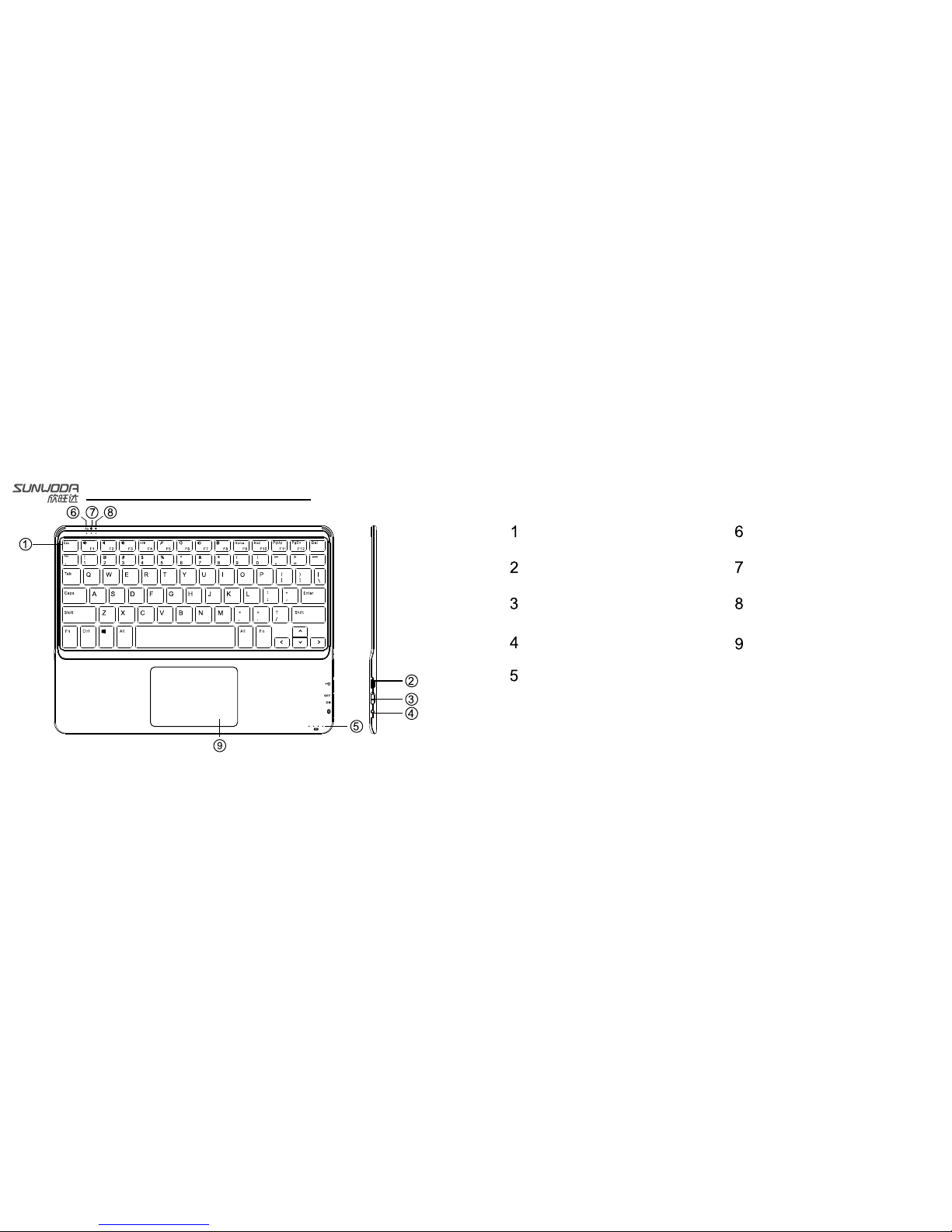
TPU ke yb oa rd button
USB ba tt er y charge in te rface
Toggle powe r sw it ch
Swit ch t o co de
Powe r in di cator
Caps l oc k in dicator
Blue to ot h search/
conn ec ti on indica to r
Audi bl e fe edback in di ca tor
Touch panel
Know ab ou t th e ke yboar d
Page 3
Set up th e ke yb oa rd
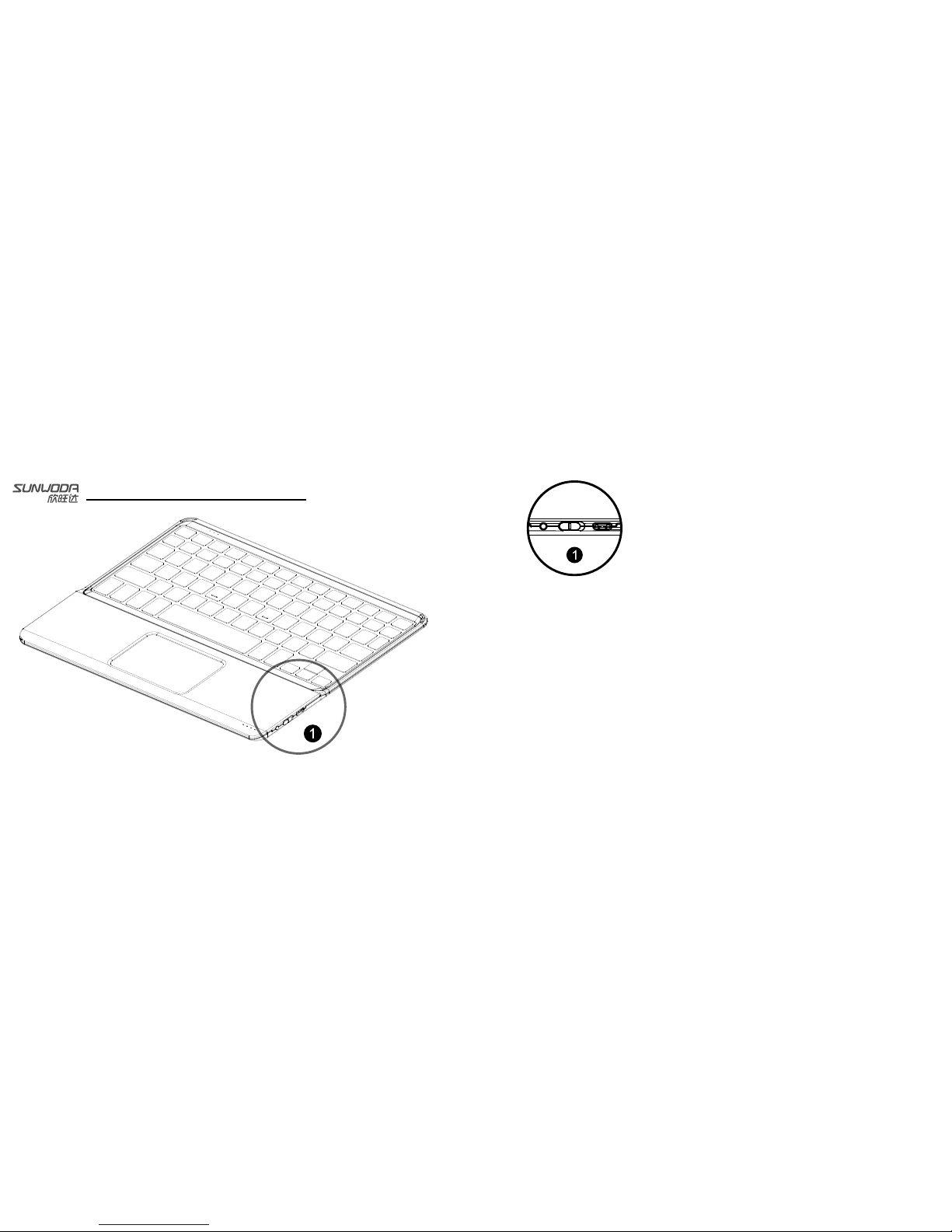
1.Turn ON the pow er s wi tc h
The Bluetoot h wi ll b e in search aut om at ic ally, the light is off when
the ke yb oa rd i s connected . If i t is f ailed to sear ch t he p ai red device
in 5 min ut es , th e light will be o ff.
2.Pl ea se e ns ure the Bluet oo th f unction of the pa ir ed d eviceis ope ne d .
Plea se c ho os e:Set up—Ge ne ra l—Bluetooth – Op en
3. Cho os e “B lu etooth 3.0 ke yb oa rd” in menu
4. Ent er i n PI N co de
If the pai re d de vice reques t to e nt er in the PIN cod e, p le as e press the
butt on o n bl ue tooth keybo ar d. T he B lu et ooth indica to r li ght is turn
blue w he n th e ke yboard is con ne ct ed, then off.
Page 4
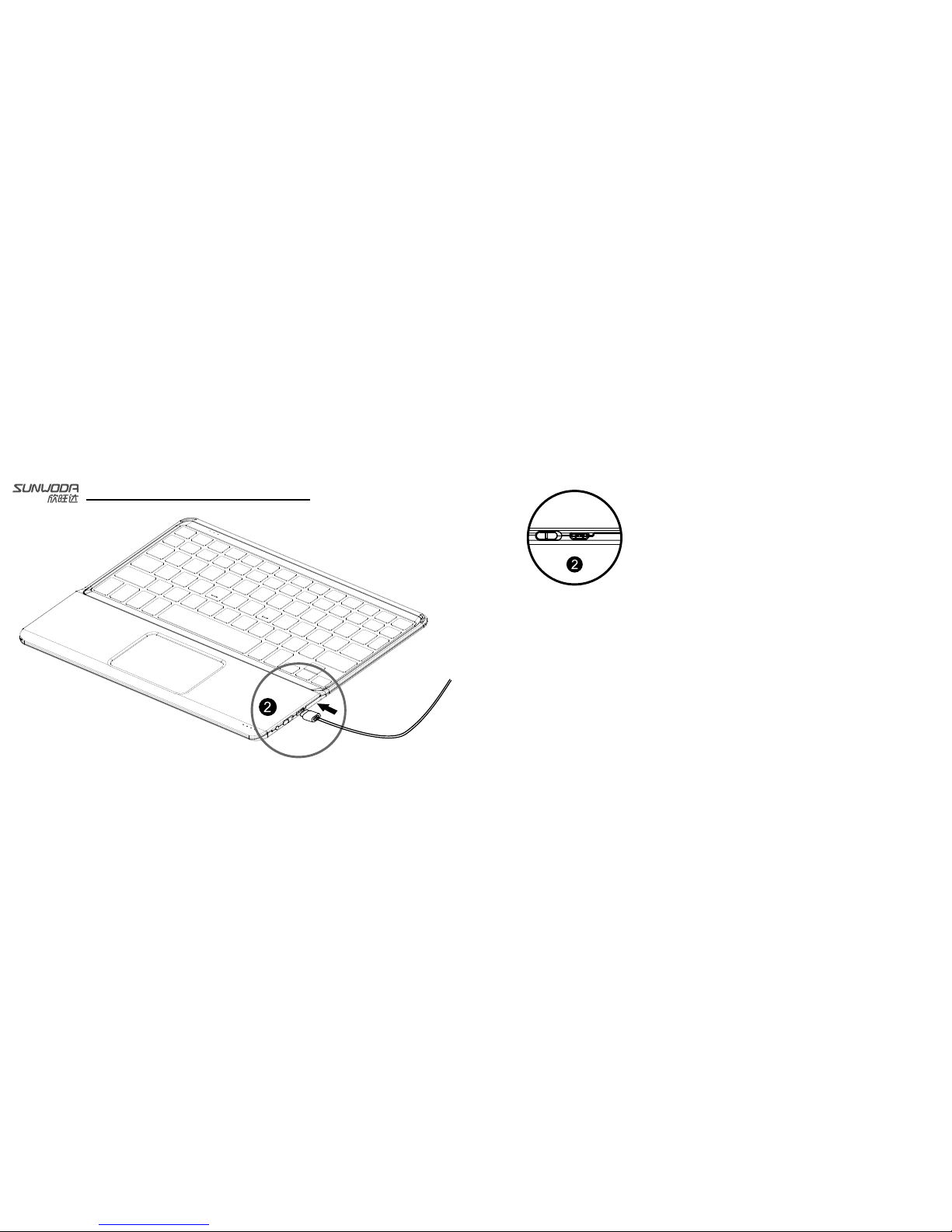
Charg in g fo r ke yboar d
1.Us e th e Mi cr o USB to connec t th e ke yboard and po we r so ur ce, the power
indi ca to r li ght will be fla sh in g in red.
2. The power ind ic at or light will s ta y li t on ce it is fully ch ar ge d.
Page 5
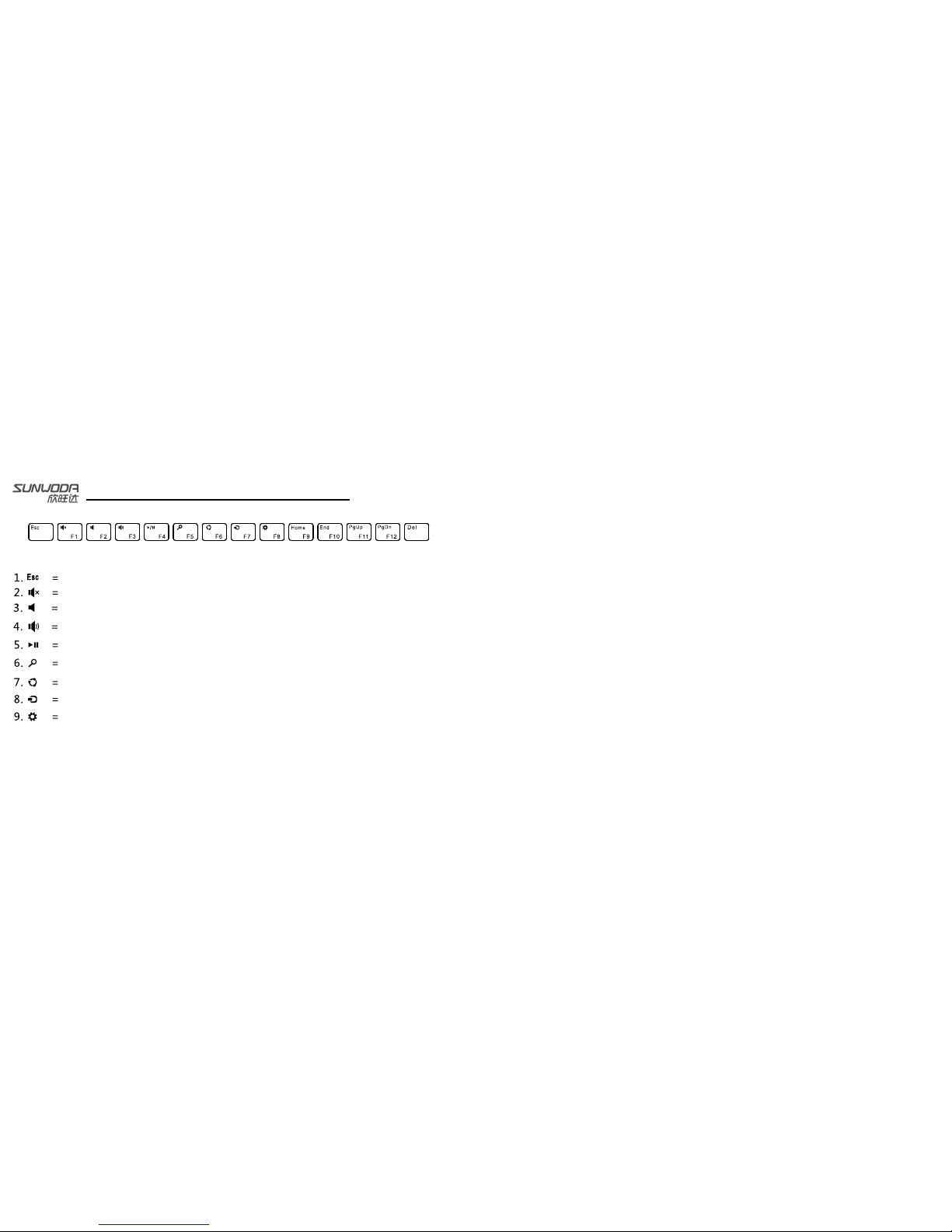
Use you r WI N8
Key fu nctio n descr iptio n
Return to the m ai n in te rf ac e of the paired dev ic e.
Sound off
Tur n do wn t he volume
Tur n up t he v olume
Pause/Pla y
Start the sea rc h fu nc ti on
Sharing
Connect the o th er d ev ic e vi a pa ired device
Set up the wind ow s
Spec ial sho rtcut s
10. Slide the m ou se = S in gl e re fers to the slidi ng i ns id e
11. Page turni ng = Tw o fi ngers slide to a di re ct io n
12. Vie w th e pr op er ties: three fin ge rs t ou ch t he p anel together
13. “FN” +”Sp ac e” = Tu rn o n/ off the b ac k li gh t of k ey bo ard, 4 diff er en t br ig htness
levels can be c ho se n to m ak e th e back light fit th e wo rk in g en vi ronment well.
14. “FN” + “>” = Tur n on /o ff the audibl e fe ed ba ck i nd ic ator
15. “FN” + “B” = Sh ow b at te ry l ev el
Page 6

Prote ct t he k ey board
Plea se use th e keybo ard pro perly
1. P le as e ke ep t he k ey board away fr om t he s ha rp t oo l
2. C on ne ct t he k ey bo ard and devic e su cc es sf ul ly
3. P le as e do n ot p ut t he h eave thing on t he k ey bo ar d
4. P le as e do n ot p ut t he k eyboard in th e Mi cr ow av e ov en
5. P le as e do n ot u se t he k eyboard to be at o th er t hi ng s
6. P le as e ke ep t he k ey board away fr om t he o il s or c or ro sive chemic al s
7. P le as e do n ot p ut t he k eyboard int o th e wa te r
8. P le as e ke ep t he k ey board full of e ne rg y.
Stat us indi cator l amp des cript ion
Indicator
Descripti on
The power lig ht f li ck er i n tu rn
In charging s ta te
The power lig ht f li ck er i n wa rn ing
Please char ge t he b at te ry a sap, the batter y is
running low.
The Blue indi ca to r li gh t is t wi nkling
Twinkle quic kl y: t he k ey bo ar d is in searchi ng s ta te
Twinkle sl owl y: th e keyboa rd is tr yin g to re-connect
pai red device
The Bluetoo th i nd ic at or t winkle
normally
Pairing suc ce ss fu ll y
Use you r WI N8
Page 7

FCC STATEMENT
1. This device complies with Part 15 of the FCC Rules. Operation is subject to the following
two conditions:
(1) This device may not cause harmful interference.
(2) This device must accept any interference received, including interference that may cause
undesired operation.
2. Changes or modifications not expressly approved by the party responsible for compliance
could void the user's authority to operate the equipment.
NOTE:
This equipment has been tested and found to comply with the limits for a Class B digital
device, pursuant to Part 15 of the FCC Rules. These limits are designed to provide reasonable
protection against harmful interference in a residential installation.
This equipment generates uses and can radiate radio frequency energy and, if not installed
and used in accordance with the instructions, may cause harmful interference to radio
communications. However, there is no guarantee that interference will not occur in a particular
installation. If this equipment does cause harmful interference to radio or television reception,
which can be determined by turni ng the equipment off and on, the user is encou raged to
try to correct the interference by one or more of the following measures:
Reorient or relocate the receiving antenna.
Increase the separation between the equipment and receiver.
Connect the equipment into an outlet on a circuit different from that to which
the receiver is connected.
Consult the dealer or an experienced radio/TV technician for help.
RF warning statement:
The device has been evaluated to meet general RF exposure requirement. The device
can be used in portable exposure condition without restriction.
 Loading...