

Page 1
Page 2
Page 3
1. FEATURES
2. BUTTONS
3. ICONS AND DESCRIPTIONS
4. TURNING PAGER ON
5. TURNING PAGER OFF
6. RECEIVING AND READING MESSAGES
7. LOCKING AND UNLOCKING MESSAGES
8. MEMORY
9. LOW BATTERY INDICATOR
10. CHANGING THE BATTERY
11. DUPLICATE MESSAGES
12. DELETING INDIVIDUAL MESSAGES
13. DELETING ALL MESSAGES
14. CHANGING ALERT STATUS
15. ALARM
16. TIME AND DATE
17. LIGHT
18. SET VIBRATION/AUDIBLE ALERT
4
5
6
7
8
9
10
11
12
12
13
14
15
16
17
18
19
20
Page 4
User selectable 8 melodies alert
& 4 beep tone
Receiving time stamping
Alarm
Erase all
Duplicate message indication
Memory retention when power off
Low battery alarm
Source Display(Option)
30 message memories
14 locked messages
Date & time display
Message full indication
Vibrate / Chirp / Silent
Selective erase
Unread message indicator
Reflective backlighting
Time display when power off
Power Up Logo(Option)
Page 5
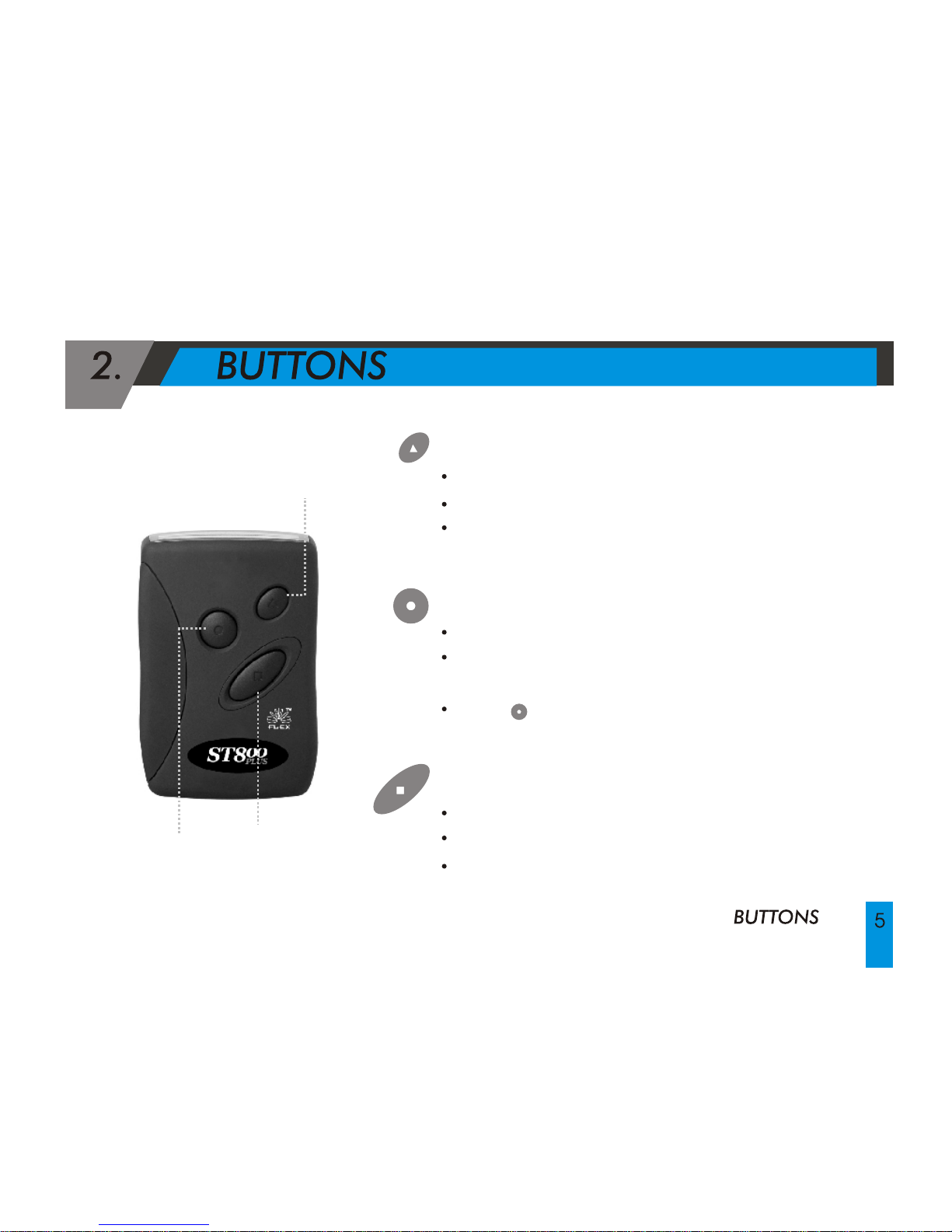
READ BUTTON
Read messages
Select seting and features in Function mode
Turn pager On
LAMP BUTTON
Turn the light On or Off
Escape to the standby screen, which shows
time, date, alarm status, and alert status.
Press twice to escape to the stand by screen.
FUNCTION BUTTON
Turn pager on
Enter Function mode
Complete setting process in each function
Function button
Read button
Lamp button
Page 6
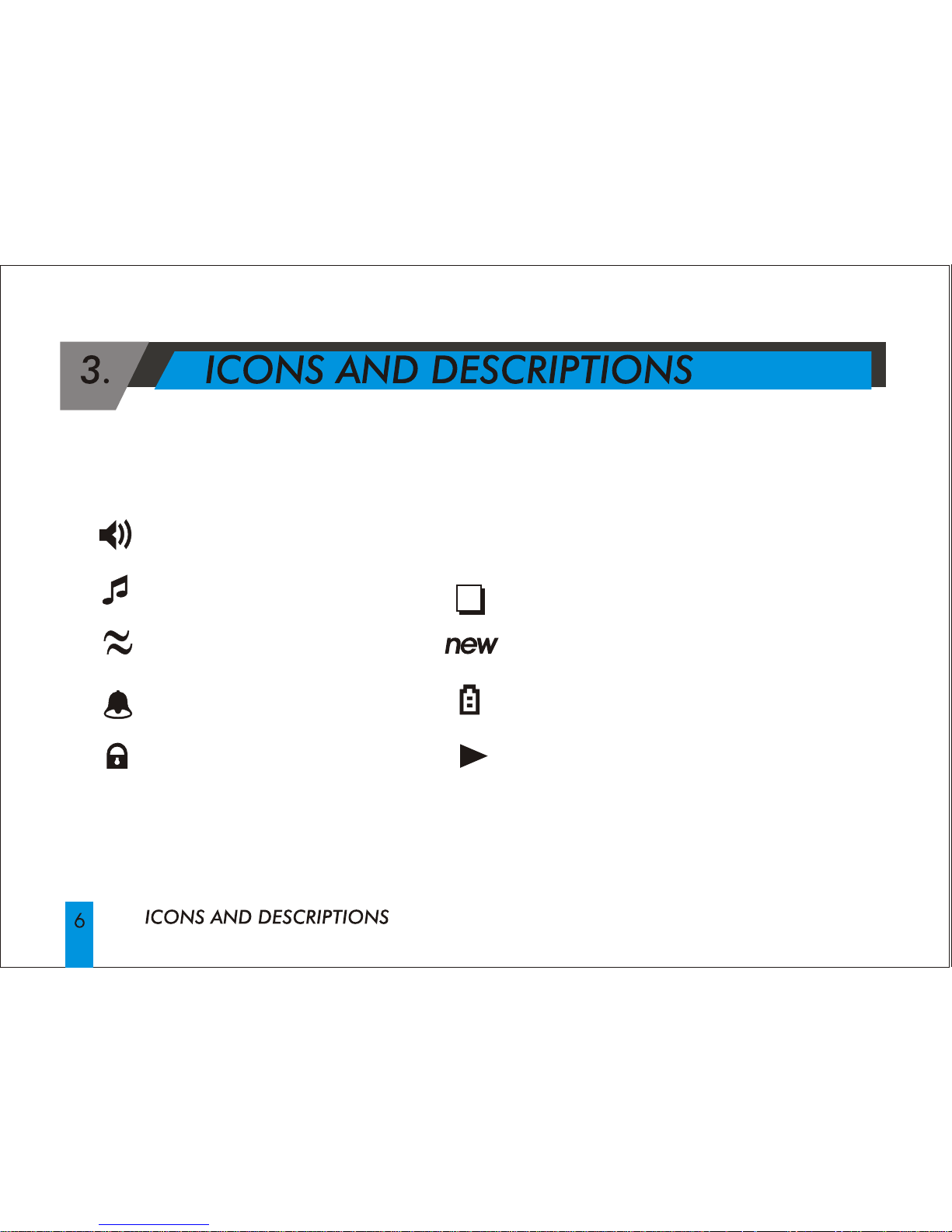
: Duplicate Message
: New Unreaded message
: Change Battery
: Message longer than 12 Char
Page 7
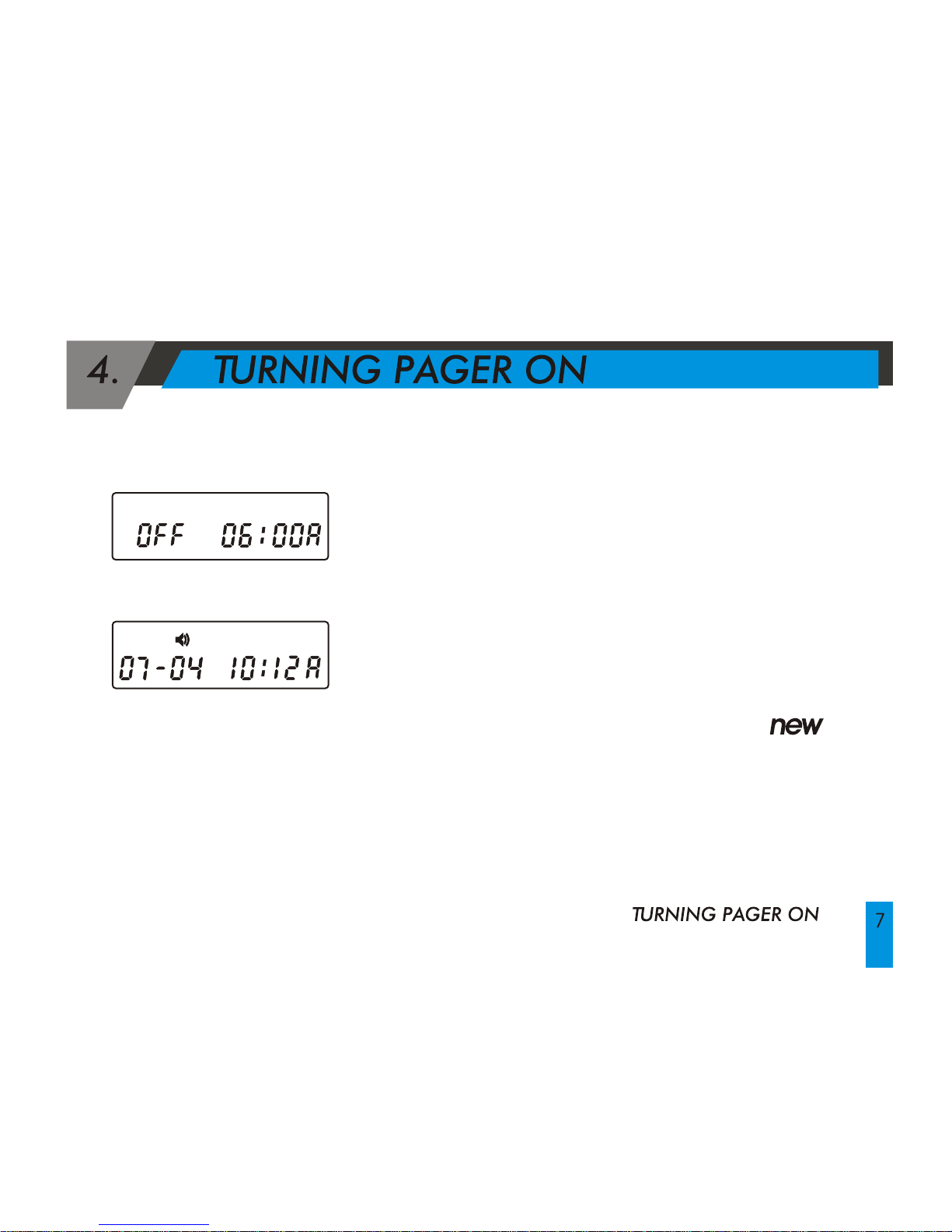
< Stand by screen>
Press and hold the Read button or Function button
for 2seconds while pager is in the Off mode.
Time and date will appear on the bottom center of
the screen.
Upon inserting a battery, pager will vibrate and
beep briefly as it enters the normal reception mode.
If there are new unread messages, the icon
and the number of unread messages will displayed
on the screen.
And if all the messages are read, the number of
messages in memory will displayed.
< Power off mode>
Page 8
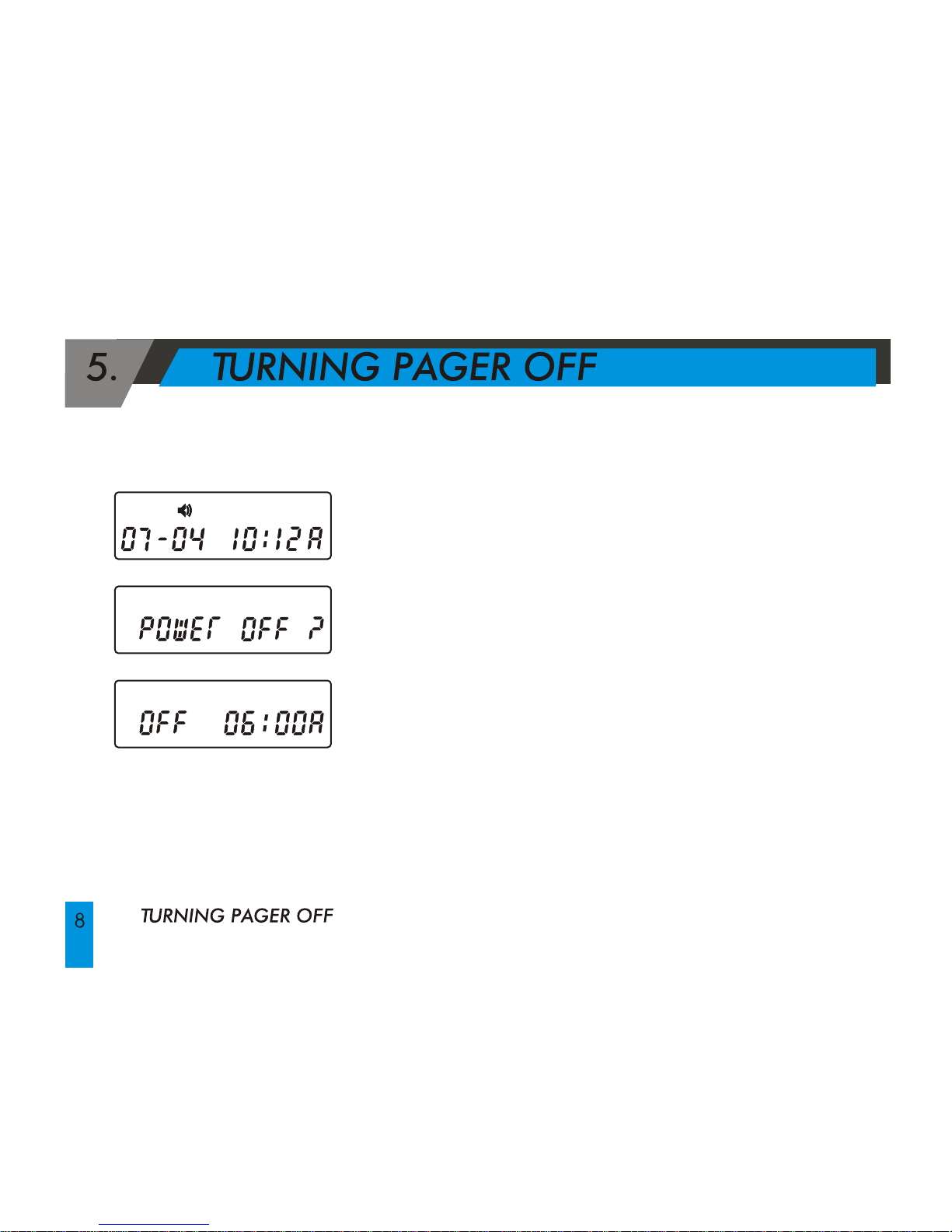
Press the Function button to enter the Function mode.
Press the Function button four times until "POWER
OFF?" is displayed on the screen.
Press Read button to enter Pager Off mode.
Page 9
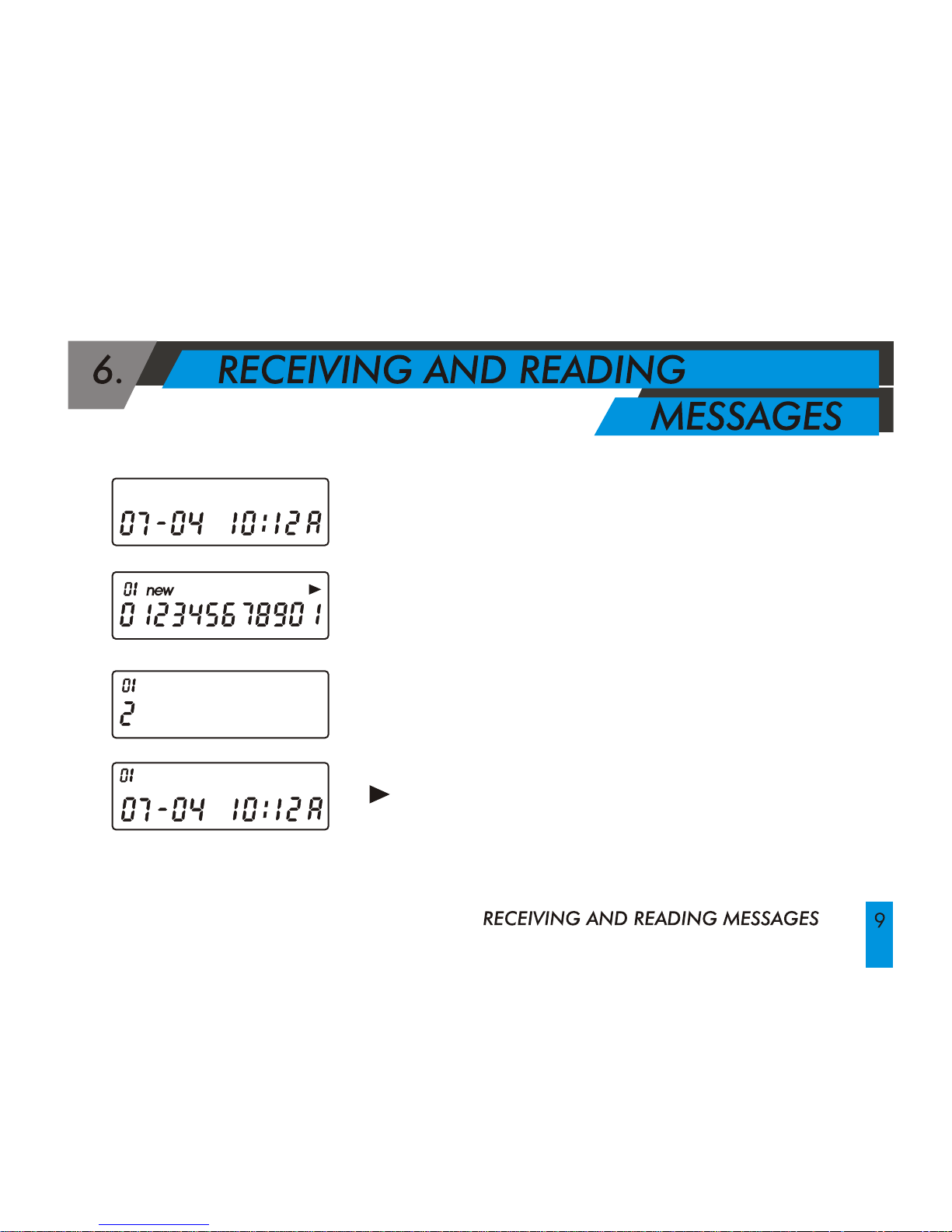
When a message is received, the selected Alert will
be activated.
Press the Read button to stop the Alert and to read
messages.
The following information will be displayed in the
order of the newest to the oldest message:
Message number, time stamp and message.
Reading messages with 13 Characters or more
messages with 13 or more characters will display
" " at the top right corner of the screen.
Press the Read button to read the rest of the message.
Page 10
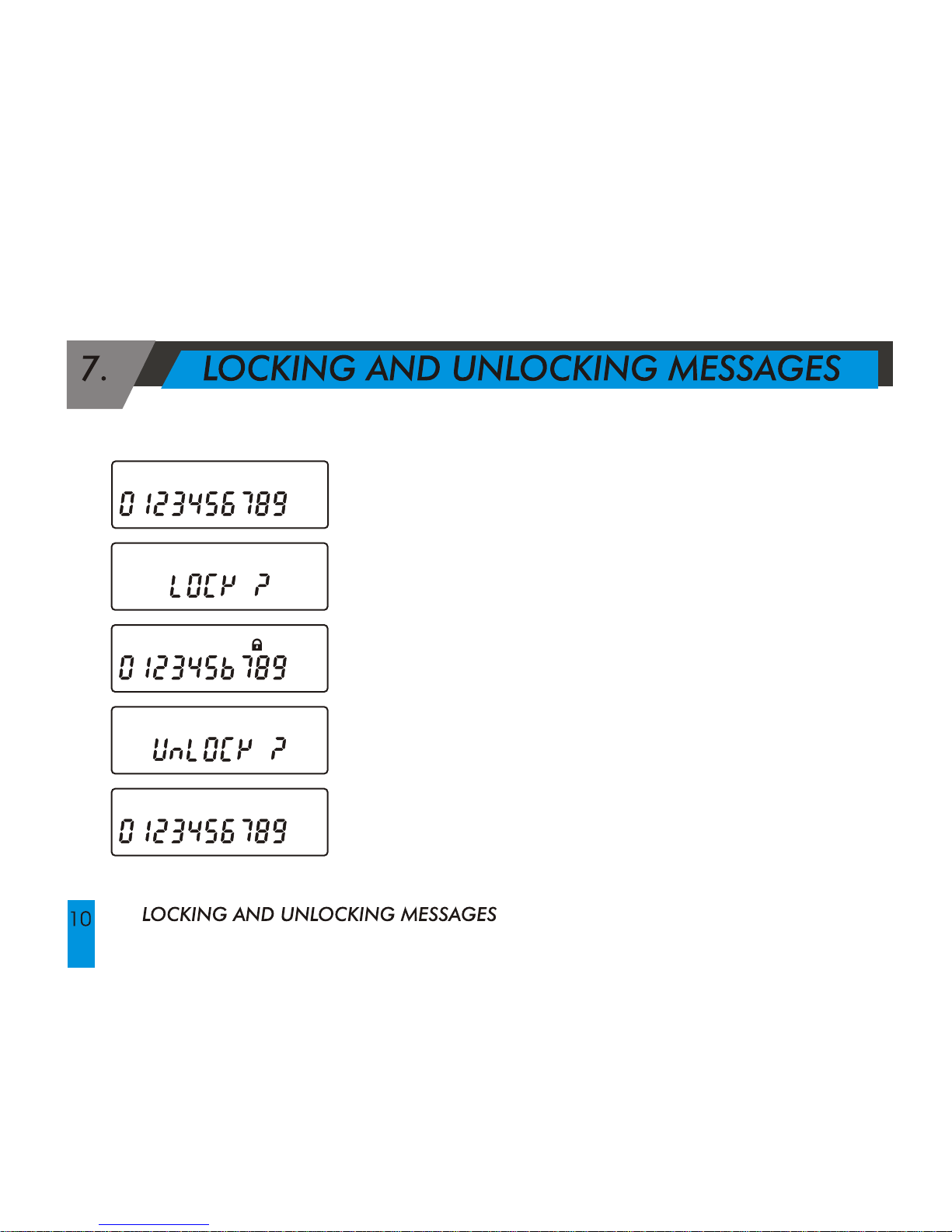
A maximum of 14 messages can be locked.
Select a message to be locked and press the Function
button.
When "LOCK?" is displayed, press the Read button to lock
the message. The Lock icon will be displayed, and the
message will be locked.
To unlock messages, select the message to be unlocked
and then press the Function button to display "UNLOCK?"
on the screen.
Press the Read button.
Locked messages will remain in memory even during low
battery power, and while the battery is being changed.
Press the Lamp button twice to escape to the standby
screen.
Page 11
Pager has the memory capacity to store 30 numeric messages,
with a maximum of 20 characters per message.
MEMORY
Page 12
9. LOW BATTERY INDICATOR
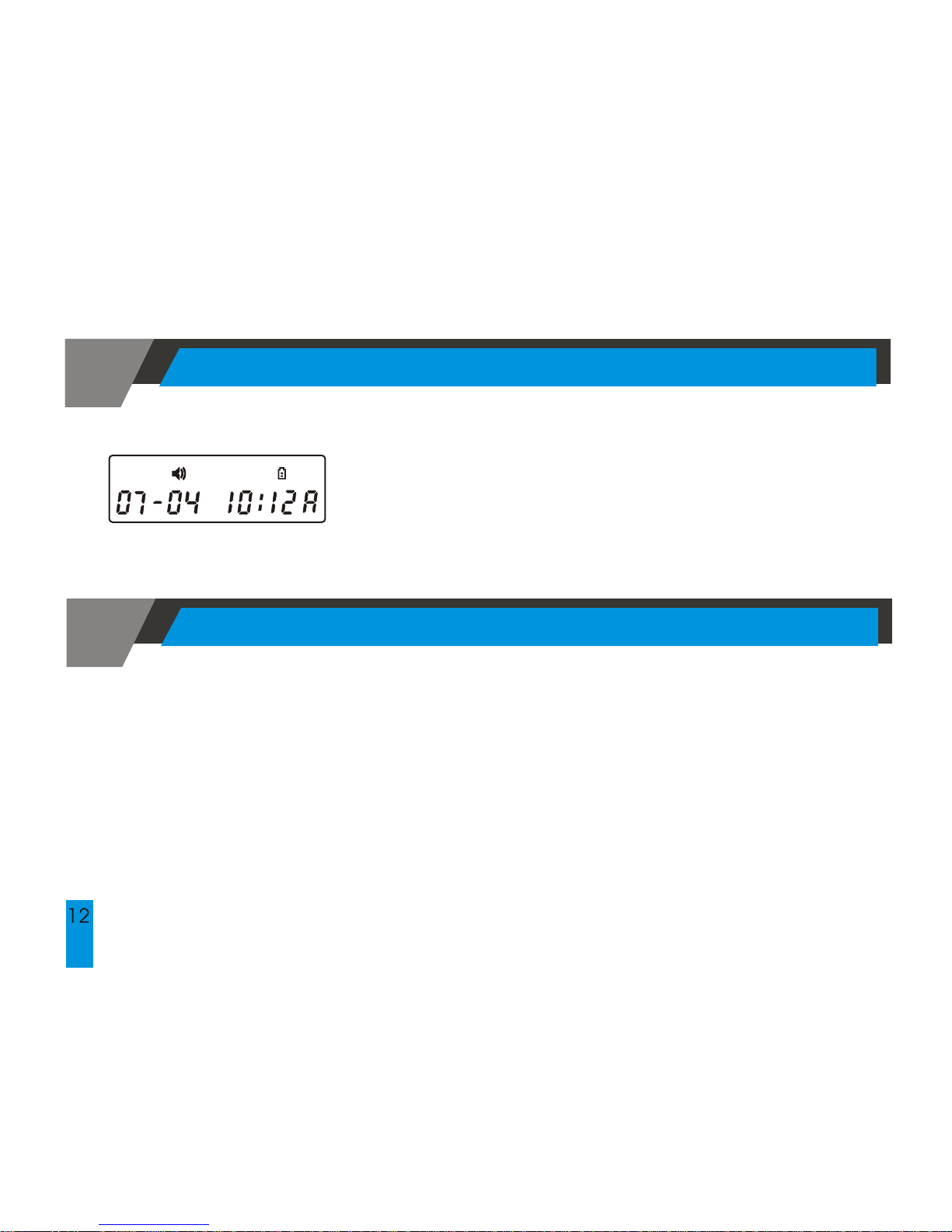
When the battery capacity falls below the operational
level, the Low Battery icon will be displayed and the
voltage alarm tone will be activated.
10. CHANGING THE BATTERY
When changing the battery, you will need to lock all messages you want to
save or they will be lost. (Refer to #7 Locking and Unlocking Messages.)
When the battery is removed, you will lose the seconds of time that it takes
you to replace the new AAA Battery.
Warning! Replace battery in Non-Hazardous location only.
Use only Duracell MN2400 & Energizer E92.
LOW BATTERY INDICATOR/CHANGING THE BATTERY
Page 13
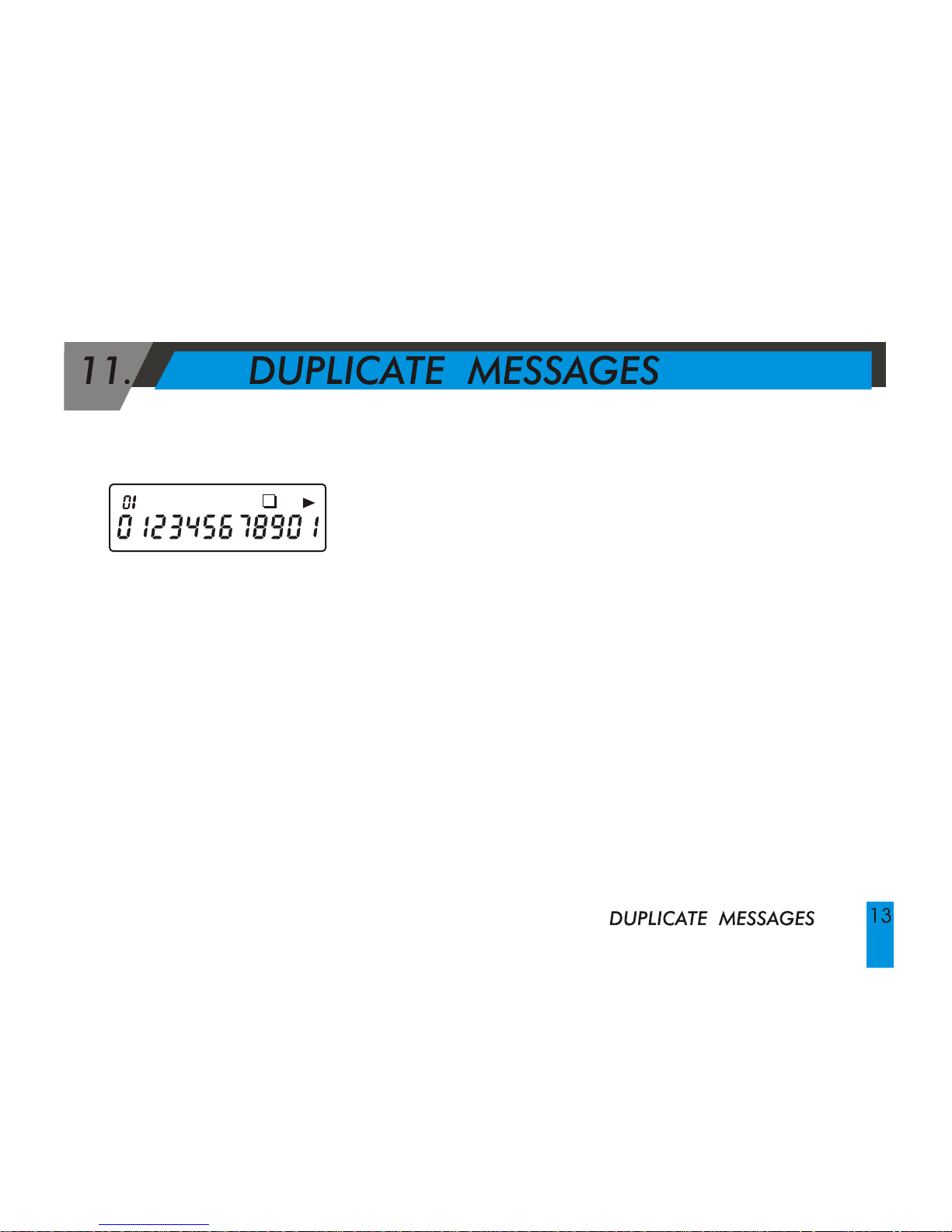
Duplicate Message Indicator will be displayed
on the screen when the pager receives a message
that is identical to a message in memory.
Page 14
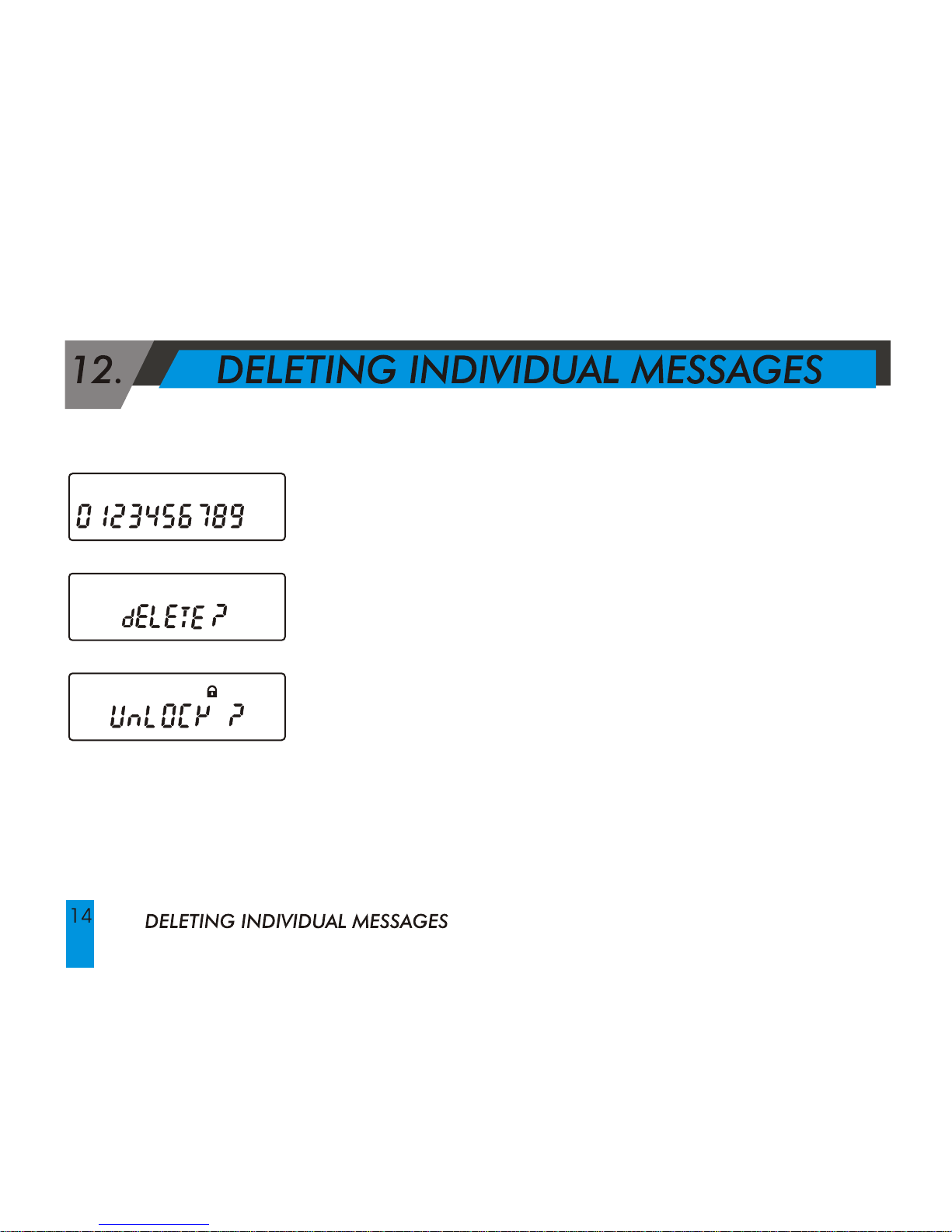
To Delete Individual Messages:
After reading messages, enter into Function mode by pressing
the Function button two times until "DELETE?" is displayed on
the screen.
Press Read button,message is deleted and another message
is displayed.
To Delete a Locked Message:
It is necessary to convert the locked message into unlocked
condition before the message can be deleted.
Page 15
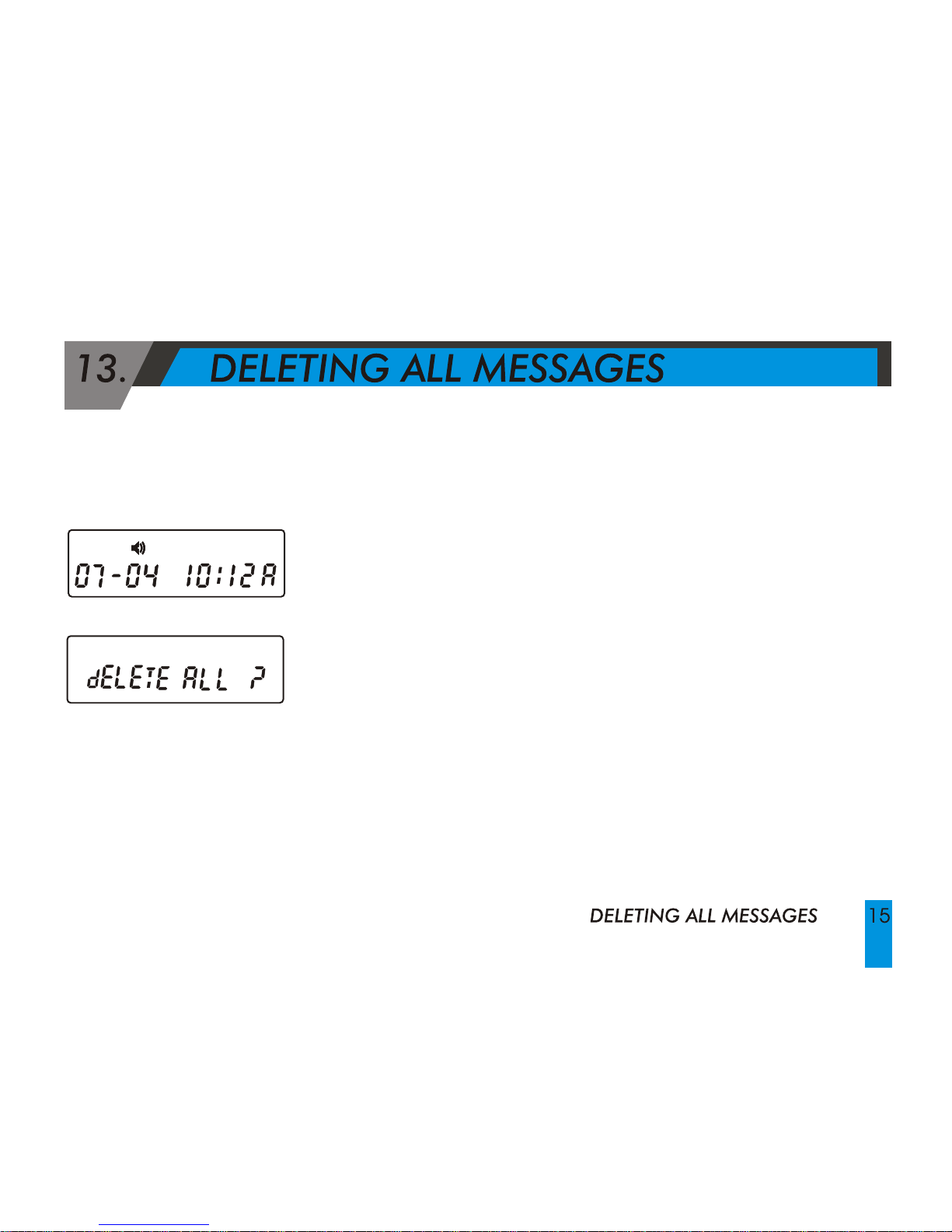
Deletion of All Messages:
Press the Function button to enter the Function mode.
To display "DELETE ALL?" sign, press Function Button three
times.
On "DELETE ALL?" sign, press Read button to delete all
message except locked messages and Unread messages.
Page 16
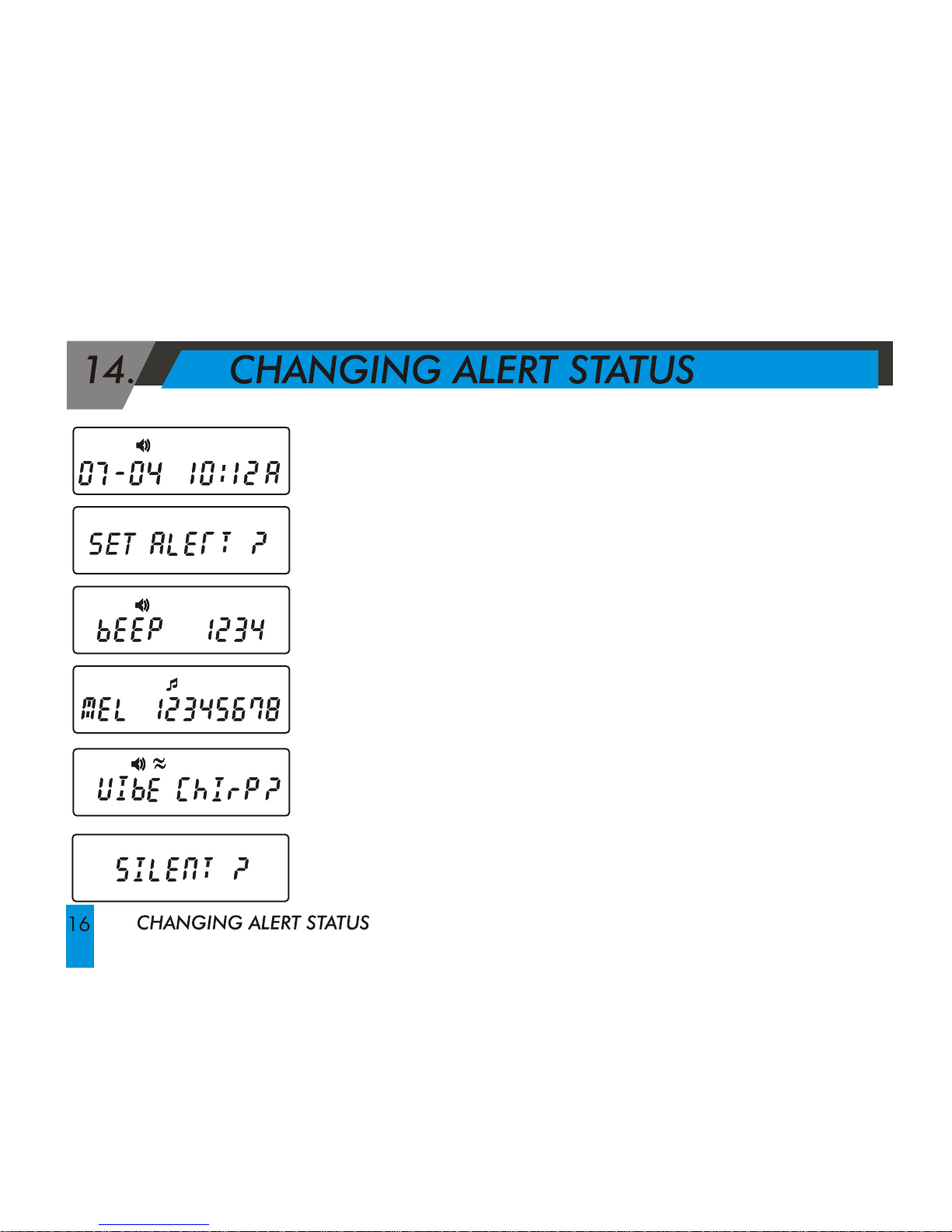
Press the Function button to enter the Function
mode.
Press the Function button five times until "SET
ALERT?" is displayed on the screen.
Press the Read button until the desired Alert is
selected.
Press the Function button to complete the process.
Page 17
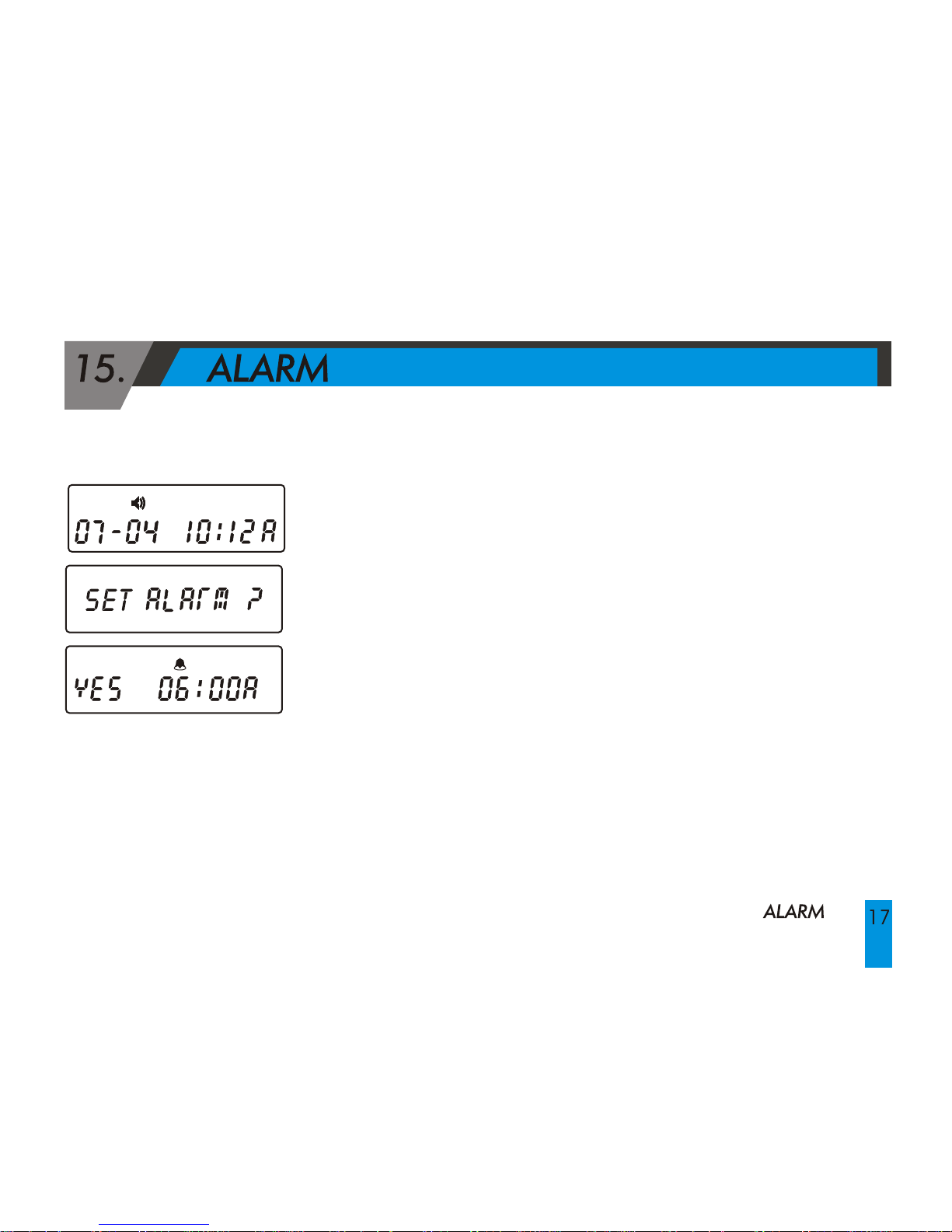
Press the Function button to enter the Function mode.
Press the Function button six times until "SET ALARM?" is
displayed on the screen.
Press Read button to enter into Alarm-setting mode.
To choose and set desired condition, press Read button to
toggle (Ex. YES NO).
To move to each field (hour, minute, am/pm), press the
Function button.
Page 18
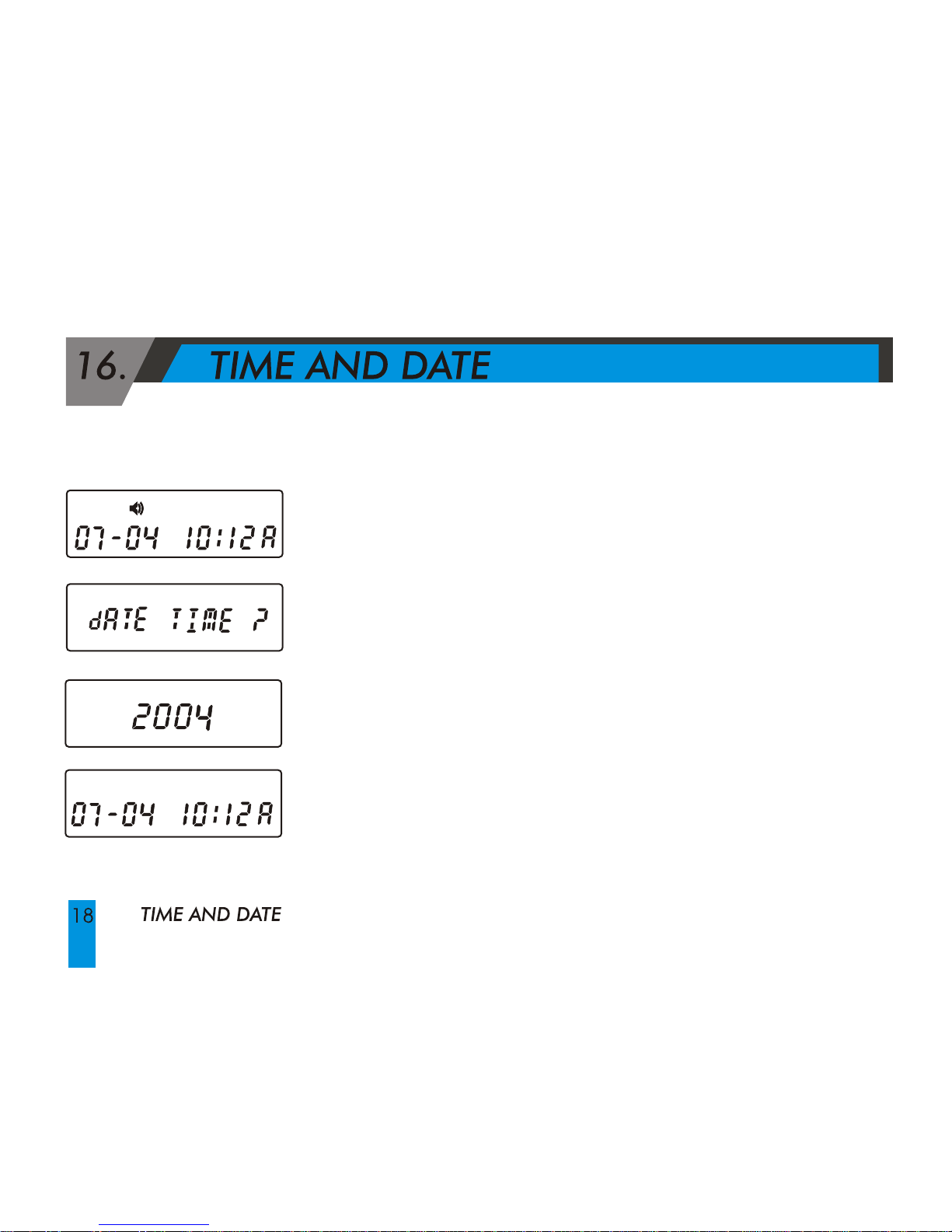
Press the Function button to enter the Function mode.
Press the Function button seven times until "DATE TIME?"
indicator is displayed on the screen and press Read button.
Press the Read button to change the month, then press the
Function button to move to the next field.
-
Page 19
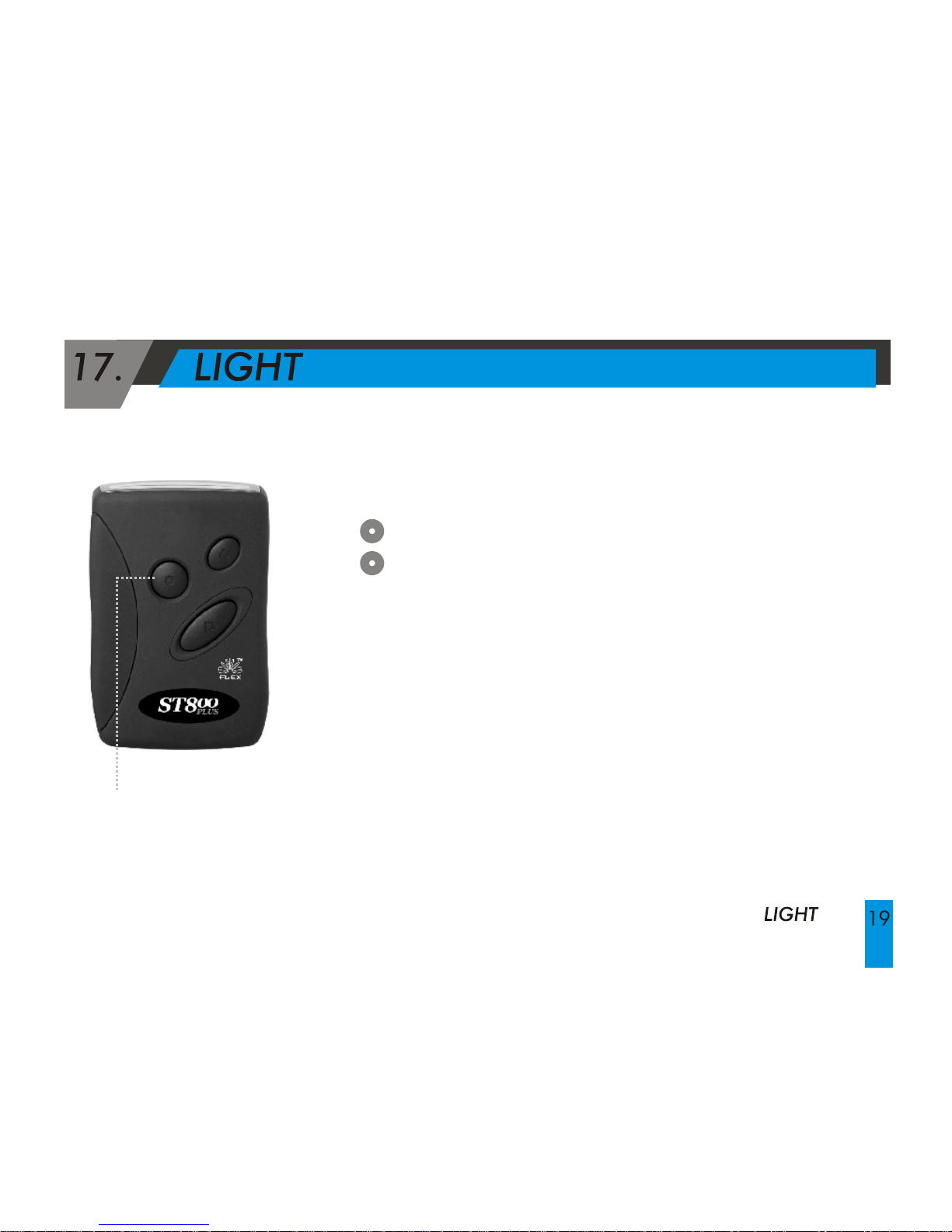
Press button to turn the light on.
Press button again to turn the light off.
Lamp button
Page 20
18. SET VIBRATION/ AUDIBLE ALERT
SET VIBRATION/ AUDIBLE ALERT
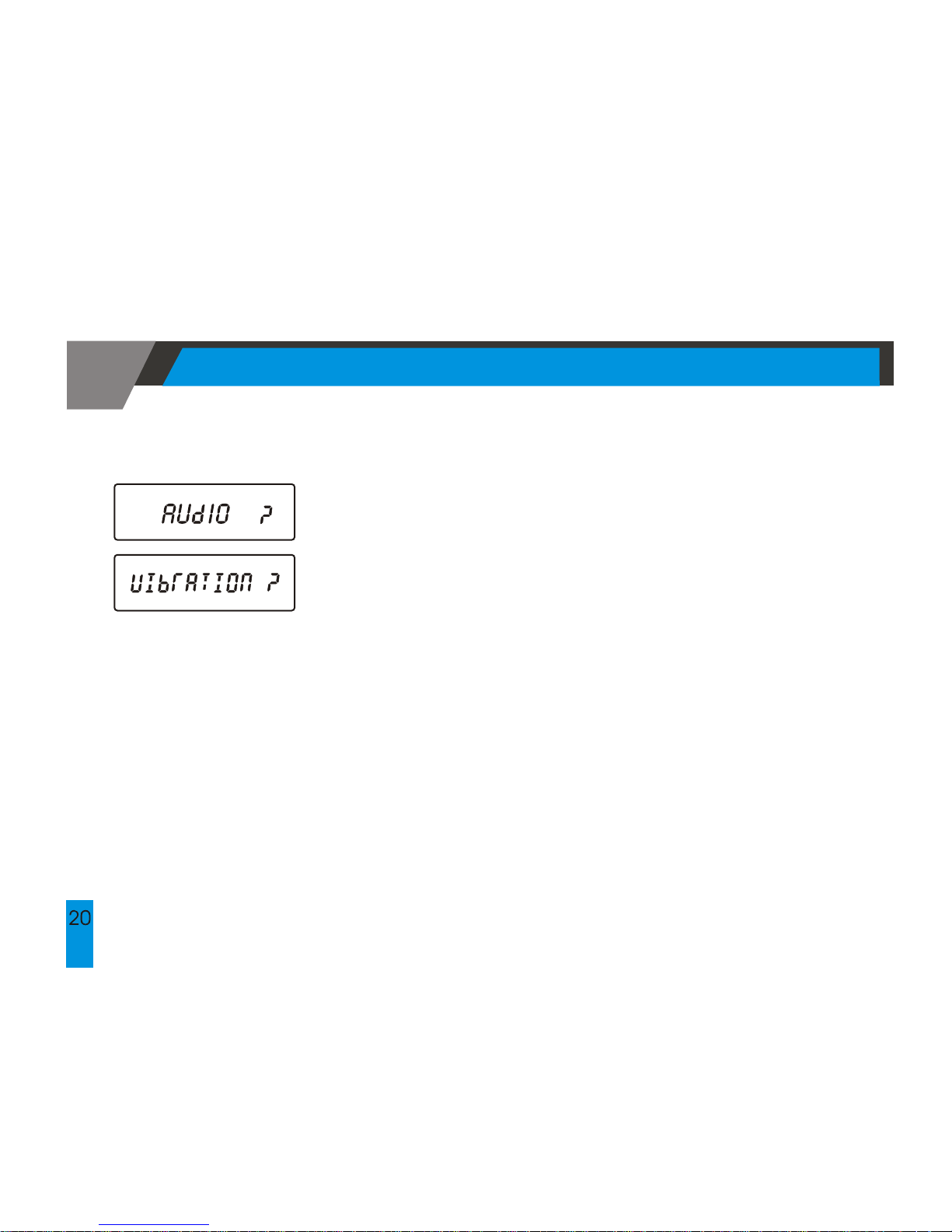
You can select Vibration or Audible alert mode. At
the stand-by screen, press the FUNTION button to enter
into the funtion menu mode.
Press the Read button to select the audible
or vibration mode.
Page 21
Neither your Wireless Provider nor Sun Telecom International is responsible for data that may
be damaged or lost at any time, including, without limitation data lost or damaged during
the servicing of Sun Telecom International s hardware. In as much as the wireless data
service provided, we cannot guarantee or warrant that the wireless data service will always
be available or will always function properly. For this and other reasons, the wireless data
service should not be relied upon for the transmission of data relating to emergency or lifethreatening or mission critical situations, and Sun Telecom International disclaims any
liability on its behalf and on behalf of its Wireless Providers for events or damages resulting
from such reliance or the failure of the wireless data service to per form or to be available for
your use of the wireless data service, including, without limitation, the lack of service
coverage in the area in which YOU wish to use the wireless solution!. To the extent the third
party providing the wireless data service provides any warranties or guarantees that may
be passed on to YOU, such warranties and/or guarantees are automatically passed on to
YOU without any further effort on your part or on the part of Sun Telecom International.
Neither Sun Telecom International nor your wireless provider shall in any way be liable to you
for any damages you suffer or incur (including, but not limited to, general, special,
consequential or incidental damages including damages for loss of business profits,
business interruption, loss of business information and the like and personal injury or
wrongful death damages) arising from or in connection with the use or performance of our
product, even if Sun Telecom International or your wireless solution provider are aware of
the possibility of such damages. This limitation is intended to apply and does apply without
regard to whether such damages are claimed, asserted or brought in an action or claim
sounding in tort or contract, or on the warranty, or under any other law or form of action.
Page 22
This device complies with Part 15 of the FCC Rules. Operation is subject to the
following two conditions: (1)this device may not cause harmful interference,
and (2)this device must accept any interference received, including
interference that may cause undesired operation.
Page 23
This equipment has been tested and found to comply with the limits of a
Class B digital device, pursuant to Part 15 of the FCC Rules. These limits are
designed to provide reasonable protection against harmful interference
in a residential installation. This equipment generates, uses, and can
radiate radio frequency energy and, if not installed and used in
accordance with the instructions, may cause harmful interference to
radio communications. However, there is no guarantee that interference
will not occur in a particular installation. If this equipment does cause
harmful interference to radio or television reception (which can be
determined by turning the equipment off and on), the user is encouraged
to try to correct the interference by one or more of the following measures:
Reorient/Relocate the receiving antenna.
Increase the separation between the equipment and receiver.
Connect the equipment into an outlet on a circuit different from
that to which the receiver is connected.
Consult the dealer or an experienced radio/TV technician for help.
Substitution of components may impair intrinsic safety.
Page 24
 Loading...