

Page 1
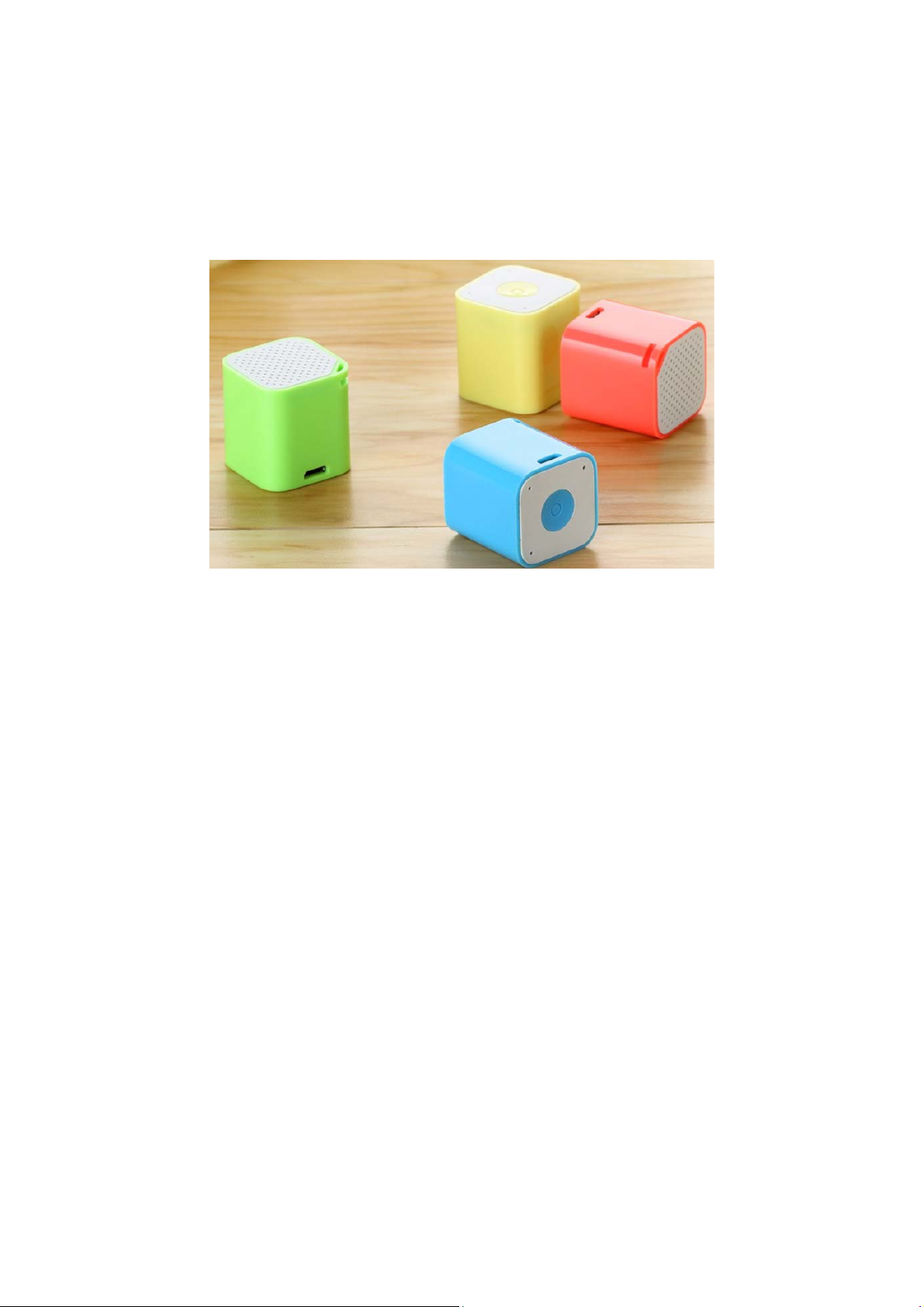
Groove Cube Speaker
INSTRUCTIONS
Important: Please read this Manual before using the products.
Features
● Bluetooth Speaker
● Bluetooth Speaker Phone Option
● Very Small Size
● String Hole for Easy Lanyard Attachment
● Rechargeable Battery
Charging
You should fully charge the speaker prior to first use. Plug the charging cable into the micro
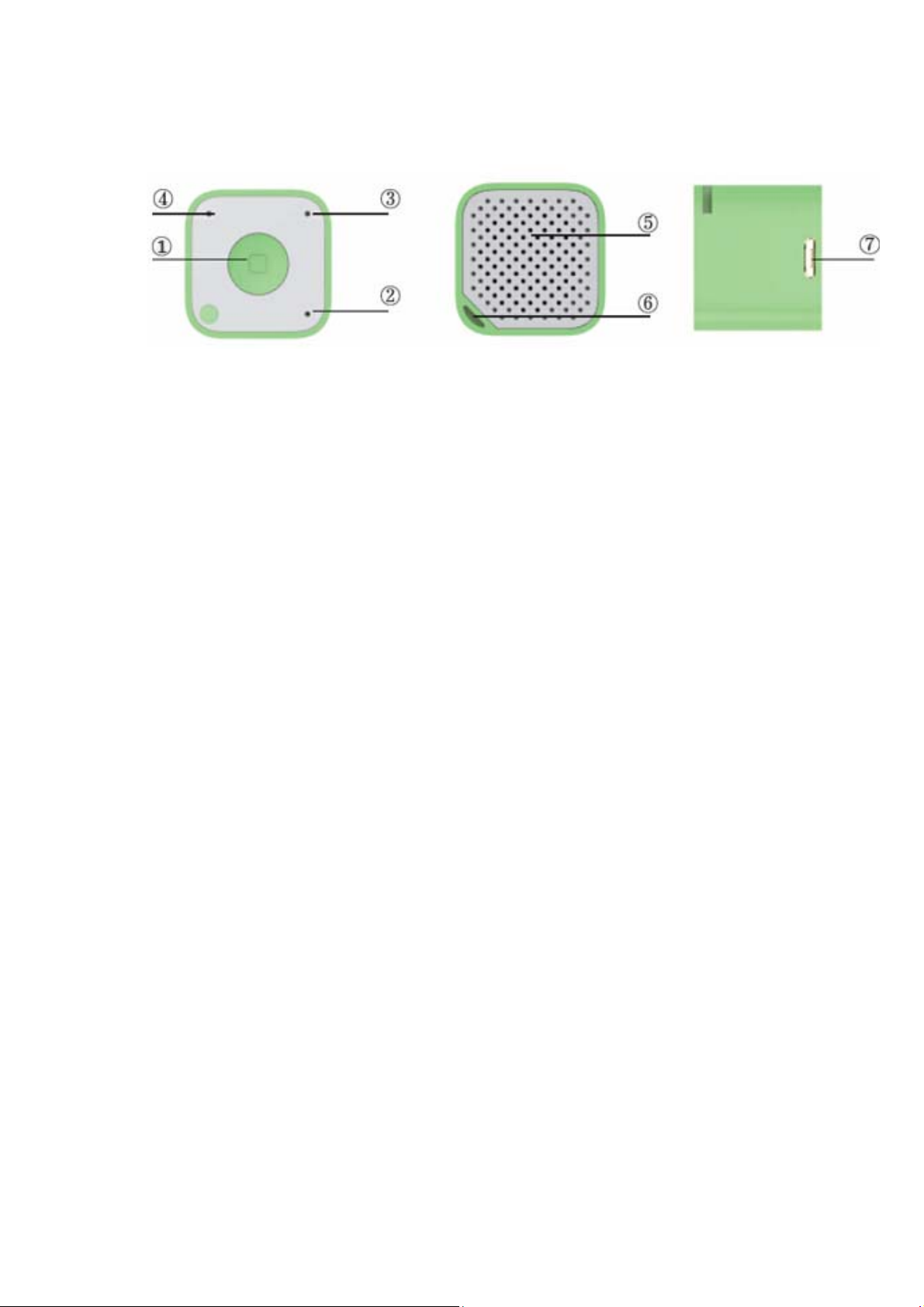
USB port (7) and then connect the charging cable to the USB port of your PC. The red LED
light (3) will flash during charging and remain solid when fully charged.
Page 2
Easy operation
1. Press button: Play/Pause/Answer Calls
●Press and hold the Power button to power on/Off
●Press the button to pause when music is playing, press again to play
●Press the button to answer incoming calls when the device is paired with a phone
2. Microphone
3. Charging indicator Light
● Flashing red LED light while device is charging
● Steady red LED light when the device is fully charged
4. Working indicator Light
5. Speaker
6. Sling hole
7. Micro USB (power input)
Pairing:
● Press and hold the power button until you hear the start-up chime and the green LED light
will be flashing quickly.
● Switch on your Bluetooth device and wait until “Groove Cube” shows up on your screen.
When “Groove Cube” appears on your device, select and pair with the speaker.
● When the pairing is completed you will hear a message and the green LED light will flash
less frequently.
● To turn off the speaker, press and hold the Power button
Charging:
● Plug the Micro USB cable into USB port, the red LED light will start flashing, which
indicates the device is charging.
● Continuous red LED light will indicate that charging is complete.
Page 3

Precautions
● Please only use the computer USB port connects the Micro USB interface to charge.
● Please keep and use in normal environments. Exposure to extreme elements such as fire,
water, or other extreme elements may damage the unit. Do not handle with wet hands.
● Keep debris or other items from blocking the speakers or from entering any of the ports.
● Do not attempt to open or take apart this speaker. The speaker will be damaged during that
process.
● If the speaker quality seems lessened, or a slight popping noise is heard, it may be caused
by a low battery. Please recharge the speaker.
Specifications
● (Rated power) PO=1.5W
● (Frequency Response) 180HZ-16KHZ
● (Speaker) 23mm; 4Ω 1.5W
● (Battery) 3.7V/180mAh
● (Music playing time) 1-1.5hours
● (Charging time) About 40mins
● (Bluetooth distance) 10meters
Troubleshooting:
No Sound
● Make sure that the music player is working and that the speaker is charged.
● Make sure the Bluetooth is paired with the correct speaker.
Not charging
● Check to make sure that you are using the correct cable and that it is fully plugged into both
the device and the USB port that you are charging from. Also check to make sure the PC or
other USB charger is turned on.
FCC INFORMATION
This equipment has been tested and found to comply with the limits for a Class B
digital device, pursuant to part 15 of the FCC rules. These limits are designed to
provide reasonable protection against harmful interference in a residential
installation. This equipment generates, uses and can radiate radio frequency
energy and, if not installed and used in accordance with the instructions, may
cause harmful interference to radio communications. However, there is no
Page 4

guarantee that interference will not occur in a particular installation. If this
equipment does cause harmful interference to radio or television reception, which
can be determined by turning the equipment off and on, the user is encouraged to
try to correct the interference by one or more of the following measures:
-Reorient or relocate the receiving antenna.
-Increase the separation between the equipment and receiver.
-Connect the equipment into an outlet on a circuit different from that to which the
receiver is connected.
-Consult the dealer or an experienced radio/TV technician for help.
To assure continued compliance, any changes or modifications not expressly
approved by the party Responsible for compliance could void the user’s authority
to operate this equipment. (Example- use only shielded interface cables when
connecting to computer or peripheral devices).
This equipment complies with Part 15 of the FCC Rules.Operation is subject to the
following two conditions:
(1) This device may not cause harmful interference, and
(2) This device must accept any interference received, including interference that
may cause undesired operation.
Caution!
The manufacturer is not responsible for any radio or TV interference caused by
unauthorized modifications to this equipment. Such modifications could void the
user authority to operate the equipment.
RF warning statement:
The device has been evaluated to meet general RF exposure requirement. The
device can be used in portable exposure condition without restriction.
 Loading...