

Page 1
Add:3/F HuoLiBao Bld,No.11 Xin Xi R d, Hi -Tec h Pa rk ,N an sh an D is ., Sh en zh en ,C hi na
Tel:(+86)-0755-86017771 E-mail:sales@sunricher.com Fax:(+86)0755-26765389 sk yp e: su nr ic he r_ in fo
www.sunricher.com www.sunricher.com.hk ww w.s un ri ch er. co m. cn
Fax: (+ 86 )0755-2 67 65 389
skyp e: su nricher _i nf o
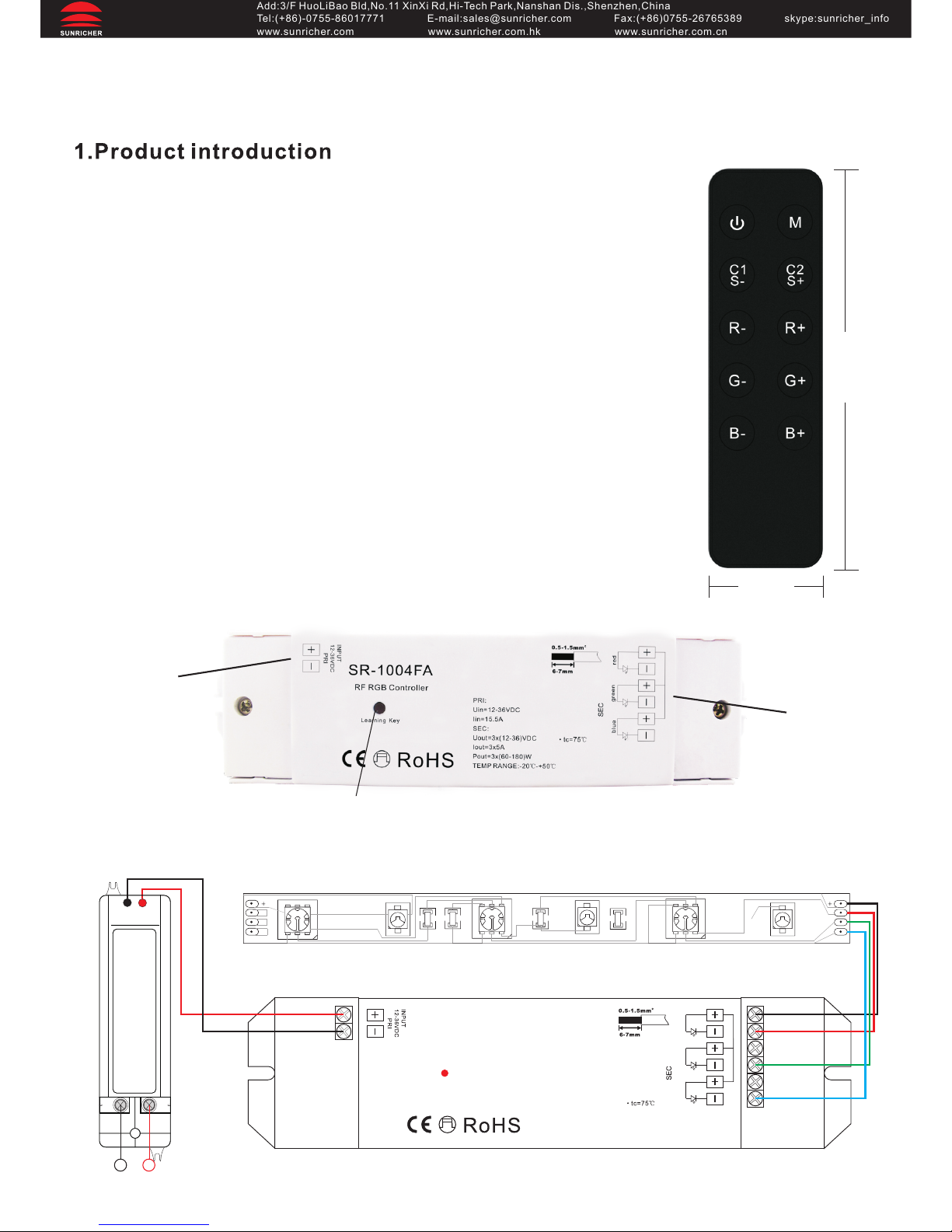
SR-2808 and its receiver is a one zone RF wireless RGB controller. 1
remote SR-2808 can control an endless number of receivers
synchronously. All receivers will share the same ID address, can also
work with data repeater to expand output unlimitedly.
2.Performance Parameter
2.1 Remote: (SR -2808) Operation voltage: 3VDC Cr2025 Battery
Operation frequency: 434MHZ / 868MHZ
Receiver: (SR-1004TA,SR-1004FA,SR-1004EA,SR-1004TA3,
SR-1004TA7)
SR-1004TA: 12-36VDC input, 3 channels x 3A, constant voltage,
3 channels x (36-108)W
SR-1004FA: 12-36VDC input, 3 channels x 5A, constant voltage,
3 channels x (60-180)W
SR-1004EA: 12-24VDC input, 3 channels x 8A, constant voltage,
3 channels x (96-192)W
SR-1004TA3:12-36VDC input, 3 channels x 350mA, constant current,
3 channels x (4.2-12.6)W
SR-1004TA7:12-36VDC input, 3 channels x 700mA, constant current,
3 channels x (8.4-25.2)W
2.2 Receiver:(SR-1004FA)
3.Wiring diagram
SR-2808 One Zone RF Wireless LED RGB Controller
User Manual
12-36VDC
input
4 channels
output
Learning Key
44 mm
134mm
R
G
B
R
G
B
RGB color changing LED light
SR-10 04FA
RF RG B Contr oller
gree n
redblue
Lear ning Ke y
PRI :
Uin =12-3 6VDC
Iin =15.5 A
SEC :
Uou t=3x( 12-36 )VDC
Iou t=3x5 A
Pou t=3x( 60-18 0)W
TEM P RANGE: -20℃-+5 0℃
Powe r Su pp ly
Inpu t 12 -3 6V DC
LN
110-240 V
Page 2
Add:3/F HuoLiBao Bld,No.11 Xin Xi R d, Hi -Tec h Pa rk ,N an sh an D is ., Sh en zh en ,C hi na
Tel:(+86)-0755-86017771 E-mail:sales@sunricher.com Fax:(+86)0755-26765389 sk yp e: su nr ic he r_ in fo
www.sunricher.com www.sunricher.com.hk ww w.s un ri ch er. co m. cn
Fax: (+ 86 )0755-2 67 65 389
skyp e: su nricher _i nf o
4.Operation Manual
After you have wired all the receivers according to Figure illustration you need to do the
following:
1. Pull off the plastic film cover of the battery at the back of remote.
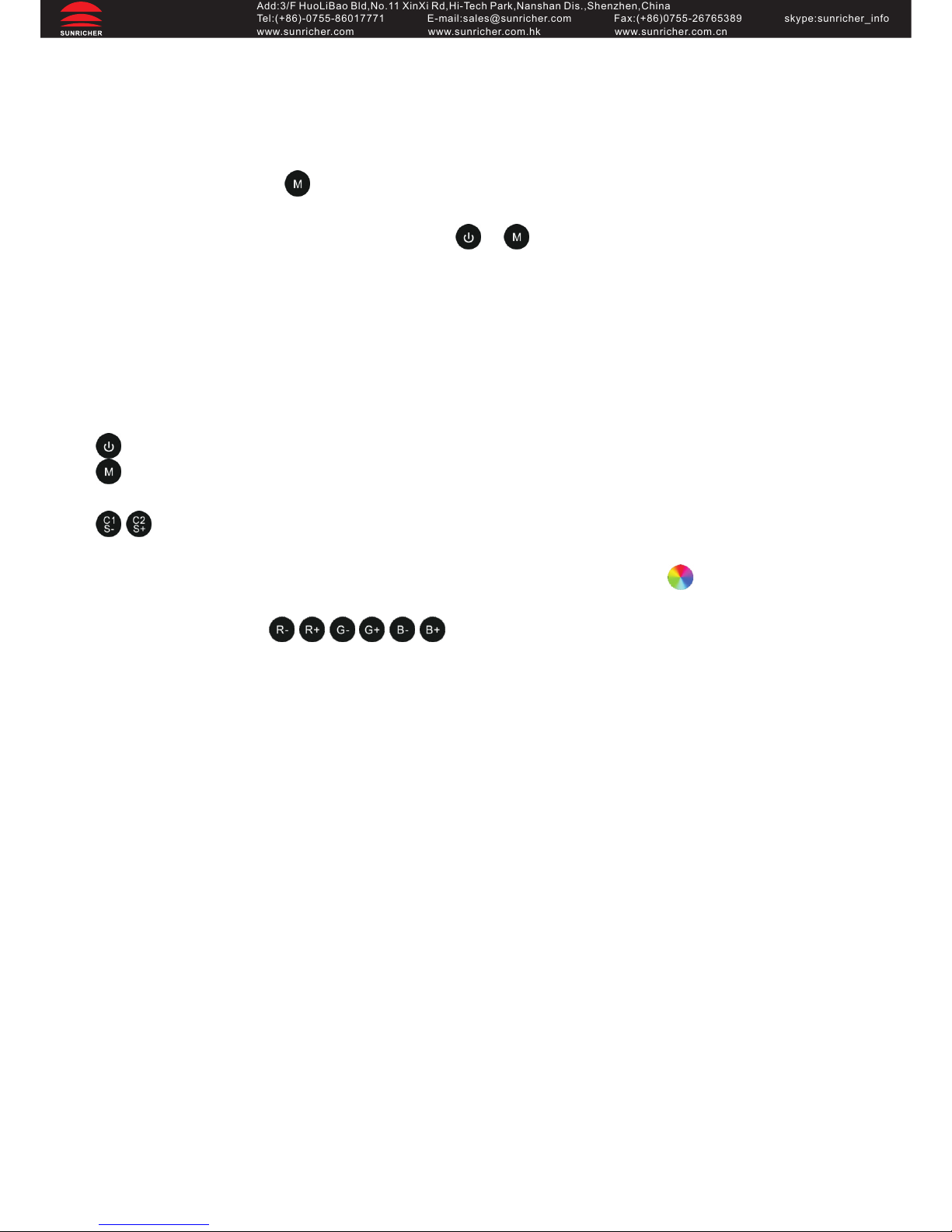
2. Master receiver learning: short press the Learning Key on the receiver, and then
immediately press the . Once you do that, the LED lights will blink once.
Slave receiver learning: short press the Learning Key on the receiver, and then immediately
press the any button on the remote except or .
Why should there be 2 methods of learning?
When one remote is being used to control multiple receivers that are working together
simultaneously after some time in operation they may lose synchronously. The receiver
which is done the master learning will synchronize all slave receivers automatically.
Notice: there can be only one master receiver, all the others be slave receivers.
Button Instructions:
: short press to turn ON/OFF; long press for 3 seconds to reset.
: 10 built-in dynamic color changing modes; short press to get a dynamic mode, press
again to pause to have a static color, press again to get a next dynamic mode.....
: C1 and C2 works only at static modes; short press C1 to get 10 solid colors-
red/orange/yellow/green/cyan/blue/purple/warm white/natural white/cold white; long press
C2 to get a R-G-B slow changing mode, just like using a color wheel .
S- and S+ works only at dynamic color changing modes; short press S- and S+ for speed
down and speed up. are micro color change buttons, under static color
status, by short pressing them, you can fine tune any color to achieve thousands of colors.
 Loading...