

Page 1

Micro-processor controller for solar thermal systems
Installation & Service manual
Sunny Scout BASIC fs
Page 2
2
Table of content
1 Application / characteristics and features 3
1.1 Description and application 3
1.2 Controller characteristics 3
2 Safety instructions 3
3 Controller installation 4
3.1 Opening the controller 4
3.2 Wall installation 4
3.3 Electrical connection - overview 5
3.4 Sensors connection 5
4 Operation / Display 5
4.1 Display graphics 5
4.2 Button function 6
5 Operating
menus 6
5.1 "Info" Menu 6
5.2 "Programming" Menu 7
5.3 "Manual operation" Menu 7
5.4 "Basic adjustment" Menu 8
6 System diagram 9
Controller functions 10
7.1 General controller functions 10
7.1.2 Pump speed modulation 10
7.2 Protection functions 10
7.2.1 Collector protection 10
7.2.2 Re-cooling (Holiday function) 10
7.2.3 System protection 11
7.2.4 Anti-freeze protection 11
8 System monitoring 11
8.1 Sensor monitoring 11
8.2 Flow monitoring 11
9 Failure repair 12
9.1 Failures with an error messages 12
9.2 Failures without error messages 13
10 Technical data 14
11 Resistance table PT1000 14
12 Terms of guarantee 15
13 Declaration of conformity 15
Explanation of graphic symbols used in the manual
Attention!
Symbol advise possible dangers and
errors
Attention 230V~
voltage!
Symbol displays
the danger of high
voltages.
Information tabs
Please read carefully!
Operational information / characteristic features
Other Information
or procedure
Testing /
checking
Page 3

3
1 Application / characteristics and features
1.1 Description and application
The Sunny Scout BASIC fs controllers are powerful microprocessor appliances for
the accurate control of solar systems. They are suitable for most types of south facing solar thermal systems
These solar controllers are for use in either residential, business or industrial premises and should be mounted in dry spaces.
The installer should ensure that the controller meets all necessary regulations and
is suitable for the application prior to installation.
1.2 Controller characteristics
The SOLAREG II generation of controllers is equipped with the following features:
Intuitive menu-conducted operation with graphic symbols and four operating ◼
keys
Temperature dierential regulation - digitally adjustable values ◼
Operating hour meter for storage tank charging ◼
Pump speed modulation & manual switch control of solar circulation pump ◼
Continual system monitoring with error and failure display through symbols ◼
All adjusted values are stored even in the case of any longer mains voltage- ◼
breakdown.
Various protective functions, such as system protection, collector protection, ◼
recooling and ow monitoring
Large wiring space ◼
Available accessories:
Temperature sensor PT1000 ◼
Sensor connection box ◼
Immersion sleeves ◼
2 Safety instructions
Disconnect all appliances from the mains operating voltage completely before ◼
any installation or wiring work is commenced. Ensure that mains voltage is not
connected into the ‘low voltage terminals’ (see page 10). Destruction and extremely dangerous voltages will occur in the controller, connected sensors and
other system components if this is NOT complied with.
Solar systems can absorb extremely high temperatures. There is a danger and ◼
risk of burning! Be careful during the installation of all temperature sensors!
Mount the solar controller in a position to ensure that inadmissible operating ◼
temperatures (>50°C) are not experienced e.g. through other sources of heat.For
safety the system can remain in a ‘manual only’ state for testing purposes. In this
operating mode maximum temperatures or sensor functions are not monitored.
If any damage is seen in/on the controller, wiring cable or connected pumps and
valves the system must not be started.
All installation and wiring
work must only be carried
out on the controller when the
device is disconnected from the
power supply.
The Sunny Scout BASIC fs must
only be connected and commissioned by qualified personnel. In
doing so, the applicable safety
regulations must be observed.
Page 4
4
3 Controller installation
3.1 Opening the controller
Prior to opening the device, make sure to disconnect the power supply and ensure
that it cannot be switched back on again.
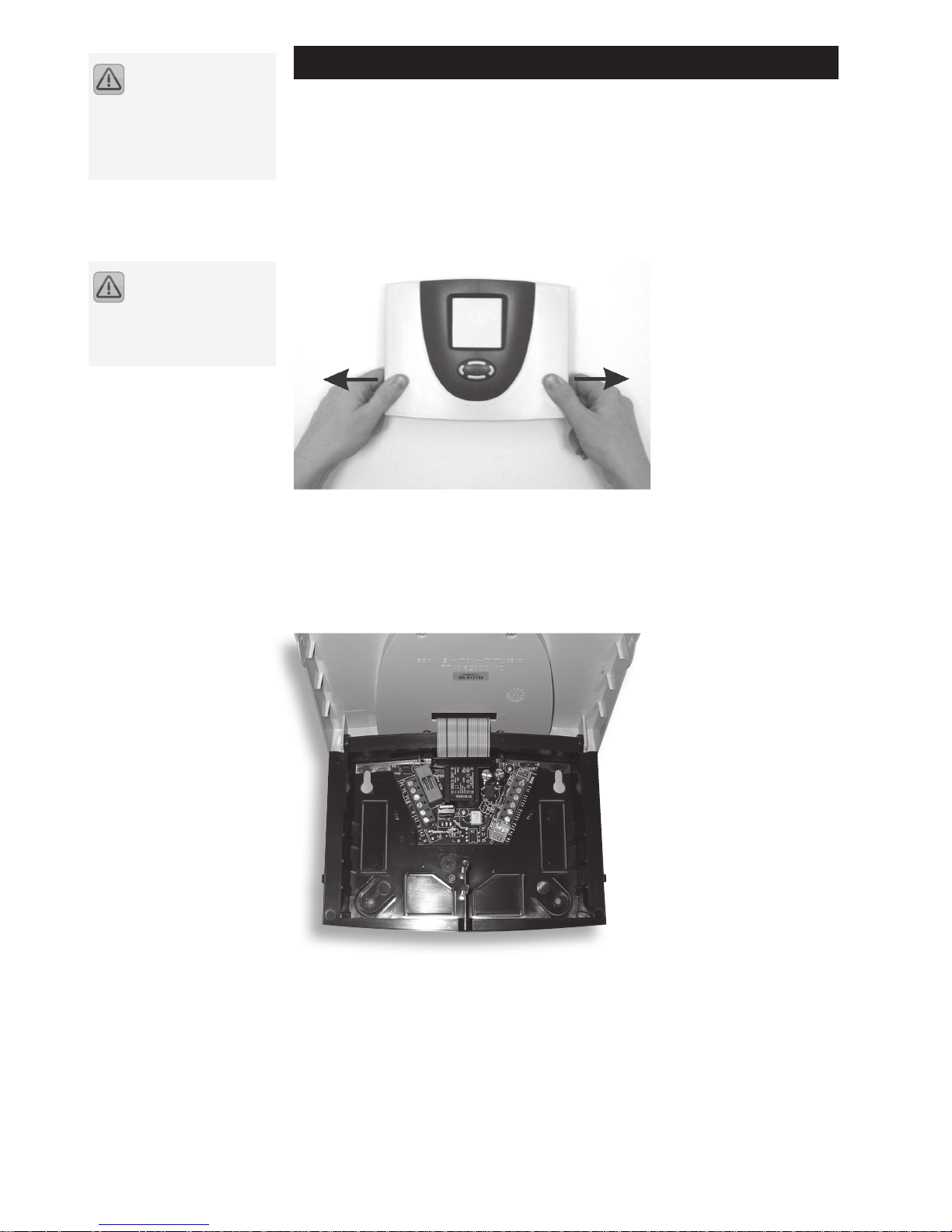
The top cover is held in place by two catches on the base which can be unlocked by
pulling apart the sides of the top cover (see the picture).
Hinge open the top cover upwards until it is latched into position.
You can now freely install and wire the controller.
3.2 Wall installation
The device is mounted on the marked points. A drilling template is provided with
the device. Insert the "Quick Info" card provided with the device into the pocket
provided on the back of the device. The "Quick Info" card provides the user with an
overview of the functions to facilitate rapid device operation.
The controller MUST be
installed only in dry, non
explosive locations. Installation
should NOT be made onto
combustible materials.
Prior to powering up the
controller ensure that the
top cover is securely latched back
into place
Page 5
5
3.3 Electrical connection - overview
For 230V~ connections please note the following points:
◼ I The mains supply voltage to the controller should be provided by a switched
FCU with a 3 amp rated fuse.
Controllers are intended use with 230V~ /50Hz mains. All pumps and valves ◼
should be similarly rated.
All earthed wires must be connected to terminals marked with PE. ◼
Neutral terminals (N) are electrically connected and are not switched! ◼
The switching output (A1) is 230V~ closer. If potential-free contacts are needed, ◼
appropriate accessories are available.
3.4 Sensors connection
The SOLAREG II BASIC controllers work with precise platinum-temperature sensors
type PT1000. 2 sensors are required, the third sensor is optional.
Installation / cabling of the temperature sensors:
◼ Mount the sensors into the collector and storage tank. Ensure proper heat trans-
fer and use heat-conducting paste if necessary.
Cross-sections for cable extensions: ◼
- up to 15m 2 x 0.5mm2,
- up to 50m 2 x 0.75mm2.
If shielded - the shield must be connected to the earth (PE)
Connect the temperature sensors according the systems design and functional- ◼
ity required. Polarity may be ignored as they will operate when tted into either
pole of the terminal.
◼ Temperature sensor cables MUST be run separately from 230V~wires.
It is recommended that the external collector sensor can be additionally pro- ◼
tected by a ‘Collector Sensor Protection Box’ which will protect the system from
over-voltage caused by a lightning strike.
4 Operation / Display
4.1 Display graphics
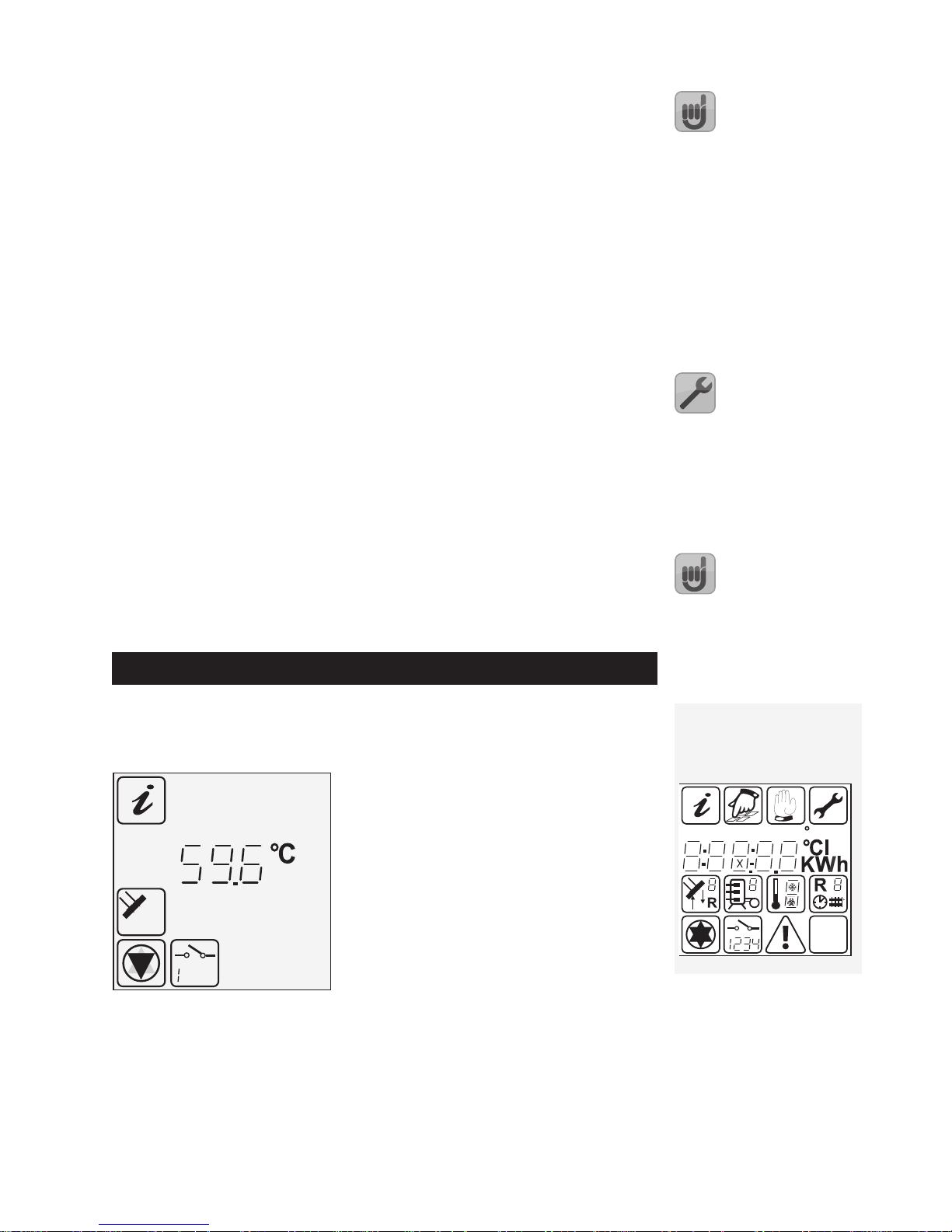
During actual operation, the symbols appear in diering parts of the menu dependant upon the functionality that is being set or programmed.
Active menu ◂
Measured values, e.g.: 59.6C°. ◂
Measuring points assignment ◂
Status indication ◂
Display symbols
All symbols which may appear on
the graphic display:
ok?
hPa
start%stopdTmin max
F
Page 6
6
4.2 Button function
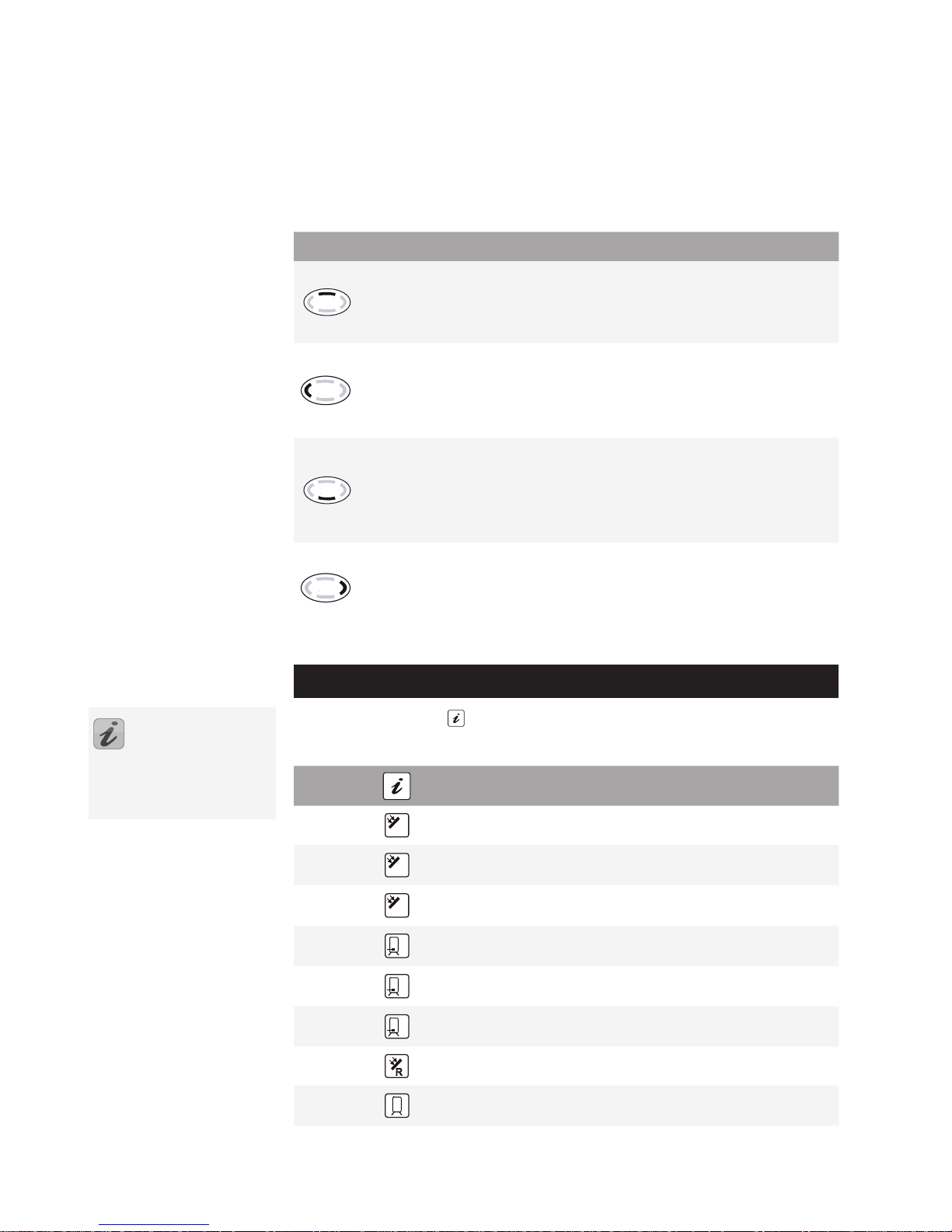
The Sunny Scout BASIC fs controller is operated by means of the 4 buttons. Use of
these allows:
recall of all display values ◼
carry out controller function adjustments ◼
Graphic symbols seen on the display lead you simply through the operating menu
structure and show clearly the current menu points, display values or parameters.
The operating buttons have the following functions:
Button Function Description
“Scroll up"
„+“
Menu rolls upwards ◼
Value change: increase of the indicated
value by 1, if held down the values rise
constantly
"Scroll left"
"Exit"
"Break-o"
Main menu scroll left ◼
Exit menu ◼
Exit menu point ◼
Break-o value change without storing ◼
"Enter"
"Scroll down"
"-"
Call up of main menu, menu rolls down- ◼
wards
Value change: decrease of the indicated ◼
value by 1, if held down the values fall
constantly
"Scroll right"
"Choice"
"Conrmation"
Main menu scroll right ◼
Choosing one menu point ◼
Conrmation of value change to save ◼
amendment
5 Operating
menus
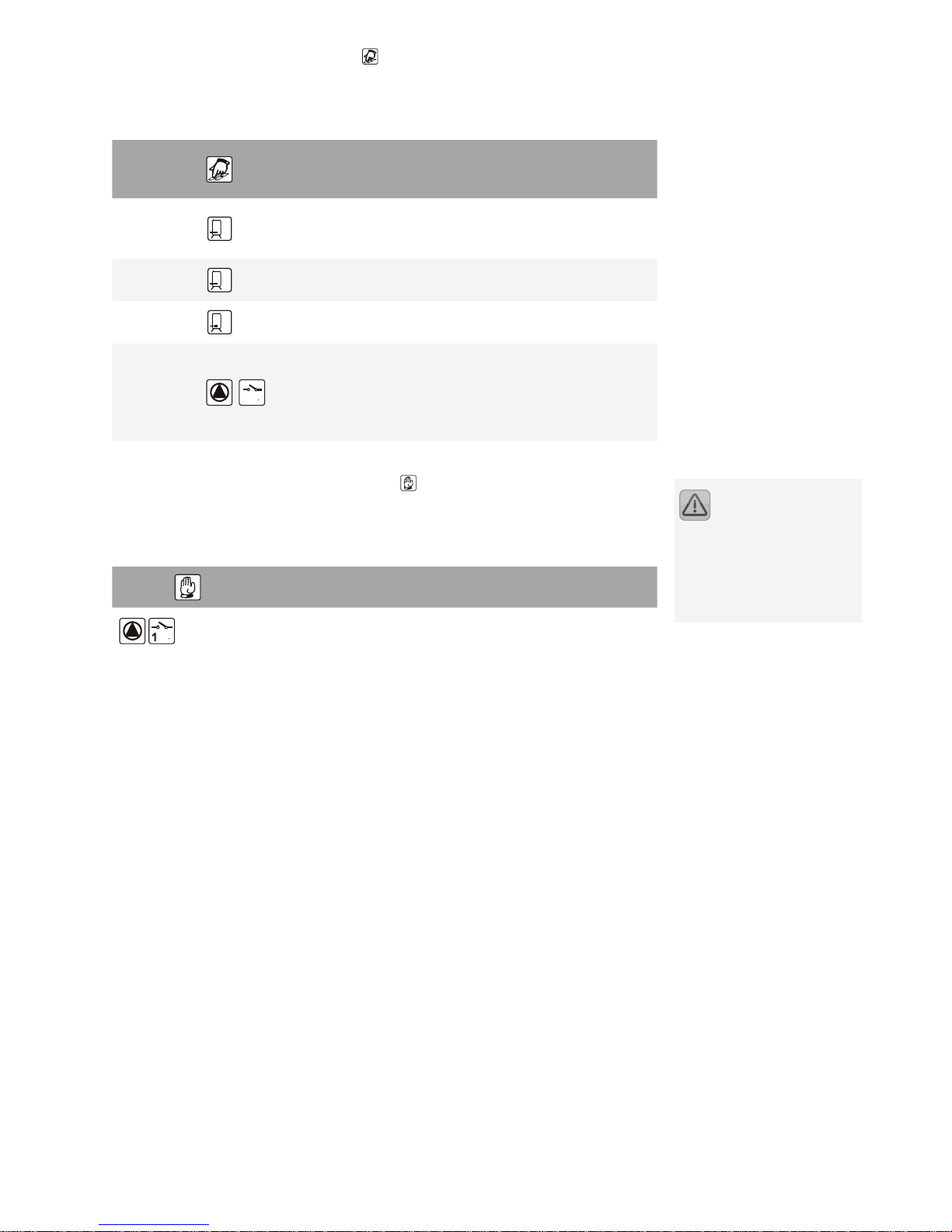
5.1 "Info" Menu
In this mode all measuring values and operating states are shown:
Indication
e.g.
Meaning
Reset
possible
75 °C
Indication of current collector temperature
No
min
12 °C
Indication of minimum collector temperature
can be “reset” to current temperature
Ye s
max
105 °C
Indication of maximum collector temperature
can be “reset” to current temperature
Ye s
52 °C
Indication of current temperature within the
storage tank
No
min
40°C
Indication of minimum storage tank temperature. Can be “reset” to current temperature
Ye s
max
67 °C
Indication of maximum storage tank temperature. Can be “reset” to current temperature
Ye s
60 °C
Indication of current temperature - S3
No
1234 h
Operating hours for charging storage tank
Can be “reset” to 0 h
Ye s
The symbols appear in
differing parts of the
menu dependant upon the
functionality that is being set or
programmed
Page 7
7
5.2 "Programming" Menu
All changeable parameters can be checked in this menu and, if necessary, altered.
Factory programmed default values are set which, as a rule, guarantee problem free
function of the system.
Indication
e.g.
Meaning
Value
range
Typical
adjustment
Current
adjustment
max
65 °C
Storage tank:
Permissible maximum temperature
15 –95°C 65°C
dT max
7K
Storage tank: switchon dierence
3 –40K 7K
dT min
3K
Storage tank: switcho dierence
2 –35K 3K
min
100
12
Adjustment of minimum pump speed
modulation
100% = rotational
speed regulation o
30% – 100% 100%
5.3 "Manual operation" Menu
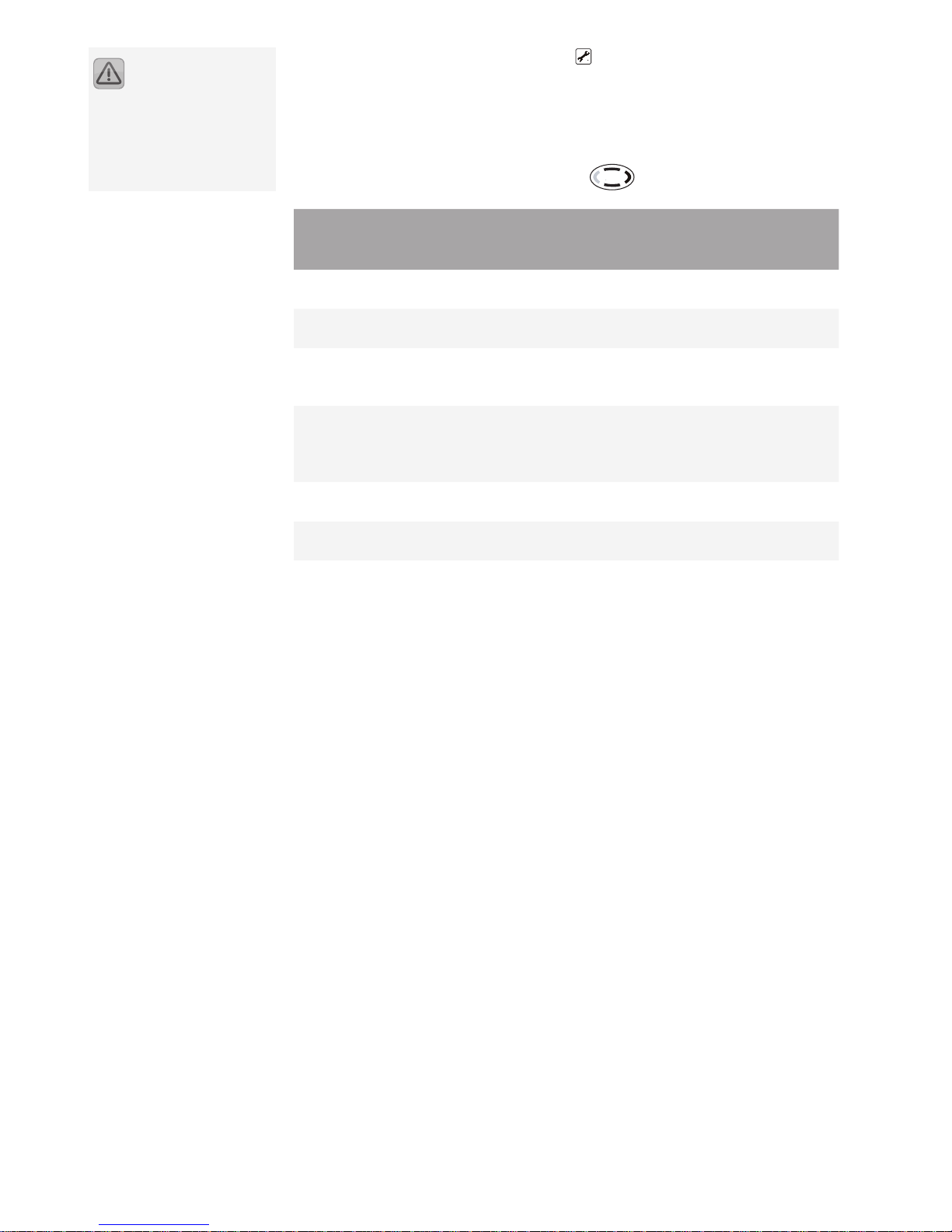
Automatic operation is switched o during manual operation. The outputs can be
manually switched on and o for servicing and testing purposes.
Once the menu has been exited or after 8 hours, automatic operation is reactivated.
Display
Meaning Value range
Manual switching “on / o” output A1 (solar
circulation pump)
0 = O
1 = On
Adjustments and changes
within this menu MUST be
carried out only by a specialist
installer or competent staff.
Incorrect settings will effect the
function of the controller and solar
system..
Page 8
8
5.4 "Basic adjustment" Menu
The hydraulic diagrams and additional functions are displayed in the Basic Setup
menu. Adjustments MUST be carried out only by a specialist installer or competent
sta. Settings may only be adjusted in the menu:
a) within one minute after switching on the controller
or
b) after simultaneously pressing the buttons:
Display
Meaning Value range
Factory
set-up
Current
adjustment
Line Value
0 0
Collector protection function:
switching on or o
0 = O
1 = On
0 = O
1 120 °C
Collector protection function:
activation temp.
110 –150°C 120°C
2 0
Re-cooling function
(only if the collector protection
is on)
0 = O
1 = On
0 = O
3 40°C
Temperature to which the
storage tank is re-cooled after
activating the collector protection function
30 –90°C 40°C
4 0 Anti-freeze function
0 = O
1 = On
0
5 3
Anti-freeze function
Start temperature
-20°C ... +7°C 3°C
Adjustments and changes
within this menu MUST be
carried out only by a specialist
installer or competent staff.
Incorrect settings will effect the
function of the controller and solar
system..
Page 9
9
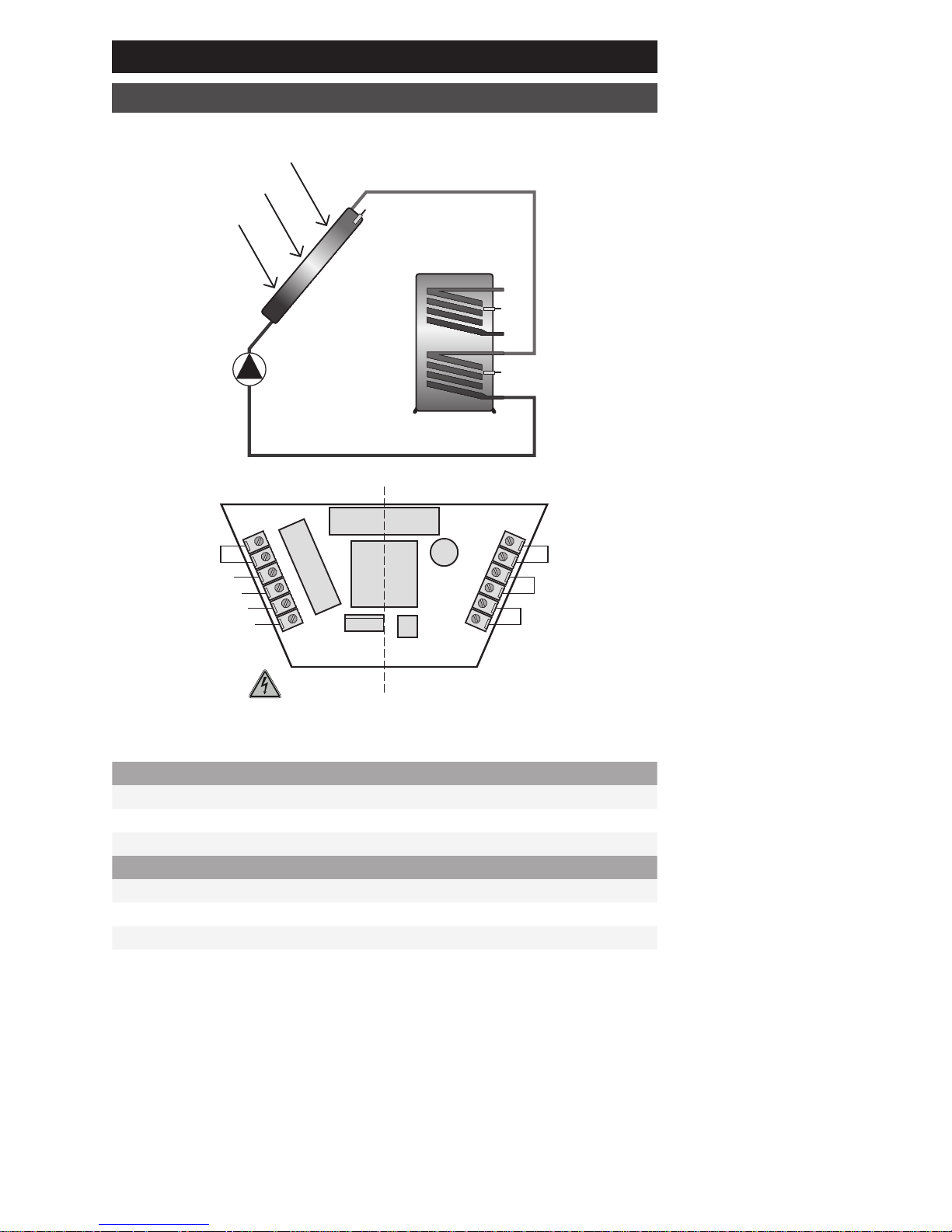
6 System diagram
1 collector array, 1 storage tank
Fuse
PE
L
N
A1
N
S3
S2
S1
S1
A1
S3
S2
230V connections
L Live from mains supply
N Neutral from mains and outputs
A1 Live switch output 1 (solar circuit pump)
Sensor connections
S1 Temp.-sensor collector
S2 Temp.-sensor storage tank
S3 General temperature point
Page 10
10
Controller functions
7.1 General controller functions
The storage tank is charged through the pump on output A1 up to its adjusted
maximum temperature as long as the collector temperature is higher by a pre-set
temperature than the storage tank temperature. Monitoring and protection functions ensure safe operation.
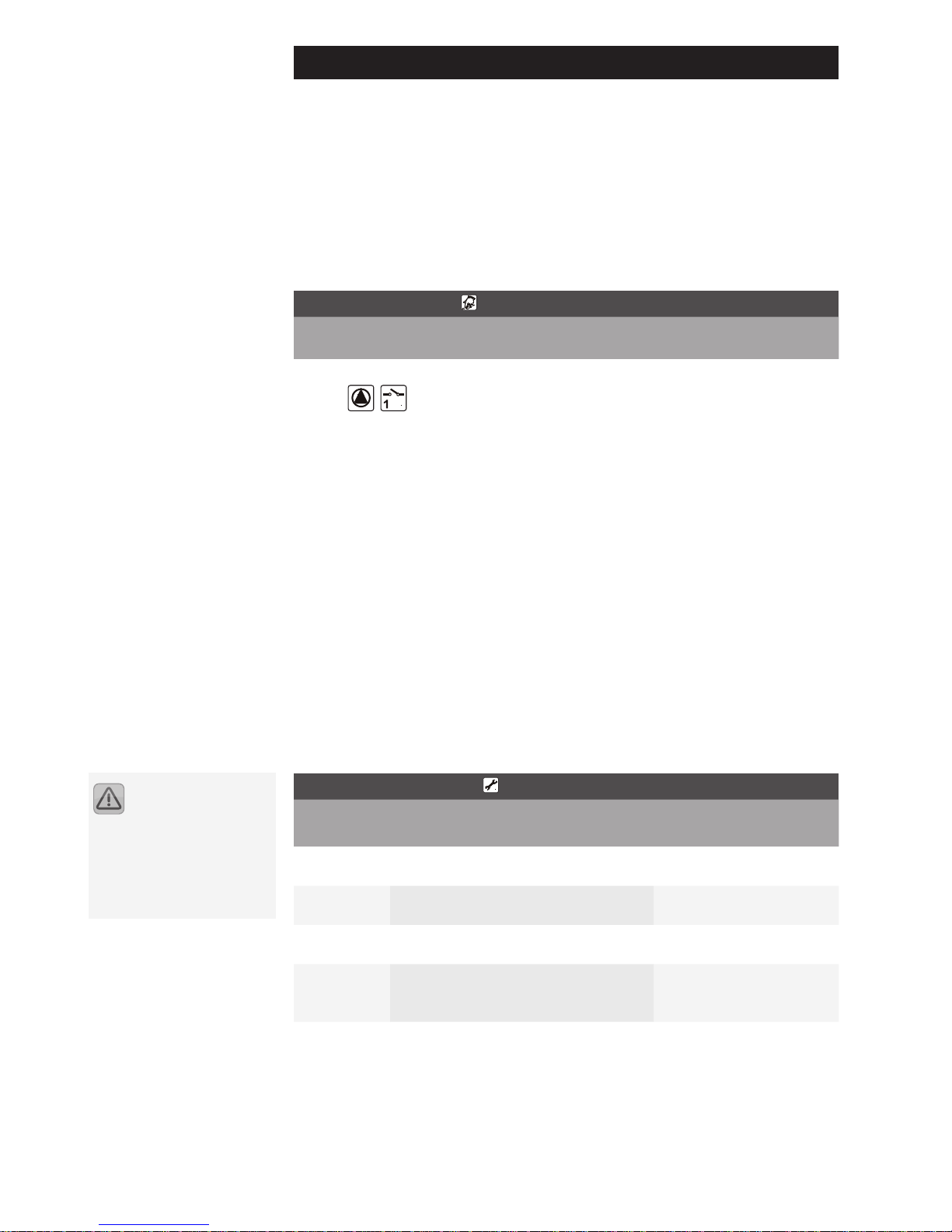
7.1.2 Pump speed modulation
The output A1 can be operated either in switch mode or can be set to operate with
a modulated pump speed.
„Programming“ menu
Indication Meaning Value range Typical ad-
justment
min
100
Adjustment of minimum pump
speed modulation
100% = rotational speed regulation o
30% – 100% 100%
7.2 Protection functions
The controller is equipped with the following protective functions.
7.2.1 Collector protection
If the storage tank is charged to the maximum temperature and the collector temperature exceeds the adjusted collector protection temperature, the solar circuit
pump is turned on. The solar circuit pump is switched o once the collector temperature is 10K below the adjusted value.
In this case, the storage tank is charged up to 95°C regardless of it’s adjusted maximum temperature.
7.2.2 Re-cooling (Holiday function)
The collector protection function is only eective if the storage tank temperature is
below the temperature limit (95°). Therefore, during the holiday period, for example, the storage tank is discharged at night to the adjusted recooling temperature.
"Basic adjustment" menu
Indication Meaning Value range Factory
set-up
Line Value
0 0
Collector protection function: switching on or o
0 = O
1 = On
0 = O
1 120°C
Collector protection function: activation temp.
110 –150°C 120°C
2 0
Re-cooling function
(only if the collector protection is on)
0 = O
1 = On
0 = O
3 40°C
Temperature to which the storage
tank is re-cooled after activating the
collector protection function
30 –90°C 40°C
Adjustments and changes
within this menu MUST be
carried out only by a specialist
installer or competent staff.
Incorrect settings will effect the
function of the controller and solar
system..
Page 11
11
7.2.3 System protection
If the collector temperature exceeds the collector protection temperature (see
7.2.2) by 10K, the solar circuit pump is turned o to protect the system components. As soon as the temperature falls below this value the system is started again.
This function comes into eect no matter if the collector protection is activated or
not.
7.2.4 Anti-freeze protection
This function must be activated if the water or glycol mixture can freeze.
If the temperature at the anti-freeze sensor (S1) drops below the set value, the solar
circuit pump is activated and heats the solar circuit using the heat exchanger in the
storage tank.
"Basic Setup" menu
Display Meaning Value range Factory set-
ting
Line Value
4 0
Switches on or o the anti-freeze
function
0 = O
1 = On
0
5 3
Temperature at which the anti-freeze
function is activated
-20°C – +7°C 3°C
8 System monitoring
In the case of an error the ashing symbol is shown.
8.1 Sensor monitoring
The sensors necessary for the control functions and their connecting cables are
monitored to show breaks or short circuits. If a faulty sensor or installation is recorded by the software, the symbol is shown . By scrolling up and down you can
quickly nd the error source.
8.2 Flow monitoring
The controller checks the ow rate when the pump is switched on. If after 15
minutes no ow is recorded an error message will be shown. The error message is
automatically reset after fault correcting.
This message, however, does not switch o the pump.
"Basic adjustment" Menu
Indication Meaning
+
A fault with the uid circulation within the solar
system
Settings and changes in
this menu must only be
carried out by a specialised
technician. Incorrect settings can
damage or adversely affect the
function of the solar power
system.
Page 12
12
9 Failure repair
There are two dierent categories of system failures to be found:
failures which can be recognised and indicated by the controller itself by dis- ◼
playing an error
failures which cannot be recognised by the controller ◼
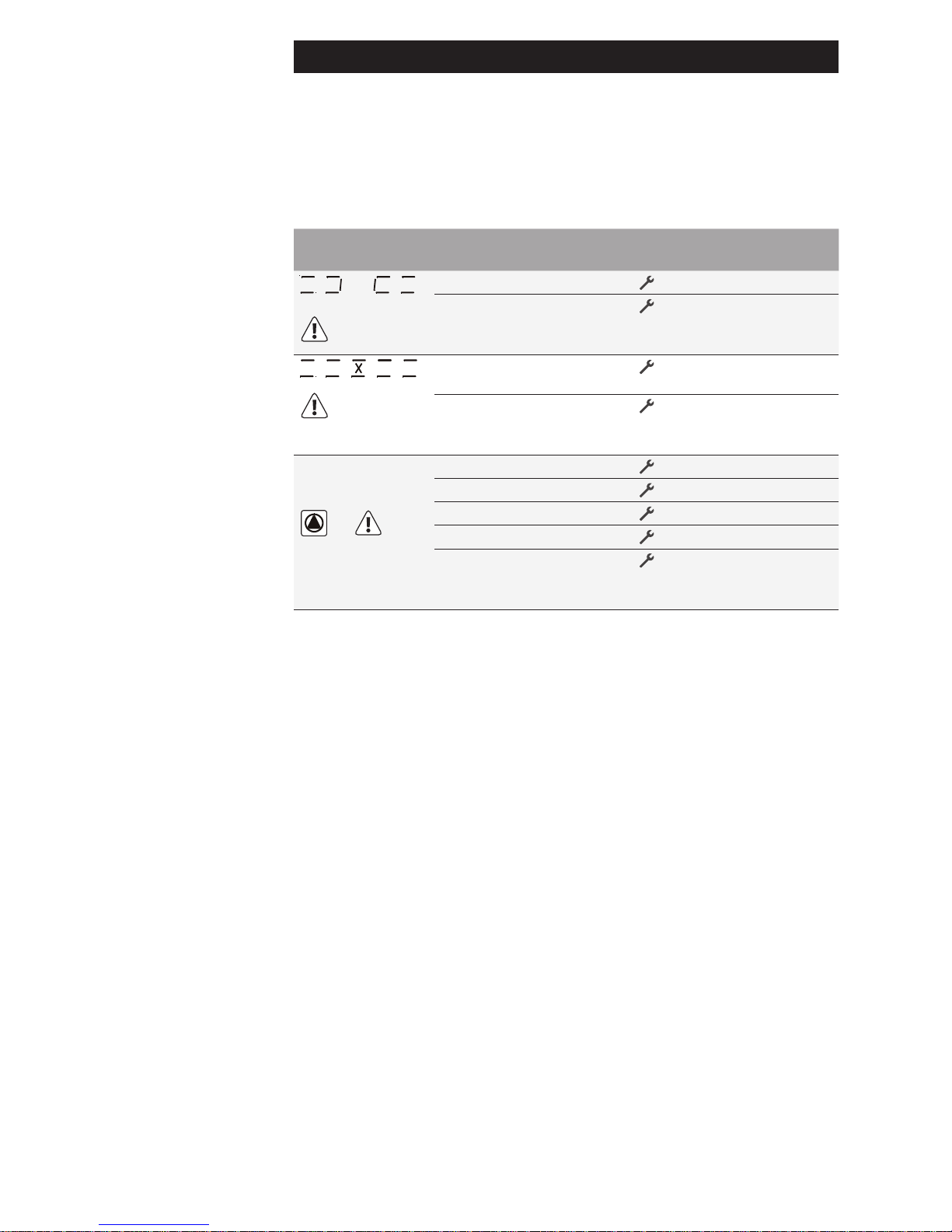
9.1 Failures with an error messages
Error representation on display
Possible reasons Measures
Flashing
Sensor cable broken ◼
Check the cable
Sensor defect ◼
Check sensor resistance
if necessary replace the
sensor
Flashing
Short circuit in sensor ◼
cable
Check the cable
Sensor defect ◼
Check sensor resistance
and replace sensor if necessary
Circulation error:
No ow detected
+
Flashing
Error in pump connection ◼
Check the wiring
Pump defect ◼
Replace pump
Air in the system ◼
Bleed the system
Sensor cable broken ◼
Check the cable
Sensor defect ◼
Check sensor resistance
and replace sensor if necessary
Page 13
13
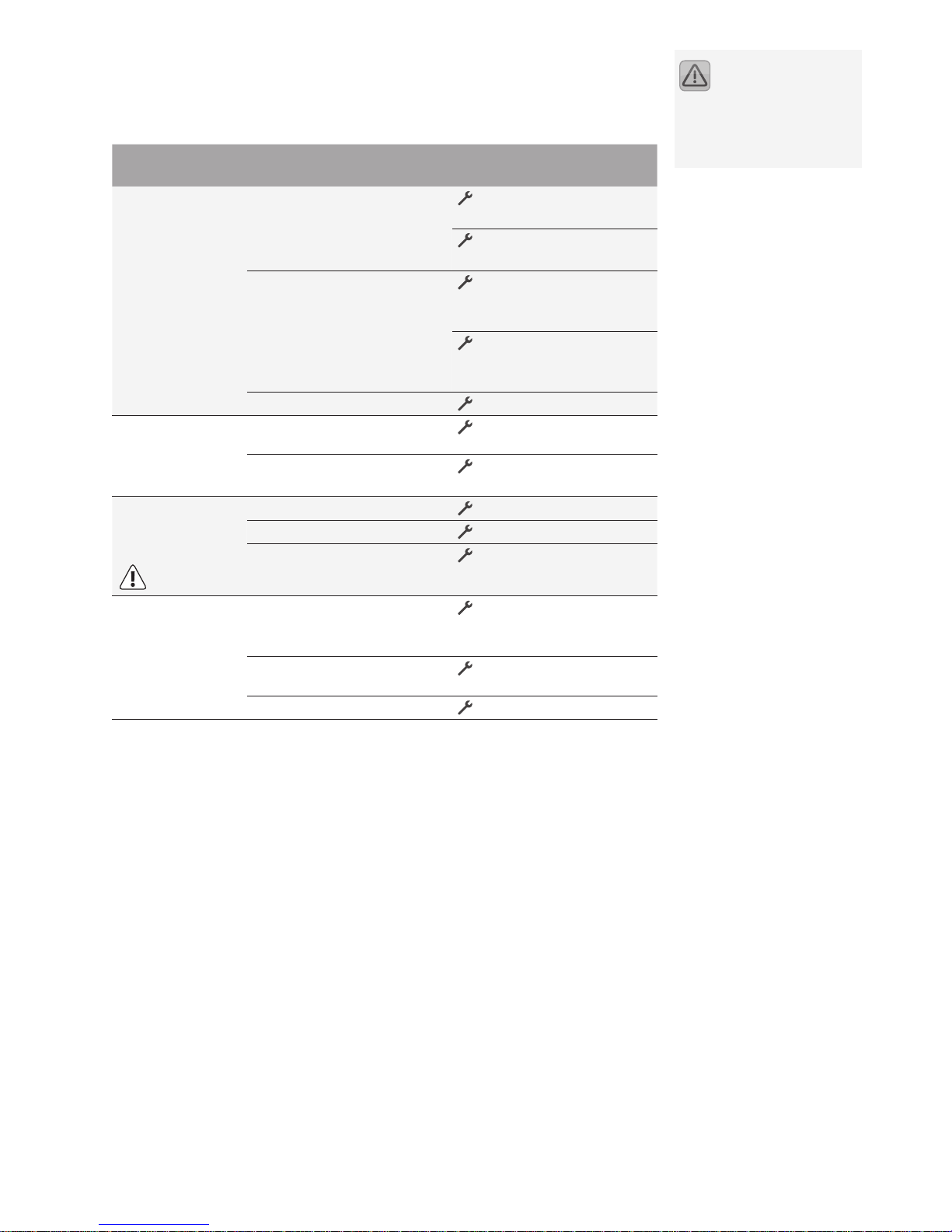
9.2 Failures without error messages
If the system doesn’t work but there is no error message on the display of the controller follow the schedule in the table below.
Error presentation
Possible reasons Measures
No display function
230V mains not connected ◼
or broken
Switch on or connect the
controller
Check the fuse of the
power supply circuit
Internal fuse blown ◼
Check the fuse,
replace it if necessary,
use type 2A/T
Check the 230V~
components for shortcircuits
Controller is defective ◼
Contact the supplier
Controller does
not operate the
system
Controller is in manual ◼
operation
Exit menu "Hand".
Switch-on condition is not ◼
present.
Wait until switch-on
condition is reached.
"Pump" symbol
rotates, but pump
does not work
Pump connection faulty ◼
Check the cable to pump
Pump is seized or blocked. ◼
Bleed the pump
No voltage on the output. ◼
Contact the supplier.
Temperature
display shows
large variances
in a short time
interval
Sensor cables are installed ◼
too close to the 230V~
cable
Separate sensor cables
from the power supply or
shield sensor cables
Sensor cable extentions ◼
used without shielding
Shield sensor cables
Controller is defective ◼
Contact the supplier
Having checked the issues listed but the system is still not working please contact
the supplier or manufacturer for specialist advice.
Failures that affect the
230V~ power supply must
only be must be remedied only by
a competent and trained electrician.
Page 14

14
10 Technical data
Housing
Material
100% recyclable ABS-housing for wall installation
Dimensions L x W x D in mm,
Weight
175 x 134 x 56;
approx 360 g
System of protection IP20 according to DIN 40050, EN 60529
Electrical values
Operating voltage AC 230~ Volt, 50Hz, -10 ...+15%
Interference grade N according to VDE 0875
Max. conductor cross-section
230V~connections
2.5 mm² ne-strand/single-wire
Temperature sensor PT1000 , 1 kΩ at 0°C
Measuring range -30°C ... +250°C
Testing voltage 4 kV 1 min according to EN 60730, IEC 60664
Switching voltage
Capability per one switching
output
230V~
1A / approx. 230VA for cos φ = 0,7-1,0
Fuse protection
Fine-wire fuse 5 x 20mm, 2A/T
(2 amperes, slow)
Miscellaneous
Operating temperature 0 ... 50°C
Storing temperature -10 ... +65°C
Humidity max. 60 %
11 Resistance table PT1000
Correct function of temperature sensors can be checked by using the following
temperature resistance table in conjunction with suitable resistance measuring
equipment:
Temperature
in °C
Resistance
in Ohm
Temperature
in °C
Resistance
in Ohm
-30 882 60 1232
-20 921 70 1271
-10 960 80 1309
0 1000 90 1347
10 1039 100 1385
20 1077 120 1461
30 1116 140 1535
40 1155 200 1758
50 1194
The right is reserved to
change these specifica-
tions for technical purposes
Page 15

15
12 Terms of guarantee
The Sunny Scout BASIC fs controllers are carefully manufactured and tested as part
of their production. Should any failures occur, check rst for any operational, adjustment or system errors, as part of this investigation the solar pump and temperature
sensor connections must also be checked.
PROZEDA GmbH provides a guarantee according to the following terms for 24
months commencing from the date of purchase.
a) The guarantee is only eective in the event of an existing material defect of
the purchased goods. If the defect is due to an operating error, exceeding the
permissible technical values, incorrect wiring, unauthorised technical changes
made within the controller by the customer or other company other than the
controller manufacturer then the guarantee will be void..
b) To claim under the guarantee notication in writing is required which describes
the defect in detail, a copy of the customer´s invoice showing date of purchase
must also be supplied. The manufacturers agents reserve the absolute right
under the guarantee to either repair, replace or deliver a functioning spare part
to correct the defect.
The maximum repair period is 1 month with eect from receipt of the controller
by the manufacturers agents.
If two repair attempts fail then the customer has the right to the claim delivery
of a functioning spare part. In the case of delivery of a spare part a new guarantee meeting these terms comes into eect.
c) Any further warranty (exchange, price reduction) is excluded. The guarantee is
not transferable.
In the case of defects within the guarantee period....in the rst instance contact
the controller supplier or system installer. In the case of any return you must
enclose a written description of the error or defect, together with details of the
controllers programmed functionality and wiring details to allow a full and accurate assessment to take place.
13 Declaration of conformity
We, Prozeda GmbH, hereby declare in sole responsibility that the product Sunny
Scout BASIC fs Type 1316 complies with the following directives:
• Electromagnetic compatibility (2004/108/EC )
• Electrical equipment designed for use within certain voltage limits (2006/95/EC)
• CE marking (93/68/EEC).
Standards that were used:
• DIN EN 60730-1
• DIN EN 61326-1
• DIN EN 61326-2-2.
Page 16

16
Operating manual for Sunny Scout BASIC fs 1316BED100-10B-E, 02/2012
 Loading...