

Page 1

English
User’s Manual
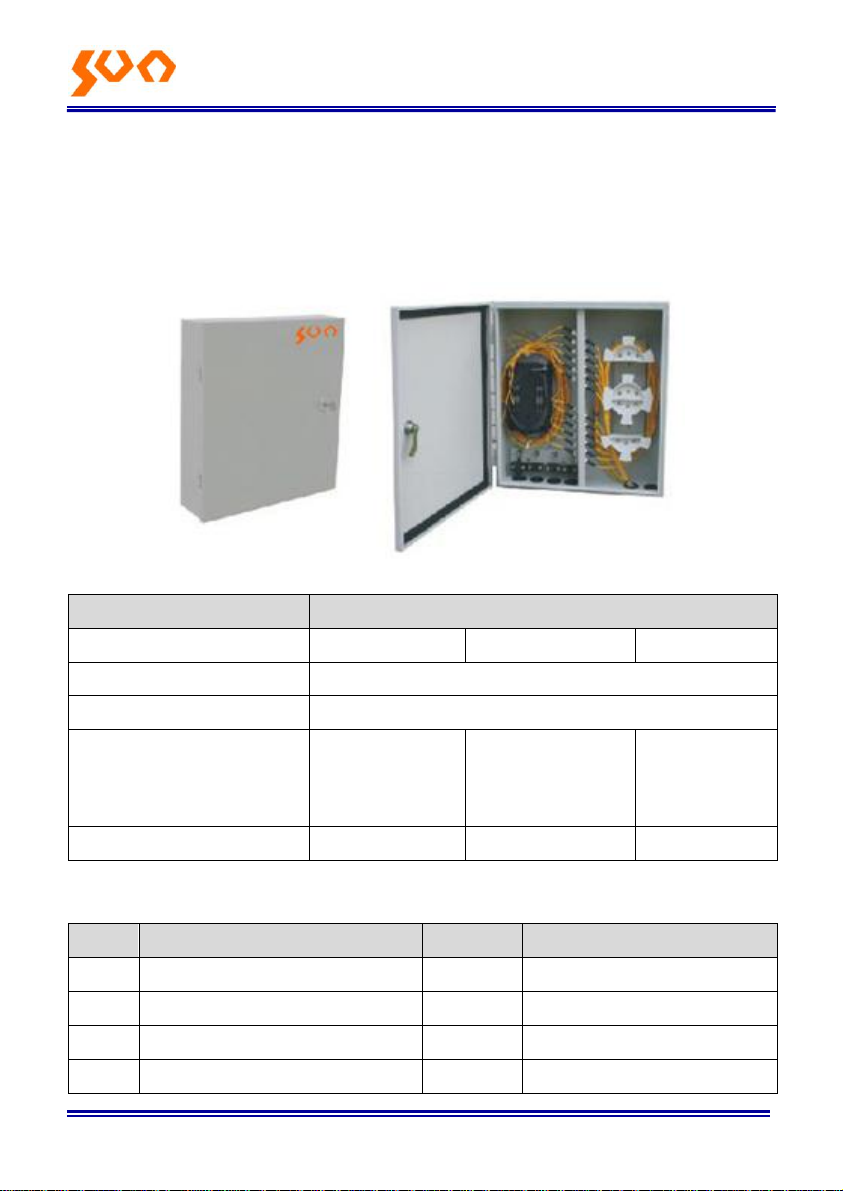
SUN-ODB-OD2B Series
Fiber Optic Distribution Box
Table: SUN-UM-CM-ODB003 Version: A/0
All the trademarks mentioned in this manual are registered property of Sun Telecom.
The right to interpret this manual is reserved by Sun Telecom.
Page 2
F ibe r O p t i c So l u t i o n s P r o v i d e r 1/3
Parameters
Specification
Max. No. of Cores
24
48
72
Adapter Type
FC square, SC, DLC (SC type), DSC, ST
Box Material
Cold-rolled steel
Dimensions (mm)
455(L) x
405(W) ×
80(H)
455(L) x
405(W) ×
120(H)
455(L) x
405(W) ×
150(H)
Weight (kg)
7.4
8.4
9.7
No.
Product Name
Unit
Quantity
1
Fiber Optic Distribution
set
1
2
Wall Bracket
set
1
3
Screw Set
set
1
4
Key
pieces
2
1. Scope of application
This user’s manual is suit for SUN-ODB-OD2B series outdoor type wall
mounted fiber optic distribution boxes, as the guide of proper installation.
These are used for fiber optic cable fixation, protection, cable termination,
patching etc.
2. Specifications
3. Package List
Page 3
F ibe r O pti c S o l u t i o n s P ro v id e r 2/3
5
Protective Sleeves
pieces
According to fiber core
6
User’s Manual
piece
1
7
Certificate
piece
1
4. Operation
4.1 Installation Preparation
Check the structures and types of fiber cables before installation;
different fiber cables could not be spliced together.
Seal well the connective components to reduce additional loss to
fibers caused by dampness; don’t apply any pressure on the connective
components.
Keep a dry and dustless working environment; don’t apply any external
force to the cables; don’t bend or entwine cables.
Appropriate tools should be used for cable splicing according to the
local standards during the whole installation process.
4.2 Take out the accessories package. While installing the terminal box on
the wall, please choose a flat wall. Then install four expansion screws,
tighten them with wrench.
4.3 Strip the cable, take off the outer and inner jacket and clean the filling
compound. Wrapping insulation tape on the cable stripping place.
Page 4

F ibe r O pti c S o l u t i o n s P ro v id e r 3/3
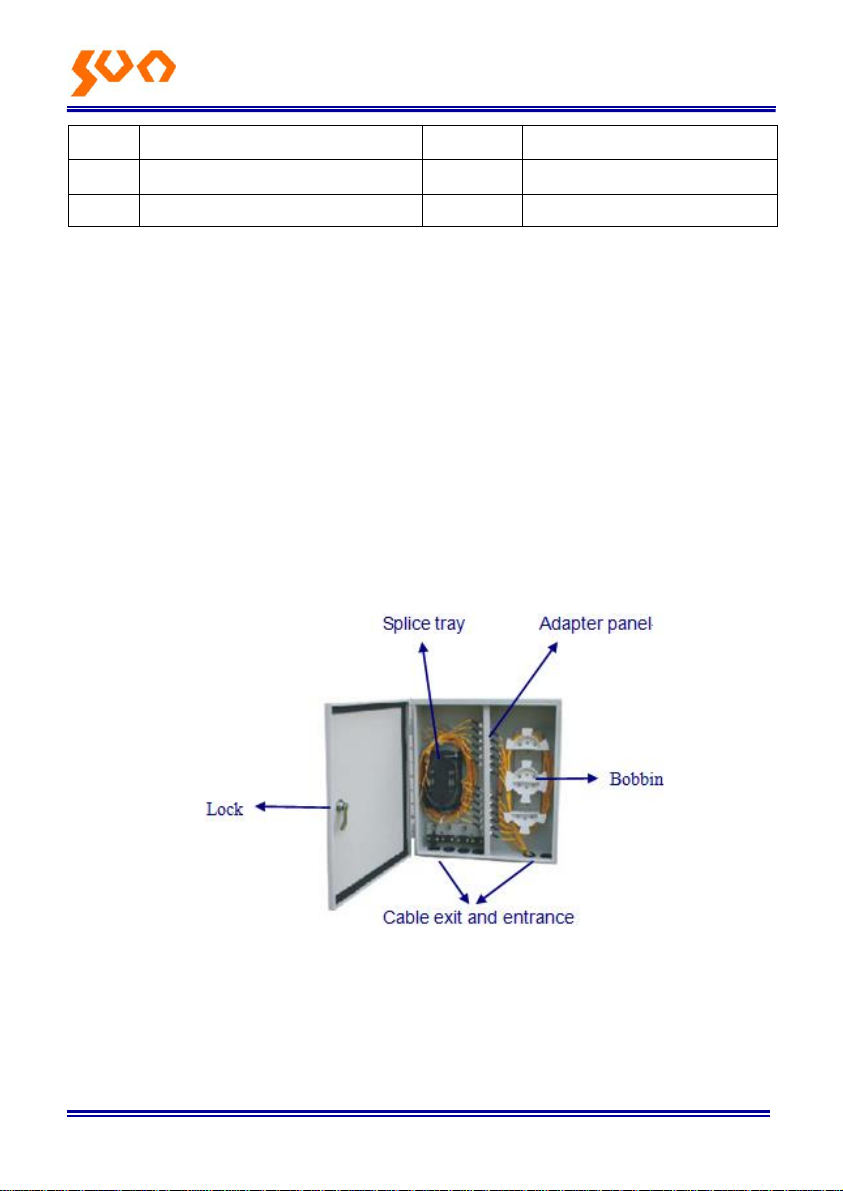
4.4 Fiber optic cable can be inserted from the entry ports on the bottom
cover of the box, and conduct the fixation of fiber and the steel core on fiber
fixing board. Fix the fiber and steel core.
4.5 Divest fiber loose tube by stripping clamp, protected the fiber by fiber
protection tube, then leading in box.
Note: When introduced fiber into box, make sure to reduce the fiber
coiling length as short as possible for this part, it can avoid the fiber
break when operation.
4.6 Plug the connector of pigtail into adapter, coiling the pigtail and
entrance the splice tray, sheath fiber protection tube on pigtail at the access
of the splice tray, fix it by nylon ties.
4.7 Splicing the fiber with pigtail. And insert the fusion protective sleeves
into sleeve holder. Then coiling the excessive fiber and make the marks.
4.8 After all the fiber has been connected, close the box by key.
4.9 Use the earth wire in accordance with the project plan.
SHANGHAI SUN TELECOMMUNICATION CO., LTD.
Building No.145 Lane 666, Xianing Rd.
Jinshan Industrial Zone, Jinshan District
ShangHai, China 201506
Tel: +86 21 60138638 Fax: +86 21 60138635-401
E-mail: [email protected]
http://www.suntelecom.cn
 Loading...