

Page 1
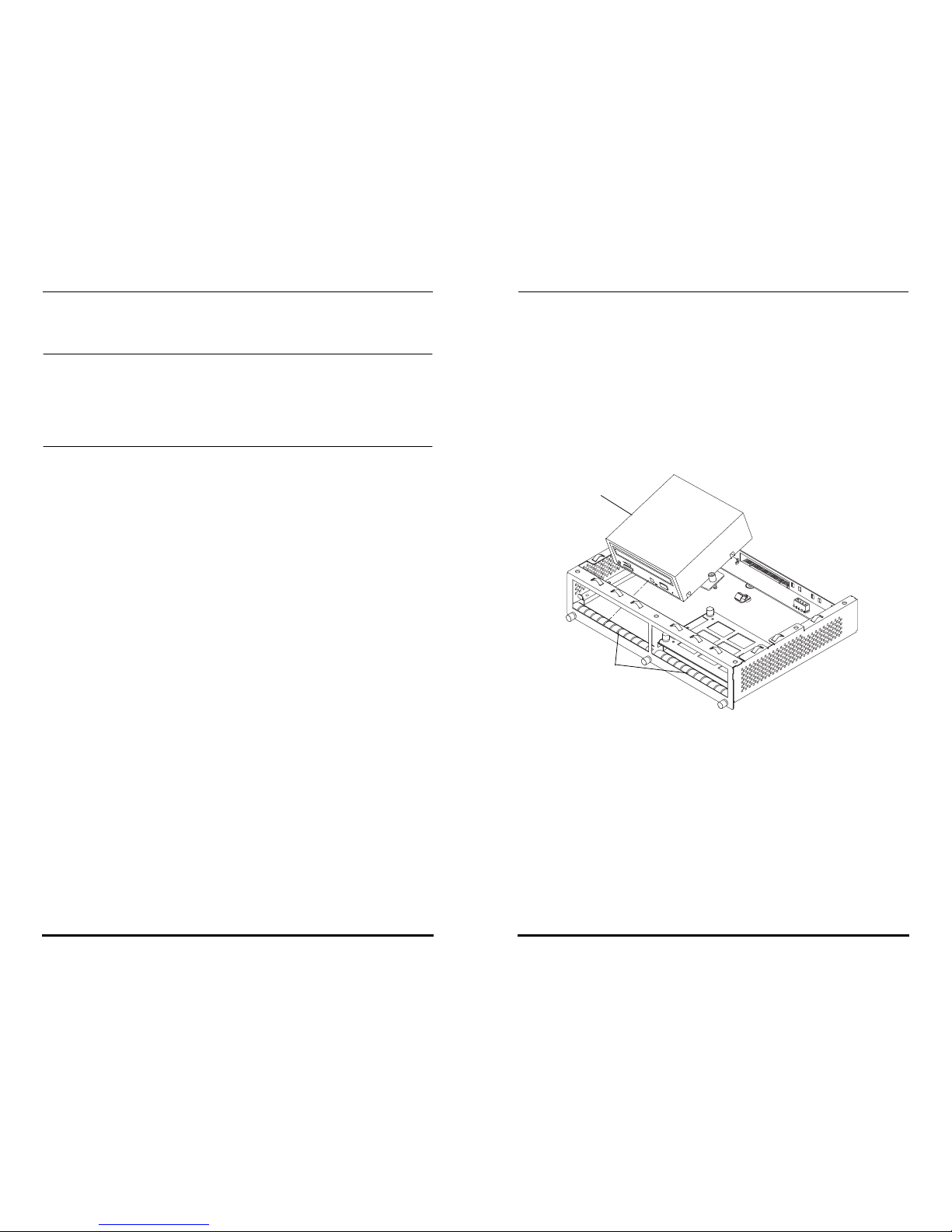
This document applies only to the Sun Enterprise 4500 system using the
464-MHz CPU/Memory modules.
Note – The 464-MHz 8-Mbyte CPU modules in Sun Enterprise 6500/5500
and rackmounted Sun Enterprise 4500 systems should not exceed
temperatures of 35°C between 0–6,000 foot altitude or exceed 32°C between
6,000–10,000 foot altitude. Standalone Sun Enterprise 4500 and 3500 systems
cannot exceed 40°C between 0–6,000 feet or exceed 37°C between
6,000–10,000 feet.
Before beginning subassembly procedures, notify users that the system is
going to be powered off. Refer to Chapter 11, “Powering Off and On” in
the Sun Enterprise 6500/5500/4500 Systems Reference Manual for power-off
procedures.
Removing Subassemblies
1. Unlock and remove the front panel bezel.
a. Press inward on the serrated edges at the lower left and right
sides of the bezel.
b. Tilt the bezel up 45 degrees to remove it.
2. Remove the media tray
a. Loosen the three captive screws that hold the media tray in place.
b. Insert a screwdriver in the notch at the top center of the media
tray and pull the tray forward a few inches.
c. Then grasp the tray with both hands to remove it completely out
of the system.
3. Remove the seven flathead screws on top of the media tray and lift
the tray cover off to access the DVD-ROM and tape drive, if there is
one.
4. Remove the DVD-ROM
a. Disconnect the power connector and the SCSI connector from the
DVD-ROM.
b. Unfasten the three captive screws on the mounting plate on which
the DVD-ROM rests.
c. Lift the back of the DVD-ROM and gently pull it out at an angle
to clear the DVD-ROM opening. Set it aside on an ESD mat.
d. Repeat Steps b and c for removing the tape drive, if necessary.
Installing the Spring Gaskets and Subassemblies
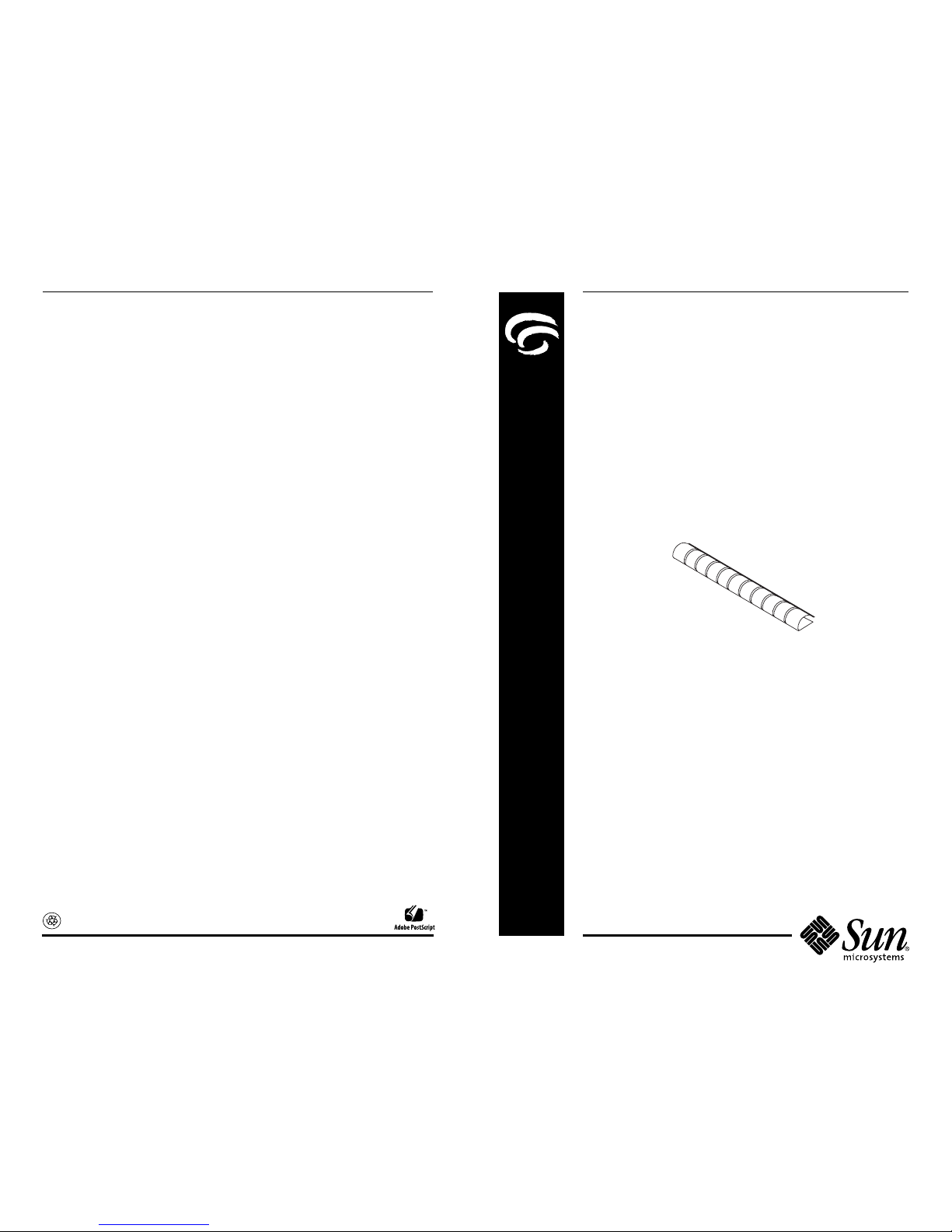
1. Peel the adhesive from the bottom of one of the spring gaskets and
apply the closed-edge side of the gasket against the inside front of
the media tray.
Center each spring gasket using the opening of the DVD-ROM and
tape drive as a guide.
2. Repeat Step 1 to apply the second spring gasket.
3. Install the DVD-ROM and tape drive by reversing the order of the
DVD-ROM removal procedures.
4. Fasten the seven flathead screws on the cover of the media tray.
5. Insert the media tray back into the card cage.
6. Fasten the three captive screws on the card cage.
7. Power the system back on.
Refer to Chapter 11, “Powering Off and On” in the Sun Enterprise 6500/
5500/4500 Systems Reference Manual for powering on procedures.
DVD-ROM
Spring gaskets
Page 2
Please
Recycle
Accessing Sun Documentation Online
A broad selection of Sun system documentation is located at the following
web site:
http://www.sun.com/products-n-solutions/hardware/docs
To locate the most current documentation at this site, select a product
category. The documents at that location may include updated information
that did not ship with your product, such as product notes, release notes,
late-breaking news, or later revisions of manuals.
Ordering Sun Documentation
Fatbrain.com, an Internet professional bookstore, stocks select product
documentation from Sun Microsystems, Inc. For a list of documents and
how to order them, visit the Sun Documentation Center on Fatbrain.com
at:
http://www1.fatbrain.com/documentation/sun
Sun Welcomes Your Comments
Sun is interested in improving its documentation and welcomes your
comments and suggestions. You can email your comments to Sun at:
Please include the part number (816-1472-10) of the document in the
subject line of your email.
Sun Enterprise™ 4500 System
EMI Spring Gasket
Installation Guide
Part Number: 816-1472-10
June 2001, Revision A
Copyright 2001Sun Microsystems,Inc.All rightsreserved. Useis subject tolicense terms. Third-party
software,includingfont technology, iscopyrighted and licensedfrom Sun suppliers.Sun, Sun
Microsystems,theSun Logo,AnswerBook2,docs.sun.com, SunEnterprise,and Solarisare trademarksor
registeredtrademarks of Sun Microsystems, Inc. in the U.S. and other countries. RESTRICTED RIGHTS:
Use, duplication, or disclosure bythe U.S. Federal Acquisitions: Commercial Software—Government
Users Subject to Standard LicenseTermsandConditions. Federal Acquisitions: Commercial Software—
Government Users Subject to StandardLicense Termsand Conditions.
Copyright 2001 Sun Microsystems, Inc. Tous droits réservés. Distribué par des licences qui en
restreignent l’utilization. Le logiciel détenu par des tiers, et qui comprend la technologie relative aux
polices de caractères, est protégé par un copyright et licencié par des fournisseurs de Sun. Sun, Sun
Microsystems, le logo Sun, AnswerBook2, docs.sun.com, et Solaris sont des marques de fabrique ou des
marques déposées de Sun Microsystems, Inc. aux Etats-Unis et dans d’autres pays.
Sun Microsystems, Inc. • 901San Antonio Road • Palo Alto, CA 94303-4900
USA• 650 960-1300 • Fax 650 969-9131
 Loading...