

Page 1

IMPORTANT REGULATORY INFORMATION
This device complies with Part 15 of the FCC Rules:
Operation is subject to the following two conditions:
1. This device may not cause harmful interference, and
2. This device must accept any interference that is received, including any interference
that may cause undesired operation.
WARNING:
Changes or modifications to this unit not expressly approved by the party responsible for
compliance could void the user’s authority to operate the equipment.
Page 2
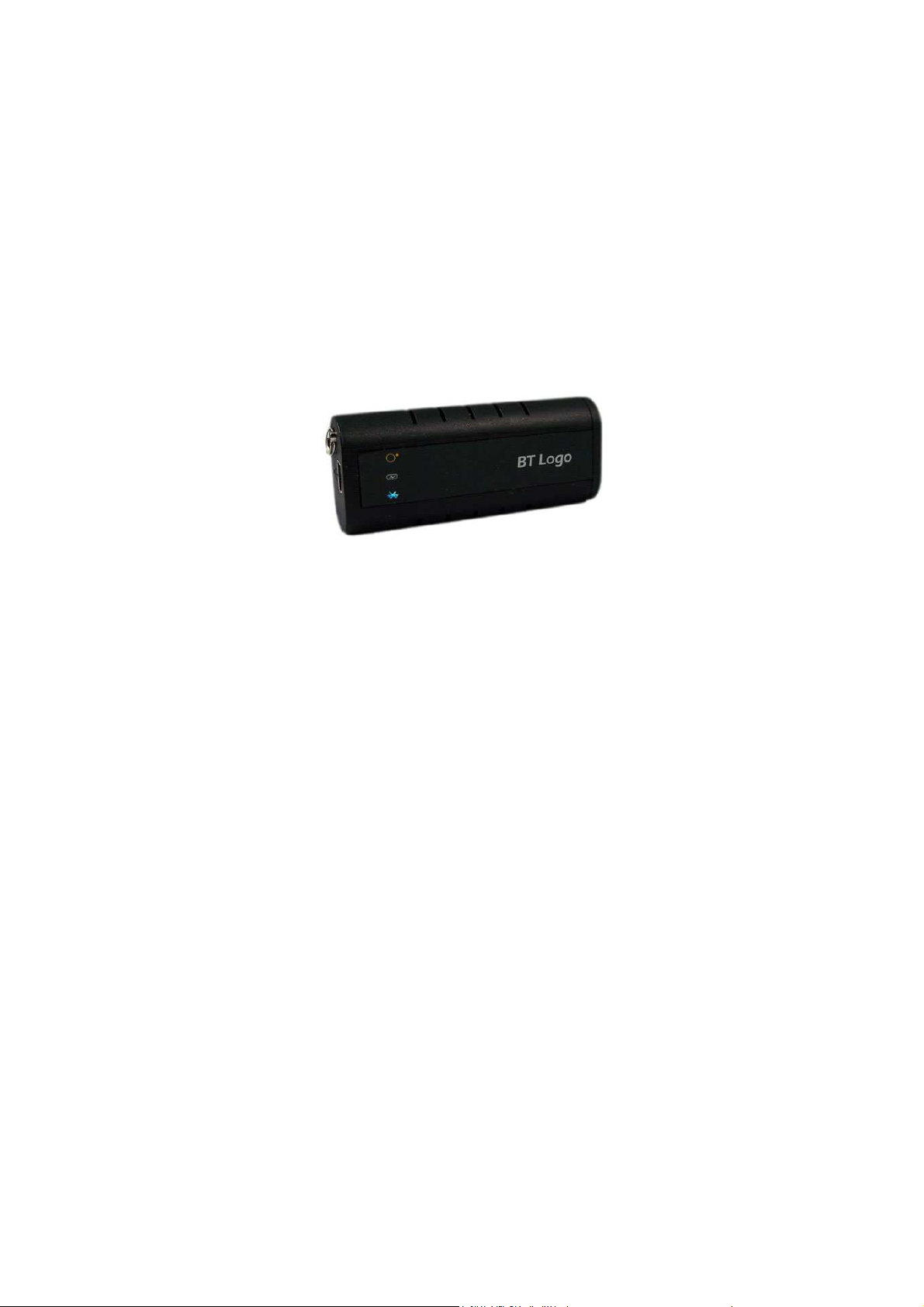
Product Name: Bluetooth GPS Receiver
Item No.: GR29
Description:
The GR29 is a Bluetooth GPS Receiver that can be used independently. Not only does it can transfer
data with PDA, or Notebook via Bluetooth, but also it can transfer data through USB cable with those devices
without Bluetooth.
GR29 is compact-sized, stylish, and portable product, even can be wore on the key chain. The integrated
rechargeable polymer Lithium-ion battery made GR29 sensitive to the weak signal while low power
consuming. Three LEDs indicate the Bluetooth status, GPS status, and battery status respectively, enable the
running status monitored clearly.
1. Features:
Compact size that even key chain portable;
High sensitivity, powerful GPS chipset, fast acquisition for 16-channel;
Built-in WASS/EGNOS Demodulator
Built-in USB driver, that can transfer data via normal USB cable;
Support Bluetooth SPP profile
Support NMEA0183 v2.3, 9600bps;
Built-in stable, high performance polymer lithium ion battery , low power consumer for at least 8
hours operation
2. Specification:
2.1 Spec:
Frequency:1575.42MHz
Channel: acquisition and track up to 16 satellites signal
Receiver: L1, C/A code
Update rate: 1Hz
Minimum signal tracked: -158dBm
2.2 Positioning Accuracy:
2.5m CEP accuracy
<2m CEP accuracy (DGPS, WAAS or EGNOS)
Velocity: 0.1meter/sec
2.3 Acquisition time:
Hot start: 4 sec.
Page 3

Warm start: 34 sec.
Cold start: 42 sec.
2.4 Input & output:
Bluetooth protocol: Serial Port Profile
CSR BC04, 2.0
Baud rate: 9600bps
Distance: More than 10 meters (no obstacle)
USB driver full speed USB 2.0 (USB1.0/1.1 Compatible)
NMEA0183 v2.3
2.5 Power support:
Input:4.7~5.2V
Built-in polymer Lithium-ion battery with capacity of 520mA/h for at least 8 hours operation
2.6 Dynamic condition:
Altitude: 18,000 meter max.
Velocity: 515meter/sec. max.
Acceleration: 4G max.
Jerk: 20meter/sec.
2.7 Dimension, Weight:
Dimension: 65(L)×28(W)×15(H)mm
Weight: 30g
Operation Temperature: -10℃-+60℃
Store Temperature: -20℃ - +60℃
Operation humidity: 5% to 95% no condensing
2.8 Other function:
Switch: Mechanical slide switcher
Antenna: Built-in GPS antenna
LED Function: Bluetooth, GPS positioning, Battery status
Picture:
Ring USB Port GPS Power Bluetooth indicator switcher
Page 4

LED indicator:
Symbol Color
Blue
Bluetooth
Red On Low power
Green
Power
N/A Off Working
Yellow
GPS
Blink
interval
Status Information
Searching
On
bluetooth
device
Waiting for data
1/sec
transferring
Connected and
1/sec
start to transfer
data
On Charging
On Positioning
Off Positioned
Power switch
a. Power on: Yellow LED and blue LED on.
b. Power off: Yellow LED and blue LED off.
USB Port
Mini USB 5 Pins female
connector
.
Package contents:
One GR29 Bluetooth GPS Receiver
One set Mini USB Car Adapter
One Mini USB cable
One driver CD
One user manual
GR29 Bluetooth GPS Receiver Mini USB cable Driver CD& User manual Mini USB Car Adapter
Page 5

User Guide:
1. Charging:
It’s recommended to charge the battery for the first using. When the battery is full, the power LED will
be off. It also can be charged with car charger or USB cable.
2. Power on
2.1 Switch on, yellow LED and blue LED on, GPS start to positioning; when it got the position, the
yellow LED will start to blink.
2.2 Data transferring via bluetooth: Blue LED on indicates it’s searching Bluetooth device. The ID of this
product is ‘SCBT’, it’s not necessary to match it with other device, if password required, please type
‘0000’. After it is connected, the blue LED blink with interval of 1 time/sec indicates data transferring.
2.3 Data transferring via USB: The product will be allocated to a port number automatically when
connected to the computer (please install the driver first), which used to communicate with the
computer.
3. Driver and Test software
The driver and test software are placed on the attached CD. For the details please see the Readme.txt.
 Loading...