

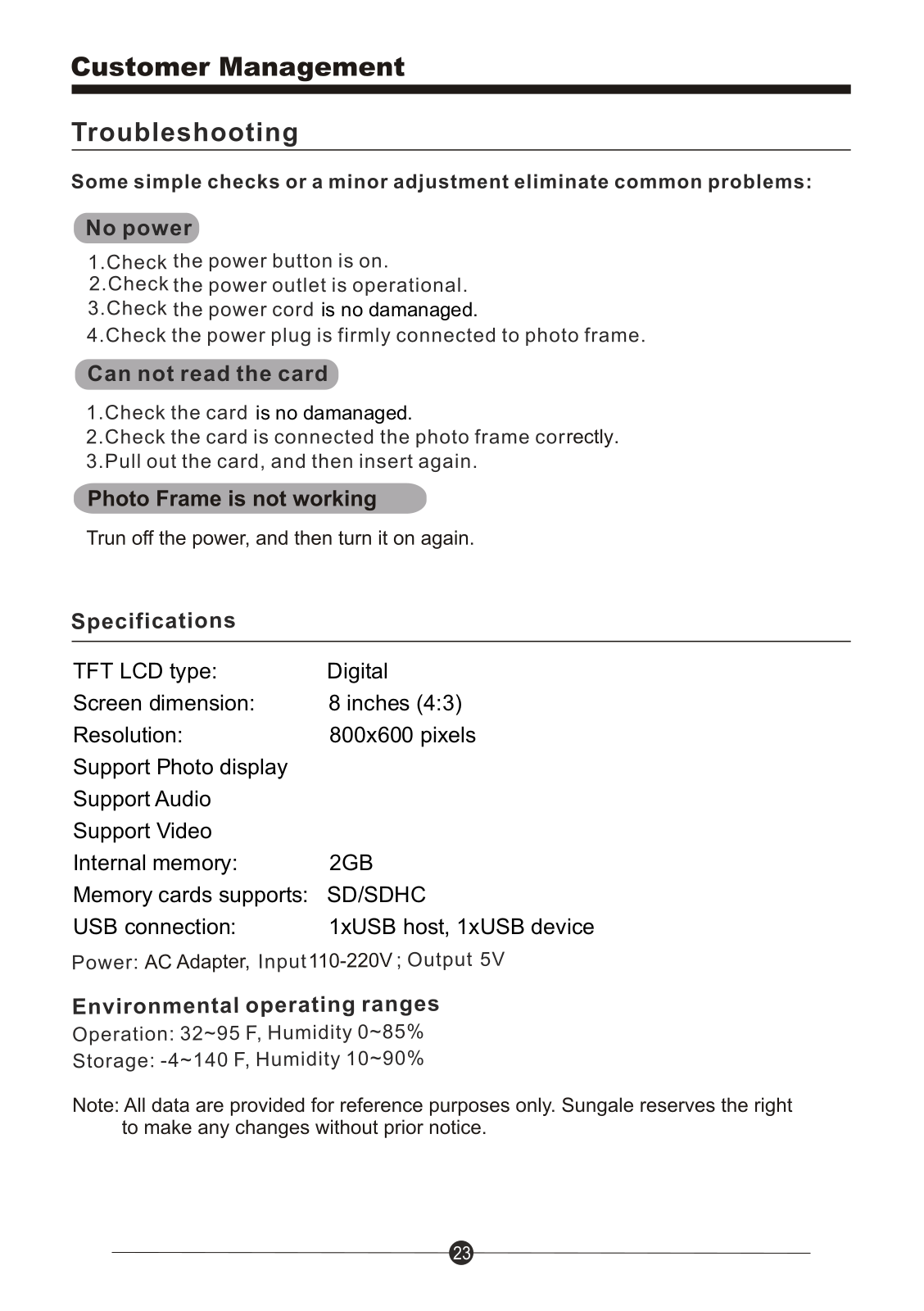
Specifications and Main Features
- Digital TFT LCD type
- 8 inches (4:3) screen size
- 800x600 pixels
- Supports Photo display
- Supports Audio
- Supports Video
- Internal memory 2GB
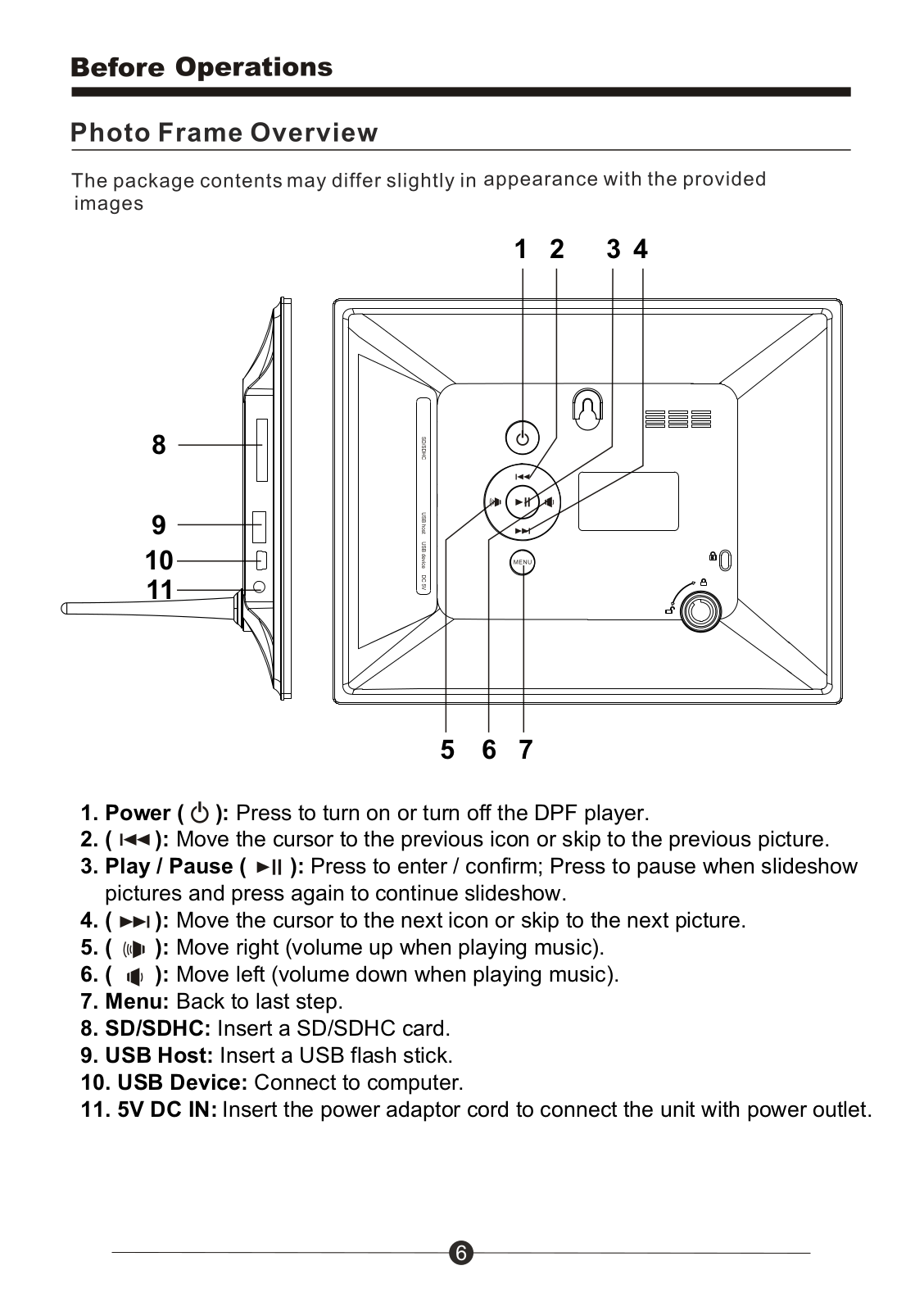
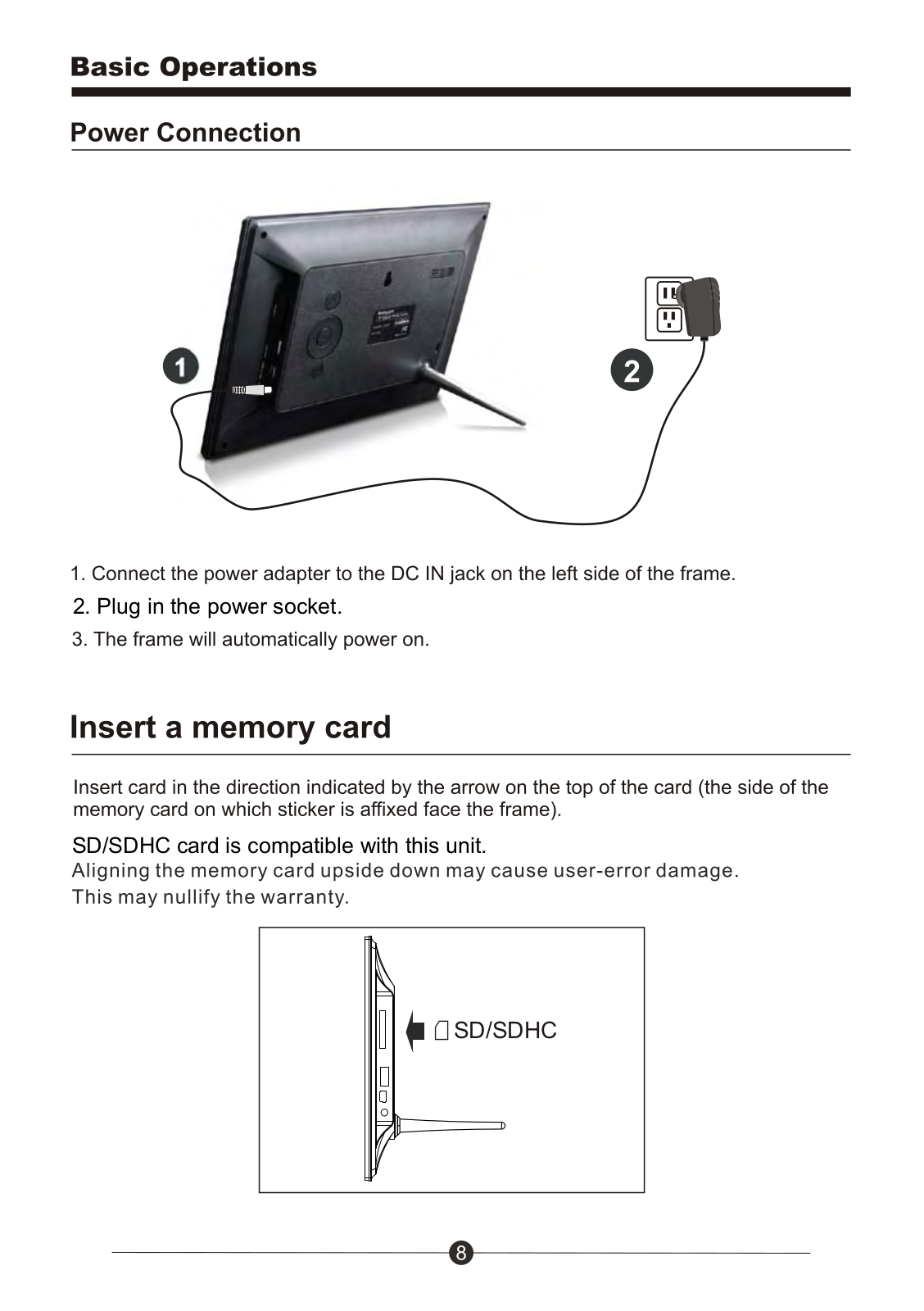
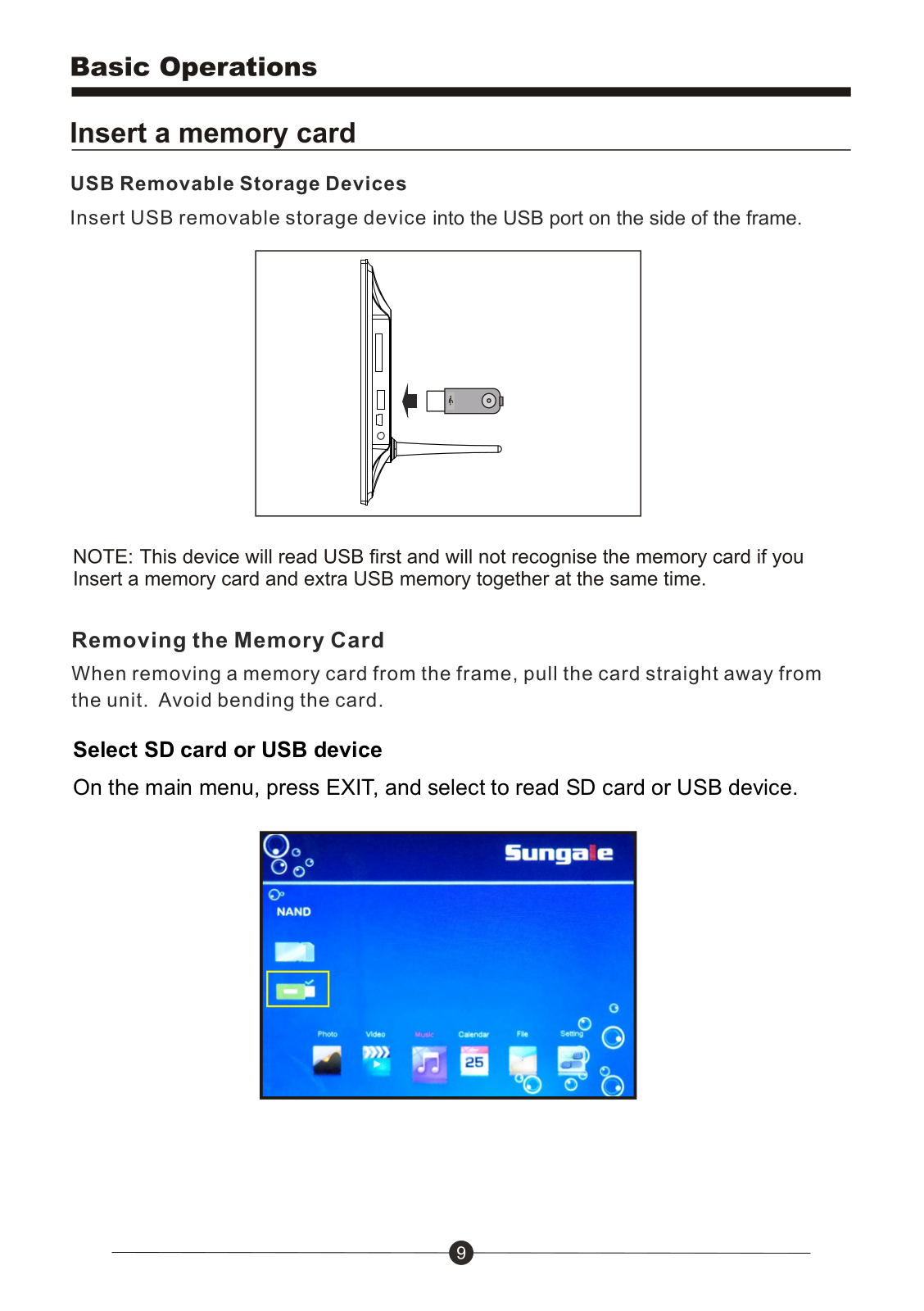
- Available memory cards SD/SDHC
- 연결포트 : 1개의 USB호스트, 1개의 USB디바이스
- 전원 : AC 어댑터 사용, 입력 110~220V, 출력 5V
- Environmental operating ranges:
- Work Environment: 0-85% Humidity, 32-35°C Temperature
- Storage Environment: -20-60°C Temperature, 10-90% Humidity
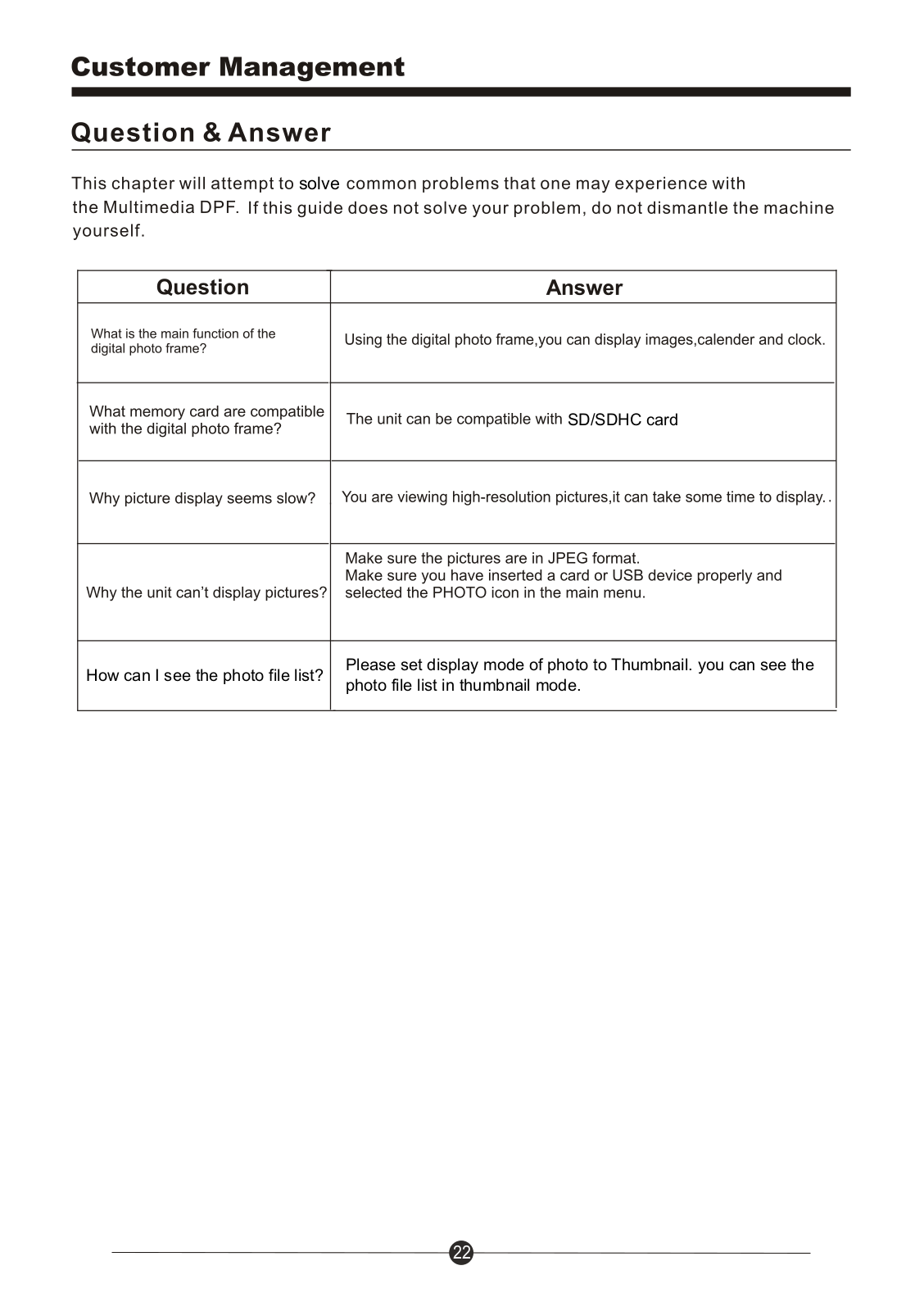
Frequently Asked Questions
- What is the main function of the digital photo frame?
The digital photo frame can be used for showing images, calendaring, and clock features.
- What memory cards can I use with the digital photo frame?
In this unit, you may be able to load SD/SDHC cards.
- Why does picture display appear to be slow?
It is possible you are looking at pictures of high resolution which may take longer than expected.
- Why is the unit unable to project pictures?
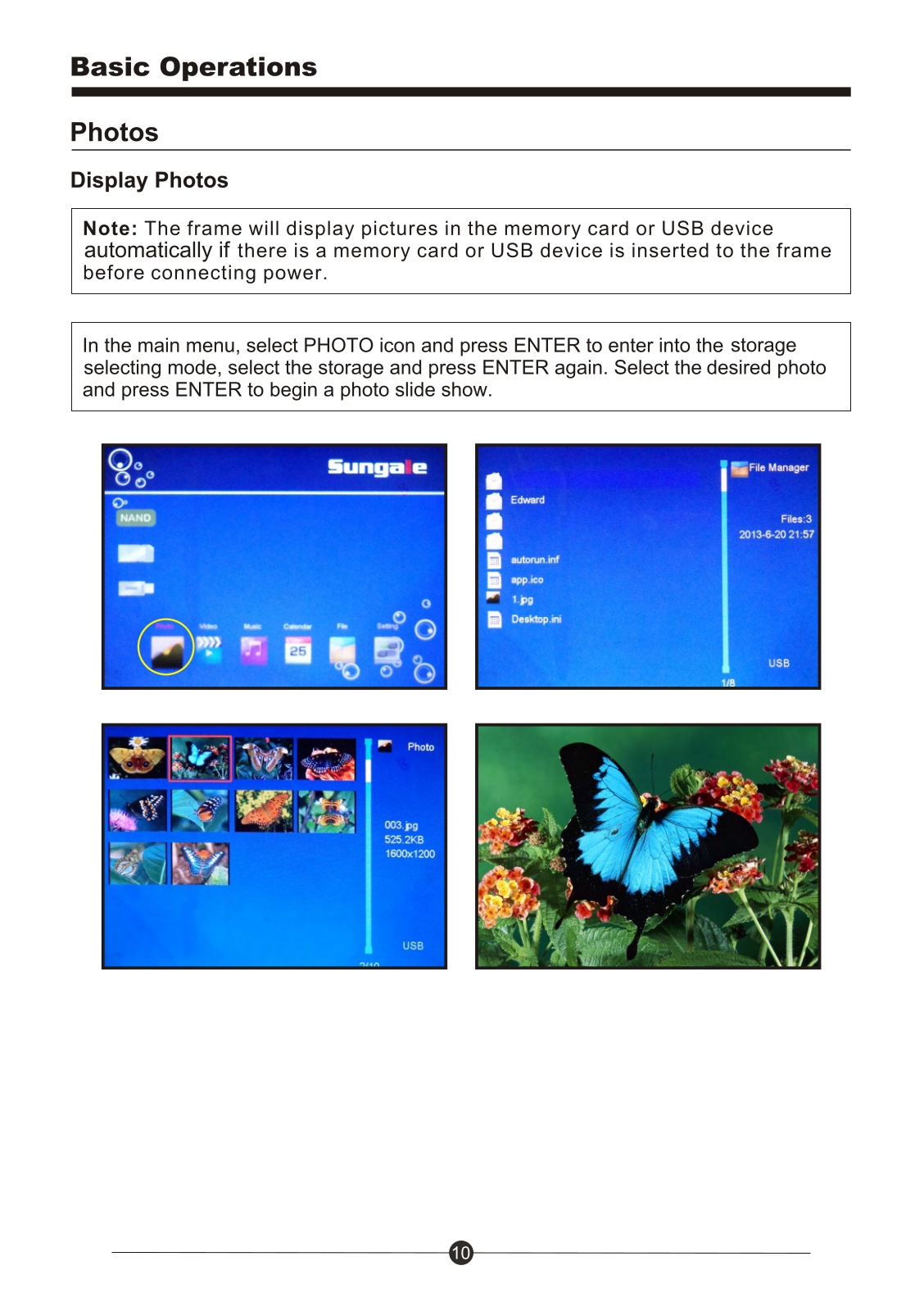
Pictures should be saved in JPEG format and you should also confirm whether a card or a USB device has been plugged in correctly and the PHOTO icon in the main menu has been selected.
- Where can I find the photographs I have taken?
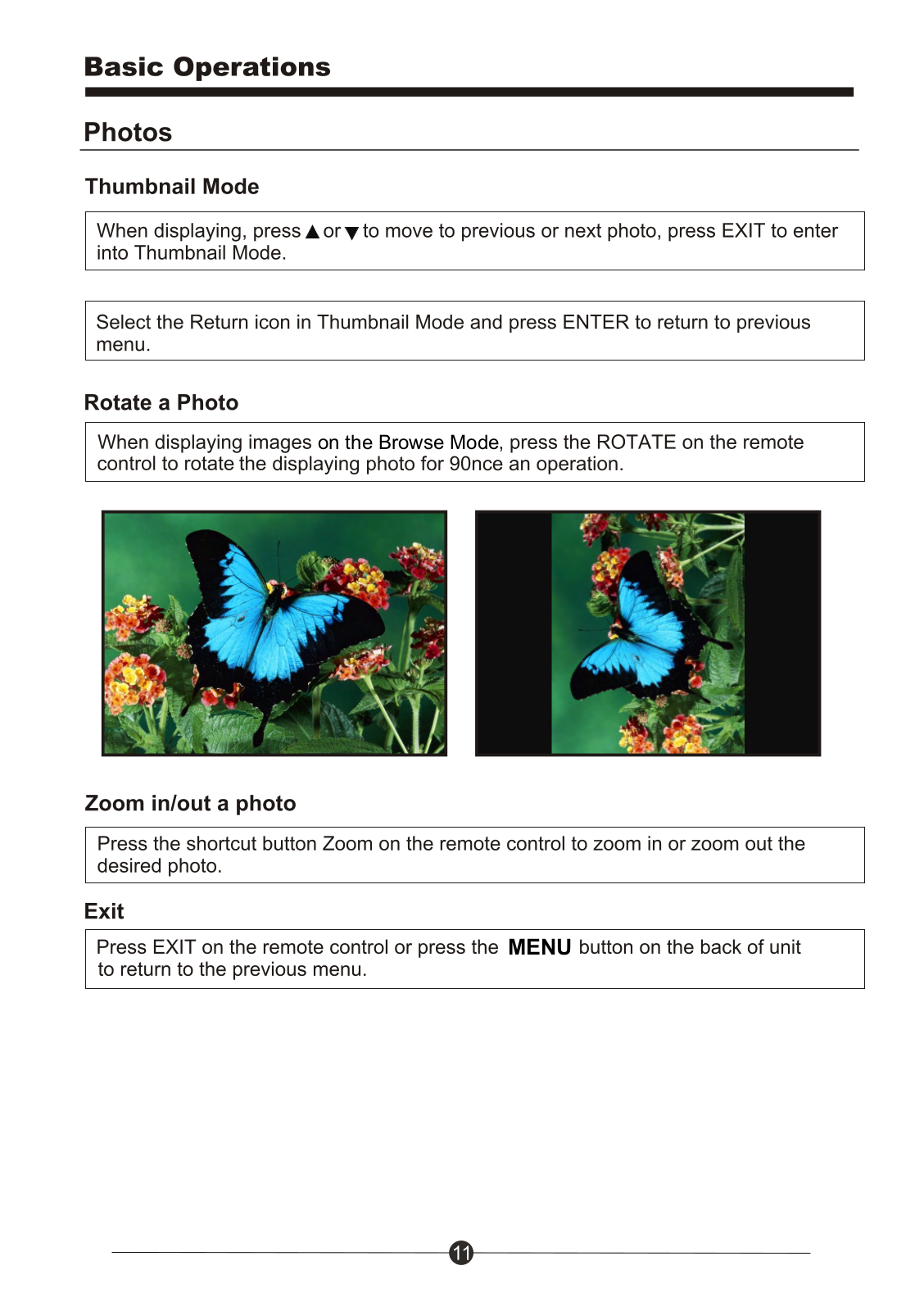
These can be found in thumbnail mode, which allows the user to view photographs taken in a chronological order.
User Manual
Page 1
Page 2
Page 3
Page 4
Page 5
Page 6
Page 7
Page 8
Page 9
Page 10
Page 11
Page 12
Page 13
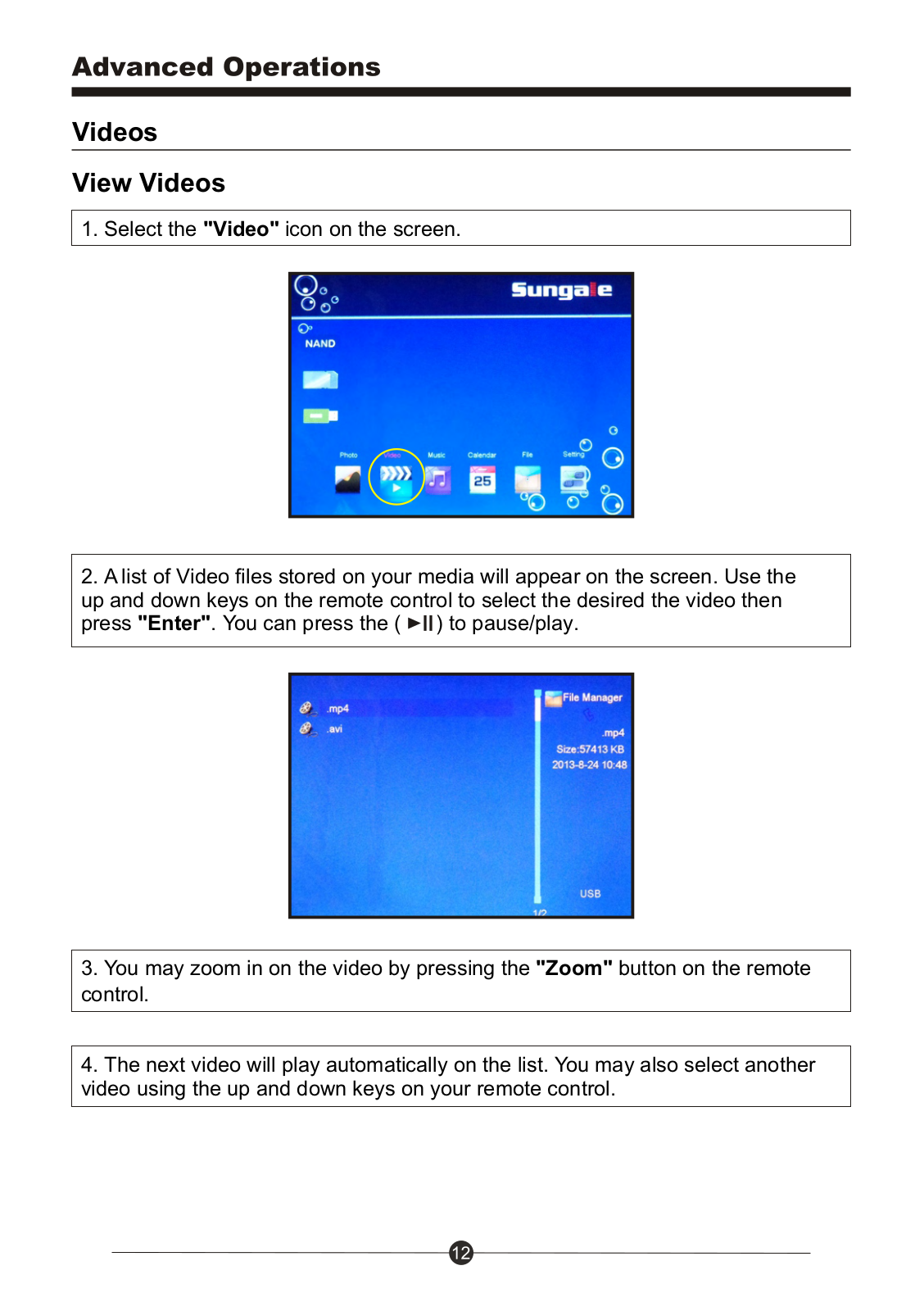
Page 14
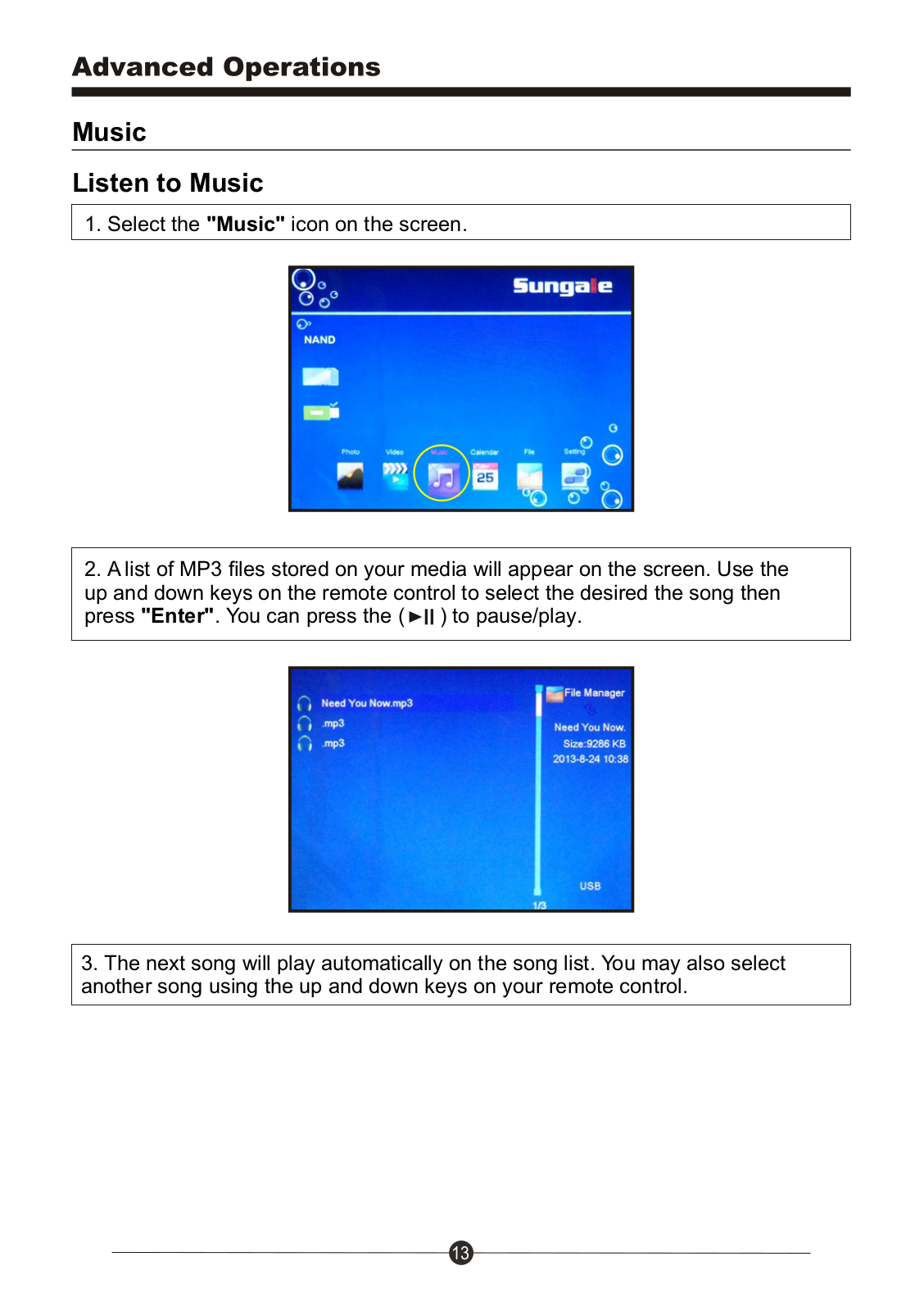
Page 15
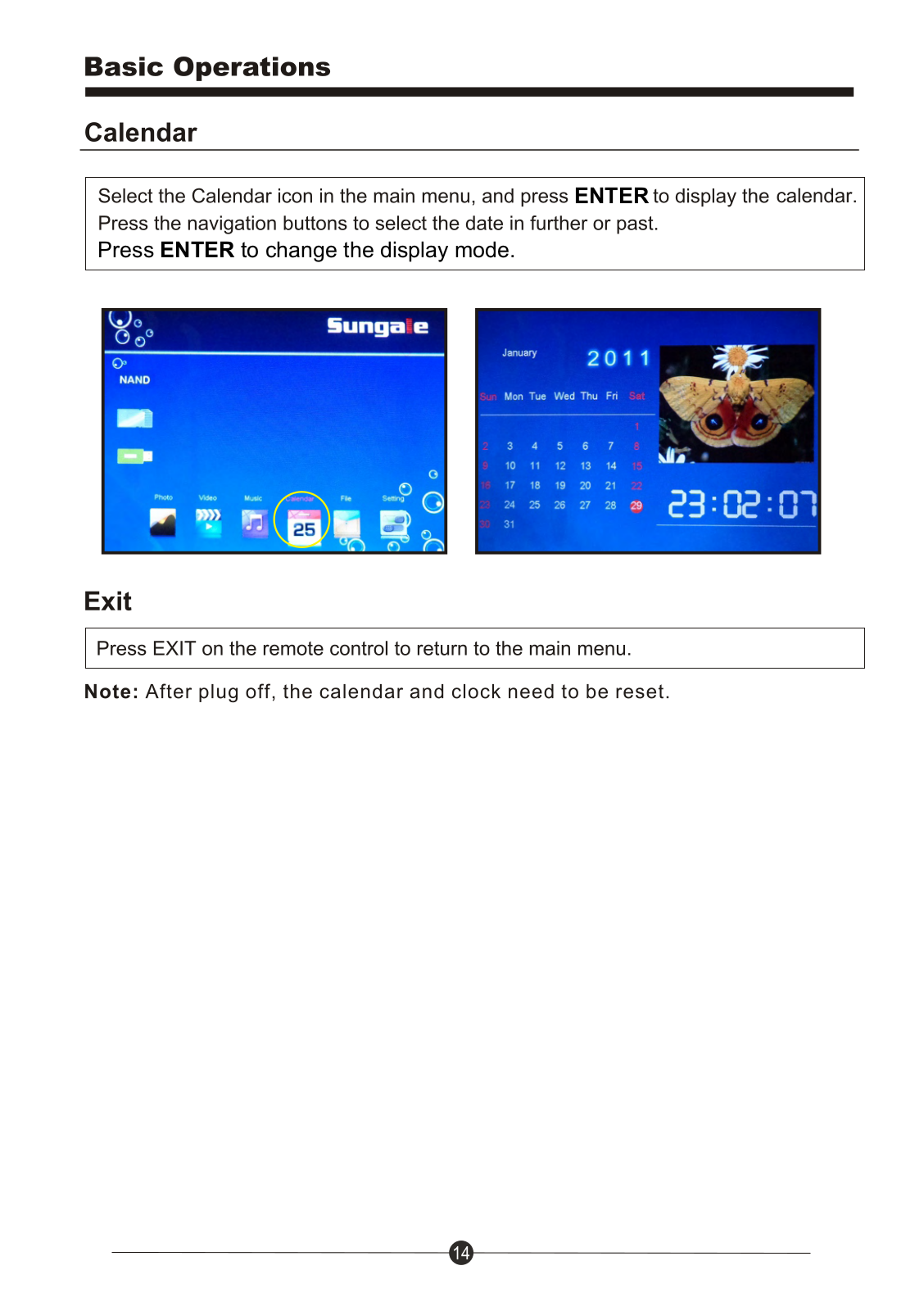
Page 16
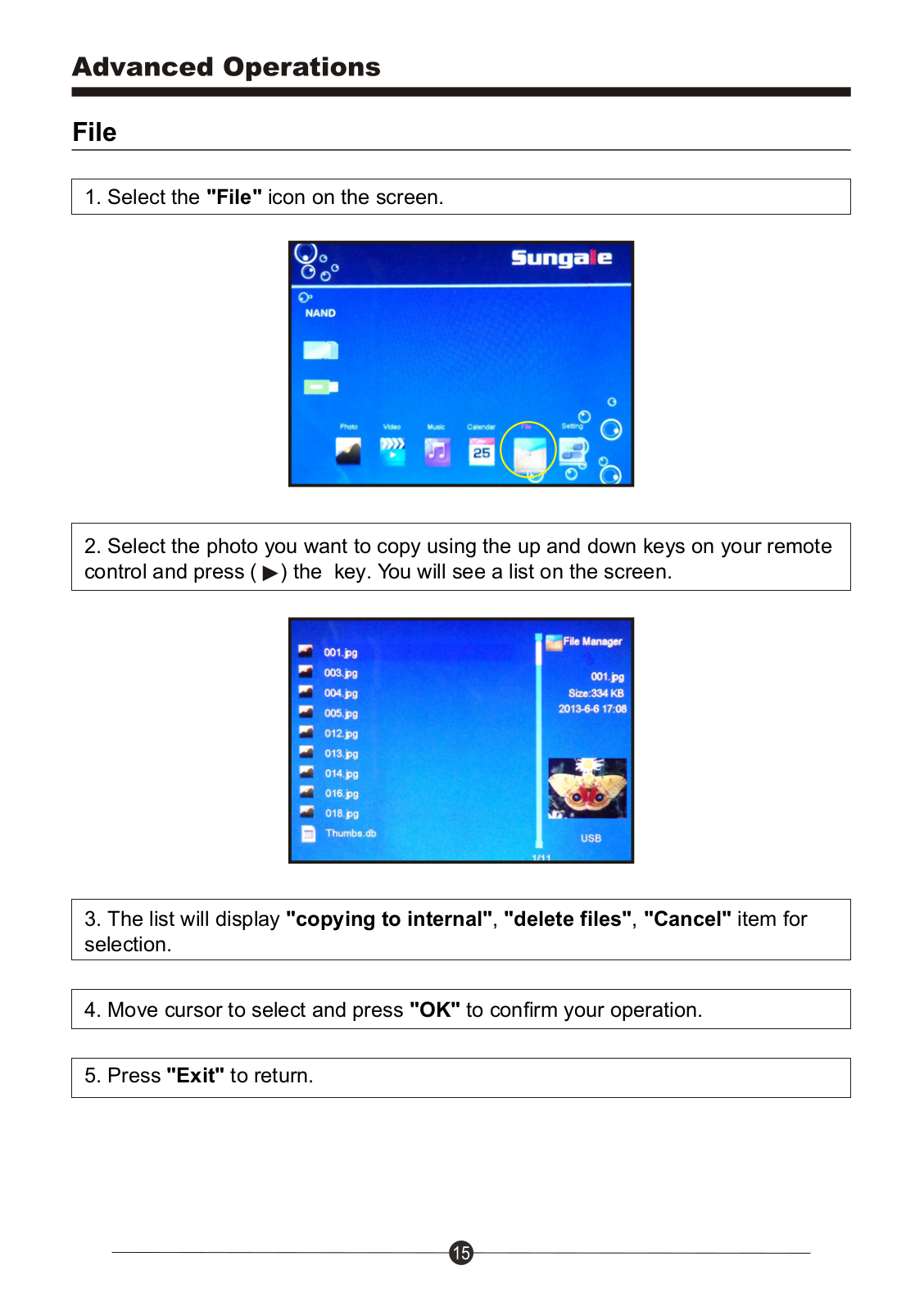
Page 17
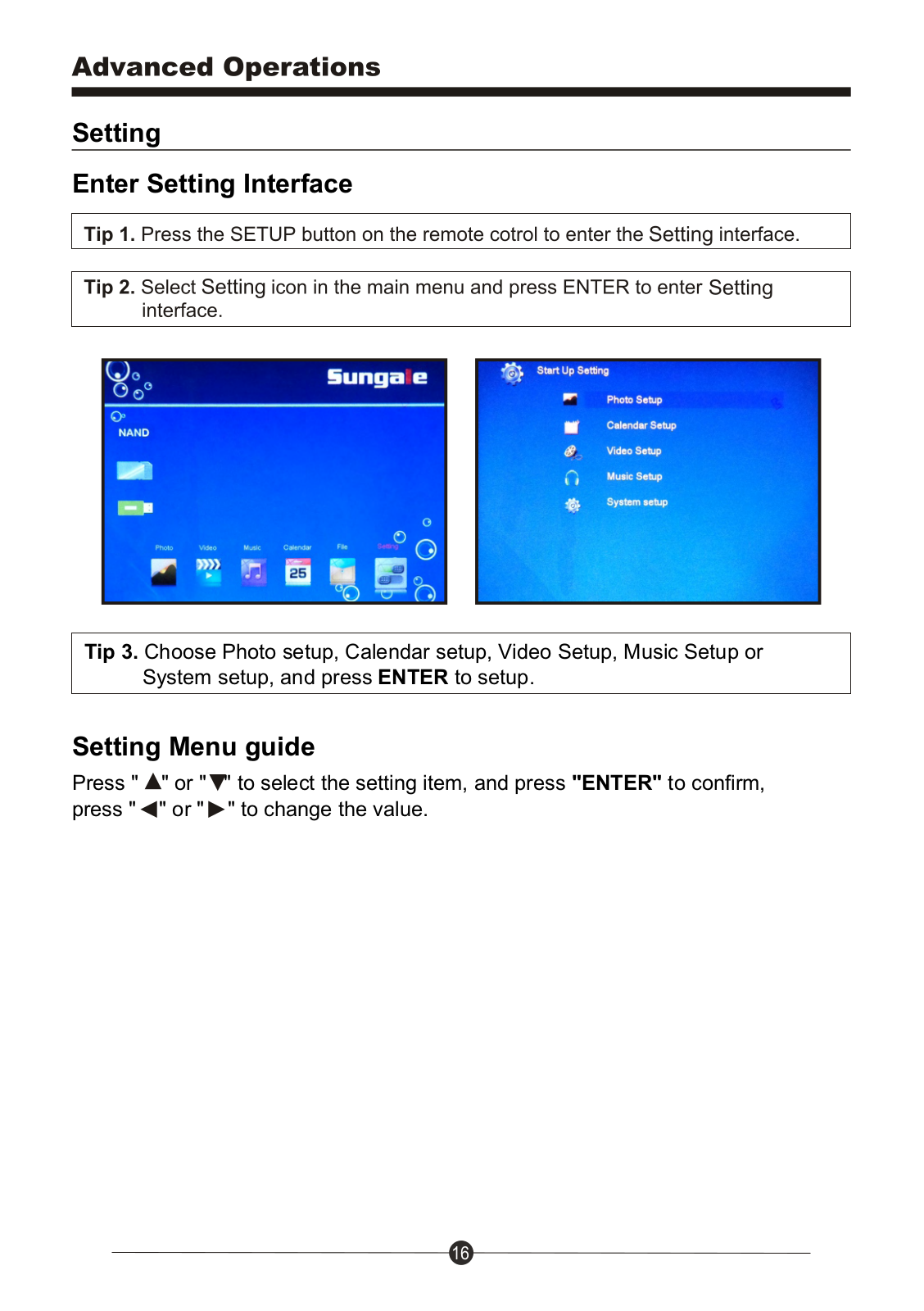
Page 18
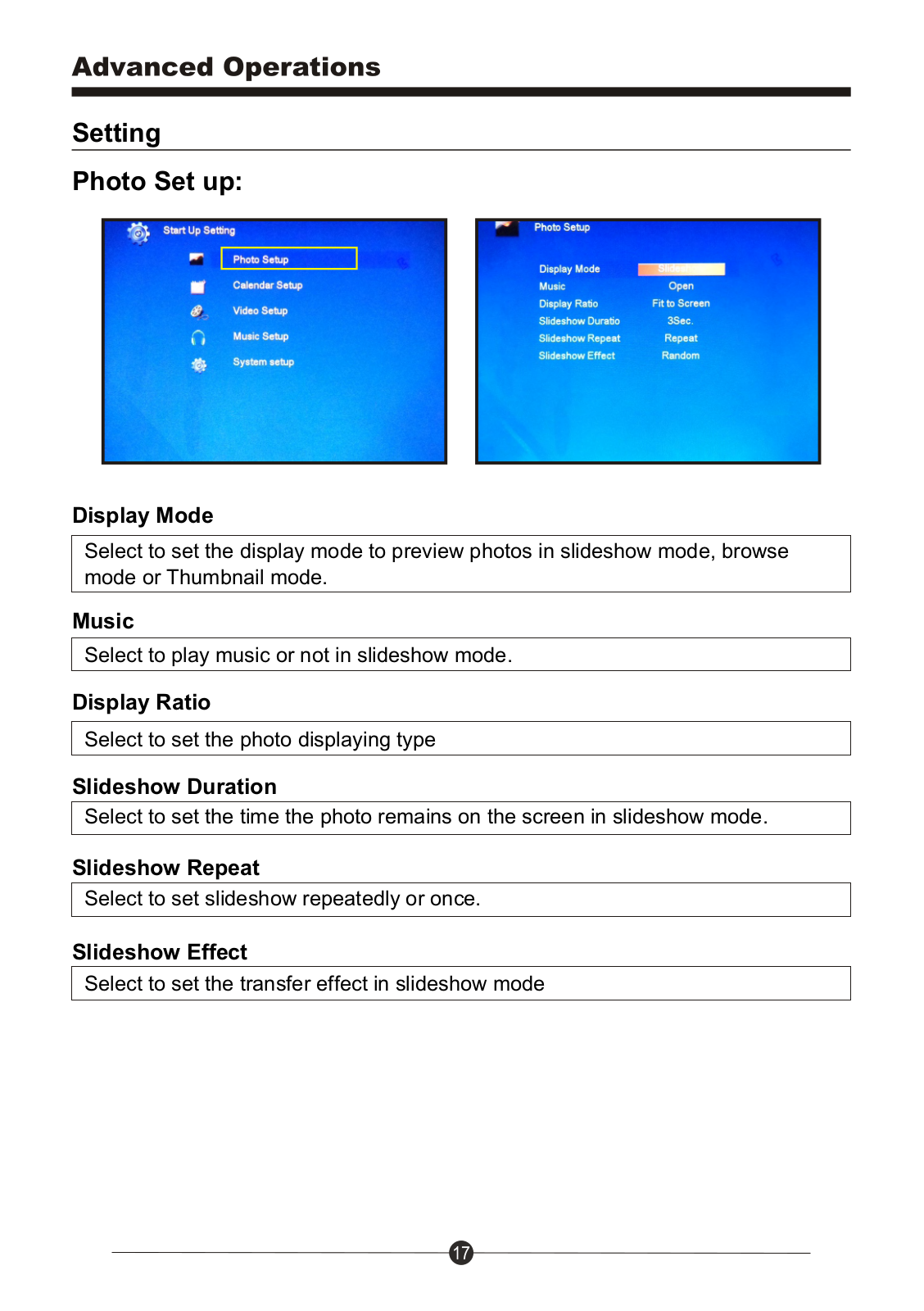
Page 19
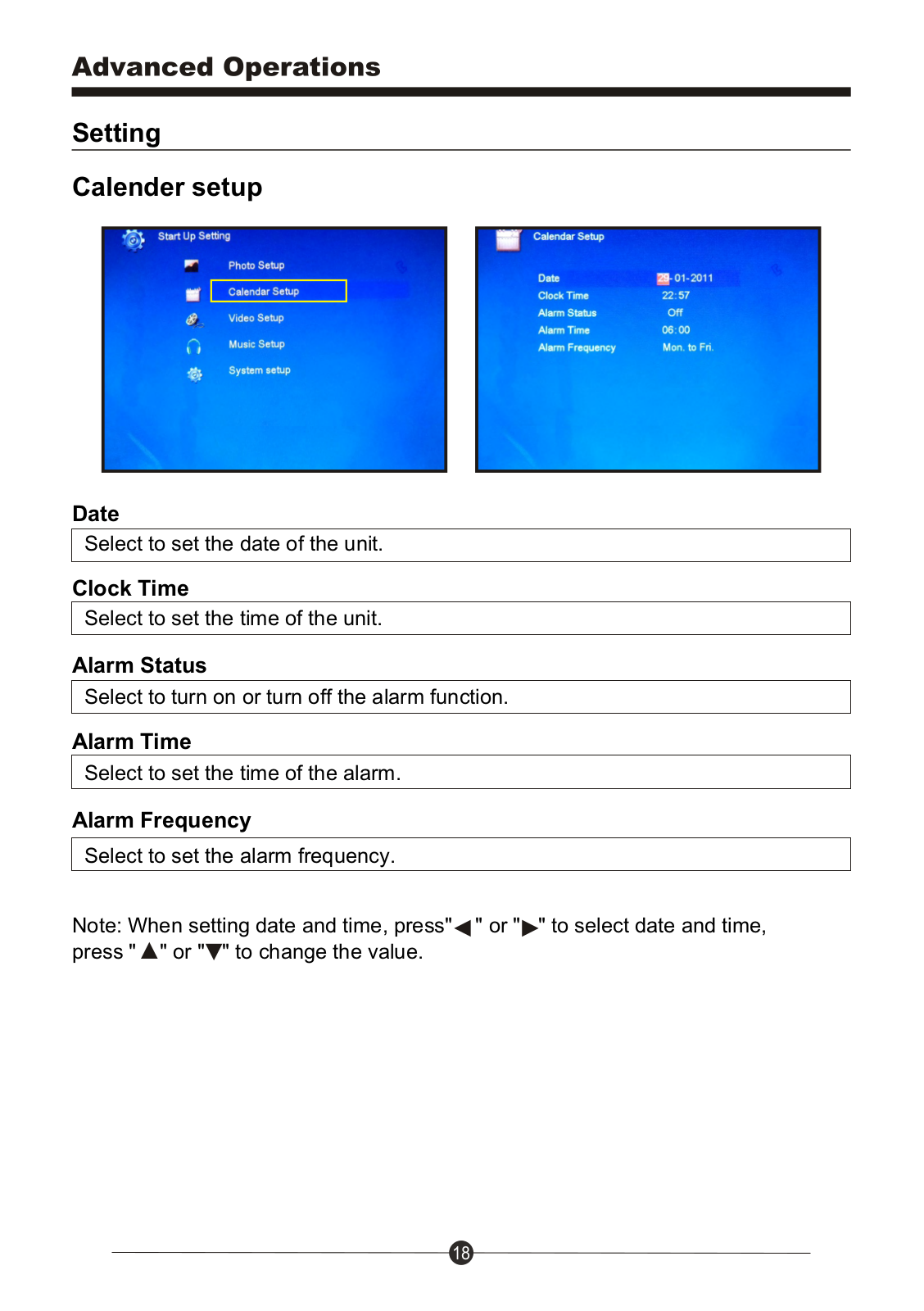
Page 20
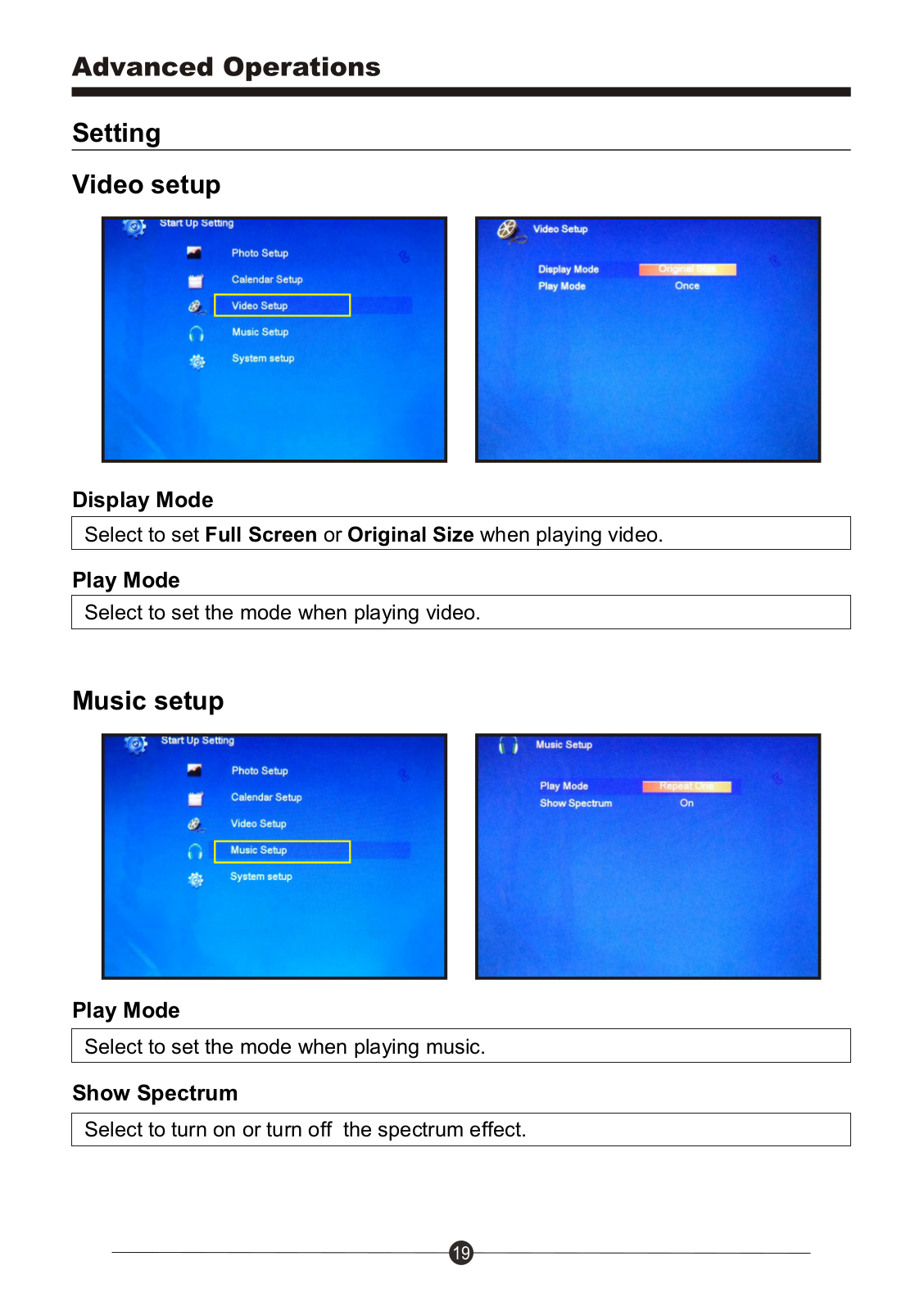
Page 21
Page 22
Page 23
Page 24
Page 25
Page 26
Page 27

 Loading...