

Page 1
1
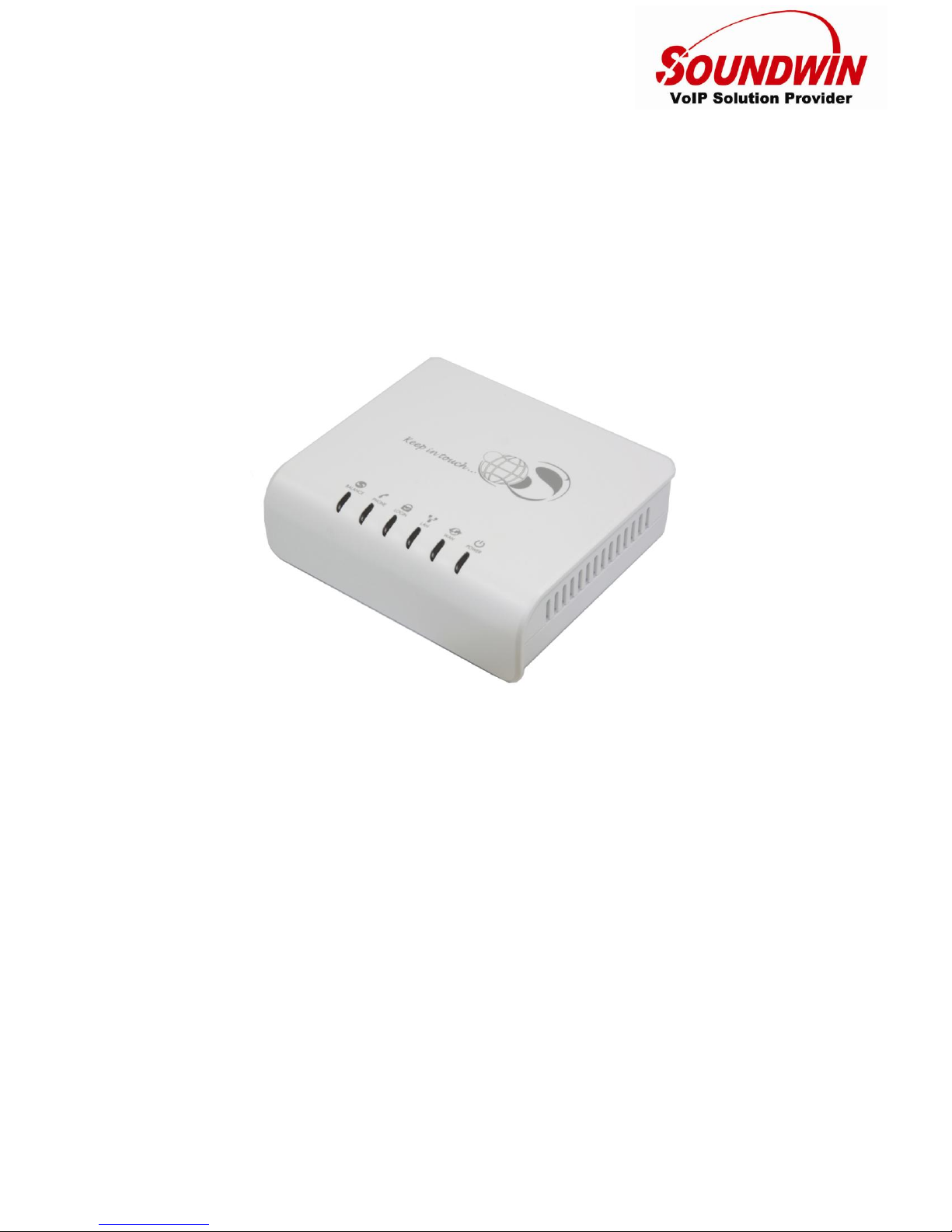
SP110
Skype Phone Adaptor
Quick Guide
Default Login Detail
WAN IP Address: DHCP
LAN IP Address: http://10.0.0.1
Password: 1234
Page 2
2
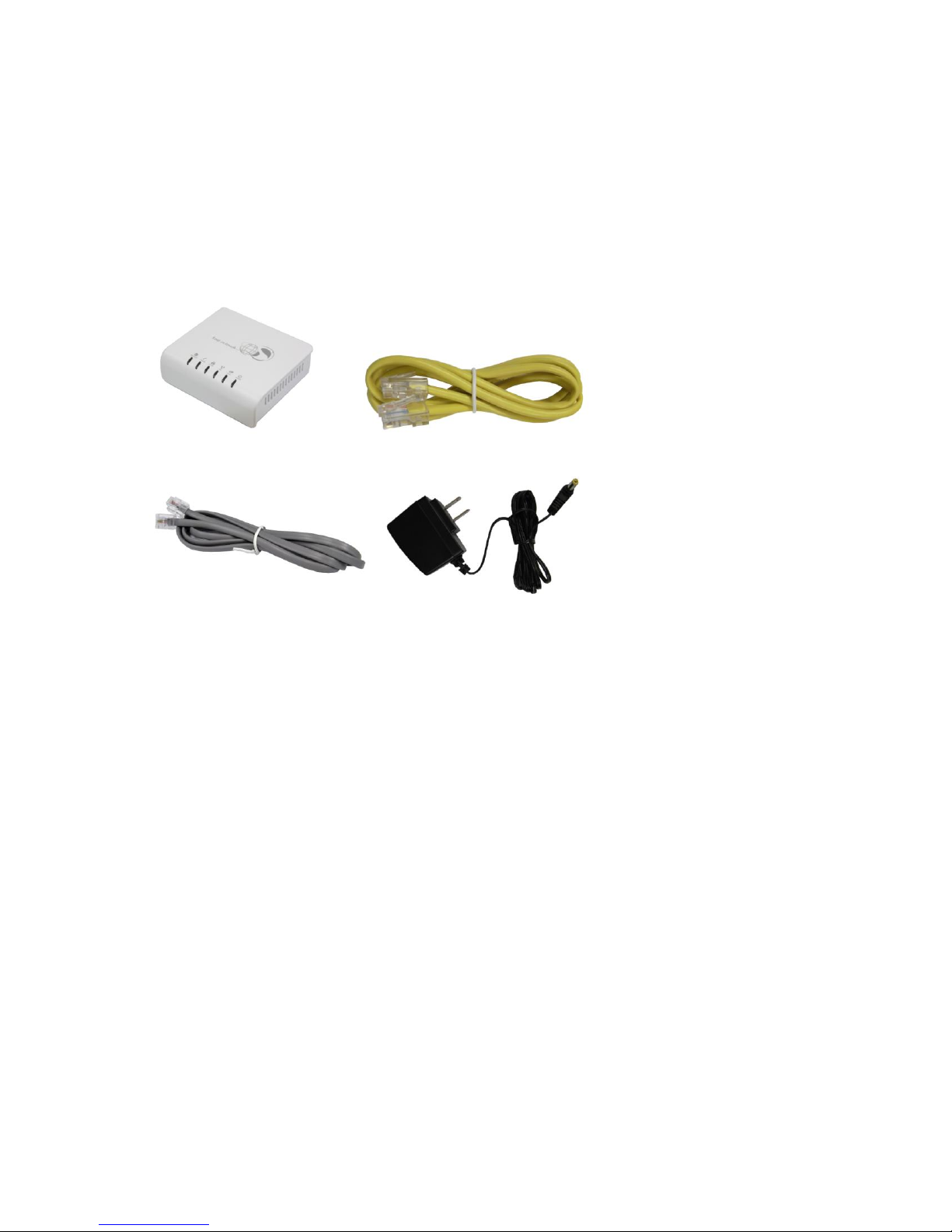
Package Content
-SP110
-RJ11 telephone line
-RJ45 cable
-Power adapter
-Quick Guide
(SP110) (RJ45 cable)
(RJ11 telephone line) (Power adapter)
Step 1 Hardware Installation
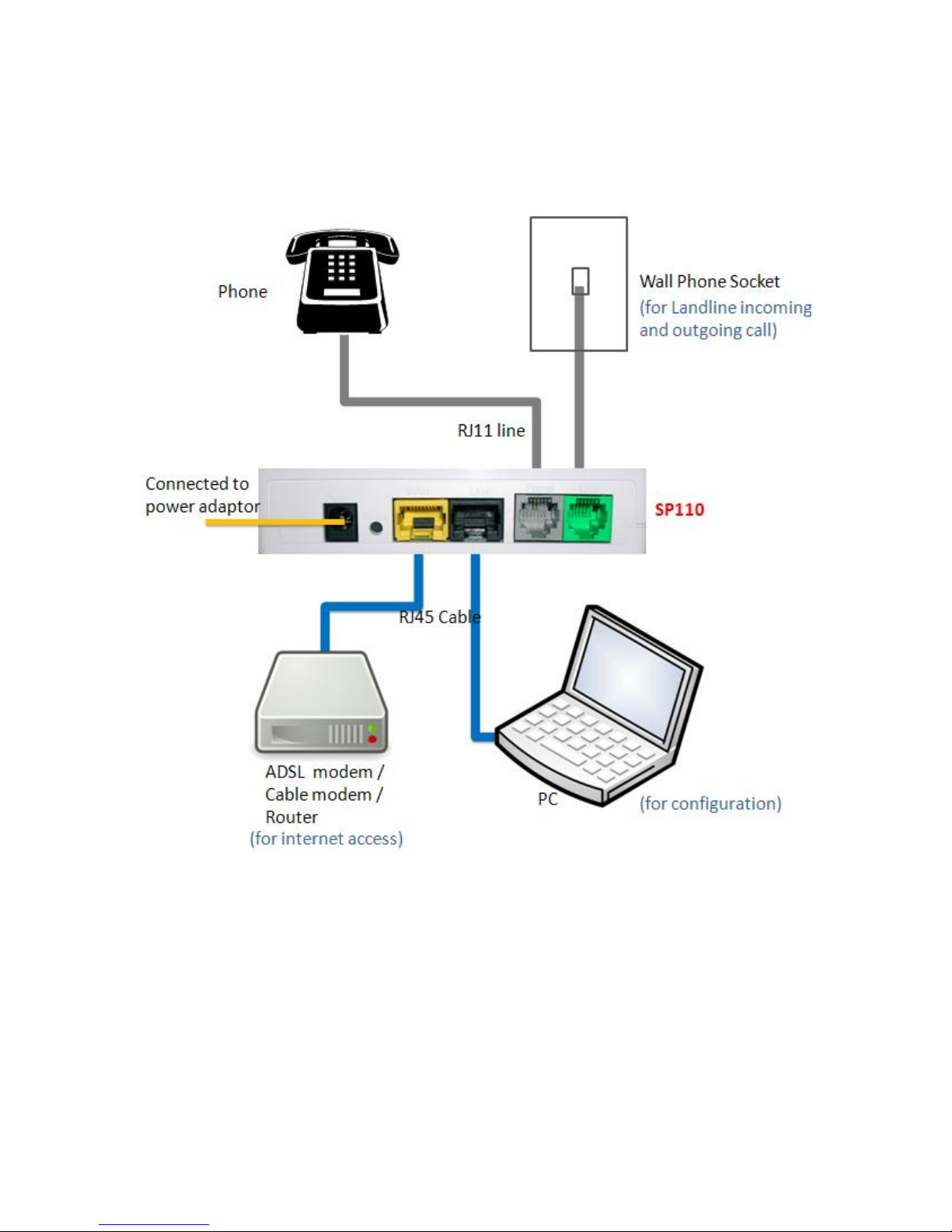
Connect the power adapter to SP110
Step 2
I. Connect RJ45 cable to SP110 LAN port (black) and PC for configuration
II. Connect RJ45 cable to SP110 WAN port (yellow) and ADSL modem/Router/Hub Lan port for internet
access
III. Connect the RJ11 telephone line to SP110 FXS port (gray) and phone
IV. (option) Connect the RJ11 telephone line to SP110 Line port (green) and wall phone socket. If you
don’t need the Landline for incoming and outgoing call, no need to connect.
Page 3
3
III IV
II I
Page 4
4
Step 3 Start Setup
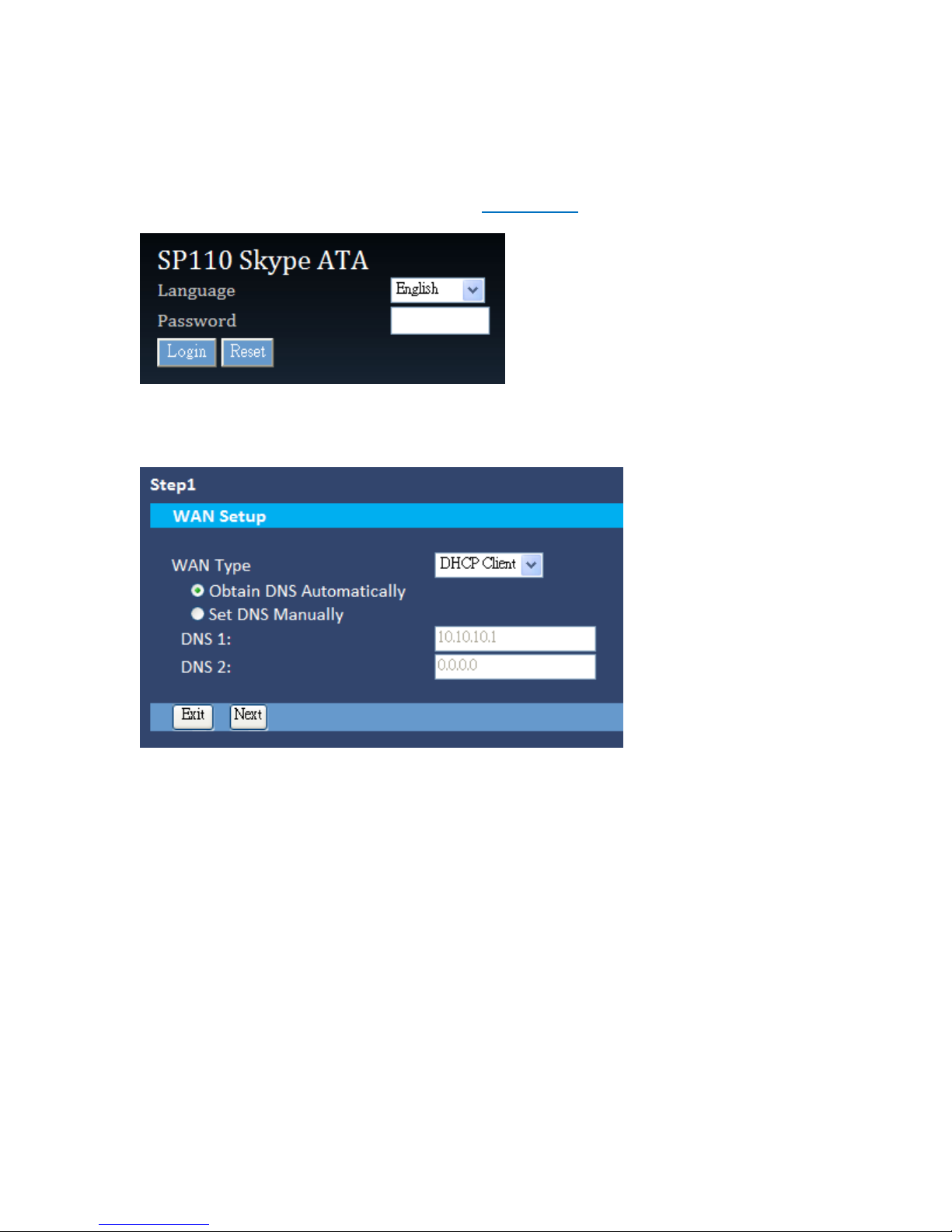
Before configuration, please make sure your Internet Protocol (TCP/IP) properties of PC are as “Obtain an
IP address automatically (DHCP)” and “Obtain DNS Server Address automatically.” After PC obtains IP
from SP110, use web browser (IE/Firefox) link to URL: http://10.0.0.1. Please select Language as English
or Chinese, key in default password: 1234 and click Login button.
Step 4 Setup the Network Environment
According to your network environment, please select the proper WAN type and setup. The WAN type
support Static ip, DHCP and PPPoE. After finish, please click the Next button.
Page 5
5
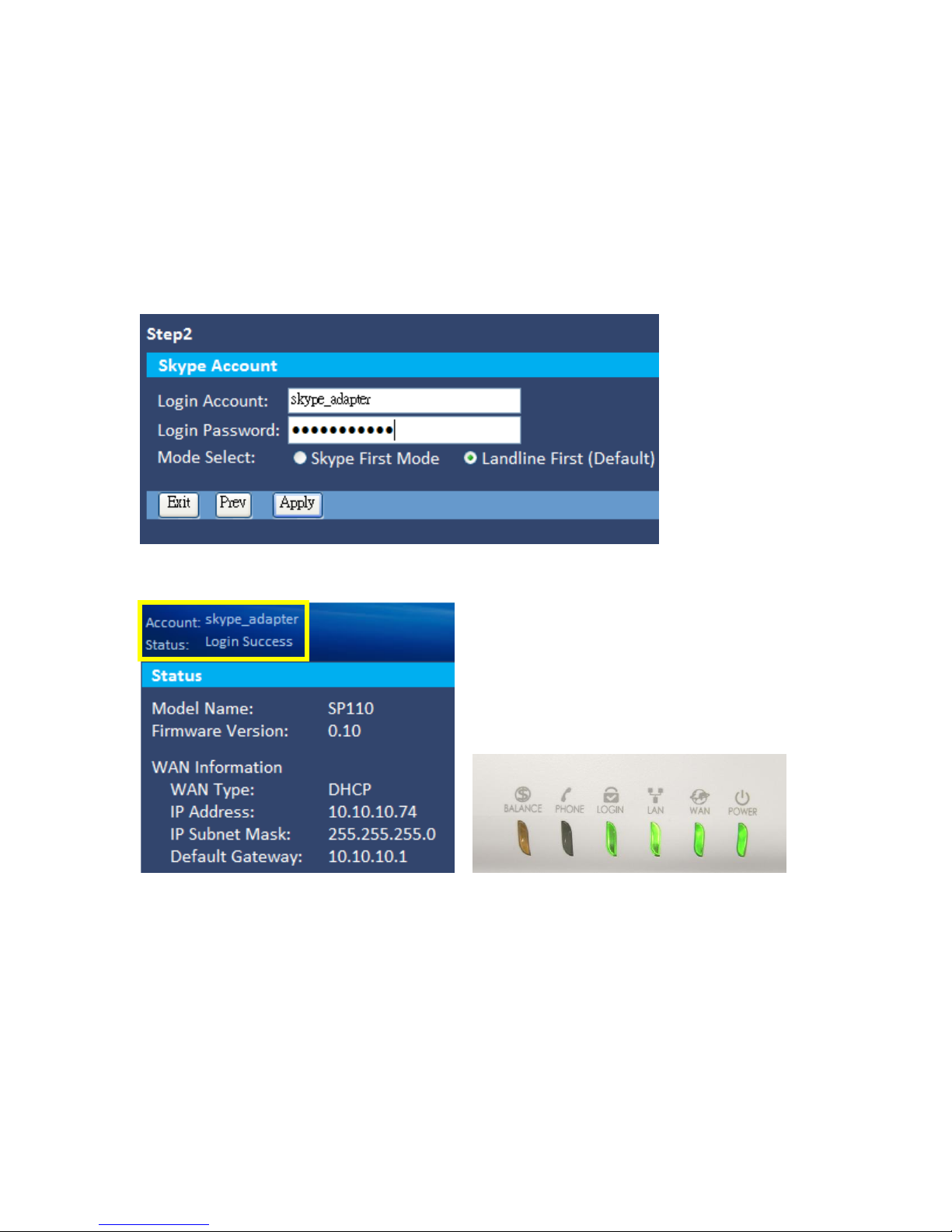
Step 5 Setup the Skype Account
Key in your Skype account and password, then, click the Apply button to save your configuration.
Also, you can select the outgoing call priority:
Skype First: Always make calls by your Skype account. User can call out by Landline by dialing#before
destination number. Or dial Skype speed dial number *0 to *99 to call the Skype account.
Landline First (default): Always make calls by Landline. User can call out by Skype account by dialing*
before destination number. Or dial Skype speed dial number *0 to *99 to call the Skype account.
(About the speed dial setting, please refer to step 6)
Please check the status of LOGIN led, green light means Skype login successfully. Or check the basic
setting in WEB UI, the login status is in the top-left side. Or dial*99 to Skype Sound Test Service, if you
hear the prompt, means Skype login successfully.
Page 6
6
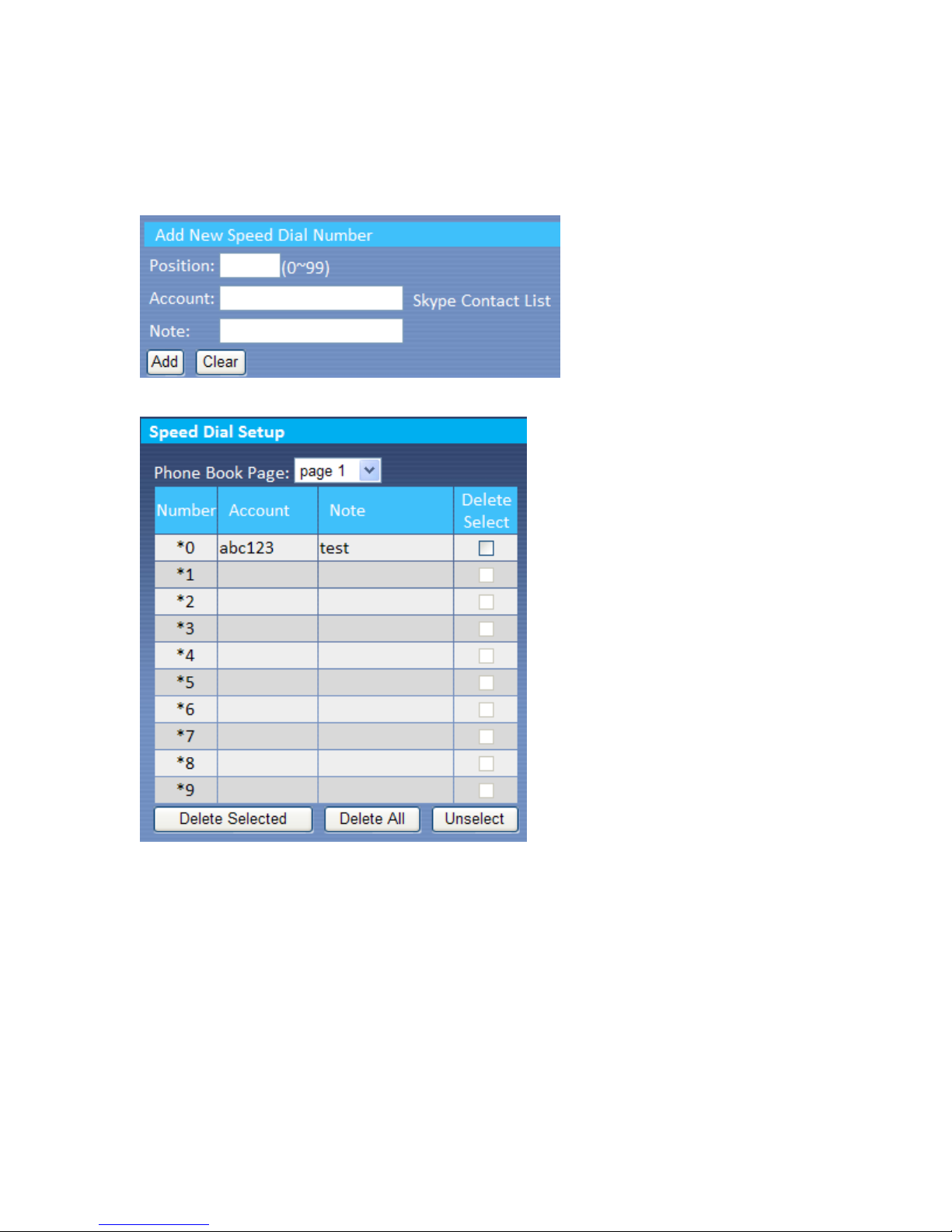
Step 6 Speed Dial Setting (Option)
Support 100 lists. Key in Position, Skype Account and Note, then, click the Add button.
You can click the “Skype Contact List” to select the Skype account directly.
The default setting is with*99 speed dial key for prompt of Skype Sound Test Service.
Ex. Key in Position: 0, Account: abc123, Note: test, click Add button, you’ll see the result of phone book as
below. Dial *0 to call abc123 account.
Page 7

7
How to make Call?
If you select “Landline First,” the default setting, when you dial landline number or mobile number, the
call will call out by Landline of SP110 Line port. You can call out by Skype account by dialing*before
landline or mobile number, or dial the Skype speed dial number *0 to *99 to call the Skype account.
If you select “Skype First,” when you dial landline number or mobile number, the call will call out by your
Skype account. You can call out by Landline of SP110 Line port by dialing#before landline or mobile
number. Or dial Skype speed dial number *0 to *99 to call the Skype account.
(Please note that if you would like to make call to landline number or mobile number by
your Skype account, please buy the Skype credit first. And the call rate is based on
Skype.)
Page 8

8
Q & A?
Q: Why I use web browser link to http://10.0.0.1, but the log in page of SP110 can’t
display?
A: Please make sure the hardware installation is correct, please check the status of
internet connection, please go to [Start][Control Panel][Network
Connection][Local Area Connection], check if the status is connected, if not, please
click the right key of mouse and click the “Repair.” Then, try to log in the WEB UI again.
Q: Why can’t I log in the Skype account successfully?
A: Please make sure you key in correct Skype user name and password.
Q: Why can’t I call the landline number and mobile number by Skype Account?
A: Please check the Balance led, if orange lights, means your Skype credit run out, please
buy the Skype credit. Or you can log in WEB UI to check the “Balance” item under the
Skype Account Setting.
 Loading...