

Page 1
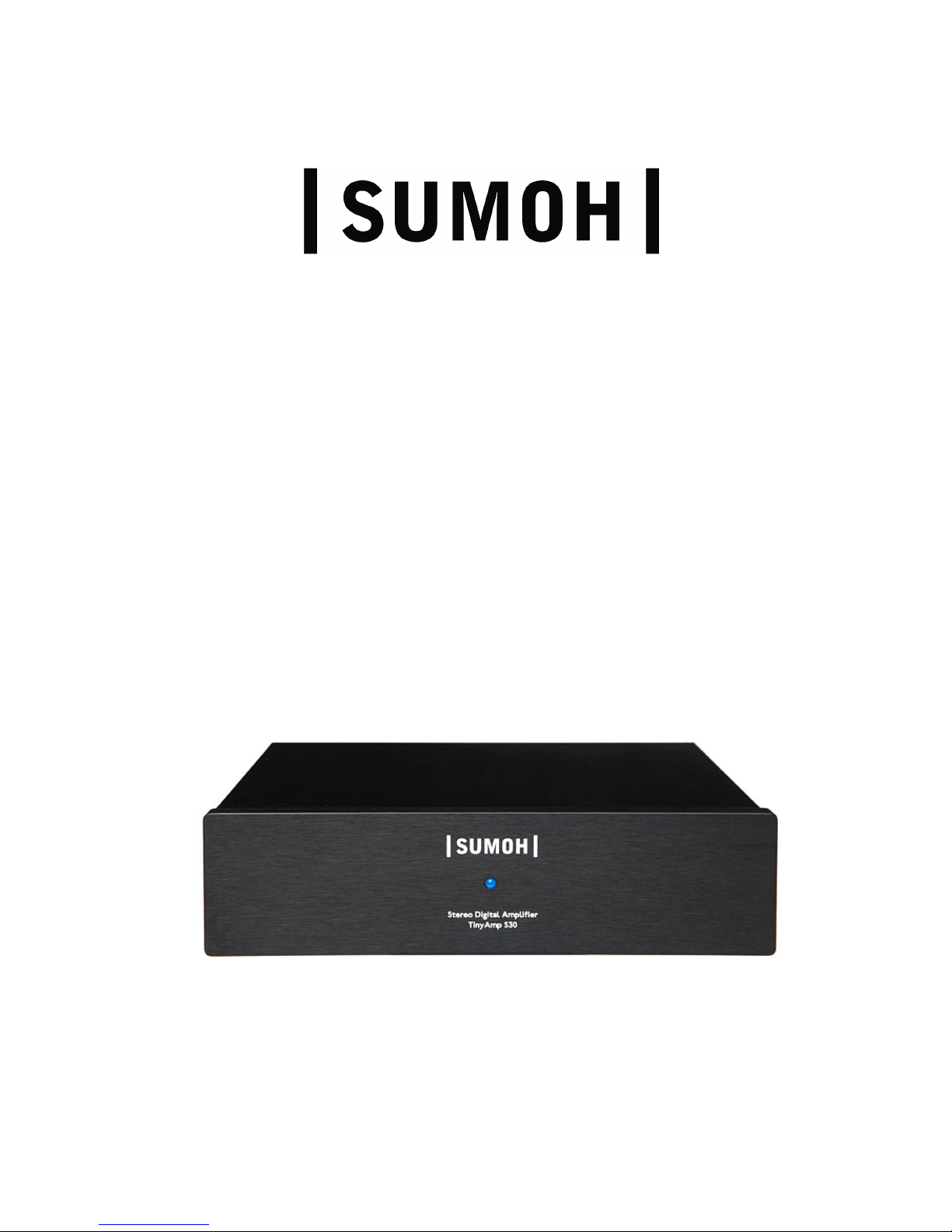
TinyAmp S30
True Digital Stereo Amplifier
User’s Guide
v. 2.2
Page 1 of 8
Page 2

Page 2 of 8
Page 3

Features
• True digital stereo amplifier
• 2 x 30 Watts into 4 Ω speakers
• S/PDIF RCA-type digital audio input
• Power supply output for Logitech Squeezebox® (or similar)
• Music auto detect, turns the amplifier on/off automatically
• Cables included + two sets of gold plated banana speaker connectors
Information
Thank you for purchasing the SUMOH TinyAmp S30.
The TinyAmp S30 amplifier is the perfect companion for the Logitech Squeezebox®
(or similar) – enabling true digital audio from your hard drive to your speakers!
It is a stereo 30 Watt amplifier with a single digital audio input and a built-in power
supply output for a Squeezebox®.
It is easy to use – plug in your Squeezebox® and speakers and turn it on! A music
auto detect turns the amplifier on and off, this way the amplifier limits power
consumption.
It is designed using high quality components and materials, selected for the best
sonic performance and long durability.
It is the only amplifier in the world using true digital technology in it’s price range.
It is very small – only about 6”x6”x1.5” (WxDxH) and is made of aluminium. This
material has been chosen because the amplifier uses the chassis as heatsink and
therefore it gets luke warm when plugged in.
This small and simple amplifier, combined with the Squeezebox® and a set of
quality book-shelf speakers, is a complete high quality music system.
Caution
Please see safety precautions on the last page of this guide before use!
Also, please read below information:
Make sure your digital audio source is set to use volume control in the digital
signal. If not, the amplifier will play at maxium volume resulting in very high level
of sound and maybe damage to the connected speakers!
Please refer to the SlimServer manual for Squeezebox® settings.
There are an switch on the back side for selection of output voltage for
Squeezebox® power supply. Be sure to set correctly before connecting:
9V for Squeezebox® Receiver and 5V for Squeezebox® Classic.
At startup the blue front LED is blinking – this means the amplifier is starting – and
when the LED is permanently on, the amplifier is ready for music.
There are +12VDC on all four output speaker terminals due to the digital power
stage when playing music. This is not a problem or dangerous for the speakers
because the voltage is the same on all four terminals.
The amplifier is short circuit protected. This mean if there is a short on speaker
cables the amplifier will shut down and possibly need to be re-started.
Page 3 of 8
Page 4
Specifications
Main Chip Devices
Modulator TI TAS5086
Power Stage TI TAS5342L
Digital Audio Receiver TI DIR9001
Audio Performance
Power output, 4 Ω (10% THD+N) 40W
Power output, 4 Ω (0dBFS) 30W
Power output, 6 Ω (10% THD+N) 27W
Power output, 6 Ω (0dBFS) 21W
Power output, 8 Ω (10% THD+N) 21W
Power output, 8 Ω (0dBFS) 17W
Total hamornic distortion (1kHz, -2.5dBFS) <0.09 %
Dynamic Range, a-weighted 103 dB
Signal-to-noise ratio 103 dB
Channel separation 90 dB
Frequency response, audio range (20Hz - 20kHz) +/-0.5dB
Connectors
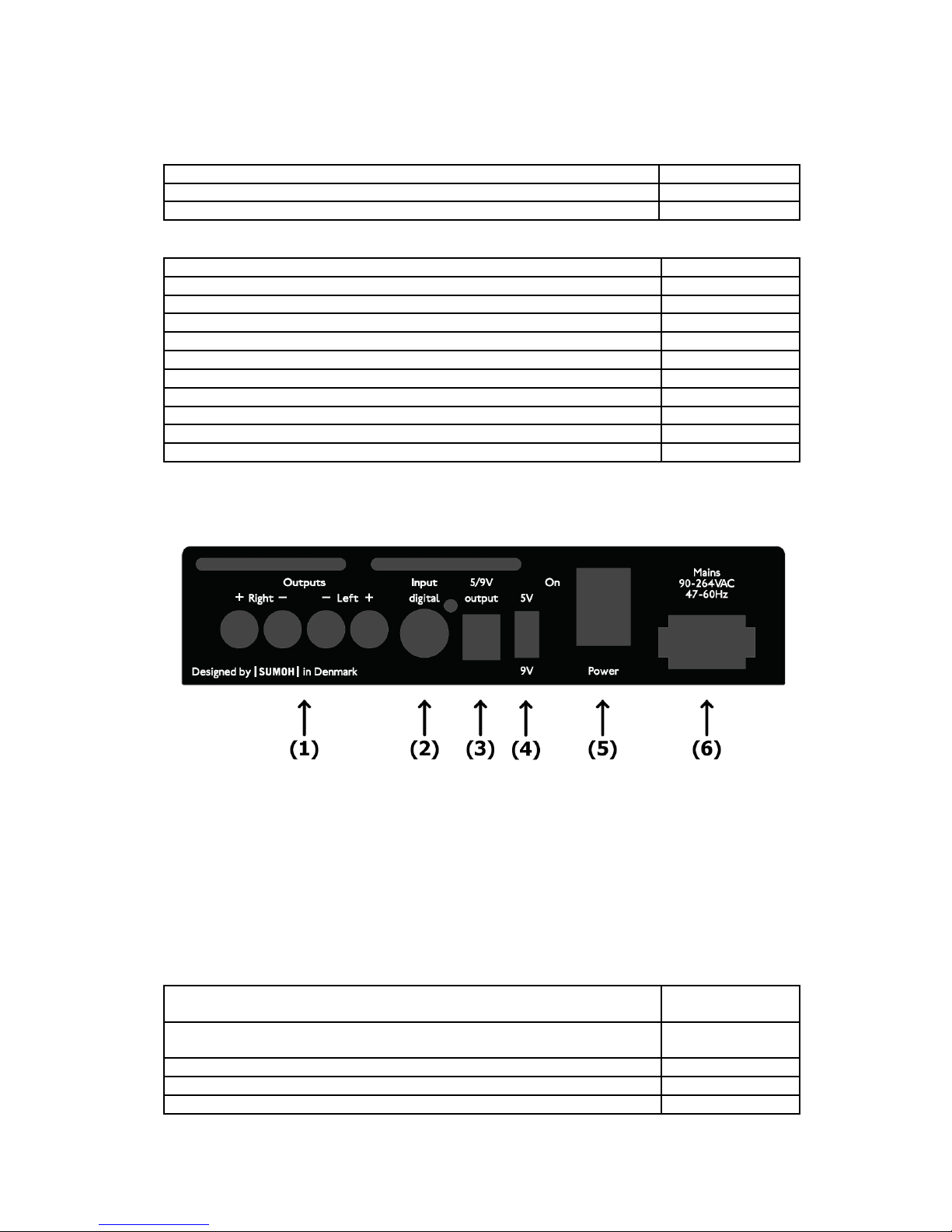
(1) 4 pcs 4 mm banana speaker terminals, Red positive, black negative
(2) 1 pc RCA style for digital S/PDIF audio input
(3) 1 pc 2.5 mm (in dia.), 5.5 mm (out dia.) DC type output for Squeezebox®
power supply
(4) Select switch for 5V or 9V power supply output for Squeezebox®
(5) AC power switch
(6) AC power, 8-figure type connector
Physical
AC Power Requirements 85-250Vac
Idle/standby 2W
AC Power Requirements 85-250Vac
Idle/standby - incl. SB Receiver in mute or off state 6W
AC Power Requirements 85-250Vac – Full Power 90W
Shipping weight 0.70 kg
Dimensions (WxHxD) approx. 6" x 6" x 1.5"
Page 4 of 8
Page 5

Included in the box
• 1 pc mains power cable, 1.5m
• For Squeezebox® Classic :
1 pc Phono type audio signal cable for digital S/PDIF audio, 0.5m
1 pc DC power cable, 0.45m
• For Squeezebox® Receiver :
1 pc Phono type audio signal cable for digital S/PDIF audio, 0.22m
1 pc DC power cable, 0.18m
1 pc DC power cable, 0.45m
• 4 pcs gold plated banana connectors for speakers
• This User’s Guide
Troubleshooting
Problem Check
Amplifier does not power on
or
No light in LED
or
No sound
Main power cord is no connected
properly
On/Off switch is off
Source not connected properly
No signal from source
Source not working properly
Please contact SUMOH if other problems occur
Page 5 of 8
Page 6

Copyright and Trademarks
All rights in this publication are reserved. No part may be reproduced without the
prior written permission of the publisher. The contents of this publication are
believed to be correct at the time of going to press. However, any specifications,
information or products mentioned may be modified, supplemented or withdrawn
without further notice.
Copyright © 2008/2009 SUMOH, All rights reserved.
Squeezebox® is a registered trademark owned by Logitech
Safety Precautions
Please note the following safety precautions
• To avoid risk of electric shock, do not use or expose this amplifier to wet or
moist environments
• Do not place objects containing fluids above or on top of the amplifier
• It is recommended to disconnect the amplifier during electrical storms
• There are no user serviceable parts inside the amplifier, all internal
maintenance or servicing should be carried out by SUMOH, or qualified
service personnel authorized by SUMOH
• Do not insert objects into the ventilation slots on the amplifier
• Avoid exposure to extreme heat, extreme cold, or direct sunlight
• Do not drop the amplifier, or subject it to strong shocks
• Unplug all cables if the amplifier is not to be used for a long time
• Do not place the amplifier near sources of strong magnetism
• Disconnect the power when cleaning outside
• Clean only with a damp cloth
• Keep the amplifier away from dust and dirt
• If the amplifier is moved from a very cold environment to a warm one,
leave the unit unpowered for about an hour for the moisture inside to
evaporate
• Do not place the amplifier on top of heat sources, including other audio
equipment
• Please ensure adequate ventilation around the amplifier
Page 6 of 8
Page 7

Page 7 of 8
Page 8

 Loading...