

Page 1
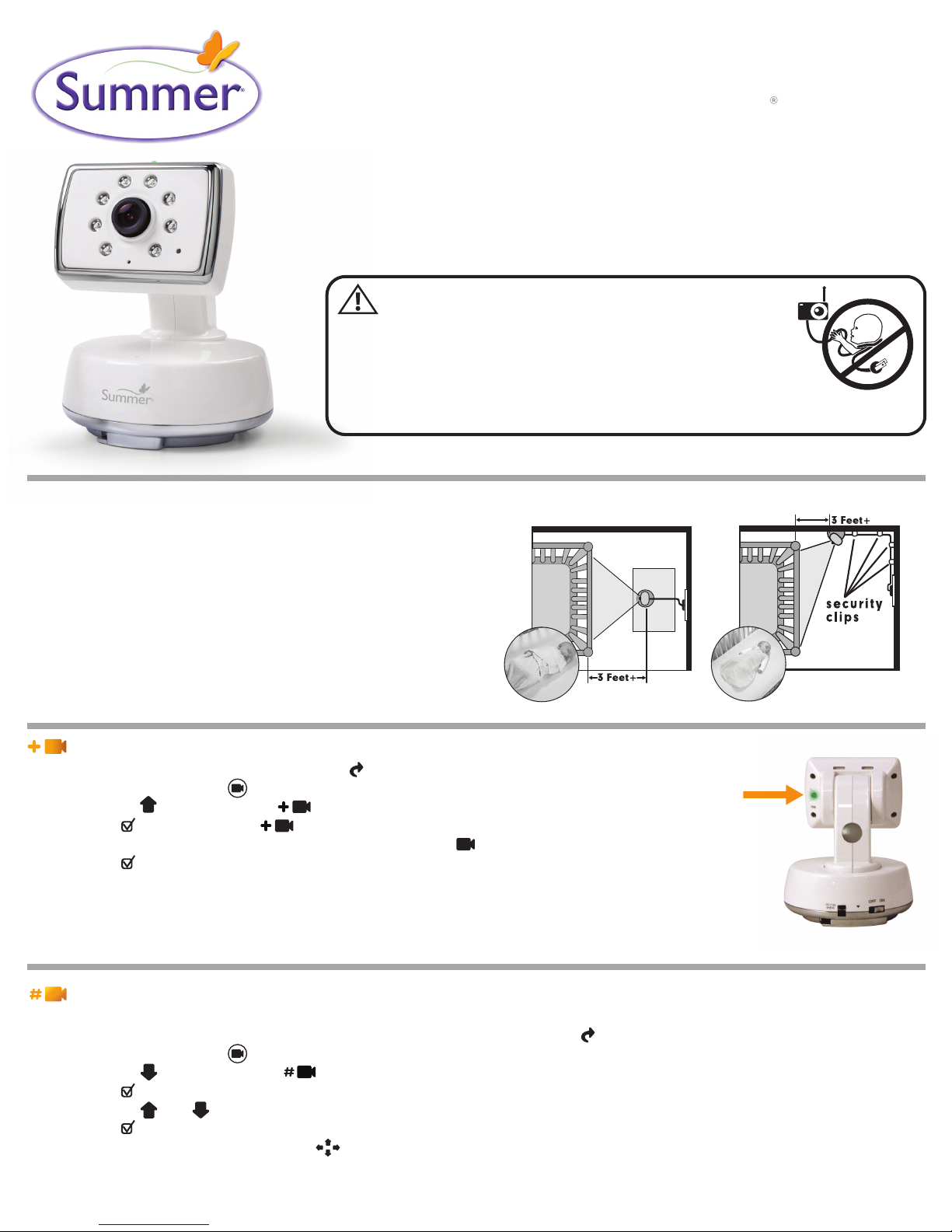
28850
baby touch 2
extra camera
Note: The Baby Touch 2, #28680, can accept up to four cameras. To order an additional camera
(#28850) please contact our Consumer Relations department by phone at 1-800-268-6237 or via
email at: [email protected]. Please refer to the Table Top or Wall Mounting
section of user manual for set up instructions.
WARNING:
STRANGULATION HAZARD - Children have STRANGLED in cords.
Keep this cord out of reach of children (more than 3 feet (0.9 m)
away from the crib). Use enclosed Security Clips to help secure
cord away from baby’s reach. Never use extension cords with AC
Adapters. Only use the AC Adapters provided.
Camera Set Up & Use:
Table Top or Wall Mounting:
Determine a location for the CAMERA that will provide the best view
of your baby in his crib. Place the CAMERA on a flat surface, such as
a dresser, bureau, or shelf (Figure A). Or mount the CAMERA on a
wall (Figure B). NEVER place camera or cords within 3 feet of the crib.
Secure the cord to the wall using the 6 Security Clips included to keep
cord away from baby’s reach. Be sure to test reception and
CAMERA positioning before mounting to a wall (see "Testing
Your Initial Set Up" section).
Add Camera:
Step 1: To enter the Feature Control Menu, press ( ) on bottom right hand corner of screen
Step 2: Press the camera icon ( ) to enter the Camera Menu
Step 3: Press the arrow to highlight
Step 4: Press ( ) “SELECT” to enter
Step 5: The next available camera will automatically be selected ( 2, 3, 4)
Step 6: Press ( ) “SELECT” and syncing animation between receiver and camera will begin.
Step 7: Within 20-seconds, press the CODE button on the back of the camera. Once synced,
live video will appear. If this is unsuccessful, you should repeat steps above making sure the
monitor and camera are close enough to each other for syncing.
A
Press and hold the Code
button on back of camera
head until green LED
blinks.
B
View Camera:
Note: this option is only available when more than one camera is in use.
Step 1: To view a specific camera in use, enter the Feature Control Menu by pressing ( ) on bottom right hand corner of screen
Step 2: Press the camera icon ( ) to enter the Camera Menu
Step 3: Press the arrow to select the option
Step 4: Press ( ) “SELECT”
Step 5: Press the and arrows to highlight the camera you want to view
Step 6: Press ( ) “SELECT” to view selected camera
Step 7: To exit camera menus screen, press ( )
Page 2

Delete Camera:
Step 1: To delete a camera, enter the Feature Control Menu by pressing ( ) on bottom right hand corner of screen
Step 2: Press the camera icon ( ) to enter the Camera Menu
Step 3: Press the arrow to select the option
Step 4: Press ( ) “SELECT” to enter
Step 5: Press the arrow to select the camera you want to delete ( 1, 2, 3, 4). The camera will highlight orange
Step 6: Press ( ) “SELECT” to confirm this is the camera to be deleted. Camera icon will become grayed-out and out of range will appear
on screen.
Step 7: To exit camera menu screen, press ( )
Auto Scan:
Note: this option is only available when more than one camera is in use.
Step 1: To scan between cameras in use (8-second rotation between rooms), enter the Feature Control Menu by pressing ( ) on bottom
right hand corner of screen
Step 2: Press the camera icon ( ) to enter the Camera Menu
Step 3: Press the arrow to select the option
Step 4: Press the ( ) “SELECT”
Step 5: Press the arrow to select to activate auto-scan
Step 6: Press ( ) “SELECT”
Step 7: To exit camera menus screen, press ( )
Summer Infant, Inc.
1275 Park East Drive
Woonsocket, RI 02895 USA
1-800-268-6237
Summer Infant Europe, Ltd.
First Floor North Wing, Focus 31
Cleveland Road, Hemel Hempstead
HP2 7BW UK
+44 (0) 144 250 5000
We LOVE our consumers!
Get to know us at:
www.summerinfant.com
Summer Infant stands behind all of its products.
If you are not completely satisfied or have any questions,
please contact our Consumer Relations Team at
1-800-268-6237
or
(For Europe call +44 (0) 144 250 5000 or
www.summerinfant.com/contact
connect with us:
Summer Infant
Canadian Office
1055 Middlegate Road
Mississauga, Ontario,
Canada L4Y3Y4
905-848-2424
© 2012 Summer Infant, Inc.
Please retain information for future reference.
Colors and styles may vary.
MADE IN CHINA. 1/13
 Loading...