

Page 1
Sugar Bytes Rack Extensions
Vocodizer Manual
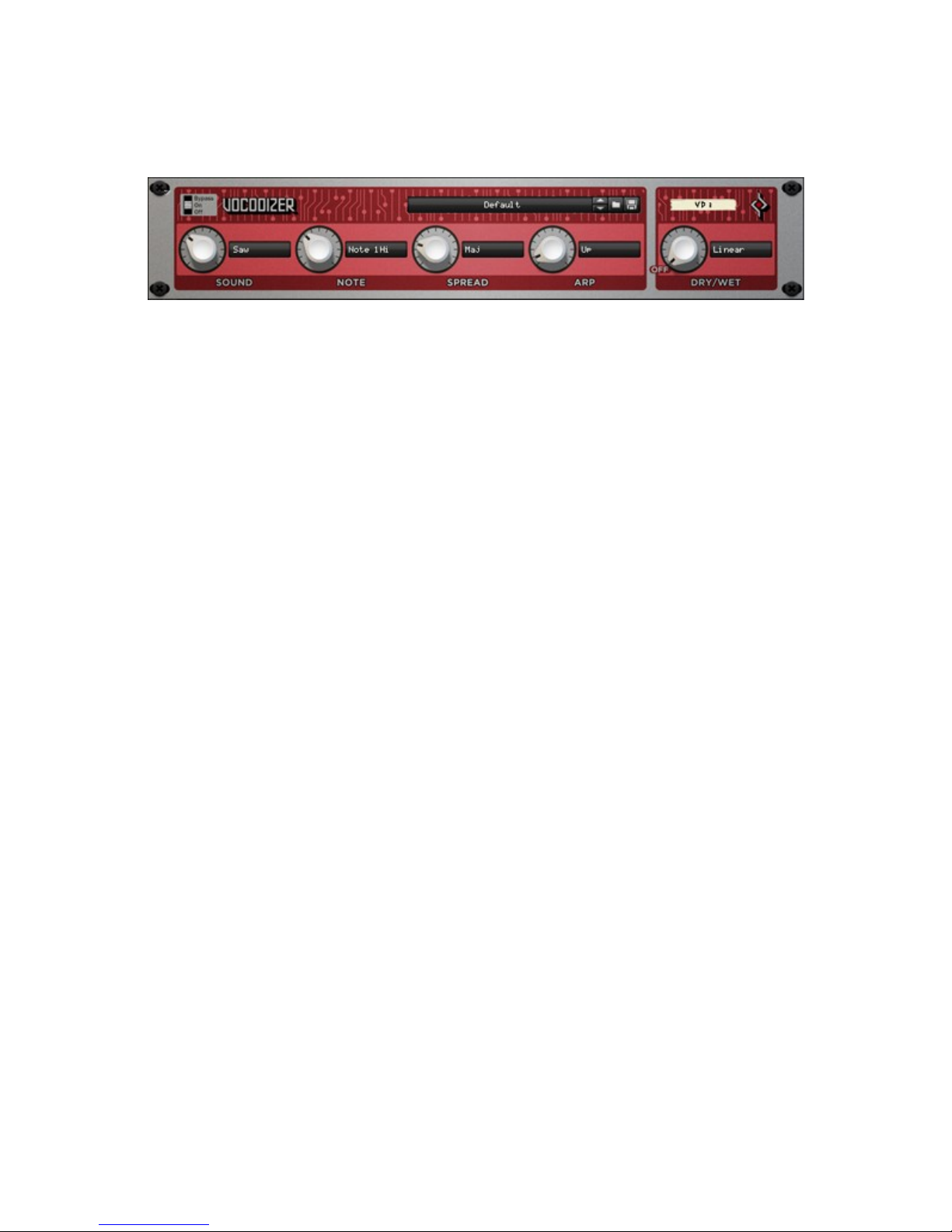
The Vocodizer is more like an instrument than an effect because it can create
independent melodies, rhythms and sounds patterns. If you are looking for some
inspiring, unique way of transforming your sounds, you should try it out!
The Sound parameter adjusts the spectral-dynamic reaction to the incoming signal.
Different algorithmic variables are controlled by this parameter, which results in many
different sounds. The sonic result also depends heavily on the selected mode here.
Here you have a selection of the classic waveforms — Saw/Square/Sine/Tri — along
with other variations.
The Note parameter defines the pitch of the final sound. It encompasses 1 or 2
octaves, depending on the mode. There are 4 modes. They define the starting pitch
(C1 for low and C2 for high) and the range (1 or 2 octaves).
The Spread parameter defines how many notes (1-10) are involved when creating a
chord or arpeggiator pattern. In the mode menu you determine the chord harmonies
and the arpeggiator movement. Along with classic major and minor chords, there are
also unusual settings like “Whole”, which are more related to the arpeggiator
behaviour than for chords.
The arp parameter determines the speed of the arpeggiator pattern. When turned to
0, the arp will be off and a given chord will be played without any apreggiating
movement. Remember that the Spread parameter will define the number of different
notes played here.
There are a number of different arpeggiator algorithms available. First you have up,
down, and ping-pong. There is also a duo phonic version of these: two notes will be
played simultaneously. The next algorithms are the same the previous ones, but also
in “Trig” mode. In this mode you don't control the speed any more — in fact, the
Page 2

parameter only has 2 states in this case: 0 and 100%. The progression in the
arpeggiator pattern will be triggered whenever you set the parameter to 100%. You
can obtain a large range of dynamics using this mode. For example, you could
connect the Matrix step sequencer to the arp CV, so that the Matrix sequence would
exactly define the timing of the note progression.
An envelope follower could synchronize the progression nicely to a beat.
The Dry/Wet control determines the mix between the original and the processed
signal.
There are three options for defining mixing behavior:
• Linear: The mixing happens in a linear fashion — the center position provides
50% original and 50% processed signal.
• Wet: The processed signal is added to the input. This option is mostly used for
reverbs and delays.
• Equal: The signals are mixed according to the equal power law: center
position will result in about 70% original and 70% processed signal.
•
Note that you can save CPU if you turn down the Dry/Wet control to 0.
All parameters are controllable via CV.
 Loading...