

Page 1
SRT 4620
FREE - TO - AIR
DIGITAL SATELLITE RECEIVER
USER’S MANUAL
4620
E109000176B
STRONG & Co. (FAR EAST), LTD.
P. O. Box : 85, YOKOHAMA, KANAGAWA-KEN
JAPAN 231-91
-
FAX : +81 45 662-4957
Website : www.strong-technologies.com
E-mail : [email protected]
Page 2
1. Introduction
2
1.1. Overview
1.2. Main Features
2. Safety/Precautions
3
2.1. Safety
2.2. Precautions
3. Check Point before Use 5
3.1. Accessories
3.2. The Satellite dish
4. Controls/Functions 6
4.1. Front Panel
4.2. Rear Panel
4.3. Remote Control
5. Using Remote Control 10
5.1. Batteries
5.2. Range Of Operation
6. How to Connect 11
7. Operation 13
7.1. Getting Started
7.2. Channel Editing
7.3. System Parameters
7.4. Transponder
7.5. Factory Set
7.6. Other Function on Remote Control
8. Trouble Shooting 45
9. Specifications 46
DiSEqC is a trademark of EUTELSAT.
1
Page 3
2
This satellite receiver is designed for using digital free-to-air channel reception. Enjoy the rich choice of more
than 4,000 different channels, broadcasting a large range of culture, sports, cinema, news, events, etc. This
receiver is a technical masterpiece, assembled with the highest qualified electronic parts.
Introduction
Fully compliant with MPEG-2 and DVB standards
User friendly operating Menu and On-Screen Graphic Menu
Easy to use EPG(Electronic Program Guide) on screen
Age protection lock function
Tele-text encoding
Manual PID control
Software downloading via RS-232C connector
DiSEqC 1.2 compatible
Page 4
3
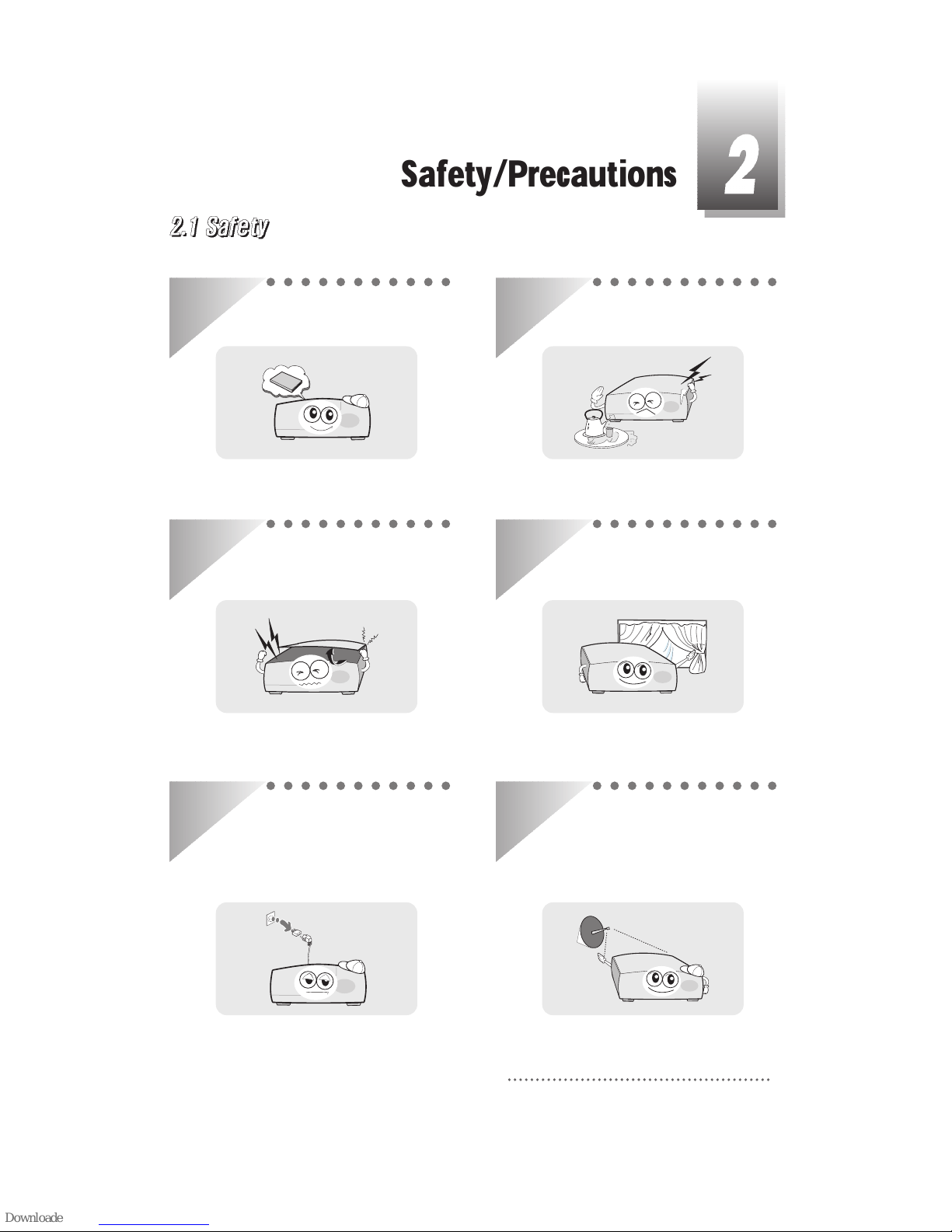
Be sure to read the user's manual before
starting the operation of the unit.
Do not touch the power cord with wet
hands as it may cause electric shock.
Never open the cover. It is very dangerous
to touch the inside of the unit due to
possible electric shock.
Place the unit in a well ventilated and noheat environment.
When you do not use this unit for a long
time, make sure that power cord is pulled
out from the outlet. Also do not use a
damaged power cord as it may cause fire
or electric shock.
A professional installation is required.
If reception is interrupted, contact your
local service centre.
Safety/Precautions
Page 5
4
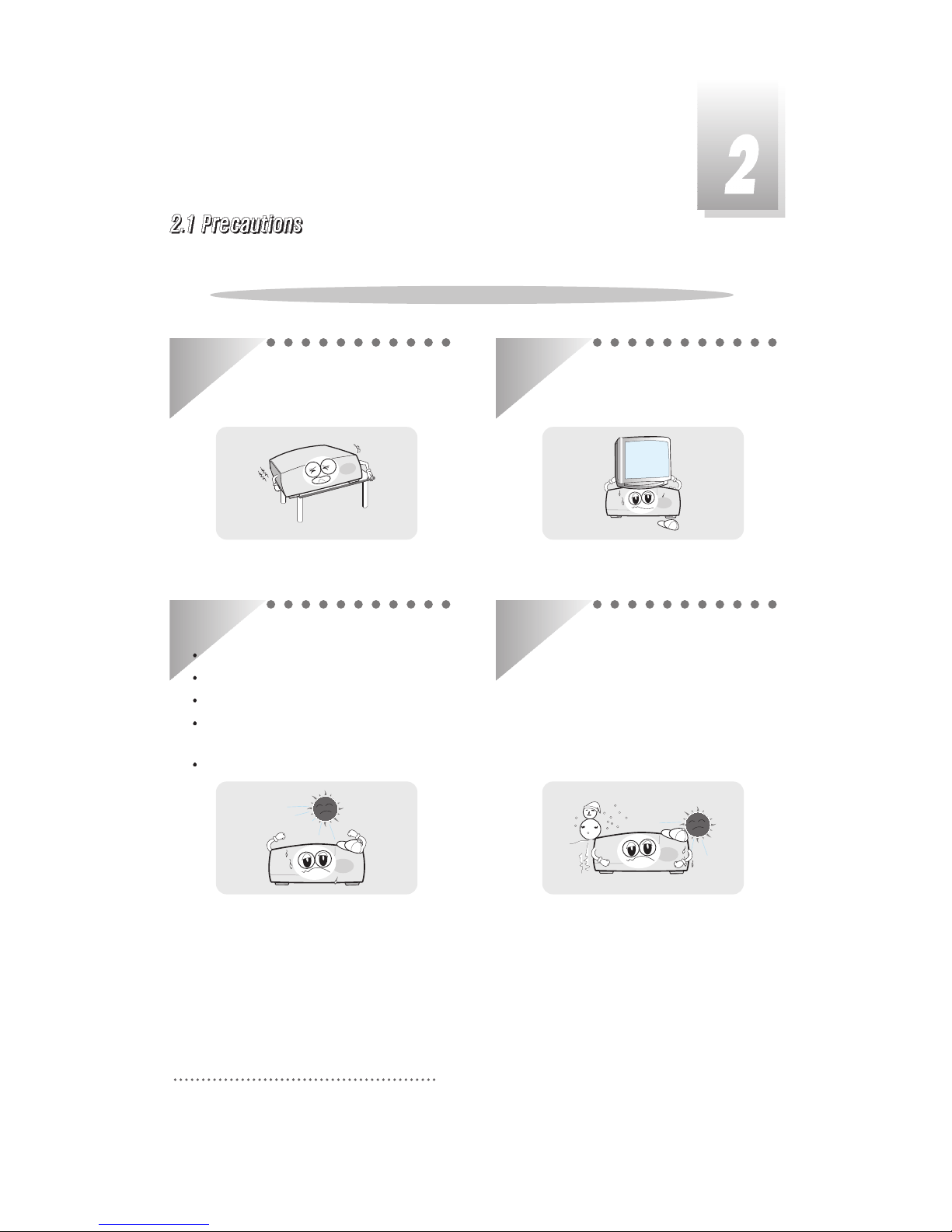
Install the unit horizontally. An uneven
installation may cause the unit to be
damaged.
Do not put heavy items such as a TV on the
unit. That may cause the unit to be
damaged.
Do not install the unit:
Where it is subject to vibrations
Where it is exposed to direct sunlight
Where there is humidity
Where the temperature is too high or
too low.
Where there is no ventilation
Moving the unit to a hot area from a cold
one will cause condensation.
Do not operate the unit for one or two hours
or until it has dried completely.
When installing the unit
Page 6
5
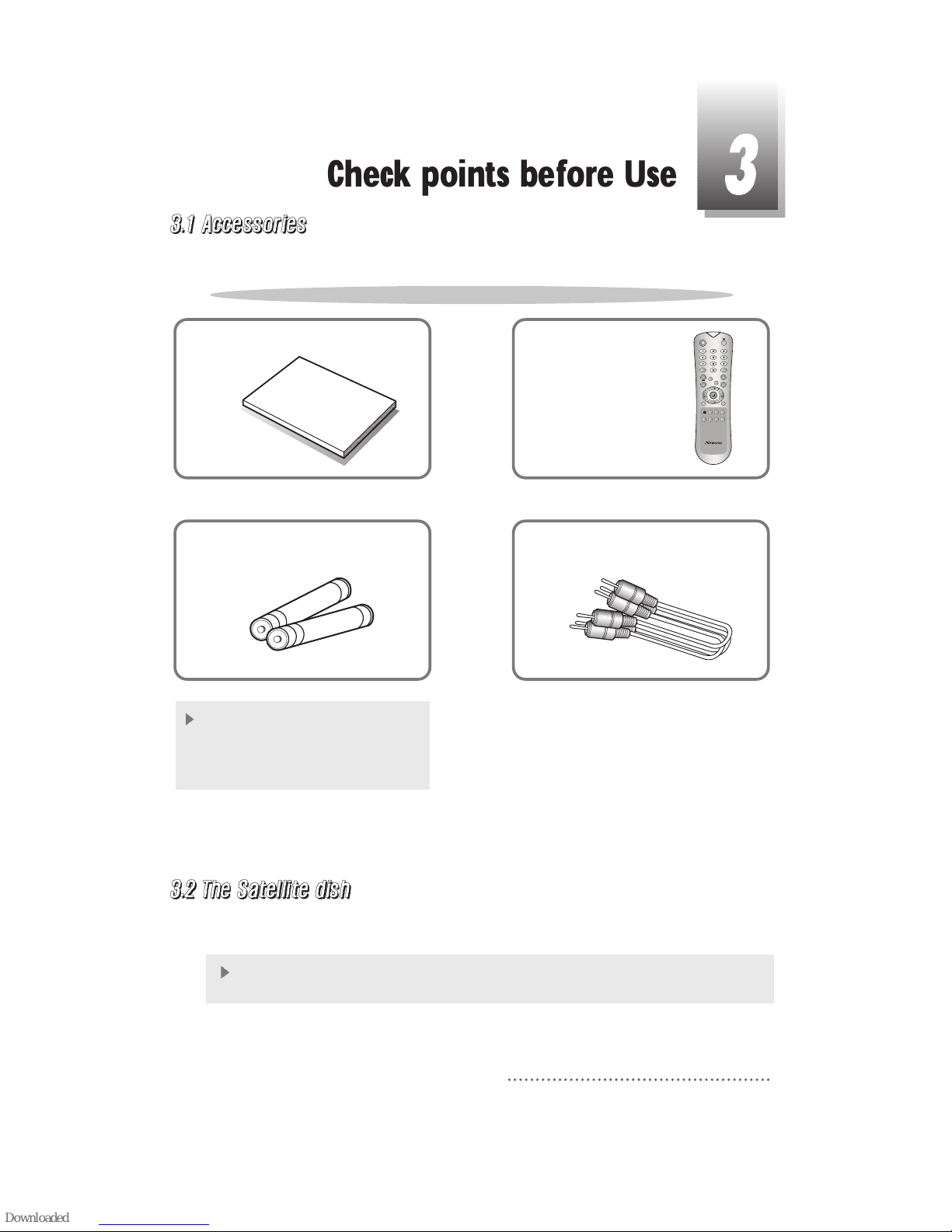
User's manual : 1
Use
r's m
a
nu
a
l
Remote control : 1
Batteries (AAA type) : 2
If any accessories listed above are
missing, contact the sales
representative where you purchased
this unit.
RCA video/audio cable : 1
QZ-
ABC
DEF
GHI JKL MNO
PRS
TUV
WXY
INFO
AUDIO
GUIDE
CH.LIST
AUX IN
RECALL
TV/RADIO
TV/SAT
MENU
EXIT
CH
VOLVOL
CH
SLEEP
LIST
HELP
Accessories of the Unit
Your dish should be properly installed and azimuth and elevation must be precisely set up.
This unit is working with DiSEqC 1.2 on a compatible antenna positioner.
Ask your dealer for information.
Check points before Use
Page 7
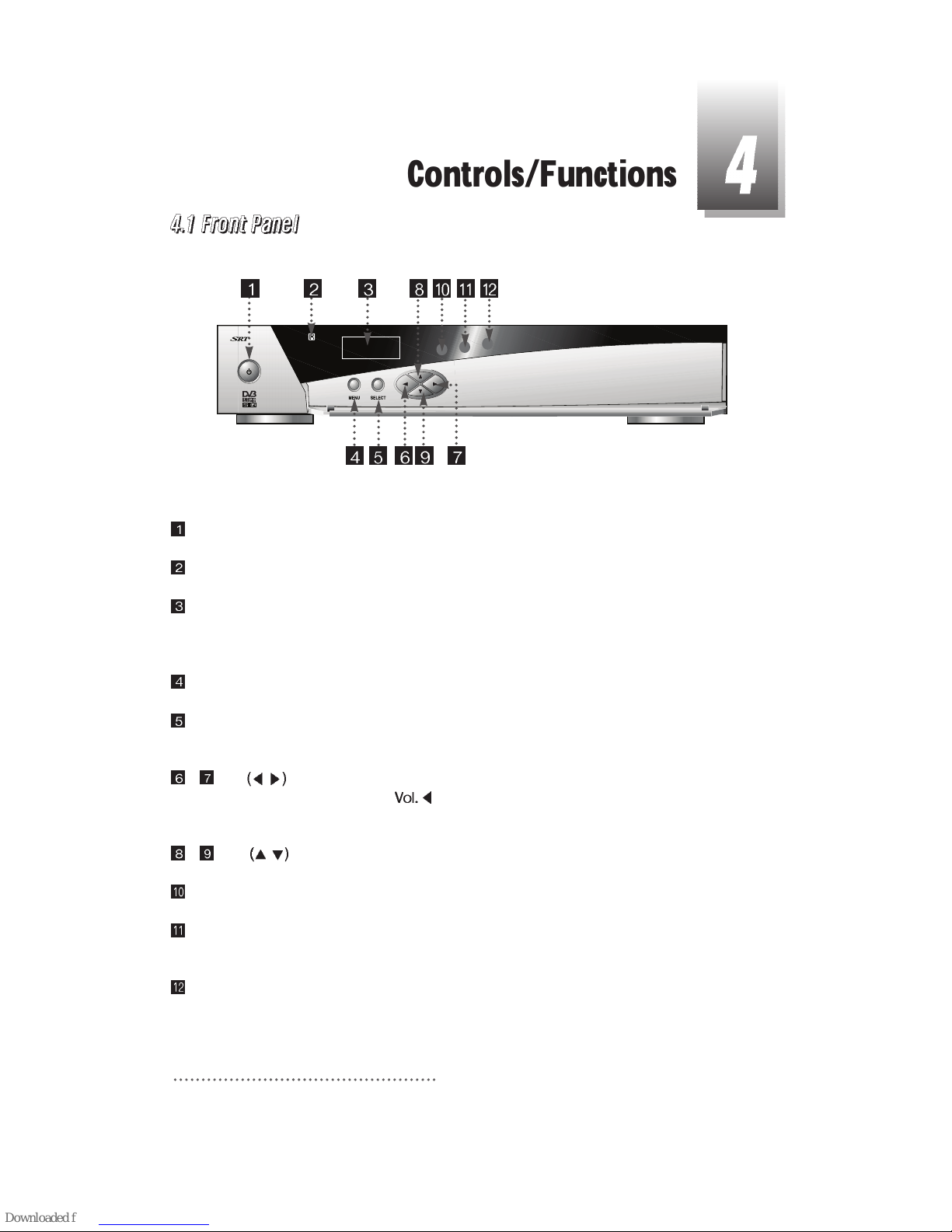
Power : To switch the receiver in “standby” mode or in power on mode.
Remote Sensor : Receives the infrared signal from remote control.
Channel Display(4 Digit)
- When you connect the power line of the receiver, the current time is displayed.
- After programming, the program number is displayed.
Menu : To launch or terminate the menu application.
Select : To activate a highlighted item or go to next level on hypertext menu or confirm the user’s
action.
- Vol.
/ : To adjust the volume level or change the value of an item with preprogrammed
values. The Key
can be used as a backspace to cancel the numerical
input.
- CH.
/ : To change channel or cursor position on the application screen.
Remote Control indication light : Flashes orange when receiving data from remote control.
TV/Sat. mode Indication lamp light : Turn on green while receiving the signals from terrestrial
UHF/VHF antenna.
Standby/Power on Indication light : Turn on red while in the “standby” mode and turn off the red
light while in the power on mode.
6
4620
Controls/Functions
Page 8
7
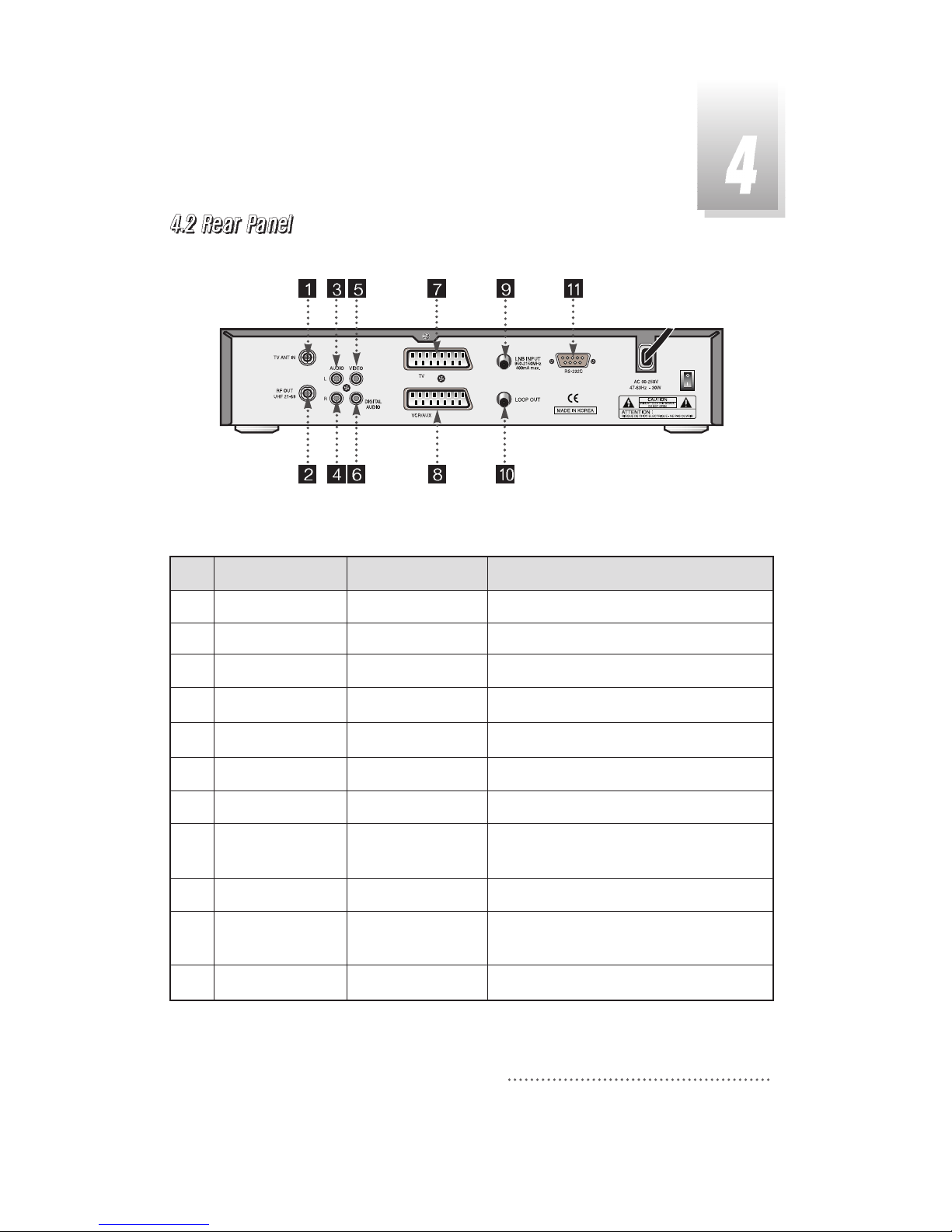
No.
1
2
3
4
5
6
7
8
9
10
11
Name
TV ANT IN
RF OUT UHF 21-69
AUDIO L
AUDIO R
VIDEO
Digital Audio
TV SCART
VCR/AUX SCART
LNB INPUT
LOOP OUT
RS-232C
Connector
IEC 169-2 female
IEC 169-2 male
RCA cinch
RCA cinch
RCA cinch
RCA cinch
SCART
SCART
IEC 169-24 female
IEC 169-24 female
DB-9
Function
Input from terrestrial antenna.
Output to TV.
Left audio output.
Right audio output.
Composite video output
Digital Audio Output
SCART output to TV
SCART output to VCR, analog receiver
or Hi-Fi.
IF input from LNB to digital tuner.
IF loop-through output from digital
tuner.
Low speed serial port
Page 9
8
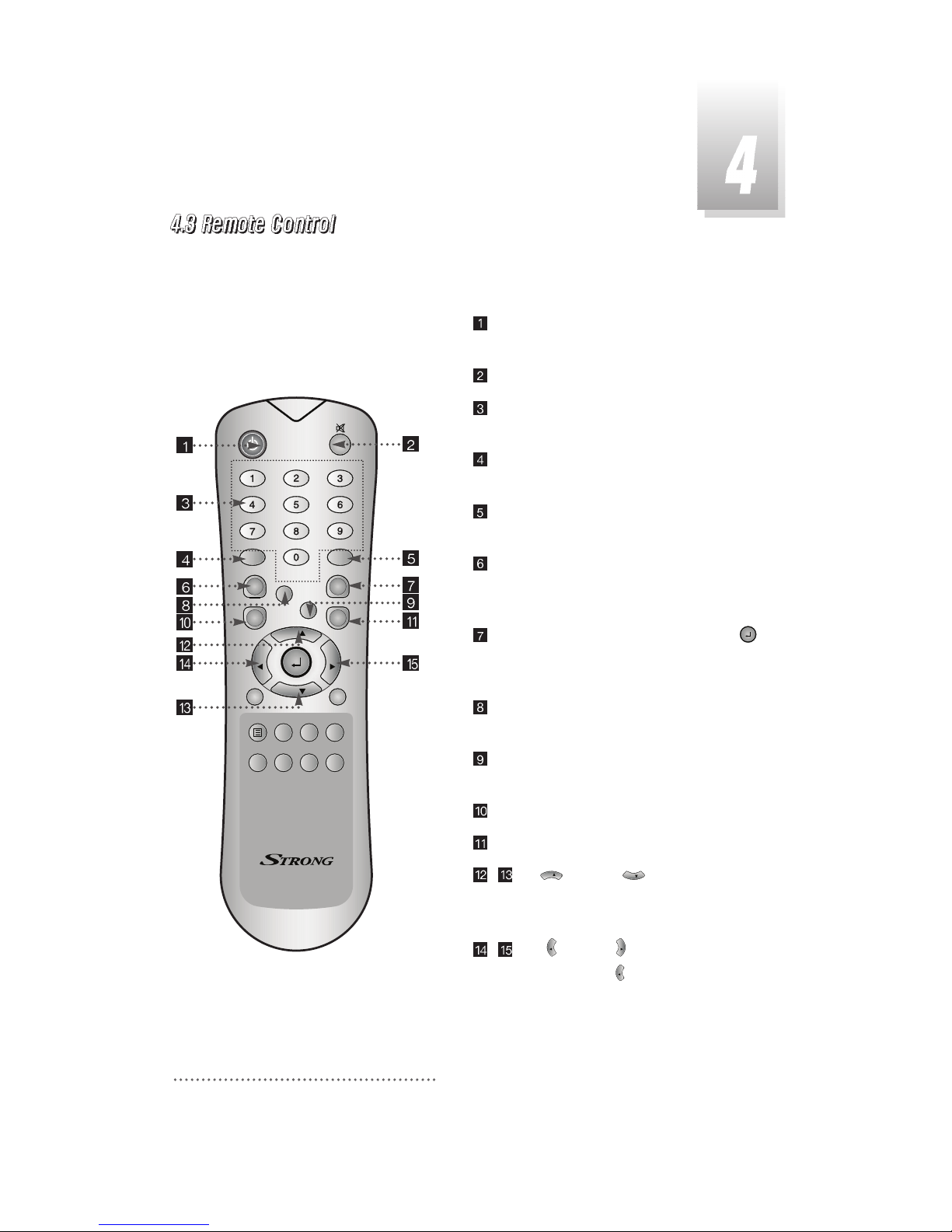
POWER :To switch into ‘standby’ or ‘power on’
mode.
MUTE: To turn the sound on/off.
Numeric Keys(0-9): To select channels and
input of channel numbers or characters.
INFO.:To display the information of the current
channel.
AUDIO:To change the audio track, stereo-
mono mode.
GUIDE
:
(EPG : Electronic Program Guide)
To watch program information. Press once
more to return to normal mode.
CH LIST:To watch the channel list. Press
to confirm or press EXIT to return to previous
chosen channel.
AUX IN : To select the output mode of scart
connector.
RECALL :To return to the previous chosen
channel.
MENU: To enter/exit the main menu.
EXIT:To return to previous status or menu.
- Up & Down : To change the
value of a selected item with preprogrammed
values in menu.
- Left & Right : To move the cursor up
and down in menu. can be used as a
backspace to cancel the numerical input.
VOL
VOL
VOL
CH
CH
QZ-
ABC
DEF
GHI JKL MNO
PRS
TUV
WXY
INFO
AUDIO
GUIDE
CH.LIST
AUX IN
RECALL
TV/RADIO
TV/SAT
MENU
EXIT
CH
VOLVOL
CH
SLEEP
LIST
HELP
Page 10
9
QZ-
ABC
DEF
GHI JKL MNO
PRS
TUV
WXY
INFO
AUDIO
GUIDE
CH.LIST
AUX IN
RECALL
TV/RADIO
TV/SAT
MENU
EXIT
CH
VOLVOL
CH
SLEEP
LIST
HELP
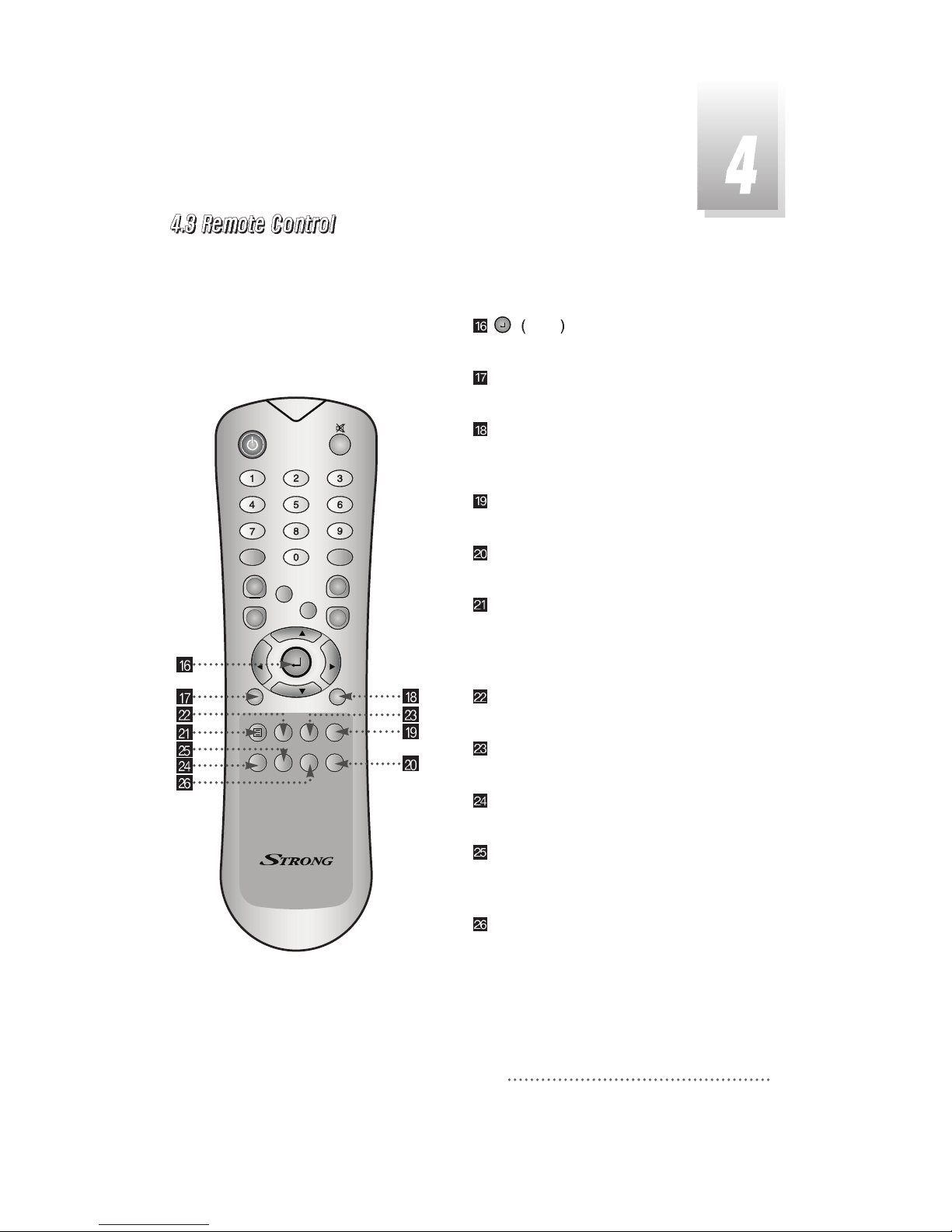
ENTER
:
To select an item or to confirm a
menu. Pause function.
TV/RADIO :To switch between the TV and radio
channels.
TV/SAT :To toggle the TV output source
between the satellite input and UHF/VHF
antenna input.
SLEEP : To switch off the receiver automatically
after between 30 and 150 minutes.
HELP :To display the information of the current
menu.
BLUE : To delete a channel from the Channel
List menu. To show extended program
information in the EPG menu. To see Teletext
Service Data.
WHITE: To add a new channel to the Channel
List menu.
ORANGE:To see variant channel lists for user's
convenience in the Channel List menu.
RED:To setup favorite channel lists in the
Channel List menu.
GREEN : To lock channel in the Channel List
menu. To show current/next program
information in the EPG menu.
YELLOW : To move a channel to other position
in the Channel List menu. To show program
schedule information in the EPG menu.
 Loading...