

Page 1
1 - 4
User manual for 4G Router
User Manual For 4G Router
For more information, please visit our website www.en.streamax.com
Page 2
User manual for 4G Router
2 - 4
Model
Parameter
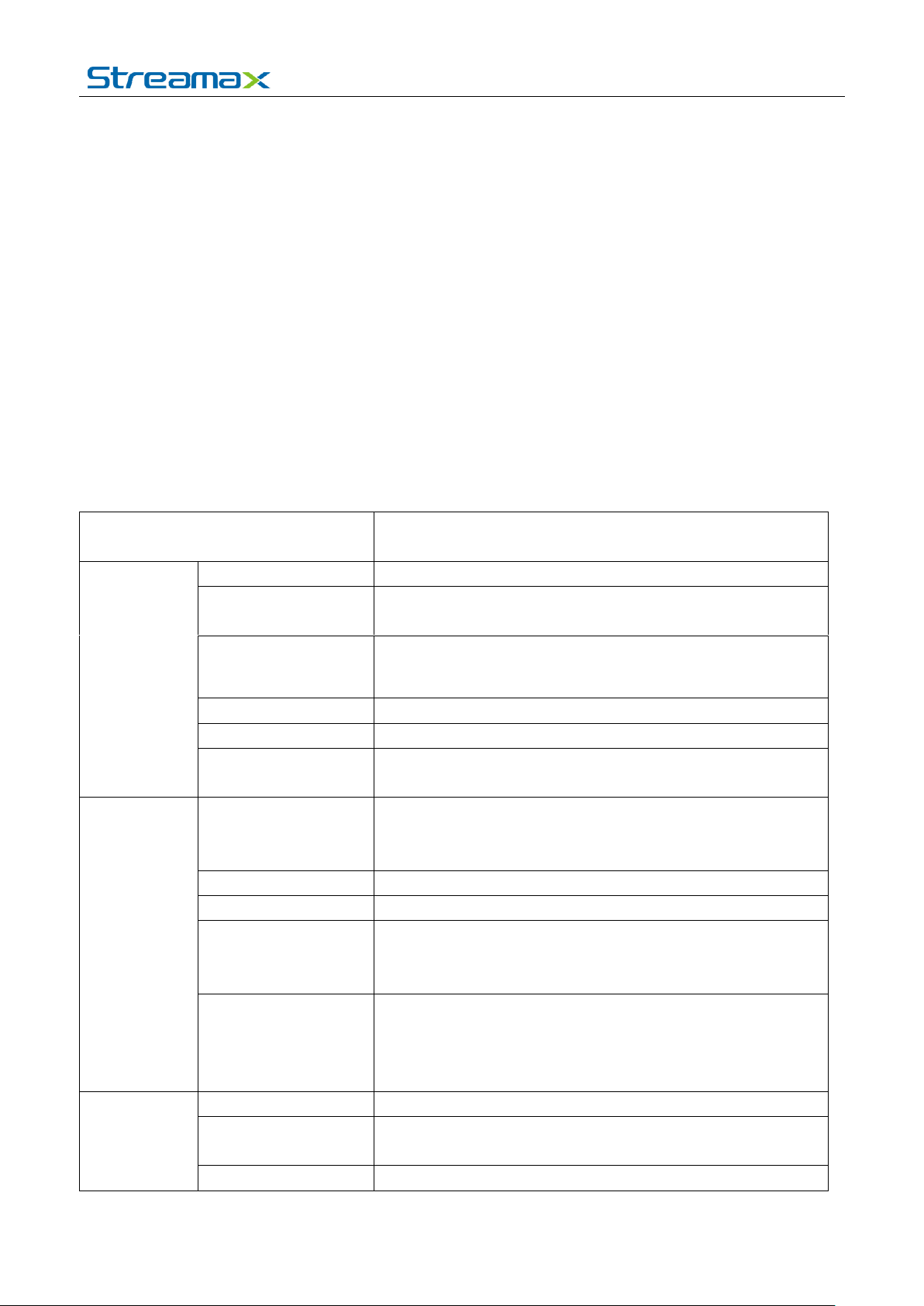
Wireless module
Standards and
frequency bands
LTE six Frequency Bands 2/4/5/13/17/25
Communication
bandwidth
LTE: 50Mbps / 100Mbps(20Mhz) ;25Mbps / 50Mbps(10Mhz)
5.76Mbps / 42Mbps(HSPA+ rates)
Transmission power
<23dBm
Receiver sensitivity
<-97dBm
Features
supports data transmission, not voice, SMS or other
functions
Port
Antenna interface
(SMA Female head)
One main antenna interface (Installing antenna is essential);
One auxiliary antenna interface (To enhanced RX signal)
SIM card interface
One
USB interface
With locked USB Interface (Power & Data transfer)
PWR
Power indicator light:
Light on when device works
Light off when power off.
WAN
Wireless network indicator:
Light on when module dials normally light is lit,
Light flashing when data is transmitting
Light off when the module is not detected or malfunction
Power
consumption
Input voltage
DC 5V
Standby power
consumption
Max. power
≦1500mA@5V DC
1. PRODUCT CHARACTERISTICS
1.1. OVERVIEW
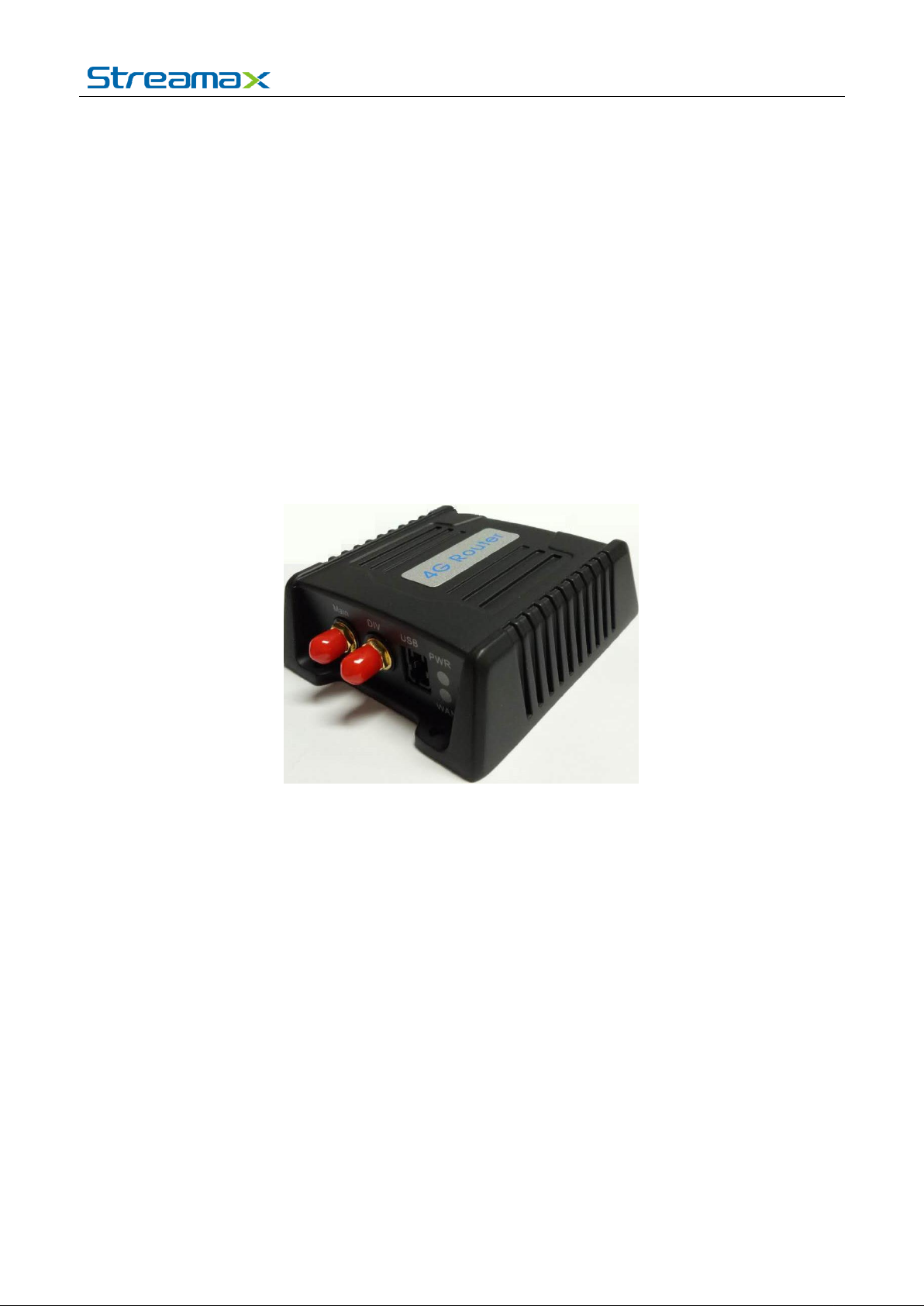
Streamax 4G Router is specially designed for mobile digital video recorder and remote video
surveillance, which is cost-effective, high-speed and low power consumption industrial-grade wireless
router. It uses 4G high-speed wireless network as a data bearer network for remote devices and
servers to provide secure high-speed wireless connection. It definitely meets the large capacity data
transmission need of mobile DVR. With strong anti-vibration capability, simple & exquisite appearance,
dust-proof design, low power consumption, compact size, light weight and easy installation, it is reliable
and stable. Besides, the router uses industrial metal shell and can shield electromagnetic interference,
whose antenna is also with lightning protection design.
1.2. SPECIFICATIONS
SVT-P4GRouter(1.0)
MC7354
≦100mA@5V DC
For more information, please visit our website www.en.streamax.com
Page 3
User manual for 4G Router
3 - 4
consumption
Working
environment
Operating
temperature
-40℃~ +70℃
Working humidity
8%-90% (condensation)
Physical
characteristic
s
Shell material
Metal shell (aluminum die-casting)
Dimensions
(mm)
88*80*28.6
Weight (g)
226
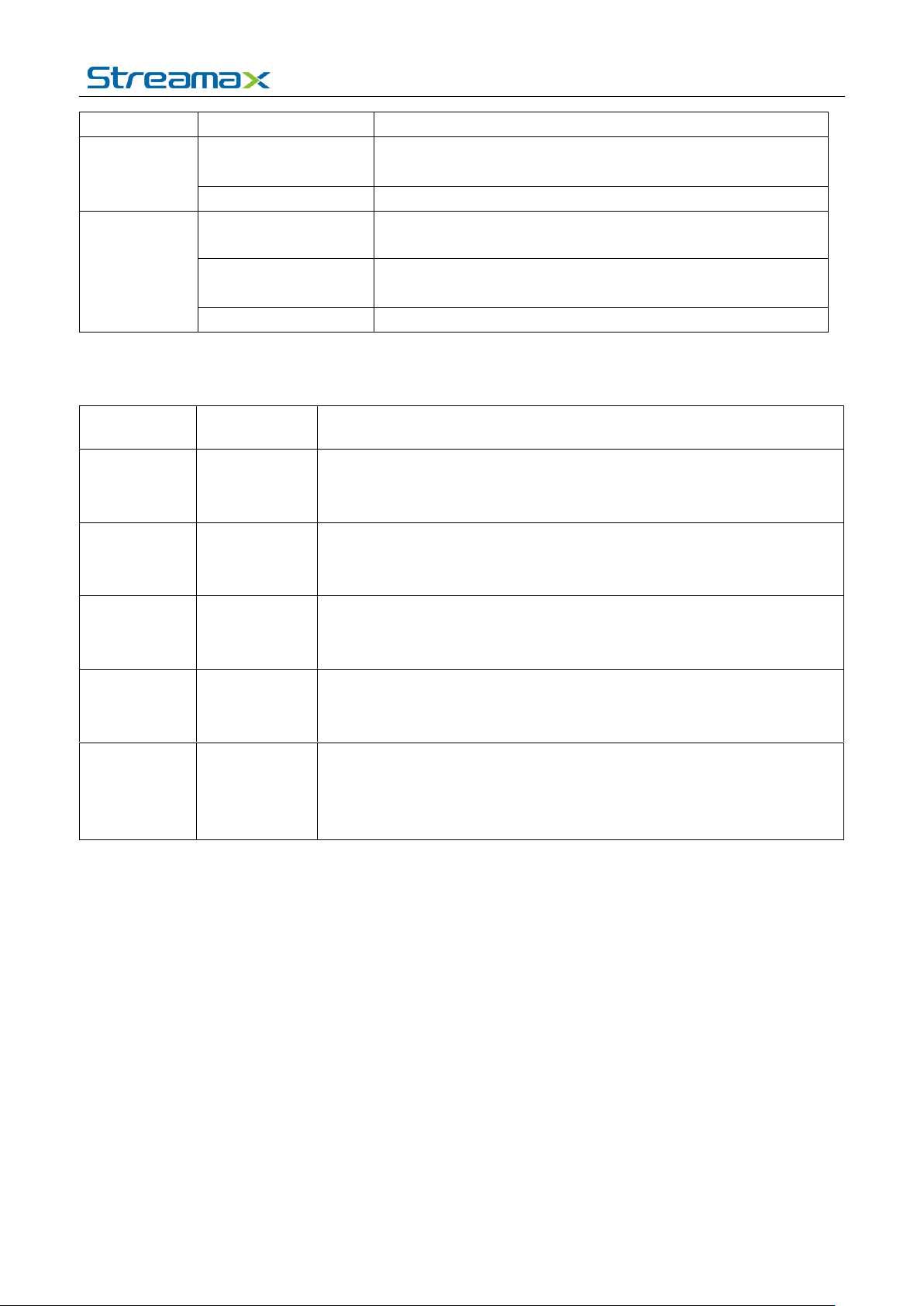
Serial NO.
Print
Description
1
Main
Main Antenna Interface (Installing antenna is essential)
2
DIV
Auxiliary antenna interface (Only enhanced receive signal)
3
USB
With locked USB Interface (Power & Data transfer)
4
PWR
Power indicator light:
Light on when device works
Light off when power off.
5
WAN
Wireless network indicator:
Light on when module dials normally light is lit,
Light flashing when data is transmitting
Light off when the module is not detected or malfunction
1.3. PANEL INTERFACE
For more information, please visit our website www.en.streamax.com
Page 4
User manual for 4G Router
4 - 4
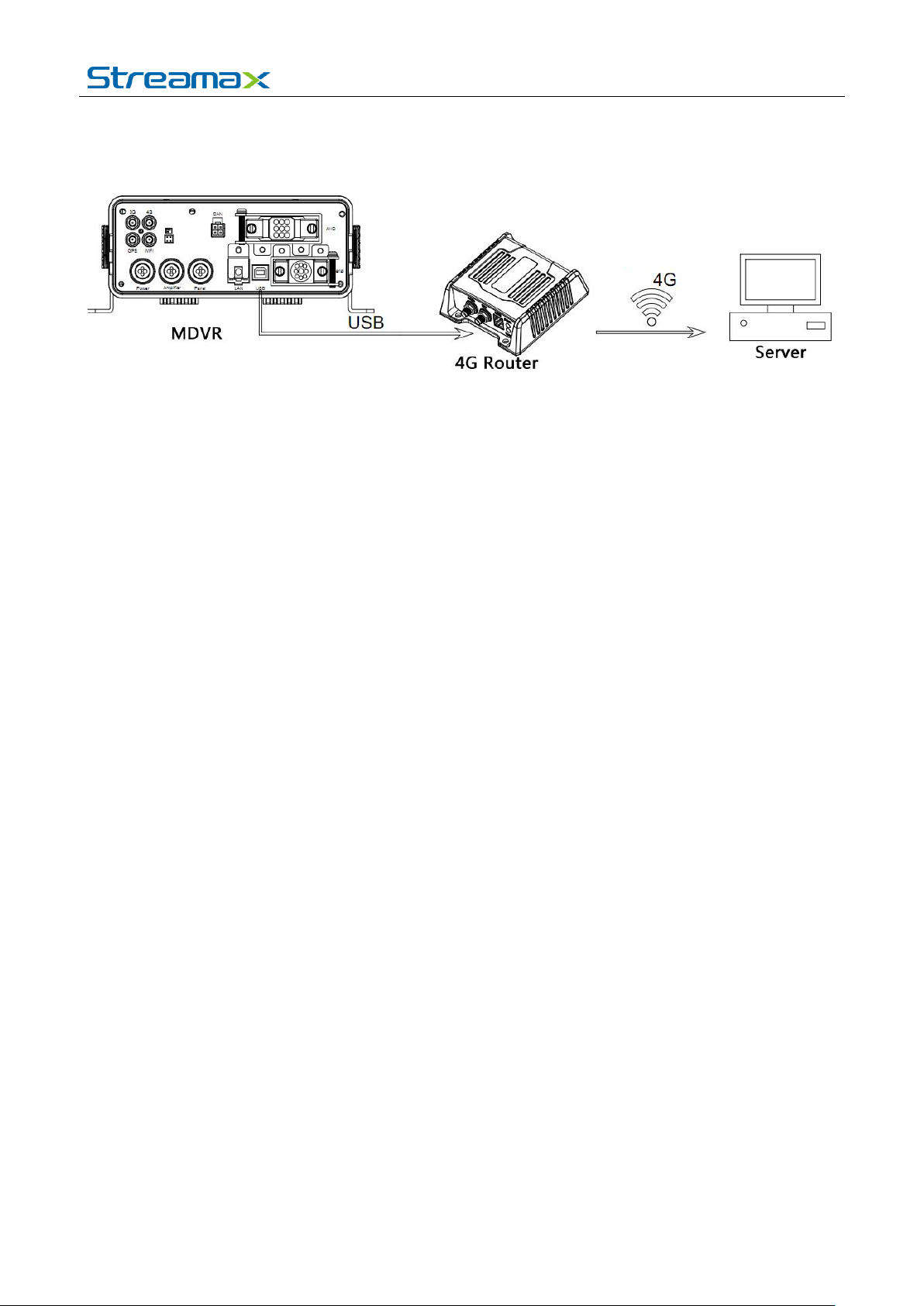
1.4. SYSTEM DIAGRAM
The 4G router mainly works with Mobile DVR. When there is no built-in network communication
module in the Mobile DVR, user can connect the USB interface at the rear panel of MDVR to the one of
wireless 4G router to realize the long-distance audio & video data transmission of MDVR through
4G wireless network .
1.5. Note
The 4G Router is specially designed and produced by Streamax Technology. User is supposed to
used it with specialized 4G antenna.
For more information, please visit our website www.en.streamax.com
Page 5

FCC Radiation Exposure Statement:
This equipment complies with FCC radiation exposure limits set forth for an uncontrolled environment. This
equipment should be installed and operated with minimum distance 20cm between the radiator & your body.
FCC Warning
This device complies with Part 15 of the FCC Rules. Operation is subject to the following two conditions:
(1) This device may not cause harmful interference, and (2) this device must accept any interference received,
including interference that may cause undesired operation.
NOTE 1: This equipment has been tested and found to comply with the limits for a Class B digital device,
pursuant to part 15 of the FCC Rules. These limits are designed to provide reasonable protection against harmful
interference in a residential installation. This equipment generates, uses and can radiate radio frequency energy
and, if not installed and used in accordance with the instructions, may cause harmful interference to radio
communications. However, there is no guarantee that interference will not occur in a particular installation. If this
equipment does cause harmful interference to radio or television reception, which can be determined by turning
the equipment off and on, the user is encouraged to try to correct the interference by one or more of the following
measures:
- Reorient or relocate the receiving antenna.
- Increase the separation between the equipment and receiver.
-Connect the equipment into an outlet on a circuit different from that to which the receiver is connected.
-Consult the dealer or an experienced radio/TV technician for help.
NOTE 2: Any changes or modifications to this unit not expressly approved by the party responsible for
compliance could void the user's authority to operate the equipment.
 Loading...