

Page 1
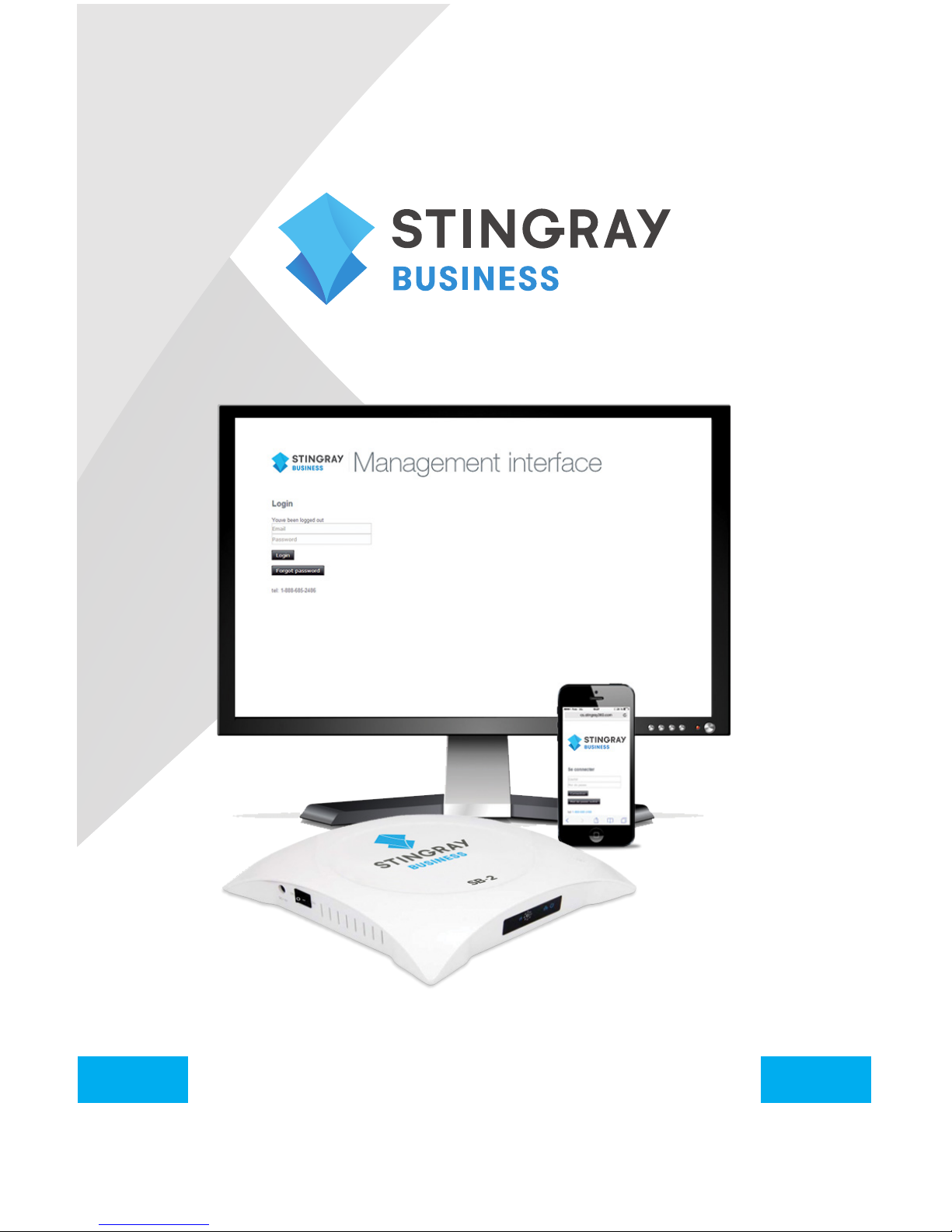
SB-2 AUDIO PLAYER
User Guide
Page 2

2
IMPORTANT SAFETY INSTRUCTIONS
• The SB-2 is designed to be placed horizontally and right-side
up. Other positions may cause problems with air flow and shorten
the lifespan of the components.
• The SB-2 should be placed in a clean, well-ventilated area. Do not
stack items on or against it.
• Ensure all cabling is routed properly and safely.
• Ensure your SB-2 is plugged into a properly grounded, always-on
AC electrical outlet.
WARNING
To reduce the risk of fire or electric shock, do not
expose this unit to rain or other forms of moisture.
To prevent electric shock due to exposure of
blades, do not connect the polarized plug of the
external power supply to an extension cord,
receptacle or other outlet unless the blades can
be fully inserted.
DEVICE SHOULD REMAIN POWERED AT ALL TIMES
Page 3

3
WELCOME
WITH STINGRAY BUSINESS, IT’S
ALL GOOD VIBES
Stingray Business is thrilled to offer you its newest music player, the SB-2
(Stingray Box); the little box with a big sound. Affordable, user-friendly
and built to last, the SB-2’s impeccable sound quality will allow you to
connect with your customers through your very own musical signature.
The best music for every moment, place and mood in your life.
Page 4
4
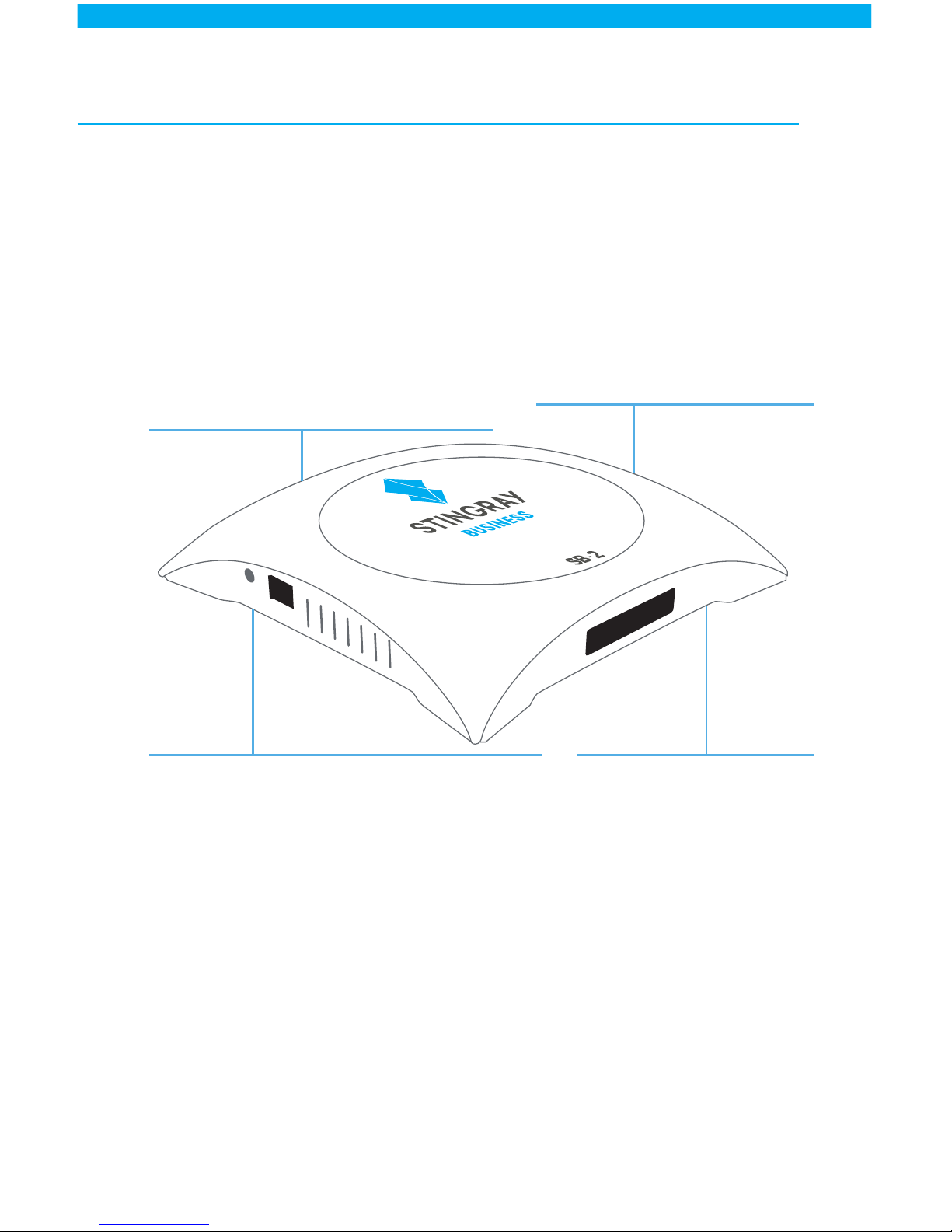
YOUR DEVICE AT A GLANCE
Installation
Not a techie? Not a problem!
Setting up the SB-2 is a walk
in the park. Turn to page 5 to
learn how to get rolling in no
time. Can’t find what you are
looking for? Our resourceful
support team is at your
service at all times.
Content
Choose from our preprogrammed
collection of music which span a
wide variety of genres or craft a
totally unique playlist for your store
without ever having to worry about
copyright fees. Integrate on hold
music and custom messaging
seamlessly into your schedule to
maximize every moment you have a
customer’s attention.
Content updates
The SB-2 will arrive at
your doorstep preloaded
with all the good stuff you
requested. Subsequent
updates will be made
available on USB sticks
sent by mail or through
the web for clients with
an internet connection in
place.
Features and functionalities
• Adapt music and messaging to
specific spaces with the zoning option
• Multiple features and options available
through a remote based control site.
Block songs, schedule messages,
select programs and more.
• Our breakthrough On the Go feature
allows you to manage your account
from your mobile device.*
*Only for clients receiving updates by
internet
Page 5
5
UNPACKING
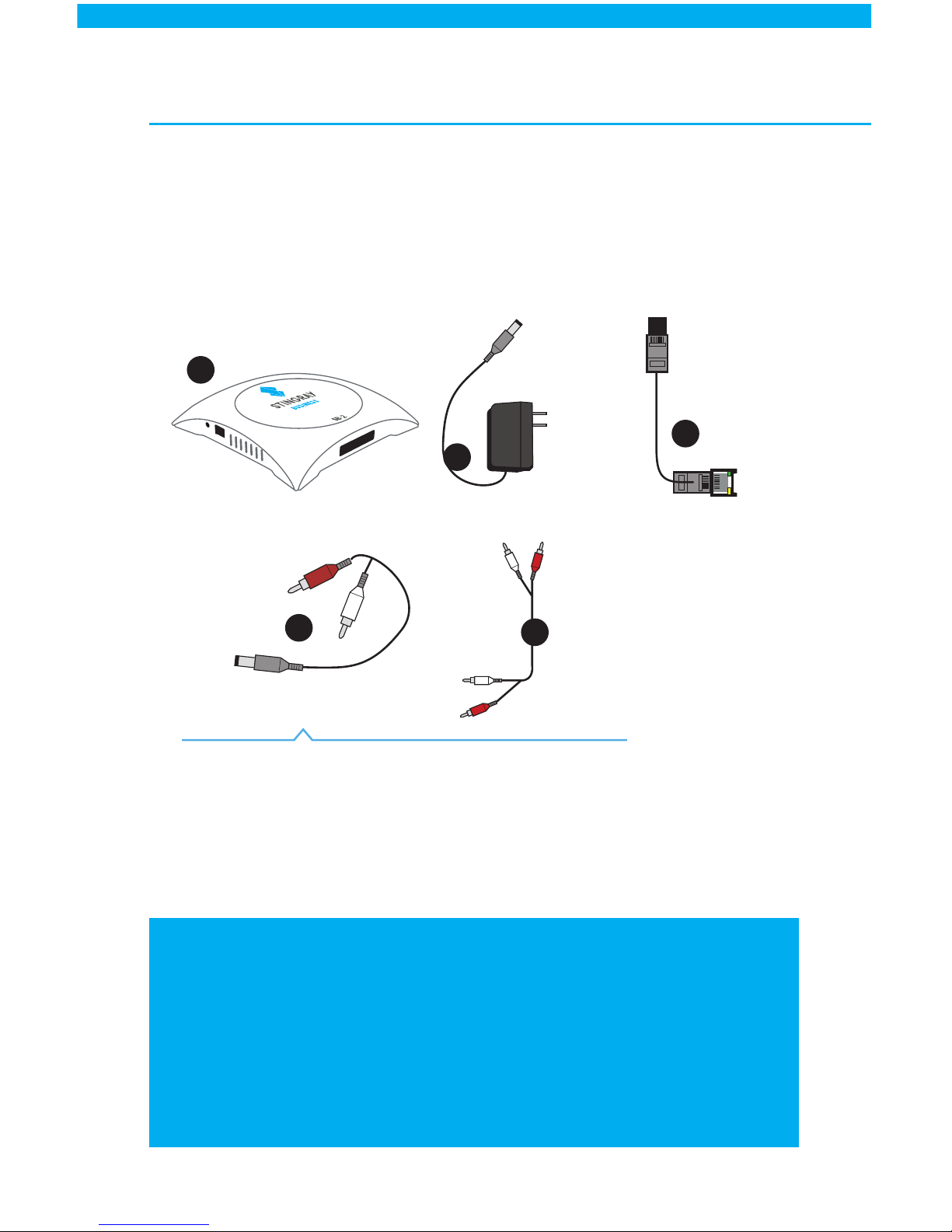
Check your product box for the following items.
If there are any missing accessories, call 1.888.685.2486 or contact
[email protected] . Please keep all packaging material for
later use in case your SB-2 must be re-shipped.
C.
D.
A.
E.
B.
NOTES
• The items supplied with your product may vary depending on the
device model and your amplification system.
• Do not use any unapproved items to ensure the safety and
product life span.
• Damages or injuries caused by using unapproved items are not
covered by the warranty.
Hold on to me!
You won’t need your Y adapter for the setup but
it will come in handy for running soundcheck tests
with support if you are experiencing difficulties.
Not available to clients
without an internet
connection.
*
*
Internet I n
ower 5.0v 2.
P
A) SB-2 player
B) Power Module
C) Network Cable
D) Audio Cable
E) Y Adapter
Page 6
6
Internet source
Zone 2Zone 1
2.
Audio Ou t
Internet I n
ower 5.0v 2.
BA
P
1.
3.
4.
Page 7
7
THIS IS YOUR 9 DIGIT INITIALIZATION CODE
Important information for clients receiving internet updates
• An active network connection must be maintained to receive updates.
These updates will be uploaded from the Stingray Business servers to
your device during the time slots you will have preselected.
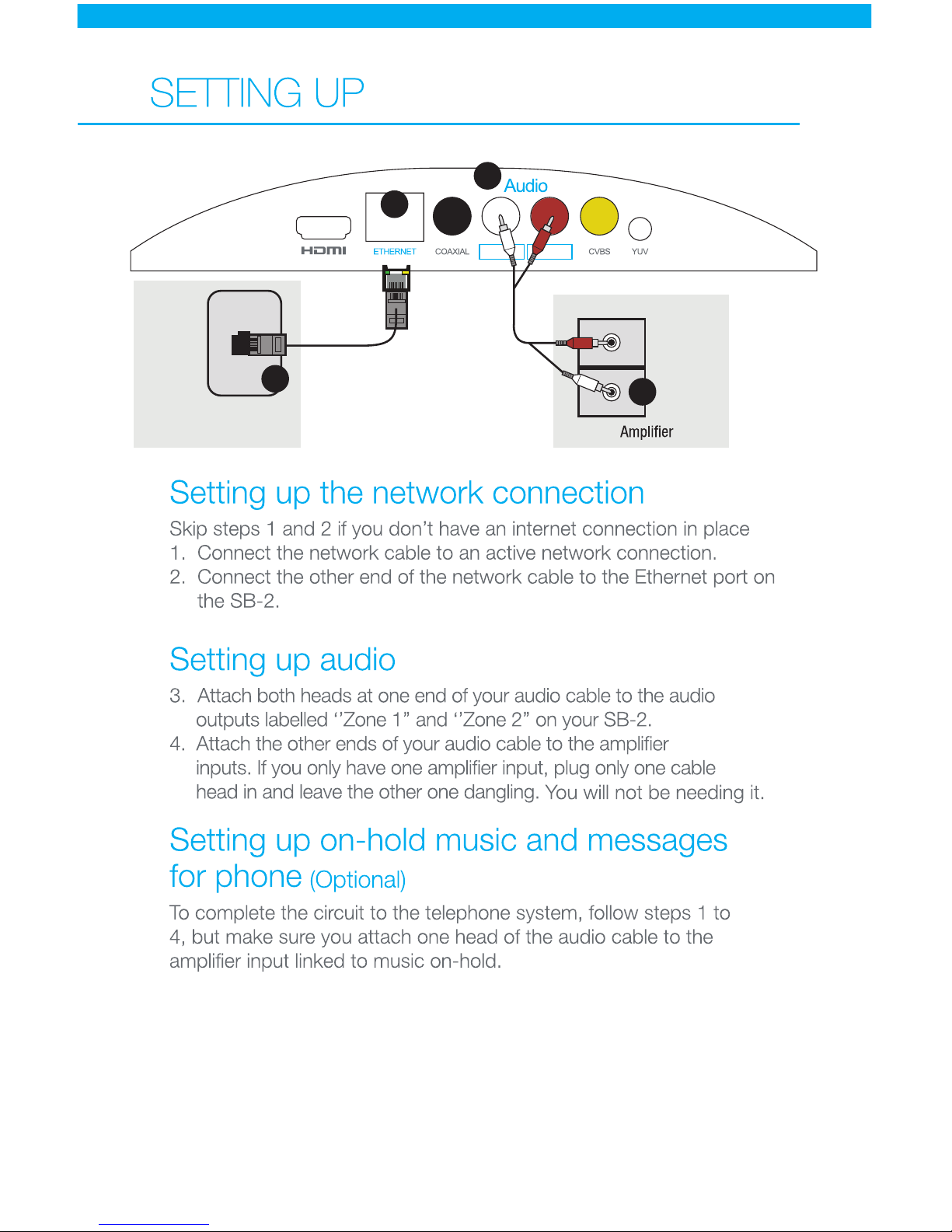
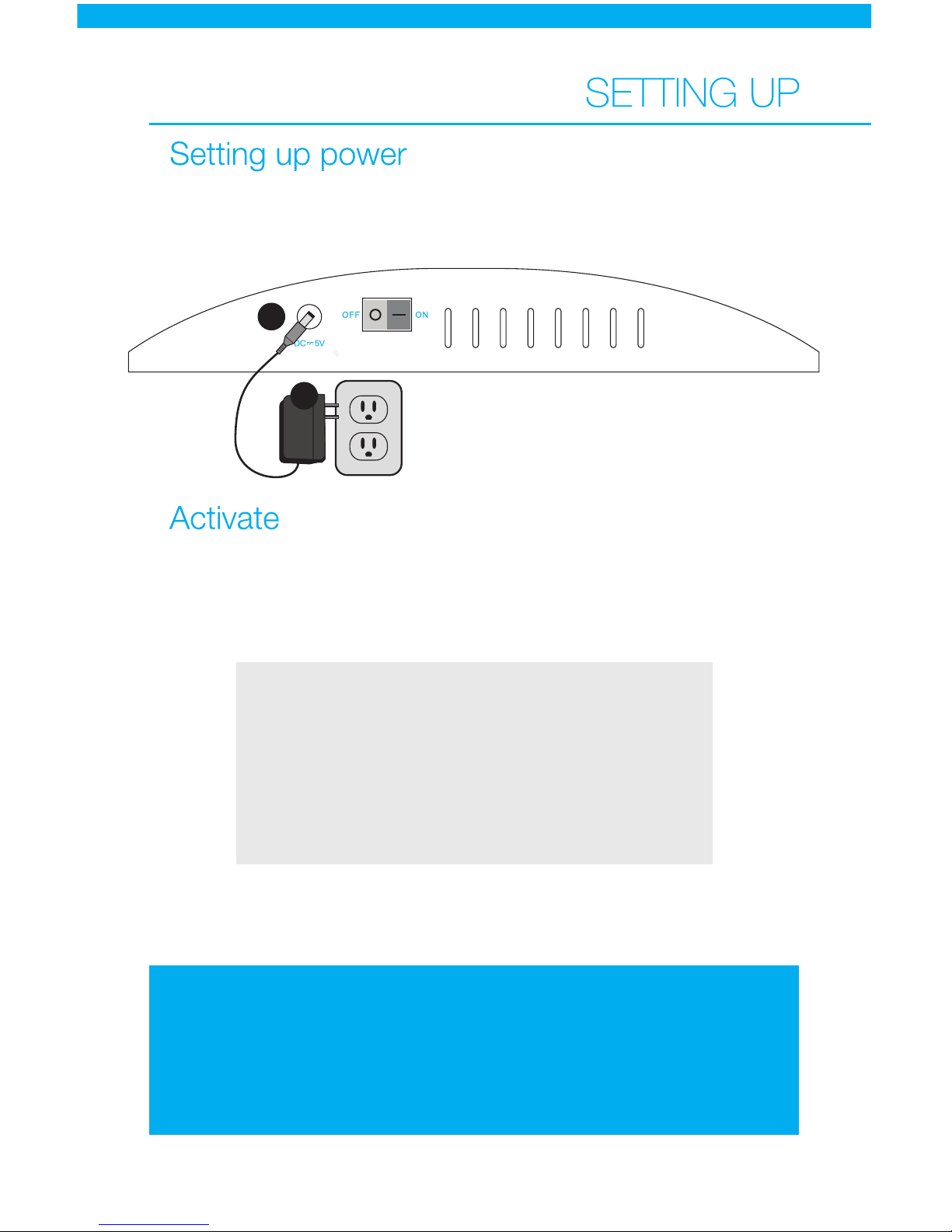
5. Attach the power module to the power port on the SB-2.
6. Attach the power plug to the power outlet. A solid blue light will turn
on to indicate that your device has been plugged in properly.
POWER
5.
6.
7. Activate your device by calling 1.888.571.9040 and entering the 9
digit initialization code on your telephone dial.
8. Adjust volume from your amplifier, device or phone system to desired
level before playing your music.
Congratulations your music should start playing in no time!
Remember, your device should remain powered at all times
Please refer to page 7
in french instructions
Page 8
8
Online Control
Start exploring your new musical universe by logging into the
remote SB-2 Management Interface. To access the page, visit
http://cs.business.stingray.com/login and enter your email address.
Frequently Asked Questions
View our answers to frequently asked questions by visiting
http://business.stingray.com/faq and clicking on Questions related to our
media players.
Contact us
Email [email protected]
Phone 1.888.685.2486
 Loading...