

Page 1
SteriClick Pty. Ltd. ACN : 615 700 948 Address: PO BOX 3007 Frankston East VIC 3199 Australia
www.stericlick.com.au Email: [email protected]
Cleans with all common non-corrosive medical cleaning solutions certified for medical usage
2.4GHz digital radio frequency technology with working distance up to 10 meters (30 feet)
Automatic synchronization between keyboard and receiver
IP68 water and dust protection
Unique antibacterial coating on keyboard and cable preventing micro organisms
Very comfortable and light typing Low profile keys easy for an easier to clean flat surface
with Touchpad – (no mouse required ideal for confined desk space)
Mini USB receiver
Compatible with Microsoft Windows 10/8/7/Vista/XP/2000/ME/98, Mac OSX 10.5+
Plug and play. Easy to install, no drivers needed
Certification:
Layout:
CE, FCC, ROHS
US English 110 Keys
Warranty:
SteriClick provides a Limited One (1) Year Warranty (“Warranty Period”) to the initial
purchaser of this product.
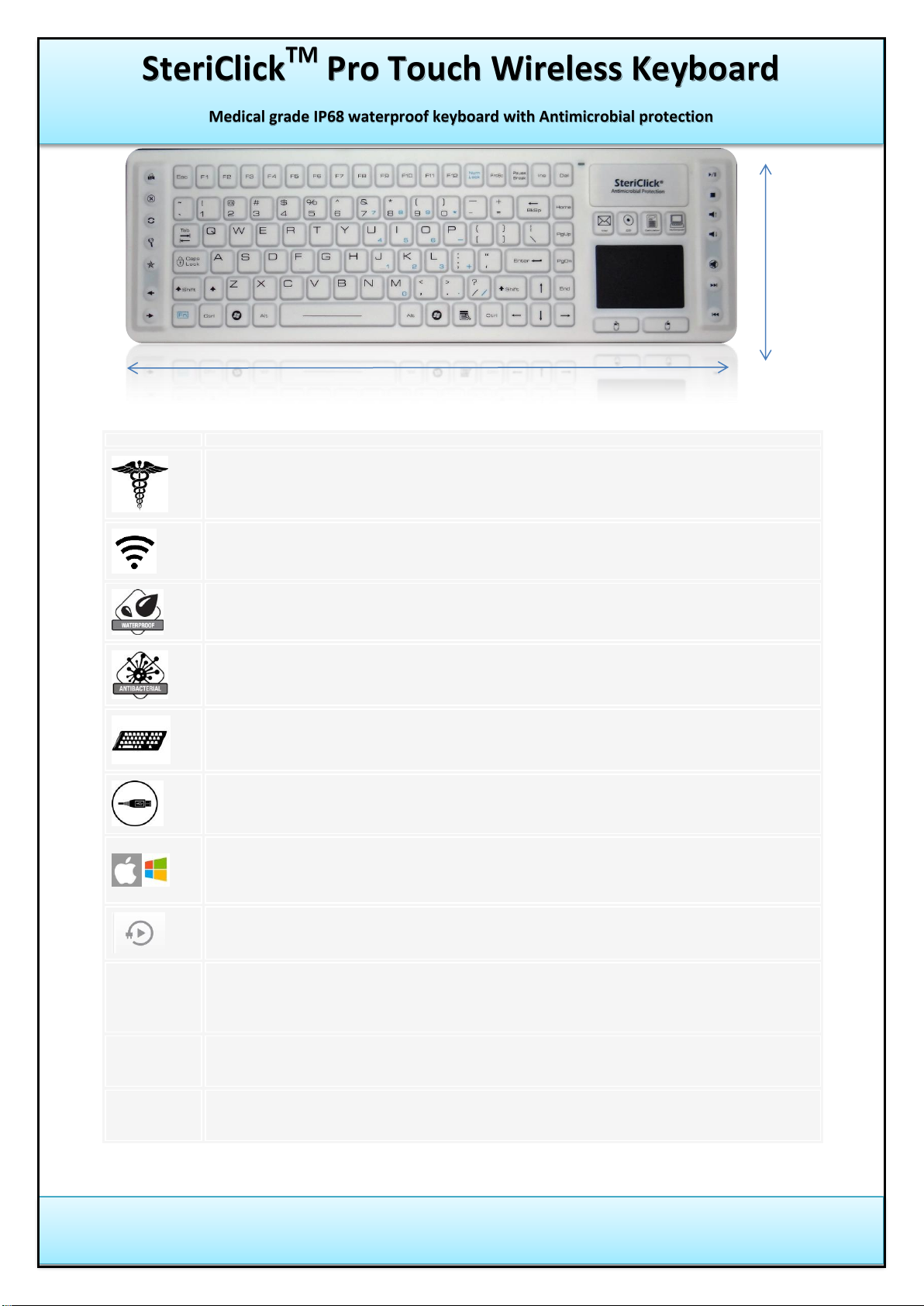
380 mm
130 mm
SteriClick
TM
Pro Touch Wireless Keyboard
Medical grade IP68 waterproof keyboard with Antimicrobial protection
Dimensions: 380mm x 130mm x 14mm
Page 2
SteriClick Pty. Ltd. ACN : 615 700 948 Address: PO BOX 3007 Frankston East VIC 3199 Australia
www.stericlick.com.au Email: [email protected]
SteriClick
TM
Pro Touch Wireless Keyboard user guide
Medical grade IP68 waterproof keyboard with Antimicrobial protection
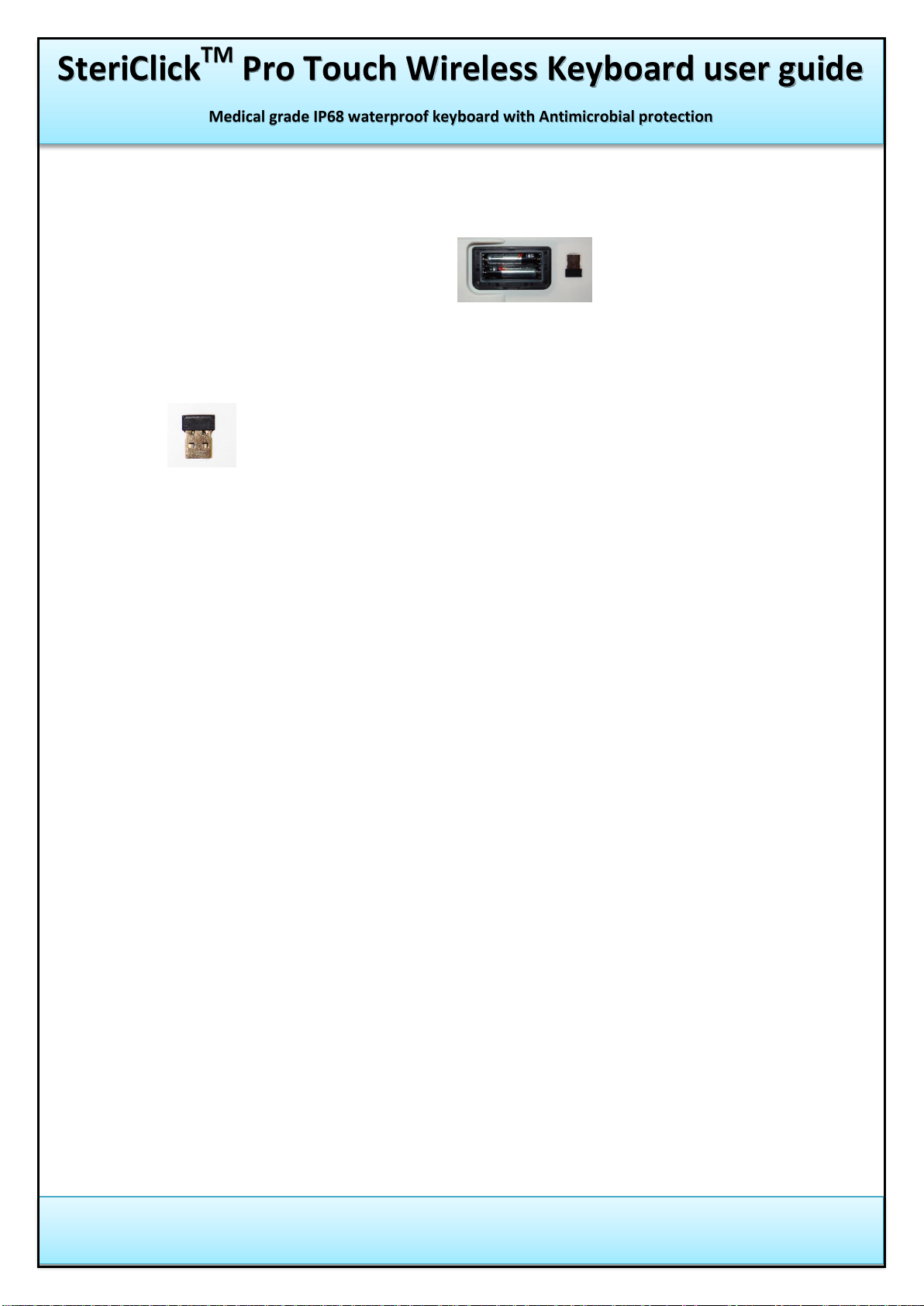
1. Inserting and replacing the batteries: Insert two alkaline AAA batteries
into the slot on back of keyboard , observing proper
polarity.
2. Mini USB Wireless receiver ‘dongle’ : is located in back of keyboard
3. Set up your wireless keyboard and mouse
Follow these instructions to set up your wireless keyboard and mouse
before attempting troubleshooting procedures.
Connect the USB receiver into the USB port on your computer.
Restart the computer.
Make sure batteries are installed in both the wireless mouse and
in the keyboard.
Make sure the keyboard is turned on.
4. Only clean keyboard surface with non-corrosive cleaning solutions.
5. DO NOT use Bleach or Harsh Chemicals for cleaning keyboard surface.
 Loading...