

Page 1
IP Substations
+
Getting Started
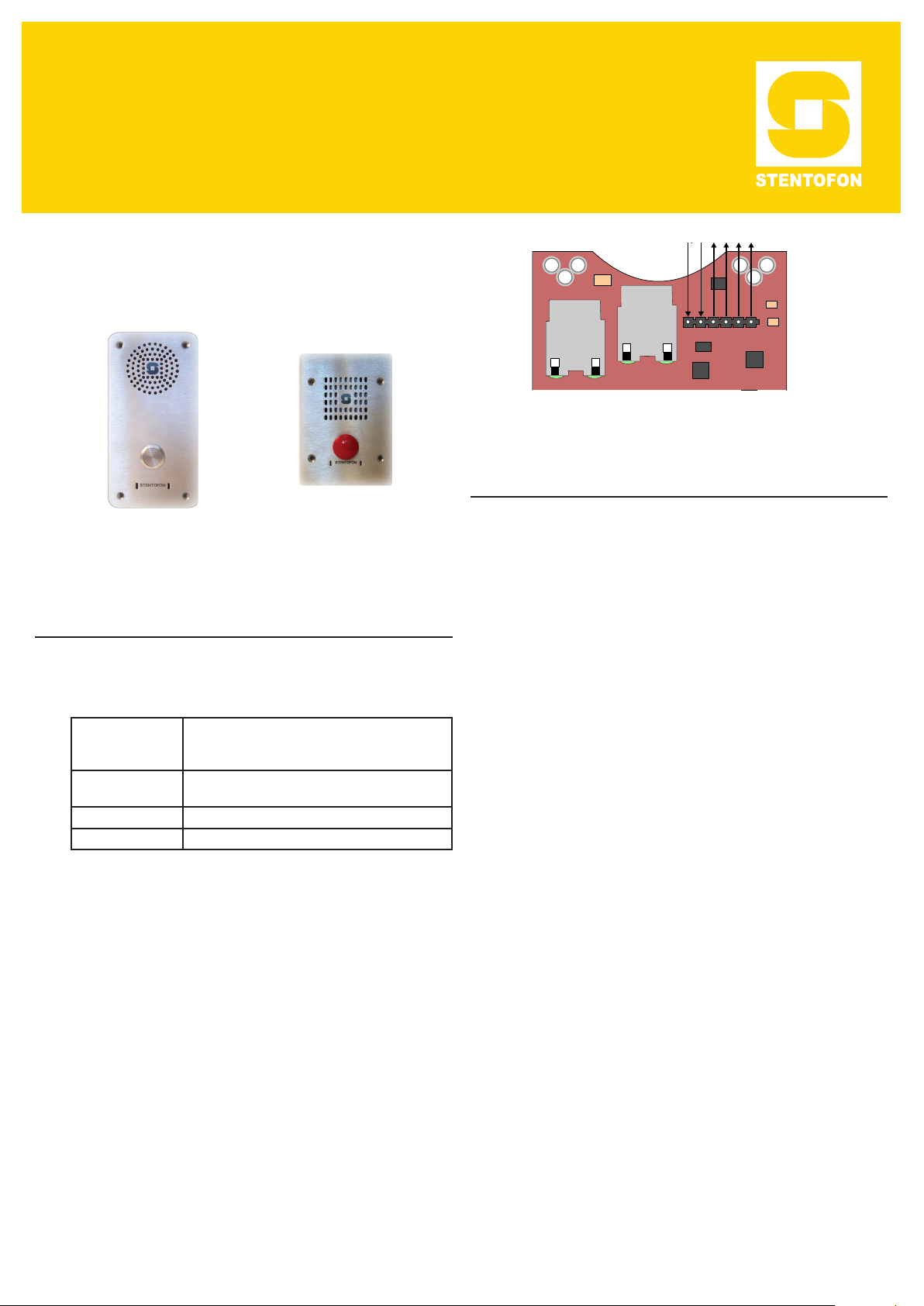
The information in this document pertains to the
following STENTOFON IP Substations:
Vandal Resistant
IP Substation
Vandal Resistant
IP Substation (3 Gang)
24V EXT
0V EXT
RELAY
LS
X
U
N
A
L
RJ45 Ports on IP Substation PCB
A
6
1
3
P
2 Conguration
A web browser is used for the conguration of the IP
Substation.
For substation conguration, there are essentially three
parameters to set:
1 Installation
The table below is an overview of the main connectors
involved when installing the IP Substations.
LAN 10/100 Mbps RJ45 port for LAN (uplink) connection.
AUX 10/100 Mbps RJ45 ports for auxiliary equipment such as
Input/Output Pluggable screw terminal
Local Power Pluggable screw terminal, 19-27 VDC Idle 4W, max. 8W
1.1 Power Supply
The IP Substation supports Power over Ethernet (PoE,
IEEE 802.3 a-f) where power can be drawn from either
the spare line or signal line. If PoE is not available,
the IP Substation can be connected to a local 24 VDC
power supply.
1.2 Network Connection
There are two RJ45 ports on the IP Substation:
● LAN port is for connecting to the network and the
AlphaCom server/exchange.
● AUX port is for connecting to auxiliary equipment
such as a PC.
Supports PoE (802.3af). Draws power from either spare
line or signal line.
PC and IP camera.
● AlphaCom IP address
● Station directory number
● Station IP address
2.1 IP Substation Web Interface
The IP Substation features an embedded web server,
which allows users to log in via a standard web
browser. At commissioning, the IP substation needs to
be congured to enable it to subscribe to an AlphaCom
server/exchange. To do this, your PC and the IP
substation have to be connected together via a PoE
switch using network cables:
● Connect the PC to the PoE switch
● Connect the LAN port on the IP substation to the
PoE switch
The factory default IP address of the substation is
169.254.1.100. In order for your PC to communicate
with the substation it is necessary to change its
Internet Protocol Properties to use an IP address
that is in the same range as 169.254.1.100, e.g.
169.254.1.1 with subnet mask 255.255.255.0.
After the IP properties have been changed, access the
substation by logging into the web interface using a
standard web browser:
1. Open a web browser
2. In the browser’s address bar, type the default IP
address 169.254.1.100 and press the ENTER key
- The substation login page will be displayed.
Page 2
To log into the substation:
1. Click Login
2. Enter the default User name: admin
3. Enter the default password: alphaadmin
3 Restoring Default Settings
An IP Substation may have to be reset to its original
factory default settings if, for instance, the password to
the web server is forgotten. The defaults can be either
be set to Static IP or Activated DHCP (when there are
many new IP Substations in an installation).
The Station Information page will now be displayed,
showing the IP substation conguration.
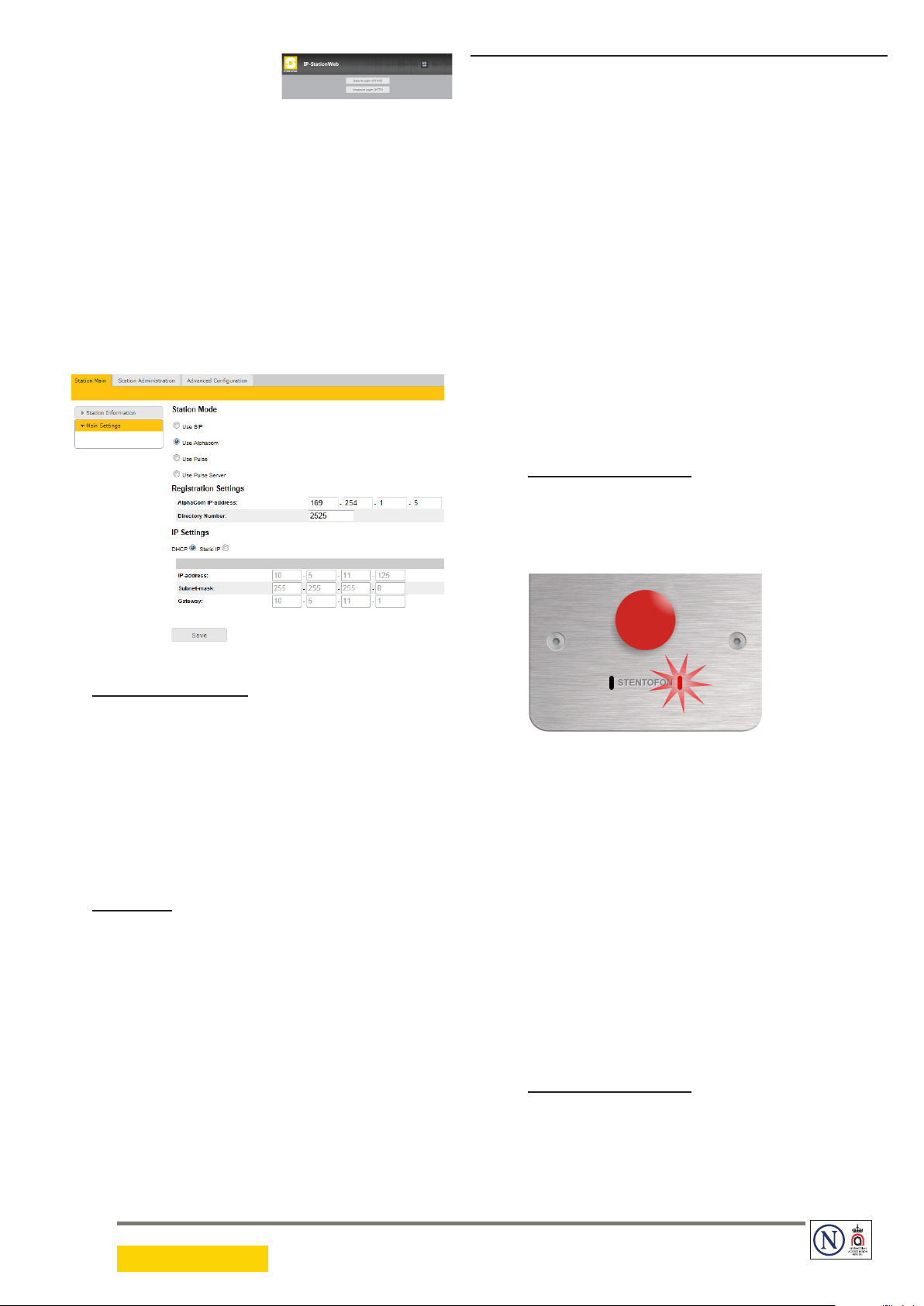
2.2 Station Main Settings
● Click Station Main > Main Settings to access
the page for conguring station mode and IP
parameters.
3.1 Reset to Default Settings with Static IP
1. While pressing the call button, power up the
substation.
2. When the substation LED starts blinking, release
the call button after exactly 1 blink.
3. Let the LED blink for exactly 2 more times, then
press the button again.
4. Keep the button pressed until the LED blinks fast 2
times indicating a successful reset with static IP.
5. Release the button and the substation will restart
with the factory default settings.
Factory default values
- Station IP address: 169.254.1.100
- AlphaCom IP address: 169.254.1.5
- Username: admin
- Password: alphaadmin
Registration Settings
● Enter the IP address of the AlphaCom server/
exchange in which the IP substation is to be a
subscriber in the AlphaCom IP-address eld.
● Enter the directory number of the substation in the
Directory Number eld.
- If a directory number is not entered, the substation
will register with its MAC address. The MAC address
is found on the Station Info page and needs to be
entered into the AlphaPro programming tool.
IP Settings
● DHCP – Use this option if the IP substation shall
receive IP Settings from a DHCP server.
● Static IP – Select this option if the IP station shall
use a static IP address. Enter values for:
- IP-address
- Subnet-mask
- Gateway
● Click Save followed by Apply to apply the new
conguration settings.
3.2 Reset to Default Settings with Activated
DHCP
1. While pressing the call button, power up the
substation.
2. When the substation LED starts blinking, release
the call button after exactly 2 blinks.
3. Let the LED blink for exactly 4 more times, then
press the button again.
4. Keep the button pressed until the LED blinks fast
4 times indicating a successful reset with activated
DHCP.
5. Release the button and the substation will restart
with the factory default settings.
Factory default values
- Station IP address: determined by DHCP server
- AlphaCom IP address: 169.254.1.5
- Username: admin
- Password: alphaadmin
DOC NO.
A100K11061
STENTOFON and VINGTOR products are developed and marketed by Zenitel Norway AS. The company’s Quality Assurance System is certified to meet the requirements in NS-EN ISO 9001:2008. Zenitel Norway AS
reserves the right to modify designs and alter specifications without prior notice, in pursuance of a policy of continuous improvement. © 2011 Zenitel Norway AS.
14.12.2011
 Loading...